2026 week #23: SL CCUG meeting summary

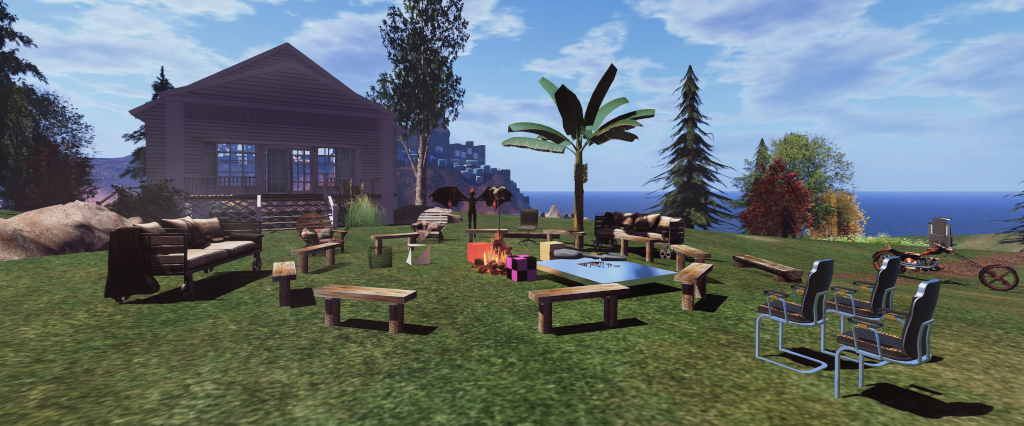
Hippotropolis Campsite: venue for CCUG meetings
The following notes were taken from:

  • My chat log and audio recording  of the Content Creation User Group (CCUG) meeting of Thursday, June 4th, 2026.
  • Please note that this is not a full transcript of either meeting but a summary of key topics.
Table of Contents

Meeting Purpose

  • The CCUG meeting is for discussion of work related to content creation in Second Life, including current and upcoming LL projects, and encompasses requests or comments from the community, together with related viewer development work.
    • This meeting is generally held on alternate Thursdays at Hippotropolis and is held in a mix of Voice and text chat.
  • Dates and times of meetings are recorded in the SL Public Calendar.

Official Viewer Status

Viewer Notes

  • Viewer 26.3.0 (performance improvements) remains the priority for issue and later promotion. This viewer will include async inventory loading, which should further help with loading very large inventories; together with new texture streaming updates which should help those on SL minimum specification computers with constrained VRAM.
  • Beyond this, there are on-going discussions within the Lab as to priorities for the viewer train going forward.
    • This might see the Lua Editor and the Linux updates for the viewer get merged into the Develop branch. However, if this does happen, it should not be taken to mean Lua is on the cusp of being formally released; rather it will will mean that the viewer side gets released within a viewer ahead of the back-0end support going grid wide (the latter loosely seen as being in the late summer at the earliest).
    • Setting feature flags within the viewer to gatekeep upcoming features and functionality until such time as it is generally available (as would be with the Lua code mentioned above) is also being discussed.
  • The Graphics Care Package Viewer (GCP) is effectively “on hold” for the present. However, it might see some additions made to it, such as the glTF transmission work (which will depend on the overall performance impact).
  • Maintenance releases are also in development. As has been indicated in past CCUG and Open Source meetings, these will be much smaller updates to the viewer, aimed at offering a more limited number of fixes  (e.g. the top 5 or 10 issues / viewer crashers) than has been the case with past maintenance viewer updates. The first of these is probably going to be viewer 26.3.1 (i.e. following 26.3).

General Discussions

  • Kyle Linden confirmed the Second life Creation portal (/Getting Started with Scripting) has seen a lack of outward communications from LL, but the Lab definitely wants to proceed with building it out and does want to receive contributions. To this end he will be contacting those known to have produced documentation on things like Lua, and this work will be progressing in the near future.
  • It was requested that the upcoming rendering updates within the GCP viewer all have options to disable them if people do not wish to use them.
    • Geenz pointed out that rather than options to disable, all of the items with could impact performance (such as glTF transmission) will have drop-down options within Preferences, allowing their quality, to be lowered, limiting any performance impact. However, some capabilities (e.g. glTF metallic) will remain enabled at all times, as they are viewed as essential to content.
  • A general conversation about possibly reintroducing texture sampling / supporting glTF texture filtering, plus looking beyond OpenGL together with upscaling resolution via the likes of AMD’s FSR, Nvidia’s DLSS, Intel’s XeSS, etc. See here for more), with Geenz noting the with the deprecation of OpenGL, LL is getting increasingly constrained as to what they can do, although FSR is a “maybe”, as there has been some backporting of support to OpenGL.
    • The above being said, LL is currently still looking at API options (e.g. Vulkan / Metal /  WGPU (the latter being seen as  suiting a wider mixed of older hardware can address multiple APIs)), although the focus at the moment is on finding a good inflection point to determine the direction which should be taken (such as Apple finally finally ending their support of OpenGL, rather than deprecating it but still supporting in through Mac Os 14 Sonoma).
  • Conversations not directly related to content creation included Nvidia’s new CPU/GPU ARM chips and how they may affect hardware (and Windows support) in the future; availability of Second Life OpenSpace regions; whether Second Life can have regions larger than 256×256 sq m (not on the horizon).

Next Meeting

June 2026 SL Web User Group

The Web User Group meeting venue, Denby

The following notes cover the key points from the Web User Group (WUG) meeting, held on Wednesday June 3rd 2026. These notes form a summary of the items discussed and is not intended to be a full transcript. Pantera’s video is embedded at the end of this article, my thanks to her for providing it.

Meeting Overview

  • The Web User Group exists to provide an opportunity for discussion on Second Life web properties and their related functionalities / features. This includes, but is not limited to: the Marketplace, pages surfaced through the secondlife.com dashboard; the available portals (land, support, etc), and the forums.
  • As a rule, these meetings are conducted:
    • On the first Wednesday of the month at 14:00 SLT.
    • In both Voice and text.
    • At this location.
  • Meetings are open to anyone with a concern / interest in the above topics, and form one of a series of regular / semi-regular User Group meetings conducted by Linden Lab.
  • Dates and times of all current meetings can be found on the Second Life Public Calendar, and descriptions of meetings are defined on the SL wiki.

Web Services Updates

The focus of work for the past month has been mainly on under-the-hood updates and preparing for upcoming releases. This work includes:

  • Authentication/email service upgrades.
    • Aimed at providing better security.
    • Also includes a migration to LL’s own e-mail service.
    • This work is about to go to QA for testing.
  • The refresh of the web-base land / region purchasing pages is now going through QA. This is seen as the second part of the Land Portal overhaul which started with the refresh of the Linden Homes pages.
  • Search updates:
    • Improvements being made to web search. Once this work is deployed, the team will focus on fine tuning things like search results.
    • Work on adding the ability to search by region on the web-based world map is now in progress.
  • Marketplace: work:
    • The Responsive Marketplace Homepage is due to go through QA.
    • There is a review of Marketplace listings in progress, aimed at de-listing (not deleting) items where the creator has not logged-in to SL for a considerable period and the item hasn’t generated any sales. Part of this work is also to automate the de-listing process.
    • General Marketplace background work.
  • Under-the-hood upgrades to the new user join flow.
  • The web team has been reviewing their general workflow as a whole and how work is managed (some of it with a view to automating suitable tasks, such as the MP listings clean-up mentioned above).
  • The cookie prompt constantly appearing in places like the viewer Web Search tab and which can pop-up in SL web services  where it may not be required (or actually feeds a cookie to the viewer) is acknowledged as being too aggressive, and there is a review underway to ensure it only appears when required.

Trust and Safety Town Hall / User Group

  • There have been internal discussions on LL’s Trust and Safety team should hold Town Hall meeting or start their own User Group meeting.
  • Trust and Safety is responsible for ensuring a safe and secure environment for users by enforcing community standards, addressing user reports of misconduct, and protecting user privacy. They also manage issues related to user safety and the integrity of the virtual economy.
  • A request was made for topics to discuss (presumably to help determine which would be more beneficial: a Town Hall or a regular UG meeting). The primary topic suggested concerned Marketplace / phishing scam links, including:
    • Providing a Firestorm 7.2.4 like capability to unmask URLs pasted into in Group chat / chat / IMs using square braces – see here for more).
    • More controls for Group owners to manage the use of links, etc., within their Group chats (e.g. limiting links to “safe” sites – gyazo, Flickr, and similar; the ability to specify if a Role within the Group can post links; support for whitelisting links, etc.).
    • As a part of this discussion it was noted that LL is looking:
      • To add further account security options beyond the recent e-mail verification push.
      • To broaden of MFA options (to further encourage users to protect their accounts against hacking & the risk of their accounts a) being rubbed of any L$ balance; b) being used to to drop phishing links to all groups associated with the account).
  • This discussion became quite protracted through the meeting from around 10 minutes in through to around 25 minutes, but the general consensus was that a Town Hall or regular UG meeting would be useful.

General Discussion

  • In light of recent (over the last year?) issues with the Second Life wiki going down, with a request for a monthly downloadable package of the wiki to be made available for those interested in viewing it offline.
    • It was acknowledged the wiki has in the past been badly hit with LLMs and bots data-scraping and causing it to fall over; however, it is believed that countermeasures to prevent the problem have been put in place. Those still seeing the wiki being down for extended periods should file a report via Canny.
    • Offering a downloadable version of the wiki was seen as problematic as the information within it is subject to change; however, there might be other options for making the information available (subject to priorities), and a Canny report was against requested.
    • This resulted in a general discussion on the wiki – such as perhaps having a compressed (and regularly updated) archive available for people to view; encrypting IP address for those making active edits to the wiki, etc.
  • The above led to a wider discussion on the general visibility of various SL web-based properties and their general use, including the fact that many users never even use their Second Life dashboard at secondlife.com/my, as it is not known about / is not seen as dynamic / informative enough (Something I’ve raised directly with LL numerous times).
    • There is a review in progress to see if various web pages like the dashboard could be refreshed/ updated.
  • Items raised but outside of the Web Teams responsibility:
    • A request was made for a limited sandbox area to be included in the SLB regions to allow folk to a) rez gifts, etc.; b) take part in impromptu building classes and similar.  This was seen as a good idea for future SLBs, and will be taken back to the Lab.
    • The suggestion was made that some means of identifying Lab-managed regions should be added to the viewer Legacy Search (e.g. the Places tab), so that things like “official” sandboxes appear as the first returned following a search on such, thus assuring users the destination is “safe” (as much as a sandbox can can “safe”!) for them. This was seen as something that could perhaps be implemented within the Web Search.
    • A conversation on allowing a switchable (by region holder / estate managers?) option to enable region-wide chat. This was seen as useful in welcome hubs, etc., where incoming users can often arrive, ask a question via chat and then wander out of range before getting a reply – and then miss it, leading to them thinking they are being ignored.

Next Meeting

  • Wednesday, July 1st, 2026.

Firestorm 7.2.4 release overview

On Monday, June 1st 2026 (SLT), Firestorm released version 7.2.4.80712 of their viewer.

This release brings Firestorm into line with most of the recent releases of the official Second Life viewer (SLV) up to and including release 26.1.0, with additional cherry-picked updates from upstream.

Note that the following is not a complete review of the 7.2.4 release and all the changes made therein; it focuses on the more visible and user-facing updates. Those requiring a list of all changes and updates, including all bug fixes, etc, should refer to the Firestorm 7.2.4 release changelog, which also provides all proper credits for the work.

Table of Contents

General Notes

Installation

  • Only download Firestorm from the Firestorm website. Do not utilise any other third-party site purporting to offer the Firestorm viewer, and remember Firestorm will never ask for log-in credentials in order to download a release version of their viewer.
  • There is no need to perform a clean install with this release if you do not wish to.
  • Do, however, make sure you back-up all your settings safely so you can restore them after installing 7.2.4.

Linden Lab Updates

This release brings Firestorm to full parity with the following recent official viewer releases from Linden Lab.

Viewer 26.1.0 – Stability and Legacy Search

Version and release notes:  26.1.0.22641522367 – March 2026.

  • The ability to hide transparent reflection probes via Build Menu → Options → Highlight Transparent Probes or pressing ALT-SHIFT-T.
  • Quality of Life improvements:
    • Gestures (Comm Menu → Gestures or CTRL-G): now includes a sortable “Status” column. Click the leftmost column to move all active gestures to the top of the list.
New Gestures ordering column will re-order gestures for either active to top or inactive to top (requires Firestorm’s Show Active Only at the bottom of the floater to be disabled)
    • Camera controls have multiple improvements, including better aspect-ratio handling and a shortcut for panning the camera downward.
    • Improved outfit list performance, especially for larger wardrobes.
    • Restored support for avatar cloth: Developer Menu → Rendering → Render Animated Avatar System Cloth.
  • Bug fixes.
  • Elements already offered by Firestorm:
    • Re-implementation of Legacy Search, added to the World menu (Firestorm has been utilising a Legacy Search capability, however please read Search-Related Updates / Improvements, below).
    • Ability to search the Resident Chooser using Agent ID (agent key).
    • Ability to save Snapshot to Inventory at 1024×1024 as a selectable resolution.

Viewer 26.1.1 – Special Note

  • The Second Life viewer release 26.1.1.23806384790 (April 2026) implemented a new one-click installer feature for the official viewer.
  • Firestorm is not implementing this feature, so nothing from this release is relevant to Firestorm users.

Upstream Fixes included with 7.2.4

  • WebRTC:
    • Fixed WebRTC connection’s task outliving the connection (LLVoiceWebRTCConnection) – Github issue.
    • Fixed WebRTC voice being muted after quickly toggling the Speak button – Github issue.
    • Fixed incoming WebRTC voice audio being disrupted after editing audio settings – Github issue.
    • Fixed voice-disabled parcel does not immediately transmit audio after joining a p2p call – Github issue.
    • Fixed P2P text chat timeout on WebRTC regions and delay voice renegotiation on disconnect – Github issue.
  • General fixes:
    • Fixed “Quick Jump” sometimes being enabled when it shouldn’t be (due to race conditions with AGENT_CONTROL_FINISH_ANIM when chaining jumps). This corrects a issue for the Ponygirl community, where use of Quick Jump is usually banned; see FIRE-34049.
    • Fixed alpha debug overlay blend and mask conflict – see FIRE-36474.
    • Fixed PBR materials with alpha mode BLEND and alpha value of 0 are not highlighted – see FIRE-36363.
    • Fixed the default save location on Mac is the Resources file of the current viewer – see FIRE-36609.

New Features for 7.2.4

Avatar Alignment and Facing Tools

To facilitate better alignment for facing other avatars for things like hugs and kisses – or simply as a courtesy when chatting – or for fine-tuning facing a specific direction, Firestorm 7.2.4 implements new tools and avatar alignment / facing options.

  • Avatar Alignment Compass:
    • Accessed via a new toolbar button.
    • Provides options for turning your avatar and facing specific directions (per the diagram below).
The Avatar Compass for aligning your avatar to a given point (or nearest avatar), and the toolbar button used to access the Compass
  • Face Nearest Avatar toolbar button

    Face Nearest Avatar: a new toolbar button which will turn your avatar to face the nearest avatar to you within 20 metres. This is supported by the following Face Towards Avatar option found on the following menus / floaters (avatars must be within 20 metres):

    • Context / Pie menus: when right-clicking on a nearby avatar.
    • People floater: when right-clicking on the name of an avatar.
    • Radar avatar list: when right-clicking on the name of an avatar.
    • Minimap or Radar minimap: when right-clicking on the green dot for that avatar.
  • General Notes when trying to align your avatar with another for hugs, etc:
    • One person right-clicks on the other avatar and selects Face Towards Avatar.
    • The other person does the same to get both avatars initially aligned.
    • The first person right-clicks on the other avatar again and selects Face Towards Avatar to fine-tune alignment.

Region-Based Group Activation

  • Allows you to set a Group to become automatically active when entering a region.
  • Accessed via the Groups panel (Comm Menu → Groups or CTRL-SHIFT-G).
  • To set a Group to become active for a region whilst physically within the region:
    1. Open the Groups panel in your viewer and click on the Group Titles button to display the Group Tiles floater.
    2. Click on the required Group name in the Group Tiles floater to highlight it.
    3. Click the This Region button.
  • To set a Group to become active in a region when not in said region:
    1. Follow steps 1 and 2 above.
    2. Click on the Type Region button.
    3. Enter the exact region name in the pop-up prompt, and click OK to apply.
Setting a Group to become active on entering a region. 1) From the Groups panel (CTRL-SHIFT-G), click Group Titles to open the Groups floater. s) In the Groups floater click a Group name to highlight it. 3) If you are within the region in which the Group is to be active, click This Region; if you are elsewhere in SL, click Type Region and enter the region name at the prompt, then click OK
  • To remove Group selection when visiting a region:
    • Open the Groups panel in your viewer and click on the Group Titles button to display the Group Tiles floater.
    • Click on the required Group name in the Group Titles floater to highlight it.
    • Click the Clear Region button.

Added Protection: Disable URL Masking

  • Preferences → Firestorm → Protection → Disable square-bracket links in chat (URL stays visible).
  • When enabled, square-bracket links sent in chat, IM, group notices and object text from other Residents are not collapsed into a single labelled link – the actual URL is shown and linked.
  • This helps reduce phishing where the visible label hides a different destination.
  • Built-in viewer text (notifications, preferences, etc.) is not affected

Other Notable Updates / Improvements

Preferences Updates

  • Group IM Tabs by Conversation Type: it is now possible to order the appearance IM tabs in your Conversations floater by type.
    • Go to Preferences → Chat → Chat Windows.
    • Check Order IMs by Type and then select your preferred IM order from the drop-down, where:
      • Groups, Conferences, IMs will display all Group IM tabs first, then any Conference session IMs then any person-to-person IMs.
      • Groups, IMs, Conferences will display all Group IM tabs first, then any person-to-person IMs then any Conference session IMs.
      • And so on through the displayed drop-down list.
    • Once set, any incoming IMs will be appended to the relevant group of tab (so any new Group IM will appear at the end of the grouping of that type of IM), rather than just appearing at the end of the list of open IM sessions.
    • Alternatively, you can check Add New IMs First ad have new IM tab open at the top of their respective grouping.
    • Once set, the ordering will persist across log-ins until changed. 
New Preferences options and drop-down for ordering the appearance of IM tabs in the Conversations floater
  • Updated options for de-selecting chat: you can now opt to de-select chat in third-person viewer and / or when in Mouselook after sending a message –  Preferences → Chat → Typing → Deselect Chat after Sending Message + sub-options.
  • Sounds & Media:
    • The “Buttons” sliders in Preferences → Sounds & Media → Sounds and the volume control drop-down (top right of the screen) have been renamed to “Interface” for clarity.
    • Preferences → Sounds & Media → UI Sounds has been refactored from 3 individual panels (UI Sounds 1, 2, 3) into a single scrolling list of UI sound options. Also added to the panel is:
      • The ability to double-click on a sound entry to hear a preview of the sound.
      • The ability to right click a sound entry and Copy sound UUID
    • A new option to play a sound when someone uses nearby chat: Preferences → Sound & Media → UI Sounds → New Nearby Chat Message.
  • Viewer colours and Opacity: new option to set semi-transparent menu backgrounds:
    • Preferences → Colors → Miscellaneous → Menus Background Opacity.
    • This controls the opacity of context menus and top menu bar background where 0.0 = fully transparent and 1.0 = fully opaque.
  • Time format updates:
    • New Time Format drop-down in Preferences →  General →Time Format to change the appearance of chat timestamps between 12-hour and 24-hour formats.
    • This option includes a link to User Interface → Top Bars → Time Format to direct those wanting to change the the format of the time ( 12-hour or 24-hour) displayed in the the viewer window’s clock display (top right corner of the viewer).
    • Preferences → User Interface → Top Bars → “Time Format” has been renamed to “Clock Format” to better indicate it refers to setting the clock’s time format.
Time / Clock Preferences options: Left – the new option for setting the format for time stamps in local chat, etc, together with a link to: right – the renamed option for setting for format of the clock in the top right of the viewer window.

Search-Related Updates / Improvements

  • LL and Firestorm Legacy Search:
    • Linden Lab’s implementation of Legacy Search is used by default in Firestorm 7.2.4.
    • To continue to use the Firestorm Legacy Search implementation:
      1. Open the viewer’s Debug Settings floater (Advanced Menu → Debug Settings).
      2. Enter FSUseFSLegacySearch into the floater’s search filter.
      3. Enable the TRUE radio button.
      4. Close the Debug Settings floater.
      5. Close and re-open the Search floater if required. On re-opening Search, the Firestorm Legacy Search floater should be displayed.
    • To switch back to used the LL Legacy Search floater, repat the steps above, but set FSUseFSLegacySearch to FALSE.
    • The following have been added / ported to the LL Legacy Search implementation to offer matching functionality with the Firestorm Legacy Search:
      • An Open Profile button has been added to the People / Group searches.
      • Ability to search via Agent ID in People Searches.
    • There are multiple additional fixes and improvements to Legacy Search – see Legacy Search in the changelog.
Firestorm 7.2.4 uses the LL implementation of Legacy Search (left), with some additional refinements – such as an Open Profile button for People searches (ringed). The Firestorm Legacy Search, with numerous improvements and clean-up, can be used via the FSUseFSLegacySearch debug setting
  • Area Search: Copy functionality added to Area Search results using keyboard shortcuts to copy selected rows from the Area Search results list to the system clipboard in tab-separated format.
    • CTRL-C: copies selected rows to the clipboard.
    • CTRL-A: select all items in results list.
    • Copied information is in tab-separated format for easy pasting into spreadsheets, can paste directly in Excel/Google Sheets, and includes header row with column names.
  • Gesture floater: a Search field has been added to the Gestures floater (Comm Menu → Gestures or CTRL-G).
  • World Map Region Search: region maturity rating (G, M, A) has been added to the names of regions returned in a search.

Firestorm Animation Override and Avatar Poser

Multiple update to the above, for details please refer to the following changelog entries:

Building and Scripting

Contact Sets Updates / Improvements

  • Drag and drop capability:  enables dragging-and-dropping name into a Contact Set from the Friends list and calling cards. See FIRE-31146.
  • Names can now be moved between Contact Sets.
    • Contact Sets → Move This Avatar to Another Contact Set.
    • See FIRE-34543.
  • Search/filter field has been added to Contact Sets.
    • Contact Sets → Filter people bar.
    • People → Contact Sets → Filter people bar
    • See FIRE-17568.
  • People in your Contact Sets can now be highlighted as such in your Friends list.
    • Contact Sets → Configure selected Contact Set → Custom Colors → Color friends list entry based on their Contact Set.
    • See FIRE-32748.
  • Sort Contact Sets by people’s On-line status:
    • Contact Sets → Configure Selected Contact Set → Sort by Online Status.
    • See FIRE-21531.
  • Set custom Autoresponse messages to Contact Sets.
    •  Contact Sets → Configure selected Contact Set →select one of:
      • Use custom Busy-mode Autoresponse for This Set.
      • Use custom Autoresponse-mode message for This Set.
      • Use custom Non-friends Autoresponse for This Set.
    • See FIRE-17006.
  • It is now possible to bulk apply Set Alias in Contact Sets. See FIRE-31777.
  • Contact Sets are now supported in the Avatar Picker. See FIRE-34809.
  • If an avatar is in one or more of your Contact Sets, you will see those Contact Sets listed below their Groups list when viewing their Profile. See FIRE-32401.
  • Quality of Life Contact Sets improvements and fixes.

And the Rest

For information on RLVa updates, OpemSim updates, skinning & translations, performance and stability updates, viewer build Improvement and Fixes in the changelog for details.

Feedback

I’ve been using the various beta release of this version of Firestorm – and most notably 80712 since it was made available and have found it as stable and reliable as the previous release version. While I’m not aware of specific performance boosts (and so this could be purely subjective). this version does appear to load my home location in SL a lot more smoothly than 7.2.2.80036. Of the new / updated features, I like the Firestorm implementation of LL’s Legacy Search – if only because I no longer have to click over the the People tab (my usual Search option) when opening the floater. The avatar alignment / facing addition is rather neat and the region-based Group activity is handy for making sure rezzing rights are maintained when hopping around regular haunts where I have said rights.

As to the rest, I leave it to you.

2026 SL viewer release summaries week #22

Logos representative only and should not be seen as an endorsement / preference / recommendation

Updates from the week through to Sunday, May 31st, 2026

This summary is generally published every Monday, and is a list of SL viewer / client releases (official and TPV) made during the previous week. When reading it, please note:

  • It is based on my Current Viewer Releases Page, a list of all Second Life viewers and clients that are in popular use (and of which I am aware), and which are recognised as adhering to the TPV Policy.
  • This page includes comprehensive links to download pages, blog notes, release notes, etc., as well as links to any / all reviews of specific viewers / clients made within this blog.
  • By its nature, this summary presented here will always be in arrears, please refer to the Current Viewer Release Page for more up-to-date information.
  • Outside of the Official viewer, and as a rule, alpha / beta / nightly or release candidate viewer builds are not included; although on occasions, exceptions might be made.

Official LL Viewers

  • Second Life Release Candidate (RC) viewer: Flat UI – 26.2.0.25386466510, May 19 -“flat” UI and font update – No Change.
  • Second Life Lua Editor Alpha viewer 6.1.0.23768336784, April 29 – No change.

LL Viewer Resources

Third-party Viewers

V7-style

  • No updates.

V1-style

  • Cool VL viewer Stable: 1.32.4.31; Experimental 1.32.5.1:  May 30 – release notes.

Mobile / Other Clients

  • No updates.

Additional TPV Resources

Related Links

2026 week #22: SL Open Source meeting: Chat Modernisation

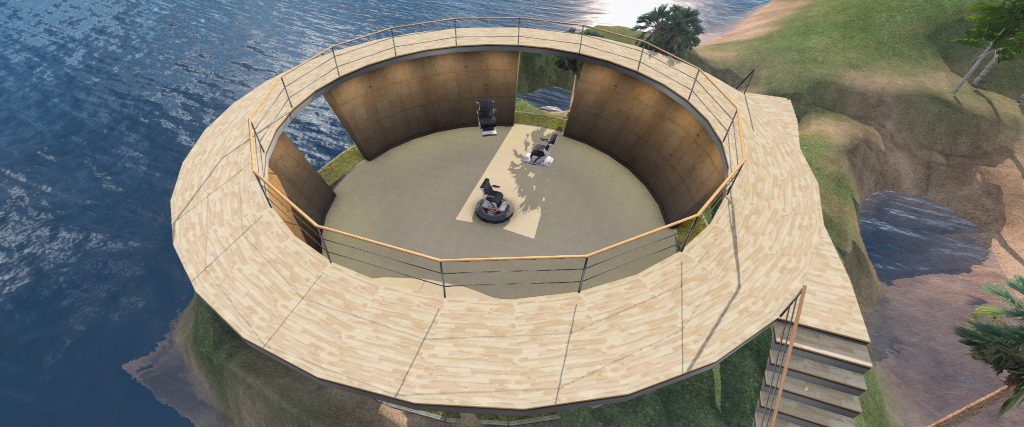
Hippotropolis Theatre: home of the OSD/TPVD meeting
The following notes were taken from:

  • My chat log of the Open-Source Developer (OSD) meeting held on Friday, May 29th, 2026, together with my chat log of that meeting.
  • Pantera’s video of the meeting (embedded at the end of this article) – my thanks to her for providing it.
Table of Contents

Meeting Purpose

  • The OSD meeting is a combining of the former Third Party Viewer Developer meeting and the Open Source Development meeting. It is open discussion of Second Life development, including but not limited to open source contributions, third-party viewer development and policy, and current open source programs.
    • This meeting is generally held twice a month on a Friday, at 13:00 SLT at the Hippotropolis Theatre and is generally text chat only.
  • Dates and times of meetings are recorded in the SL Public Calendar.

Official Viewer Status

  • Default viewer: Flat UI – 26.2.0.25386466510,  -“flat” UI and font update, dated May.
  • Second Life Project Viewers – Lua Editor Alpha viewer 6.1.0.23768336784, April 29..

Viewer Notes

  • Per the above, 26.2 remains the release viewer.
  • 26.3.0 – performance improvements – work continues on this, but it is not ready to be issued as yet.
  • The order of progress for all other viewers currently available (Lua Editor) or in development (Graphics Care Package; maintenance release) remains fluid.

Chat Modernisation – IM Conversation Histories

We’ve been working on improving text chat, especially as we have moved from a desktop-only to a multi-platform product. We’re making important improvements to how text chat works behind the scenes. One of the biggest changes: We’re improving how conversations are maintained across devices.

– Grumpity Linden, May 29th, 2026

  • The Lab is working to make person-to-person IM chat histories persistent regardless as to how they are accessed – whether switching from one viewer to another or from a viewer to SL Mobile and vice-versa – so that up to the full history of a conversation can remain available, making it easier to pick up conversations wherever you log-in.
  • For clarity:
    • Nearby Chat history is not a part of the work, nor (for the foreseeable future) is Group chat (although this may change at some point).
    • The core functionality of messaging will remain unchanged: how live IMs are sent and received via UDP pathways is not changing.
    • Nearby chat logs will remain available just as they are at present.
    • It is only how (and how much of) IM histories are served to the viewer that is changing.
    • This work is in its early stages, and some of it might change in view of on-going feedback, etc.
  • Under this changes:
    • IM histories will be served encrypted over HTTPs, and the data store will have encryption at rest — allowing your data to stay completely private and secure.
    • For security reasons:
      • Only users opting-in to the Lab’s Multi-factor Authentication (MFA) will be able to access their complete IM histories.
      • Those who remain opted-out of MFA will only be able to see the last few days of chat histories.
      • This is to reduce risks of privacy breaches if a non-MFA account is hacked. Additionally, the number of days back and history fetch will go, will be determined by the server.
  • Partially because of the MFA dependence, LL is intending to expand options for using MFA (e.g. e-mail, SMS, etc.). However, these new options may not be available prior to the new chat history capability going live.
  • During the meeting there were numerous security concerns raised – particularly around store IM histories as Personal Identifying Information under regulatory requirements such as the EU’s GDPR, the degree of access LL might have to IM histories, even if encrypted.
    • Some of these were addressed to a degree (e.g. yes, histories would be deleted along with other PII data in response to a request under GDPR).
    • Some questions passed unanswered, potentially because they may require further internal discussion at LL.
  • As a semi-side note, it was indicated that one potential outcome of the overall Chat Modernisation work is that a some point in the future, it should become possible to have simultaneous log-ins from different devices.
    • So, for example, someone could be logged-in viewer their desktop but need to go AFK from their computer. They could then open SL Mobile on their mobile device and continue to follow a conversation without going through a log-out / log-in situation. They could then switch back from their mobile device to the desktop on their return.

Other Items

  • The legitimate use of bots for grid data gathering was again raised, together with what data may or may not be deemed acceptable for gathering, and guidelines on how such bots should be used in order to avoid sudden bans.
    • Geenz Linden noted that in terms of making aspects of region data available more readily to assist with things like 3D terrain (region) map creation, etc., there is interest in trying to implement an engineering-based ability. However, this is not something actively being developed at this point.
  • A brief discussion towards the end of the meeting on EEP bugs (which are likely to be addressed in viewer 26.3), with a note that PBR Sun / Moon will be part of the GCP viewer.

Next Meeting

May 2026 SL Mobile User Group meeting summary

Campwich Forest grounds: location for the Monthly Mobile User Group (MMUG)
The following notes were taken from the Thursday, April 30th 2026 Monthly Mobile User Group (MMUG) meeting. These notes should not be taken as a full transcript of the meeting, which was largely held in Voice, but rather a summary of the key topics discussed.

The meeting was recorded by Pantera, and her video is embedded at the end of this summary – my thanks, as always to her in providing it.

Table of Contents

Meeting Purpose

  • The Mobile User Group provides a platform to share insights on recent mobile updates and upcoming features, and to receive feedback directly from users.
  • These meetings are conducted (as a rule):
    • The last Thursday of every month at 12:00 noon SLT.
    • In Voice and text.
    • At Campwich Forest.
  • Meetings are open to anyone with a concern / interest in the above topics, and form one of a series of regular / semi-regular User Group meetings conducted by Linden Lab.
  • Dates and times of all current meetings can be found on the Second Life Public Calendar, and descriptions of meetings are defined on the SL wiki.

Core Mobile Team

The following are core (but not necessarily the only) members of the Mobile App team:

  • Bridie Linden; project manager.
  • Radix Linden: Mobile engineering manager. A new Linden, he has a strong Unity development background and his initial focus at LL is ensuring that Mobile is a smooth, seamless experience.
  • Adam Sinewave: lead developer.
  • Beanie Linden: QA.
  • Brad Linden: developer.
  • Stray Linden: back-end infrastructure engineer.

Resources

Current Release

Second Life Mobile 2026.5.194024, May 24 (iOS and Android) – bug fixes.

  • Under-the-hood code clean-up to make the app even more robust and easier to maintain going forward.
  • Visible fixes:
    • Menus should now all be translated to either French or Portuguese if either language is selected via Settings.
    • Specific characters in Chinese / Japanese, etc., should all now display correctly in Bubble Chat.
    • An issue where sculpted objects could appear stretched across the entire view has been corrected.
    • Numerous bugs on microphone use and permissions have also all been addressed.
  • Crash rates:
    • Fixing crash rates is important bot for the user experience and because high crash rates can reduce the visibility of an App in the various on-line stores where it is offered.
    • As noted in the April update, crashes rates on the Android version of SL Mobile have been brought down to be well within them. Several of the crashes that were resolved were due to multi-threading issues (neither Android nor Unity are particularly good on the multi-threading front, but the SL Mobile app is very reliant on multi-threading for performance).
    • Similar work has been carried out through May to bring down the iOS crash rates.
    • There are also issues where putting the app into the background on iOS or swiping up can cause the app to crash. Most of these should have been addressed, but if iOS users are still experiencing them, bug reports are requested.
      • In respect of the above, if a users crashes, then re-logs into the app, they are able to include the log details on the crash when filing a report through the app.
    • There are some additional iOS crashes still to be addressed, but the hope is to get the iOS version down to a same low rates as the Android version.

Work in Progress

  • Work is in progress to offer a complete chat history across both Desktop and SL Mobile, rather than conversation histories being split between the two (or saved locally between different desktop viewers).
  •  Work is starting on adding the ability to purchase Linden Dollar bunches (as found on the iOS version of SL Mobile) to the Android version.
  • Changes are being made to notifications in SL Mobile, so users can activate push notifications more easily than at present.

General Q&A

  • There was a report that some new users on SL Mobile are being directed towards using Senra avatars, which should not be the case (they should be directed to the Avatar Picker) LL have not seen this, so checks will be made. A request was made that any new users found to be on Senra when joining through the app are encouraged to file a bug report.
  • The question was asked about setting a minimum draw distance in the app.
    • Draw distance on Mobile is heavily hardware-dependent. Therefore the Lab do default to a specific limit.
    • Currently, the app will use progress DD when loading a scene (16m, then 30m, then 40m).
    • If a longer DD has been selected via Settings, the app will attempt to step up to these when loading has finished, hardware capabilities allowing.
    • It should be remembered that for every 10 metres added to the draw distance, memory footprint and load time are essentially tripled.
    • Also, the greater the DD, the greater the risk of hitting application memory limits and causing a crash.
  • A suggestion was made for Mobile to offer a list of rendering items people can opt to disable / enable to help people on older mobile device hardware to better control what their device can / cannot render.
    • Some of this can already be achieved via advanced settings.
    • The device itself might also adjust rendering capabilities in accordance with its capabilities (e.g. how much is rendered, the overall quality, etc.).
  • PBR on mobile:
    • PBR requires triple the number of textures in order to be supported in Mobile – Mobile doesn’t currently even support “full” Blinn-Phong.
    • Recent work with textures does mean that overall, memory use has vastly improved, making PBR more of a possibility.
    • Work in better optimising mesh rendering in SL Mobile could also help with a move to support PBR, but this work has yet to be undertaken.
    • Even so, bridging the “PBR gap” between Mobile and Desktop is a subject of discussion within LL.

Date of Next Meeting