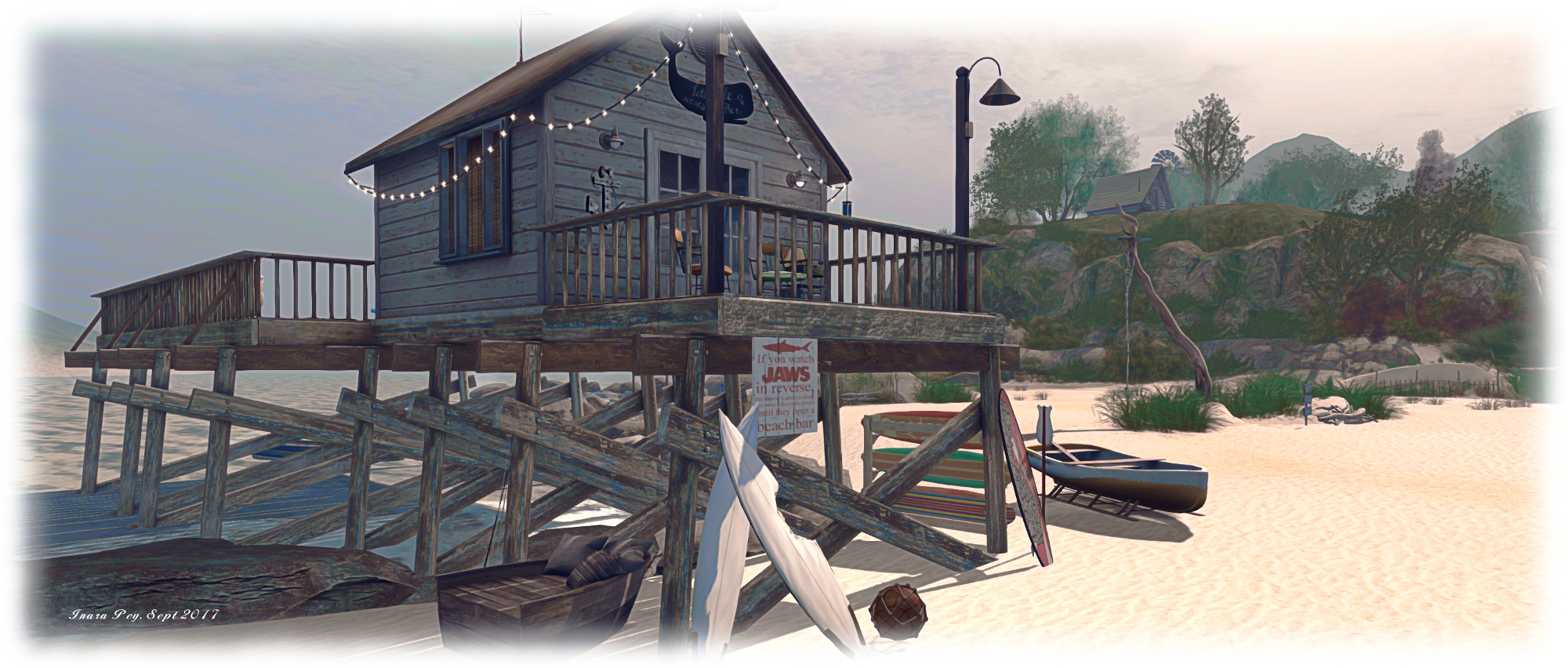
Linden Lab has issued an important notice for international users who have a credit card filed with the company for the payment of services.
The blog post, issued on Friday, September 22nd, reads in full:
Due to some unexpected changes with our International Billing system, some Residents outside the United States with a Credit Card on file may have difficulty with their current payment method as of September 30, 2017.
In order to avoid any service disruption, we encourage all Residents outside of the United States to please take a moment to log into your account and re-enter your existing Credit Card information. Doing so now will prevent any disruption in in-world and Marketplace purchases, as well as recurring monthly billing for Premium Accounts, Private Regions and monthly Mainland maintenance. If you have difficulty with your payment method after September 30, 2017, updating your payment information will resolve the issue.
We apologise for this inconvenience and appreciate your patience as we continue to upgrade our billing systems in order to best service our Residents around the world. If you have any questions regarding this notice, please visit https://support.secondlife.com to contact our Support teams.
To re-enter your credit card details, go to your account dashboard at secondlife.com, click on Account (top left) and then on Billing Information on the list of options that opens. This will display your billing information summary (sample image below).
Make a note of the services the card is Used For on the right, then Remove your card details (option on the left) and then click Add A Credit Card (circled). This will open the form for you to enter your card details. Make sure to click Add Card to add the card to the system.
When your card has been recorded, you can check the details under Payment Method, then review the services the card is Used For. Should you need to change any of the latter, click on the Change option (circled under Used For on the right) to display a pop-up of services charged to the card and check / uncheck as required.
Updated, September 25th: As indicated to me by Grumpity Linden, the cause for the Wolfpack and Maintenance RCs to be withdrawn as noted in this article (and which was as a result of this issue), has now been resolved and the two updated versions of these viewers are once again available. As a result, the links to their release notes and download options have been restored.
The majority of the notes in this update are taken from the TPV Developer meeting held on Friday, September 22nd 2017. The video of that meeting is embedded at the end of this update, my thanks as always to North for recording and providing it. Timestamps in the text below will open the video in a separate window at the relevant point for those wishing to listen to the discussions.
Server Deployments Week #38 – Recap
There was no deployment / restart on the Main (SLS) channel on Tuesday, September 18th, leaving that channel running on 17#17.09.01.508236.
On Wednesday, September 19th, the RC channels were updated as follows:
BlueSteel and LeTigre received a new server maintenance package, 17#17.09.14.508549, comprising improvements to address some problems that could degrade simulator performance in rare cases.
Magnum received a new server maintenance package, 17#17.09.14.508533, containing a fix for BUG-100505 “llGetEnv (“agent_limit”) is returning an empty string in Magnum, LeTigre and Blue Steel regions.”
SL Viewers
Alex Ivy 64-Bit
[0:54 and 6:00] The Alex Ivy 64-bit viewer is due an update, possibly in the early part of week #39 (commencing Monday, September 25th). This may not have all the fixes required for the viewer to get promoted to de facto release status. Before this happens, the Lab wants to tackle the problem with pipeline stalls in this viewer, and are working on an experimental branch of the viewer to try to resolve the issue. This branch will be made available as a test viewer to those who have reported the issue and can reliably repro it. Depending on the outcome of this testing, a decision will be made on folding it into the RC branch for the viewer.
The wiki instructions for the viewer should now be updated to the 64-bit build requirements, nd Oz indicates that a new 64-bit Havok library should follow the release of the viewer.
Voice Viewer
[1:33,2:13, and 34:02-37:14] There will be a new Voice SDK arriving for the Voice RC viewer in the near future, which will include an updated SDK that includes a fix for some long-standing problems. There are still some problems to be fixed, so it is unlikely this viewer will be promoted until the new SDK has spent time in RC and the remaining major issues have been resolved.
This viewer already fixes the high number of failures to connect to the Voice service when logging-in; however, there is an issue where manually killing the Voice process will not restart (as it used to), and so Voice won’t work. The Lab would like to fix this so the process does restart the process, but this is not seen as a critical issue to be resolved before the viewer is promoted.
The new SDK does not alter the Voice protocols, but is not compatible with previous versions, requiring the supporting updates in the viewer to work. This means the new SDK cannot work with older viewer versions, and older SDKs cannot be used with viewers incorporating the code updates to support this new SDK.
Maintenance and Wolfpack RCs
[2:04 and 4:15] The meeting references updates to the Maintenance RC viewer (to 5.0.8.329115) and the Wolfpack RC (to 5.0.8.39128). While both updates were available at the time of the meeting and shortly thereafter, the Alternate Viewers wiki page now references the previous RC releases for both (5.0.8.329065 and 5.0.8.328990 respectively). It is not clear whether this is an error with the wiki page, or if the updated RCs have been withdrawn (both still appear on the viewer release notes list). Resolved.
Snapshot Viewer
[5:14] There may be a new updated to the 360 snapshot viewer in the next week to two weeks. Work has also started on providing better support for using 360-degree images in Second Life Place Pages (see here and here for more on Place Pages).
Pipeline Status
Keeping the above in mind, the current viewer pipeline comprises:
Current Release version 5.0.7.328060, dated August 9th, promoted August 23rd – formerly the Maintenance RC
Release channel cohorts:
Maintenance RC viewer, version 5.0.8.329065, dated September 18th.
Wolfpack RC viewer,version 5.0.8.328990, dated September 12th – this viewer is functionally identical to the release viewer, but includes additional back-end logging “to help catch some squirrelly issues”
Alex Ivy 64-bit viewer, version 5.1.0.508209, dated September 5th
Voice RC viewer, version 5.0.8.328552, dated September 1st
Obsolete platform viewer version 3.7.28.300847, dated May 8, 2015 – provided for users on Windows XP and OS X versions below 10.7.
New Viewer Splash / Log-in Screen
[7:12-7:42] As noted in my week #36 TPV meeting notes, Phronimos Linden is updating the viewer splash screen which will see a different look and feel to the screen, including how information is displayed (such as making grid status info more prominent), and will see updates to some of the widgets providing information in the splash screen. This work is now with the QA team, and information on the updates will be available for TPVs soon.
Windows Viewer Installation Warning
[7:47-8:48] The Lab’s code-signing key used to verify the viewer with Windows (notably Windows 10) has expired. The Lab have a new key, but for an interim period, it means users installing the Windows version of the official viewer may find Windows SmartScreen reports the viewer as unverified.
You can read more here, on via my own blog post, which includes steps on clearing the warning and installing the viewer.
Server Version Updates and Move to the Cloud
[12:13-12:53] A number of server version updates are advancing. these don’t always have user-visible changes, but they are nevertheless important to Second Life. Among other things, they are part of the preparatory work for moving SL capabilities to the cloud (see my week #36 TPV notes for more on this).
[15:08-19:06] There is no time line for moving things to the cloud, simply because the Lab does not know at this point how long it will take. There are some significant changes which must be made to both the way things are built and the way they are run, and there need to be assorted updates to various components that go into building and running SL services.
Some SL services are already being tested in the cloud, and some are performing well – such as the process for determining if a user requires a viewer update. Others have been tested and revealed problems which must be addressed if they are to be run from the cloud – or should be addressed even when not running in the cloud.
It is unlikely the Lab will be providing specifics on services which have moved to the cloud / are being tested, and which are still based within their data centre until things reach a point where simulators are running in the cloud, simply because where many SL services run makes absolutely no difference to the user experience, as long as they are running. Moving and testing simulators in the cloud is likely to be one of the last things to be tackled, simply because of the complexities involved.
The first goal is to get everything working pretty much “as is” from the cloud. Only after this has been done, will work start on leveraging the benefits of having everything in the cloud be explored and exploited.
[19:06-21:49] This could include giving – and to use Oz’s words, the option of having their regions hosted in specific geographical locations. So, for example, the various communities located in South America could have their regions all hosted in South America, potentially improving response times between viewer and server. However, whether this will in fact be possible is dependent on the Lab reaching that point at which they can start leveraging the benefits of the cloud.
Obviously there are trade-offs in this kind of shift, should it occur; relocating a simulator to better serve a community may not improve things for others access the region on that simulator. However, in potentially supplying the option, the Lab is providing land owners with a choice of what they would like to do.
[21:56-22:38] If nothing else, this work should be a demonstration that the Lab really is continuing to invest in Second Life and its future. Were they seriously thinking of letting it go (i.e. in favour of Sansar), then none of this work – and the associated expenditure – would be taking place.
[29:26-31:16] There is a “fair amount” of back-end work that is being worked through, and the work is approaching the point of internal testing within the Lab. Once this has reached a suitable point, the server-side / simulator changes will be deployed (e.g. to Aditi) for wider testing, alongside of a project viewer to handled the client-side application of the capabilities.
Recent Grid Issues
[37:51-39:20] As most are aware, there have been some recent grid issues. While not the cause of these issues, but which has been a contributing factor to their duration, is some low-level code within the viewer which handles log-in retries far too aggressively. When this happens en masse (such as when there is a grid issue), it results in the log-in servers being swamped, adding to the woes for people trying to log-in.
A recent Maintenance update to the SL viewer addresses this issue (see my week #30 TPV update), and the request for TPVs to pick these code changes up was re-iterated at the meeting. In addition, the log-in servers have themselves been made more robust when facing large number of attempted / repeated log-in attempts.
Other Items
Estate Tool Ban List Improvements
[9:32-11:22] The Lab has resumed work on the region ban lists (layout / usability, etc), and the updates should be appearing soonTM. The specifics of what is being done will hopefully be available for the next TPV Developer meeting.
Premium Member Benefits
[13:13-14:53] There is apparently at least one Premium member benefit that will be appearing real soonTM which the Lab believe people will like, and some further ideas are being considered. Oz declined to comment on what any of these might be, citing it being more fun to find out when they are announced. He also indicated that appropriate and considered suggestions / ideas for benefits (e.g. not things that persist after a Premium subscription has been cancelled) are also welcome.
Group Notice Failures
[28:00-28:55] Still no work on group notices (on-line and off-line) sometimes not getting through for some people. It’s not on the “now / next” roadmap of things the Lab is / will be looking at. The focus on sever-side work is on dealing with instability issues which can cause crashes / offer exploits to griefers.
Asset HTTP Messaging and Asset HTTP Issues
[41:14] As noted in my week #36 TPV meeting update, the recent Asset HTTP updates are leading to the texture pipeline getting out of sync, and people experiencing texture load stalls. A JIRA for this has been filed (BUG-139123), and a possible fix has been submitted to the Lab by Sovereign Engineer.
[43:16] The Lab is also working on the texture caches in an attempt to make them faster and more effective.
I’ve known Maxwell Graf – incredibly enough – since 2007. We’re not actually in the same social groups within Second Life and rarely hang out, but Max is the kind of person you can instantly feel at home with. We can go without talking for several months, and then an impromptu IM picks things up almost where they were left last time around. I’ve also been honoured that Max has, on occasion passed his written thoughts on subjects related to content creation, Second Life, etc., to me for thoughts and feedback – even though I’m possibly the least qualified to comment on matters of content creation.
Max is perhaps best known for his period furniture and buildings
It is as a content creator that Max is perhaps best known in Second Life. His Rustica brand is renowned for quality furnishings, building kits and more, particularly for those with a lean towards Medieval or fantasy settings – although his products are applicable to more than just these two genres. In more recent years he’s branched into steampunk and fashion (with his Bitch and Bastard brands of female and male clothing and apparel – including some magnificent facial hair options for the discerning gentleman!). He is also a superb sculptor of land and maker of landscapes – as anyone who has visited the stunning and beautiful Rustica, home of his brand, will agree.
… However he offers far more for period setting, role-play, home and avatar. His “Ex Libris” range of books offers “titles” of great benefit to SLers (we have them at home) and can be bought as a set or as part of an entire library displayed within beautiful modular cabinets
Nor has Max content with offering his creativity to just Second Life. He has one of the first into Blue Mars and also quickly active in Cloud Party. More recently, he’s been working in Sansar, building a five experience “chapters”, including some familiar names – LagNmoor, Rustica, and Neptune’s Revenge – those willing to dip their toes into Linden Lab’s latest venture can visit and enjoy (just follow the clues!).
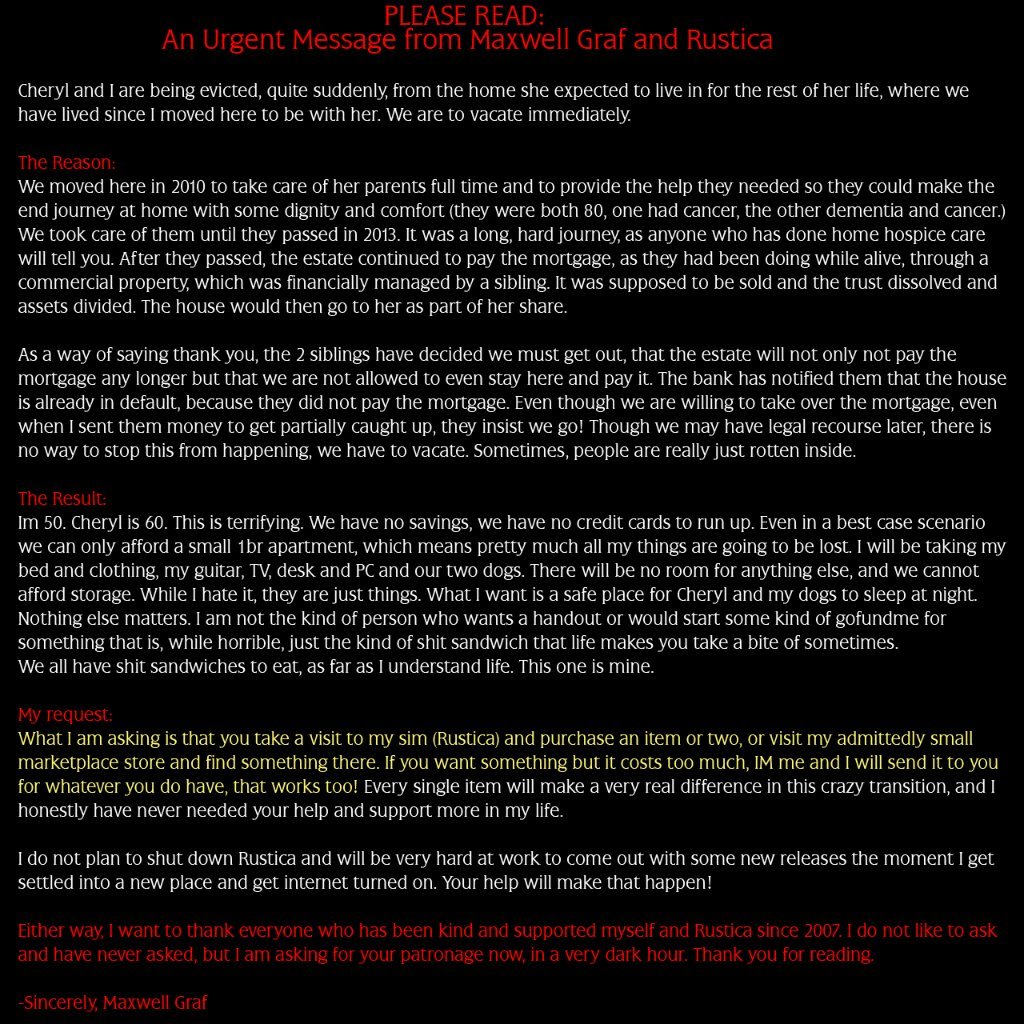
Throughout all of this, Max has been a friend to many; honest, supportive, outgoing, and true. So when he puts out a plea on Plurk concerning a personal situation, those who know him rally round with re-Plurks, Tweets and blog posts (and my apologies to Max and Lyric for being a little tardy with this blog post, I haven’t been paying attention to social media of late – and my thanks to both Saffia Widdershins and Ciaran Laval for the indirect nudges on the matter).
The Rustica Maison de Maille at Rustica – see inside the store for a petite version
Max isn’t asking for donations or any kind of direct financial support via the real world. What he is asking is for people to buy something for their in-world enjoyment from his store. It doesn’t matter how big or small, how much or how little; in fact, as he says himself, if there is something you desperately want, but cannot honestly afford it, contact him, and he’ll try to sort something out with you.
As we’re currently re-building and replacing elements of Holly Kai Park to ensure all of the landscaping elements, buildings, accessories, etc., are held by a single account, we took the opportunity to zap to Rustica and pick up a set of Max’s PipeWork Electric Lamps, which are now installed in the snug lounge and around the dance floor at Caitinara Bar to add some lighting ambience with a unique look.
We added the Rustica PipeWorks Electric Lamps set to the snug at Caitinara as an ideal option for projected lighting, using the table lamps (foreground, left and on the tables) and wall sconces (over the bar) . Some have also been used around the dance floor and gallery seating area.
So please, do take the opportunity to help a talented creator and friend. Hop over to Rustica in-world or on the Marketplace and offer support by buying an item or two. I can guarantee you won’t be disappointed with the quality of anything you purchase from Rustica / Max.
Updated, September 25th: As indicated to me by Grumpity Linden, and following testing with the Second Life Wolfpack RC viewer update 5.0.8.329128, this issue should now be resolved.
On Friday, September 22nd, Linden Lab issued a warning to Second Life users on the Windows platform that for a period of time, they may get a Windows SmartScreen warning when installing or updating the official Second Life viewer.
As explained in the blog post, the warning from Windows SmartScreen is displayed when trying to install anything via the Internet and Microsoft is unable to verify whether the software is “safe” for installation.
The reason the warning is being generated against the official Second Life viewer was explained by Oz Linden at the Third-Party Developer meeting, with a similar explanation in the blog post. Speaking at the meeting, Oz said:
Unfortunately, our [Microsoft] code-signing key expired this week, and we had to get a new one, and that has caused Windows SmartScreen Defender to no longer believe in us. So it will warning you when trying to install any of the new viewers, including release candidates … so we’re putting out a blog post about that and putting in on the status page, so hopefully people will get the word.
In addition to this, the blog post explains why the warning will be displayed, even after the Lab has obtained a new code-signing key:
Until enough people install the application signed by the new key, it won’t have a good enough “reputation” with Microsoft to avoid the warning.
Oz further added during the TPVD meeting:
Hopefully, the number of people who need to install it [the viewer] to get Microsoft to believe in it is not too big; [but] we have no idea how long that will take.
So again, if you’re a Windows user (notably Windows 10), and you’ve downloaded one of the more recent viewers from the Lab’s web site, and you get the Windows SmartScreen warning, you can safely install the viewer.
Simply click on the MORE INFO link when the warning is first displayed. This will give you the application name and publisher’s name, together with an option to RUN ANYWAY. Click on this to install the viewer.
Windows SmartScreen warning – may be displayed when installing a latest version of the official SL viewer.
Remember, if the viewer has come from the Lab’s website or via the viewer’s own updater, it is safe to install.
Linden Lab has issued a number of blog posts concerning Second Life account security recently. All of them should be read with care and heeded. Most relate to external issues – so-call viewer wrappers, or links to website Phishing scams.
On Friday, September 22nd, the issued a further warning, again about a phishing scam, but which is being circulated in-world and which appear to be a pseudo-notification pop-up claiming that a user’s account has been compromised.
In the interests of clarity of reading and understanding, I’m including the full text of the post below. Please read it through in full, be aware of the scam and do not be fooled by it – and the blog post states. Linden Lab and / or their support agents would not attempt to contact users on account security in the manner described.
It has come to our attention that some Residents are sending messages – which may appear as pop-up windows in some viewers – informing other Residents that their accounts have been compromised and encouraging them to contact Support, using a phone number that is not associated with Linden Lab.
These messages are phishing attempts to gain access to your Second Life account. Neither Linden Lab, nor Second Life Customer Support, would attempt to contact you in this manner. You can always find Linden Lab’s official customer support contact methods within the following links:
As always, please be wary of suspicious messages and contact from other users. If you believe your account has been compromised, please contact us via support case at https://support.secondlife.com/
The following notes are taken from the Content Creation User Group meeting, held on Thursday, September 21st, 2017 at 13:00 SLT at the the Hippotropolis Camp Fire Circle. The meeting is chaired by Vir Linden, and agenda notes, etc, are usually available on the Content Creation User Group wiki page.
Medhue Simoni live steamed the meeting to You Tube, and his video is embedded at the end of this article. Time stamps to the recording are included below, and clicking on any of them will launch the video in a separate browser tab at the assigned point. However as these notes present the meeting in terms of topics discussed, rather than a chronological breakdown of the meeting, time stamps may appear to be out of sequence in relation to the recording.
Animesh (Animated Mesh)
“I like the name ‘animated objects’ because I think it’s unambiguous, but it takes a long time to type!” – Vir Linden joking about the name “Animesh”.
Project Summary
The goal of this project is to provide a means of animating rigged mesh objects using the avatar skeleton, in whole or in part, to provide things like independently moveable pets / creatures, and animated scenery features via scripted animation.
Animated objects can be any rigged / skinned mesh which is correctly flagged as an animated object (so it has a skeleton associated with it), and contains the necessary animations and controlling scripts in its own inventory (Contents tab of the Build floater) required for it to animate itself.
The capability will most likely include a new flag added to an existing rigged object type in order for the object to be given its own skeleton.
At this point in time, this is not about adding fully functional, avatar-like non-player characters (NPCs) to Second Life.
Animated objects will not (initially):
Have an avatar shape associated with them
Make use of an avatar-like inventory (although individual parts can contain their own inventory such as animations and scripts)
Make use of the server-side locomotion graph for walking, etc., and so will not use an AO
Use the avatar baking service
The project may be extended in the future.
It will involve both back-end and viewer-side changes, likely to encompass new LSL commands to trigger and stop animations (held in the object’s contents).
Current Progress – Animesh Constraints
“It’s not [been] the most exciting week,” Vir commented about his most recent focus on the project. “What’ I’ve been working on lately is complexity limits and other constraints.”
[2:48-4:19]As noted in previous CCUG meeting notes, some constraints on Animesh are required to prevent undue impact at either the simulator or viewer end of the system. These constraints will be in addition to any already in place in SL (e,g, Land Impact, overall limit of the number of attachments an avatar can wear, etc), and include:
Limiting the overall complexity of an Animesh object
Limiting how many Animesh items an avatar can have attached at any one time (currently set to one in the upcoming project viewer for testing purposes)
Limiting the number of triangles an Animesh object (attached or in-world) can contain, possibly to around 20K initially. Interestingly, some limits in Sansar are defined in terms of tri / poly limits.
With complexity and number of tris, the limits have yet to be fully defined, and Vir welcomed any well-made mash models could serve as Animesh examples in order to try to help baseline the initial limits.
[4:45-5:10 and 8:55-9:49] Currently, there are no new limits for the scale (or size) or an Animesh object beyond the existing constraint re objects and avatar skeletons already in place. Some feel that additional constraints / viewer limits may be required in order to handle “titan” Animesh creatures (e.g. creatures of 64m in height, which may also require bounding box adjustments). Vir is prepared to look at this, but would like to see how things go with testing via the project viewer.
[5:22-5:41 and 6:18-6:47 and 10:41-11:06] The triangle limit will apply to all Animesh objects regardless of whether they are in-world or attached, and will be applied at the time the objects are flagged as Animesh. So if someone tries to link together a set of existing rigged mesh items and flag them as Animesh (or which contain an Animesh item) which exceed the limit, the flag Animesh flag will not be set. This should leave existing content unaffected and avoid content breakage.
[12:14-13:17] Some see the proposed 20K limit is two low and suggest 30K or even 50K, to allow for clothing, accessories, etc., to Animesh characters. The counterpoint to this is to set a limit which encourages optimisation, and to have people consider impact on the simulator / on others.
[14:24-15:32] A request for the viewer to provide meaningful feedback when Animesh limits are reached, preferably with a pointer back to some wiki information. Limits won’t actually be reached on mesh upload, but when objects are flagged for use as Animesh post-upload, so would require some form of viewer notification.
[15:34-16:20] Requests have been made to obtain poly counts of objects via LSL to help track things or even in the viewer UI. Vir currently uses his own diagnostic display to help indicate such things, but currently, no such updates, LSL or UI are planned, although the debug ShowRenderInfo could display the required information if more directly exposed and Vir will file a JIRA on this, although it might fall outside the current scope of work.
[22:11-22:35] It was also pointed out that tri / poly counts are variable based on LOD. Vir is currently focused on the tri count of the highest LOD for an object
[13:18-13:44] Vir’s approach to all of the constraints / limits being discussed at this time is to start as tight as possible, and then make adjustments and loosen things as testing with the project viewer begins / offers reliable feedback and data. It is easier to relax constraints and allow people greater creative freedom, than to start with a loose set of limits and then have to tighten them (potentially breaking test content, and adding to people’s overhead in having to rebuild it).
Time Frame for Animesh
[19:29-20:00] The constraints mentioned above and trying to fix the transform matrix when handling Animesh attachments. There are also a couple of bugs he feels need fixing before the project viewer appears. However, the hope is now that the viewer will be appearing sooner rather than later.
[48:52-49:28] There are a couple of irritants in the viewer Vir wants to fix before releasing a project viewer for Animesh testing. Ther are some corner cases where the viewer can be awkward, but these are not considered blockers to a project viewer appearing, and can be cleared-up in due course.
Performance Hits
[27:45-28:42] There are still concerns as to the performance hits on things like real-time shadow casting with Animesh skeletons following avatars (pets, etc.) or in being attached to avatars (and vice-versa). Vir isn’t too concerned by this at the moment, as the code is already handling much of what will be required with Animesh: every time an avatar sits on something, it is effectively updating every frame, so with Animesh this will be much the same. However, as with everything else, this will be subject to testing.
Bakes on Mesh
Project Summary
Extending the current avatar baking service to allow wearable textures (skins, tattoos, clothing) to be applied directly to mesh bodies as well as system avatars. This involves server-side changes, including updating the baking service to support 1024×1024 textures. This may lead to a reduction in the complexity of mesh avatar bodies and heads.
Current Status
[31:28-32:00] The updates to the service to manage 1024×1024 textures and compositing is with LL’s QA team, who ar testing to ensure the system can handle the compositing correctly, and the back servers won’t fall under when loaded with handling 1024×1024 textures in bulk. Progress with the rest of the project is dependent on this.
[36:25-36:59] The rest of the work will focus on applying the baked textures (which will include alphas, just as is the case with the system avatar now, but will not include materials) to mesh avatar models.
[39:09-40:55] A possible follow-on to the current work on bakes on mesh is to extend the capability to include Animesh objects as well, although this will require Animesh objects to have a notion of a body shape. It might even be possible to push the system into other uses.
Environment Enhancement Project (EEP)
Project Summary
A set of environmental enhancements, including the ability to define the environment (sky, sun, moon, clouds) at the parcel level; a new environment asset type that can be stored in inventory and traded through the Marketplace / exchanged with others; scripted, experience-based environment functions, an extended day cycle and extended environmental parameters.
Current Status
[30:32-31:12] Rider has been working on getting his settings objects – environment assets – correctly passing into Windlight. Once he has this working smoothly, he’ll feel a little more comfortable in talking potential time lines on when things like a project viewer are likely to appear. However, he did point out that everything is currently in “Goth compatibility” – black environment settings against a black sky!
Other Items
Mesh Uploader
[49:38] A discussion on whether creators will in future be forced to upload only manually created LOD for their models, rather than auto-generating them. Short answer: No, but people are encouraged to optimise LODs where manually or automatically generated. The uploader also has numerous constraints on upload, not all of which are well documented or which provide adequate / any feedback when they occur. It’s acknowledged that such situations could be handled better. However, issues of tracking the number of bones a mesh is rigged to can be tracked through Avastar and MayaStar prior to upload.
 Linden Lab has issued an important notice for international users who have a credit card filed with the company for the payment of services.