Akimori, February 2026 – Mareea Farrasco: Tapestry
Currently open at the Akimori, a part of the Akipelago complex operated by Akiko Kinoshi (A Kiko), is an exhibition by the talented Mareea Farresco. It is entitled Tapestry, with the subtitle Medieval Fantasy.
Presenting nineteen images, this is a narrative exhibition, unfolding a story of a maiden and her encounter with a travelling troubadour in medieval times. Mixing images of landscapes with images of avatars, the images are designed to be viewed in a specific order, starting with the image of cathedral, located on the far left of the information board listing the names of all 19 pieces. From here, the story progresses past the introductory board and on around the worlds of the exhibition space.
Akimori, February 2026 – Mareea Farrasco: Tapestry
Thus, the pictures progress from the cathedral and through the streets of a medieval town, their ordering suggestive of a walk taken by the maiden, out of the town and past the tall towers and strong walls of a Norman-style castle standing proud on a hill. As they continue around the walls, the pictures introduce us to the maiden with a subtle hit of her love of music, before moving on to her encounter with the troubadour and the blossoming of an apparent relationship – one which we instinctively know will not last.
The images themselves are beautifully processed to give the appearance of paintings produced if not within the period of the story, then possibly by one of the great masters of the renaissance period, the start of which overlapped the end of the medieval. This is particularly true of the images of the unnamed town and its guardian castle, all of which are rich in detail, capturing moments in time. The images of the maiden and her troubadour are equally engaging avatar studies, vividly telling the tale of love and loss (or is that perhaps abandonment?) and the inevitable hurt and loss.
Akimori, February 2026 – Mareea Farrasco: Tapestry
In this, Tapestry appears to offer a story within a story: just how genuine is the troubadour in his feelings for the maiden? Is it a genuine love, or the opportunity for a dalliance as he goes about his travels, singing his songs to whomever will pay him, staying only so long in any one place as meets his needs before his inevitable wanderlust causes him to move on? From the perspective of the maiden, their relationship is real, and she is clearly heartbroken following his adieu and departure. From this, our imagination might build a number of possible tales within the tale, adding a personal depth to the images.
With the exhibition space decorated to match the tone of the images, Tapestry is an engaging and expression exhibition, ideal for art lovers and storytellers.
Akimori, February 2026 – Mareea Farrasco: Tapestry
The following notes were taken from the Tuesday, February 3rd, 2026 Simulator User Group (SUG) meeting. These notes form a summary of the items discussed, and are not intended to be a full transcript. They were taken from the video recording by Pantera, embedded at the end of this summary – my thanks to Pantera for providing it.
Meeting Overview
The Simulator User Group (also referred to by its older name of Server User Group) exists to provide an opportunity for discussion about simulator technology, bugs, and feature ideas is held every other Tuesday at 12:00 noon, SLT (holidays, etc., allowing), per the Second Life Public Calendar.
The “SUG Leviathan Hour” meetings are held on the Tuesdays which do not have a formal SUG meeting, and are chaired by Leviathan Linden. They are more brainstorming / general discussion sessions.
Meetings are held in text in-world, at this location.
Simulator Deployments
Tuesday, February 3rd, 2026: the SLS Main channel simhosts were restarted without any deployments.
Wednesday, February 4th, 2026:
Simulator release 2026.01 (Kiwi) should be deployed to the BlueSteel and preflight RC channels.
All remaining Release Candidate channels will be restarted without any deployment.
A new server-side SLua update will be deployed to the SLua Beta regions. This will support a new permission “PERMISSION_PRIVILEGED_LAND_ACCESS”, allowing the llSetParcelForSale function to be used (and potentially other parcel settings in the future), but will require a viewer-side SLua update.
The simulator release to follow that – 2026.02 – has been given the code-name of Loganberry, but it’s too early in development for details to be provided.
In Brief
Please also refer to the video, below.
Leviathan Linden had two announcements concerning his current work:
He has a proposed resolution for the false error report when failed rez on mesh, whereby an attempt to rez from inventory onto some mesh surfaces result in a failure to rez and incorrect error message.
He further noted that during the rezzing request to the simulator, the viewer supplies a line segment: ray_start and ray_end, and it is possible that ray_start and ray_end might be insufficient to actually hit the mesh object’s collision shape when that shape is different from its visible shape.
The led to an on-going discussion in the meeting.
He has also started a further look into issue #3469, comment 2819987122, whereby some uploaded assets have the incorrect number of faces on the server, and trying to set the textures on those faces appears to work on the viewer but a) if the object is cloned, the new clone doesn’t have the texture changes and / or b) the original object will revert to a pre-texture change state at a later date. He has an idea for a possible fix, but is not sure it will work, so wishes to test the idea before passing further comment.
Monty Linden indicated the annual simhost certification work is still in progress. He further noted:
The Kiwi release includes an update which should be highly compatible with the current certificates. But if anyone who has experienced issues with past certification updates should test on the Preflight or BlueSteel RC channels following the Wednesday deployment.
Current relevant expiration dates are: Agni – 23:59:59 GMT on March 13th, 2026; Aditi – 23:59:59 GMT on February 28th, 2026.
As per the last formal SUG meeting, he hopes to automate the recertification later in 2026, and the certification process will change slightly at that time.
Harold Linden has been “working on a lot of things surrounding SLua but not specifically SLua itself. These include:
Refactoring the definitions repo where all LSL constants and functions and how they behave are documented, because the repo was becoming unwieldy. He passed on thanks to all those who have helped contribute to the repo.
Further work on the `require()` RFC. The new release that’s coming out won’t have any new features, but the release after that should have `table.append()` and `table.extend()`, and _maybe_ some of the SetPrimParam list-building wrappers., adding: “Basically, if you’ve noticed how annoying it is to build list for setprimparams, it’ll be much better with these changes. Hopefully.”
Roxie Linden gave an overview of recent WebRTC updates:
Most WebRTC improvements are going into the voice servers, so the simulators shouldn’t have and effect on WebRTC quality.
LL is working on spatialization improvements, which might be released as soon as this week.
The latest updates to the WebRTC server appear to have fixed the majority of crash issues.
March remains the tentative release month for grid-wide WebRTC, the the sawp-over occurring as a part of the normal simulator deployment cycles.
A broad discussion on scripted capabilities (e.g. giving inventory to attachments (possible) and deleting inventory from attachments (not possible); setting script pin from setlinkprimparams (on Rider’s personal roadmap); adding inventory operations for other prims in a linkset.
General disucasions:
SLua: it has (TimeProviderFactory.new():build()):askForTime() – equivalents to NUX time.now) a discussion on the SLua editor and its capabilities, SLua and HTTP.
LL is not currently carrying out any keyframe motion (KFM) work. This expanded into a general discussion on ideas for KFM work.
Ideas for better LOD performance.
Date of Next Meetings
Leviathan Linden: Tuesday, February 10th, 2026.
Formal SUG meeting: Tuesday, February 17th, 2026.
† The header images included in these summaries are not intended to represent anything discussed at the meetings; they are simply here to avoid a repeated image of a rooftop of people every week. They are taken from my list of region visits, with a link to the post for those interested.
Logos representative only and should not be seen as an endorsement / preference / recommendation
Updates from the week through to Sunday, January 2nd, 2026
This summary is generally published every Monday, and is a list of SL viewer / client releases (official and TPV) made during the previous week. When reading it, please note:
It is based on my Current Viewer Releases Page, a list of all Second Life viewers and clients that are in popular use (and of which I am aware), and which are recognised as adhering to the TPV Policy.
This page includes comprehensive links to download pages, blog notes, release notes, etc., as well as links to any / all reviews of specific viewers / clients made within this blog.
By its nature, this summary presented here will always be in arrears, please refer to the Current Viewer Release Page for more up-to-date information.
Outside of the Official viewer, and as a rule, alpha / beta / nightly or release candidate viewer builds are not included; although on occasions, exceptions might be made.
Official LL Viewers
Default viewer 2025.08 – 7.2.3.19375695301 – maintenance update with bug fixes and quality of life improvements – December 2 – No Change.
Notable addition: new VHACD-based convex decomposition library for mesh uploads.
Second Life Project Lua Editor Alpha viewer 7.2.3.19911032641, December 5 – No Change.
Second Life Project Voice Moderation viewer 26.1.0.20139269477, December 12 – No Change.
Introduces the ability to moderate spatial voice chat in regions configured to use webRTC voice.
Second Life Project One Click Install viewer 26.1.0.21295806042, January 26, 2026 – one-click viewer installation – NEW.
Please note that this is not a full transcript of either meeting but a summary of key topics.
Meeting Purpose
The CCUG meeting is for discussion of work related to content creation in Second Life, including current and upcoming LL projects, and encompasses requests or comments from the community, together with related viewer development work.
This meeting is generally held on alternate Thursdays at Hippotropolis and is held in a mix of Voice and text chat.
The OSD meeting is a combining of the former Third Party Viewer Developer meeting and the Open Source Development meetings. It is open discussion of Second Life development, including but not limited to open source contributions, third-party viewer development and policy, and current open source programs.
This meeting is generally held twice a month on a Friday, at 13:00 SLT at the Hippotropolis Theatre and is generally text chat only.
Default viewer 2025.08 – 7.2.3.19375695301 – maintenance update with bug fixes and quality of life improvements – December 2 – No Change.
Notable addition: new VHACD-based convex decomposition library for mesh uploads.
Second Life Project Lua Editor Alpha version 7.2.3.19911032641, December 5 – No Change.
Second Life Project Voice Moderation viewer 26.1.0.20139269477, December 12 – No Change.
Introduces the ability to moderate spatial voice chat in regions configured to use WebRTC voice.
Second Life Project One Click Install viewer 26.1.0.21295806042, January 26, 2026 – one-click viewer installation.
Upcoming Viewers
Viewer 2026.01 – One-click Installer / Updater
Now available as an alpha viewer (above).
As the name suggests, triggers a one-click install / viewer update process.
Is still being worked on, with a focus on ironing out some kinks in the one click install, including an uninstaller for old non-velopack viewers that can be triggered when required, the usual registry stuff for Windows, and so on.
Also includes improved monitoring / logging of viewer freezes and crashes, etc.
Viewer 2026.02 – “Flat” UI, Font Changes
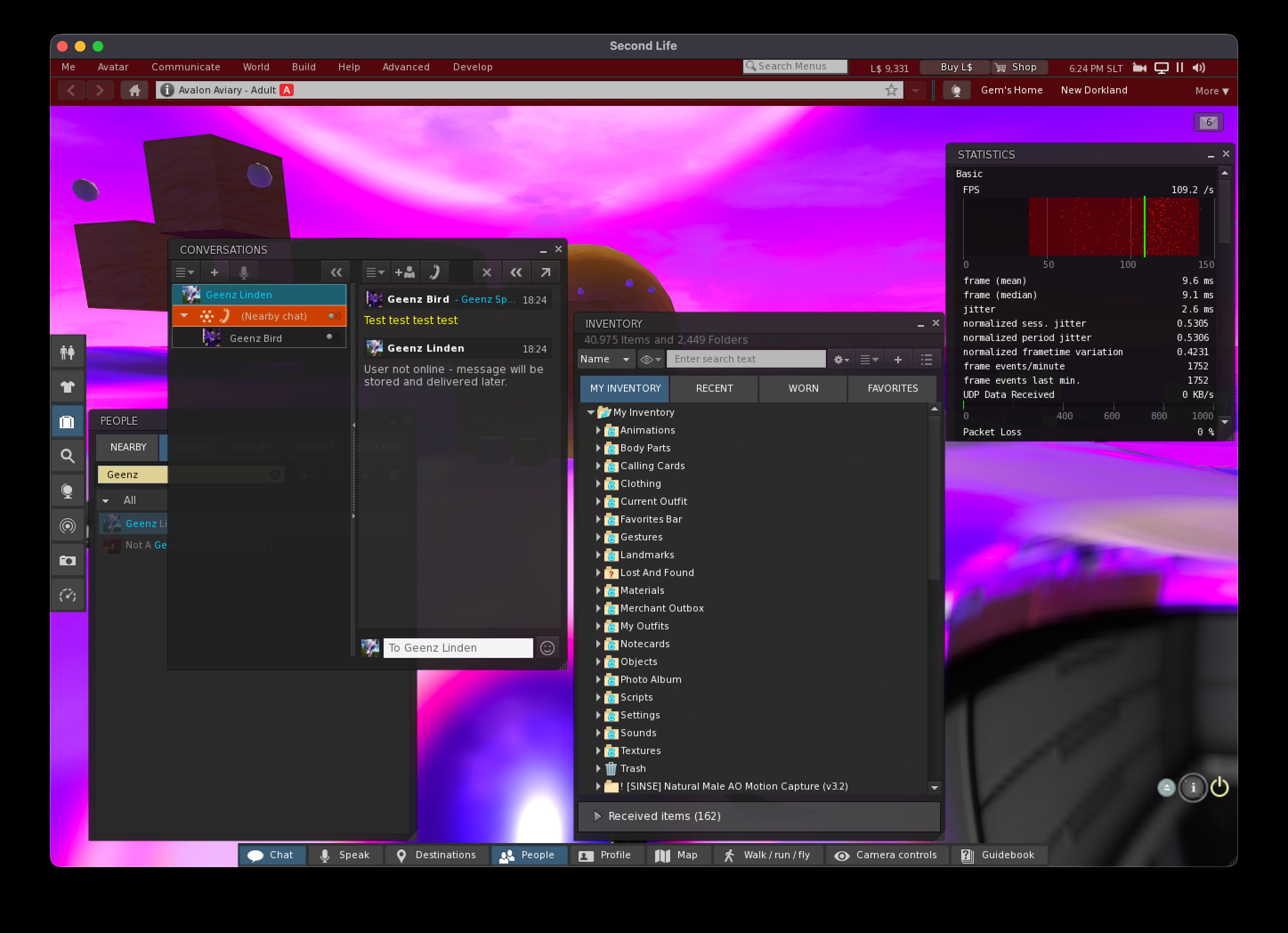
Example of the upcoming flat UI. Via: Geenz Linden / Github #4681/2
This viewer is to be part of the Lab’s “first impressions” push to make SL resonate more with incoming new users and hopefully encourage them to keep logging in.
Will include a new “flat” UI (as seen in the Project Zero (viewer in a browser) version) which comprises things like a font change, a colour scheme change, and generally giving the viewer a more “modern” look and feel. This is not a major UI overhaul in terms of overall look and feel, more an aesthetic one.
Font changes within this viewer are currently described as “experimental”.
Also looking like it will include a log-in landing refresh.
Example of the upcoming flat UI. Via: Geenz Linden / Github #4681/2
General Viewer Notes
Work on clearing viewer bugs and implementing smaller feature requests into the viewer is continuing, so users can expect more of this, allowing for other priorities in viewer work.
On the viewer development side:
There should be some vcpkg movement in the near future. A Pull Request for this work via a third-party developer is apparently in progress, but will not be shipped immediately on approval. Rather, it will be allowed “soak time” so other developers can assess impact on their build pipelines downstream and the like.
There will also be some CMake project changes, although these appear to be more of a “modernization” push, to bring CMake in the viewer into line current CMake project norms.
LL is contemplating bringing back viewer maintenance releases to try to encourage some TPVs to pick-up bug fixes and incorporate them faster into their viewers (rather than waiting for a major viewer update which includes bug fixes to get to release status and then merging them).
If this is done, the maintenance releases will be “much smaller in scope” than past maintenance updates (so a kind of taking bug fixes that are flowing into upcoming major viewer releases, cherry picking them and then QA’ing and releasing them as a small update to the viewer.
Those TPVs at the meeting indicated this could either add to their workload or that they would not alter their existing workflow due to overheads, but instead will continue to cherry-pick upstream fixes as a part of their own release cycles.
In response to questions on whether Kitty Barnett’s RLVa code contributions will be included in the official viewer (and which are currently pending fixes she has submitted for RLVa avatar appearance fixes anyway), Geenz Linden stated:
If we did, it’d likely be a very progressive and targeted thing that we do. And hopefully not in a way that significantly makes downstream more difficult to maintain. It’s a longer discussion that needs to be had basically.
This led to concerns that LL could end up implementing a variant of RLVa that is at odds with the current RLV/RLVa API, and effectively end up being ignored for being incompatible. In response, Geenz further noted:
I’d prefer one that everyone can participate in if we do go that route so we can be more targeted with others helping to guide that. Last thing we want to do is make it take 7 months to ship a TPV just because we made a change to RLVa. We also have to consider overall content compatibility and such.
Also as per the last meeting, official Linux support is aligned with the in-progress SLua viewer .
“First Impressions” Context
This work is focused on trying to ease that first experience for a lot of new residents to try and drive up retention numbers.
The work is seen more-or-less as experimentation at this point in time, but the goal is to drive up first day engagement among incoming new users to encourage them to continue to log-in to SL.
Work on this is on multiple fronts, and more will be shared on it in due course.
Grid-Wide WebRTC Deployment
The Lab is currently looking at a March deployment of WebRTC voice across the grid, but this is subject to possible change.
The last major server crash has been fixed, and there have been none since that fix went in.
There is an upcoming fix – see Pull Request #5322 (included in viewer 2026.01) – to address some of the issues with voice dropping. The recommendation is for TPVs to get this into their viewers for a good user experience.
An upcoming server-side update will hopefully address some of the issues with WebRTC spatialisation (e.g. voice volume varying greatly with even small camera position movements on the part of a listener).
Additional connection tweaks for WebRTC have been made to the 2026.01 viewer to help improve voice performance (e.g. to improve auto-reconnect).
Feedback on people’s experiences with WebRTC is still being sought (notably via the beta testing).
SLua Update
An update to the SLua project viewer is forthcoming.
As noted above, this will bring with it support for Linux
Still no confirmation as to when SLua will go live across SL
General Discussion
OSD Meeting
SSR and PBR water real time reflections and shadows: Geenz indicated that work is progressing on this and that when available, it will be given “a proper” alpha/beta/Release Candidate process.
The was noted that whilst improvements on SSR and PBR water reflections are being made, they will never 100% match pre-PBR views without a lot of work being put into optimisation, what would likely still result in mixed feedback without any significant win.
This led to a general discussion on addressing water reflections and shadows.
CCUG Meeting
PBR lighting: still on the list of potential updates, but requires “quite a few” server-side changes in order for it to happen.
The existing SL lighting system has a range of constraints dating back 20+ years, and so would require significant modification in order to enable PBR lighting support.
As such, this is currently viewed as being on the back burner for the foreseeable future, while other things are worked on.
A question was asked on whether it would be possible for an Animesh using only ten bones in total to have a lower Land Impact / rendering cost than one rigged to 10 out of the 110 bones of the default skeleton. Short answer: no, not without custom rigs.
Custom rigs themselves are acknowledged as something SL should have, but the work involved in enabling them is extensive and touches on multiple areas (e.g. re-targeting bones for clothing fits; re-targeting animations – and even a couple overhaul of the animation system -, etc.). There is also work to be carried out elsewhere that would yield benefits for things like quality of life which are of a higher priority. As such, custom rigs are not something currently on the roadmap.
In-world mesh creation tools: unlikely to be a thing, as the implementation would be costly in time and effort, and likely would not measure up to the capabilities of external tools like Blender.
It was asked if the import route for rigged meshes could be “streamlined” without the need for AvatarStar / MayaStar. Neither of these tool are actually a requirement for rigged mesh import / export, rather they are tools that can help with the process of rigging from within SL. Meshes that have been correctly rigged and weighted using external tools should import correctly through the current import mechanisms (COLLADA or glTF).
Overhauling the mesh import file format / process through the support of something like OpenUSD is an idea that is being mulled over within the Lab. However, a) this is not something that is likely to be prioritised in the next 12 months; b) it is something that would require a lot more in the way of discussion before moving towards it; c) there is still work to be done in improving the import / export of currently supported formats before trying to add to them / replace them.
Materials import for meshes: this is something the Lab wanted to implement for glTF mesh import (rather than having to import materials separately).
However, due to the way in which asset uploads to SL work, it proved to be more a complex issue than first thought.
The hope is that the work can be returned to in the future, possibly using a new import flow that is more in line with other platforms and tools, but this is not something on the current roadmap.
PBR specular support: this is still something Geenz would personally like to get done, but it is currently sitting behind various other items which need to be completed / implemented in order to clear time for working on it. Also, this work does have impacts on things like the glTF upload validator, scripting, simulator support, managing glTF overrides (which are currently not well handled) etc., all of which would have to be factored into the work and which are outside of Geenz’s immediate responsibilities.
In terms of extending glTF support in general (PBR specular, IoR, etc.), the preference at the moment is to fix more of the existing issues / bugs within the existing PBR capabilities before adding further options.
The meeting was somewhat sidetracked by talk on the use of bots, ToS bot violations, Tiny Empires, etc., the majority of which are more of a Governance issue.
Fans of the Avatar franchise may recognise the term, given it is one of two “common names” (so to speak) by which Ewya, the globally distributed consciousness of Pandora is known; the other being the All-Mother. As such, it should come as no surprise that this is something of a personal homage to the Avatar movies whilst also being entirely unique as a setting in its own right; a place of infinite beauty; one that is utterly immersive.
Dive into the deep primordial forest, an ongoing passion project for Benny Vortex. Discover a lush, bioluminescent dreamscape of sights and sounds nestled below breath-taking floating islands under the silent gaze of a gas giant. May the spirits guide you.
– The Great Mother’s Destination Guide description
The Great Mother, January 2026
Occupying a Full region called – appropriately enough – Eywa, the setting captivates from the start. But before getting into specifics, there are some recommendations for enjoying a visit:
Preferably, visit using a PBR-enabled viewer.
Make sure you enable the local music stream to enjoy a soundtrack fully in keeping with the setting.
Use the shared region environment settings.
The Great Mother, January 2026
Also, make sure you have local sounds enabled – this is an absolute must, as Benny has created an immersive soundscape, covering everything from the deep, echoing sounds of Pandora’s forests and creatures through to the sound of your own footsteps rustling the moss and grass. That said, don’t expect to encounter any of Pandora’s beasts – or ioang – whilst you may hear them in the distance, this is a place of sanctuary and spiritual awakening. However, if you opt to visit in a Na’vi avatar, that would be both appropriate and welcome.
Finally, do be aware that The Great Mother is very much a work in progress: whilst now open at the ground level, Benny has plans for vertical expansion and more. In fact, the Landing Point itself is in the air and presents the first of the setting’s unique elements.
The Great Mother, January 2026
Forming a small island, the landing Point is marked by a number of rope slides. Each of these bares a symbol scratched into its wooden frame, indicating the area of the biome below in which you will arrive. Pick the one you fancy and ride it down to a smaller floating island, where a dive mat awaits.
Sit on the dive mat, select your preferred dive (and style, if offered), and take the leap! Whichever area of the biome you selected, you will land in water. As you do so, a dialogue box will be displayed with a couple of options – one being a return to the diving mat and going again, if you wish.
The Great Mother, January 2026
However, to explore, ignore the dialogue – but do not stand up. You are still running an animation tied to the dive mat, and you can use it to swim through the water and / or to shore, where upon the animation will release you and allow you to walk.
Whichever rope slide you take, it likely won’t be the last, within the forest and waterways below are ropes to climb and rope traverses pass through the higher boughs, and trails over land and across water to be explored, together with discoveries to be made. Keep an eye out for seeds marking potential points of interest as you explore. Overhead, further off-region islands hang in the night sky whilst a massive Jupiter-like gas giant watches over the comings and goings of this living world.
The Great Mother, January 2026
Extensive use is made of Elicio Ember’s fabulous plants, their bioluminescent fronds and petals well suited to representing Pandora’s own rich mixture of plant life, and this further brings the setting to life. As with the ideals of Eywa as well, there is a balance of lands and water throughout the region, with water channels as much as dry land trails offering routes of exploration – indeed, as Benny noted to me, the entire region is navigable by canoe.
As to what drew him to create such an environment, ad his future plans for expansion, Benny had this to say:
I really love the concept of the film and as a biologist/mycologist RL I can’t get enough of bioluminescent organisms. The next mission will be above 1000m with floating islands and waterfalls, and as I’ve also put a deep channel running through the region, I will eventually make it mer-friendly, and such.
– Benny Vortex on developing The Great Mother
The Great Mother, January 2026
Merfolk per se might not be a formal part of the Pandora ecosystem – although the Na’vi clearly have a relationship with the seas of their world – providing such a merfolk environment within The Great Mother does, to me, fit, and further extends the inclusiveness of the setting as a whole.
While I could write far more on the region, the truth is, it doesn’t need explanation – it deserves exploration and time spent with in it. As such, I’m going to wrap this up with a thank you to Benny for the invitation and the chance to explore for myself, and to strongly urge all Second Life explorers to visit Eywa and The Great Mother.
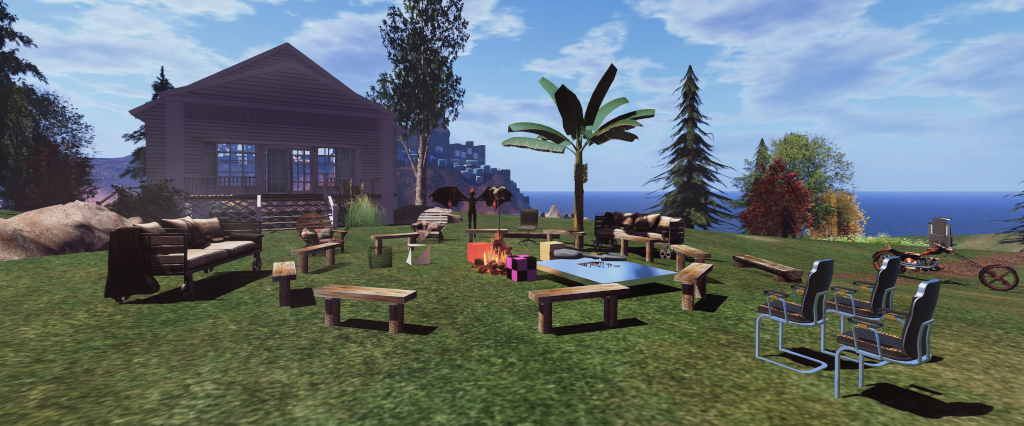
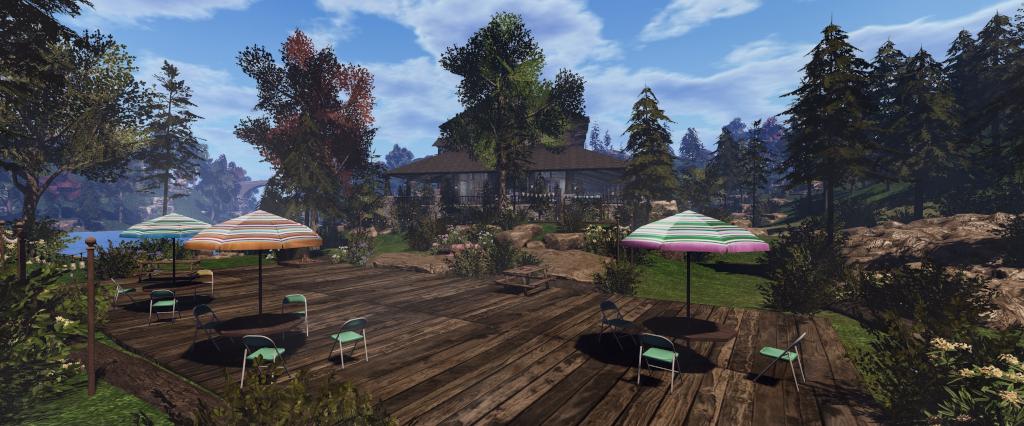
Campwich Forest grounds: location for the Monthly Mobile User Group (MMUG)
The following notes were taken from the Thursday, January 29th 2026 Monthly Mobile User Group (MMUG) meeting. These notes should not be taken as a full transcript of the meeting, which was largely held in Voice, but rather a summary of the key topics discussed.
The meeting was recorded by Pantera, and her video is embedded at the end of this summary – my thanks, as always to her in providing it.
The Mobile User Group provides a platform to share insights on recent mobile updates and upcoming features, and to receive feedback directly from users.
These meetings are conducted (as a rule):
The last Thursday of every month at 12:00 noon SLT.
Meetings are open to anyone with a concern / interest in the above topics, and form one of a series of regular / semi-regular User Group meetings conducted by Linden Lab.
Dates and times of all current meetings can be found on the Second Life Public Calendar, and descriptions of meetings are defined on the SL wiki.
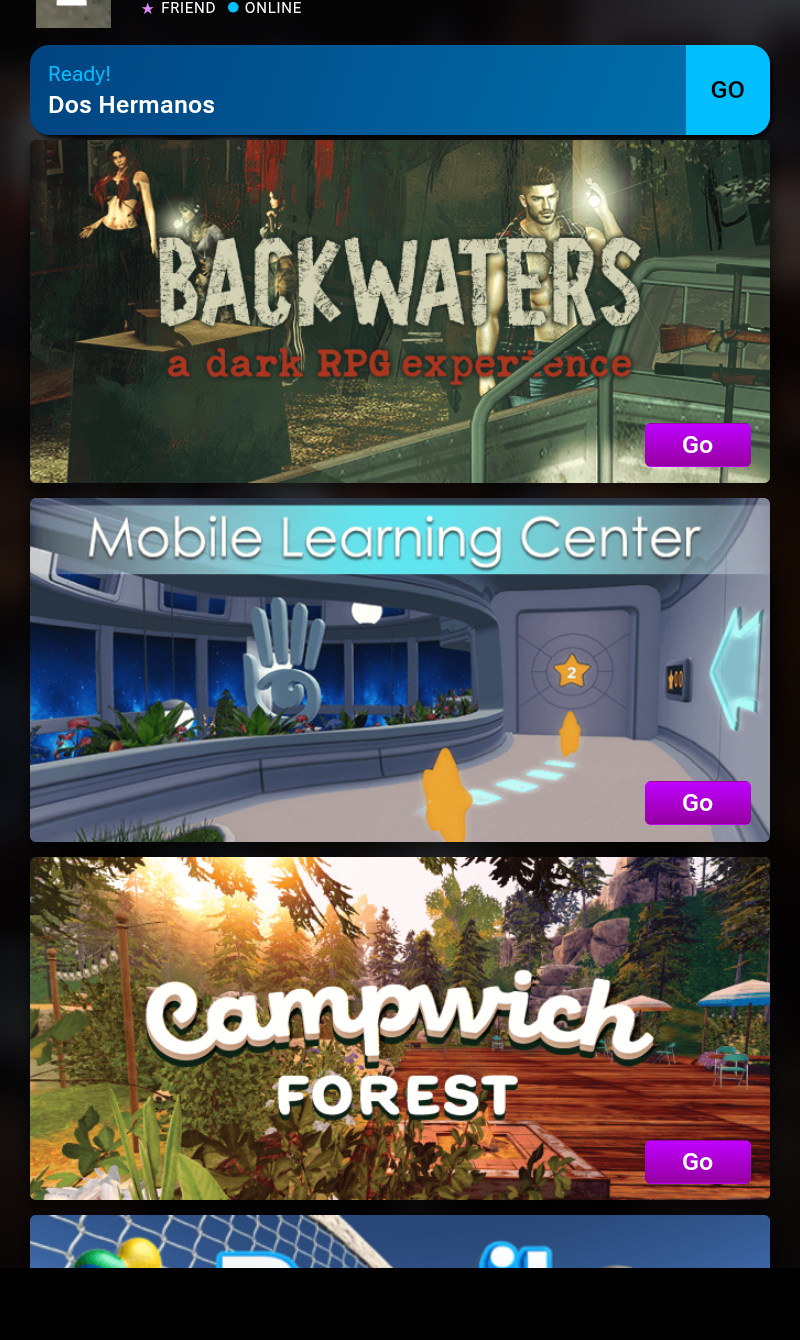
SL Mobile is seeing new users signing-up and joining SL, this led to the creation of a series of New Start Locations for those coming in via Mobile to be able to easily reach, and which have been put together by the location creators specifically to be Mobile-friendly.
SL Mobile New Starter Experiences front-and-centre.
The range of available experiences is being expanded, with the latest being a Brazilian-based experience – the Brazilian Beach Hangout – offering Voice in both English and Portuguese.
As many are aware (and a part of ), there is an invite-only SL Mobile Alpha group providing early access to users to help test upcoming Mobile features and updates prior to them being made publicly available through the main Beta programme on Android and iOS.
The app for this programme is entirely separate to the app available via the Apple and Google stores.
The most recent releases to Alpha include Bubble Chat and single-taps.
Bubble Chat
This is is response to complaints about having to switch views / trying to remain in contact with the in-world scene when using chat.
Allows chat and incoming IM’s to be viewed over the in-world scene, and allow tap-to-reply.
In the initial iteration, tapping a message to reply will still take a user back to the menu to show the keyboard.
However, as the feature is expanded, it is hoped that it will enable the keyboard overlay to be displayed over the in-world scene to allow for faster responses without having to switch away.
Bubble Chat is also seen as a means of encouraging greater use of Mobile rather than just a quick “checking in” tool.
Interactions with SL Mobile can be “tedious” in terms of the number of taps, etc., required to initiate an action – such as chatting, finding a person’s name / profiles, etc., and even interacting with objects.
Single Tap to Interact replaces the current long press required to garner a response from objects in the world view (display the context menu). When tapping on an item, Single Tap will display the top items in the context menu as an overlay to the in-world view. So for example:
Tapping on an avatar will display the options to send an IM or Friend request or expand the menu to see more options – such as their Profile.
Tapping on an in-world object will similarly display the most common options in the context menu (e.g. “sit” if it is chair / seat), with an option to display the rest of the context menu.
Like Bubble Chat, Single Tap is seen as a means to increase on-going use of SL Mobile beyond being an adjunct to using the viewer, and allow greater opportunity for users to be active in SL when using Mobile.
Bubble Chat is seen as relatively “easy” to implement, outside of one or two quirks in how Unity handles uniformity of presentation of things like overlays, which does require a little additional work to solve.
Single Tap to Interact is a more complex subject, as it not only involves changes to the underlying touch functionality, it is also attempting to more accurately map on-screen taps to ensure the right focus and the the resultant correct menu is displayed.
On-screen interactions – touch, tap, etc., – can be seen as collisions, which require a degree of physics calculations. Generally in SL the vast majority of physics interactions and collisions are managed by the server – the viewer is essentially “dumb” to them.
With Mobile, this can lead to inaccuracies arising between where the screen is touched and where the simulator thinks it has been touched, simply because of the network latency involved in back-and-forth communications and calculations, resulting in the noted frustrations with long-touch, etc.
So as a part of the implementation of Single Tap, it was decided to incorporate some of the physics-related calculations into the app itself.
Incorporating physics calculations into the app has involved building a “mini physics simulator”, capable of loading all of the physics colliders into the app’s already constrained memory limits (so effectively pre-caching them), and providing a means for the colliders and calculations to be recognised by, and accurately passed between, two different physics engines – Havok on the simulator, Unity’s own in the app.
Whilst complex, this has resulted in a significant reduction in latency between touch and response and in ensuring the relevant menu appears, and with little to no added latency resulting from the device hardware having to do all the pre-caching and calculations. the only appreciable impact is on networking bandwidth during the pre-caching process.
A further help here is that the Unity physics engine can be switched off excepted for when actually required, thus removing a continuous overhead for the app.
This work will also help with other physics-related interactions down the road.
Stability: the Lab uses both their own internal metrics and those from the app stores to monitor SL Mobile’s overall stability.
There has been a steady decrease in Android crash rates, and a further fix is coming in the next production beta release of Mobile.
New work being initiated (no due dates / target release dates at present):
Persistent chat (i.e. chat histories persisting between Mobile and viewer, rather than being broken by using one or the other).
Chat logging.
More work on language localisation for Mobile.
Map and Search:
Search: Web search is already Mobile responsive, but hard to use. To overcome this, this preferred route at present is to take Web Search and put it into Mobile as an embedded view. This requires a certain amount of work, which is in progress in terms of how to best present Web Search within the app and ensure its performance, prior to actually embedding it into the the app.
Map support: starting to be looked at as a facet of Search, with the hope that the two will be fairly well integrated with each other in the future and where relevant (e.g. toggling between Search and the Map when searching for places). Once this is in place, the Mobile team will look to build further viewer World Map functionality into the Mobile Map.
General Q&A
What is SL Mobile’s maximum Draw Distance?
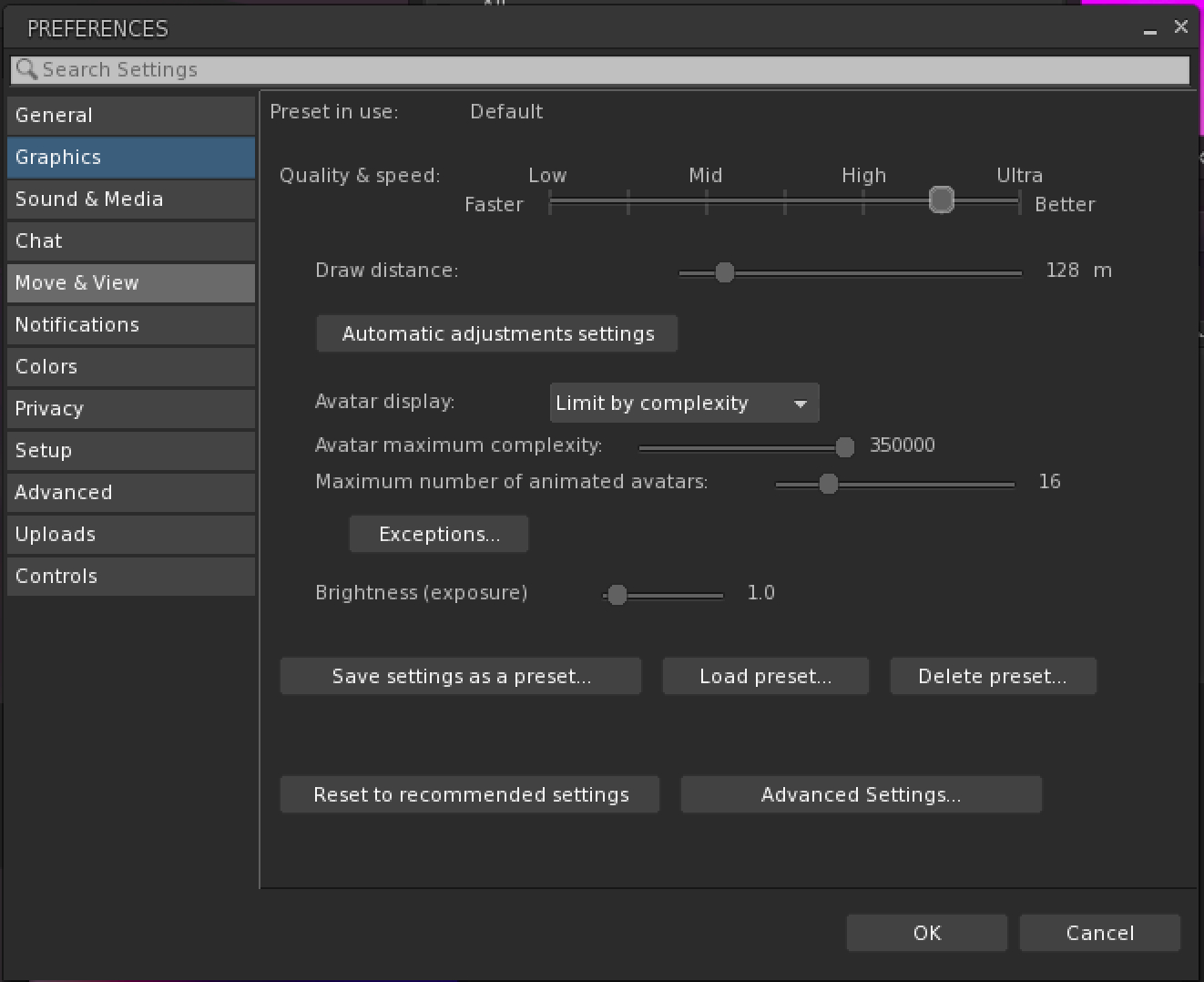
Up to 250 metres can be selected (but not recommended), but the app currently defaults to 40-50 metres to reduce the memory load.
As a rule of thumb, every additional 10 metres of draw distance can result in 30%+ of the app’s memory allocation (determined by the OS / hardware) to rendering alone.
Higher distances can be set at the user’s discretion via settings, but these can impact performance., and many of the higher settings (100m+) are not recommended for general use, as noted here and in the app.
A danger with exceeding memory limits in an app is that the OS will simply drop it without warning.
Concern was expressed about content being suitable for Mobile consumption – LODs, Land Impact, etc., – and on the need to encourage content creators to think Mobile in their work.
The Mobile app does actually carry out a degree of object culling to lighten the load – small objects, for example, aren’t rendered unless directly focused upon.
There have been internal discussions at the Lab about Land impact and how it relates to Mobile, but no firm decisions have been taken.
The matter of LODs and content creation tools vis-à-vis Mobile has also been discussed, but again, no firm decisions have as yet been made. LOD models are a part of a wider discussion overall for SL, given they also impact lower-specification hardware running the viewer, and there are on-going talks (e.g. through the Content Creation User Group) on LODs, automatic LOD generation, decomposition tools, etc.
PBR, Shadows and EEP support:
PBR – not yet.
Shadows – yes, supported, but is device-dependent, as shadow rendering is expensive (e.g. can as much as triple the rendering complexity for a scene).
EEP – limited support, with two passes of integration carried out so far. More work is required on this (e.g. average scene lighting to bring Unity’s lighting more into line with how scenes appear on the viewer), but it is not an easy task in terms of future maintenance.
Will SL Mobile support:
In-scene dialogue menus (i.e. the blue menus displayed when touching scripted object in the viewer)? – Yes, possibly in the next couple of months.
A walk / run / fly toggle on the movement joystick? – This is something that LL would like to support down the road.
Alpha Texture support: there are two primary issues in managing alphas on Mobile:
Formats: the viewer uses JPEG2000 for textures, Mobile uses a variety of formats which are hardware-dependent, and so additional work such as switching out texture formats is required – which itself can be problematic (e.g. can invalidate texture caches and cause issues such as slow loading, etc.). However, Adam Sinewave (Mobile Lead Developer) does have a potential fix for this in the works.
Tiled-based GPUs: these are common on mobile hardware and do not like overdraw (rendering the same texture multiple times, required for alphas).
Both of these mean that Mobile uses a mix of dithered alpha rendering and temporal anti-aliasing to achieve the desired result. This actually simplifies alpha rendering on Mobile, but does produce unwanted artefacts on transparency, some of which will be hopefully resolved, others of which might continue to result in differences in how alphas appear on Mobile compared to the viewer.
Will SL Mobile be made available through other mechanisms than Google Play Store? Possibly, the idea of providing Android Package Kits (APKs) has been discussed, but brings with it a distribution problem. Also, the idea of using Google’s update mechanism for apps has also been discussed, which would bind SL Mobile more to the Google Play Store.
Minimum requirements for Mobile: these are somewhat hardware constrained (CPU / GPU pairing). As a broad rule of thumb, SL Mobile requires a device with at least 4Gb of RAM, and preferably a more recently SoC combination of CPU/GPU.





 Inara Pey: Living in a Modemworld