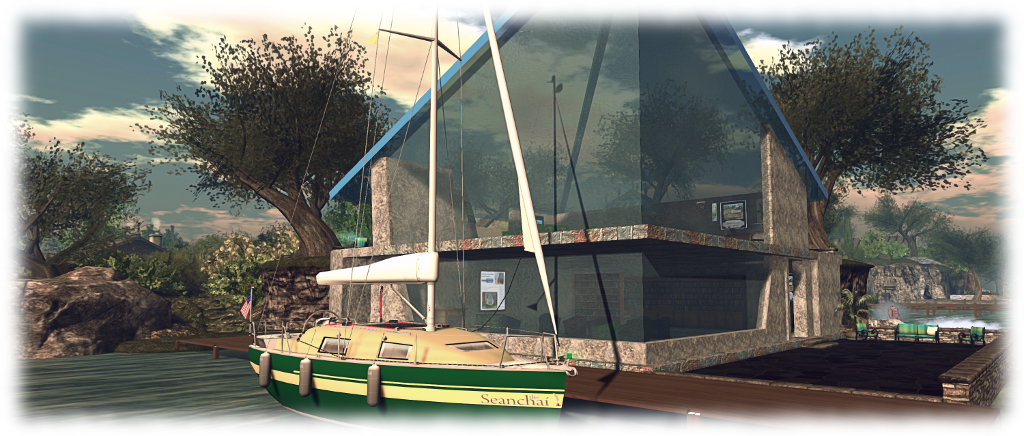
From a train in the east to the plains of the west

Seanchai Library

It’s time to highlight another week of storytelling in Voice by the staff and volunteers at the Seanchai Library. As always, all times SLT, and events are held at the Library’s home at Holly Kai Park, unless otherwise indicated.

Sunday, July 29th

13:30: Tea-Time on the Orient Express

Join Seanchai Library and friends aboard one of the most luxurious means of rail travel, the Orient Express, as they continue their investigations into the most disagreeable events that have occurred en route to Paris.

Having been required to return to London from Istanbul post-haste, Hercule Poirot sought passage aboard the most famous train, gaining seat initially in second class, only to be “upgraded” to first class by his friend – and member of the board of directors for Compagnie Internationale des Wagons-Lits, the operators of the service – M Bouc. Prior to his “upgrade”, Poirot is accosted by one Samuel Ratchett, an American also travelling on the train, who demands the detective’s aide as he believes his life is in danger. However, Poirot refuses, on account of finding the American a distasteful individual.
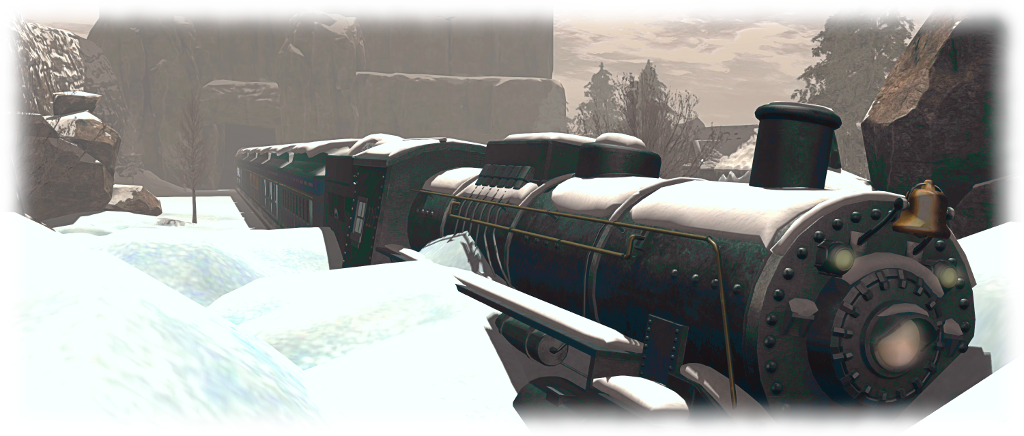
The locomotive trapped in a snow bank; a passenger murdered; a mystery for Poirot! Murder on the Orient Express

Then, on the night after his upgrade to the sleeping berth next to Ratchett’s, he is woken by two events: the first is that the train has become stranded in snow not far from the city of Vinkovci in Yugoslavia. The second is the discovery that Ratchett’s fears about his safety were correct: his has been murdered in his cabin. But who is responsible?

With nowhere to go until assistance for the stricken locomotive arrives, Poirot sets out to discover – did someone board the train in secret to put an end to Ratchett, or was one of his fellow passengers in fact the murderer? And what of Ratchett himself? Was he really all he seemed?

Offered in a special setting, Murder on the Orient Express, one of Agatha Christie’s most popular stories, continues into its second weekend reading!

18:00: Magicland Storytime

When a fortune-teller’s tent appears in the market square of Baltese city, orphan Peter Augustus Duchene knows the questions that he needs to ask: Does his sister still live? If so, how can he find her?

The fortune-teller’s mysterious answer that an elephant – an elephant! – will lead him to his sister, sets off a chain of events so remarkable, so impossible, that you will hardly dare to believe it’s true. And thus we’re off on a wondrous adventure of the kind only Newbery Medalist Kate DiCamillo could tell.

In this timeless fable, she evokes the largest of themes — hope and belonging, desire and compassion — with the lightness of a magician’s touch, and we are joined in a world of What if? Why not? Could it be?

Join Calaedonia Skytower at the Golden Horseshoe for this most enchanting of stories.

Monday, July 30th 19:00: The Drowning World

They call it the Drowning World; Fluva, a planet on the fringes of the Commonwealth where the rain is – but for one month in the year – maddeningly torrential. For Chief Administrator Lauren Matthias, it is a new posting; one which comes with a major requirement: keeping the indigenous and warlike Sakuntala and immigrant and hard-working Deyzara, from annihilating one another.

But when the vessel used by bio-prospector Shadrach Hasselemoga crashes in Viisiiviisii, an immense, mostly unexplored jungle, and the wettest place on the planet, Matthias must dispatch a team made up of one Sakuntala and one Deyzara on a rescue mission. Can the two form an alliance long enough to both rescue Hasselemoga and survive the deadly jungle?

But as the mission unfolds, Matthias realises something much bigger and darker is occurring on Fluva. A mysterious presence is at work, manipulating events, one which not only puts the lives of the rescue mission at risk, but also her own – and which could ultimately threaten the Commonwealth itself!

Join Gyro Muggins as he reads story #21 in Alan Dean Foster’s Humanx Commonwealth series.

Tuesday, July 31st 1900: Brief Cases

Corwyn Allen dives into Jim Butcher’s 2018 collection of several of his excellent short stories and novellas from the universe of Harry Dresden.

The tales presented here not only offer excellent short narratives that dabble between the scenes of the other novels in the Dresden Universe series, they even encompass what might be Dresden’s greatest challenge…

….Becoming a father.

Wednesday, August 1st 19:00: Mythos
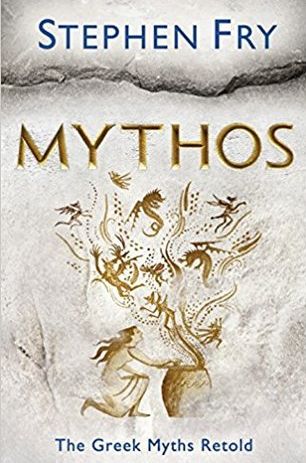
The Greek myths are the greatest stories ever told, passed down through millennia and inspiring writers and artists as varied as Shakespeare, Michelangelo, James Joyce and Walt Disney.

They are embedded deeply in the traditions, tales and cultural DNA of the West. In Stephen Fry’s hands the stories of the titans and gods become a brilliantly entertaining account of ribaldry and revelry, warfare and worship, debauchery, love affairs and life lessons, slayings and suicides, triumphs and tragedies.

Through them, you’ll once again fall in love with Zeus, marvel at the birth of Athena, wince at Cronus and Gaia’s revenge on Ouranos, weep with King Midas and hunt with the beautiful and ferocious Artemis.

Thursday, August 2nd

14:00: Fireside Tales

Bryn Taleweaver brings ghostly tales to the fireside!

19:00: Weird Westerns: The Banshee Singer and The Magic Grindstone

Shandon Loring reads two tales from Lon Thomas Williams’ collection of Weird Westerns featuring Deputy Marshal Lee Winters. Also presented in Kitely (hop://grid.kitely.com:8002/Seanchai/144/129/29).


Please check with the Seanchai Library’s blog for updates and for additions or changes to the week’s schedule.

The current charity is Feed a Smile.
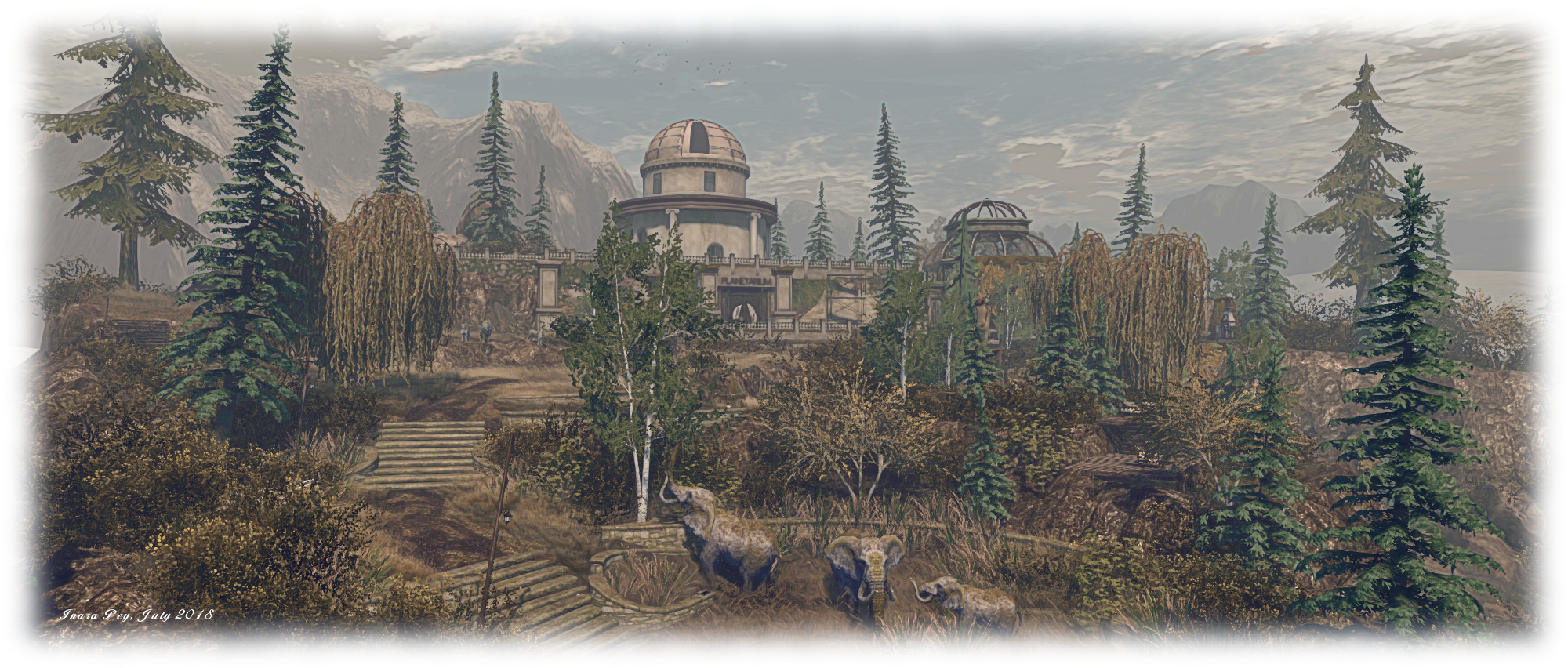
Erebos Harbor in Second Life

Erebos Harbor; Inara Pey, July 2018, on FlickrErebos Harbor – click any image for full size

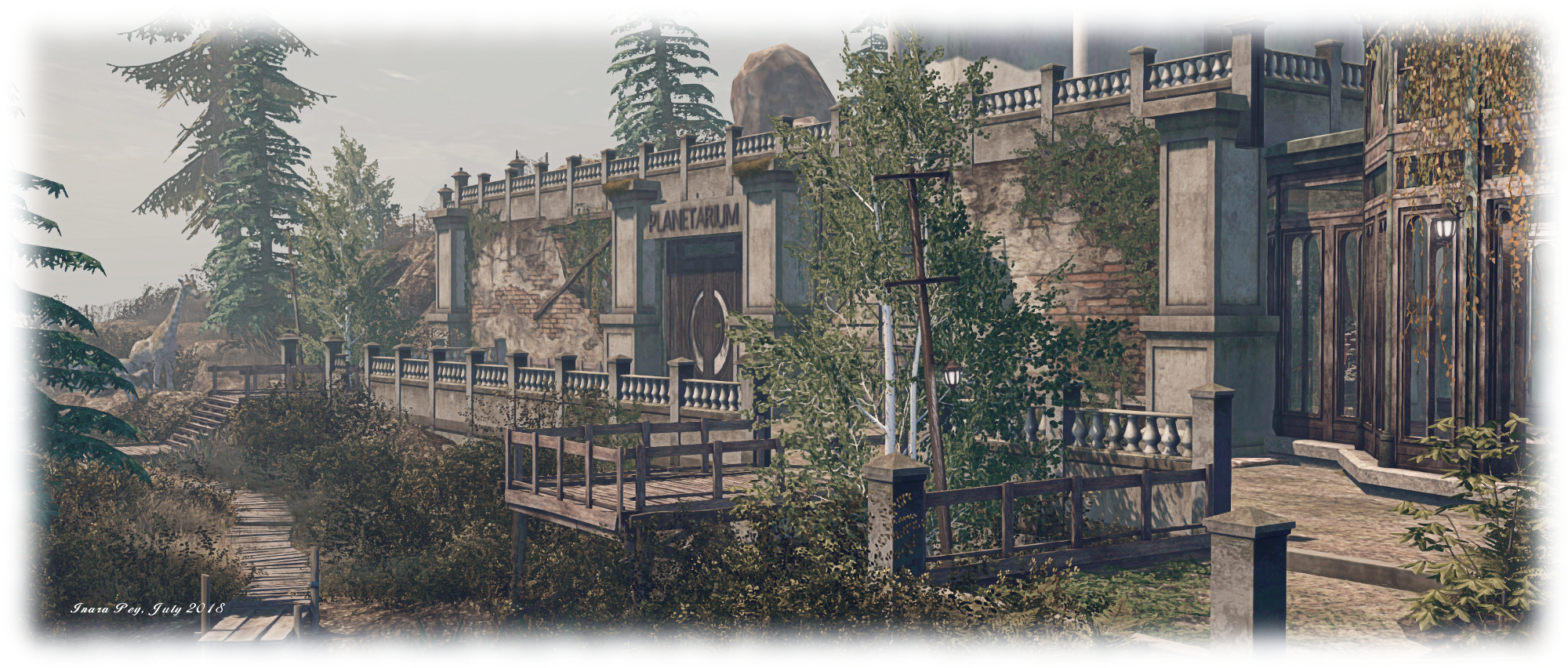
The lowering sun glints off the copper dome of an observatory, skylined to the north of town square. The shutter door is open, cutting a slice of darkness into the curve of the dome, but any telescope that may once have lain within its protection has long since gone.

Seated upon its throne of a high plateau north of the town, the observatory presides over Erebos Harbor, what may have once been a series of impressive terraced gardens set immediately before it. A waterfall tumbles in two deep steps from the high rocks, a sliver of silver against their darker faces, further enticing people to heed the siren call of the high dome and travel north towards it.

Erebos Harbor; Inara Pey, July 2018, on FlickrErebos Harbor

I make no apologies for writing about this build by Leaf (Peyton Darmoset) and Julz (Juliette Rainfall) under the dirty.pretty banner, so soon after visiting Cloudbreak (see: An Indonesian Cloudbreak in Second Life). This is because, like the regions of Cloudbreak, Erebos Harbor is an extraordinary build, quite breathtaking in its design and execution, and fully deserving of an article to itself.

It is, in summary, very much a region of three parts. To the south is a small town style layout, complete with fishing docks and a railway siding. To the west sit two humped islands of rock, reached by high bridges, where homes and beaches might be found. Then, to the north, and dominating the setting, sits the imposing bulk of the old observatory.

Erebos Harbor; Inara Pey, July 2018, on FlickrErebos Harbor

Despite the boutique cafés with their street side parasols or paved gardens, or the warehouse converted to a music venue, the town has a feeling of perhaps being past its prime. Brickwork is careworn, the streets look a little tired, stores lie empty, packing cases on their bare floors, while the garage space at one end of a set of shops has lost both its roof and upper floor.

To the west, the islands are home to the region’s rental properties – predominantly wooden-build cabins and houses overlooking the surrounding sea and water, or descending to cinder beaches on their west side. The rental properties up on the tops of the islands are relatively easy to identify, but do be aware there are what appear to be a rental down on the beach as well, so do please respect the privacy of the tenants. Another private residence also sits down on the west side of the “mainland”, at the edge of the channel separating it from the outlying islands.

Erebos Harbor; Inara Pey, July 2018, on FlickrErebos Harbor

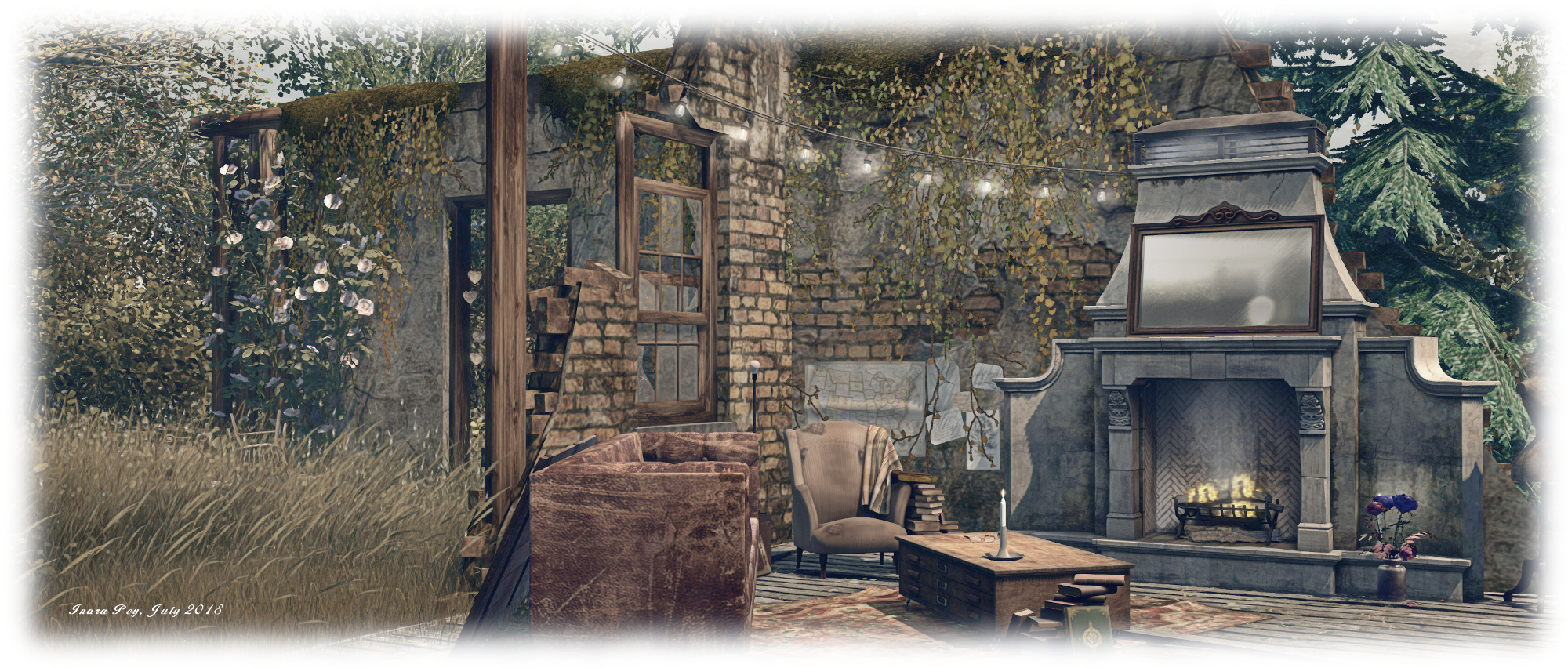
However, it is the observatory that is liable to attract the visitor’s eyes and feet. Impressive from a distance, it is nothing short of stunning when seen up close; Leaf’s vision for the setting is extraordinarily imaginative. While the town below may give hints of having seen better days, this is clearly a place that is well past its prime, and where nature has decided to take up residence – indoors as well as outside. Where the terraced gardens may once have been of a more formal layout, now they are overgrown, any paved paths or lawned walks that may once have connected the stone steps between the different terraces now long gone, replaced with wild grasses or bare ground. In some places, even the stone steps have gone, replaced by wooden walkways and stairs, including those up to the observatory itself.

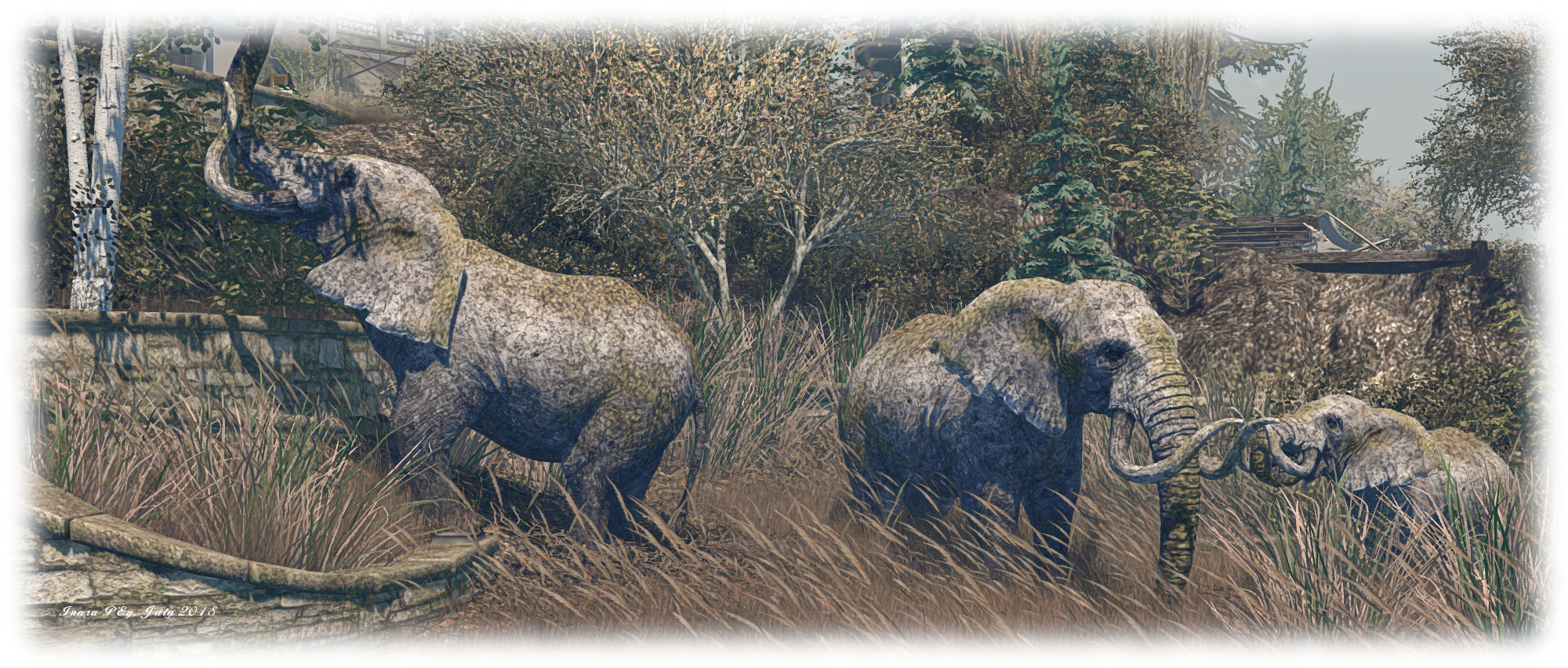
This is  wonderful home build / kitbashed structure by Leaf which deserves to be seen and appreciated in its own right. Some of the walls are crumbling, the observatory dome no longer protects a telescope, while inside, nature has long since taken a hold on things – although a huge and uniquely finished orrery still operates within the foyer space of the planetarium. Outside, there is a wonderful use of décor in the gardens I freely admit to the way Leaf has converted from the wildlife creations of Hannah Kozlowski into the must far-reaching of statues.

Erebos Harbor; Inara Pey, July 2018, on FlickrErebos Harbor

Scattered across the observatory’s terraces are numerous places to sit, whether by oneself or with friends, and to enjoy a cuddle with a loved one. These include, for the daredevils out there, a bed-like platform suspended over the waterfalls tumbling down the sheer rock face to a pool below. Those seeking a less risky pursuit than leaping down to the platform can enjoy the open-air movie theatre sitting in the lee of the plateau’s west side.

There are a host of little treats to be found throughout Erebos Harbor, indoors and out, so exploration is highly recommended – keeping in mind the private residences to the west of the region. Photographs are welcome at the dirty.pretty Flickr group, and rezzing rights can be obtained by joining the dirty.pretty in-world group. As noted above, this is a truly exceptional region in terms of design and settings, and absolutely not one to be missed.

Erebos Harbor; Inara Pey, July 2018, on FlickrErebos Harbor

SLurl Details

2018 SL UG updates #30/2: CCUG summary w/audio

“That’s no moon…” – Rider Linden (seen at the bottom of the image) teases with possibilities whilst talking Environmental Enhancement Project (EEP) on the forums. Credit: Rider Linden

The following notes are taken from the Content Creation User Group (CCUG) meeting, held on  Thursday, July 26th, 2018 at 13:00 SLT.  These meetings are chaired by Vir Linden, and agenda notes, meeting SLurl, etc, are usually available on the Content Creation User Group wiki page.

Note that the audio presented here may not be in the exact order of discussion during the meeting; as subjects were at times returned to following their initial discussion, I have attempted to bring together key points of discussion by topic / subject matter. Also, please note that audio drop-out when Vir is speaking appears to be an ongoing Voice issue.

Animesh

Project Summary

The goal of this project is to provide a means of animating rigged mesh objects using the avatar skeleton, in whole or in part, to provide things like independently moveable pets / creatures, and animated scenery features via scripted animation. It involves both viewer and server-side changes.

Resources

Viewer Status

The Animesh viewer updated to version 6.0.0.518080, which appeared in the pipeline on Wednesday, July 25th.  It comes with the following notes:

It has a fix for a bug that caused rigged meshes to fail to display intermittently [BUG-225063]. There is a significant change to orientation handling for Animesh objects in this build. If you make an Animesh object from a linkset that contains a rigged mesh as the root object, then the rotation for the object will be corrected to try to make the rigged display line up with the physics representation (correction is based on the bind shape matrix). This will change the behavior of some existing content – for example, the gift raptors on Agni are now rotated 90 degrees. Content that uses a non-rigged object as the root should be unaffected by this change. LOD calculations for Animesh objects now use the dynamically updated bounding box, so they should be more accurate and consistent.

The rotation fix does have an impact on some content, which can end up moving “sideways” compared to the expected direction.

Additional Work for Animesh to reach RC Status

  • Server-side: Vir is currently trying to track done the cause of some server issues which are probably the result of the simulator having to “remember” a lot more information with Animesh, and failing to do so properly, which can impact things like streaming costs.
  • Viewer-side: still some outstanding work to be done with getting LODs to behave / display consistently.

Both of these are seen as requiring resolution before the Animesh viewer moves to release candidate status.

Future Animesh Work

  • There has been some discussion about possible follow-on projects for Animesh, but no final details on what will be in the mix has been made.
  • Animesh customisation, including assignment of a body shape is considered to be “high” on the list of follow-ups. However, no decisions have been made on whether:
    • It will include LSL support for customisation.
    • It will add body shape support (and the use of the body sliders for customisation.
    • It might include an extension to Bakes on Mesh for Animesh.

Animesh and Scale Animation

Scale animation is something that has been requested since Bento. However, the problem here is the SL animation format doesn’t have any notion of scale animations, so in order for support to be added, the entire animation system would require an overhaul.

Another issue, as found with Bento, is that things can become tricky (if not confusing for some) when animations and sliders are both controlling the same thing – as would be the case with scale animations (although this was eventually done with bone translations).

In Brief

  • BUG-225153 “Animesh issue: Multiple faces don’t work – Reverts back to one texture when animation played”: this does not appear to have been reproduced by others, and it is unclear whether it is an issue, or something specific to the user.
  • BUG-225158 “[ANIMESH ] Inconsistent default graphics settings with relation to current mainstream viewer as well as ‘recommended settings’ button”: this appears to be a change in how graphics settings are detected in the viewer in general, rather than specific to Animesh. further testing / investigation is required.

Bakes On Mesh

Project Summary

Extending the current avatar baking service to allow wearable textures (skins, tattoos, clothing) to be applied directly to mesh bodies as well as system avatars. This involves server-side changes, including updating the baking service to support 1024×1024 textures, and may in time lead to a reduction in the complexity of mesh avatar bodies and heads.

This work does not include normal or specular map support, as these are not part of the existing Bake  Service.

Resources

Current Status

Still with the Lab’s QA team, and the viewer is internally flagged for product reviews, so a project viewer update could be appearing soonTM. This should include a number of bug fixes that have been worked on recently.

In addition, Anchor Linden has been adding new LSL constants for the various Bake Channel textures, so that if someone wants to use LSL to change a particular face on a mesh object to use Bakes on Mesh, they will be able to do that using a constant.

A reminder for those trying to test Bakes on Mesh: the capability requires server-side support, which has not been deployed to Agni (the Main grid), but is only available on Aditi (the Beta grid) on the Bakes on Mesh test regions.

To prevent confusion, it’s been suggested the Bakes on Mesh viewer is blocked from accessing Agni until such time as the server-side support has been deployed.

Environment Enhancement Project (EEP)

Project Summary

A set of environmental enhancements, including:

  • The ability to define the environment (sky, sun, moon, clouds, water settings) at the parcel level.
  • New environment asset types (Sky, Water, Days that can be stored in inventory and traded through the Marketplace / exchanged with others.
    • Day assets can include four Sky “tracks” defined by height: ground level (which includes altitudes up to 1,000m) and (optionally) 1,000m and above; 2,000m and above and 3,000m and above, plus a Water “track”.
  • Experience-based environment functions
  • An extended day cycle (e.g a 24/7 cycle) and extended environmental parameters.
  • There are no EEP parameters for manipulating the SL wind.
  • EPP will also include some rendering enhancements  and new shaders as well (being developed by Graham Linden), which will allow for effects such as crepuscular rays (“God rays”)
    • These will be an atmospheric effect, not any kind of object or asset or XML handler.
  • The new LSL functions for finding the time of day according to the position of the windlight Sun or Moon have been completed,and are more accurate than the current options.
  • EEP will not include things like rain or snow.

Resources

Current Status

  • Rider Linden has been working on the viewer UI (presumably as a result of QA feedback). It is thought that a first cut project viewer is not that far away from appearance publicly.
  • However, as EEP requires additional back-en changes which have yet to be deployed to Agni, it is likely that when the project viewer does appear, initially, it will only work on Aditi (the beta grid).
  • Rider has also been teasing people with EEP-related images on the forums!
Another EEP teaser from Rider Linden: the new Fixed Environment Sun / Moon editing panel in the upcoming EEP viewer. Credit: Rider Linden

Other Items

  • BUG-225157 “[RC BlueSteel 18.07.17.517953] Adjusting specular horizontal offset also adjusts specular vertical offset on BlueSteel regions only”: this has been imported into the Lab’s internal JIRA and may be receiving attention.
  • Increase to maximum prim size: the current prim size limit in SL is 64m on a side. There have been calls to increase this to allow bigger meshes to be imported (e.g. large land forms for landscaping a region).
    • There are no plans to increase this limit in the immediate future, and it’s been pointed out that increasing the size could be somewhat self-defeating in that it results in a loss of vertex position resolution (vertex space being limited to 64K), which could result in odd artefacts occurring in uploaded models, and, as Elizabeth Jarvinen (polysail) succinctly put it, “your vertex positions will wobble like nuts at high altitudes”.
  • Next Meeting: due to the Lab’s start-of-month internal meeting and vacations, the next CCUG meeting will most likely be on Thursday, August 16th – check the wiki page to confirm nearer the time.


Whimsy and Fantasy in Second Life

Diomita Plaza Gallery: LuAnne Anatine

Now open at the Diomita Plaza Gallery / R&D Gallery is an exhibition by LuAnne Anatine (LeeLu Anatine) entitled Whimsy and Fantasy, which opened on July 16th, 2018.

An artist / illustrator in the physical world, LuAnne focuses on fantasy and nature art as her core themes, and she has brought her art into Second Life for a broader audience to appreciate and enjoy – and I am, for one, pleased that she has.  On display are 18 pieces of her work, all of which are available for purchase at a very modest price, which perfectly exemplify her expressions of both fantasy and nature.

Diomita Plaza Gallery: LuAnne Anatine

These really are delightful pieces, each an individual study, rather than a scene or setting. Everyone of them is captivating to the eye, with most rich in colour, adding to their natural depth and beauty.

Some of the pieces, while individual studies, suggest they are part of a broader narrative, enticing the eye and imagination to consider what the story might be. Others, such as the charming and attractive Colours of Winter (right) simply stand on their own, inviting appreciation purely in their own right, without the need for thoughts of wider story.

What is also special about this exhibition is the fact the LuAnne provides insight into how she produces her art.

My method of painting is a mix of traditional and digital, which is painted in Photoshop and Corel Painter. The line work is drawn for each painting, then is scanned into Photoshop, where it is painted digitally in a traditional manner using a Wacom Cintiq painting and drawing tablet.

– LuAnne Anatine describing her technique

We often talk in terms of virtual environments like Second life presenting artists with a means by which they might reach much broader audiences their work might otherwise attract, but it is also fair to say the reverse is also true.

By visiting exhibitions like Whimsy and Fantasy, we are given an opportunity to discover and enjoy the work of artists and talents whom we might otherwise never get to appreciate in the physical world. Hence why I tend to find exhibitions like this one a very valid field of virtual world art and expression, and always encourage others to take the time to visit.

“Art is an incredible joy for me,” LuAnne states. “It’s my link to the universal river that connects us all.” By displaying and offering her art in-world, she presents us with the opportunity to connect with her as well.

Diomita Plaza Gallery: LuAnne Anatine

SLurl Details

An Indonesian Cloudbreak in Second Life

Cloudbreak; Inara Pey, July 2018, on FlickrCloudbreak – click any image for full size

Update, November 13th: Cloudbreak appears to have closed, and all SLurls have been removed from this article. My thanks to Miro Collas for letting me know.

Cloudbreak is the all-encompassing name for two regions  – one Full (Cloudbreak), the other a Homestead (Cloudbreak II) – offering visitors a taste of “an Indonesian inspired surfers’ paradise”, and both are very well put together to offer a nicely immersive environment.

Designed by Leaf (Peyton Darmoset) under the dirty.pretty banner she runs with partner Julz (Juliette Rainfall), the two regions have a distinctly north-south / east-west design, the land running down the eastern sides of the two regions, their western sides being open to the sea. The land itself is primarily rugged territory, backing directly on to the mountainous sim surround that greatly heightens the feeling that this is a remote coastal area in the world’s largest archipelago nation. To the west, the land drops sharply away to the water, a ribbon of sand winding up along the coast under the constant bombardment of a rolling tide of breakers.

Cloudbreak; Inara Pey, July 2018, on FlickrCloudbreak

The “official” (although not enforced) landing point lies to the south-east of the landscape, well up into the rocky terrain. It’s worth starting your visit here,  rather than simply dropping in anywhere on the map, as it really provides the best sense of immersion in the environment whilst exploring – plus there’s also a good chance a “blind” teleport will either drop you in the sea or possibly into one of the private rental properties to be found to the south and north. The landing point also provides information on the rentals, as well as on a local photography contest (running until August 3rd and with some impressive L$ prizes, as well as encompassing the regions of Ash Falls (read here for my July 2017 review of the region) and Erebos Harbor, also operated under the dirty.pretty banner).

Stone steps, guarded by small stupa-like objects, lead the way down into the richly forested landscape, where trails and wooden walkways offer a variety of paths to explore. Some of these run between the rugged highlands, others offer a way down through them. Some keep to the eastern extremes of the regions, others offer the way to cross to the west side before descending to the beaches. Two of the more impressive of these is a zip line that runs from the highest accessible point to the east down to a platform on the west side of a deep gorge, where (for those prepared to jump) a rocky path winds down under a great table-like slab of rook to reach the sands of the coast.

Cloudbreak; Inara Pey, July 2018, on FlickrCloudbreak

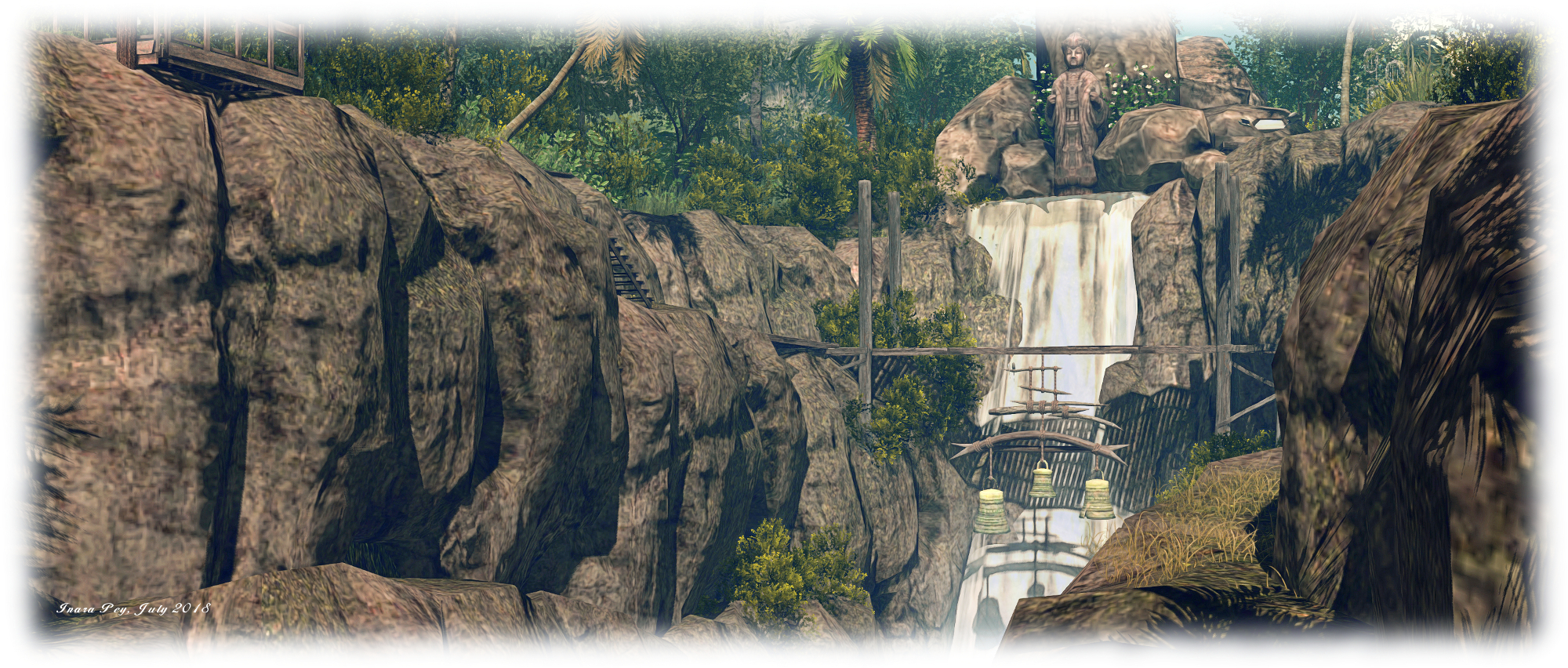
For those who don’t fancy the sliding and jumping, the second option is to follow the wooden walkways and steps that offer a way across the upper end of the gorge, close to a high waterfall, and a single bridge from which is suspended three great copper bells to join the path down the west side of the gorge, and thence to the beach.

Take the trails south or north along the rugged uplands, and you will eventually come to the rental properties. The northern most of these had, at the time of our visit, a rather aggressive security system (5 second warning prior to teleport to the edge of the parcel) and no sign to indicate it was private property – so care when approaching these might be advisable.

Cloudbreak; Inara Pey, July 2018, on FlickrCloudbreak

There are also public areas along the highlands as well, so don’t let the thought of security systems put you off. Perhaps the most prominent of these public spaces sits upon the great slab of rock mentioned above, and under which the waters of the gorge flow into the sea. Looking west to where Buddha sits atop a rocky island, it offers a cooling pool of water in which to relax and shades places to sit and cuddle. Elsewhere can be found camp sites and shaded wooden platforms, on which to sit and rest.

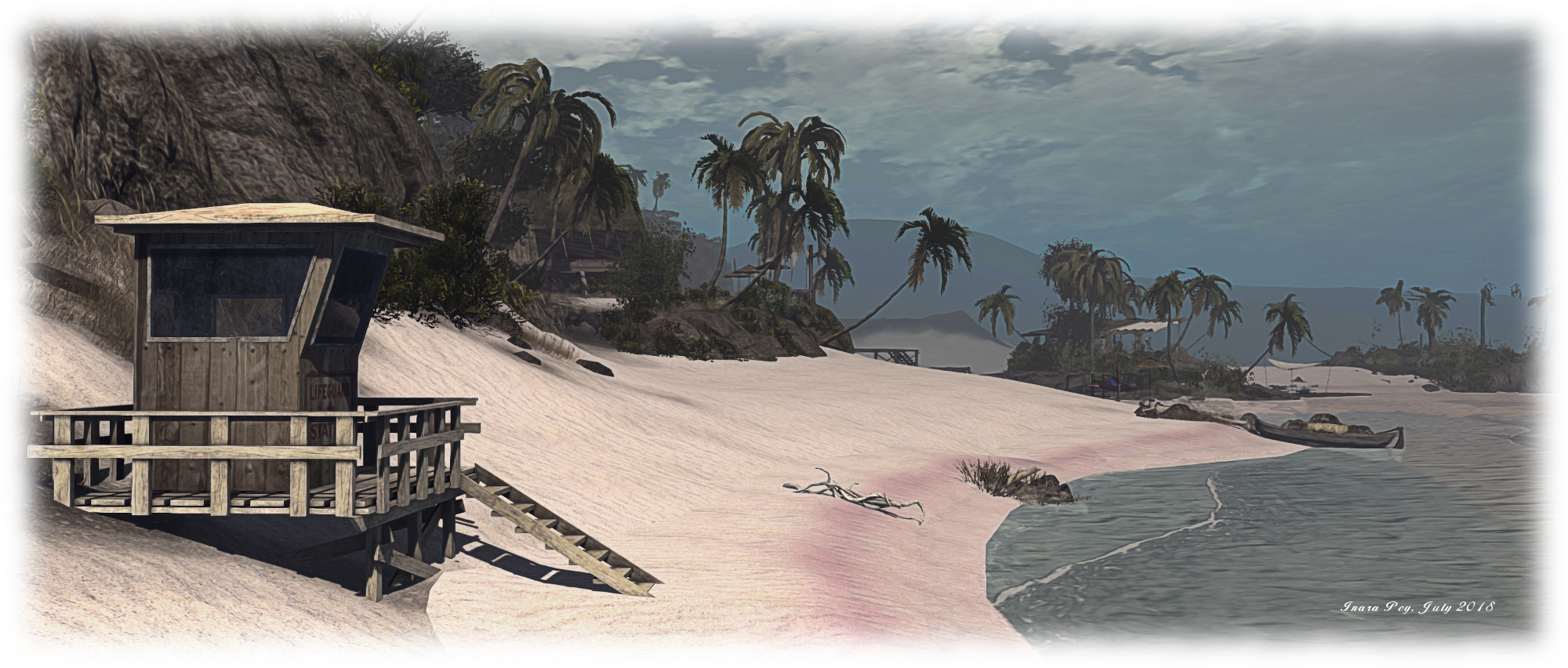
Those wishing to get a closer look at Buddha can do so via raised wooden walkways that reach out over the sea from the beach to his pinnacled seat. These go by way of an off-shore music venue on a sandbar to eventually reach the moorings clustered at the foot of Buddha’s island. The beach itself is broad, the golden sand tingled naturally with hints of pink along the high tide mark. There are rezzers to be found along the sands for those wishing to have a go at surfing (which can be fun), but for me, the most impressive aspect of the beach is the club house area which has clearly been kitbashed by Leaf from assorted sources, the parts brought together to create something genuinely unique  and perfectly suited to the environment.

Cloudbreak; Inara Pey, July 2018, on FlickrCloudbreak

Beautifully conceived and executed, Cloudbreak is a genuine gem of a setting. Stunning in vista, clever in layout, captivating to the eye and the camera (photos are welcome at the dirty.pretty Flickr group). Rezzing rights are available to those who need it by joining the local group. Note that a percentage of the fee paid to join goes towards supporting the Whale and Dolphin Conservation (WDC) – an organisation of which I’ve long been a supporter – and dirty.pretty’s adopted Orca, Holly.

With thanks to Shakespeare for the pointer.

Firestorm 5.1.7: back up to speed

On Tuesday, July 24th, 2018, the Firestorm team announced the release of Firestorm 5.1.7.55786. Coming somewhat later than had been hoped, it incorporates some significant updates from recent Lab viewer releases, together with updates from, and contributed to, the Firestorm team, plus the inevitable bag of bug fixes as well.

In keeping with my usual approach to Firestorm releases, what follows is an overview of the release, highlighting some of the more significant changes  I feel will be of most interest to users.

Table of Contents


Please use the table of contents on the right to jump to any specific topic of interest. Full details of all changes, and contributor credits can be found in the official release notes.

The Usual “Before We Begin” Bit

As per my usual preamble:

  • There is no need to perform a clean install with this release if you do not wish to.
  • Do, however, make sure you back-up all your settings safely so you can restore them after installing 5.1.7.

Core Updates

  • Firestorm 5.1.7 has parity with all version of Linden Lab’s viewer, up to version 5.1.6, with additional cherry picked fixes from upstream of that release.
  • KDU updated to version 7.10.4 (7.A.4) – Kakadu release notes.
  • Firestorm 5.1.7 has been updated to Restrained Love API: RLV v3.2.1 / RLVa v2.2.0.55786 – see the RLVa 2.2 Release Notes for details.

Major Lab Derived Updates

This is a summary of the main updates derived from Linden lab’s core viewer code.

  • 64-bit Project Alex Ivy: rebuilds the viewer using 64-bit address space, utilising Linden Lab’s Alex Ivy code base. This should improve viewer stability, particularly for those with more than 4 Gb of memory, and possibly also improve performance.
    • As the 64-bit Alex Ivy code uses Linden Lab’s Havoc sub-libraries that are specific to Second Life, this means that the 64-bit versions of Firestorm for Windows and OSX now have both Second Life and OpenSim flavours, the latter allowing for continued support of OpenSim users.
    • The 64-bit Linux build remains with the Firestorm team’s own 64-bit code.
  • Media Updates – Project Dullahan: a series of updates, fixes, improvements and security patches for the Chromium Embedded Framework (CEF), that is the basis for the viewer’s built-in web browser.
    • The option to not accept cookies has been removed due to complexities of not doing so in the in-viewer browser. For a more controlled cookie experience, an external full-featured browser may be better.
    • Also includes updates to VLC, that provides support for video media playback.
  • Rendering Improvements – Project love Me Render: this is a large collection of rendering improvement from LL. See the Love Me Render release notes for details.
  • Vivox Update and Voice Fixes: a number of updates / improvements:
    • Adds support for a higher quality voice using SLVoice version 4.9.
    • Fixes the apparent position of the speaker in nearby voice.
    • Improves retry behaviour when there are problems connecting or during temporary connection problems.
    • Logs more detailed information to the Lab for quantifying connection issues.
    • Improves security of the communication between the viewer and SLVoice.
    • Note that with these changes:
      • Local teleports will cause a short (a few seconds) voice interruption because the viewer now detaches from voice a little earlier in the teleport sequence.
      • With some SLVoice changes, the SLVoice executable can be copied into another viewer – that will not work with this update. There are changes to the connection between the viewer and SLVoice that are required. Talking to any viewer version should work.
    • Unrelated to voice, improves the validation of TLS certificates (security improvement).

Additional Lab-Derived Updates

This update also includes:

  • Avatar Physics improvements / safety checks: this fixes the problem with boob movement freezing & boobs getting stuck at odd angles (BUG-202903 / FIRE-22135)
  • Sculpties no longer rendered until fully loaded (or fail to load): this should remove the blobs and spheres see in-world as sculpties load.
  • Viewer frame rate fix (BUG-6943): viewer FPS should no longer drop when facing away from certain objects.
  • Inventory directory (BUG-214575 / FIRE-22281): the inventory directory should no longer be deleted while keeping the Delete key.
  • Report Abuse (BUG-202904 / FIRE-22152): double-clicking the Report Abuse option will no longer crash the viewer.
  • Materials update: normal and specular maps are no longer downloaded if ALM is off.

See the Firestorm Change Log for a full list of Lab and Firestorm fixes.

Firestorm Updates and Additions

User Interface: New Features and Updates

Menu Updates
  • Avatar:
    • A new Favorite Wearables option for accessing the Favorite Wearables panel (see below).
    • A new Show / Hide User Interface option (also ALT-Shift-U). Use the keyboard shortcut to show the UI when hidden, and note that chiclets and script dialogues remain visible with the UI hidden. CTRL+ALT+F1 will still hide / show the UI as well.
  • World:
    • Set Home To Here relocated to be with the other place-related options.
    • Teleport Here has an added separator between it and the menu options below it.
World menu: Set Home to Here has been relocated, and Teleport Home has an additional separator below it to help avoid incorrect clicks when using it.
  • Help: new item: Firestorm Events Calendar – opens the Firestorm Google Calendar of event, including all Firestorm classes.
Preferences Updates
  • Firestorm:
    • Uploads: new button to reset custom uploads folders to their viewer defaults.
    • Build 1: it is now possible to switch the Script Editor font type and adjust the font size. All pre-processed output also obeys the chosen font.
It is now possible to set the font style (drop-down arrowed left) and font style / size (drop-down arrowed right) for the Script Editor
  • Move & View: new options to manage viewer-side region crossings add to the Movement sub-tab. See Experimental Region Crossing Code, below.
  • User Interface:
    • 2D Overlay: new option to make the statistics bar ignore focus requests when closing other floaters with CTRL+W. When enabled, the statistics bar will never receive focus when another window is closed. Actions such as changing graph layout for items are still possible when enabled.
New Toolbar Buttons
  • Beacons: opening the Beacons floater panel.
  • Wearable Favorites: see Favorite Wearables Panel, below.
Panels and Floaters
  • Appearance Panel:
    • Wearing Tab: the Wearing tab now lists the rendering complexity of each worn in-world object. This can be accessed via the Avatar menu > Appearance (or CTRL-O) and then open the Wearing tab.
    • Outfits Tab:
      • Double-click will add/remove.
      • Wearing tab – double-click will remove for “Wearables” and “Temporary attachments”.
  • Inspect Panel:
    • A new “Options” button has been added to the Inspect panel allowing you to select which columns are displayed.
    • New object complexity count added to the information display on the left of the panel.

Favorite Wearables

The Favorite Wearables panel can be used to list frequently used items (e.g. HUDs, attachments) in a floater so they can be quickly attached or removed as needed. This can help with performance, as you can conveniently detach attachments you’re not using and remove their simulator script overhead, or take off HUDs you’re not using, to remove their texture memory use, then quickly re-attach them when needed without having to locate them in Inventory.

The panel has its own toolbar button for quick access., or can be opened via the Avatar menu > Favorite Wearables.

To add items to the panel:

  • Open the panel and your inventory.
  • Drag the items you want to display in the panel from inventory into the panel window. Note this will create a link to the original item in the #Wearable Favorites folder in inventory.
  • To remove an item from the panel, right-click on the item to highlight it and then click the Trash icon at the top of the panel. This will remove the item from the panel’s list, delete the link in the #Wearable Favorites, but will not delete the item from your inventory.

To attach an item listed in the panel, simply right-click on it to display a menu comprising the familiar Add, Wear, Attach to and Attach to HUD (for HUDs) options. This menu also allows you to view the object’s profile, or use Show Original to open your Inventory and highlight the original version.

The Favorite Wearables panel can be accessed via the Avatar menu or a new Toolbar button. It can be used to list HUDs and other frequently used attachments which can be added / removed via a menu.

Right-clicking on an attached item (shown in a different colour in the panel) will display a menu with options to edit the attachment (opens the Build panel), detach it, open its profile or locate the original in inventory.

In addition, the panel includes a search bar that will cause the panel to only display items which fully or partially match the text typed into it, and a drop-down list of sort options.

Continue reading “Firestorm 5.1.7: back up to speed” →