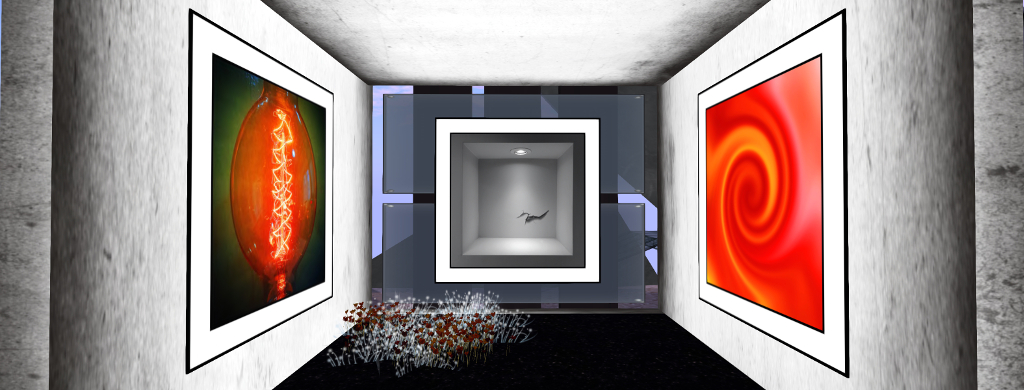
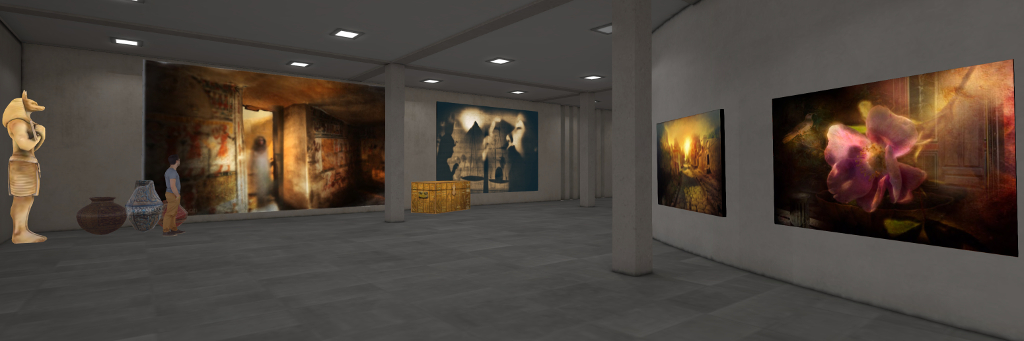
Currently open at The Eye art gallery, curated by Mona (MonaByte) is a most intriguing exhibition of digital photography and art by Kubbrick, entitled InPerfección.
Kubbrick describes himself as “a sailor of the virtual seas and an artist [who] captures images in the physical world and transforms them through software and pictorial techniques in a search for the beauty of shapes and colours.”
One the ground floor of the gallery space, for example is a series of studies -of water and bubbles. These include photos of all or parts of the human body in the water, some in clear focus, some blurred, with applied lighting and contrast that marvellous utilise colour and reflection to explore our own relationship with water.
This can be seen withinAl Calor de la Flama – “the colour of flame”, and through the dynamics of motion in water shown through Nadadora de Aguas Profundas – “deep water swimmer” and Escape en el Agua – escape in the water; mixed with these images are thoughts even on the nature of rain on a window with Paisaje (“landscape”). However, for me, Escape en el Agua is particularly captivating; within it there is a wonderful displacement of air through the water that’s given birth to clouds of bubbles, and these naturally lead on to the remaining images in this part of the gallery, which in turn offer fascinating abstractions on bubbles.
It is perhaps “abstraction” that most applies to Kubbrick’s style, and this is further demonstrated in the digital pieces to be found on the upper level of the gallery.
These offer a rich mix of art, colour and form, all beautifully dynamic, some apparently created purely through digital means, others utilising “everyday” objects – the roof of what appears to be a gallery or stadium, the humble engine block, gears and chains, all combined with with digital techniques – to produce finished images that have an incredible feeling of being purely fractal in form. These all stand as captivating images in their own right; however, they also draw the eyes inevitably to Enfrentamiento (“confrontation”), a piece that appears to capture in mirrored form a piece of wall art.
My one regret with InPerfección is that I did not drop in sooner. The exhibition opened on June 28th, 2019, and so may not have much longer to run. So, if you do want to witness it for yourself, I would recommend a visit sooner rather than later.
A while back Yasmin (YouAintSeenMe) mentioned to me that she was considering a rock climbing system for Second Life. Being one who doesn’t particularly handle looking over the edge of extreme tall / high things in the physical world, it struck me that a) rock climbing would not be my first recreational pursuit, and b) but why not have a go in Second Life where bones don’t get broken?
So, armed with a follow-up note card from Yasmin on the subject, I toddled off to try out a climb she’s set-up on the west face of Nitida Ridge, Heterocera.
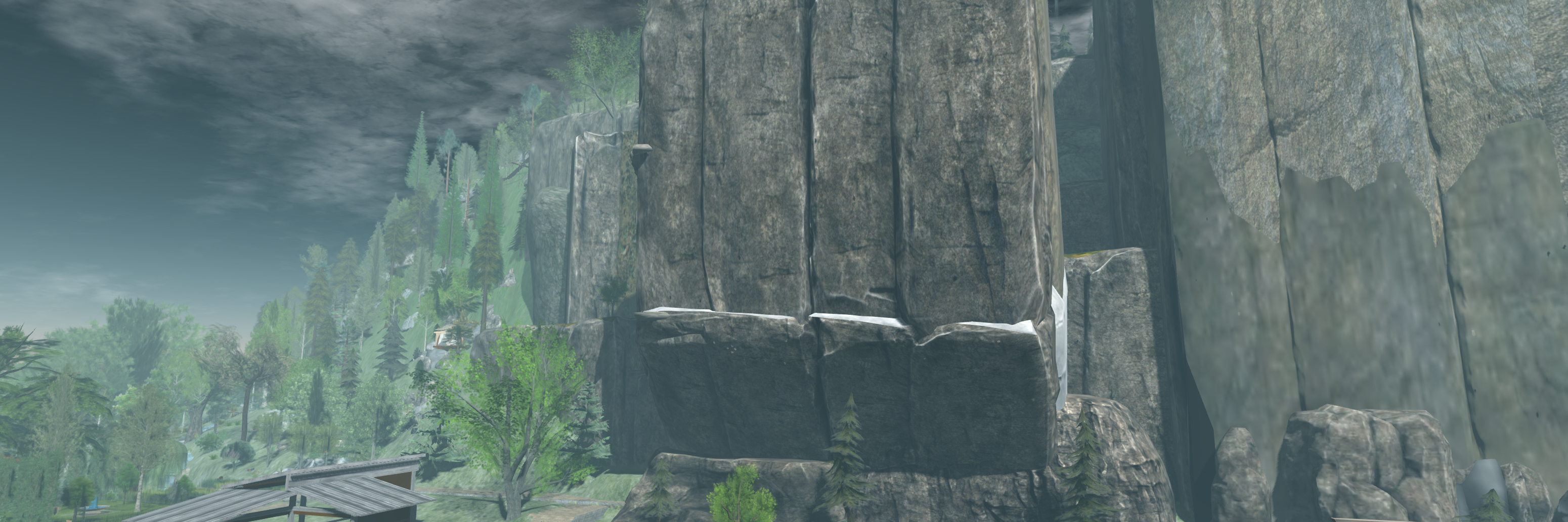
Nitida Ridge – 100m of cliffs to climb!
Here, at the foot of the ridge, sits a little base camp established by Yasmin, with tents, food and a warm fire. Close by is a sign that both introduces the climb(s) up the rock face and provides visitors with the necessary kit when touched. The latter is free, and comprises:
An abseil harness (worn invisibly, just ADD to attach to the stomach attach point); information on the climbing HUD, a note card on the routes up the cliffs – direct or extended; and an image of the cliffs overlaid with the routes up (green) and abseil descents (red).
The climbing HUD – clicking the sign will cause a pop-up asking for this to be attached so your avatar can be animated during a climb.
Starting my climb
The HUD attaches towards the lower right of your screen by default – although obviously can be repositioned. It is colour-coded as follows: Blue (generally the default) = ready; Green = active climb located / engaged; red = disabled. In addition, touch the HUD brings up a dialogue box. There are a handful of points to be remembered when climbing, and with the HUD in particular:
It is still an in-development system, so not all features may be present and the occasional bug might try to put you off your climb.
Not all the options on the dialogue box may be fully functional at present.
The ones you are most likely to want to use are the climbing speeds (Faster / Slower) and the avatar position options (In / Out) – the latter to move your avatar either further away from the rock face (so you’re not up to your elbows inside the rock, for example, or climbing air).
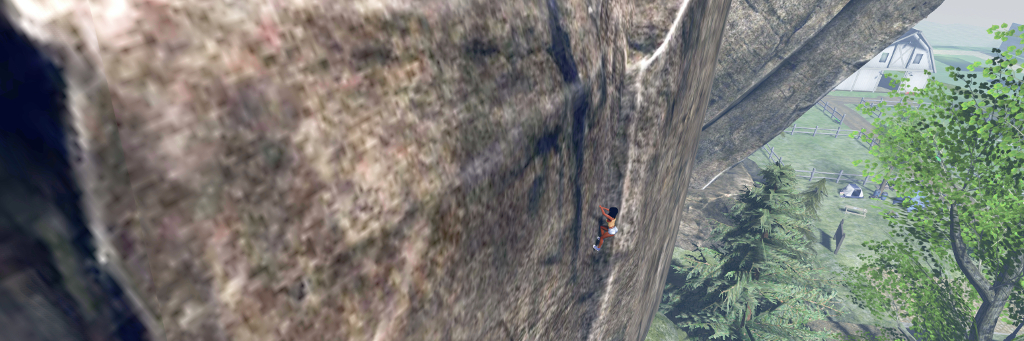
Taking a breather and a look around at 170 metres above sea level and …. Eeep! It’s a long way down!
Climbing is a matter of finding the first pitch along the foot of the ridge. To do this, it is suggested that you examine the image of the ridge and then zoom out with your camera and align things visually. This can be a little difficult (but then, it’s not like people hang signs on rock faces that say, “Start Your Climb Here!” – you pick your start point by eyeballing the best spot to make an ascent), so for those who may get frustrated in trying to work out where to start, there is a direct SLurl link.
When you’ve found the correct point, the HUD will try green to indicate you can start to climb. Use the Up arrow key to climb – turning off any AO system can be an advantage here to prevent conflicts. When pressed, your avatar will start what is effectively a solo free climb. Releasing the key will pause you, but shouldn’t cause any backsliding.
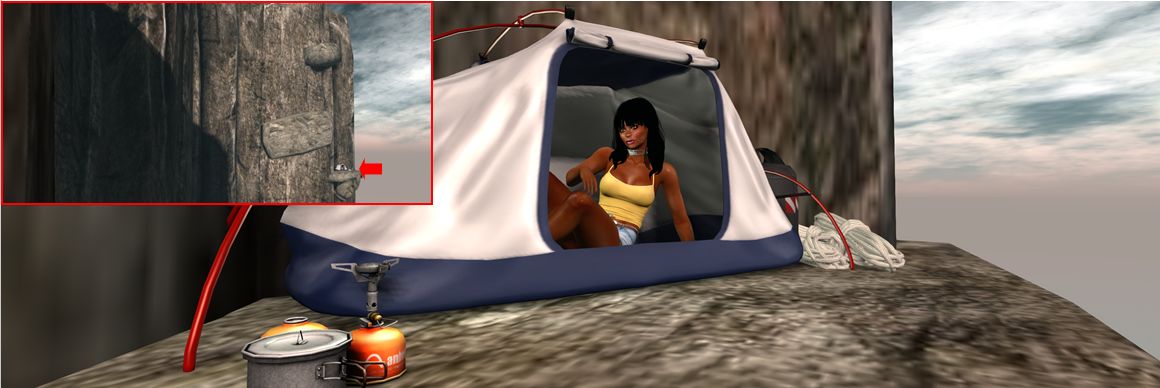
Taking a rest in a bivvy and inset, where it sits on the climb….
The nature of SL may mean at times you might get stuck. Should this happen, release the Up key and they resume. Similarly, you may “slip” and assume your default falling pose – again, releasing the Up key should revert your avatar to the “rest” pose. Also, sometimes using the Left / Right arrow keys can help a little – but take care. Left / Right can help you crab diagonally sideways in the climb, but use one of them too much and you’ll leave the “climbing path” – your HUD will turn blue and you’ll take a fall!
After the first 15 metre climb to a very broad ledge, you’ll have a choice: the direct route, or along the “bivvy” (bivouac) route. The latter is the more challenging, and requires you channel your inner Tom Cruise (Mission Impossible 2) for some diagonal climbing across the rock face to reach various ledges – including one with the tent, allowing you a little respite from the exertions of climbing – and additional vertical ascents.
Abseiling down the Nitida Ridge (note ropes added in post-processing so I don’t look like I’m simply sitting in mid-air!
The direct route is just that – straight up the cliff, using a natural fold in the rock, just as a real climber would. I admit to having a little trouble at the top of this – the climb animation refused to release, so I’d reach the top, fall back a couple of metres and resume climbing, reach the top, fall back… A double-click TP resolved this.
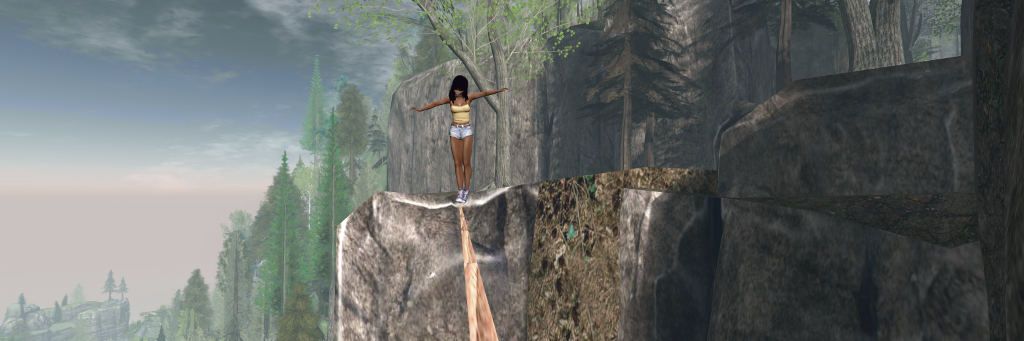
For those prone to a little daring-do, the Nitida Ridge climbs also include a couple of high lines (shown in blue on the climb image), where a little tightrope walking can be, um, enjoyed, using Yasmin’s tightrope kit.
Of course, getting up a climb is half the story – there is also getting back down. For this, Yasmin has included abseil options. Just find the anchor points located at various places on the cliff face (again, use the supplied image to help in locating them). Each is a square metal plate fixed to the rock with a carabiner hanging from it. Touch the carabiner and you’ll abseil neatly down the rock face.
Ropes for abseiling are invisible (a particle system would likely complicate matters), but the animations are fun to watch, and in keeping with climbing (I assume at least, not being an expert in any way whatsoever!) the shorter descents are more hand-over-hand.
This system is – as noted – still somewhat in development, but it is simple and clean – and works. Obviously, you can add to the feel of climbing by dressing appropriately if you wish – I was tempted to add either a rucksack as a climbing backpack, or at least a bum bag to double as a chalk bag, but in the end just opted to get on with it.
Yasmin offers a number of alternate possible climbs within the HUD instructions note card, but as the HUD appears to be temp attach, you’ll need to keep it in place in order to try them, or return to Nitida Ridge to affix a new one before visiting an alternate climb. Overall, however, the Nitida Ridge climb is the most well-rounded in terms of climbs and features.
High lines offer the opportunity for some tightrope walking …
You still wouldn’t get me hanging off the side of a cliff at the end of a length of rope in the physical world, but within Second Life, free climbing / rock climbing like this is fun, and Yasmin has put together an excellent package that can be enjoyed individually or with friends. The kit isn’t (yet?) commercially available as it is in development (a further reason to try it at Nitida Ridge!), but I would suggest that if / when it is made commercially available, anyone with reasonable cliffs and highlands (say 15m or greater), it could be an attractive addition as an activity.
The following notes are taken from the TPV Developer meeting held on Friday, July 26th, 2019. A video of the meeting is embedded below, my thanks as always to Pantera for recording and providing it. The key points of discussion are provided below with time stamps to the relevant points in the video, which will open in a separate tab when clicked.
This was a short meeting with text chat around animation systems and options – please refer to the video for details.
There have been no changes through the week with regards to the viewer pipelines. With the SL Feature Summit in week #31, it likely means there will be no updates then, either.
Current Release version 6.2.3.527758, formerly the Rainbow RC viewer promoted June 18th – No Change.
Release channel cohorts:
Love Me Render viewer, version 6.2.4.529302, July 15th.
360 Snapshot project viewer, version 6.2.4.529111, July 16th.
Legacy Profiles viewer, version 6.2.3.527749, June 5th. Covers the re-integration of Viewer Profiles.
Linux Spur viewer, version 5.0.9.329906, promoted to release status 29th November 2017 – offered pending a Linux version of the Alex Ivy viewer code.
Obsolete platform viewer, version 3.7.28.300847, May 8th, 2015 – provided for users on Windows XP and OS X versions below 10.7.
Both Love Me Render and Rakes On Mesh are considered as being “very close” to promotion. However, as noted in my notes from the Content Creation meeting, BOM is going to be going through a QA review at the Lab, so Love Me Render might be the nearer of the two in terms of suitability for promotion.
As noted, there is a SL Feature Summit in week 31, so there will also be no simulator releases next week.
Other Topics
UDP Messaging – Further Deprecation
[22:29-23:48] There are still “a couple” of inventory-related UDP operations that need to be deprecated. This will not be a short-term change, however, as the corresponding HTTP operations handling has yet to be written. Once they have been, the UDP operations will be removed from the official viewer. Time – measured in months – will be allowed for TPVs to adopt the HTTP before the UDP is deprecated on the back end.
In Brief
[3:10-5:50] Can we have more than two shadow casting projectors? Short answer: not without measuring performance impact. Long answer: no further rendering type changes are up for consideration until after Love Me Render, EEP and BOM have been released. See also STORM-2147.
[4:04-4:17] OS X and OpenGL deprecation: the lab is still investigating options for Mac support after Apple deprecates OpenGL support.
[9:38-10:45] BUG-227350 – a feature request to allow LSL scripted toggling of voice on / off, which could be useful for guest-moderate talks, etc., when a land owner isn’t present – has been accepted by the Lab for consideration, but with the caveat the potential for abuse may prevent it being implemented. However, it stands as a good example of how to submit a feature request.
Singularity News
[16:59-17:33] Singularity was one of the viewers affected by the majority of UDP asset messaging paths being deprecated and removed from the back-endcode recently. While there are Singularity nightly builds to overcome the issue, there has yet to be an official full release – although this is being worked on. Commenting at the TPVD meeting, Inusaito Kanya stated:
We’re nearing release very soon, the build directed to on our site right now is http://links.singularityviewer.org/?to=nightly because we really don’t want anyone getting the UDP assets. We have Linux ready mostly and we’re working on a couple last minute fixes here and there but otherwise we should be good. Mostly graphics fixes and last minute UI touches[ still to be done].
Update, October 1st: Ani’s Gallery has relocated. SLurls in this article have been updated to reflect the gallery’s new location.
Ani (Anibrm Jung) is an award-winning photographer in the physical world who has been active in Second Life since 2006. Based in the Netherlands, Ani has specialised in photographing nature, many of her images captured from her own garden, and all of them recorded using only natural light, with everything framed directly through the viewfinder, and with no subsequent cropping or image manipulation.
More recently, Ani had turned her attention to photography within Second life, where she has brought her eye for detail and composition fully to bear to create some of the most engaging studies of Second Life art, landscapes and avatars.
A selection of Ani’s art can be seen, appreciated and purchased through her new gallery, Ani’s Gallery and Home to Sibelius, and she recently invited me to pay a visit to view the gallery, which also includes an exhibition by another of my favourite artists, Cybele Moon.
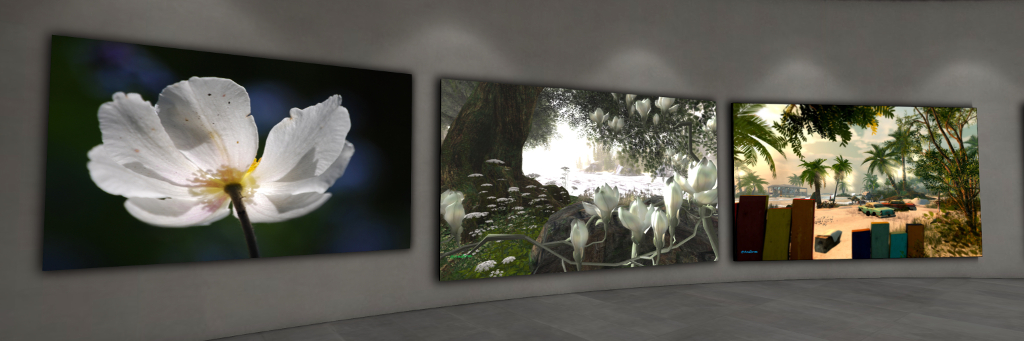
The gallery – located in a skybox – offers several spaces for exhibitions, with Ani’s work occupying the lower floor, and the guest exhibition space on the upper level. The landing point sits within the lower level, in a hall that serves both as an exhibition space and as a reception foyer. This area has a focus on Ani’s physical world photography, which is as bewitching as ever, and includes several pieces captured from within Second Life, thus presenting an eye-catching mix.
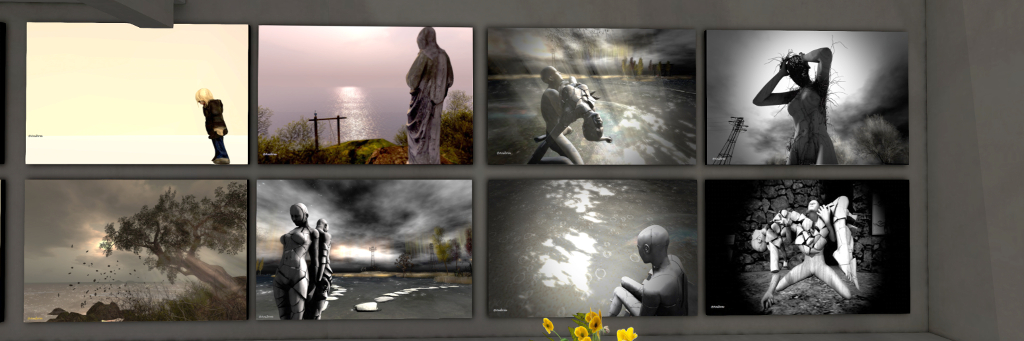
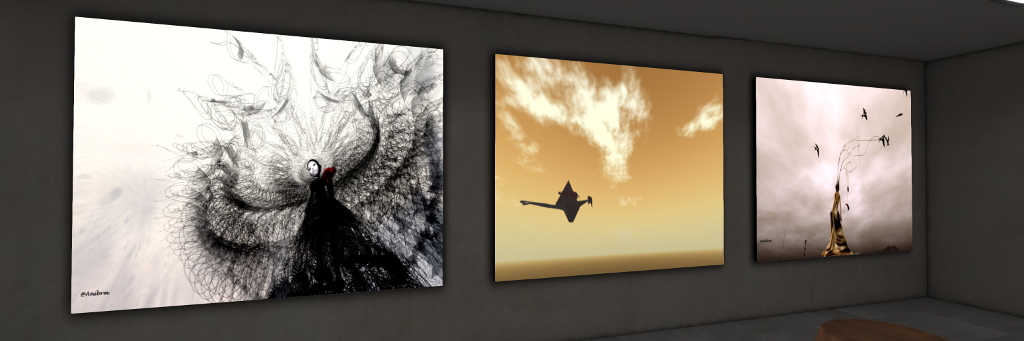
The neighbouring hall focuses almost entirely on Ani’s Second Life photography which – as noted, includes the same richness of focus and attention to composition, angle, tone and detail that marks these pieces completely captivating – and don’t miss her cat photos, either! Upstairs, Cybele presents Travels Songs and Stories, another completing enthralling exhibition of her exceptional digital art which also can so marvellously combine the realms of the physical and the virtual – and which should never be missed.
Two remarkable artists together in a single gallery marks Ani’s Gallery a worthy destination for any lover of the arts and artistic expression in Second life.
It’s been almost a year since we first visited Athenaeum, the full region designed by Dema Fairport. At the time I noted the Adult-rated region to be stunningly scenic and offering a lot to see. For details of that first visit, see: Athenaeum: scenic beauty with an adult twist in Second Life.
More recently, Dema passed an invite for us to make a return visit following something of a re-design, I added it to the list of our upcoming destinations, and recently had the opportunity to drop in.
I’ll be honest, given the outstanding look and feel of Athenaeum a year ago, I was a little hesitant in thinking about what might have changed. The build we witnessed back in August 2018 was so visually stunning that there was a concern that any change might come at the cost of something very special being lost.
However, all such fears proved groundless; the “new” Athenaeum offers a well-rounded mix of new locations sitting within a setting that retains all of its scenic beauty and many of its popular locations. These include the the manor house to the south and the gorge that must be spanned to reach it. Thus Athenaeum presents a setting that is both familiar and new.
Chief among the changes is the landing point. This has moved from inland to the west of the region to sit on a waterfront pier. it offers the way to a surfaced road running past the gallery and museum, each of which still offers a celebration of the physical world photography of New York’s Darque, and a history of kink respectively.
From here the road climbs upwards, becoming a familiar (for those who have visited in the past) cinder track that offers the way to (again for visitors making a return to the region) a familiar bridge spanning the gorge to reach the the big manor house. The latter further retains its marvellous member’s club look and feel from August 2018, which I described thus:
Within its rooms are leather arm chairs, great bookcases filled with tomes awaiting reading, fires in the hearths, bottles of port and cigar humidors on some tables, coffee and After Eight mints on others, and just the most subtle of hints as to some of the activities that might follow conversations in these rooms; activities which themselves might be enjoined in the rooms above, going by their décor.
The manor house retains its terrace and pool where events can be held, while to the east, a path leads the way into the deeper shade of tall fir trees, to where the summer house and its pool still reside.
The newer touches to the region are subtle. Take, for example, the barn with horses roaming before it, additional cliff-top hideaways, or the rickety bridge crossing the deep gorge to offer a path to where Buddha still sits, going by way of a shaded snuggle spot.
And While it might be a case of mis-remembering over the course of the year, there also seem to be a lot more – and individually – attractive spots around the coastline for sitting and enjoying company, whether intimate or friendly. These include waterside camps with little fires blazing, covered seats mounted on rocky outcrops or wooden decks built out over the water. Cinder paths lit by lanterns and occasionally marked by vintage cars, point the way to most of them – although some may require a little discovery.
Throughout all of this, Athenaeum remains richly photographic, and the invitation for visitors to submit their images to the region’s Flickr pool remains open. If you’ve not visited before, I cannot recommend doing to enough – and if you have visited in the past but haven’t been recently, then a re-visit is also recommended.
The following notes are taken from the Content Creation User Group (CCUG) meeting, held on Thursday, July 25th 2019 at 13:00 SLT. These meetings are chaired by Vir Linden, and agenda notes, meeting SLurl, etc, are usually available on the Content Creation User Group wiki page.
Environment Enhancement Project
Project Summary
A set of environmental enhancements allowing the environment (sky, sun, moon, clouds, water settings) to be set region or parcel level, with support for up to 7 days per cycle and sky environments set by altitude. It uses a new set of inventory assets (Sky, Water, Day), and includes the ability to use custom Sun, Moon and cloud textures. The assets can be stored in inventory and traded through the Marketplace / exchanged with others, and can additionally be used in experiences.
Due to performance issues, the initial implementation of EEP will not include certain atmospherics such as crepuscular rays (“God rays”).
A further version of the RC viewer is in the pipeline and will be available soon.
As the project is seen as a “getting closer” and that now is the time for issues to be reported.
EEP and Bakes on Mesh have also swapped their internal QA teams, so that each project has fresh eyes on it as it gets closer to a potential release.
Bakes On Mesh
Project Summary
Extending the current avatar baking service to allow wearable textures (skins, tattoos, clothing) to be applied directly to mesh bodies as well as system avatars. This involves viewer and server-side changes, including updating the baking service to support 1024×1024 textures, but does not include normal or specular map support, as these are not part of the existing Bake Service, nor are they recognised as system wearables. Adding materials support may be considered in the future.
As noted above, the BOM and EEP QA teams have swapped responsibilities, so that there are fresh eyes on both projects.
With BOM in particular, this means the project is to be subject to extensive internal review by the Lab ahead of possible release dates being considered.
Animesh Follow-On – Project Muscadine
DRTSIM-421 on Aditi now has the server-side code to support the new visual parameters LSL code.
The simulator build and a build of a project viewer supporting the new LSL code are both undergoing LL QA testing.
Once both have passed QA, the viewer will be made available for public testing on the relevant regions on the DRTSIM-421 channel on Aditi.
The viewer might be available within the next 2-3 weeks.
It’s been suggested that imposters for Animesh and imposters for avatars should be separated.
This would be possible, although it would require some code re-working within the imposter system, which hasn’t been planned.
There’s also the question of how many people would use a separate Animesh setting, even if it were provided – or perhaps even be aware of it – or if two settings might not confuse people
General Discussion
Tutorial Videos
The Lab is looking to again start producing tutorial videos.
Some of these will focus on the basics with content (e.g. how to dress an avatar, wear jewellery, etc.), and how to recognise well-made / optimised content. These videos may start to appear later in 2019.
The hope is that as well as helping to educated consumers, these videos may start encouraging creators to think more about issues of optimisation.
The Lab will be interested in hearing ideas on this from creators.
It is likely this work will be linked to things like Project ARCTan, which will look at rendering costs, etc.
It was intimated that in the future, landowners might be able to limit access to their land by avatar complexity as well as by the more recognised script load.
Any such changes will be introduced gradually, with the educational programme – videos, etc., preceding it to try to help users better understand optimisation and benefits.
In Brief
In-World Pose System: this has grown out of a code contribution, but is current on hold pending resources.
Pathfinding: something the Lab would like to look at again, but unlikely to be in 2019.
Puppeteering: this is an old project that several have suggested re-vitalising. The view from the lab appears to be that it is now too old and SL has moved on too far for it to be practical to try to just resume work.
Meetings
Due to the Lab’s internal SL Feature Summit and the monthly All Hand meeting at the Lab, the next CCUG meeting will likely be on Thursday, August 8th, 2019 – but check the wiki page to confirm,as it might be possible there is a meeting on August 1st, depending on the start of the SL Feature Summit.








 Inara Pey: Living in a Modemworld