Elico Ember is a brilliant Second Life creator and a friend, I’m therefore posting this article in support of him and his family, after learning via Saffia Widdershins about a familial health crisis he is facing, and a call for help he has put out via Facebook.
You can read the full details on Saffia’s post. Suffice it to say here that Elicio’s father has suffered a stroke which has left him with neurological damage. As Elicio explains in his Facebook post (which Saffia provides in full on her blog), circumstances mean that his father is without health insurance, despite having been employed by the state teaching languages at a local university. In order to ensure he gets the required treatment, the family has been forced to turn to private medical assistance, and thus are facing exceptional medical (and potentially other) bills as a result.
To help them meet these costs, Elicio is making a simple request: that people consider buying his Second Life creation, and thus boost his available income.
For those of you who may not know him, Elicio is the man behind the incredible Cerridwen’s Cauldron, which I wrote about in 2012 and again in 2016. He is a regular designer of regions for Fantasy Faire and – if I may repeat some of Saffia’s words, is one of the warmest, kindest and most giving hearts in all of Second Life. His warmth and generosity simply know no bounds.
Elicio creates beautiful plants with an otherworldy feel (indeed, “Otherworld” was the name of his 2016 Fantasy Faire build). His work can be found in many fantasy regions, art installations and gardens looking for and exotic look. Those who have come across his work tend to find it unforgettable.
So – and to again borrow from Saffia – if you only do one thing in Second Life today or over the next few days, please consider making it a purchase of Elicio’s marvellous creations, either from his in-world store or via the Marketplace – and do, please, tell friends, share this and Saffia’s posts, and help one of the kindest people you might ever hope to encounter in Second Life.
To remind you of his incredible talent, I’ll close with a video of Otherworld I recorded at 2016’s Fantasy Faire.
Update, March 6th: Data is still being ported to the new platform and the launch remains delayed, with no further ETA.
Update February 24th: The new community platform is now expected to launch on Tuesday, February 28th., 2017.
On February 17th, Linden Lab announced the Second Life Community Platform will be undergoing update to a “fresh look and feel”, with the new layout scheduled to open its doors on Monday, February 27th, 2017.
However, ahead of the launch, there will be some important points to note. All of the data held within the existing platform – blog posts, images, forum posts, and so on must be migrated across to the new platform in order to ensure continuity.
This means that from Tuesday, February 21st, all of the existing forums will be switched to READ ONLY. During this period, the forums will be open to browsing / reading, but it will not be possible to create new threads, reply to posts, etc.
Providing all goes according to plan, the new-look community pages will launch on Monday, February 27th, and full forum posting capabilities will be restored.
The Lab will provide updates on the migration / launch of the community pages through the blogs during the transitional period.
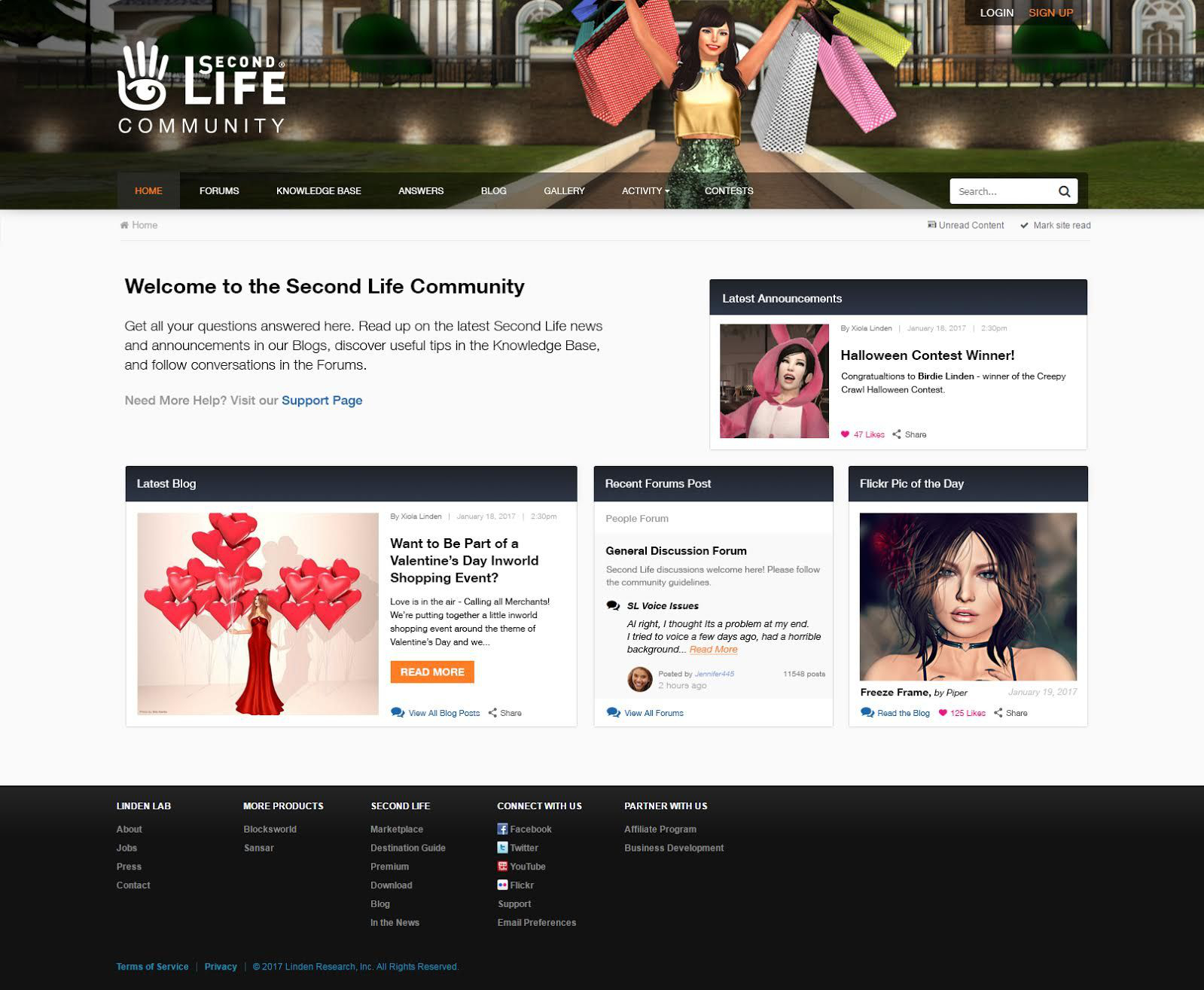
The change marks the first major overhaul to the Community Platform since 2011, when the current Lithium-powered platform was launched. An example of the new look for the platform is included in the blog post to give an idea of the layout (the actual content is entirely mocked-up and not related to any real information), and I’ve reproduced it below.
New Second Life Community page layout – note the images and text content are placeholders. Click for full size
In overall look, the new layout broadly follows that seen with the Community Landing pages, the website log-in page, etc., offering a consistent look-and-feel when compared to many of the Lab’s other Second Life web properties. Usability can obviously only be judged once the new set-up is live, of course, and I’ll have an update once the new service is live.
In the meantime, keep an eye on the official blogs for updates on overall progress with the migration.
On Tuesday, November 15th 2016, the Lab launched the Premium members’ Horizons community, a “retro-futuristic” mainland environment featuring 36 residential regions each with 24 parcels available for auction to Premium members, with auctions commencing on Friday, November 18th 2016, with parcels being auctioned in batches of (generally) 10.
Obviously with 864 parcels to auction, it would take some time to get through things, but Whirly Fizzle and I decided to monitor things to see how they progressed, and I gave a brief snapshot at the end of the first week of auctions, and another when the auctions reached a half-way point. The final lots of parcels was auctioned on the 12th-14th February, and given this, I’d thought I’d round-out the updates with an overall look at things.
All L$ / USD figures are approximate and based on available data. Some approximations have been made using the average parcel price for a region if the actual bid price was missed in collating data (applies to a total of 8 parcels across 864). The US dollar figure is based on a rate of L$260 to the US dollar.
SUMMARY OF AUCTION BATCHES AND TOTALS
Batch
No. Regions
No. Parcels
Total L$
Total USD
Batch 1
10
240
8,744,976.00
33,634.52
Batch 2
8
192
4,304,186.00
16,554.56
Batch 3
8
192
3,334,978.00
12,826.84
Batch 4
10
240
4,489,691.00
17,268.03
TOTALS
36
864
20,873,831.00
80,283.95
Note: a total of 4 regions have been re-auctioned; however, two may have been re-auctioned as a result of original bidder defaulting on payment, as the parcels were apparently re-auctioned without being claimed. If the original payments were made, then a further L$59,131 / approx US $227.42 should be added to the appropriate totals.
Unsurprisingly, this batch of auctions drew the highest bid prices, due in part to the fact that two of the region – Horizons Apollo and Horizons Pandora – have genuine access to sailable open water – the open water to the west, north and east of the Horizons regions currently represent the grid edge, and is not accessible.
Both Batch 1 and Batch 2 were part of my half-way report, and since then, there has been some juggling between those parcels initially put up for sale, those initially offered for rent, and those offered for either rent for purchase.
For those interested in a more granular breakdown of auctions by batch / region, a complete set of tables is available here. The following tables provide a breakdown of parcel usage, based on original bidder’s actions with the parcels they obtained.
GENERAL STATUS OF PARCELS – ALL REGIONS, 864 PARCELS
Parcels Obtained For
Auctioned
Sale
Rent
Either
Comm.
Private
Unkn
Re-auct’d
Batch 1
240
100
59
13
4
17
46
1
Batch 2
192
57
55
24
7
13
35
1
Batch 3
192
101
15
37
2
11
26
0
Batch 4
240
69
57
17
5
10
82
0
TOTALS
864
327
186
91
18
51
189
2
Notes
Comm = obtained for commercial use
Private = obtained for residential or group use
Unkn = those most likely obtained for sale / rent but which either have not (as yet) been offered for either / do not appear to have been made available (parcel holders did not respond to enquiries)
The re-auctioned parcels are limited to those were a second payment for the re-auction amount can be confirmed. As noted above, two other regions re-auctioned may not have been paid for by the original bidder prior to being put back up for auction. These are currently available for rent, and have been classified in the Batch 2 rental figures.
SNAPSHOT OF PARCELS OFFERED FOR SALE BY ORIGINAL BIDDER
Total for Sale
Unsold
Commercial
Private
Offered for re-sale / rent
Withdrawn from sale
327
180
23
31
81
12
Notes:
“Offered for re-sale / rent” indicates parcels purchased from original bidder and offered for sale / rent by purchaser
“Withdrawn from sale” indicates parcels initially offered for sale by bidder, but then set to “not for sale” & with no indication they are available for rent.
SNAPSHOT OF PARCELS OFFERED FOR RENT BY ORIGINAL BIDDER
Total Offered for Rent
Available for Rent
Rented Commercial
Rented Private
186
157
12
17
SNAPSHOT OF PARCELS OFFERED FOR SALE OR RENT BY ORIGINAL BIDDER
Total Offer for Sale / Rent
Available
Sold
Rented
91
64
10 (5 on resale)
17
Notes:
Of the 10 sold, the 5 not up for re-sale have been sold for commercial / private use
The 17 rented parcels represent a mix of commercial and private use
General Observations
General interest in Horizons appears low – however, this many change now the auctions have finished. Currently, most of the land sales which have occurred post-auction have been between those land resellers / renters originally bidding on the parcels, rather than onward selling to those interested in using Horizons as either a home or a business location.
Sale prices across the regions appear to be settling into the mid-20K through mid-40K range, although some – notably those with direct open-water access (as opposed to river / canal access) or perceived water access can carry a premium. Rentals appear to remain at low ebb. As noted previously, this could be down to a lack of direct promotion by those offering them for rent.
Of the 189 listed as “unkn”, almost all are held by those selling and / or renting parcels, so it is not unreasonable to anticipate these being made available for sale / rent if / when current offerings are sold / rented. One of those holding such parcels did confirm they would be offered for rent, but declined to indicate when.
Those interested in Horizons parcels – whether to purchase (Premium) or rent (anyone), should tour the regions with care. A number of parcels are offered for rent / sale offering boat docking where this is not strictly accurate (e.g. the parcel doesn’t directly join water, or the water it faces is actually off-sim). The regions are also unzoned, so judging how well they may keep to the desired theme is hard to quantify. There are a number of decidedly “non-sci fi retro” buildings across the regions, but many of these are place holders, and should be seen as indicative of the overall region styling.
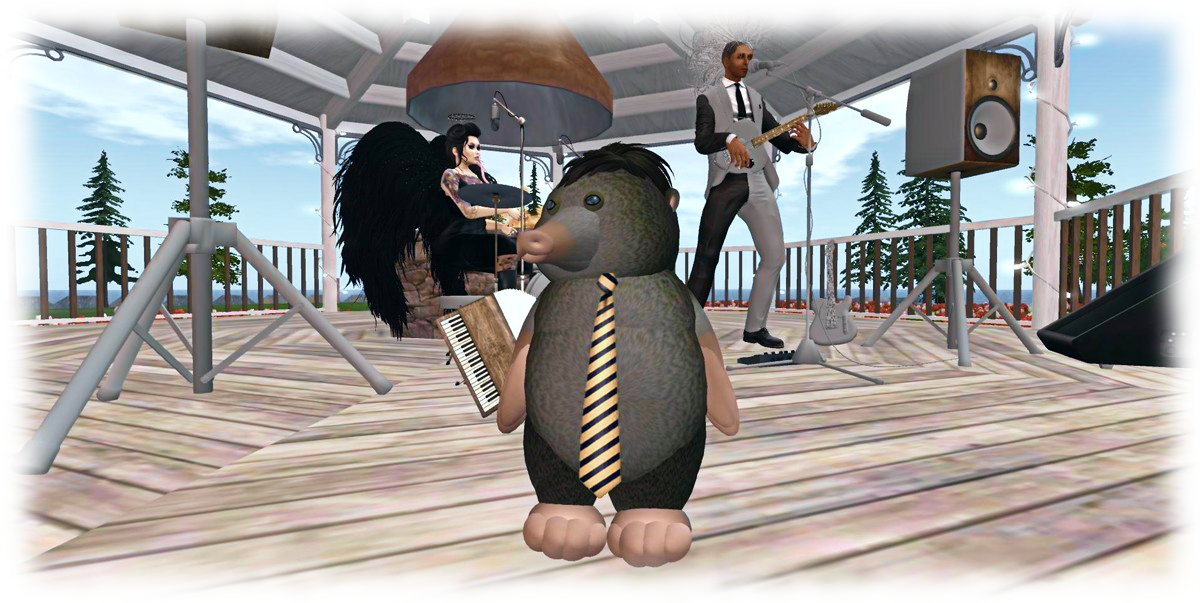
Michael Linden in his usual Mole look, attending the February 2017 Mole Day. Credit: Marianne McCann
As explained below, long-time Lab employee (over 13 years with the company) and head of the Linden Department of Public Works – the Moles – Michael Linden, has departed the Lab. I didn’t know Michael that well, having only chatted on a couple of occasions, so I invited Marianne McCann, someone who has known him for a long time, to write a piece about him and his impact on Second Life.
By Marianne McCann
Over the weekend of February 11th and 12th 2017, it was noted that Michael Linden’s profile was not showing up in Second Life search, nor was he showing as a member in several groups within his profile. Many began to question if he had left Linden Lab, and – given he was known as the head of the Linden Department of Public Works – if the LDPW was being shuttered.
At the Bay City Alliance meeting on the 14th of February, a trio of LDPW staff, Shaman Linden, Squishy Mole, and Sylvan Mole, attended in part to address these concerns.
Speaking at the meeting, Sylvan Mole confirmed that Michael has indeed left Linden Lab, but was unable to give many specifics. It is assumed that he left of his own accord.
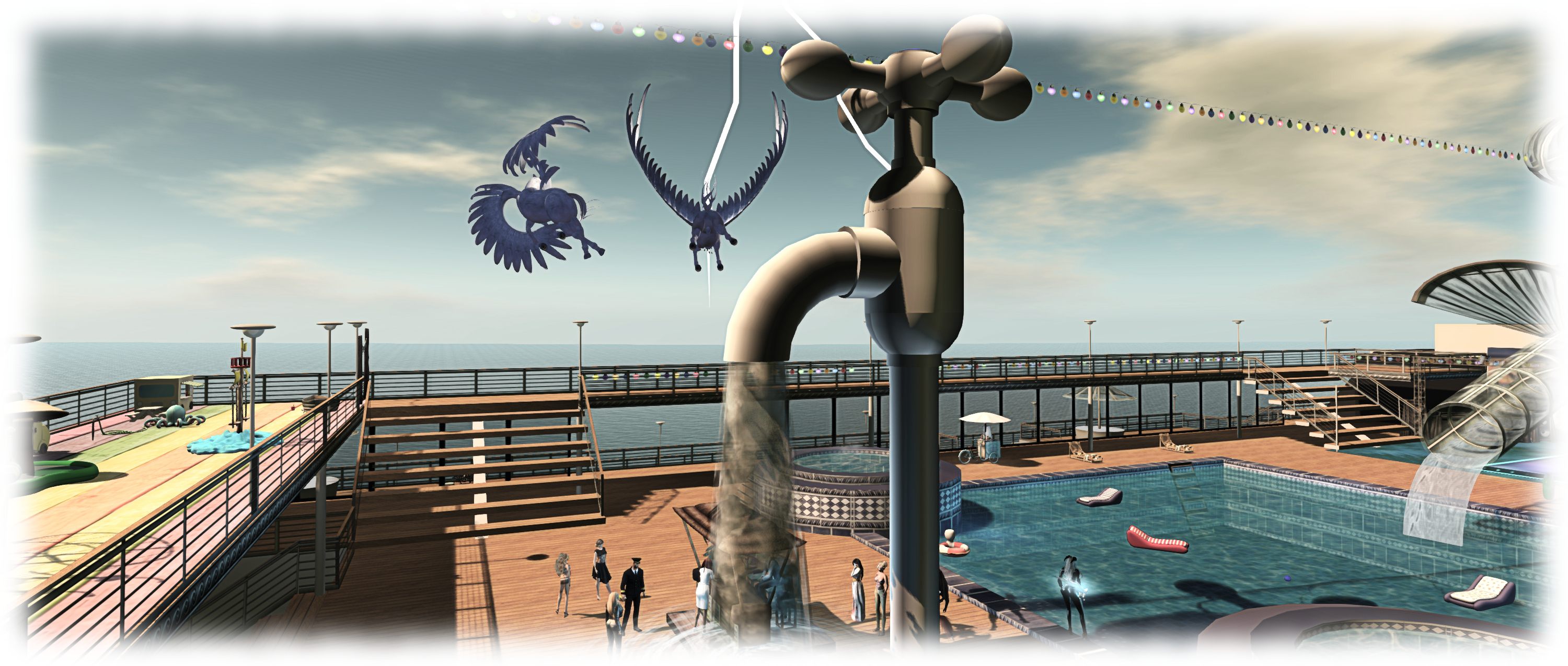
Michael once showed up at an impromptu Lab / resident get-together aboard the SS Galaxy, (2015) complete with an Starax wand, and proceeded to set about with good-natured mischief: until he doused himself beneath a giant faucet! Credit: Inara Pey
Michael Linden started with Linden Lab in the autumn of 2003 as an in-world Liaison, moving briefly to Governance in 2007 before becoming one of the heads of the LDPW with the former Blue Linden. The LDPW has expanded to include several Linden staff members and a fair number of “Moles,” as the resident contractors working on content for Second Life are known.
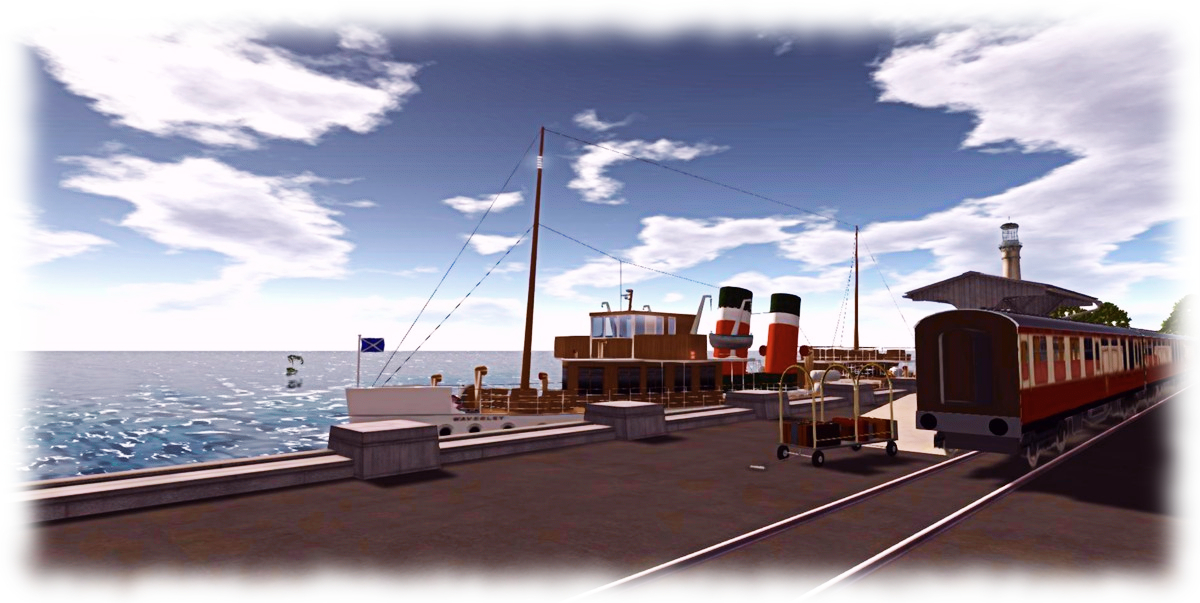
One of the first projects released by the LDPW under Michael was the Bay City mainland regions. Last week, Michael added a rail and boat terminal to Bay City, in the Grub Beach region. It is believed that was his last project under his Linden name.
Michael has been heavily involved in the past with vehicles as a Resident, in particular with Second Life railway projects. It is expected that he will again do so, but no longer as a member of Linden Lab’s staff. Resident and Linden alike will miss his presence within the LDPW.
Grub Beach Station – thought to be the last of Michael’s projects while at the Lab. Credit: Marianne McCann
As to the question of the LDPW’s future, they are most certainly still an ongoing department under Patch Linden, with Shaman, Dee, Keira, Kona, and Vitae Linden as an active part. As we’ve seen, the LDPW has just recently completed the multiple-region residential and experience-laden Horizons project, and they have several current and future projects on their plates.
Those of us who know Michael will miss his presence and guiding hand as a Linden, as well as his sense of fun. We all hope he enjoys every success wherever his career and work take him, and offer three cheers as he sets sail to pastures new.
Michael’s love of vehicles can be seen in his collection of vintage seaplanes. Credit: Inara Pey
Many thanks, Michael for your years of work within Second Life!
The piece starts with Kristen spending time with Fran Seranade, perhaps best known through an early segment of The Drax Files World Makers in 2013 (I covered her story a few months prior to that, as a result of seeing a story about her in the San Diego Union-Tribune). Suffering from Parkinson’s Disease, Fran has found that her involvement in second Life has generated physical world benefits for herself, and she has been – among others – the subject of studies by Tom Boellstorff, a professor of anthropology at the University of California and Donna Z Davis, a professor at the University of Oregon (see my reports here and here).
Kristen French
From Fran’s story, the article broadens its canvas to explore the work of Virtual Ability Inc., touching on the story of Gentle Heron and how VAI came into being and the services it provides. Through this, the piece enfolds the fact that Second Life has been an enormous book to those with many disabilities, including illnesses such as multiple sclerosis, conditions such as autism and PTSD (See here for more on one way in which the platform has been used to help hose suffering from PTSD), physical disabilities and more.
Much of this may not be especially new to SL users, particularly as a result of our being attuned to the likes of The Drax Files #22, which looked at Sl and health through the work of Virtual Health Adventures. However, for anyone who has not been exposed to Second Life, the piece offers a refreshing, clear-cut insight into one aspect of why the platform remains so popular and well-regarded among its users after 13 years.
It has long been shown that Second Life can have a range of benefits for all of us: it puts us in contact with people, and the ability to visit places and enjoy activities with them where otherwise we might be house bound and confined to little or no physical interaction with anyone of days at a time. It can help us stay healthy, physically and mentally; it can help healthcare agencies reach their patients (see here and here), and it can be – as seems to very much be the case with Fran – physically and mentally therapeutic.
Fran Swenson (Fran Seranade) and her daughter Barbara Richard (Barbi Alchemi). Credit: San Diego Union-Tribune / Bill Wechter
This examination of Second Life and how it is used makes taking the time needed to read the article worthwhile, but there is more. Through a neatly-encapsulated piece on why Second Life perhaps isn’t as easy to update as extensively as some might believe, the piece moves on to a look at the potential of new worlds like Sansar and High Fidelity.
This is again a considered examination, laying out fairly the benefits more immerse VR environments might be for those with disabilities – and touching on some of the potential barriers. As a part of this exploration of the future, the piece offers a solid reassurance that Second Life isn’t – as yet – facing the end of the road. Instead, it underlines the point the Lab (and I) have often made: SL’s longevity lies as much with its users as it does with LL. So long as there are enough users engaged in the platform to keep it viable, there is little reason for it to be arbitrarily shut down.
There are a couple small misconceptions within the piece. For example, the origins of Radegast: while it is true it was conceived and developed by someone engaged in SL’s Adult / BDSM world, but that doesn’t actually mean it was primarily developed for that market.
However, these really are quite minor quibbles, when noticed. The fact is, First They Got Sick, Then They Moved Into a Virtual Utopia is an engaging, informed and informative piece adeptly written by someone who intrinsically “gets” Second Life. It’s a piece which should definitely be on your reading list if you’ve not come across it already.
There have been a number of press reports on Sansar since the start of the year, some of which I’ve covered in these pages – such as in Road to VR (see here), Upload VR and Tom’s Hardware (see here). However, while I’ve read others, I’ve not made the time to write about them. so, in case you missed them, here’s a quick breakdown of notable coverage of the Lab, Sansar and Second Life.
On January 19th, Réalité Virtuelle, the French on-line publication for virtual and augmented reality carried a piece entitled Sansar: la vraie réalité virtuelle débarque en 2017 (“Sansar: the real virtual reality arrives in 2017″).
Penned by Farid Khedri, the piece covers familiar (to those following Sansar’s development) ground, but offers a very well-rounded overview of the Lab’s new platform – and something of a potted history of Second Life, including a look at French politics.
Farid Khedri
A nice touch with the piece is that it starts out with a 5-point summary, noting that Sansar gains the advantage of having the Lab’s long-term exposure to VR environments, thanks to Second Life, that Sansar itself is not “Second Life 2.0” (how many time do we have to emphasise that?), but it is geared towards “social VR” experiences.
The potted history of Second Life is dealt with briefly in the first two paragraphs, which offer a rounded view of the platform circa 2003 through 2007. It’s interesting to note that the platform has not only played something of a role in US politics and presidential elections, as Farid notes:
In France, many candidates in the 2007 presidential election, such as Jean-Marie Le Pen, José Bové, Nicolas Sarkozy and Ségolène Royal, opened virtual campaign offices in Linden Lab’s metaverse.
Despite the bubble bursting in 2007/8, again as Farid notes, Second Life has – all things considered – been a success in validating the idea of virtual spaces for social networking, and as a means of learning, business and more. This serves to lead into a well-written piece on Sansar and the Lab’s reasoning behind it (including touching on a return to the company’s VR roots with The Rig – although it is not mentioned by name). As such, and whether you opt to read the original piece, or opt to use something like Google Translate, Sansar: la vraie réalité virtuelle débarque en 2017 is worth taking the time to sit down and run through.
Rachel Metz
January 27th saw Rachel Metz delve into similar Sansar territory for the MIT Technology Review.
While somewhat misleadingly entitled Second Life Is Back for a Third Life, This Time in Virtual Reality (Second Life is still very much on its first life, and – as already noted, Sansar isn’t “SL 2.0”, much less some kind of “Second Life Three”), the article offers a further general overview of Sansar and the Lab’s hopes for it.
Although there is nothing particularly “new” in the piece vis-à-vis Sansar, what I do like about it is that rather than being gung-ho about VR’s future, Rachel offers a measure of caution about how and where the brave new (VR) world might actually go:
Consumer virtual reality is still in its infancy—over two million headsets were shipped worldwide in 2016, according to an estimate from market researcher Canalys. That’s tiny compared to the several hundred million smartphones that ship each quarter, and we’re still figuring out what the heck to do with virtual reality.
And therein lies the rub. As I’ve stated elsewhere, while I believe VR definitely has a future – we just need the technology to mature in ease-of-use (size) and cost – I remain sceptical that it will be as all-pervasive as VR evangelists state – particularly when AR and MR would seem to have much broader practical applications which can impact our daily lives. Thus, Sansar is something of a gamble for the Lab, although Second Life is a long way down the road in demonstrating that if done right, and allowing for the potential for Sansar to fit a lot of suitable use-cases far more easily and affordably than SL has managed, the Lab’s new platform could have a comfortable future.
Going back to earlier in January – but offering a nice pivot away from Sansar and to Second Life, on January 8th, 2017, Alex Burnham examined how Virtual reality opens new doors in education for Florida State University (FSU) News. In particular, he looked at how the university has successfully leveraged Second Life in undergraduate programmes.
Alex Burnham discussing FSU’s use of Second Life for education
The work involving Second Life has been spearheaded by professors William Landing and Stephanie Dillon. Working with Chant Newall Development Group, CNDG, they have developed environments within Second Life to help students studying environmental science (under Prof. Landing) and chemistry (under Prof. Dillon).
The article highlights some of the challenges of virtual teaching, as noted by undergraduate student Chris Ortiz, but it also underlines the broad range of opportunities that virtual environments offer for achieving goals and allowing greater understand of, and involvement with, the subjects being taught – something I have little doubt will increase as the likes of Sansar come on stream and which also – equally importantly – demonstrates that far from being a thing of the past, as some pundits would have people believe, education is still a source of involvement and experimentation within Second Life.
Nadika Nadja
In Gender Binary: Second Life, First Loves (January 30th), we are presented within an exploration of gender and identity – two topics which have been much explored in the past through Second Life.
Here, the discussion and exploration – which also in passing touches on archaeological and historical recreation – is presented in a very personal form: the thoughts of Nadika Nadja. It’s a thoughtful, thought-provoking piece, one of a series written for GenderIT.org, poignant for their outright honesty and directness.
Given all that is going on in the world today, with so many fundamental human rights under threat and with so many living in the world who are unable to give expression to their inner selves, Nadika’s article is a powerful reminder of the freedoms inherent in spaces like Second Life we can personally experience – and how they can help us to grow and better understand ourselves and those around us.
This is an article I was tempted to write at length about – but anything I have to say is actually superfluous; Nadika’s own words need no filter; they are beautifully honest and open, and should be read directly. Instead, I’ll leave you with her closing comment – one which, I think it fair to say, will resonate in all of use who are engaged in Second Life, no matter what our backgrounds, beliefs, feelings or desires.
In turn, Second Life took all my love and gave me something else in return: a community I could depend on, a world I could belong to, an identity I could own.
The final article I’m turning to is Samantha Cole’s piece in Motherboard, Second Life Users Are Protesting With Their Avatars (February 4th, and later picked up by Glixel), a piece looking at Avatars Against Trump moment, established by Strawberry Singh and Cajsa Lilliehook in the wake of the increasingly divisive and negative Trump regime in the United States, and which also reference’s the Lab’s own statement on Trump’s immigration policy (which I reported here).
As noted earlier, politics are not uncommon in Second Life – we are, after all, all flesh and blood behind the screens, so it is only natural the line between physical and virtual worlds is naturally blurred. But as explored within the Motherboard article, Second Life offers a unique ability for people from all backgrounds, religious, geographic, political, social, etc., to come together in a virtual melting pot and – for the most part explore views, understand positions and even form bonds. And which it is required, the platform can also be as much a voice of social conscience as any other medium or activity.
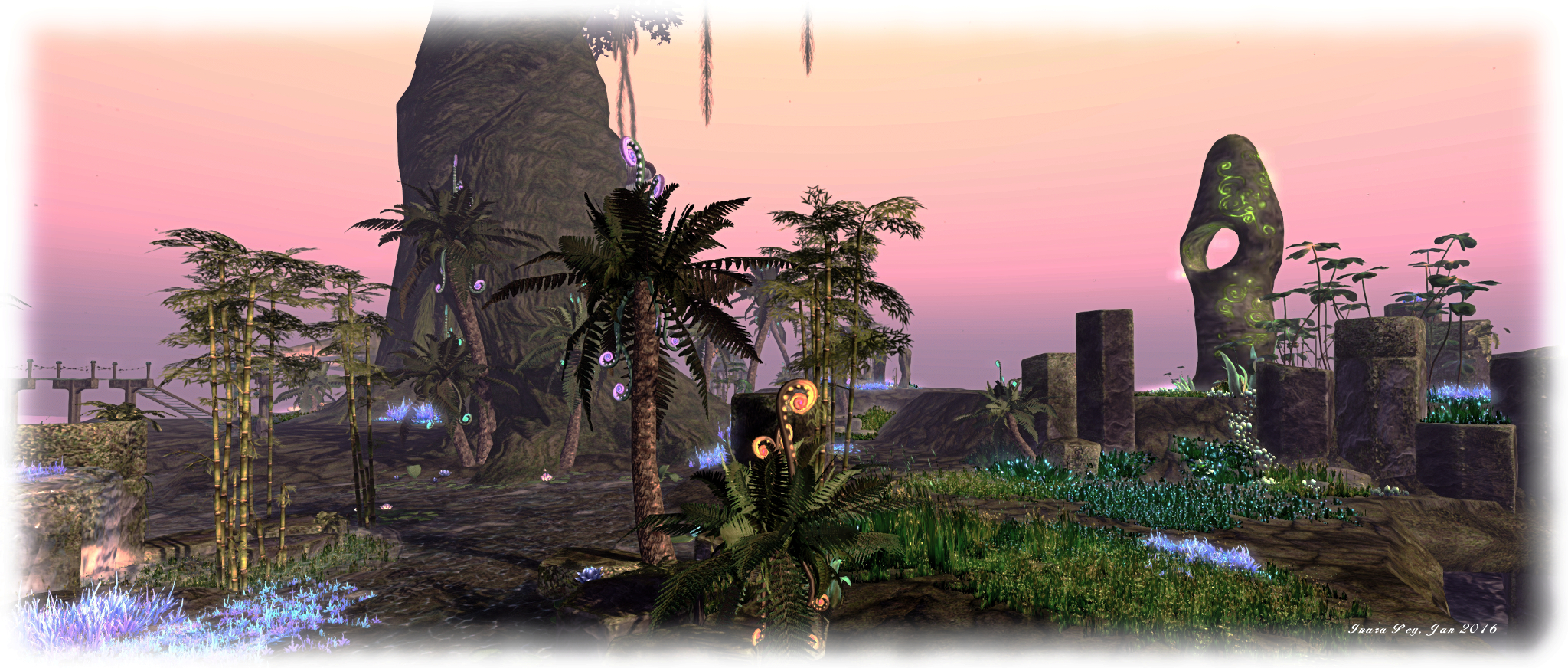 Cerridwen’s Cauldron – Ground Level
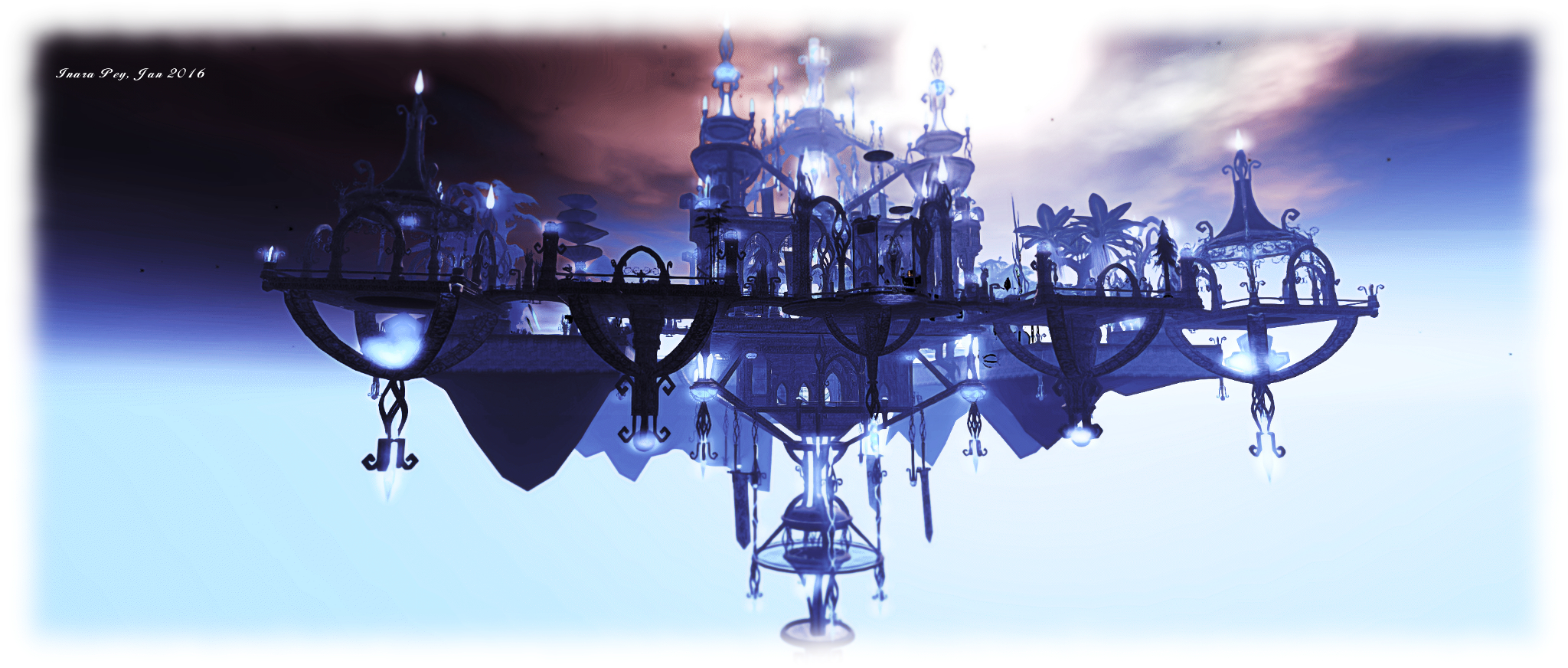 Cerridwen’s Cauldron – the skyborne store





 Inara Pey: Living in a Modemworld