Some more mesh-related videos I’ve grabbed from my YouTube bookmarks.
One of my favourite demos of mesh uploads:
A look around Mesh City on the Beta grid:
Reed Steamroller’s marevllous alien rigged avatar mesh:
Inara Pey: Living in a Modemworld
Second Life, virtual worlds and virtual realities
Some more mesh-related videos I’ve grabbed from my YouTube bookmarks.
One of my favourite demos of mesh uploads:
A look around Mesh City on the Beta grid:
Reed Steamroller’s marevllous alien rigged avatar mesh:
Mesh has been rolled-out to the Main grid. Doubtless, there will be some tweaking and nips and tucks, plus we already have the promise of further improvements / updates in the future – and the rendering code has yet to find its way into widespread use – but this is the start of something new and hopefully full of potential for SL.
Kkudos to Rodvik, Charlar, Runitai and all at Linden Lab and all those users who worked through the Beta programme and the Mesh/Live Volunteers programme for making this possible in Second Life.
YouTube is awash with mesh-related videos, but to mark the roll-out I thought I’d pin and handful of my favourites here.
And because it is so stunning, Rockerfaerie’s video of Claudia222 Jewell’s amazing creations:
Update Thursday August 25th: In a comment on the revised JIRA, Charlar Linden states: Charlar Linden updated SH-2341:Status: Expected Behavior (was: Open) Resolution: Not Applicable – thanks – this flag would have no effect, and is being removed soon.
Ciaran Laval has been investigating mesh from a sim owner’s standpoint, and came upon the fact that LL have added new regional controls related to mesh.
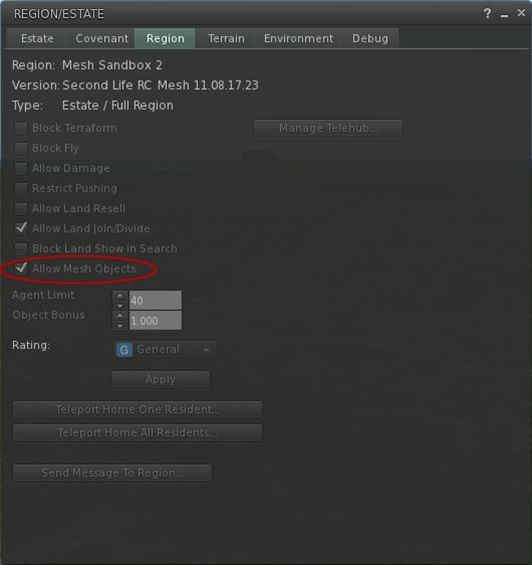
As Ciaran reports, the latest mesh-enabled Beta Viewer includes an option to allow / deny the rezzing of mesh objects within a region. By default, the option is set to ALLOW mesh, although currently, there appears to be a bit of a bug in the system – if you uncheck the option, it re-check itself on hitting APPLY. This may just be a hiccup in the Beta that LL are already aware of, but to be on the safe side, Ciaran has also raised a JIRA on the matter – be sure to WATCH it!
Given this issue with the option at present, it is not clear what will happen to mesh objects that are currently rezzed in-world should the option be toggled to disable mesh. Will they be returned, or will they fail to render in all viewers & any scripts they contain be disabled? One would hope for the latter (allowing for issues around collisions, physics, etc.), as the former could present a lot of angst.
The capability isn’t granular to the level of individual parcels, which is understandable given that mesh will impact an entire sim regardless of where it is placed. However, as things are refined and improved over time, it would be interesting to see if such granularity of control could be introduced in time.
Overall the addition of this capability is a very good move; mesh stands to be potentially very beneficial for Second Life, but it also carries not a few potential risks. Thus, the inclusion of this option allows estate / sim owners worried about negative impacts to disable mesh rendering from the start, allowing them to observe how mesh impacts the rest of the grid before opting to allow it.
Expect to see this option in main Viewer when the Beta is rolled over to a full release.
Que Niango, fresh from the Adult Conent User Group reports that Linden Lab have issued the following RFP:
===================
Goal: Enable the adult community to develop and quickly iterate upon a Zindra welcome/gateway experience for Residents interested in exploring adult content.
Situation: With “Zindra” as a primary search terms for adult content in SL, people are more likely to find and start at the current Zindra sim today as a result of its top search ranking. Unfortunately, the current Zindra region experience fails to encourage curious Residents to explore further.
For a number of reasons, it appears unlikely that a successful gateway experience could be efficiently developed and managed as a collaborative effort among Linden Lab and the Adult Content User Group (ACUG) using the existing Zindra region.
The Solution: A Resident controlled group will assume complete control of a prominently promoted Zindra/adult gateway (comprised of four regions). The ZExpo four regions present a relatively easy way to setup Resident group ownership of the adult gateway experience. Upon conclusion of ZExpo 2011, these four region will be reassigned to a new group. This new group would be required to make tier contribution (setup fees waived) in exchange for group governing powers along with the exclusive use of “Zindra” name to guarantee top search ranking and Linden Lab’s active promotion in the Destination Guide. As the single mainland gateway for adult content, these regions would offer a unique opportunity to channel qualified Residents into high-quality, adult-related experiences.
Details:
Linden Lab will accept group proposals from all interested parties through September 12th, 2011. Send proposals to community@lindenlab.com with title “Adult Welcome Proposal”
Proposals should include the following details:
===================
This RFP may appear novel, but it is entirely in keeping with Linden Lab’s desire to help promote sustainable communities within Second Life, as outlined during Viale’s Linden’s presentation (video) at SLCC 2011. Even so, one cannot help but wonder at how practical it will be; the Adult Content User Group at times appears to be very divided. As such, it’ll be interesting to see how this approach is going to be interpreted and what comes out of the actual implementation once the new tier group has been formed.
Linden Lab provide an Affiliate Programme that allows anyone with a blog or website to promote Second Life via ads created using destinations contained within the Destination Guide. These ads can be placed within websites and blogs, and commission is earned based on the number of people using the ad to click-through and join Second Life (registrations made within 30 days of the initial click-through).
Note: the Affiliate programme also utilises the Google Affiliate Network via an AdSense account. This article only relates only to the use of the Linkshare Affiliate Network.
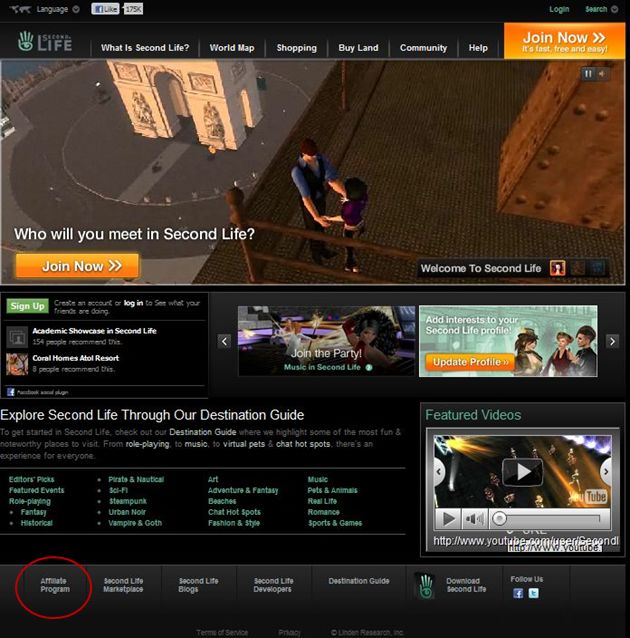
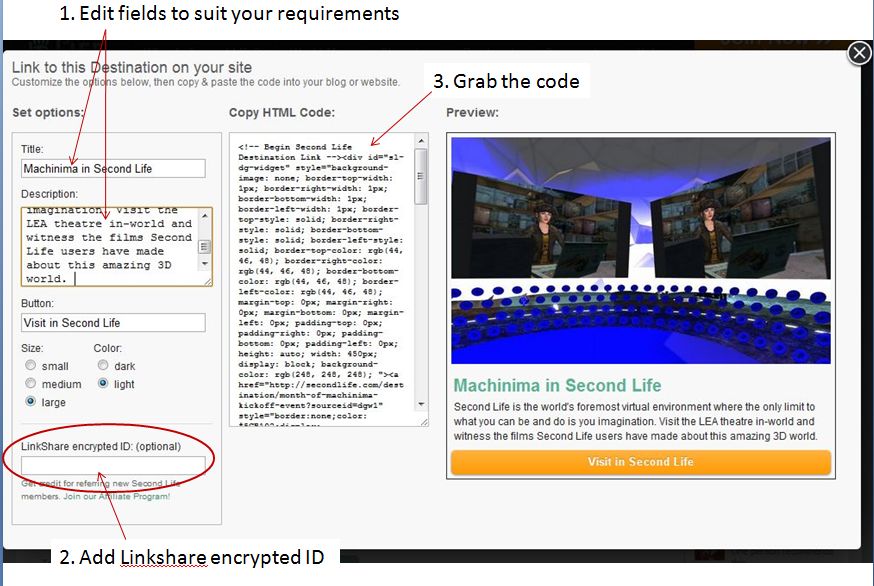
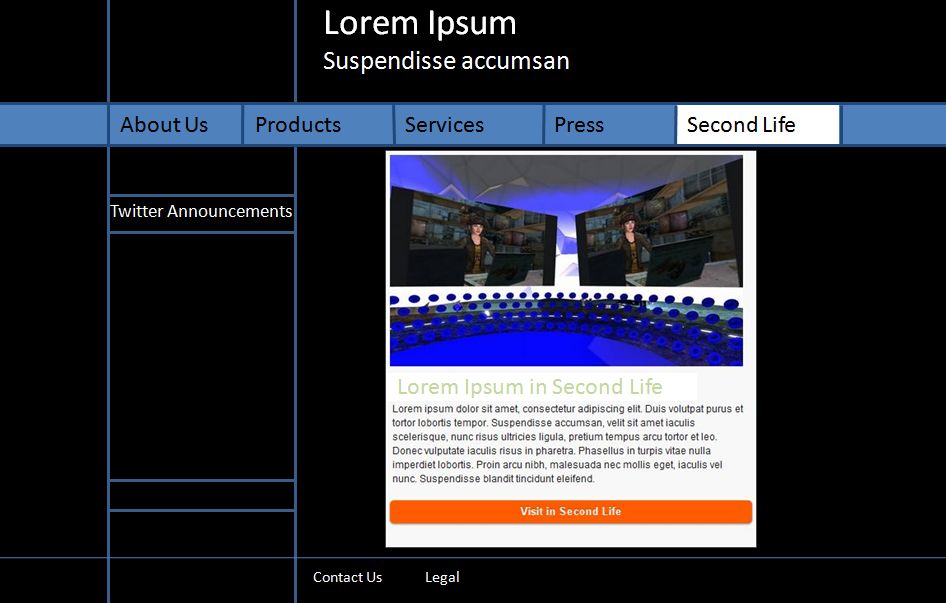
Whether you are a Second Life user with a website / blog who wishes to promote SL, or whether you have a specific in-world Destination you would like to link to the Affiliate Programme, the steps for using this capability are more-or-less the same:
We’re all aware that mesh is chugging down the road in Second Life. What some haven’t twigged to as yet is that with it is coming a new maximum prim size – 64m on a side.
Now, the ability to rez and size prims to beyond 10x10x10 has long been a feature of other grids, and the fact that we’ve not been able to do so within Second Life is simply down to constraints placed on the system by LL rather than any inherent issue with the grid itself. This has traditionally left us with the thorny issue of mega prims, which, as well as being the subject of much heated discussion over the years within the Lab as to whether or not they should be allowed, are saddled with limitations – as anyone who has attempted to stretch a mega will know.
So, what does the new prim size mean for mega prims once it is rolled out? Well, pretty much the same as it does now:
Of course, it also calls into the question the need to continue to carry vast stocks of pre-cut megas between 10 and 64m on a side in your inventory (or indeed, within a repository external to your inventory) – which is also to the good.
Overall, the behaviour is pretty much as one would expect, and in some respects nothing to write home about. That megas coming in under the 64m limit can be stretched without snapping back does mean that those who have used them in builds shouldn’t need to go around replacing them all with freshly-rezzed prims if they don’t want to. However, be careful with mega prims created using any skew (usually 0.79) to achieve the final shape, and for some reason these can exhibit a .05 to .1 degree rotation when linked with “regular” prims that have been enlarged.
That said, there are potential benefits to revisiting and revising some builds that use megas. Often it is necessary to compromise in the use of megas and “regular” prims to achieve a desired result. Providing things can be kept to within the 64m limit, this is no longer necessarily the case, as the images below demonstrate.
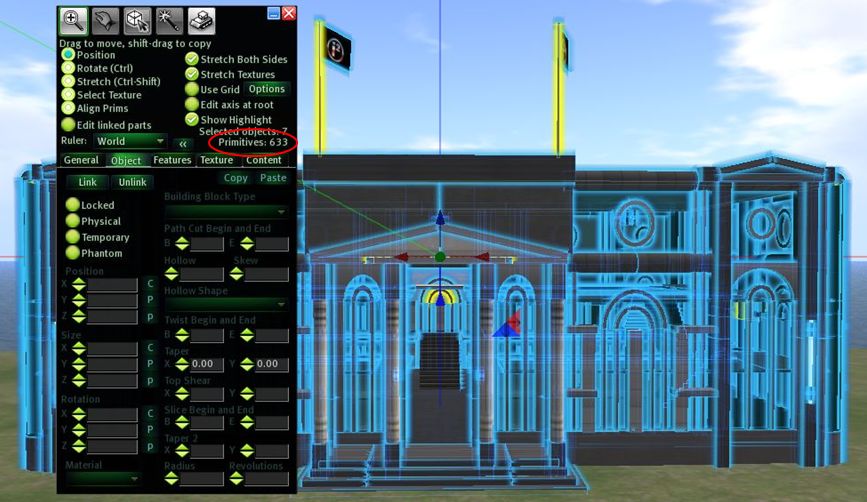
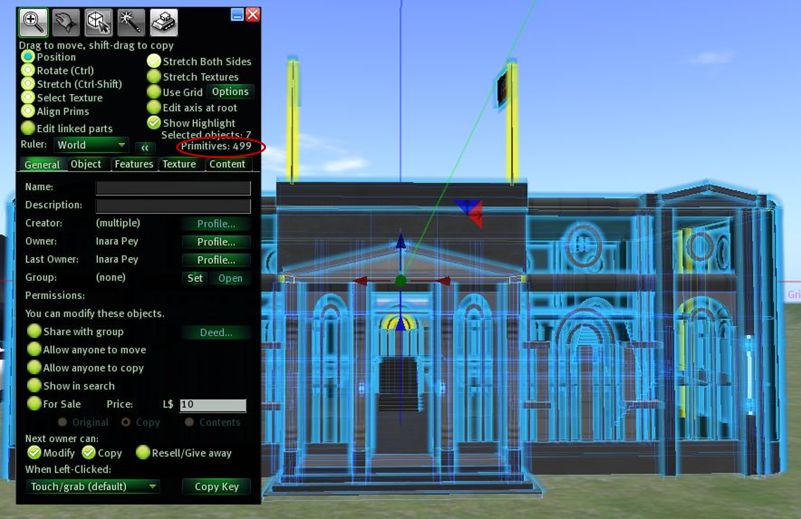
Of course, there are still some limitations – you can’t hollow-out a prim beyond 95% and nanoprims still require a lot of cutting and slicing of small prims, but on the whole, this is a step forward for traditional building in SL. What is a shame is that there doesn’t appear to have been any upward shift in the calculation for determining the maximum prim linking distance.
If you want to have a play with the new prim sizes ahead of the mesh roll-out you can. If you join the Mesh Volunteer Group, you can access the main Grid mesh sandbox area (Surl), which supports the new prim size if you use a suitable Viewer, currently comprising:
Or you can try either the Beta grid mesh sandboxes or, if you know someone on the Main grid who has a sim involved in the Mesh/Live Volunteer project, you could ask them if you could use some space to fiddle with prims.
Objects created using the new maximum prim size *can* be rezzed elsewhere on the Grid – but cannot currently be resized in any Viewer. Regardless of whether or not the Viewer you are using supports the news prim limit, if you attempt to resize a large prim on a non-mesh enabled sim, it will snap back to the 10m limit until such time as mesh is fully rolled-out.
 Inara Pey: Living in a Modemworld