2018 Sansar Product Meeting week #31: physics

Scurry Waters: product meeting location

The following notes are taken from the Sansar Product Meeting held on Thursday, August 2nd. These Product Meetings are open to anyone to attend, are a mix of voice (primarily) and text chat. Dates and times are currently floating, so check the Sansar Atlas events sections each week.

The primary topic of the meeting was Sansar physics, although inevitably other subjects were also covered.

My apologies for the music in the audio extracts. This is from the experience where the meeting was held, and I didn’t disable the experience audio input.

Express Yourself Release Updates

The July Express Yourself Release (see my overview here) had two short-order updates following its deployment.  Both were to provide fixes for emerging issues. The first went out on July 19th, and the second on July 30th.

Client-side Physics

The Express Yourself release included an alteration to network behaviour that means physics interactions occur locally within the client first, allowing the user an immediate response. The idea is to allow the kind of immediate feedback to the user that will be essential to dynamic activities such as drive or flying a vehicle as well as allowing for more immediate response when picking an object up, walking, firing a gun, etc.

However, as the updates still need to pass through the server and then back out to everyone else, this can result in objects appearing to instantaneously move when control is passed to another avatar. More particularly, it was discovered the change could adversely affect any movement governed by scripts, which require additional time for server-side processing, and this resulted in some content breakage, which in turn caused the updates  – notably that of July 30th – to be issued in order to fix things.

It has also resulted in some behaviourial changes with scripted interactions; for example: when firing a scripted gun, as the action still requires server-side script processing, while initial movement response is client-side, it is possible to fire a gun while moving and have the projectile appear to spawn separately to the gun and avatar (e.g. behind or slightly to one side). This is to be looked at if the July 30th update hasn’t fixed it.

This work is going to be refined over time to make interactions both responsive and smoother, and is seen as an initial step towards more complex object interactions, such as being able to pick in-world objects up and hold them in the avatar’s hands.

Avatar Location Issue

One side effect of this is that avatars in an experience, when seen by others, can appear to be in a different place to where they have placed themselves. At the meeting for example, some avatars appeared to be in the local group in their own view (and, I think, to some others), but were appearing to still be at the spawn point for the experience in other people’s views. This seemed to be particularly noticeable with avatars standing still, with movement required to force the server to update everyone’s client on the location of an avatar. A further confusion from this issue is that as voice is based on an avatar’s position relative to your own, if they appear to be much further away, they cannot be heard, even if in their own view they are standing right next to you.

Avatar Locomotion Enhancements

Improvements to avatar locomotion are said to be in development at the Lab. This work includes:

  • The ability to use animation overriders.
  • Additional animation states (e.g. jump)
  • Avatar physics driving – allowing avatars to be affected by physics for things like ballistic movement or falling.

It has been suggested this work should include an ability for the avatar IK to be enabled or disabled alongside creator animations, depending on the animation type being used.

The client scripting idea requires careful consideration: will creators want their scripts run client-side? Could it be a toggle option so scripts can be expressly flagged to run of the server only? What would be the communications mechanism between script on the client and scripts on the server to ensure they remain synchronised? Should client scripts be limited to only certain capabilities, with the server still doing the heavy lifting? and so on. So – look for the ability to attach avatars to vehicles (and vehicles to avatars and objects to one another) in the future.

Vehicles

As noted above, the work on making physics more client-side active is aimed towards enabling better vehicles (using the term generically, and not as a representation just of road / wheeled type vehicles) and their controls in Sansar.  This will likely initially take the form of an ability to attach avatars to vehicle objects (a-la Second Life), allowing both to be “driven” via scripted control. This would allow for very simple vehicle types.  From there the Lab’s thinking is moving in two directions:

  • A scripted approach (client-side?) that would allow for a more flexible approach to defining vehicles and their capabilities;
  • A “vehicle component” within the platform that could be applied to different vehicle models to enable movement, etc. This would be potentially the easier of the two approaches, but would limit the degree of customisation that could be employed to ensure it fits certain vehicle types,

Scene Load Times

There has been  – from the start with Sansar – much discussion on scene load times. While a lot has been done on the Lab’s part to improve things there are some experiences that do still take a lot of time to load, and for some, depending on the circumstance may never load. There are really two issues for scene loading:

  • Bandwidth – the biggest.
  • Memory footprint – some experiences can top-out with a physical memory footprint of 14.5 Gb. For a PC with “just” 16 Gb of memory, that represents a struggle. Virtual memory (disk space) can obviously compensate, but can lead to a performance degradation.

In hard, practical terms, there is little the Lab can directly do to resolve these issues – a person’s bandwidth is whatever their ISP provides, and physical memory is whatever is in the box. However, as noted there has been a fair amount of work to offer improved optimisation of scenes, improve load times through the way data is handled – notably textures, potentially one of the biggest causes of download problems, and sound file handling (another big issue) – and more work is coming, with Lab CEO Ebbe Altberg recently noting a number of options being considered, by way of the Sansar Discord channel:

  • Progressive texture loading.
  • CDN distribution (for more localised / faster availability of scene objects materials and textures, rather than having to call them “long distance” through the cloud).
  • Background scene loading.
  • Addition of better LOD capabilities for model loading /rendering (if it is far away, only load / render the low-detail model).

Further indicators are, I understand, also planned for the Scene Editor, designed to keep experience creators better informed about the load times of objects and elements. Appropriate elements of this information will also be made available in store listing for items, allowing scene builders to again make more informed choices about the items they may be considering buying for inclusion in their experiences. There are also some practical work creators can do to ease things across the board: use smaller textures, decimate their mesh models correctly,  employ reuse of sounds and textures, etc.

In Brief

  • Aggressive render culling: Sansar can employ some aggressive render culling resulting in objects appearing clipped or vanishing from a scene unexpectedly. This is most obvious with animated objects using bone animations. This is to be looked at.
  • The last few minutes of the meeting were focused on ideas such as having a mini-map capability to find people within an experience; an ability to “go to” teleport to a friend; the ability to offer a teleport someone in an experience to your location, etc.
2018 Sansar Product Meeting week #29: avatars, permissions system, roadmap

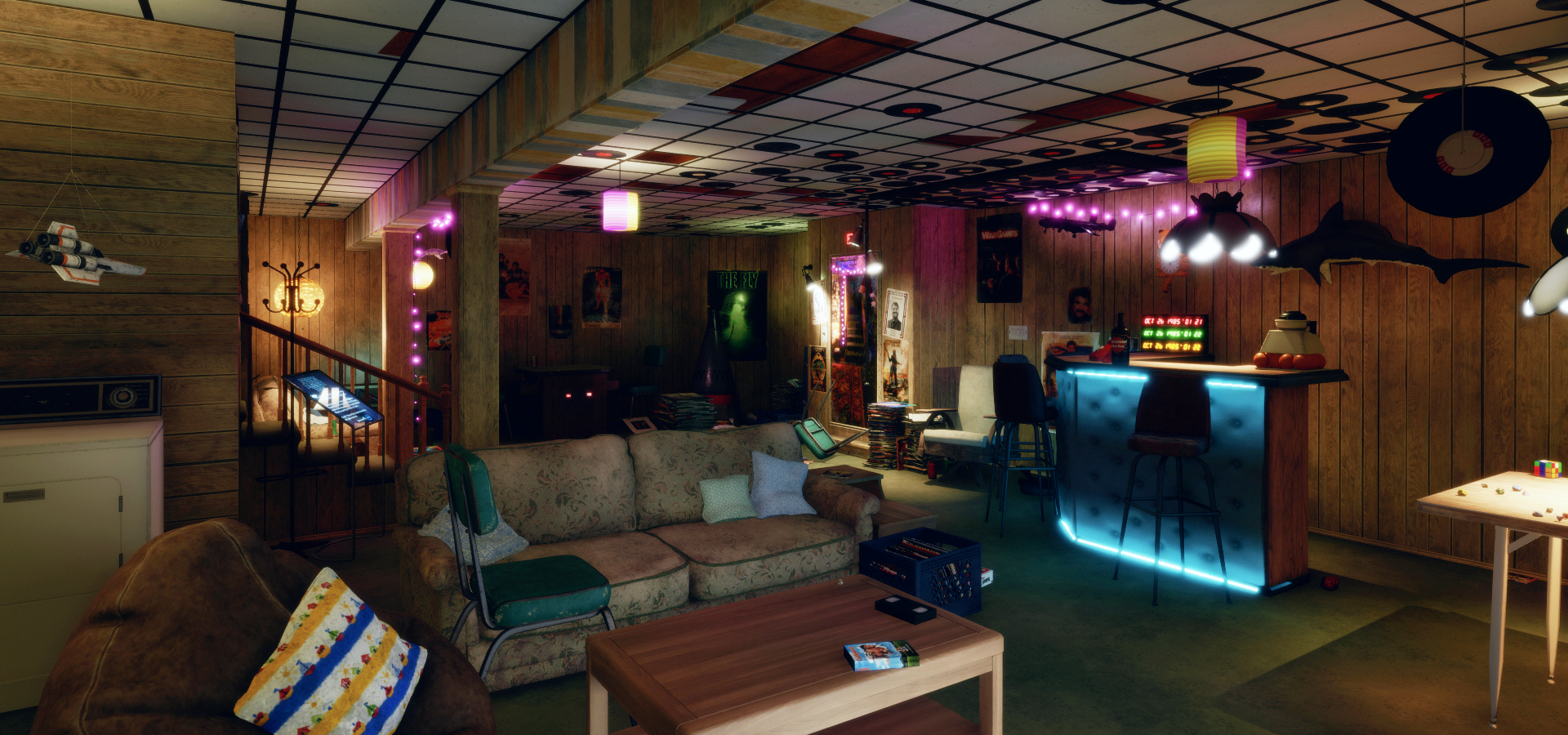
Aech's Basement, Sansar; Inara Pey, March 2018, on FlickrSansar: Aech’s Basementblog post

The following notes are taken from the Sansar Product Meeting held on Friday, July 20th. These weekly Product Meetings are open to anyone to attend, are a mix of voice (primarily) and text chat. Check the Events calendar for dates and times for future meeting.

The focus for this meeting was initially on the increase in allowed experiences (see here for my thoughts) and on the July Express Yourself release, which I reviewed here.

Experience Increases and Sansar Subscriptions

The news that Linden Lab have increased the number of allowed experiences under each membership tier (Free – 20; Creator (US $9.99 per month) – 25; Super-Creator (US $29.99 per month) – 30; Professional ($99.99 per month) – 40) raised two core questions during the meeting:

  • Will this move see the Lab increase transaction fees?
  • What value is there for people on paid subscriptions to keep those subscriptions given the massive increase in allowed experiences for Free account holders?

In addressing the fees issue, Landon from the Sansar Product team indicated that the Lab does not intend to make any changes to transactions fees as a result of this change – but that future possible changes could not be ruled out as Sansar continues to develop. Eliot, the Sansar Community Manager also made it clear the increases to allowed experiences are not part of any bigger plan to increase fees or anything else.

In terms of maintaining the value of Sansar paid subscription options, Landon indicated the plan will most likely be to make them more attractive by adding further practical benefits and perks in addition to the current Marvelous Designer free trial and subscription discounts.

A side question to this was whether the limit on the number of items Free accounts can list on the Sansar Store might be re-introduced, in order to make subscription accounts more appealing. Landon indicated he would prefer not to take steps like this, that might be seen as limiting creativity, but rather work to deliver more value to subscription accounts.

Express Yourself Update

Custom Avatars

The new custom avatars option has been well received, with a number of creators making avatars for their personal use, with some also being offered on the Sansar Store.

The first Custom Avatars are now available on the Sansar Store. They can be viewed by clicking Explore in the Store’s top menu and selecting Avatars from the drop-down list, or by clicking on All and then selecting Avatars from the categories drop-down (shown above).

Note that custom avatars are a single piece wearable – they cannot be combined with other Sansar clothing or avatar accessories.

Once obtained from the Store, custom avatars are stored in the Look Book inventory and can be worn via the appearance editor panel in Look Book, as explained in the image below.

Wearing a custom avatar via the Look Book: click Customise to open the appearance editor. Click the avatar tab (arrowed at the top of the appearance editor) if it is not already open. Click on the avatar button (circled, top right. Click on one of the the avatar wearables in your inventory, which will be applied to your avatar. Click Done.   

Other points from the custom avatar discussion:

  • Blender custom avatar export issues: some people have reported problems in exporting custom avatars from Blender into Sansar. To help with this, Jeremy Linden has produced a new knowledge base article to hopefully address these problems:
  • Dynamic bones for custom avatars: this is being thought about at the Lab, but is not something that will be seen for at least a couple of months.
  • Avatars as NPCs: there are currently no plans to allow custom avatars to be used as non-player characters (NPCs) within Sansar.
    • An alternative suggestion is to allow existing avatars to be used as NPCs (presumably through additional scripting support). This is something Landon and Cara from the product team have agreed to look into.
  • Clothing on custom avatars: as noted above, it is not possible to use Sansar clothing and accessories on custom avatars. Some creators have already expressed a preference for this remaining the case, as it will eliminate the need to provide multiple sizes of clothing to fit different avatars, and the work that can involved with rigging.

Multiple Object Select / Property Application

Following on from the introduction of object multi-select, a request has been made to take this a stage further and allow the creation of an empty container into which other elements can be placed. This is something that will be coming, and will have the ability to hold tangible and non-tangible objects (such as scripts) and make them available in a scene.

Interaction Physics

Express Yourself sees many of the physics related to avatar / object interactions moved client-side. On the one hand, this should allow for more accurate interactions, such as bouncing a ball off of a bat. On the other, its has resulted in some functional breakages within experiences where scripts expert the server to run physics interactions in a specific order, which can no longer be guaranteed with running some of them on the client.

Continue reading “2018 Sansar Product Meeting week #29: avatars, permissions system, roadmap”

Sansar: Express Yourself release

Courtesy of Linden Lab

Wednesday, July 18th saw the release of the the Sansar Express Yourself update. As per my preview, this brings a lot of new capabilities to Sansar, including the ability for creators to upload custom (and pre-dressed) avatars, user interface improvements, script updates, and more.

This article highlights some of the more visible new features and updates with the release. As always, full details of the updates in the new release are available in the release notes.

Initial Notes

  • As with the majority of Sansar deployments, this update requires the automatic download and installation of a client update.
  • Updates in this release mean that on logging-in for the first time following the update, users will be placed in the Look Book (Avatar App).

Avatar Updates

Custom Avatars

Sansar now permits the uploading of custom avatars, although there are some caveats / things to note:

  • Custom avatars have a maximum tri limit of 40K (compared to 16K for the default avatars).
  • It will not be possible to clothe custom avatars or add attachments, etc., via the Look Book – they must be outfitted prior to upload, hence the higher tri limit compared to the default avatars.
    • The option to change outfits on custom avatars through Look Book might be added in the future.
    • The base tri count limit is seen by the Lab as being for testing purposes, and a balance between allowed custom avatars to be pre-dressed and potentially allow for future outfitting of avatars through Look Book without have to adjust the tri count downwards in order to do so.
  • Custom avatars must use the .FBX file format and be developed using the male or female skeleton provided by Sansar, available via the Sansar skeleton and skinning details knowledge base article
  • If custom avatars are to be sold, they must adhere to the Sansar Store listing guidelines and must also include a thumbnail asset upon import and which itself adheres to the Sansar Store image guidelines.
  • All new avatars must comply with the Sansar Avatar Guidelines, which include no nude avatars and no use of avatars / characters that infringe on the Intellectual Property rights of others.

Uploading custom avatars is handled through Sansar’s Look Book, as shown below.

Custom avatars are uploaded via Look Book via the Customise button and the Avatar Tab in the appearance editing panel, which has a new Add Avatar button that opens the upload panel (shown on the left). The Browse buttons in this panel can be used to select the avatar .FBX file (1) and  the associated thumbnail image (2). The name field (3) set the inventory name for the avatar – if left blank, this will default to the uploaded file name. The optional Materials settings button (ringed in the upload panel) can be used to choose specific shaders and textures for the avatar model. Upload will upload the model

Once imported to Look Book, custom avatars can be worn from the avatar panel and / or listed in the Sansar Store (right-click the thumbnail for the avatar and select List).

Custom Avatar Competition

To mark the launch of custom avatars, Linden Lab is running a Sansar Custom Avatar contest with a first prize of US $50 (approx. S$5,000). See the competition page for more.

New Avatar Looks

A series of new outfits / looks have been added to Sansar with this release:

  • Female:
    • Lolita outfit: clothing, hair and shoes.
    • Punk outfit: clothing and shoes (shown on the right, with Lolita hair and wearing system sandals rather than outfit footwear).
  • Male:
    • Goth outfit: clothing and shoes.
    • Adventurer outfit: clothing and shoes. (shown on the right).

These are available directly from the avatar panel’s outfit and hair tabs in Look Book.


Improved Avatar IK – VR Mode

Ikenema has been improved to improve avatar movement in VR. These updates include improved handling of forearm twist bones, better clavicle motion and less droopiness in clavicles, and better constraint handling in shoulders.

Scripting Updates

The Express Yourself release has two core sets of scripting updates: HTTP support, Simple Scripts and .FBX animation support. All of these options are covered in-depth in the Script API updates notes available in the Sansar knowledge base, and which include links to detailed HTTP documentation in the case of the HTTP API.

HTTP API

The HTTP API allows objects within experiences to communicate with external services. This is a two-way communications capability – meaning data from experiences can be exported a stored externally (as might be the case for game / adventure progress); and data from the physical world can be used to drive what happens within a scene (so an experience can reflect the weather in a physical world location, for example).

The addition of the API means that certain personal data can be exported from Sansar (just as it can from Second Life):

  • Avatar name and the user’s unique avatar identifier.
  • When an avatar enters or leaves an experience.
  • Where within experience avatar exists whilst visiting.
  • Public chat of avatars whilst in the experience.

Simple Scripts

This is a set of 14 basic scripts intended to make it easier for non-scripters to add functionality to their scenes and experiences. They have been automatically added to the Exit Mode inventory.

The new simple scripts library

Some examples of how these scripts might be used include:

  • SimpleInteraction: allows direct interaction with any object in a scene, can be used with buttons, switches, etc., so turn lights on/off, etc.
  • SimpleMover: moving objects from point-to-point, changing their specified position and/or orientation, such as moving platforms, opening / closing doors, etc.
  • SimpleSound: trigger a sound effect heard with other interactions.

The scripts can be “stacked” together for more complex interactions, so SimpleInteraction might be used for a button to call an elevator that is moved by SimpleMover, and SimpleSound pays a sound as the elevator arrives.

.FBX Animation Support

.FBX files containing multiple animation clips can be imported and then manipulated via scripts.

Continue reading “Sansar: Express Yourself release”

2018 Sansar product meetings week #28: July release preview

The Art of Drew Struzan: The Studio Experience blog post

It’s been a while since my last Sansar product update. This has been in part due to the fact that for a time they seemed to vanish from the Sansar events listing (they’re back, but under the more generic title of “Community meet-ups”). However, the following is a summary of the meeting held on Thursday, July 12th, 2018, which was particularly focused on many of the features and updates in the upcoming July Sansar release, due in week #29 (commencing Monday, July 16th).

July Release

Custom Avatars

It will be possible to upload custom avatars to Sansar, with skeletons and avatar meshes available through the knowledge base.

  • Custom avatars have a maximum tri limit of 40K (compared to 16K for the default avatars).
  • It will not be possible to clothe custom avatars or add attachments, etc., via the LookBook – they must be outfits prior to upload, hence the higher tri limit compared to the default avatars.
    • The option to change outfits on custom avatars through LookBook might be added in the future.
  • The base tri count limit is seen by the Lab as being for testing purposes, and to potentially allow custom avatars to be dressed, etc., using the LookBook and clothing from the Sansar Store in the future, hopefully without their overall tri count becoming exorbitantly high.

As a part of the overall work on avatars – but not part of the July release – the Lab is trying to improve face deformations, etc., to allow for more realistic facial moments when mimicking mouth movements, etc., when speaking.

Experience Interactions Changes

The July release should enable experience creators to define smoother interactions with objects in their scenes.

  • Dynamic objects / bodies will be completely responsive to physics; however, if multiple avatars are interacting with the same object  / body, it might vacillate between them.
  • With scripting, physics will be immediately applied in the client, so there may be an increase in perceived lag, as interactions make the client-server-client round trip.
  • These changes will be iterated upon and improved in future releases.

Scene Editor Updates

  • Selecting an object within the scene editor will display the triangle count for the object in a display similar to the diagnostics tool.
    • This may eventually be expanded to display further information – creator, etc.
  • The Scene Settings panel should no longer conflict with the Properties Panel.
  • It will be possible to select multiple objects in the scene editor, and apply something like an audio material across all of them, rather than having to apply it individually to each one.

Auto Decimation Changes

The June release included automatic decimation, which was later disabled. With the July release, it will be re-introduced, but made optional.

  • By default, any scene object (static or dynamic) being imported into Sansar will be set to auto decimate.
  • This can be disabled via a drop-down panel option.
  • The auto decimation will not apply to clothing or avatar attachments.

Script Updates

  • New scripts added to inventory: further scripts will be available in inventory by default (exact scripts TBA). Some of these will be packaged with the client, other may only be in specific folders (e.g. the Script API folder).
  • “Simple script examples”: a small library of approximately a dozen script examples designed for use by non-scripters to allow them to achieve object interactions, etc., and which can be stacked together within objects to achieve combined results.
    • These include things like a mover script (for opening / closing doors, moving platforms, etc.), a switch script (for light switches, etc.), a sound management script, etc.
    • They will be in the drop-down menu of an object-properties.
  • HTTP API: an http: API will be included in the July release. This will mean that data such as avatar name, avatar UUID, an avatar’s location within an experience, will be shareable with external databases.
  • .FBX animation imports: .FBX files with multiple animations can be imported and have scripts applied to them.

In Brief

  • Avatar comfort zones: The July release will include comfort zones, allowing people to define how close other avatars can come to their own avatar, depending on whether or not the other avatar is a friend or not.
  • People Search Update: the ability to search for other avatars within the People app is currently limited to using the Avatar ID. With the July release, this will be expanded to allow searches by avatar name, and using partial avatar IDs.
  • Copy chat: it should be possible to copy text from the chat window with the July release.
  • Panel positioning persistence: the client should remember the placement of any re-positioned panels between sessions, and re-open them at the “last used” position, rather than at their default screen location.
  • Bug fixes: the release will of course include a range of bug fixes.

Other Items

The following were discussed at the meeting, but are not part of the July update.

  • Hand Controller / Keyboard Mapping: further work is to be carried on custom keyboard mapping, which will hopefully encompass headset hand controllers, allowing experience creators to define custom operations to keys and buttons (e.g. for use in games, etc.).
  • Events: there will at some point be an update (or updates) to Events to add many of the requested functions to events management (e.g. set recurring events, etc.).
  • Permissions system: this is still being worked on, with the Lab getting “closer” to having something ready to present, but no time frame on when it will appear.
  • User-to-user S$ transfers: this is also being worked on, and it is hoped to will appear “pretty soon”.
  • Aspirational roadmap: it’s been suggested that Linden Lab might follow the example of other platforms and provide an “aspirational roadmap” – a guide to what they’d like to achieve with Sansar’s capabilities over a broad range of periods (e.g. “short term”, “medium term” and “longer term”) which are tied to specific date ranges / time frames. This idea is being taken back the Sansar marketing and product teams for discussion.

Sansar Dollar Bundles

A relatively recent (I believe) update is the addition of purchasable Sansar dollar bundles, available at fixed prices, and which will be immediately delivered to your account on payment, rather than waiting for Sandex orders to be filled.

Sansar dollar bundles are available for purchase by those who do not wish to use the Sandex. This list of available bundles can be access by clicking on your account balance when logged-in to the Sansar website (arrowed, top right).
  • Click on your account balance (top right of the Sansar web pages when you are logged-in) to display a list of available bundles.
  • Click on the relevant red payment button to buy  a bundle – if you don’t have a payment method on file, you’ll be asked to provide one.
  • Note that the prices for bundles are not necessarily as competitive as buying through the Sandex, as the bundle prices are static.
  • A link at the bottom of the list of available bundles will take you to the Sandex (which is no longer listed in the website’s top menu).

Sansar: Know Thy Neighbour release

Light switches and other scripted object interactions are now possible in Sansar. Credit: Linden Lab

Friday, June 1st saw the deployment of  the Sansar Know Thy Neighbour release, which brings user profiles to Sansar, adds object interactions through scripts and something the Lab call Access to Controls.

This article highlights some of the new features – and some deployed in May 2018. As always, full details of the updates in the new release are available in the release notes.

Initial Notes

  • As with the majority of Sansar deployments, this update requires the automatic download and installation of a client update.
  • Updates in this release mean that on logging-in for the first time following the update, users will be placed in the LookBook (Avatar App).

User Profiles

Second Life users are more than familiar with the idea of user profiles and their usefulness. They are something that has been raised on numerous occasions as one of the missing elements within Sansar – and with this release, they’ve started to arrive.

A Sansar profile can be used to display basic information about a user: their avatar name / ID, a photograph, and a short  biography. In addition, viewing other people’s profiles allows users to request / remove friendship, see a summary of any store listings they have or experiences they have published, each of which are interactive.

Every Sansar user has a profile by default, which can be edited and updated as required, although they must be updated from within the Sansar client. Profiles can, however, be viewed both within the client and on the web.

Editing Your Profile

To edit your profile, launch the Sansar client and then click on More Options > Edit Profile. This will open the Profile Editor, which has two user-definable fields: the profile image and biography.

Profile images are automatically generated by Sansar, based on the looks you have saved in the LookBook (See Customising your avatar). To select / change your profile image click on the edit icon at the four o’clock position on the photo display (1 in the image below, right). A list of your available images will be displayed. Click on the one you wish to use with your profile.

To update your biography, click on the Bio section (2 in the image below right) and enter your text.

Editing your Profile

When you’ve completed your updates, click Save to apply them.

Viewing a Profile

Profiles can be viewed in a number of ways:

  • From within an experience, through the client’s People App.
  • Via the Atlas, either within the client or on the web.
  • Via a store listing on the web.

Via the People App

Displaying a Profile via the People app (in this case, using Search)

When in an experience, you can display someone’s profile by opening the Chat App then clicking on the People App button.

  • To view the profile of someone on your Friends list, click on their name to display the interaction options and click Profile.
  • To view the profile of some on your Friends list, use the Search option, then click on their name to display the interaction options and click Profile.

Both of these options will open the user’s profile. This comprises a number of sections:

  • The user’s profile picture with a microphone icon at the four o’clock position. This is the mute / unmute option. Green indicates the person is not voice muted, red indicates they have been voice muted.
  • Three central options to direct message them; to friend / unfriend them or abuse report them.
  • The bottom section of a profile may  – or may not – display one or other – or both – of two further options: Store Items and Experiences.
  • Store Items: if the user has a Sansar Store, the total number of items they have listed will be displayed, with a See All option. Clicking the latter will display their store in your web browser. This option will be absent if the user does not have any items in the store.
  • Experiences:
    • if the user has published one or more experiences, the total number of their published experiences is displayed, with thumbnails of each of them.
    • Clicking on a thumbnail should open the experience
    • A button (V or ^) is displayed in this section – if the user has more than one experience, this will switch the thumbnail view between a single experience thumbnail and a tiled display of thumbnails.
    • This option will be absent if the user has not published any experiences.
  • To close a displayed profile, click the Back button at the top left of the profile display.

Note that when viewing a profile, you can also accept Friend requests sent by that person, as well as send your own.

Continue reading “Sansar: Know Thy Neighbour release”

Sansar: VR Chat release

The new “/sit 2” animation- VR Chat release

Monday, May 7th saw the arrival of the May 2018 Sansar release, entitled the VR Chat release. As the name implies, this release includes the long-awaited option for those in VR mode to see text chat from those around them. Alongside of this is Twitch integration, a further avatar sit option, and other nips, tucks and updates.

As always, full details are available in the release notes, this overview just highlights some of the key features / items in the release. In addition, a small update was issued on Tuesday, May 8th, 2018.

Initial Notes

  • As with the majority of Sansar deployments, this update requires the automatic download and installation of a client update.
  • Changes to the avatar inventory support means that on logging-in for the first time following the update, users will be placed in the LookBook (Avatar App).

Terrain Editor Reminder

Starting with the mid-March release, the Lab has been discontinuing the use of the Terrain Editor. This is as a result of recent investigation in Sansar’s performance revealing the height maps created using the tool could adversely affect performance in both the Run-time and Edit modes.For creators who have used the Terrain Editor, this means:

  • All existing terrain created using the Terrain Editor or through uploaded heightmaps should be replaced by the end of April. After this date, all terrain items that are still in scenes will be replaced by a place-holder asset.
  • All terrain items in the Store that have been created using a terrain heightmap should also be removed from the Store as soon as possible.

There is at this time no indication as to if / when the Terrain Editor will be re-introduced.

VR Mode Updates

Read Text Chat in VR Mode

A major limitation with Sansar up until now has been that those in VR mode have been unable to see text chat (either local chat or direct messages) in their headsets – which can lead to those using text as their preferred means of communications being ignored.

Chat in VR allows VR users to see local chat and direct messages whilst in VR Mode

Chat in VR rectifies this by providing the means for headset users to view the chat app in their field of view. I don’t actually have full-time access to a headset, so can’t vouch for how it works. However, from the Sansar documentation:

The Chat app in VR mode allows you to view messages from nearby people in your current experience in the Nearby tab and private messages in the Messages tab.

  • It is not currently possible to send messages while in VR mode.
  • You can move the Chat app by grabbing it with your Oculus Touch or Vive Wand and dragging it to a new location.
  • When you move or turn your head, the Chat app moves with you.

Pointer-based VR interaction

This update replaces the “move your head to select objects” approach with the more intuitive use of hand controllers. Simply point and hover over objects with the controller to select or pick up.
 Note that head movement is still required to use the Avatar tool when hovering over an avatar, however.

Twitch Integration

This release brings with it the ability to create a Sansar account via Twitch, and then log-in to Sansar using your Twitch credentials.

However, note that this is only for those creating a Sansar account via Twitch: it is not, at the time of writing, possible to link an existing Sansar account to a Twitch account and use the Twitch credentials to log-in to Sansar.

Those who create a new Sansar account via Twitch can now log-in to Sansar using their Twitch credentials

See the Twitch Integration article from the Lab for more.

Clothing Updates

The VR Chat update brings with it three updates related to clothing:

  • The Worn Clothing panel in LookBook > Customise option allows you to easily review, remove or adjust clothing on your avatar.
  • The Sansar astronaut and highlands outfits have been added to the default clothing inventory.
  • Adjustments for multiple Marvelous Designer clothing items can be made at the same time by clicking the “Adjust Clothing” button, or adjust each worn clothing individually by pressing on the “Play” button in the Worn clothing panel.
The Worm Items panel (LookBook > Customise) allows you to easily review / change the clothing you are wearing

New Sit Option

A basic ground sit came to Sansar in the April release (see here for more). However, as I remarked at the time, for a female avatar wearing a dress, the sit pose wasn’t the most elegant. This has now been addressed, to a point, with a new “/sit 2” pose, which set an avatar kneeling – see the animation at the top of this article. The hands-through-the-skirt aspect is still a little distracting, but “/sit 2” is a big improvement, as well as adding a bit of variety to a group sitting on the ground together.

Other Updates

The VR Chat offers a number of scripting updates:

  • API for object animation playback – play, pause, stop, rewind, slow down/speed up object animations via script.
  • API to override the media URL in a scene – update the streaming media at runtime via script.
  • Colours are now a supported type for script parameters.
  • Visibility added on container properties for local position and rotation in the property editor.
  • These are all explored in the Script API updates.

The release notes also reference Avatar broadcasting the ability for one avatar to the precedence when speaking over others – useful for presentations, music events, etc. It’s not currently available for end-user use, but the Lab indicate it will be used in some Sansar events.

Feedback

An interesting update, but one that I have to admit, hardly excites. Frankly, I’m still of the opinion that if LL really want to encourage new users into Second Life, they really need to tackle the Sansar website – notably getting rid of ZenDesk (and Discord, which just doesn’t strike me as either scalable when it comes to supporting the hoped-for user base with Sansar, and which doesn’t have any real integration with Sansar) and establishing a properly integrated and informative web platform, with decently provided blog updates, a proper forum, etc., and which can help engage new users and make information a lot easier to see and to surface.