Kitely rolls to OpenSim 0.7.3.1, offers NPCs and more

Kitely, the on-demand grid powered by the Amazon cloud continues to develop a-pace. Today, Oren Hurvitz, co-founder of Kitely has announced a significant update, which includes the roll-out of OpenSim 0.7.3.1.

As well as the OpenSim upgrade, the update includes some significant updates in functionality:

  • Mono upgraded to version 2.10.8.1
  • More OSSL functions have been enabled so that now most functions with a threat level of Low are now supported by default, while functions with a higher threat rating being available to World Managers, including osTeleportAgent (allowing “walk-through” teleports) and osKickAvatar, which have been on the request list from World Managers. The post notes that some of the more dangerous functions remain disabled for everyone
  • OSSL sun position bug fix, so that visitors to a world will now see it as the World Manager / owner intended
  • Server-side Windlight support is now enabled
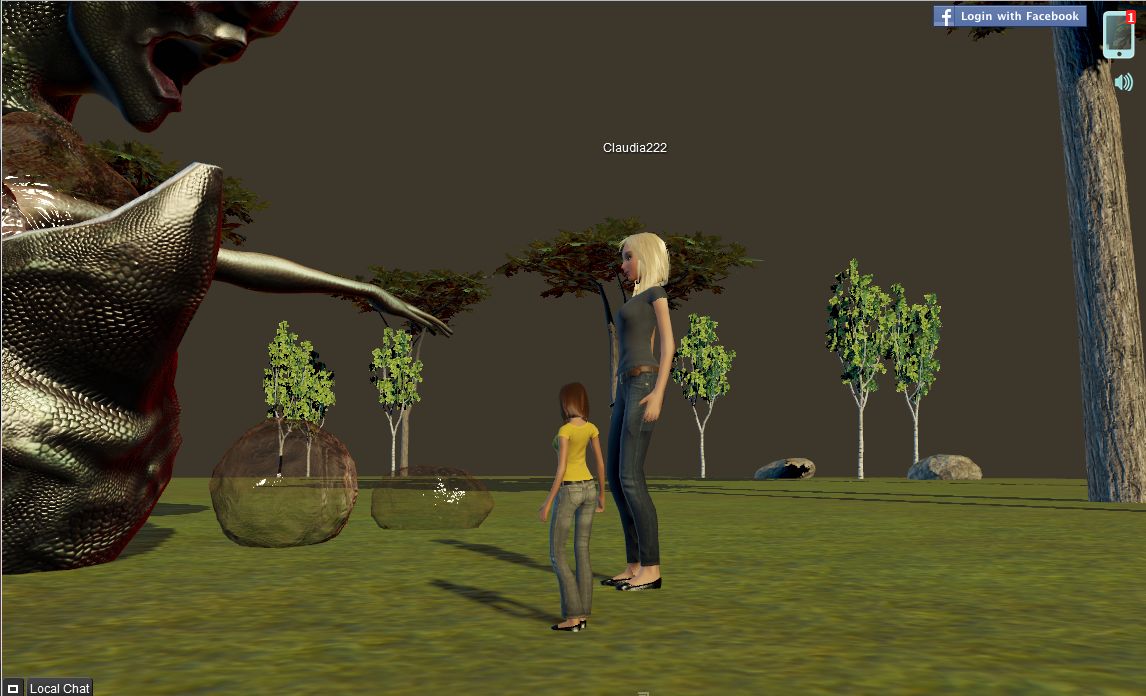
  • Non-player Character (NPC) support has been enabled.
The update also includes an avatar walk fix, which will be contributed back to the OS community.

All-in-all a great update for the platform, and I’m certainly looking forward to getting the time to play with the Windlight capabilities :).

Related Links

Kitely offers world-to-world teleports, expanded Viewer support

When I reviewed Kitely, the on-demand virtual world mid-month, I commented on the lack of world-to-world teleports and a couple of problems I encountered with the Viewer plug-in. The ever-vigilant (and ever-helpful) Ilan Tochner from Kitely contacted me to let me know that both a new version of the plug-in and world-to-world teleports were in the pipeline and would be available “soon”.

Little did I realise that by “soon” he meant before the end of the month!

Yesterday, Kitely’s Oren Hurvitz announced that both world-to-world teleports and a new Viewer plug-in, complete with expanded Viewer support had been rolled out. The blog announcement reads in part:

Teleport Between Kitely Worlds

Teleporting between Kitely worlds finally works! If you try to teleport to a world that is online then you’ll be teleported to it immediately. If you try to teleport to a world that is offline then the world will be started; you’ll remain active in the world you are currently in; and once the destination world is ready you’ll be teleported to it automatically.

Teleport options include:

  • Pressing the Enter World button on the World page for your desired destination
  • Clicking on a region in your viewer’s grid map
  • Searching for regions inside your viewer and requesting to teleport to one of them
  • Opening a Landmark from your inventory and using it to teleport to the landmarked location
  • Accepting a teleport offer from another user.

This is an excellent move, and one that many have been waiting for. However, it’s probably fair to say that even more welcome is the news that the Viewer plug-in has been overhauled and provides both new features and expanded Viewer support.

Required Upgrade

The new plug-in is a required update, and the process is very smooth. If a Kitely user hasn’t updated, they’ll be informed they must do so, together with a concise 4-step set of instructions, when they click the ENTER WORLD button on any World page. The steps comprise:

  • Downloading the plug-in
  • Closing all  browser windows
  • Installing the plug-in
  • Re-starting their browser

Simples!

The new plug-in now automatically supports some of the most popular Viewers available:

  • Catznip Viewer
  • Dolphin Viewer
  • Exodus Viewer
  • Firestorm
  • Imprudence
  • Kokua Viewer
  • Nirans Viewer
  • Restrained Love Viewer
  • Second Life Viewer

Firestorm Default

The Kitely default Viewer has also changed. for those who have no Viewer installed on their computer when they attempt to enter a world, Firestorm will now be downloaded, replacing Imprudence as the default. There are very logical reasons for this: Firestorm supports both mesh and media-on-a-prim, both of which are seen as important tools for in-world use. It’s also fair to say that with the latest release, Firestorm offers potentially the most flexible UI of any Viewer, and should sit well with those users who like the V1-style UI (available through the “Phoenix” mode) or a customised V3.2 UI. I spent some

I certainly applaud the team for the move – and for expanding the list of supported Viewers to include the other top TPVs, allowing users a very wide choice which includes potentially the best two Viewers for photography and / or machinima: Exodus and Niran’s.

Change Your Viewer from the Settings Page

Your choice of Viewer can now be easily changed from your Kitely Settings page:

Change Viewer through the Settings page

Accessing Kitely Directly from a Viewer’s Grid Manager

With these updates, it is now possible to start Kitely directly from a Viewer – although you will still have to ensure the world itself is running first via its World page.

Details on configuring a Viewer’s Grid Manager can be found on the Kitely website (which also includes instructions for configuring Viewers without a Grid Manager).  Once this has been done, the steps to enter a world are:

  1. Go to a World Page and click “Enter World”.
  2. Once the world is ready, you’ll be asked to start your viewer.
  3. Start your viewer; select Kitely in the grid manager; enter your login information.
  4. Click “Login” to log-in to Kitely and your selected world.

These changes bring new flexibility and new capabilities to Kitely, and have been warmly received by users.

Related Links

Flying high in Kitely

Kitely, the “on-demand” grid service recently added Twitter and e-mail sign-up / log-in capabilities to its existing Facebook option. This has opened the service to far more potential users, many of whom were put-off by the Facebook-only approach that was put in place during initial start-up – and I was one of them. However, with the new options available, I decided to drop in to Kitely and take a look around.

For those not in the know, Kitely is a cloud-based VW that utilises an on-demand service operated through Amazon’s S3 and EC2 services. Essentially, if a “world” (analogous to an SL region) is not in use it is stored away rather than running constantly on a server, but can be instantly enabled when someone wishes to access it. This frees Kitely from having to operate complex infrastructure on a 24/7 basis, and allows them to offer a product that is markedly different to other grid-based offerings, as demonstrated by their payment plan – all levels of which provide at least one world / region to every user…

Payment Options

Payment plans (click to enlarge)

The payment options are a mix of fixed monthly plans and what is essentially pay-as-you-go. In this, it very much resembles the types of tariff options offered by cellphone / mobile phone operators.

By default, every new user on Kitely gets a free account. This gives them 2 hours a month access and a “world” (region) of their own if they wish to create one. With this option, additional time in-world is gained through the purchase of Kitely Credits (KCs), which can be brought via PayPal in packs starting at $5 for 1,000. KCs can then be used at the rate of 1 KC per minute of in-world time so a $5 pack can give you an additional 16 hours in-world per month.

The payment plans start from $5 a month. This gives you 20 hours of in-world time, two worlds to use and 300 Kitely Credits a month. The latter can be used to pay for additional in-world time over the allotted 20 hours at the rate of 1 KC per minute (if not used elsewhere), giving you a potential total of 25 hours of in-world time (20+(300/60=)5).

World owners can also define who pays when you visit their worlds – you or them. By default it is you – but to encourage visitors, some worlds are set so that time spent visiting is deducted from the world owner’s KC balance, leaving the balances of any visitors unchanged (so it’s essentially “free” access to the world). Users can also “earn” free time through encouraging those new to Kitely to sign-up and visit their world for 5 minutes or more prior to visiting anywhere else. For every new user who does this, the world owner gains 200 minutes of in-world time.

Finally, as well as the default world available with each payment option, you can also purchase as many additional worlds as you require at the rate of 1 KC per day for each world you require.

Sign-Up

Three options for sign-up to Kitely are available: Facebook, Twitter and E-mail. All three require a valid e-mail address for account validation purposes. The sign-up process is essentially the same for all three: you define your preferred avatar name and gender, provide your e-mail address & accept the Kitely ToS (available to read from the bottom of the website). If you use either Facebook or Twitter, then your credentials from these are used to verify you when logging-in to the system. If you are using the E-mail option, you’ll need to use the e-mail address you supply and password when logging-in.

There are a few points of note with the sign-up / log-in process:

  • If you have both a Twitter and Facebook account, you can have them linked, allowing you an either / or option to log-in to Kitely – useful if either Facebook or Twitter has a major hiccup
  • If you log-in using Facebook, you’ll see your Facebook Friends and Facebook Groups; when you log-in via Twitter, you’ll see Twitter Followers and Twitter Lists
  • The mechanism you use for logging-in may also impact your ability to access Kitely worlds. This won’t be a problem when accessing public worlds (see below), but may affect your ability if attempting to access a specific world. for example: if a world owner has set their world to be accessed by people on their Facebook Friends list, and you are one of those people, but log-in via Twitter, you won’t be able to access that particular world until you re-log to Kitely via your Facebook credentials
  • As you can only use one e-mail address per account, if you wish to sign-up an Alt at any stage, you’ll have to use an additional e-mail address.

Once you’ve completed the sign-up form and verification process, you can log-in to Kitely. This displays a pop-up advising you on what you can do next – create your own world, visit other worlds or buy Kitely Credits. Clearing this drops you into your My Worlds page, which provides summary information on your account and the world(s) you have created.

My Words summary page, as seen by a new account holder

Accessing Worlds: the Kitely Plug-in and Viewer Selection

Accessing a world within Kitely requires two steps:

  • Logging into the Kitely website
  • Logging-in to the required world via the world’s web page

However, the very first time you attempt to enter a world, there are two additional steps you must take: downloading and installing the Kitely plug-in.

You’ll be asked to do this the very first time you click on the ENTER WORLD button from within the Kitely website (see below) – after that, logging-in to a Kitely world from the website is seamless. The plug-in itself takes less than a minute to download on any decent connection, and around the same time to install. It performs a two-fold function:

  • It launches your Viewer of choice  / default Viewer (providing a Viewer is installed)
  • It automatically completes the username and password fields in the Viewer, allowing you to access your selected world without having to log-in manually through the Viewer

By default, the Viewer selected is the last Viewer installed on your computer. However, it is possible to change this if necessary by following some straightforward instructions.

This is actually a very clean and efficient means of logging-in to Kitely, and gives the appearance that everything is being run directly from the website; but it does assume that everyone coming to Kitely has prior exposure to grid-based VWs and has at least one Viewer installed on their computer. Users new to VWs and without a Viewer will find themselves stuck at the ENTERING WORLDS prompt, quite possibly with no idea as to what has gone wrong.

Note, 16th March: As per Ilan’s comment ion this article, the plug-in should in fact prompt for a Viewer download should no Viewer be detected. The current Viewer is Imprudence, but this may change to Firestorm in the future. 

I understand from Ilan Torchner, Kitely’s CEO, that the plug-in is due to be re-written. Whether this will enable it to also install a Viewer (such as the ubiquitous Hippo or similar) as a default is unclear. However, it would appear to be a prudent capability to add as the service increases its user base and increases public awareness of its existence.

Creating Your Own World

Clicking the NEW WORLD button on your MY WORLDS page displays a two-tab pop-up. The first tab allows you to supply the desired name for your world together with any descriptive text (which can be formatted and include images and URLs to websites, etc.) you wish to supply. You can also chose to have the land delivered “empty” (flat default terrain) or with a collaborative environment that includes a number of prefab buildings, or you can opt to upload your own OAR file, if you have previously saved one from another grid.

The second tab of New World enables you to set up who actually pays for their time visiting your world – your visitors or you in terms of minutes / KCs deducted from accounts (default is your visitors), and to set-up access lists of allowed visitors. Once you have satisfied yourself with your initial set-up, click the CREATE button, and the world will be generated and added to your MY WORLDS list.

To enter your new world, click on the world name in MY WORLDS. This will display the world page, which includes a large ENTER WORLD button. Clicking this will launch your browser and automatically log you in to your world (duly noting the plug-in installation described above).

My Kitely world page for my (first?) Kitely world…

Entering Your World

Once logged-in via the Viewer of your choice, you’ll have a default male / female avatar in a default outfit there seem to be a number of avatar option for each gender; a friend who logged-in to also take a look at Kitely arrived with a very different default outfit to the one my avatar was wearing.

If you haven’t used an OAR file to define your world, you’ll have a familiar flat, grass / sand 65K+ square metres to play with and – wait for it – 100,000 prims. You also have full region / estate tools access, allowing you to import terrain files, adjust terrain levels and appearance, etc.

Mesh import on Kitely

Building and terraforming in Kitely is the same as for SL  / OpenSim, and sculpts / mesh are supported. I tested both of the latter using my own sculpt maps generated for Fallingwater and by temporarily uploading a familiar mesh demo model from SL for the latter (right).

XML imports are supported through a suitable Viewer such as Imprudence, allowing you to import content you have created elsewhere and have been able to save locally. There are currently no upload costs to Kitely (including no charges for mesh), making the upload / import of content and your own sculpt maps, textures, etc., easy on the pocket.

Avination add vehicle sim crossing

With the SL-centric news on TPV policy changes, it was easy to miss the announcement that vehicle sim crossing capabilities have been rolled-out to the Avination Grid. I actually caught the new through Maria Korolov’s ever-excellent Hypergrid Business News.

The official press release reads in part:

Avination is the first Grid beside Second Life advanced to the point to offer cars, ships and other vehicles driving across sim borders.

“Breaking down the borders and crossing them!” Avination literally made just that possible for it’s residents. With the latest rollout of its server software Avination became the first grid beside Second Life to allow residents to explore their world using cars, ships, bikes or horse pulled carriages.

The days where one could only cross sim borders hiking or flying or needed a TP to get somewhere else are over.

Whether Avination was the first outside of SL is debatable. InWorldz may equally lay claim to that honour. However, sim-crossings are now available on Avination.

In discussing the roll-out with Hypergrid Business, Melanie Thielker, CEO of both Avination and hosting company 3D Hosting said, “We have worked continuously to improve vehicle physics and we have a good driving feel as it is,” she said. “However, we have also just started a complete revamp of vehicles with the aim to get even closer to Second Life behavior. At this time, Avination supports most of the API [application programming interface] and most values match or need only minor tweaks.” This essentially means that scripts that currently work in SL should work on Avination with minimal revision.

The capability will initially be proprietary to the Avination grid, but will eventually be released to the OpenSim community as a whole, in keeping with Avination’s policy of supporting the OpenSim community, in which it has its roots and strong ties (Thielker is one of the core OpenSim developers).

To mark the roll-out, Avination will be hosting a cross-sim race, sponsored by VirWox, the Austria-based virtual currency exchange and backer of the multi-grid Open Metaverse Currency (OMC), and organised by M Events, a Dutch marketing company which invested in Avination at the end of last year. Details of the race have yet to be announced, and I’ll endeavour to report them when known.

With thanks to Maria Korolov & Hypergrid Business

Daz offer free 3D software suites

Update February 6th: Vivienne Daguerre has an excellent article on using these programmes to create / edit content suitable for use in SL (and OpenSim, no doubt!).

Slightly off-topic for me – but those of you working in 3D or getting into it might like to know – assuming you don’t already – that Daz are giving away FREE versions of the following:

  • Daz Studio 4.0 Pro
  • Bryce 7.0 Pro
  • Hexagon 2.5

Together with a range of plug-ins and additional items. The three packages are offered full and unimpeded in terms of functionality, but on a limited-time offer basis. Versions for both the PC and Mac are on offer. Serial numbers are supplied via e-mail post-download / available via your account page. All told the three applications represent a saving of over $800 on the US retail prices.

To find out more, visit the Daz website. You’ll need to register for an account (no need to supply credit card details), and downloads are held on your Profile page for the specified offer period.

Daz software – free offer (daz3d.com)

My thanks to CS for pointing this out to me.

Hypergrid Business OS Grid Survey 2011

Hypergrid Business, the online magazine run by colleague Maria Korolov has launched its 2011 OpenSim Grid Survey. The first such survey was conducted in 2010, and yielded some interesting results.

This year’s survey is again anonymous – although you will have to supply an e-mail address, this is only for validation purposes to prevent people submitting multiple forms on (for example) the same grid; no personal data will be held on-file, post verification.

Some 20 grids are listed in the survey – although there is space for you to add any grid not on the list. Also, if you do split your time between two or more OS grids and wish to respond to the survey for each of them, you can do so – but make sure you make it clear you are doing so in the COMMENTS field, or you may run the risk of all your submissions being invalidated.

In announcing the survey, Maria describes its purpose thus, “The goal of this survey is to help potential new residents and merchants identify grids they’d want to visit — and to help alleviate some of the fears that people have about OpenSim grids.”

She goes on to state that people should, “Please keep in mind that the more people respond to the survey, the more meaningful it will be. If only a couple of folks comment about a particular grid — and one of them has a bad experience — it may put the grid in an unfairly bad light.”

I’ve already completed the form for the grids I spend my time in when not in SL and for which I can give an accurate set of answers (there are some I’ve spent time in, but not in enough depth to be able to assess things like the overall community, support, etc.).

If you do spend a regular amount of time in an OS Grid, be it small or large, please take time out to complete the survey – it takes about a minute of your time.

You can reach the survey directly from here.