
As a part of a wider effort involving creators from across Second Life, Linden Lab has, since later 2025, been developing and deploying experiences optimised for SL Mobile and geared to helping (primarily) those new to Second Life who come in via Mobile to gain familiarity with using the application.
One such experience in the Mobile Learning Centre, aimed at helping brand new users to Second Life understand some of the basics of the application – although it could just as easily help existing users who have never used SL Mobile to do the same as well. As such, it is something I’ve been meaning to cover for a while.
Like tutorial experiences current and past, the Learning Centre takes a familiar route of taking users through a series of lessons. However, and unlike many past tutorials of this nature it avoids trying to teach someone everything they might need to know – how to move, how to communicate, how to teleport, how to use L$, and so on. Part of this may well because some capabilities are not available to SL Mobile = building, inventory, etc., – but there is also the fact that by keeping things to a minimum and not including things like chat (which is possible in SL, mobile, obviously), the Learning Centre avoids overwhelming a new user with a large volume of things to learn and remember all at once; although it does provide the means to demonstrate some additional capabilities, which I’ll come to.
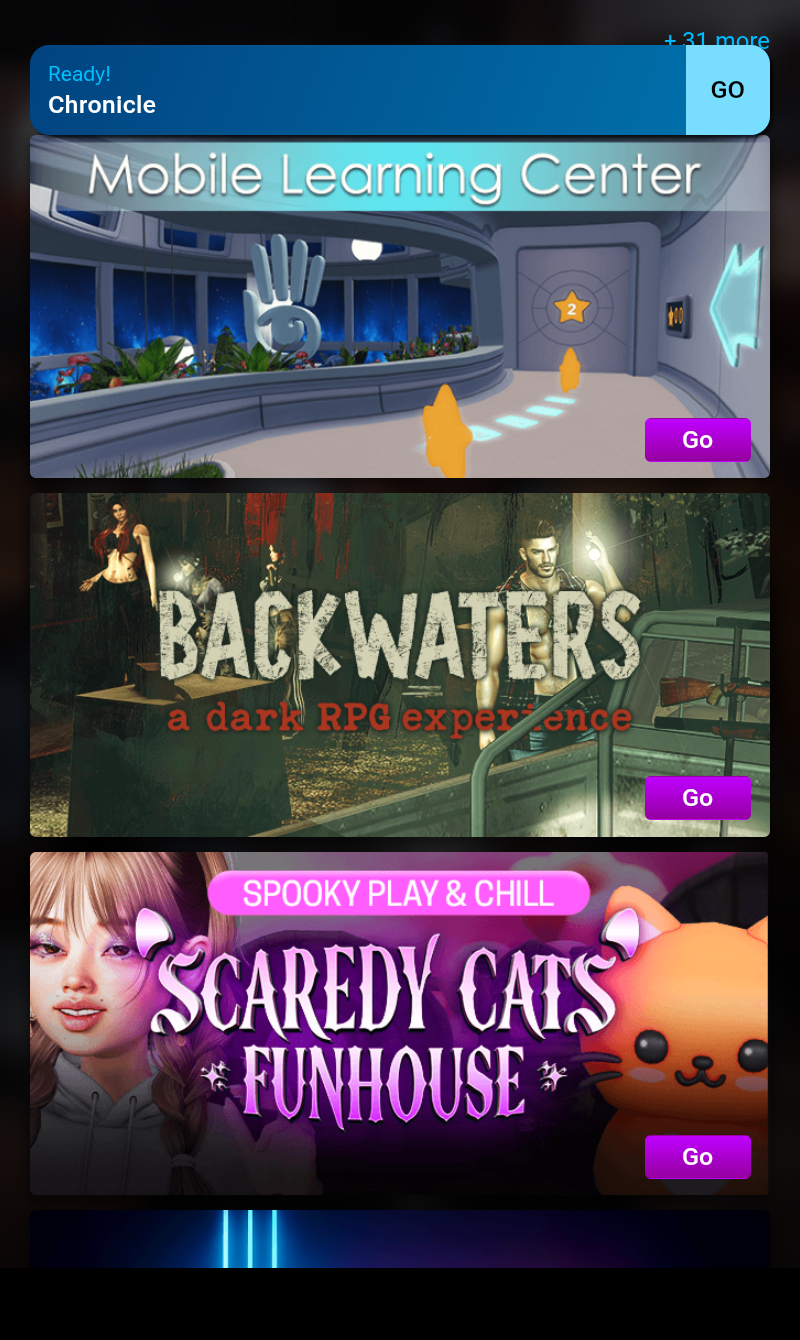
Available from the selection of experiences displayed when logging-in to SL Mobile, The Mobile Learning Centre is the work of the SL Studios team, and developed in consultation with the Marketing and Growth team.
The aim was to take what had been used in past in-world tutorial environments and offer something that would be usable, informative and carries an element of fun. The entire experience is set aboard a space vessel of some description and involves moving through various rooms where learning activities are to be found.
Everything is based around the collection of large stars along the way. These both open intervening doors between corridors and rooms and also form a “side quest”: collect enough stars and you’ll help the commander of the space ship, one Captain Rilo, regain control of his vessel, which he and his diminutive crew have apparently lost (perhaps not the most encouraging thing to hear when you’re aboard said vessel!).
After tapping the GO button for the experience in the App, users are delivered to a start point where the above mechanics are broadly explained, and the first directions on movement are presented. It is here that, obviously, one of the most important elements of a tutorial like this is to first be encountered: the signage.
Outside of the informational signs at the Landing Point (seen at the top of this article), the majority of the signage is graphics only – no words, and presented in a manner that is easy to understand. Panels are also limited in number at each station along the way which also helps avoid a sense of information overload.
A lot of the learning effort is given over to gaining familiarity with using SL Mobile’s joystick for movement – and this is worthwhile; the joystick can be small for stubby fingers and, depending on the device being used highly responsive (on my 8-inch tablet sliding the joystick can result in my avatar zooming around), so practice makes perfect.

Part of this practice involves some climbing and walking along elevated walkways, encouraging patience and care in using the joystick. Within another, aquarium-like room, there is a lesson in learning to fly.
Along the way there is a showcase of one-world locations (although no teleports to them), a trip through the space ship’s bridge area to earn the thanks of Captain Rilo (if you’ve collected the required stars), and a final sort-of social space / teleport room where people can relax or use the teleport portal to continue their explorations or access the Mobile Showcase and / or Destination Guide (and, in the case of established users, their Landmarks) within the Mobile App, or play something of a game.
The stars needed to access the various rooms and to help Captain Rilo can be found along the corridors and walkways and within the rooms themselves. They are gathered by passing through them. Each room requires the collection of a set number of the correctly coloured stars, and care has been taken to make sure there are more stars of a given colour available than are needed to open a specific door, so if one proves to be difficult for someone to obtain, there are alternatives.
In terms of helping Captain Rilo, this is optional and pretty basic. It can be skipped by only focusing on getting the stars to the various learning rooms, but the trip to the bridge to earn his thanks is a bit of an interesting side bar to getting around. It also potentially helps new users gain their first SL Mobile achievement – walking 250 metres (in fact, walk around enough, and you’ll get the 1 km achievement!).

There is also more of a game to be found at the end of the main “learning loop” (so to speak) and within the portal room: collect enough red stars and a trap door in the floor will open up allowing users to drop through into a series of stacked chambers, each one containing both stars of all colours and floors of hexagonal floor segments.
The idea here is to move around each chamber as quickly as possible, collecting the stars by colliding with them and avoiding floor panels which may vanish from under you. A failure with the latter means falling down to the next chamber, where the process repeats. Falling through to a final chamber presents a “star path” winding back up to the gallery overlooking the portal room.

Within the portal room and the galleried level above it, are chairs and tables. The former are actually interactive and can be sat on (and under updates made mid-2026, will display the pose dialogue box, allowing users to adjust their sit position). Signage to one side of the space indicates this – but I couldn’t help but feel placing it closer to the lower floor seating might be better.
The Welcome Hub teleport portal will drop those using it into the Community Exhibition, which should allow new starters learn more about Second Life, and close to one of the Hub’s teleport boards. Here again is an opportunity for possible confusion, given the Hub is more geared to using the Desktop viewer. Given this, setting the Landing Point from the Learning Centre is a good move, but some indication that elements of the Hub do reference capabilities more suited to the viewer might be a little helpful.
In this regard, perhaps a dedicated landing area for those teleporting from the Mobile Learning Centre? This could even include a teleport back there for those who may have access the portal from there prematurely. Of course, there are helpers with the Hub who can provide assistance, but a little pointer wouldn’t go amiss overall.

It is possible that some might feel the Mobile Learning Centre doesn’t cover enough essentials – what about communication, for example? Not a single lesson on using chat or Voice. However, SL Mobile’s UI is somewhat intuitive in this regard, and there are sufficient on-screen icons to encourage tapping and trying, so I don’t see this as much of a shortfall in things.
There’s also the problem of where exactly do you draw the line of direct exposition? If you include chat, what about IMs? If you include chat and IMs, what about Group chat? If you include Group chat, what about… – and so on. This is often where learning systems for SL fall down; yes it is complex, yes there is a lot to learn – but it doesn’t necessarily have to all be learned in a single pass, even with something as basic as SL Mobile. Simply put, piling everything and the kitchen sink into a tutorial system can end up being as off-putting as not having any learning experience at all and simply expecting users to get on with it.

In this latter regard, I understand from those at the Lab discussing the Mobile Learning Centre, that this is borne out from the feedback gathering by the data team: the experience is the strongest performing of those thus far set-up, gaining largely positive feedback from users passing through it who are subsequently surveyed.
For my part, I found the experience pleasant and easy to follow. The niggle noted above vis-à-vis the Welcome Hub is just that: a niggle; it doesn’t detract from the Mobile Learning Centre in any way (well, the Hub isn’t part of the Centre, so…). Yes, the “side quest” with Captain Rilo is a tad twee, but that’s nothing to really rail against, and as noted already, it can be avoided.

If you do opt to pay a visit, I strongly recommend you only so so using SL Mobile rather than the Desktop viewer – hence no SLurls in this article!

