A renaissance festival for MSABC in Second Life

Banner courtesy of the SL Renaissance Festival

Making Strides Against Breast Cancer (MSABC) is a global signature event coordinated by the American Cancer Society aimed at raising awareness of the risks of breast cancer and in raising funds to support research into, and treatment of, the disease. Traditionally held in the latter half of the year, in 2019 MSABC raised over US $13,600 large through two main activities – Out to Shop and The Pink Power Fest / Making Strides Walk-a-Thon.

This year, MSABC is changing things up again, and in doing so, they are also hoping to show support for, and receive it from, another of Second Life’s active communities: the medieval / renaissance community.

The Second Life Renaissance Festival in support of Strides will open its doors on Friday, September 25th, 2020 and will run through until Sunday, October 4th, 2020 inclusive, and it will offer something for everyone interested in the medieval / renaissance period, or who wants to support the global work of ACS in respect of treating and curing breast cancer.

The festival will take place across four themed regions – or kingdoms, as they are being called. They will comprise:

  • Two Kingdom Shopping Regions, which will also include the Minstrel’s Corner (the entertainment stage), and will host the Best In Helm contest and the Tale Of Heroes activity, of which more below.
  • The tournaments region.
  • The Kings Court Academy region – focused on role-play – which will also feature the Traveller’s Camp, home to the event’s Gatcha and auctions (silent and one-of-a-kind).

We’d like our events to be all inclusive, so the Best In Helm contest is open to anyone wanting to take their photo in knight’s armour. Visitors to the festival will be able to vote for their favourite knight by making a donation  through the Strides kiosk alongside their chosen knight.

The Tale Of Heroes is open to anyone in Second Life who wishes to tell their story of how Strides and / or Breast Cancer has affected them, or what it means to them.

– Nuala Maracas, Renaissance Festival co-coordinator

The tournaments region will offer a range of period tournaments – jousting, archery, mêlée, mounted archery – on a daily basis throughout the festival, and these are again open to anyone who like to try their hand at any of them.

The Kings Court Academy will feature a range of period role-play classes for those interested, and offer practice grounds for those wanting to try their hand at the various tournament activities, either on their own or via a scheduled class. It will also host the Conquer Trail, a path people can take on foot or horseback, running or walking, and use slingshots or rotten tomatoes to try to strike targets; hitting a target will provide information about Making Strides Against Breast Cancer and the services it provides.
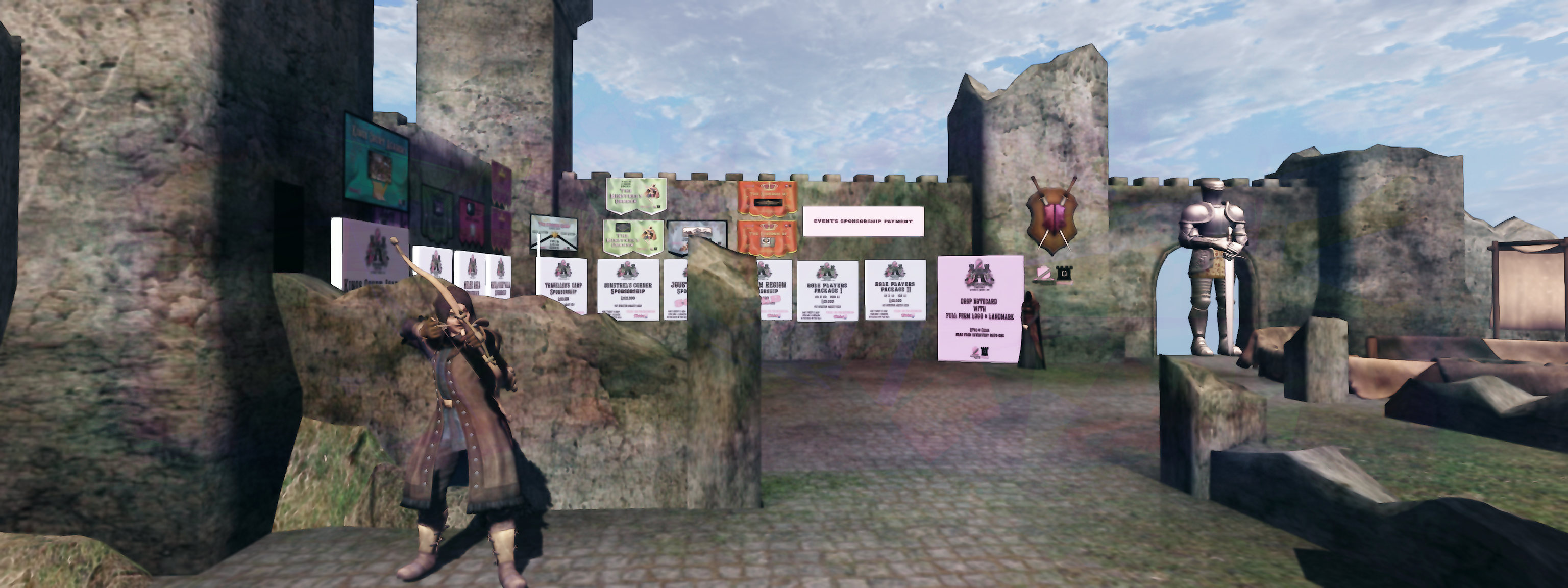
Renaissance Festival merchant’s payments area (post registration)

Currently, the festival is taking registrations from: sponsors, merchants interested in participating – although slots for both are running out! – and period role-play communities / groups. Details can be found on the festival’s website as follows:

Those who wish to help in organising the event can also visit the volunteer’s sign-up page. Note that this does not include any sign-up for stage managers, greeters, entertainers, bloggers, etc., – a call for these positions will be made in due course.

Further information on the festival will be made available through the Renaissance Festival website as it becomes available, and I hope to provide updates through these pages as well.

My thanks to Nuala Maracas for spending time with me to discuss the event.

Picturing the lighthouses of Second Life

HEA: A Tribute to Lighthouses

If there is one thing region designers / owners tend to love in Second Life, it is lighthouses. Over the years, I’ve visited and written about hundreds of region designs around the grid, and one of the most common elements to be found across them is the humble (or grand, or steampunkish or fallen or … and so on!) lighthouse. And they reside not just on public regions either; they can oft pop-up on private region homes (so much so that a couple of estates around Blake Sea actually requested tenants stop using lighthouses as island décor!).

And to be fair, they can be an eye-catching sight – I admit to photographing more than a few in my travels and frequently use one of SL’s most famous lighthouses: that of Blake Sea – Crows Nest (itself modelled after Fastnet, off the southern coats of Ireland) as a backdrop for photos of boats and aircraft.

Give their extensive use, lighthouses present an interesting topic for a photographic exhibition – as witnessed by the Queen Bee Gallery July exhibition at Hannington Endowment for the Arts (HEA). A Tribute to Second Life Lighthouses features no fewer than 38 images of lighthouses from around Second Life, captured by Ferugina Luna.

HEA: A Tribute to Lighthouses

Offered in a range of styles: individual pieces, themed groups, lightly processed, untouched and significantly processed, triptych style, and do, on these are images that cover all of the various types of lighthouse to be found within Second Life – inland, coastal, tall, short, with accompanying keeper’s house, standing alone, guarding sea routes or looking out from beaches or cliffs…

To be sure, thirty-eight is a lot of images to take in. On the one hand, they reveal that when all is said and done, there is a little number of individual variants to be found within SL (excluding those that are custom-built). It means there is a certain amount of repetition to be found within the images – the aforementioned fallen lighthouse, for example. On the other, by having so many images to hand it is possible to see the many individual ways in which region owners and designers put them to use to make a statement about their land; while the same design may appear in multiple images, the manner in which each is used can be quite individual.

HEA: A Tribute to Lighthouses

There’s something else in this as well – seeing the same design from multiple angles can do much to “place” it in terms of the possible inspiration behind it. Thus, A Tribute to Second Life Lighthouses offers visitors a twofold treat: images of the subject matter from around SL, and an opportunity to consider where on Earth some of the inspirations for the building designs come from. For me, I found myself looking at photos from around the UK; others might well be put in mind of famous lighthouses from their part of the world. My one regret with this exhibit is the in-world locations where the pictures were taken isn’t evident.

SLurl Details

K360 – a 360-degree image viewer

The K360 Image Viewer, courtesy of Yuzuru Jewell / Kanae Project

Yuzuru Jewell is a long-time Second Life user who has, over the years, come up with a number of tools that have been of assistance to SL users in various ways. I first became aware of his work – provided under the Kanae Project banner in 2012, and have documented a number of his applications in these pages.

For his latest product, Yuzuru offers a handy tool that may be appreciated by those who enjoy creating 360º photographs. K360 is a lightweight viewer that supports viewing (or previewing) 360º photographs primarily taken with the Second Life 360º Snapshot viewer, although it works equally well with any composed 360º image, including those produced by 360º cameras and – in the case of Second Life – via third-party HUD systems (see the links at the end of this article for more on these).

Of course, most photo platforms now provide 360º image viewing support, so why use a third-party tool like this? Well, there are a couple of potential reasons: many viewers are either mobile based, and thus hardly ideal for use with a desktop application like SL), or they rely on images being uploaded to a website first. K360 allows you to quickly and easily view 360º images directly from any Windows folder on your computer and offers some additional functionality as well.

A 360 image produced in 2016 using the Illiastra Camera HUD, viewed using K360

Of course, the Snapshot viewer includes photo preview capability already built-in (just drag the window out to get a equirectangular style image) – but this only allows you to preview the last 360º image captured. The advantage of a tool like K360 is that you can set the camera up and take a series of 360º images of the same location but under different environment settings, compare and contrast them to see which you particularly like, and then upload that version to your preferred photo sharing platform  (or simply browse them on from your local drive).

Using K360 is simplicity itself, as described below. However, when using it, please note:

  • By default, images rendered in the K360 viewer will be watermarked (but all other functions in the application work).
  • To remove this watermark, the application will require a registration user name and licence number.
  • Licences cost L$3980 and can be purchased from the Kanae Project in-world store.

Download and Installation

  • Download the viewer from the Kanae Project website as a .ZIP file. It’s is available in both Windows 32-bit and Windows 64-bit versions.
  • Navigate to the downloaded .ZIP file and extract the contents to a folder / location of your choice on your computer.
  • Navigate to that folder, open it and double-click on the K360.exe file to launch the viewer.

Using K360

Resizing the Application Window

By default,the K360 application window may open to a fairly small size on your screen. To adjust this, either:

  • Click the window maximise button, top right, or
  • Manually resize the window by dragging out the edges.

The Interface and Controls

The K360 interface comprises up to six buttons:

Register – click to open the project registration field to enter your user name and your purchased licence number, as obtained via your purchased registration HUD. Once conformed as valid, this icon will no longer be displayed. Ensure you keep the registration HUD safe.
Select and open any folder containing 360º snapshots.
Page back / forth all suitable images in the selected folder.
Produce a snapshot of the current 360º image. Note that as the 360º image is spherical, this may result in a “curved” flat image.
Re-centre the current image after scrolling around it.

When you have opened a 360º image for viewing:

  • Click and hold the left mouse button to drag-rotate the image (or roll your trackball in the required direction.
  • Use the mouse wheel to zoom in / out of an image.
  • Use the Reset button to re-centre the image to how it appeared on first opening it after rotating / scrolling / zooming, if required.

You can also hide / unhide the the interface buttons by clicking on the “ribbon” containing the Open, Snapshot and Re-centre buttons.

Feedback

K360 is probably a little ahead of its time. As it is there are further fixes required to the 360º snapshot viewer before it is ready for prime time imaging capability of the 360º Snapshot viewer (notably, objects outside of the camera’s field of viewer when the capture process commences don’t always show as correctly rendered in a completed shot  – these are known issues, and Linden Lab is working to correct them).

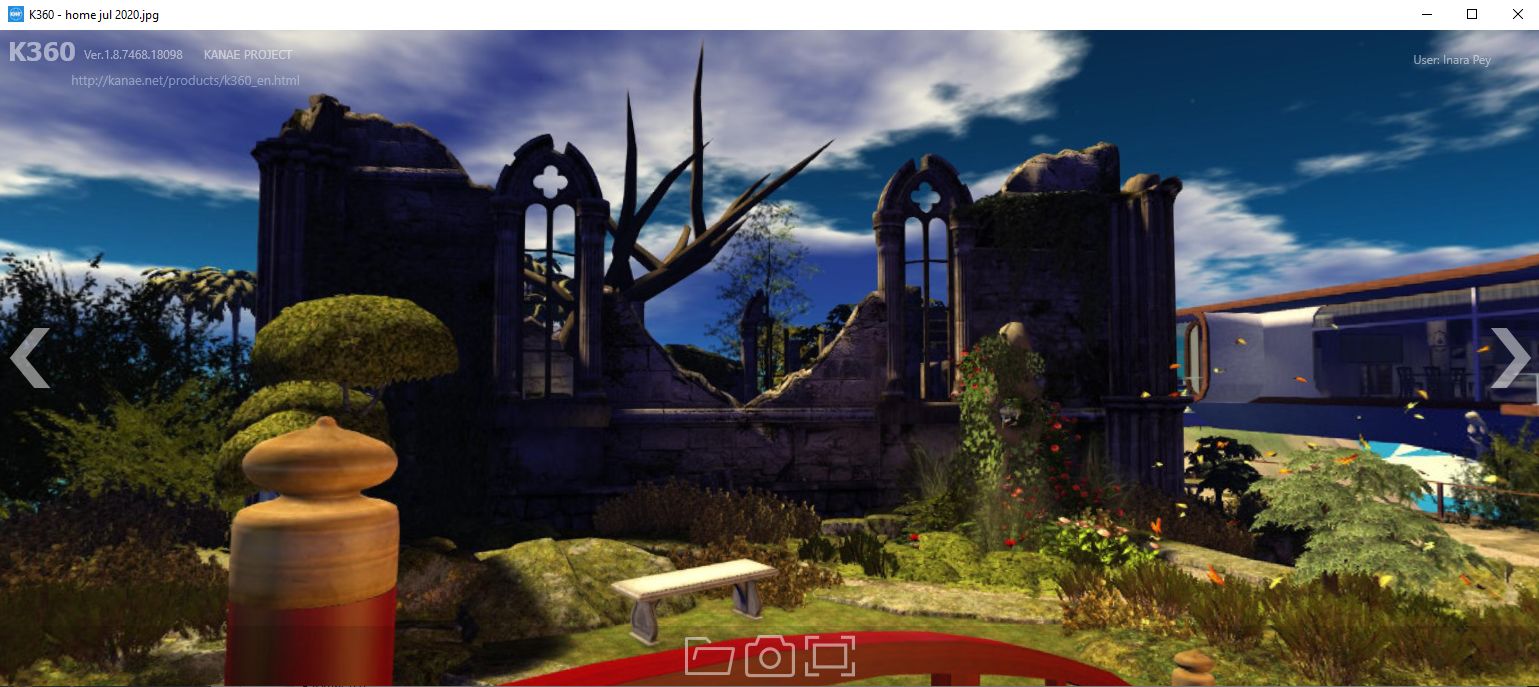
A 360 image using 360 Snapshot project viewer (version 6.2.4.529111) shown in the K360 app. Note the denuded tree is an example of the rendering issues that can occur with the Snapshot viewer at the time of writing (Interest List issues). Issue like this will hopefully be resolved in time, allowing the viewer to eventually progress to release status.

In this respect, the value you get out of K360 at this point in time could be variable – although if you want to give it a try and don’t mind the watermarks appearing across your images, it won’t cost you a penny to do so.

If you already have a selection of 360º images from the 360º snapshot viewer or from the various camera HUDs that are available – or indeed stored on your PC from the physical world – and would like a quick and easy way to view them on your computer, then K360 might well be worth a look.

Related Links

2020 Content Creation User Group week #27 summary

Yes – Endless, May 2020 – blog post

The following notes were taken from my audio recording and chat log of the Content Creation User Group (CCUG) meeting held on Thursday, July 2nd 2020 at 13:00 SLT. These meetings are chaired by Vir Linden, and agenda notes, meeting SLurl, etc, are are available on the Content Creation User Group wiki page.

SL Viewer

  • A Custom Key Mappings project viewer, version 6.4.5.544079, was issued on Tuesday, June 30th.

The rest of the official viewers in the pipeline remain as follows:

  • Current Release viewer version 6.4.3.543157, dated June 11, promoted June 23, formerly the CEF RC viewer.
  • Release channel cohorts:
    • Love Me Render RC viewer, version 6.4.5.544028, June 30.
    • Tools Update RC viewer, version 6.4.5.544097, June 25 – this viewer is built using VS 2017 / a recent version of Xcode, and Boost.Fiber. It contains no user-facing changes.
    • Arrack Maintenance RC viewer, 6.4.5.544024, issued on June 24 – this viewer uses Viewer Manager 2.0.538279.
  • Project viewers:
    • Custom Key Mappings project viewer, version 6.4.5.544079, June 30.
    • Mesh uploader project viewer, version 6.4.4.543141, June 11.
    • Copy / Paste viewer, version 6.3.5.533365, December 9, 2019.
    • Project Muscadine (Animesh follow-on) project viewer, version 6.4.0.532999, November 22, 2019.
    • Legacy Profiles viewer, version 6.3.2.530836, September 17, 2019. Covers the re-integration of Viewer Profiles.
    • 360 Snapshot project viewer, version 6.2.4.529111, July 16, 2019.

General Viewer Notes

  • The Love Me Render (LMR) RC viewer is still absorbing fixes for EEP and rendering issues. Version 6.4.5.544028, dated June 30th includes a fix for BUG-225784 “BUG-225446 regression – HUDs are again affected by environment setting”. This viewer will hopefully in time include a fix for specularity issues (see BUG-228781 and BUG-228581).
  • It looks like the Legacy Profile viewer could be getting promoted to RC status very soon.

ARCTan

Project Summary

An attempt to re-evaluate object and avatar rendering costs to make them more reflective of the actual impact of rendering either in the viewer. The overall aim is to try to correct some inherent negative incentives for creating optimised content (e.g. with regards to generating LOD models with mesh), and to update the calculations to reflect current resource constraints, rather than basing them on outdated constraints (e.g. graphics systems, network capabilities, etc).

As of January 2020 ARCTan has effectively been split:

  • Viewer-side changes, primarily focused on revising the Avatar Rendering Cost (ARC) calculations and providing additional viewer UI so that people can better visibility and control to seeing complexity.
  • Work on providing in-world object rendering costs (LOD models, etc.) which might affect Land Impact will be handled as a later tranche of project work, after the avatar work.
  • The belief is that “good” avatar ARC values can likely be used as a computational base for these rendering calculations.

Current Status

  • Vir’s updates to jelly dolls have hit a couple of issues whilst in QA, but should still get rolled into the ARCTan project once he’s had a chance to fix them.

In Brief

Pathfinding Navmesh

  • A request was put forward to allow scripted access to rebaking a region’s navmesh (used with Pathfinding).
  • A use case for this would be something likes a procedural game where elements of the scene may be placed via script in accordance with progress.
    • As alterations to a scene impact the navmesh, this can upset NPCs using it.
    • Currently, the only way to rebake is via manual intervention, which can be missed.
    • Offering a scripted means would ensure the navmesh is automatically updated when required.
  • This type of scripted update has been requested in the past, and generally frowned upon due to the risk of potential abuse. However, risk could be mitigated by limited the scripting option to estate owners / managers, and using a throttle on the number of allowed requests.
  • That said, multiple rebakes of the navmesh can themselves have a cumulative impact on simulator performance and resources (particularly on Homestead regions), such that a region restart is required to correct matters, which might in some cases be as disruptive, so this would likely need to be re-examined.
  • Currently, there are no plans to work on Pathfinding in the short-to-medium term, however, it has been requested that the idea is written up as a feature request for review by the Lab.

Other Items

  • There as been a request for the viewer to support Scalable Vector Graphics (SVG) image format (see: BUG-229007). However, this would require an extensive overhaul of the graphics pipeline (which currently uses JPG2000) in order to ensure all texture handing had a code path for running SVG. So this is not a likely target for a project.
  • There was a general discussion on the animation system and file formats (.ANIM and .BVH) including long-standing requests to overhaul the system and provide overrides for priority, speed, start / stop frame, etc., and more informed control of easing out/in to the animations. Currently, there is no work being planned for the system, however.
  • A request has been made to allow for scripted interrogation on how people are using EEP. The specific use case would be a game or similar, where a specific environment has been set (e.g. fog / reduced visibility) and the system could query incoming systems to ensure the viewer is set to Use Shared Environment, and if not, advise the user they need to change their setting. Not clear if / how this will be addressed.
  • Next meeting: Thursday, July 16th, 2020.

A look at UASL in Second Life

UASL July: Skyler Morningstar Arel

In the wake of the Linden Endowment for the Arts winding down almost a year ago (see: Linden Endowment for the Arts to officially close), a number of in-world arts group were created in an attempt to fill the void left by its departure so as to offer artists a range of facilities and opportunities in lieu of those presented by the LEA.

Well none can in all honesty provide anywhere near the extensive facilities and opportunities presented by the LEA (that’s the advantage of having the Lab sitting behind you), several have gone on to offer artists rich opportunities for the exhibition of their work. One of these groups is the United Artists of Second Life (UASL), operating out of the Mainland and presented facilities on, and over a full region.

UASL is a relaxed group of artists in SL that share and communicate regarding various art events and opportunities open to the artist community. We encourage people to use their imagination and to continue to learn different methods of creating art. We fully support other artist groups. As well, we manage and host our own events.

– from the introduction to United Artists of SL

UASL July: Tempest Rosca-Huntsman and John Huntsman – Perception

As with many arts groups and galleries, UASL provides opportunities for artists to display their work. But they also offer more besides including:

  • A sandbox area.
  • A learning centre for talks, presentations and instructional sessions.
  • Ground-level display spaces available for rent by group members (art sales currently prohibited), with displays subject to group rules.
  • An events space.
  • A supporting website complete with an in-world HUD for accessing it, and the ability for group members (preferred) to write blog articles.
  • A paintball arena.
UASL July: Storie’s Helendale – Silences

The main landing point is on the ground level, which is also home a a 2D gallery space, the sandbox, the aforementioned display spaces upcoming rental areas and the learning centre. Teleports from here access exhibition spaces for artists, located in the sky overhead. These are called Performance, Prodigious and Utopian. Each comprises three units of four display areas apiece stacked one atop the previous.

At the time of my visit, Prodigious was the most active, with the following artists using it:

  • Level 1: Chris Craft (ChrisCraft Undercroft), Skyler Morningstar Arel (SkylerStormySky), Riannah & Chelo and VanessaJane66.
  • Level 2: Karma Weymann, Tempest Rosca-Huntsman and John Huntsman, Barry Richez,
  • Level 3: London Junkers, MarieMadeleine38, VarianBlake, and ZackHerrMann and Storie’s Helendale (GlitterPrincess Destiny).
UASL July: Karma Weymann

Further information on UASL can be found through their in-world group and by visiting the UASL website or region.

SLurl Details and Link

Carolina’s new summer look in Second Life


Caolina, July 2020 – click and image for full size

It’s been a year since we lasted visited Arol Lightfoot’s Homestead region design of Carolina, so given it is back in a summertime look, we hoped over recently to see what was new and found the answer to be, “Everything!”

In the summer of 2019, Carolina was very much tropical in nature with lowlands, beaches and bays all combining into a setting ripe for wildlife and opportunities to wander (see: The beaches of Carolina in Second Life). For summer 2020, the lowland feel to the region is largely retained – with two very obvious exceptions – but the setting is very much more temperate in style.

Carolina, July 2020

Those exceptions are two tables of the rock that rise in the south-east corner of the region, separated one of the other by a narrow gorge but maintaining contact by means of the rope bridge that has been slung between them. The larger of the two sits bare-headed save for a single wooden frame. Its south side drops straight and true to a lip of rocky land that sits above the region’s one major stretch of sand; to the north it in part falls to a set of low-lying steps that then descend onwards to the region’s inland grasslands.

The second plateau reverses this arrangement: its north side drops sheer to the lowlands, whilst its south face steps down towards the sea in a series of rocky shelves over which water tumbles to form three streams that spread out to the surrounding waters like splayed toes.

Carolina, July 2020

The landing point sit on the larger table mountain, the wooden frame forming the upper end of a zip line (Cube Republic’s excellent design) that presents the only way down other than stepping off the edge of the cliffs and trying to avoid hitting the ground below too hard. The line stretches out over the southern lands, crossing above grass, sand and sea as it descends to reach a small, crooked headland, where sits a small lighthouse and an accompanying modest bonfire.

Where you go from here is up to you: scramble down the rocks and you can follow the beach as it points eastwards until it arrives at the splayed toes of the mountain steams. Or you can turn slightly inland and follow the gravel path that runs in the same direction as the beach, but along the lip of rock that sits above the sand. This route has the advantage of offering a bridge over one of the streams and the opportunity to strike off inland through the gorge between the high hills. Or, you can leave the beach and path along the south side of the region until later, and head immediately inland from the lighthouse and headland.

Carolina, July 2020

It is this last route that will open the rest of the region to you, revealing it as a land rich in oak and willow and ash and birch, the trees scattered across the grasslands and around the small bays that sculpt the coastline. Three buildings sit upon the land, all ranged to the north and varying in style from a cosy waterfront cabin that looks east over the little curve of  sand, gravel and rock that might pass as the region’s second beach, through a summer house sitting within its own wild garden whilst offering more creature comforts within, to a solid rectangle of a house that sits on a rounded north-west headland as if awaiting occupancy.

There are multiple ways to reach all three, and all of them are set far enough part such that walking between them will reveal more of the island’s secrets. But as cosy (at least with two of them) and attractive as they are, and deserving they may be of being seen, they are not the focal points for the region. That honour goes to the large pond sitting close the the centre of the land and from which a great weeping willow rises, offering shade and coolness beneath its drooping arms.

Carolina, July 2020

With mist curling around the base of the tree and the water topped by reeds, lilies, marsh plants and waterlogged grass, the pond is home to all manner of birds and waterfowl that make it a haven for photography, while the piers and open-sided boat offer places for romance and sitting within its arms.

It is in wandering the island and finding it wildlife – birds, frogs, otters, bears – and the accompanying animals – dogs, cats, horses – that gives Carolina a depth of life. While the many ways to explore it give plenty of opportunities to find the little surprises (I presume the telephone box sits among the firs and birch of the gorge is there just in case someone want to make a  … trunk call!) and touches that lie throughout.

Rezzing in the region is open – but visitors are asked to kindly restrict this to poses and props for photos and to please clean up when they’ve done. For those seeking a place to sit and cuddle / chat / pass the time, Carolina offers numerous places where all three can be enjoyed, once again making it another engaging and charming build from Arol.

Carolina, July 2020

SLurl Details