SL project updates 30/3: TPV Developer meeting

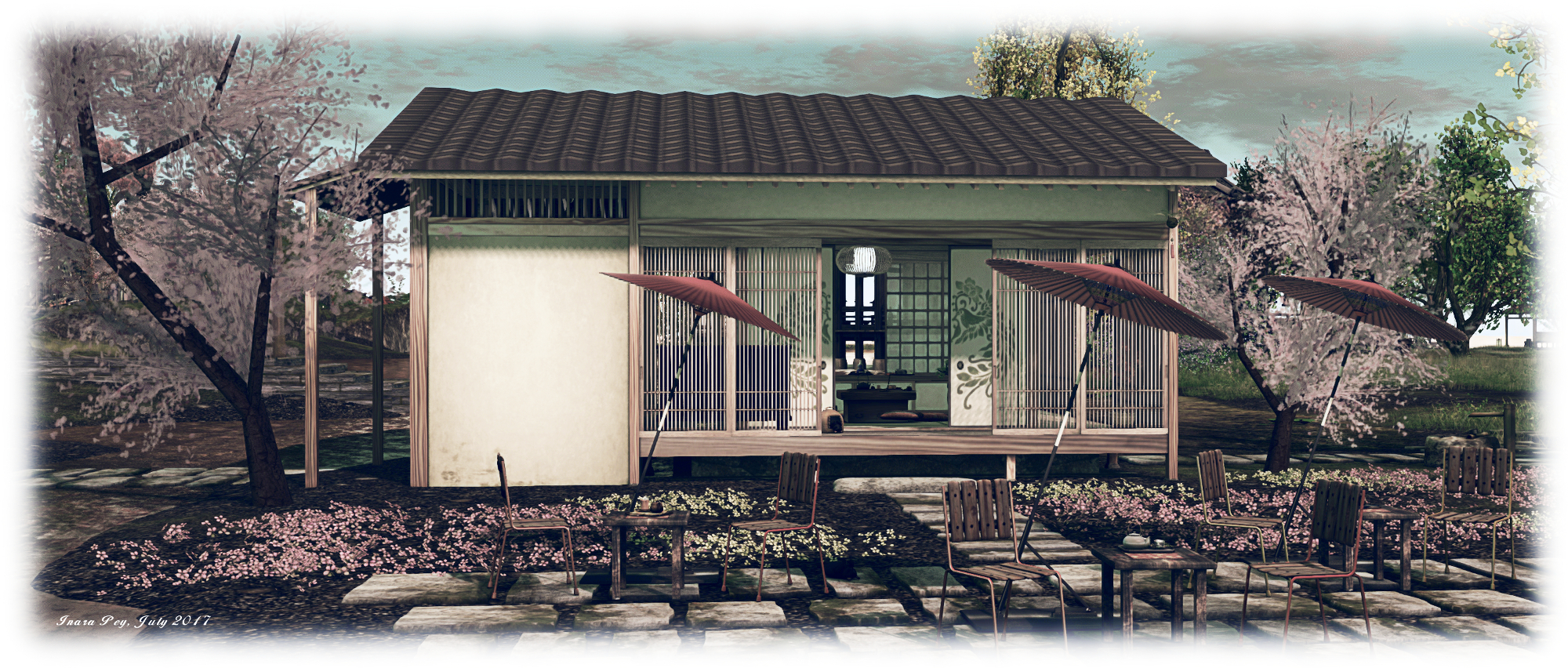
Follow Your Bliss, Sea Foam; Inara Pey, July 2017, on Flickr Follow Your Blissblog post

The majority of the notes in this update are taken from the TPV Developer meeting held on Friday, July 28th 2017. The video of that meeting is embedded at the end of this update, my thanks as always to North for recording and providing it. Timestamps in the text below will open the video in a separate window at the relevant point for those wishing to listen to the discussions.

Server Deployments Week #30 – Recap

Please refer to the deployment notice for the week for latest updates and news.

Main (SLS) Channel

There was no deployment / re-start of the Main (SLS) channel on Tuesday, July 25th, the Main (SLS), which remains on server maintenance package #17.07.11.327548. This update included a fix to allow DJ boards to work, however, any scripts which have not been updated to meet the new requirements may not work. for details, please refer to this forum thread.

RC  Channels

The deployment to the RC channels did not go as planned, after it was discovered the release had a creeping crash bug that could not be reproduced on Aditi, but would be a bad experience for all regions on the RCs. A roll-back was therefore performed, leaving all three RCs on the same server maintenance package as the Main (SLS) channel (#17.07.11.327548).

SL Viewer

[0:10-3:33] The Maintenance RC viewer updated to version 5.0.7.327940 on Friday, July 28th. This update includes two crash fixes, and an update for a pull request fix, which Oz has asked third-party viewers to include as soon as possible. Essentially, some of the very low-level code in the log-in process has a very aggressive approach to retries if it encounters log in delays, and this needs rectifying.

This only became apparent when a main network cable in the Lab’s data centre was severed (by a backhoe!). This shifted log-in attempts to an alternative network connection where the combination of high user numbers and this aggressive retry loop in the code resulted in what was essentially a denial of service attack which overwhelmed the log-in servers. Given the depth of the code in the viewer, it is believed it is present in the vast majority (if not all) viewers. This also means the Maintenance viewer will get promoted relatively soon.

[3:59-5:16] The Alex Ivy 64-bit viewer still has an elevated crash rate and the Lab is making changes to obtain better data on the crashes. The 32-bit version of the viewer in particular is suffering “really high” crash rates.

The remaining viewers in the pipelines remain unchanged:

Web Property, Attachments and ToS Issues

[5:48-7:01] Some users have been experiencing some or all of the following issues during the week:

  • Inability to access various LL web properties (e.g. their own dashboard, the JIRA system, etc). As of the TPV Developer meeting, all web services were believed to be back up and running, although the Lab weren’t sure as a to the cause of the issues.
  • Attachment failures – either on attach or with scripts. These are still being investigated, and a definitive cause has not yet been found.
  • The Terms of Service update, which officially comes into force on Monday, July 31st but which currently requires acceptance by users, has been causing log-in issues for some. Again, the cause isn’t as yet known.

Other Items

Parcel Sounds

[7:55-13:12] There is a discussion on parcel sounds (from objects and avatars). In short: parcel sounds can be restricted from within a parcel going out, but not for sounds from other parcels coming in. As parcel privacy is two-way, this has caused some confusion for some users. The Lab is hesitant to change the scope of the setting (e.g. make it apply to both sounds leaving and entering a parcel), they are possibly amenable to changing the setting to sounds are restricted to parcels by default, or receiving a code contribution / feature request to separately stop sounds entering a parcel.

Sansar Public Beta

[17:58-18:50] During the meeting, Oz Linden indicated that the Sansar public Creator Beta will be launching on Monday, July 31st / during the week commencing Monday, July 31st.

However, during the week of July 24th through 28th, the Lab hosted a series of meetings involving staff, those of us fortunate enough to be in Sansar and creators and bloggers from Second Life who have not been a part of the Creator Preview in which it was indicated the company wasn’t ready to provide a date for the public Beta, other than it being “soon”.

We’ll obviously find out what is happening on Monday, but either way, I’ll have at least one article on Sansar and Second Life coming out quite soon which will delve into the meat of the meetings – so to speak!

Lab’s Second Life Development Summit

[18:00-18:42] Week 31 (commencing Monday, July 31st) marks the next Second Life summit in which Lab staff directly involved in running and maintaining SL (developer, product team, operations, etc), get together to plan out the next several months of work and projects for the platform.

In Brief

[19:51-20:36Further Estate Tool Improvements: the work to improve the Region / Estate floater in the viewer to make it easier to manage ban lists, etc., is still in-hand at the Lab, it’s just been delayed due to other work being carried out / completed.

[21:26-22:57] Premium “Goodies”: Grumpity Linden indicated there are some “awesome goodies” in the pipeline for Premium members, which sparked a lot of text-based suggestions.

[22:57-25:46] Group notices being dropped: there are issues around group notices being received by users in certain groups. The Lab has made adjustments to handling the UDP packets which handle group notices to try to improve things, but the issue of dropped notices is hard to reproduce, and therefore hard to diagnose and fix.

[26:51] Place Pages: have been updated to include events.


Second Life: updates to some purchase notifications

On Friday, July 28th, the Lab blogged about some changes to some purchase notifications. The blog post making the announcement reads in full:

As you may notice, to fulfil legal obligations, we have added a notification in some places when making purchases that clarifies which legal entity you are transacting with, depending on the country associated with your payment method. Tilia Inc. and Tilia Branch UK Ltd are wholly owned subsidiaries of Linden Research, Inc, and this does not affect how you contact or receive support.

We wanted to clarify this to hopefully help those who may have encountered this and were wondering why they saw some updated notifications.

The Marketplace is one of the areas where these changes are visible. When paying the Second Life Cashier (cashier page), a notification is displayed at the foot of the invoice column:

New purchase notification on the Marketplace Cashier page

This change also matches recent updates to the Linden Lab Terms of Service which now reference Tilia Inc and Tilia Branch, as which come into effect on Monday, July 31st (and you may already have been asked to accept the new ToS when logging into Second Life or one of the Lab’s web properties).

SL project updates week 30/2: Content Creation UG

Content Creation User Group Meeting, Hippotropolis Camp Fire Circle

The following notes are taken from the Content Creation User Group meeting, held on  Thursday, July 27th, 2017 at 13:00 SLT at the the Hippotropolis Camp Fire Circle. The meeting is chaired by Vir Linden, and agenda notes, etc, are usually available on the Content Creation User Group wiki page.

Medhue Simoni live steamed the meeting to You Tube, and his video is embedded at the end of this article. These notes present the meeting in terms of topics discussed, rather than a chronological breakdown of the meeting, so the provided time stamps may appear to be out of sequence in places. All time stamps are provided as links which will open the video in a separate browser tab, allowing the discussion to be heard in full.

Note: Due to the monthly internal meeting at LL and Vir’s time on vacation, there will only be two CCUG meetings in August: Thursday, August 10th and Thursday, August 31st. Details will be posted on the wiki page.

Bakes On Mesh

Project Summary

Extending the current avatar baking service to allow wearable textures (skins, tattoos, clothing) to be applied directly to mesh bodies as well as system avatars. This involves server-side changes, including updating the baking service to support 1024×1024 textures. This may lead to a reduction in the complexity of mesh avatar bodies and heads.

Recent Progress

[1:31-2:01] The project is reaching a point where internal testing at the Lab can begin, allowing the impact of the text increase to be assessed. If this proves successful, the work will start the march towards more general visibility (e.g. availability of a project viewer, probable Aditi testing, etc).

Animated Objects

Project Summary

The goal of this project is to provide a means of animating rigged mesh objects using the avatar skeleton, in whole or in part, to provide things like independently moveable pets / creatures, and animated scenery features via scripted animation.

  • At this point in time, this is not about adding fully functional, avatar-like non-player characters (NPCs) to Second Life
  • Animated objects will not (initially):
    • Have an avatar shape associated with them
    • Make use of an avatar-like inventory (although individual parts can contain their own inventory such as animations and scripts)
    • Make use of the server-side locomotion graph for walking, etc., and so will not use an AO
    • Use the avatar baking service
    • Be adjustable using the avatar shape sliders
  • The project may be extended in the future.
  • It will involve both back-end and viewer-side changes, likely to encompass new LSL commands to trigger and stop animations (held in the object’s contents)
  • It will most likely include a new flag added to an existing rigged object type in order for the object to be given its own skeleton.

Recent Progress

[2:04-2:20] The focus has remained on getting wire frames and right-click selections to work correctly ((e.g. when you right-click on a mesh, the object stops moving, the correct menu is displayed and the mesh is shown as a selected wire frame). Testing region crossings with animated objects has also started.

[2:21-3:26 and 4:19-4:47] Sitting avatars to animated objects: this has been part of a wider discussion on attaching avatars to animated objects and vice-versa. Vir’s view is that there is no restriction on avatars sitting on animated objects, however, the catch is that the sit point isn’t going to be animated – if it is, and as there is no relationship between the animated object’s skeletal locomotion and the avatar’s locomotion, the two will get out of sync. One suggestion for dealing with this is BUG-100864 “A means of visually rigging a sitter to an animesh skeleton bone”, and Vir indicated that the Lab is thinking along those lines, but it’s unlikely to be in the initial project viewer, when that appears.

[3:33-3:57] Animated objects as avatar attachments: unless there is an unforeseen issue, Vir is hopeful this will be possible. However, it is still awaiting work.

[5:19-5:57] Physics for animated objects: should work the same way as for non-animated objects, although this has yet to be tested.

[7:10-8:43] Scaling animated objects: this will not initially be possible using the avatar shape sliders, as animated objects will not initially have any notion of the avatar shape. However, it will likely be possible as a result of follow-on updates to the initial work.

What Vir is hoping to achieve is a method for reliably scaling an object’s skeleton based on the object’s own scale. That is: you could have three different sizes of an object (baby bear, mama bear and papa bear, say), and the skeleton will scale to whichever model is applied to it, rather than having the mesh default to the size of the skeleton (as is currently the case), which is currently defined by the joint positions.

[8:48-12:33] Shapes and Skeletons: the reason for no body shape support at present is that it makes animated mesh a much more extensive project, requiring the objects have a Current Outfit Folder, which requires them to have a dedicated, avatar-style inventory,  make use of the baking service, and so on. All of this makes for a far more complicated, drawn-out project where the Lab would prefer to develop capabilities incrementally, starting with the provision of the avatar skeleton and then building from there.

This is seen as preferable to trying to incorporate everything people want to see – or believe is required – at a first pass, driving out development over a much longer period and risk developing a feature set the wider creative community in SL doesn’t want. Developing incrementally means features can be built upon and the project as a whole iterated, with deliverables presented in much shorter time frames.

[13:49-15:10] Land impact:  this remains a concern for several reasons (too high, and it could stymie the use of animated objects, too low and it could thump performance for the viewer / simulator). Right now, the Lab has no clear idea of how LI will be calculated for animated objects, and Vir re-states that any LI values provided in the project viewer will be place holders which will be refined as testing and creator feedback  gives more information on what the calculations should be.

[16:45-18:04] LI and scaling: concern was raised that if an animated object does not affect the bounding box, but could be scaled via animation, it could lead to the LI being game. Vir pointed out that scaling via animation is something of a hack, and for scaling with animated mesh, he is referring to the scale of the skeleton being determined by the scale of the model (which would effectively be a “static” scale), rather than having something dynamic. As such, the bounding box should reflect the object size and thus correctly influence LI calculations.

[20:14-24:41] Rigging to attachment Points: rigging to attachment points is being seen by some as the ideal means of animating attachments (e.g. twirling a gun in your hand), due to accuracy involved. Vir’s view is that problems people have encountered in uploading items rigged to attachment points is more of a bug with the LL viewer, and so the behaviour will be allowed (with the possible exception of the newer Bento bones attachment points); there is. however the concern that the ability might lead to attachment points being used as additional free-floating bones.

[37:50-39:36] Animated objects in games: could they be used for interactive elements in games, such as walls which bend when walked into, items which might interact with one another / players, traps which could physically react to an avatar (something wrapping around an avatar, for example). Short answer: yes and no. Yes, these are various interactions that are possible: trees swaying in the breeze, animals and other creature roaming and responding to avatars. No, in that animated objects will not initially have their own physics, so wrapping around an avatar, being used as some kind of clothing, etc.

[39:39-41:58] Will there be limits places on the number of animated objects in a region: there will be limits, but what these will be cannot really be determined until testing can be performed and the Lab can get better metrics on likely performance impacts animated objects have. This could also feed into how the limits are set (e.g. through the LI applied to animated objects, or limiting the number of animated objects which can be attached to an avatar or which can follow an avatar, etc), all of which might be used individually or in some combination(s) depending on the objects in question. Impact viewer-side could also be limited by having attached animated objects impact the avatar’s rendering cost.

[42:00-42:21] Imposters are also likely to be extended to apply to animated objects, although work hasn’t started on this a yet.

Other Items

[0:44-1:21] Bento wiki information: It was mentioned in a previous meeting that some of the Bento wiki content was broken – links weren’t working expected downloads weren’t available. This should now all be fixed.

[25:04-36:15] Development kits for the default mesh avatars: In short, nothing planned on the Lab’s part at present, although due note was taken that there could be potential for such kits and the provision of better starter content for new users to help them in their understanding of what might be possible in SL with content creation.

The idea behind the initial question being to help give those new to mesh content creation the means to better understand what can / cannot be done with mesh in-world, get to grips with some basics of mesh development and modelling. This quickly expanded into discussions on “good” and “bad” content, broadening the availability of of content guides / best practices through to more formalised attempts at education those coming into mesh content creation An argument against this is that it could lead to misunderstands and the creation of poor content in SL, with the suggestion that more extensive best practices guidelines would be better.

[43:20-49:29] Why can’t animators replace default facial expressions in the same way they can replace walk animations? Because AOs affecting walks, sits, etc., all interact with the server-side locomotion graph which has a notion / manages these things. Facial expressions, etc., are not recognised by the locomotion graph, but are enacted viewer-side and the results effectively “passed through” the simulator (which is aware an animation – smile, frown, whatever – is being played, just not what the animation is actually doing).  There is the potential to change this by extending the animation system, but outside of supplemental animation, there is no current commitment to doing this at present.

This discussion extends out into a discussion of the system avatar morph capability and sliders / limitations, which runs through until 53:11.

[54:13-1:03:00] Adjustable walk / run speeds: the ability to adjust / scale walk and run speeds to be in accordance with the size of an avatar, etc., has been a common request (see: feature requests BUG-7006 and SVC-7824 for example). Vir points out that currently, the speeds are set simulator-side and that adjusting them of any on-the-fly changes could be problematic as it involves an array of simulator and viewer changes. As such, scripted capabilities which adjust the viewer-side animation speeds might be an easier solution (Tapple Gao already supplies an AO for avatar creators which allows for some degree of speed control in their products, but something that is more generally usable is seen as ideal).


Looking at Altspace VR’s closure

Courtesy of AltspaceVR

Update: AltspaceVR is hoping to remain open – see my update for more (such as was available at the time of writing).

Altspace VR, once regarded by The Verge as “one of the most fully developed platforms” for social VR, is shutting down. The new came via an AltspaceVR blog post, which was quickly picked-up by a number of tech media outlets.

In A Very Sad Goodbye, the company state:

It is with a tremendously heavy heart that we let you all know that we are closing down AltspaceVR on August 3rd, 7PM PDT. The company has run into unforeseen financial difficulty and we can’t afford to keep the virtual lights on any more. This is surprising, disappointing, and frustrating for every one of us who have put our passion and our hopes into AltspaceVR. We know it will probably feel similarly for you…

What happened?
We’re a venture-backed start-up. We had a supportive group of investors that last gave us money in 2015. It looked like we had a deal for our next round of funding, and it fell through. Some combination of this deal falling through and the general slowness of VR market growth made most of our investors reluctant to fund us further. We’ve been out fund-raising but have run out of time and money.

In all, AltspaceVR raised some US $26.3 million in funding through two rounds of investment, with US $16 million raised in 2014, and a further US $10.3 million raised in a second round of funding led be Raine Ventures. Techcrunch reports other investors including Comcast Ventures, Dolby Family Ventures, Lux Capital and Rothenberg Ventures.

Playing Dungeons and Dragons in AltspaceVR. Image courtesy of Techcrunch

Initially, AltspaceVR was seen as quirky given the initial avatars were simple in approach compared to virtual world platforms, but users who tried it out tended to be attracted by the platform’s ability to offer virtual spaces for socialising, giving the company something of a lead in the so-called “social VR” space which is now the subject of much talk. Fellow blogger and VR / tech expert Austin Tate was one of those who dipped his toes into the application, and he offered insight into things as it opened its doors, including a look at the interactive capabilities then on offer.

At its height, AltspaceVR reported around 35,000 monthly users on the platform, who use it for around 35 minutes each per day. That might not sound a lot by Second Life standards, but considering the slow take-up of VR outside of certain niche areas of early adoption, it’s actually not bad and perhaps indicates there is potential for VR environments where people can get together and share time and (web-based) content (the platform also offered a dedicated SDK for building “in-world” content and games).

Certainly, the take-up was enhanced by the push to make AltspaceVR genuinely cross-platform in approach and accessibility  – although some of the claims around the application, such as it hosting the “worlds first VR wedding” did cause some eye rolling among established users of virtual spaces given just how long wedding in VR (albeit without fancy headsets) have been going on. Nevertheless, the platform has developed a loyal and supportive community – and may have done as much as anything else to convince the likes of Facebook that there is something to the “social VR” thing.

Elsewhere, the news of the closure is likely to be seen by some as a stroky-chin-I-told-you-so moment, quite possibly with sagely negative nods towards the future of Sansar and similar platforms. However,while Sansar is making a play for the “social VR” space as well, it’s important to remember that AltspaceVR is a very different, more focused beast than Sansar, despite some (incorrectly) labelling AltspaceVR as “Second Life for VR” in the past.

The recent AltspaceVR MACH event featuring Bill “the Science Guy” Nye showcased the use of “social VR” space for outreach whilst also, perhaps, highlighting some of the applications’ limitations in terms of fidelity and immersiveness. Image courtesy of AltspaceVR

Sansar is clearly aiming for a much higher sense of immersion, with far more involved capabilities which will allow it to function as an effective platform across a range of potential markets and audiences and meet the needs of a broad range of use cases. However, it is perhaps a salient reminder as to just how nascent the current VR market really is, and why keeping a weather eye on how things progress  – and the time frames involved in seeing them progress – is vital.

In the meantime, AltsapceVR is unsure as to what might happen in the future, the blog post noting that the team has poured a significant amount of effort into the application, which might be “foundational” to the development of “social VR”. As such those behind the company would, “love to see this technology, if not the company, live on in some way, and we’re working on that.”

For those engaged in AltspaceVR, the announcement of the closure is worth reading through in full, as it offer tips on saving photos and friends lists, and how those using the SDK might see the web content they developed for AltspaceVR live on elsewhere. There’s also a note that come Thursday, August 3rd, there was be a final party in Altspace VR, which will culminate in the doors closing at 19:00 PDT.

Alchemy Release 5.0.6.41161

On Monday, July 24th, Alchemy issued an update to the release version of their viewer. Version 5.0.6.41161 incorporates all of the updates found in the last Beta update (version 5.0.0.40120, reviewed here), which included Project Bento and Avatar Complexity support (although no Graphics Presets), updates to the right-click context menu for better avatar and estate management, and numerous other improvements.

The new release, available in both 32- and 64-bit for Windows, and 64-bit only for OS X and Linux, brings with it assorted improvements and updates, some of which are very much “under the hood” in the form of a revamp of the rendering system, together with nips and tucks to the UI.

This release also sees Alchemy achieve parity with the Lab’s 5.0.6 code-base, and so includes all the recent updates from the Lab, including, but not limited to:

The most visible change to the viewer is that while maintaining the LL “v5” look about profiles (avatar, group, object), Alchemy now displays profiles in separate floaters, rather than “tabbing over” in the current People / Friends / Nearby People / Group / Inventory floater or mucking about with a sidebar, making it a lot easier to browse multiple profiles in each class / across profile classes.

Profiles now open in their own floaters in Alchemy 5.0.6.41161

For OpenSim users, this release of alchemy also provides a warning when log-in credentials are being sent over an insecure connection, while the grid manager has received some reliability improvements. Alchemy also now has the ability to store avatar log-in credentials.

Much of the work on this release is said to be geared towards performance improvements. Alchemy has always – for me – produced pretty solid results FPS when on a near-like-by-like comparison with other viewers as it is possible to get (same graphics set-up, same region, same windlight defaults, similar / the same avatar numbers, etc.). Such tests are by no means perfect (you cannot account for the graphics load of individual avatars on a region, for example, even if the numbers are the same, for example). On my i4 / 16 GB DDR3 / GTX970 system, I found  this version of Alchemy continues the tradition of providing me with on average higher FPS than the LL viewer (roughly 10-20fps on average) and Firestorm (between 15-30fps), although the differences could be negligible in popular spots.

There’s no RLV / RLVa in this release, nor has the Lab’s Graphics Presets been implemented – which in my personal view is an oversight, as they do allow for much smarter use of graphics settings by those prepared to put the (not exactly extensive) effort into setting things up. That said, Alchemy continues to do what it says on the tin, and this update should keep regular users of the viewer happy.

Related Links

Picture of Oh in Second Life

Picture of Oh

Picture of Oh, which opened on Thursday, July 27th, 2017 at a skyborne gallery space at Serena Imagine Art Centre, is a celebration of Bryn Oh and her art, as seen through the eyes of photographer aldiladeisogni. On display are nine very large format images featuring Bryn and / or elements of her installations.

Small in number, large in size, presented in an environment which somewhat echoes aspects of some of Bryn’s past installations, this is an exhibition that plays both easy on the eye and subtle on the mind. Those familiar with Bryn’s immersive installation will doubtless recognise from which pieces the images have been drawn – but seeing them remembered in this exhibition is only part of the experience.

Picture of Oh

Bryn herself is highly photogenic; there is a wonderful air of beauty and mystery about her. She is at once approachable in nature, yet her appearance sets her almost physically apart, making any approach in a first meeting a possibly unsettling experience: just how does one address so exotic a creation? This dichotomy – the apparent exotic aloofness mirrored by an open, approachable nature – is beautifully captured in the individual studies of Bryn presented herein.

Bryn’s exotic looks also make her an idea model to sit within the images of her installations, where she appears very much both the observer of the scenes and a part of them. Her presence doesn’t in any way detract from the stories involved in the pieces; rather, she adds a new layer of narrative to each the story; her character fits with the scenes so perfectly.

Picture of Oh

Of course, capturing this depth of individual takes skill from behind the lens of the snapshot floater, and in this aldiladeisogni demonstrates a mastery of composition that is to be greatly admired. Not only does he capture the essence of Bryn’s work and the mystique of her avatar – he also captures something of the personality and thoughts behind her.

In 00 bryn 02, for example, it is almost impossible to see Bryn crouched alongside her work without catching a hint of the thoughts that may have been running through her mind as she did so, her artist’s eye re-examining a piece committed to the world’s view. Compare this with its companion, 00 bryn 01, and what is striking is that whilst shot from the same angle using the same setting and pose, we are drawn into Bryn’s beauty, only to be caught once again by her eyes, and the sense of the mind behind them. And so it is with all the pieces on display: each is captivating, layered and almost tactile in composition and presentation.

Pictures of Oh

All told, a beautiful, captivating exhibition focusing on a captivating and enchanting artist and her work, presented by a master of the photographic medium.

SLurl Details