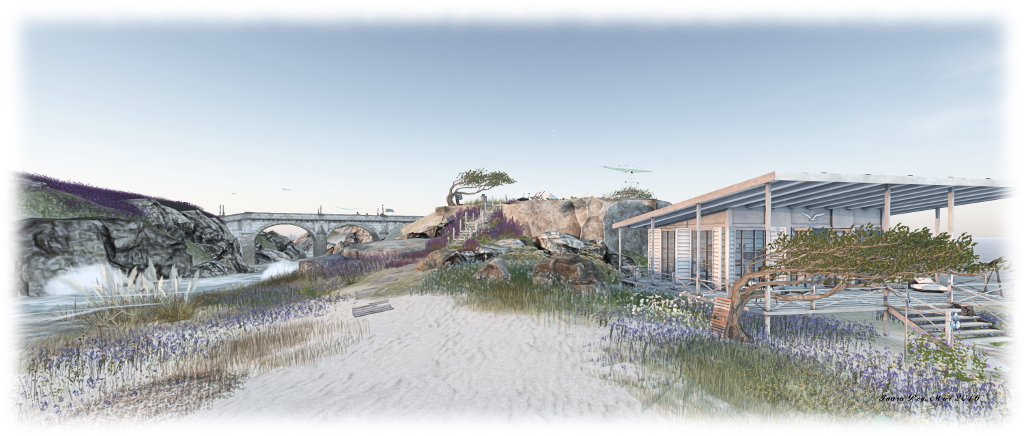
Enjoying spring at The Trace in Second Life

The Trace; Inara Pey, March 2016, on Flickr The Trace – click any image for full size

Kylie Jaxxon recently invited Caitlyn and I to visit the latest iteration of her homestead region The Trace (aka The Trace too), which recently re-opened following a further joint make-over by Kylie and Elvira Kytori (also the owner of White Dunes Estate rentals). As I’ve always enjoyed both Kylie’s and Elivra’s work, it was an invitation I was delighted to accept, and to introduce Caitlyn to The Trace.

The new design, as I commented to Ziki Questi, who was also visiting when Caitlyn and I hopped over, is perhaps the finest in the series of The Trace builds to date. Beautifully scenic, with open vistas at every turn, it is simply a joy to spend time there either wandering or, as Caitlyn and I have done, simply snuggling in one of the many  lookout points, and watch the world roll by.
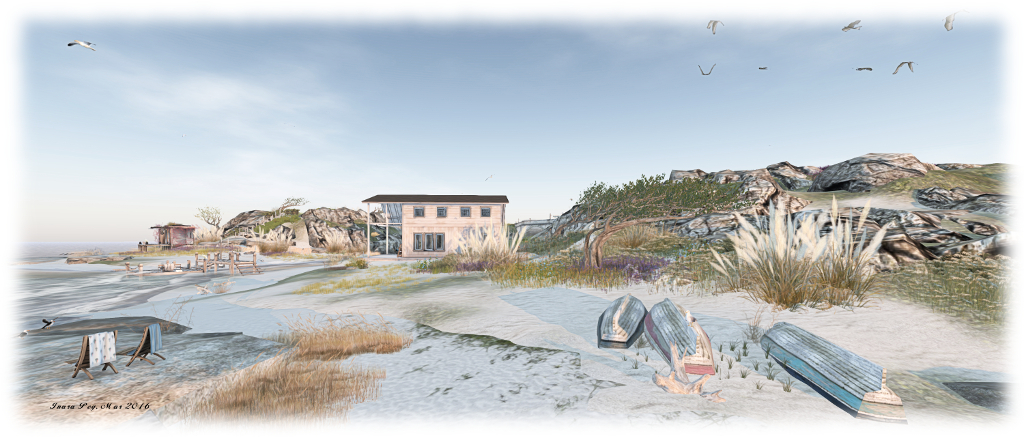
The Trace; Inara Pey, March 2016, on Flickr The Trace

Two rocky shouldered islands make up the current design, one curved and pointing like an arrowhead to the north-west, the second more rounded and sheltered by the arms of the first, lying to the south-east. Between them runs a rocky channel of sea water spanned by the arches of a single bridge made of cut stone. Each island is also distinguished by its flora; the more northerly of the two is topped by long grasses and yellow wild flowers, while the more southerly island is rich in lilac wild flowers, given it the feel of heathland.

A number of houses and cabins at scattered across the islands, giving the impression that this is perhaps a vacation retreat; a place to come to and forget the stresses of every day life. Perhaps these islands are reached via a day trip out from a mainland which hides just over the horizon; far enough away to give the illusion of escape whilst here, but close enough to make a visit convenient.
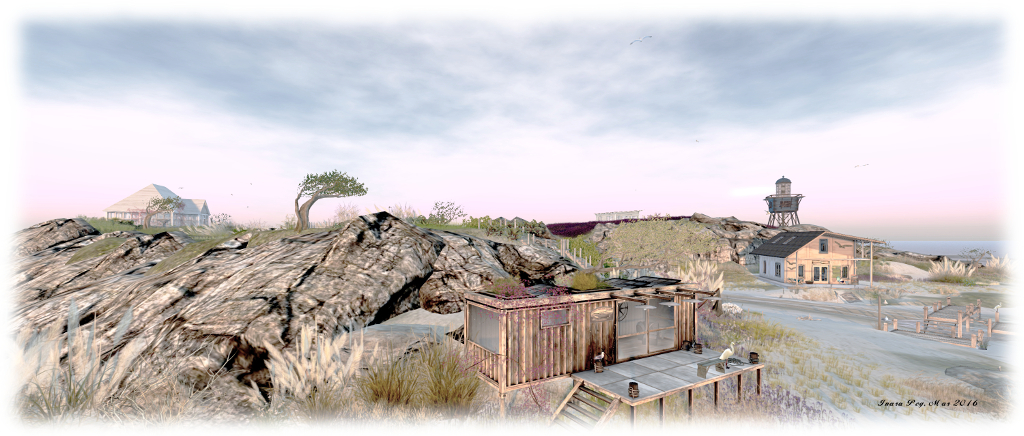
The Trace; Inara Pey, March 2016, on Flickr The Trace

Board walks lead the visitor across the north island, winding through the grass and flowers to the beaches at either end of the island’s curve. Across the solid span of the bridge, a cobbled road leads up to the top of the island, lilac flowers encroaching upon it, and to one of the flat-topped cabins.

An old lighthouse tower stand guard at the south-westerly edge of the rounded island, waves breaking against the rocks at its feet. Follow the slope down from the cabin towards the lighthouse, and you’ll discover a wooden walkway running around the island’s rugged coastline to a broad expanse of beach, which can also be reached overland from the top of the hill. Across the beach, a small wooden bridge and deck spans the watery channel separating the beaches of the two islands and connecting them – at least at low tide.
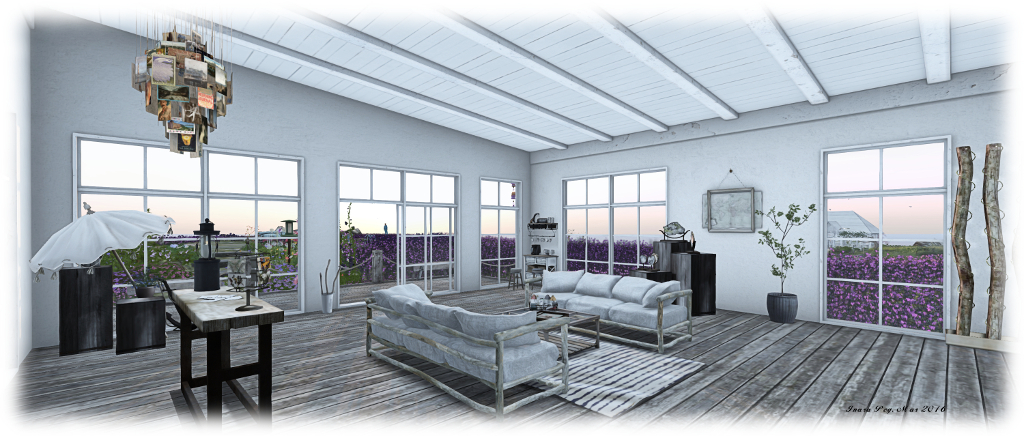
The Trace; Inara Pey, March 2016, on Flickr The Trace

As noted at the top of this article, this iteration of The Trace is perhaps the most eye-catching in the series, all of which I’ve enjoyed visiting and exploring. Matched by a perfect ambient sound scape, a windlight which reduces colours to perfect soft tones and colours, and plenty of opportunities for photography and for just sitting and relaxing. certainly, it has already drawn Caitlyn and I back to it more than once – and it may well have the same impact on you.

SLurl Details

Firestorm 4.7.7: get ready to update!

firestorm-logoThursday, March 17th saw Firestorm release version 4.7.7.408706 of their viewer. Coming four months after the last release, this update is slightly later than planned, but includes a number of important updates from the Lab as well as a good mix of updates, improvements and fixes directly from the Firestorm team and contributors.

As per my usual MO, what follows is an overview of the release, highlighting some of the more significant / interesting changes, updates and  fixes to be found in the release, and which I feel will be of most interest to users.

For full details of all changes, and all due credits to contributors, etc., please refer to the official release notes.

The Usual Before We Begin Notes

For best results when installing this release:

This update means that Firestorm 4.6.9 will be blocked in approximately 3 weeks time.

Lab Derived Updates

Firestorm 4.7.7 brings the viewer up to parity with the Lab’s 4.0.1 code base, and so includes the TLS 1.2 and CEF changes. These and other Lab derived changes are outlined below.

TLS 1.2 and Viewers

The reason this release might be regarded as becoming a mandatory update for Second Life users is the integration of TLS1.2 into the viewer – and by “viewer”, I mean all current or upcoming viewer releases, LL or TPV.

TLS, the successor to Secure Sockets Layer (SSL), is a cryptographic protocol for communications security intended to provide privacy and data integrity between two communicating computer application (such as the viewer and the Lab’s servers).

TLS 1.2 is currently being implemented by Linden Lab under the umbrella of their work of fiscal compliance, This involved changes to both the viewer and LL’s servers, the upshot of which means that, once TLS 1.2 has been fully implemented, any viewer that does not support TLS 1.2, will not be able to do any interactions with cashier or anything that involves L$. While there is no precise time frame for this work to be completed, indications from the Lab are that it will be sooner rather than later.

Again, this is not an arbitrary decision on the part of either the Firestorm team or Linden Lab; the work is being carried out as a compliance requirement.

Chromium Embedded Framework

Firestorm 4.7.7 includes the Lab’s implementation of Chromium Embedded Framework (CEF) for media management (and more). CEF completely replaces the old llQTwebkit for media management within the viewer, replacing it with current web technologies such as HTML5, CSS3 support and WebGL, which can allow direct manipulation of objects on a browser page displayed in-world with ease.

CEF should also enable things like viewing PDF files in-world, editing PDF documents via Google Docs, etc. See the CEF forum thread for more.

CEF integration into the viewer means that Flash and QuickTime content require third-party support (see this Knowledge Base article on enabling Flash support for CEF viewers, for example). However, because they do rely on plug-in support, there is no guarantee given by Firestorm or Linden Lab that either will work, and are regarded as unsupported.

Other Updates from the Lab

Materials (texture / diffuse, bumpiness / normal and shininess / specular) in the Build floater Texture tab can now be selected via radio buttons, rather than picking from a drop-down list, to make locating and selection them easier (see BUG-10149).

Firestorm replaces the materials drop-down selection menu (seen in version4.7.5, left) with the radio buttons for materials types (right), as also seen in the official viewer
  • A fix for ALM enabled + full bright + shiny objects failing to display texture on Mac (see FIRE-12681)
  • A fix for activating Show Avatar Complexity disabling all llSetText (hovertext) viewer is restarted (see BUG-10488)
  • A fix for show land owner colour overlay is only visible where there is water in deferred rendering (see FIRE-11654)
  • A fix for a black screen if ALM is enabled while in wireframe mode and then wireframe is disabled (see BUG-4543)
  • A fix for rotating an object that is used as grid reference going crazy (see FIRE-2593 and BUG-9419)
  • A fix for “Ban Member” in the group chatters list context menu being greyed out (see FIRE-16160 and BUG-10500)
  • A fix for animated agents at high altitudes randomly showing up at 0,0,0 (see bug FIRE-14439 and BUG-6648)
  • A fix for having to open ‘About Land’ twice to get parcel ban timings to load in the parcel ban list when banned names are not cached (see bug FIRE-17408 and BUG-10831)
  • A fix for a stuck freeze frame state if snapshot floater is closed with freeze frame left enabled and the viewer window is subsequently resized (see FIRE-16739 and BUG-9952)
  • A fix for opening a note card with the same name as one already open failing to work (see  VWR-2981)
  • A fix for replacing current outfit with contents of a non-outfit folder creates a folder link in the Current Outfit Folder (see BUG-11274)
  • A fix for opening an experience compiled script in an object in an adjacent region failing to show the script is compiled with an experience in the script editor (see BUG-8980).

Continue reading “Firestorm 4.7.7: get ready to update!”

MadPea readies for The Interview in Second Life

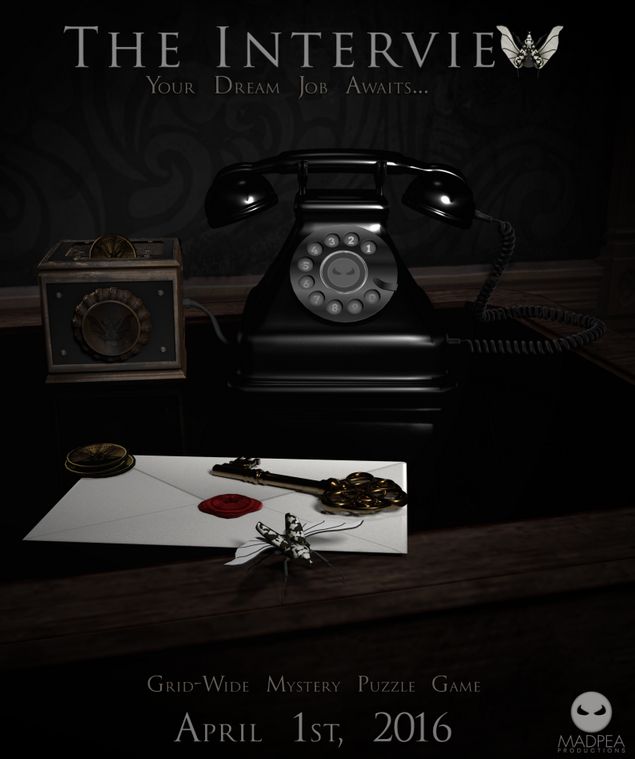
madpea-logoMadPea Games are gradually ramping-up for their next game, offering people the chance to win a Gold Pass VIP access to the game, which includes a personal welcome from Queen Pea, Kiana Writer, plus MadPea himself and many of the MadPea crew who will be on-hand to provide assistance to lucky winners as they take their Gold HUD, outfit and accessories, and enjoy 24 hours access to the game before it opens to the public.

The Interview, a grid-wide mystery puzzle game, will launch on April 3rd. Details on what it is all about have yet to be revealed – but there is a clue in the title, and it involves an organisation called the Goliathus Society.

The curious can check out the vendors who are supplying elements of the successful applicants benefits package (aka prizes), while those wishing to try their hands at gaining early access to the game can have a go at The Interview Photo Contest and / or the Interview Writing Contest.

Interview Photo Contest

For the photo contest, which is open now through until Saturday March 26th, entrants are invited to show the MadPea team exactly what they would wear for THEIR interview with the Goliathus Society. Would it be formal, business, casual or, knowing MadPea, something more in keeping with planning for the unexpected? Show MadPea your best Interview themed outfit for a chance to win prizes!

Interview  Writing Contest

For the interview writing contest, which runs until Monday, March 28th, You need to write your best cover letter detailing why you  are the best candidate for a job with the Goliathus Society. You’ll need to use your imagination to decide what the society is hiring for, and what kind of skills, assets, and work experience might make you the ideal candidate. Then, in a covering letter, describe to the MadPea team why you are the best possible candidate and why Goliathus Society simply have to hire you!

Int-1

General requirements for Entry

  • Both contests are note card only competitions. Entries must be submitted to the BRIGHT PINK mailbox at the MadPea Info Hub
  • Only one entry per avatar for either contest
  • Note cards should be titled:
    • Writing contest: The Interview Cover Letter [your name]
    • Photo contest: The Interview Photo Contest [your name]
    • Please only use yours avatar name – not your display name
  • Cover Letter contest entries must not exceed 250 words
  • Photo contest entries must include;
    • A full permission copy of your image ( your image will not be sold, or shared outside of MadPea, But may be used/displayed for promotion on the MadPea blog, website, or notices)
    • A few sentences explaining why you choose your outfit.
    • Photos may be edited externally to Second Life, but this is not required
  • Winners for both contests will be announced by MadPea on Tuesday, March 29th.

For full entry criteria and rules please visit either the MadPea Interview Photo Contest page, or the MadPea Interview Writing Contest page.

Prizes

The following prizes will be awarded in each contest to the top three entries, as judged by the MadPea team:

  • 1st place – Interview VIP Pass. Which will give you 24 hours early access to the game
  • 2nd place – L$1000 Madpea gift card
  • 3rd place – L$500 gift card.

See the MadPea blog for more on The Interview and their other in-world games.

The Good Days for art in Second Life

The Good Days: Immersed by Hillany Schofield

Friend and artist GoodCross recently opened a gallery of his own – and my sincere apologies to him for getting to this post later than intended. For it’s inaugural exhibition, The Good Days features Immersed by Hills (Hillany Schofield).

Immersed is  an exhibition about the duality of being an insular individual in a world of contexts, interests, opinions, rules,” Hills says of the exhibit. “Whether it is the so-called ‘real life’ or this, our ‘second life’.”

The Good Days: Immersed by Hillany Schofield

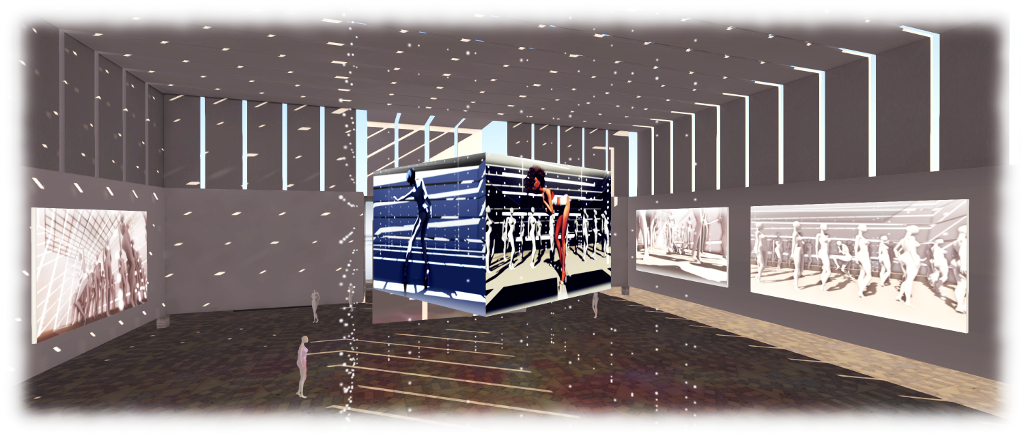
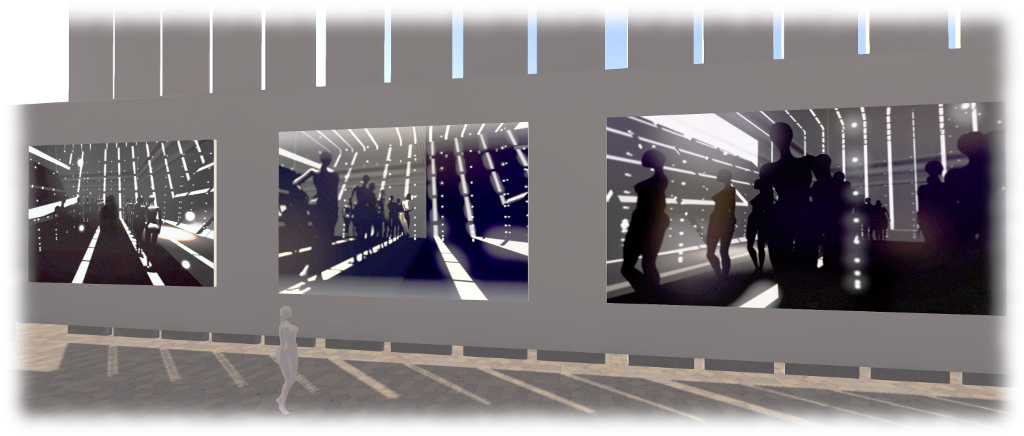
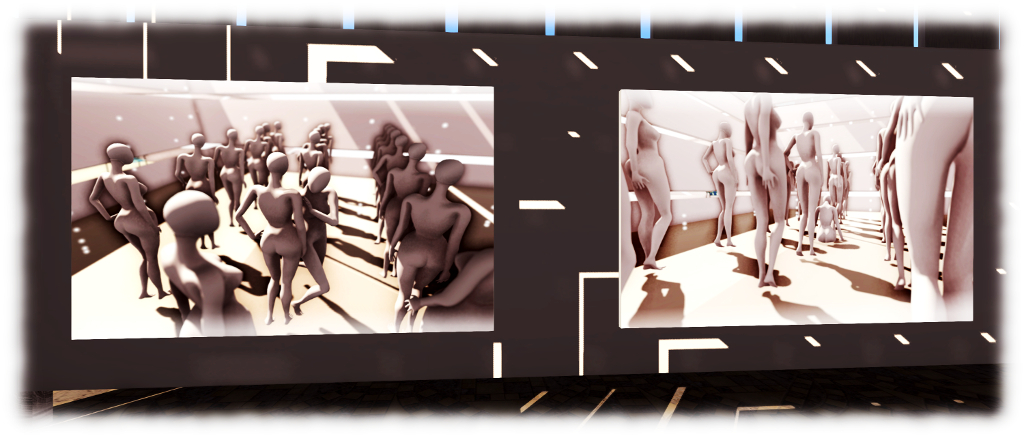
Around the walls of the gallery space are nine large format monochromatic pieces  depicting uniform female mannequins all striking very similar poses to one another, with the exception of one individual, who is in a strikingly different pose. In a tenth image, which adds a subtle splash of colour, the single figure of an avatar hangs in repose, floating over the floor. Finally, over the central area of the gallery, a slowly rotating box displays two monochrome and two colour images of avatars, either alone or posing before the mannequin-like figures.

The juxtaposition of individuality and living within a world of contexts is clearly expressed in each image; the individual or contrasting figures in each piece a manifestation of the former, the groupings of mannequins presenting the latter.  “We find safety, community and acceptance,” Hills says of our desire to find context among peers, the similarities expressed by the mannequins, “But we also stumble, fall, feel trapped and isolated.”

The Good Days: Immersed by Hillany Schofield

“So what do we do? We break out, we question ourselves, we go back with the flow. Or we try to dance away the pain.” And thus the individual figures express these latter responses – as do visitors to Immersed. To enter the exhibition space, we must walk between the mannequins, becoming the expression of the individual in their world of contexts, opinions and rules.

Immersed will remain at The Good Days through most of March, with GoodCross planning to hold monthly exhibits in the gallery.

SLurl Details

SL project updates 16 11/1: server / viewer

Suomi - Finland; Inara Pey, March 2016, on FlickrSuomi – Finlandblog post

Server Deployments

There is no planned Main (SLS) channel deployment / restart planned for the week. On Wednesday, March 16th, the three RC channels should be updated with an improved server maintenance project comprising script fixes and internal improvements.

The lack of recent deployments remains down to ongoing infrastructure updates occurring across the Lab’s simulator servers.

SL Viewer

It is anticipated that an RC viewer – mostly likely either the current Maintenance RC or the HTTP / Vivox RC will be promoted to the de facto viewer this week. However, at the time of writing, the list of official viewers still stood at:

  • Current Release version: 4.0.1.310054, dated January 15th – formerly the Maintenance RC viewer
  • Release channel cohorts:
    • Quick Graphics RC viewer, version 4.0.2.312297, dated March 11th
    • Maintenance RC viewer, version 4.0.2.312269, dated March 10th
    • HTTP updates and Vivox RC viewer, version 4.0.2.312094, dated March 9th
  • Project viewers:
  • Obsolete platforms viewer, version 3.7.28.300847, dated May 8, 2015


The PrimPossible mesh piano in Second Life

The new PrimPossible mesh piano

I’ve previously written about my passion for pianos, both in the physical world and the virtual (where I can indulge my fantasy of owning a concert grand). Over the years I’ve shifted from the Musical Alchemy grand by Persephone Milk, through Ample Clarity’s 1 prim / LI PrimPossible sculpted grand, to the current piano gracing the music room at home, the 8 LI Lisp mesh grand.

On March 12th, 2016, Ample launched his latest piano. It’s again a model with just a single LI, but this time it is presented in mesh, and he was kind enough to pass over models for me to take a look at.

The new piano offers a far more natural grand piano form then the earlier sculpted model, with a much higher level of detail
The new piano offers a far more natural grand piano form then the earlier sculpted model, with a much higher level of detail, including a 3D cast iron plate in the harp assembly (which can be substituted by a texture of the entire visible harp: plate, strings and soundboard, if preferred)

The new piano is s collaborative piece, Ample tells me, and on rezzing it is certainly striking. Not only is it unsurprisingly less taxing, rendering-wise, than its sculpted predecessor, the details and style are a lot more refined. The keyboard is one of the best I’ve seen in terms of attention to detail, and there is a nice little touch with a reflection of the keys in the open lid.

Controls are straightforward: touch (left-click) the piano once to initiate it. This presents the  menu controlling the music selection (15 classical pieces, although a further 9 are included in a separate book which can be mounted on the music stand), the piano’s appearance (change the textures and / or shine and also switch between either a 3D cast iron plate for the harp, or one of 9 different soundboard / strings / plate textures), set general access permissions for the piano, etc.

They keyboard is beautifully detailed and includes and interesting "reflection" in the lacquer of the lid)
They keyboard is beautifully detailed and includes and interesting “reflection” in the lacquer of the lid)

Left-clicking a second time will seat you (and add a 1LI invisible “pose shell” around the piano to allow the pose system to work). When seated, the animation / pose menu is opened, with the PG version offering some 400+ individual and couples animations, while the Adult version offers a further 400 “XXX” rated animations (again, individual and couple). A permissions option can also be used to limit access to this menu.

The playing poses are split between male and female and offer several playing styles, and all poses can be adjusted, as one would expect. Music playback is as good as any other high-end piano available in SL, although there is on occasion a slight distortion during intense passages – but again, this can be found in other models as well. When seated,  the top boards automatically close to facilitate the animation system (which makes use of the top of the piano). To open it for playing again, type “open lid” (sans quotes) in local chat (you’ll have to STOP the system via the menu and then re-sit if you later wish to use the animations as part of the same session).

Some of the detailing, such as the top board props and music stand are a little heavy compared to the rest of the piano, probably due to the fact the entire instrument is a single mesh

Given this is a 1 LI item (2 with the pose shell, as noted above, and which is required for the piano to work in SL), the amount of detail and capabilities packed into this piano is remarkable. However, the fact that the piano is just a single mesh has led to one or two minor compromises in detailing which for me had the annoying habit of attracting my eye once noticed, leaving me feeling that perhaps the use of a second mesh (the 1 prim approach of PrimPossible notwithstanding) might have avoided them.

But that said, the PrimPossible mesh piano is a stylish, ultra-low LI design. The L$950 price tag for both No Copy models equates to that of most Copy versions of other upmarket SL grand pianos, but few others have the range of animations associated with this model. The Copy versions, meanwhile are priced at L$2,400 (PG) or L$2,800 (Adult).

The PrimPossible mesh piano at Caitinara Bar
The PrimPossible mesh piano at our Caitinara Bar

I’ll be honest and say that the PrimPossible mesh piano hasn’t persuaded me away from the Lisp at home, but it certainly now adds an extra grace at Caitinara Bar. Certainly, those who like their pianos to give something a little extra beyond music will be hard pressed to find a piano to match this one, while those operating on an LI budget who want a really nicely style grand piano simply won’t find better.

The PrimPossible mesh piano is available via the PrimPossible Marketplace furniture store and via the PrimPossible in-world store.