SL11B Community Celebration: of applications and a note to exhibitors

There are just six days to go before applications to be a part of the SL11B Community Celebrations close at midday SLT, Tuesday May 20th.

The organising team have been thrilled with the response so far, but are urging anyone wishing to take part in this year’s celebrations, and who has not already submitted an application to do so sooner rather than later. After all, you don’t want to go and put it off until tomorrow and tomorrow and tomorrow – and suddenly find it’s the 21st!

the application forms only take a couple of minutes to fill-out, and you can find them as follows:

  • Performers (for any of the event’s main stages) should apply here
  • Speakers and performance artists wishing to use the auditorium should apply here
  • Volunteers ready, will and able to help keep SL11BCC ticking along should apply here (training will be given!)
  • Exhibitors seeking a parcel of land on one of the 11 regions should apply here.

An Important Note to Exhibitors

All exhibition space applications must conform to the SLB Exhibitor Policies, which should be read prior to submitting an application, as they do contain important information.

When completing your Exhibitor Application, please keep foremost in your mind that the SL11B Community Celebration is a non-commercial event intended to showcase the best ideas, creativity, content and craftsmanship that the SL community has to offer. As such, applications which suggest an exhibit is little more than advertising space for a business or an organisation or a group, etc, and lacks any real attempt to fit with the event theme or match its celebratory nature, might be rejected.

What the SL11BCC organisarers are looking for: at SL10BCC the Safe Waters Foundation presented an imaginative exihibit above and below the waves which matched the theme of the event and offered insight into their group without simply being a 3D advert
Any example of what to aim for: at SL10BCC, the Safe Waters Foundation presented an imaginative exhibit above and below the waves which matched the theme of the event and offered insight into their group without simply being a 3D advert

This does not mean that if you have a business, or organisation or group you cannot apply for exhibitor space. Rather it means that:

  • You can apply, and use your brand name, etc., so long as there is more to your exhibit than just your brand name
  • You can give out gifts, landmarks, information and have group subscribers within your exhibit again, as long as there are not just what you exhibit has alongside your brand name
  • You can integrate your brand or product(s) into a build, so long as the build is focused on the SL11BCC theme or celebrating SL 11th anniversary, and not solely about product promotion. Think of things that make people engage and not just look – interactive pieces, games, puzzles, exhibits which tell a story, etc.
  • You cannot sell goods or services or use your exhibit space simply as a product catalogue showing off your goods or services.

To help understand what might or might not be acceptable with exhibitor applications, a short video has been produced, which underlines the above points and provides some examples of things you might want to consider when applying.

If you have already applied for exhibitor space, but feel your application may not meet the criteria the organisers are seeking, you can reapply. Just make sure your new application is entered before the closing deadline of midday SLT, Tuesday May 20th.

Related Links

An unorthodox challenge

Cyber Orthodox
Cyber Orthodox

Igor Ballyhoo’s Cyber Orthodox  opened on Sunday May 11th, the first installation in the 4th round of the Linden Endowment for the Arts Full Sim Art series.

Born of the artist’s fascination with the amount of time and energy humans spend trying to convince the world at large that their way is the “right” way, hence the “orthodox” of the title, and his overall response to such attempts: that perhaps we cannot know, and that as such, it is better to keep an open mind to all possibilities, rather than in trying to constrain thinking.

Cyber Orthodox
Cyber Orthodox

The term “orthodox” implies religion; and there’s certainly there is much in the installation which does poke at religious dogma. However, it would not be fair to classify cyber Orthodox as “anti-religion”. While the symbolism in places is clear, there is much else commented upon here than may at first be apparent to the eye.

The setting for the installation is somewhat industrial; great steel scaffolds stand on two sides of the flooded region, supporting two mammoth curved walls made up of overlapping metal plates. At the base of these are piled the kind of concrete forms sometimes seen in parts of sea defences, designed to break-up the force of incoming waves.

To the north side of the region stand four large concrete piers, towers rising from their northern ends. Sculptures stand both at the ends of these piers and atop their towers, while steel frames supported thick glass form bridges between them, alternately connecting tower with tower, pier with pier, and thus to a further walkway at the foot of the high wall which forms a route around the installation.

Cyber Orthodox
Cyber Orthodox

The sculptures on the piers range from a piece called The Processing of Splitting Things, through Icarus, the all-seeing eye (with it’s religious and cult related meanings), the cross, a stylised mosquito, to the remnants of a great model of Titan. What do they mean? And what of the ornate cube, suspended between four great concrete piles between two of the piers, within which sits a strand of the double helix?

Out on the water are four more pieces. There’s another gigantic scaffold, the upper parts of which resemble the masts of the ship. This shares the space with a cross of transparent cubes, within which sits a chariot, as if surrounded by clouds, a pair of stylised winged horses, flames rising from them, the entire piece, at first suggestive of Apollo riding his chariot across the sky. Not far from this is an apple floating in the centre of an Esher-like staircase, and a group of slowly rotating minarets floating among clouds. Meaning here is layered.

Cyber Orthodox
Cyber Orthodox

To take one of these pieces, the apple within the Esher staircase, for example. At first look, it might be taken as a comment upon how the strictures of religious belief (represented by the apple and its association with humanity’s fall from grace). The adherence to the orthodox dogma of a religion can ultimately be circular in nature, appearing to go somewhere whilst ultimately going nowhere.

However, closer examination of the apple reveals it to be etched with a grid work of lines, suggestive of some form of digital mapping, perhaps indicative of the creation of the perfect apple. So is the apple perhaps a metaphor for our hunt for perfection (as modern society perhaps tries to impress upon us through advertising, etc.) in looks and form? The comment again being on the circular nature of such pursuits?

Cyber Orthodox
Cyber Orthodox

Thus, the various pieces within the installation appear open to more than one interpretation, something which itself underlines the central theme of the piece, that insistence upon orthodoxy is a negative presumption on our part which, in the face of all that surrounds us, tends to limit our understanding more than it gives us growth?

In this, three of the pieces might be seen as particularly poignant: Icarus, the sailing-ship like scaffold and that of chariot lifted aloft by winged horses. These seem to be encouraging us all to keep an open mind, to spread our wings and set our thinking free as we voyage the sea of infinite possibilities, considering all and rejecting none.

Cyber Orthodox
Cyber Orthodox

Which brings me back to The Process of Splitting Things and the cube housing the DNA strand. Both might be seen as reflections on the reality of life and how it has over the eons, through the simple act of division  – the process of splitting things – gone from the most basic of single-celled organisms to the very richness and diversity of life as we know it today, as exemplified by the DNA strand.

Here, perhaps, stands another message which can be addressed to those seeking to impose the confines of their own orthodoxy on us all, a message perhaps best summarised in a quote from Rad Bradbury: Life was its own answer. Life was the propagation of more life and the living of as good a life as possible.

Cyber Orthodox will be open through until the end of May 2014.

Related Links

SL projects updates 20/1: server, viewer, LSL and materials

Server Deployments, Week 20

There was no Main channel deployment or rolling restart on Tuesday May 13th, and neither the BlueSteel or the LeTigre RC channels will receive an update or should undergo a restart on Wednesday May 14th.

The Magnum RC should receive a new sever maintenance project on Wednesday May 14th, which includes a bug fix for a networking-related issue that sometimes affects busy sims.

SL Viewer Updates

The SL Maintenance viewer was updated on Monday May 12th to version 3.7.8.289922. This viewer includes multiple fixes to Mac viewer; fixes in Recent tab, Chat, LSL editor, land management, etc; GPU table updates; crash fixes & performance improvements.

LSL Functions for Materials

The subject of scripted control for materials was once again raised at the Simulator User Group meeting on Tuesday May 13th. Commenting on the matter, Simon Linden said:

I am looking at it but not promising anything. We’re trying to be really careful to understand how the server and viewers will react when stressed with a lot of material churn. From what I can tell, fast-moving material-based animation will not work well … that’s likely to be throttled or blocked somehow. But supporting something like a hud or other control that could adjust the look of an object … where it’s done rarely … is definitely possible.

As noted the last time this subject was raised, there are concerns over how LSL control of materials might impact system performance, either deliberately (via rapid and multiple flipping of maps, hence Simon’s comment on throttling the speed at which changes could be made), or unintentionally, such as using them with objects which may already have a large performance impact (such as animated mesh tails).

During the meeting, there was discussion on options for animating normal and diffuse maps, remembering that they can already be animated in lockstep with their attendant texture (diffuse) map. During this discussion, Simon commented on some of the difficulties in animating  materials independently of the texture map:

The materials LSL support would include changing the offset, repeat and rotation values for the two maps, just like for regular textures. The update problem hits if you look at the way materials have been optimised between the server and viewer and how updates are sent. Materials are referred to by a number ID … so you get updates that say “this face has material 1234” on it, the viewer, if it doesn’t know what 1234 is, has to ask the server.

Now, if you change the offset … you have a new material 34356, the viewer has to again find out what that is, but this time it already has the actual specular and normal maps, so no download there.  And when you switch back to 1234, it has all the info and can draw it faster.

Summing-up the situation in general, Simon concluded, “I hope there will be something to play with eventually on the beta grid … we’ll probably want to experiment there and figure out what kind of limits are effective.”

Afternoon tea in Second Life

Rico's Tea House, Isle of Flux, May 2014; Inara Pey on FlickrRico’s Tea House, Isle of Flux, May 2014 (click any photo for full size)

Afternoon tea is a very English tradition, and something I enjoy. I’m fortunate enough to live a pleasant drive away from a country house hotel occupying a former stately home, and which opens its doors during the summer weekends for those wishing to indulge themselves in a very formal (and filling!) afternoon tea.

I mention all of this because browsing the Destination Guide, I came across an entry for Rico’s Tea House, and was immediately put in mind of that hotel, and decided to hop over an investigate.

Rico's Tea House, Isle of Flux, May 2014; Inara Pey on FlickrRico’s Tea House, Isle of Flux, May 2014

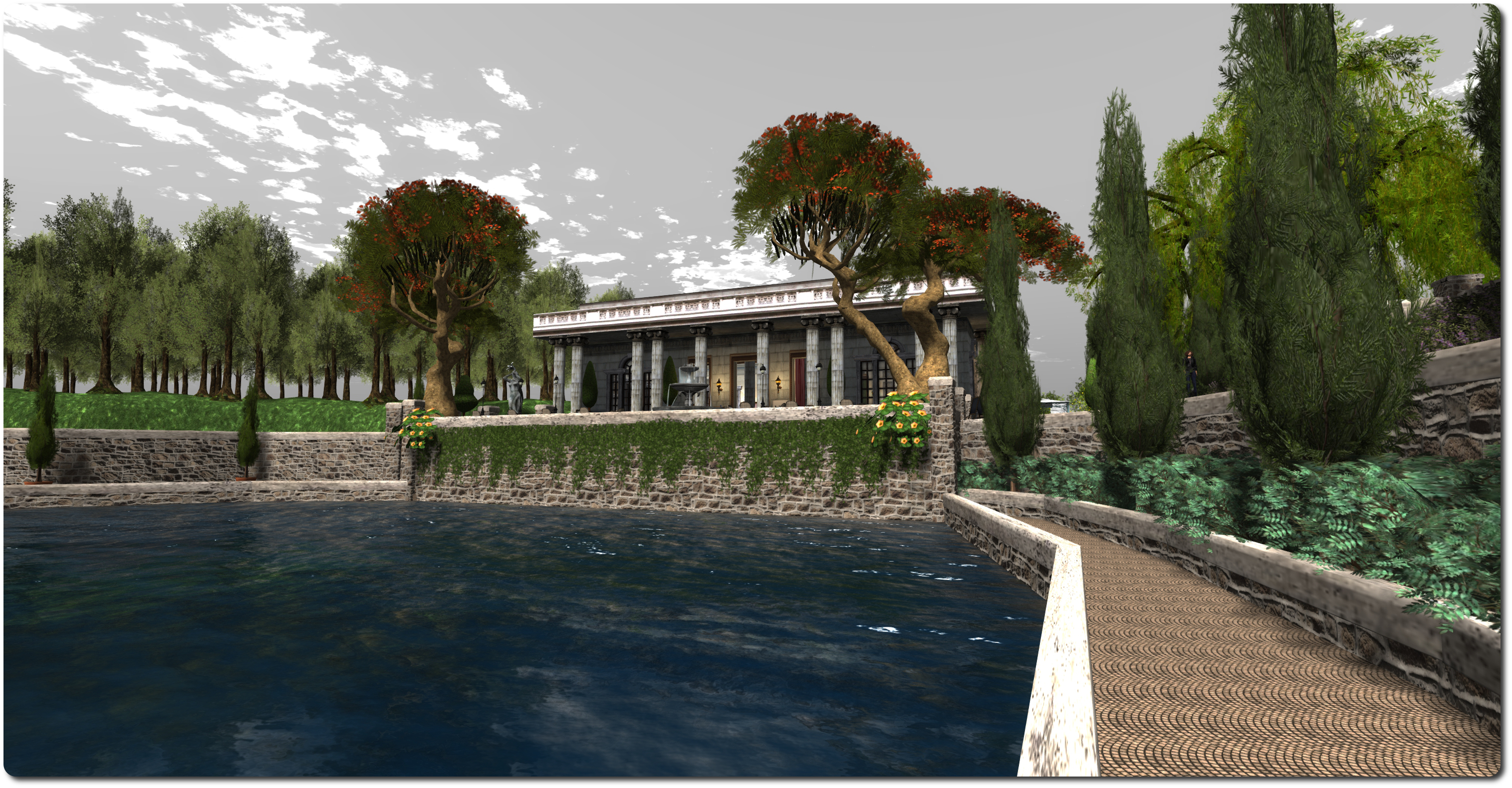
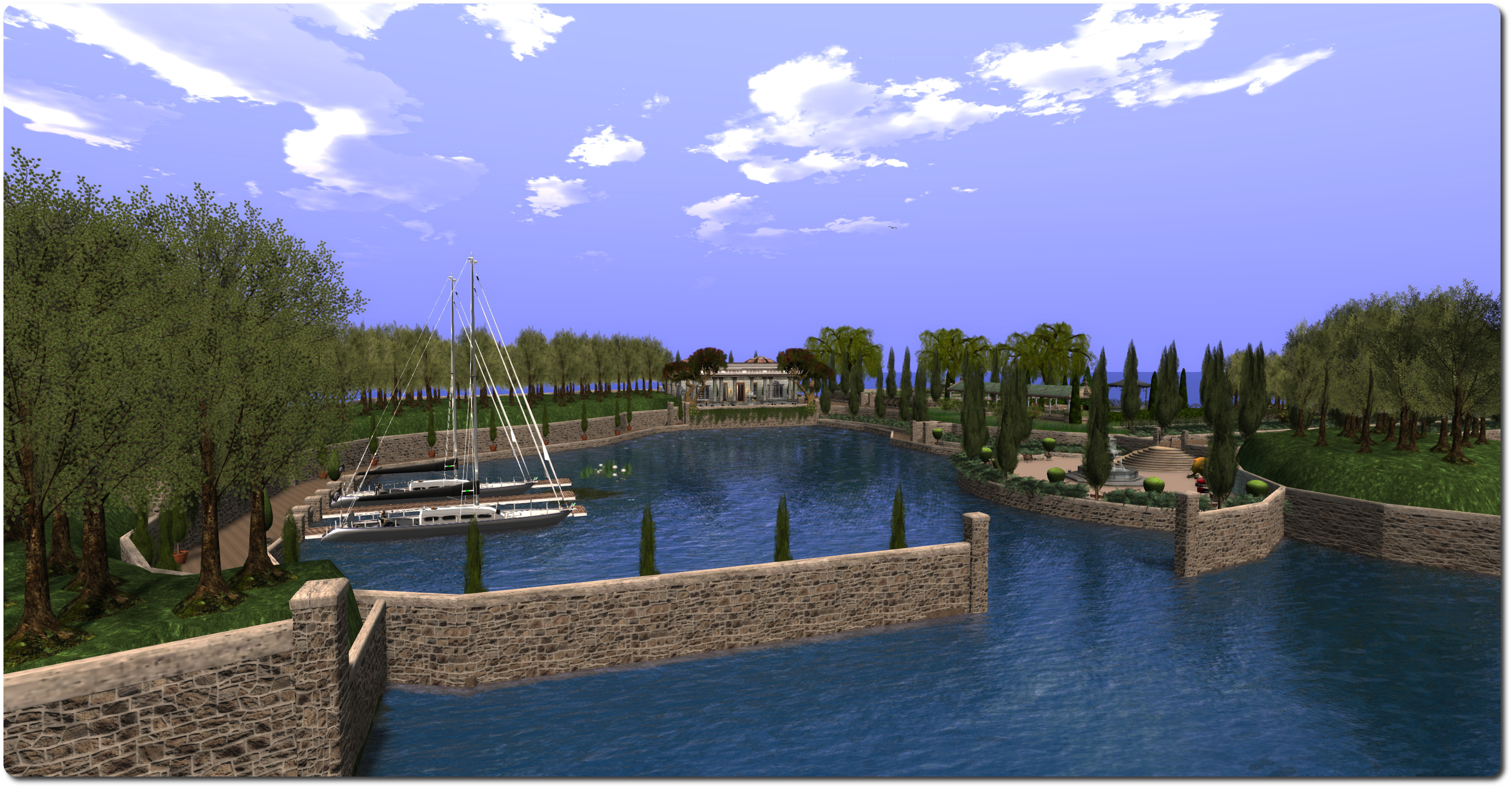
Located on the east side of the Isle of Flux, Rico’s Tea House forms a part of the Clairty-Flux  (of LTD fame) estate, with the private home of Editorial and Rico occupying the neighbouring region. The tea house sits opposite the entrance to a bay which offers mooring for up to four yachts, and which is in turn bordered on one side by woodland and the other by a meadow and a lawned garden with a gazebo and covered walk.

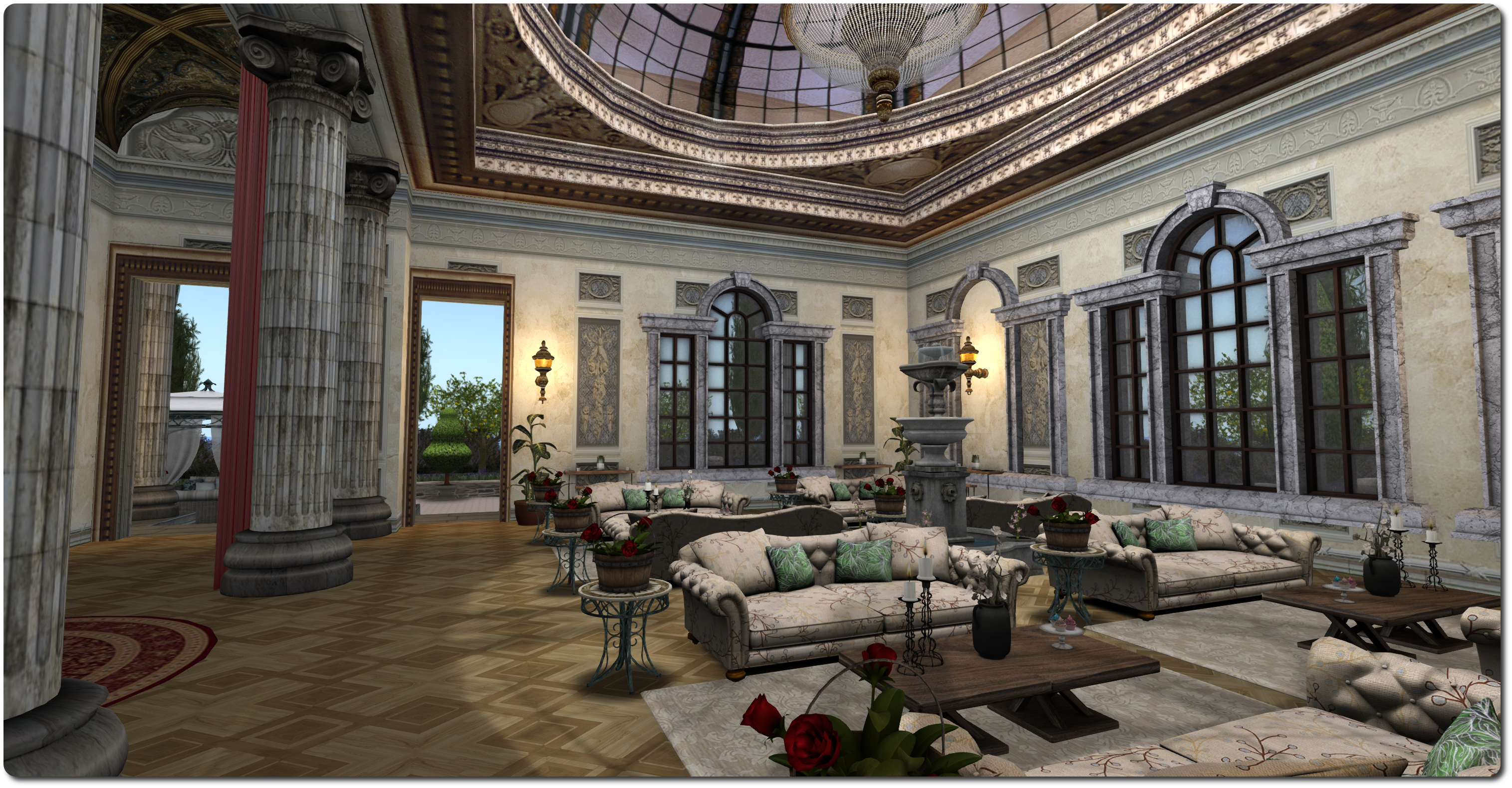
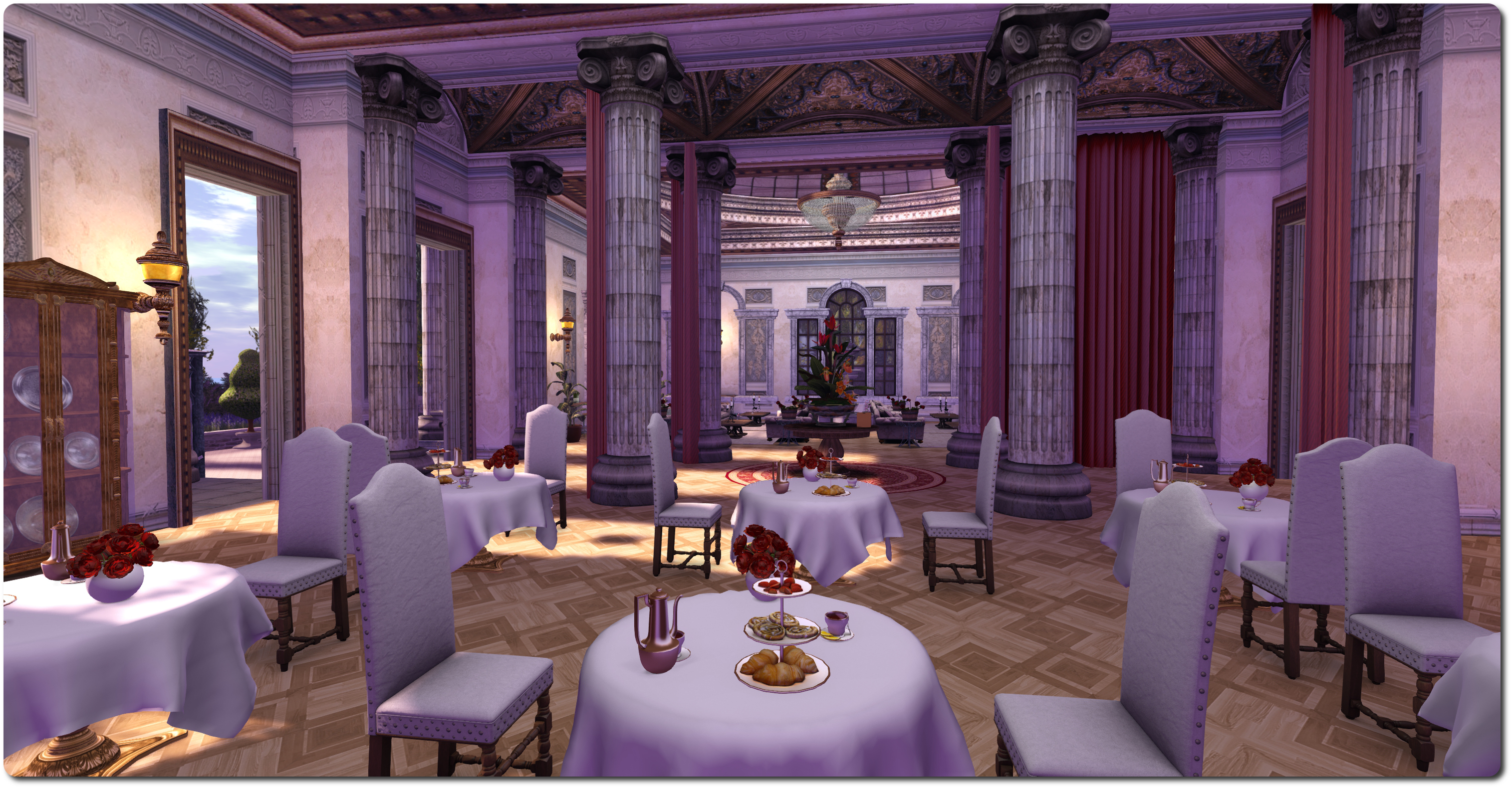
Designed by Kaya Angel, Rico’s Tea House is of a style which fits-in well with the stately look of Editorial’s and Rico’s home, suggesting it is a part of the estate which has been specially converted for its current purpose and opened to the public. Inside, and under the two ornate glass domes of the roof, it is divided into two. On the one side is a luxurious lounge area and on the other, a dining area serving afternoon tea, complete with cake stands sitting on white-clothed tables.

Rico's Tea House, Isle of Flux, May 2014; Inara Pey on FlickrRico’s Tea House, Isle of Flux, May 2014

For those who prefer to sit outside, the terrace to the front of the tea house offers elegant rattan chairs and low wooden tables where guests can sit and look out over the bay, while on the terrace to the rear offers two gazebos, each presenting visitors with comfortable and shady seating, both of them surrounded on three sides by fruit-bearing citrus trees which give things a touch of the Mediterranean.

The meadow, rich with flowers and with a fountain at its centre is home for a couple of dairy cows and a horse, but also offers places for couple to sit and cuddle. Those who fancy a walk can do so along the upper path, which leads to a small orchard and the square lawn and its surrounding flowerbeds beyond, or they can descend down to the paths which sit either side of the bay, and wander along these to the entrance of the bay.

Rico's Tea House, Isle of Flux, May 2014; Inara Pey on FlickrRico’s Tea House, Isle of Flux, May 2014

Rico’s Tea House is open to the public, and is billed as a place to meet and make friends. It’s a delight place to visit and offers some great opportunities to the SL photographer. All told, it is a lovely setting to visit.

Related Links


SL11B Community Celebration: calling presenters, performers, educators and more

poster

As work continues preparing for the SL11B Community Celebrations, which will take place between June 22nd and 29th, 2014 inclusive, a further call has gone out to anyone wishing to use the event’s auditorium during the festivities.

The auditorium can be a conference centre, classroom, lecture hall or small live performance venue, perfect for a range of activities or small-scale events.

If you are an educator or creator or similar, and have a skill or interest you would like to teach or talk about, the SL11B organisers would like to hear from you. If you are a performer, a poet, a spoken word artist or a dancer, and would like to give a performance, the auditorium could be yours to use.

It doesn’t matter if you’re an individual, a small group of residents, a community group, or a group of friends who have an idea for something other SL residents may appreciate and which is suited to the venue. If you can imagine it the SL11B Community Celebration team can try to accommodate it.

Simply fill-out the Auditorium application form before applications close at midday SLT, Tuesday May 20th.
The SL11B Community Celebration regions are starting to take shape

Related Links

CtrlAltStudio 1.2.1: Xbox 360 Controller support

CAS-logo Update, May 25th: Dave has released an update to the Windows version of CtrlAltStudio 1.2.1 to correct some issues with the controller not being recognised by the viewer. The updated version is 1.2.1.41169, available from the same CtrlAltStudio blog post as linked to in this article.

On Monday May 12th, Dave Rowe (Strachan Ofarrel in SL) released CtrlAltStudio version 1.2.1.41169 (Win) and 1.2.1.41167 (Mac). This brings with it a number of fixes and updates, and sees CtrlAltStudio maintain parity with the Firestorm 4.6.5, which appeared on Sunday May 11th. Most intriguingly, it includes support for the Xbox 360 controller, which appears to be aimed at reducing reliance on the keyboard for a range of tasks when wearing an Oculus Rift headset (although it is by no means constrained to just that use).

The release is for both Windows and Mac, and it is strongly recommended that a clean install is performed.

Xbox 360 Controller Support

CtrlAltStudio 1.2.1401169/67 allows you to use the Xbox 360 Controller to walk, fly, use flycam, orbit about points in 3rd person view, click on objects and use context menus with objects. It works in 3rd person view and Mouselook and can be used with normal, stereoscopic 3D, and Oculus Rift display output. However, please note that so far, this has only been tested on a Windows system.

By default, the controls are configured as follows:

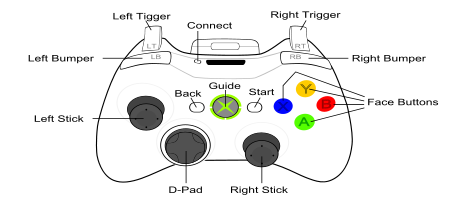
Xbox 360 Controller buttons
Back: Toggle flycam on/off
Start: Toggle Left / Right Sticks between avatar & cursor movement
Avatar Movement Cursor Movement
Left Stick: Move forward / back / left / right Cursor up / down / left / right
Right  Stick: Change camera pitch and roll Zoom view
Left + Right Stick Fly down / up No Action
Back + Start: Toggle Rift or 3D stereoscopic 3D on/off
Left Stick click: Jump up / stop flying
Right Stick click: Toggle 1st person view
Left / Right Bumpers: Left or right mouse click (configurable by user)
Y button: Escape
X button: Control
B button: Shift
A button: Alt
D-pad: Not used

Once connected to your computer, the Xbox 360 Controller should be calibrated (e.g. by using the device’s properties provided via Windows’ Devices and Printers folder). It can then be enabled for use with SL by launching CtrlAltStudio 1.2.1 and enabling the controller via Preferences > Move & View > Movement > Enable Joystick and then using the Joystick Configuration button to configure it for SL.

Enable the Xbox 360 Controller and configure it as you would any joystick controller, via the Joystick Configuration options

Note that the settings displayed in the Joystick Configuration panel are not those supplied by LL; they have been adjusted to provide defaults specific to the Xbox 360 Controller.

Other Notable Updates

As well as the Xbox 360 support and parity with Firestorm 4.6.5 (reviewed here), this release of CtrlAltStudio also includes the following (again, please refer to the release notes for a full list of updates & any specific credits for them):

  • Fixed crashing with stereoscopic 3D display over HDMI when Set Output to 120Hz is checked
  • Fixed start-up in full screen overriding current display resolution so that can reliably use 720p stereoscopic 3D on a 1080p display
  • Fixed problems dragging physical objects
  • “Set output to 120Hz” display option only enabled on Windows, as it’s not used on other operating systems
  • Changed the minimum draw distance from 32m to 8m
  • Exiting flycam while in Riftlook  no longer causes the camera to start moving to the right
  • Improved the tool tips in the Rift display preferences
  • Avatar jumping at less than maximum walk speeds fixed.

I don’t actually have an Xbox system (360 or otherwise), so I cannot say how the controller works. However, Dave notes that BillyBob Snowpaw did a considerable amount of testing, so those with a controller shouldn’t experience anything untoward happening.

With Linden Lab continuing to work on the Oculus Rift integration. Given the problems inherent with using that HMD with a keyboard, it’s good to see that other options are being looked at by TPVs. while the Xbox Controller won’t help with typing, it would certainly appear to make avatar / camera / cursor movement a lot easier when used in combination with an HMD, and even with stereoscopic glasses.

Related Links