Popularity and the official SL viewer

In commenting on Firestorm’s achievements, Wolf Baginski asked a question about the popularity of official SL viewer:

From my POV, while I am glad I made the effort to shift from Phoenix to Firestorm, I would say there is an argument here which is missing their main point. 

Just what is wrong with the Linden Viewer UI?

What spoiled it for me was the jump from V1 to V2. Linden V1 has a range of colour schemes. V2 appeared in Beta with a rather dull set of colours, which I found difficult to use. I set out my reasons for wanting to see the same sort of choices that V1 had, and when that sort of choice appeared, I found I had to rely on a third-party developer, who had to repeat and test the work every time the Viewer was upgraded by Linden Labs.

Now they’re on V3, but I’ve never bothered to try it out. The Firestorm crew do a good job, and you can find these guys in-world. They’re people who take the trouble to use their Avatars. There are Lindens like that but, to be honest, I wouldn’t want Torley to be responsible for colour choices in the UI. Might not be the UI design… Maybe the question is, why don’t we feel safe with the Linden Viewer?

I’m not sure I share the contention that people don’t “feel safe” with the official viewer (not liking it is not the same as not feeling safe with it), although I do agree that people may well have a trust issue around LL (something I’ll  to come back to). However, Wolf’s question in interesting, as it actually touches on elements of the Lab / user dynamic that go beyond the viewer itself – or at least it set me off thinking in that direction, as well as a number of others; so much so that as I attempted to reply to his comment with my thoughts, I found them growing to essay length proportions. Rather then end up with a huge splurge in the comments section of a blog post, I decided it might be better to give my thoughts a post of their own.

It’s About the Options

Whatever its flavour, the official viewer has always been regarded by many SL users as a poor offering. Back in the days of Viewer 1.x, for example, we had Nicholaz’ Viewer, the RLV .EXE for the official viewer, Cool Viewer and Rainbow Viewer. Of course, we also had the infamous Emerald Viewer. Of them all, the latter probably lead to an explosion in TPV use, with people opting for the huge spread of options and innovative approaches to the UI that made their in-world experience easier and more informative. It also, it’s fair to say, paved the way for Phoenix’s huge success when shenanigans from within brought an end to Emerald in Second Life.

Even today, the major reason for the adoption of TPVs has little to do with the UI presentation and issues therein or with any matters of trust where LL is concerned. It comes down to a simple matter of the range of additional options and capabilities presented to the user in a TPV when compared to the official viewer.

The Failure of Viewer 2.0

The real problems for LL’s own viewer really began with Viewer 2.0 and broader matters occurring before and during the launch period, as summarised below.

Poor UI Implementation
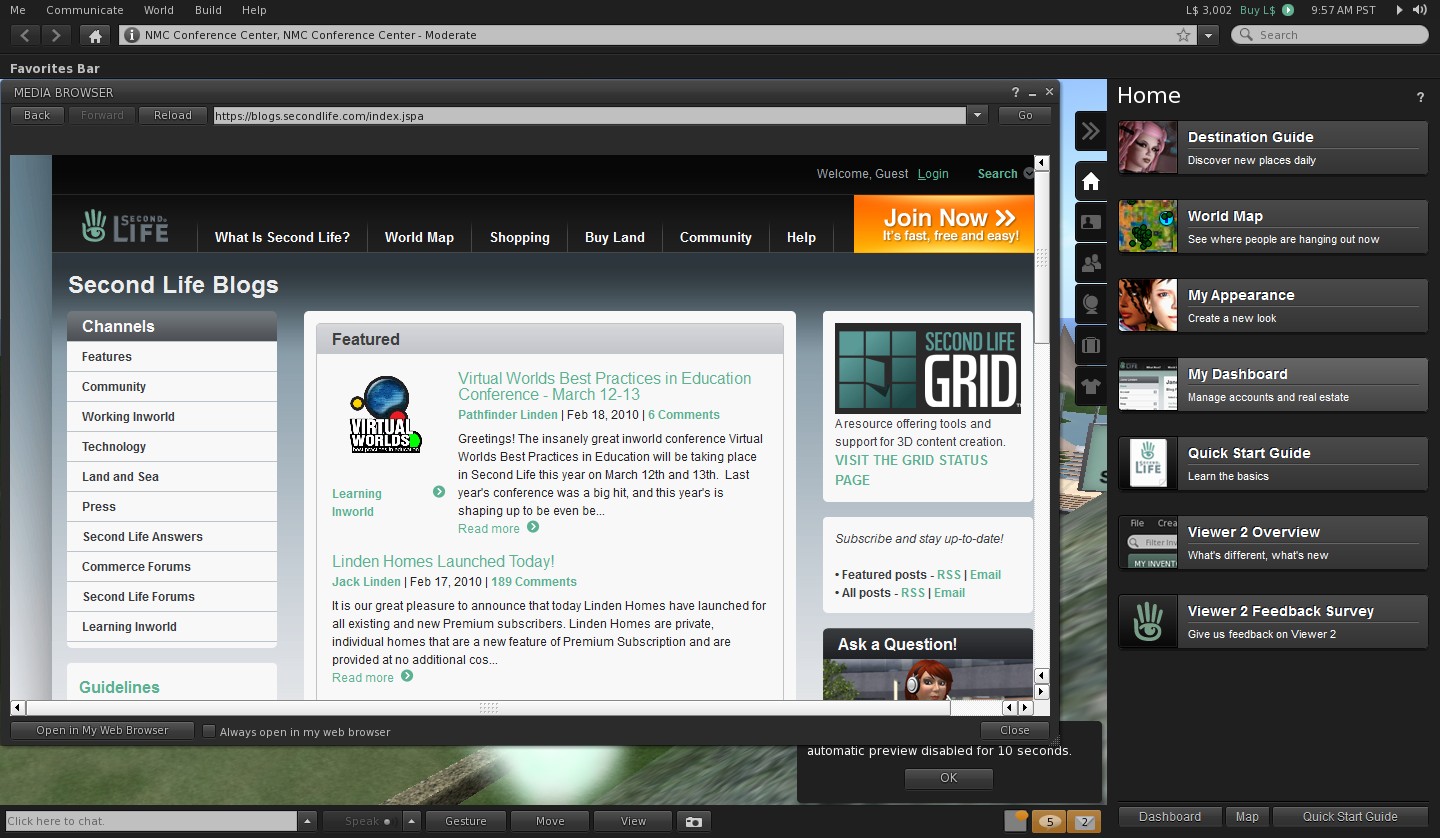
Viewer 2.0: usability issues galore

The UI design was bad, period. Not only were there issues with the colour scheme and issues with the font style (which many with eyesight problems reported as being hard to read), and in the use of toasties / chiklets, etc., –  it was simply horribly unsettling to use.

The most obvious examples of this were the original sidebar, which rudely shunted the world-view off to the left rather than functioning as an overlay, what far too large and intrusive and included a series of eye-distracting side tabs jutting into the right side of the screen, and the bizarre decision to split up the camera controls into mutually exclusive panes on the same floater. Neither of these were destined to find favour with established users, and LL were to prove equally unwilling to accept this.

Setting False Expectations
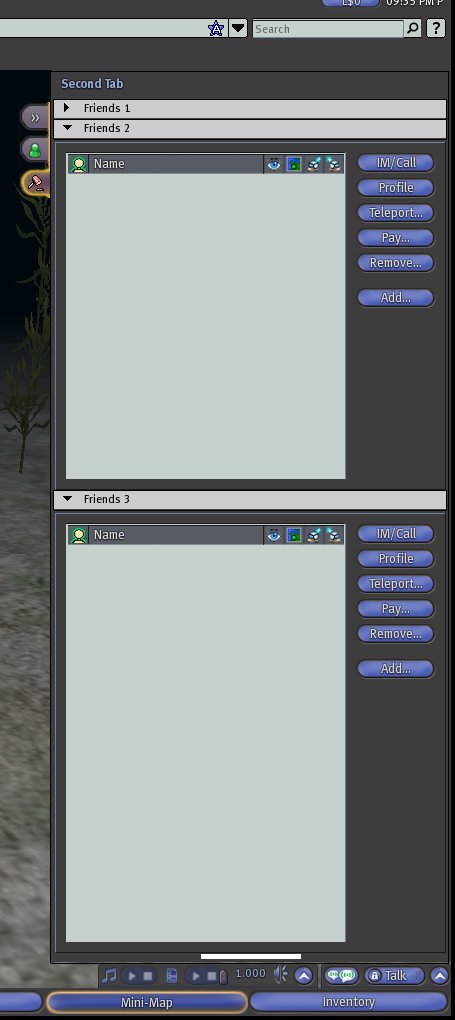
An image from Massively’s sneak peek at “SL 2.0” (credit: Massively / Tateru Nino) – click to enlarge

Prior to V2.0 appearing, a lot of false expectations were set as to what it would be. Not all of these were LL’s fault, in fairness. Some, however, were. In late 2009, LL allowed Massively a sneak peek at various elements of the “new” viewer, which largely received positive feedback from users.

Such was the buzz about the new approach, LL actually issued what amounted to a warning statement shortly after Massively published the piece, stating: “What we ship later this year will be very different from what appeared in that post. We’ll share a sneak peek of the “real” Viewer 2009 later in the year, with plenty of time to receive and incorporate feedback before the final iteration ships.

Not only did the Massively sneak peek present a UI that was reasonably familiar – and comforting – to users, it also offered insight into new and useful functionality which ended up being tossed aside prior to the release of the “finished product”.

Thus, and despite issuing their cautionary response to the Massively article, LL had managed to tweak people’s expectations: we were going to get a viewer that looked something like V1; it was going to have cool additional features we’ve been looking for. What’s more, and as shown in the Massively article, there was even going to be a fairly simply UI skin that would potentially be easier on the eye for those with vision impairments.

Use the page numbers below left to continue reading
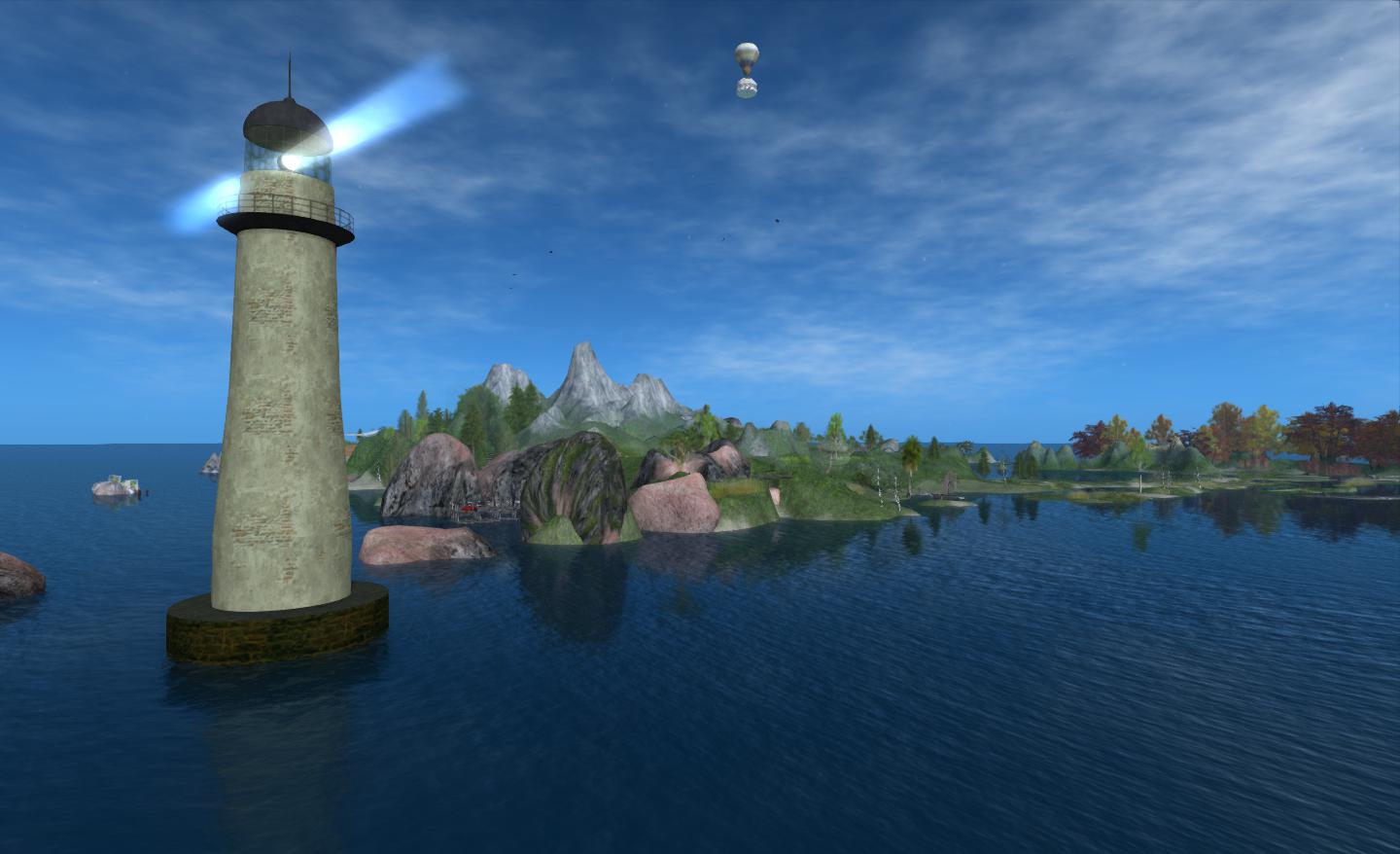
Sailing away at the End of Time

End of Time comprises four regions in Second Life: Crow, Eotia, Tide and Wabe. It offers wide open spaces to explore and enjoy, complete with water on which to sail. Wabe carries an Adult rating, otherwise the regions are all moderate. All four are open for people to visit, although there are some private residences on Eotia, and visitors are asked to respect people’s personal space around these.

Teleporting to End of Time will deliver you to the North-east corner of Crow, with the backdrop of the sea behind you, from which rises the tall finger of a lighthouse. Before you lay rolling hills, meadows, beaches, walks, and places to simply sit and enjoy, either on your own or with a friend or loved one.

End of Time

Where you go from here is up to you – there is a teleport board if you want to hop around the main sights, or you can set off at random or follow the signposted paths. If you’re not up to walking and the teleport doesn’t appeal, take the steps down from the arrival-point and pick up a bicycle, which can be a fun ride – and the nice thing about it is that it doesn’t immediately de-rez on dismounting, so you can actually get off and walk around a spot for a few minutes before resuming your ride. Be warned, however, that the bicycle doesn’t handle going up slopes very well! For my part, I like to wander when I arrive, although I have a few favourite spots I enjoy, and sometimes go directly to one of them.

End of Time

Several of the beauty spots in the regions are within their own parcels, which have parcel privacy enabled, allowing people to sit and talk without being overheard from outside, or having to rely on IMs.

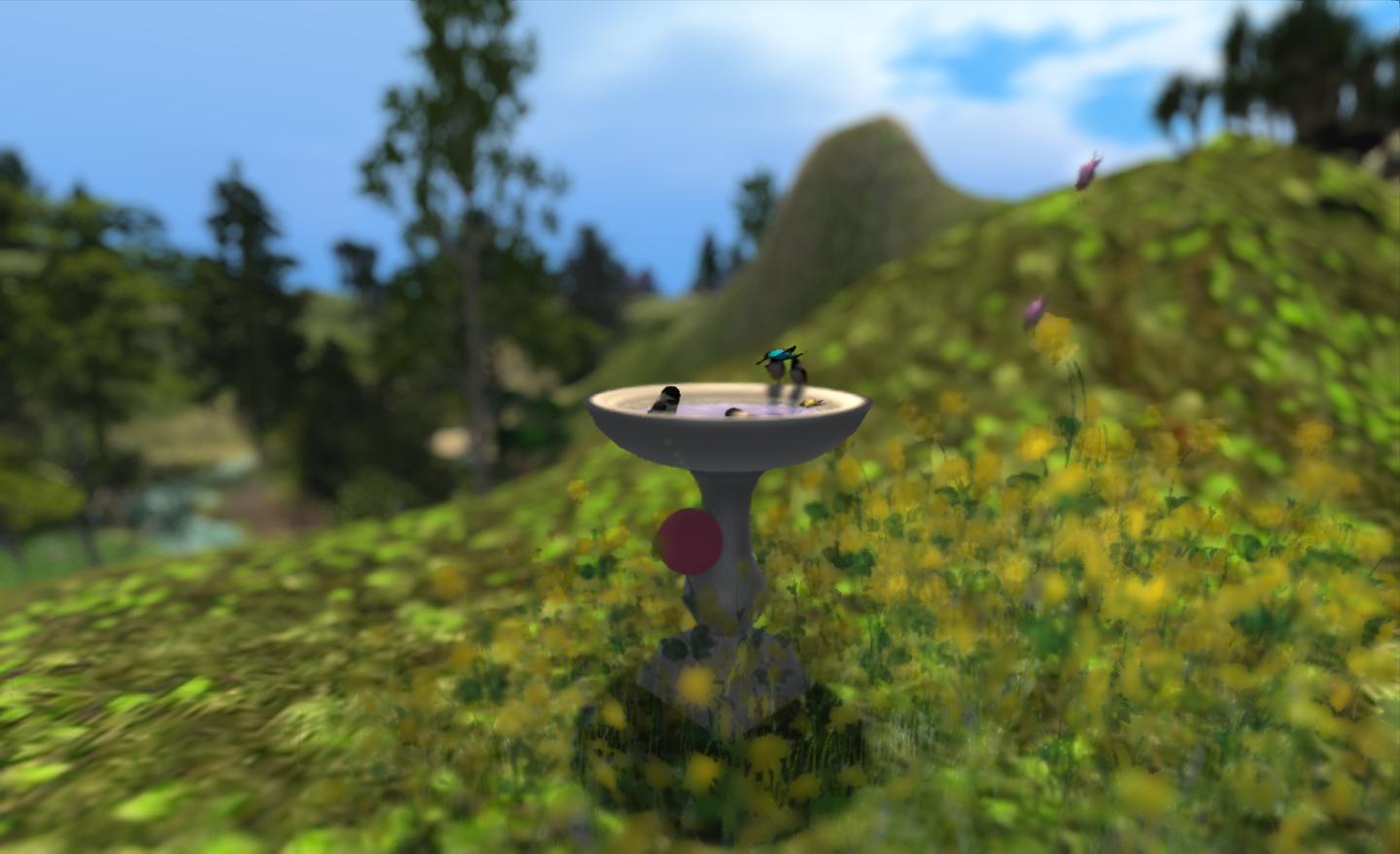
Wildlife is very much a part of End of Time, with rabbits, birds and butterflies all around the main teleport arrival point, deer in the woodland glades, ducks on the water, and more butterflies flittering around meadow flowers.

Butterflies is also the name of an art exhibit by Feathers Boa, and which can be found in – or rather under – Eotia. It features seven images by Feathers depicting the seven ages of woman. The pictures carry one from babe to old age, each stop along the way marked by words which encapsulate the age being depicted. Given my own position in the seven stages, I find it an evocative piece which causes me to recall past years and give thought to the future. If I’m honest, it also raises the question as to why I devote a fair amount of my time sitting in front of my computer using a virtual world – but that, perhaps, is something for a future post in this blog.

End of Time

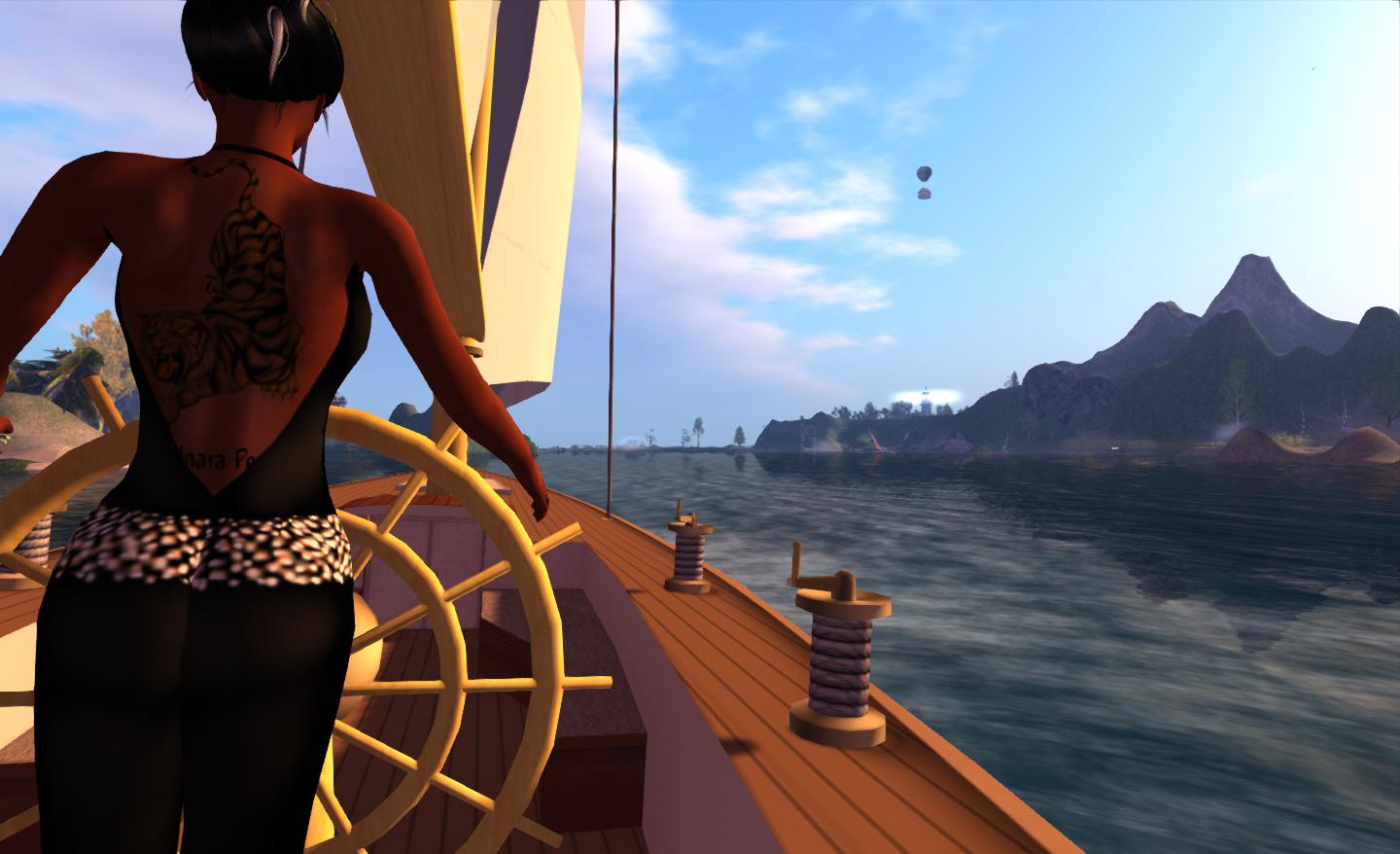
To the east of Eotia and Crow lie Wabe and Tide, both of which are largely devoted to water. Both have open rezzing, and visitors can, if they wish, rez their own boats and sail in the lagoon-like waters (please remember to take back anything you do rez when you’re done!). For those without boats of their own, a sailing skiff can be found at the quay at the north end of Crow, which you can (with a little cheating) sail into Wabe and Tide.

End of Time

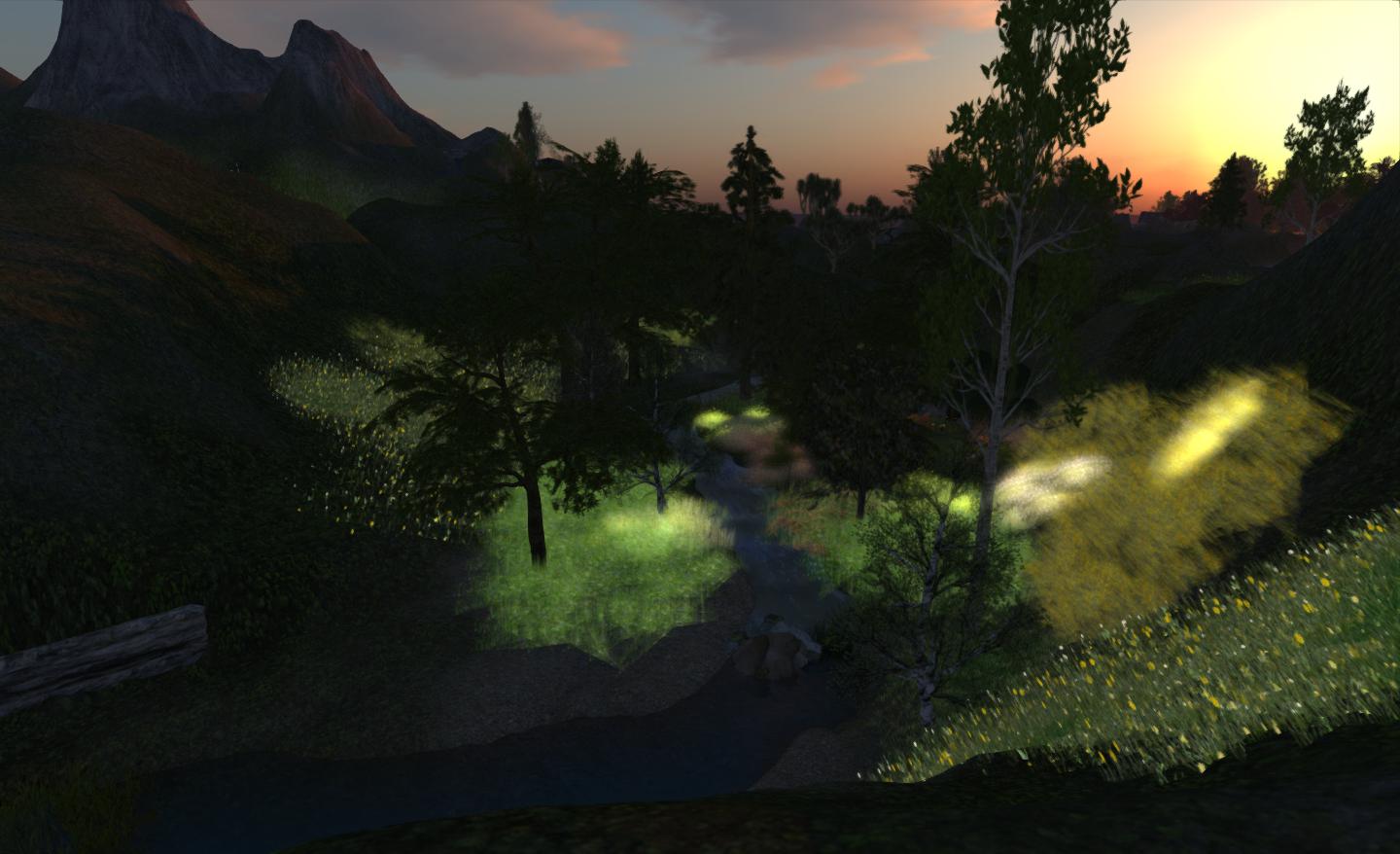
All four regions offer a relaxed approach to exploration and places to share with others. There are a number of dance anywhere systems among the places to visit, allowing the romantically inclined to dance some of the time together – and the music stream lends itself to romantic dancing. All four are also well-suited to photography as well, and lend themselves very naturally to a wide range of Windlight settings.

End of Time

End of Time is one of those places that provides exactly what it says on the bottle: a place to relax and a place to explore. Enjoy!

Related Links


Firestorm’s 2 and 1: celebrating the highs and lows of a TPV

Firestorm achieved a number of significant milestones recently, all of which are worthy of note.

  • On Sunday September 2nd, the viewer was officially two years old
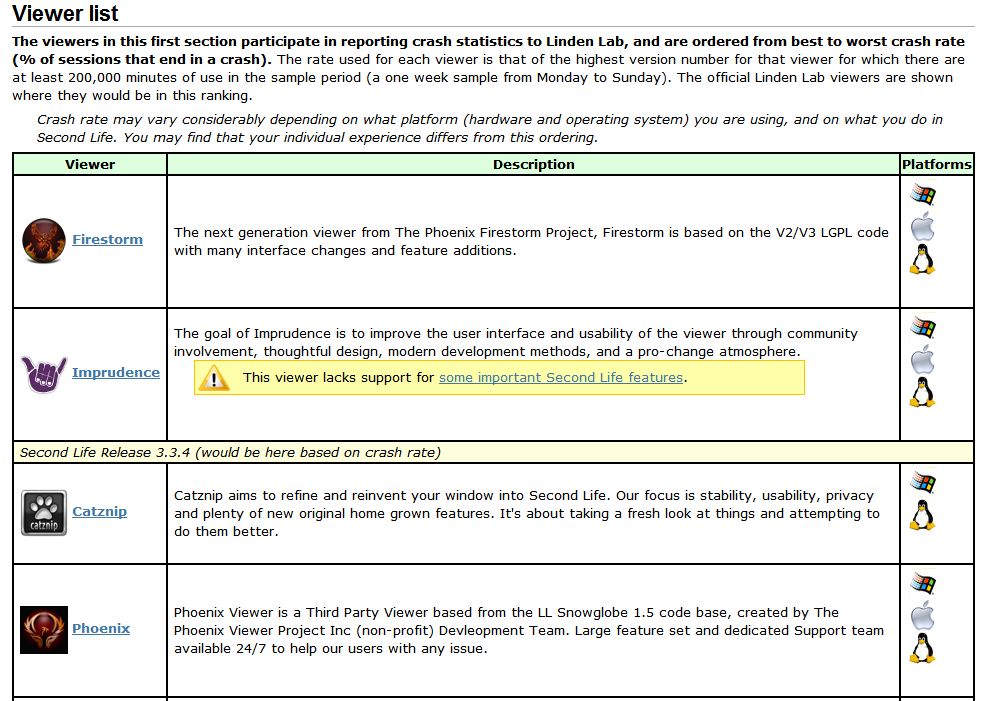
  • On Tuesday September 4th, version 4.2.2.29837 officially achieved the lowest crash rate for any V2/V3-based TPV at just 8.54%. This is even lower than LL’s own 1.23.5 viewer, which although long in the tooth and increasingly out-dated, is still regarded as very stable.
Extract from the Third-party Viewer directory listing, showing the most stable viewers at this time

Also on Tuesday 4th September, the team received official notification from LL that Firestorm has taken over from Phoenix as the most popular viewer in use in Second Life. This was marked by Oz Linden putting out an e-mail through the open-source development mailing list:

“On behalf of Linden Lab, I’d like to extend congratulations to the Firestorm Viewer team.

Last week, Firestorm took over the #1 spot on the list of Second Life viewers in terms of total user time, surpassing its elder cousin, Phoenix. The Phoenix viewer still has a slight lead in number of sessions, but Firestorm viewer sessions are on average significantly
longer – which may in turn be due in part to its substantially better stability.

“The Firestorm team has worked long and hard to support users who want both the latest Second Life features being developed by Linden Lab and the additional capabilities you provide, and this achievement is one you can all be proud of.

“Thank you.

Congratulations to everyone at Firestorm for all the time and effort devoted to the project.

William Weaver’s Phototools: create glorious shots with Firestorm

Update: Phototools is fully integrated into Firestorm.

Not long after joining Second Life, William Weaver, known in-world as Paperwork Resident, became interested in both SL photography and machinima. While he quickly realised the viewer has a huge capability for making both, he found that even in a TPV like Firestorm, many of the controls remain spread across multiple floaters and tabs and buried within the debug settings, making it hard to use the viewer to its fullest potential for in-world picture production without a lot of frustrating shuffling of floaters and tabs.

His solution was to develop Phototools, a menu system for Firestorm that pulls together all the various settings and options within the viewer that a photographer or machinima maker is liable to need during a shoot. With Phototools, it is possible to quickly and relatively easily set-up the viewer to produce stunning visual images in a one-stop pass using a dedicated floater; allowing some stunning results to be had without the need for any post-processing through Photoshop or similar tools.

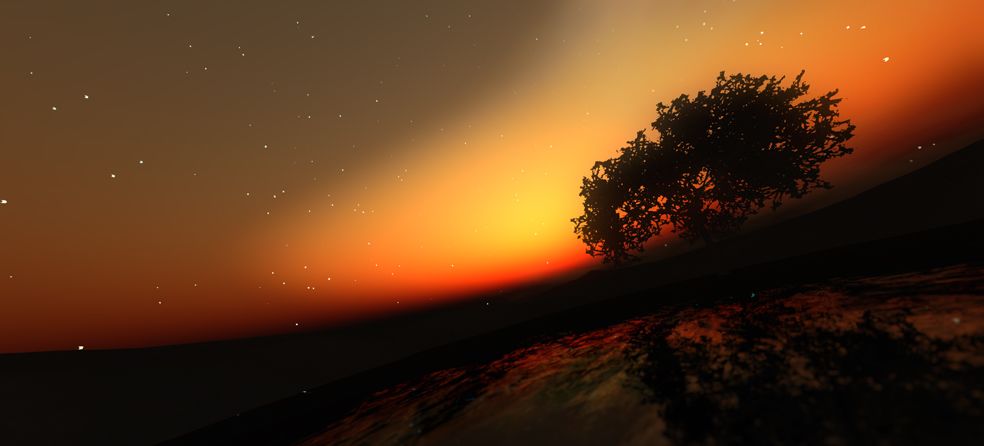
“Discover” by William Weaver – an image produced in Firestorm using the options made available through Phototools and with no external post-processing

Phototools has been around now for a while, available from Williams, blog, Paperwork Shows, and has been gaining popularity among Firestorm users. However, William has been working on preparing it for full integration into the viewer, and as a part of this work, he has made a number of changes to it which have just been released as version 0.94.

Essentially, Phototools replaces several of Firestorm’s default floaters with updated versions. In the original release, these included a replacement camera floater, which presented a wealth of additional camera and mouse / joystick options. However, as it was also relatively large and cumbersome, William has reverted to using the original camera floater in the new release, with the additional controls incorporated into the main Phototools floater. For those who have been using the earlier version of Phototools, the new release includes an .XML file for the original Firestorm default camera floater.

The Phototools Floater

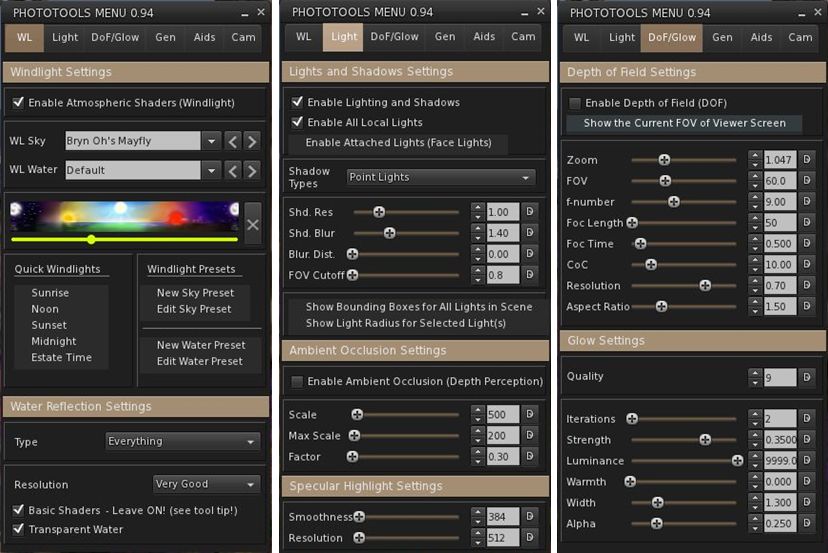
The main floater replaced by Phototools is the Firestorm Quick Preferences floater. For those who find this a very handy tool to have at your fingertips, it is not entirely lost: most of the options it contains are still available in its replacement, which I like to call the Phototools floater. This comprises six tabs: WL – for Windlight settings Light – for lighting and shadows; DoF/Glow – for depth of field and glow effects; Gen – for setting Draw Distance, terrain detail, avatar counts, etc; and Cam – for camera and mouse options.

Three of the Phototools floater tabs (click to enlarge)

Anyone familiar with Firestorm’s Preferences tabs will immediately recognise many of the options presented within the Phototools floater; others may not be so instantly recognisable, as they’ve been pulled from the debug settings. This is where the power of Phototools lay: not in providing new options or functions, but in making those already present in the viewer a lot easier to access and use from a single reference-point with the minimum of fuss and without taking up huge amounts of screen space (and having a heavy impact on frame rates).

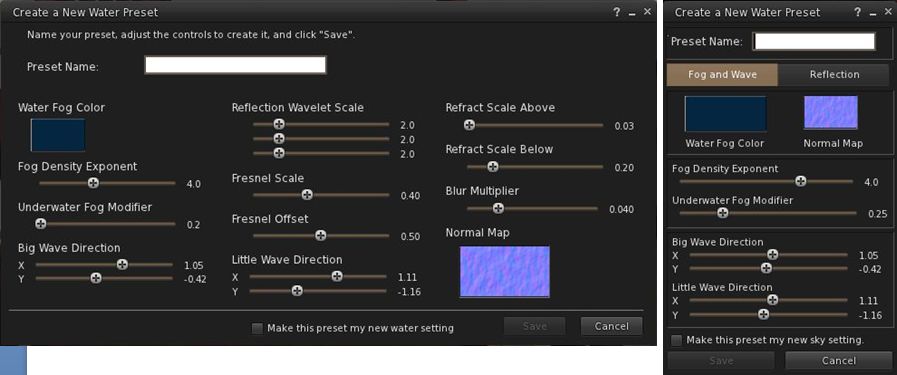
The first tab in the floater is for Windlight settings and this includes options to open the Windlight water and sky presets floaters (which can also still be accessed via World-> Environment Editor ->Sky Presets / Water Presets). Both of these floaters have been extensively re-worked to make them much more compact and screen-friendly when compared to the default versions found in most viewers.

Windlight Water Presets: the default floater (l) and the Phototools updated floater (r) both to scale (click to enlarge)

Taken together, the Phototools floater and revised sky and water presets floaters present all the options needed to manipulate the environment, as seen through your viewer, in three panels which are compact enough not to overwhelm the screen; a major benefit when trying to set-up lighting, etc., for a specific shoot or film sequence and you need to see the impact of changes on your world-view as you adjust lighting and other effects to achieve a specific result.

Another of William Weaver’s images created entirely using the viewer options presented through Phototools

How it all Came About

I recently caught up with William with a view to finding out more about Phototools and the future holds for them. I started by asking him how he got started on the road of developing them.

“When I first started in SL I was using it to write,” he explained. “I would role-play and write chapters in a story from the events of the role-play. While doing this, I started taking some pictures and I noticed SL has a great deal of potential for very good image making.”

He also noticed that a lot of people relied on external post-processing to achieve their finished results, “While I appreciate people who are good with Photoshop and after effects, I enjoy working with the limits of the viewer.” This started him thinking about how the capabilities within the viewer could be presented in a more user-friendly and accessible manner. At the same time, and while also involved in the role-play, William got to make his first SL machinima, which brought him up against additional problems.

Continue reading “William Weaver’s Phototools: create glorious shots with Firestorm”

BOOFest! Come tell a haunting tale

The year is passing swiftly. Already we’re in September, and October is peeking over the horizon, watching us.

October. The month of All Hallows, and a time of ghostly goings-on and hideous hauntings. To mark the time of year, StoryFest SL will be holding the 2nd annual BOOFest on Sunday October 21st, at Bran, and are seeking those willing to participate and recite tales of terror in a 30 or 60 minute time slot.

Presenters can tell original tales of their own, or opt to read seasonal favourites and classics, or share those dark tales by authors perhaps not so well-known. The only requirements are that presentations fit the requested time slot and are given live (no pre-recordings).

If you would like to participate, forward a notecard to either Caledonia Skytower or Dubhna Rhiadra with the following information:

  • Your name
  • The length of the time slot you’ll like (30 or 60 minutes)
  • Whether you are performing solo or with others (please include their names),
  • The piece you intend to present if you know it (not vital, as long as the organisers know by October).
  • Time of day preference or any time constraints that need to be considered when scheduling you.

Note that there will be limited rezzing during the event, and there will be no streaming – it’s just a blazing fire, an audience – and your voice! Submissions are open now, and will remain open until September 30th.

Already scheduled to appear are:

So if you have a favourite ghostly tale or wicked recital you’d like to give, be sure to drop Caledonia or Dubhna a line. For those that enjoy a good spooky tale, why not make a date in your diary and pop along to Bran?

All tips and gratuities from BOOFest  will benefit War Child North America, and Branwen Arts.

Related Links

Steam: some news, further speculation

The TPV/Developer meeting on the 24th August included an interesting, if brief, discussion on the forthcoming link-up with Steam, in which a little more information was revealed, and comments were passed that allow for further speculation as to how things might be handed.

In keeping with the Steam format, there will be a promotional video for Second Life which will be available for Steam users to view prior to initialising the Steam download / installation process. This video (produced by Linden Lab) apparently does not promote Second Life “intensely as a game”, but rather as a “place with a lot of cool content”, with the overall approach to the video being described as “kaleidoscopic” and fast-paced in terms of images shown.

Perhaps the most interesting comment however, came from Oz Linden in response to a question relaid by Jessica Lyon, on users being able to log-in to SL “from Steam”, in which he said, “Yeah, it creates a Second Life account…I don’t know how the name gets created … the two are connected somehow.”

This sparked a short discussion on how this might be possible, and what the mechanism would be for handling names, with some in the meeting wondering if the link-up would allow them to use their Steam user IDs with SL. I’m going to go right out on a limb here, and suggest that when it comes to creating an SL account “from Steam”, we might already have the answer sitting in front of us.

How Steam Works

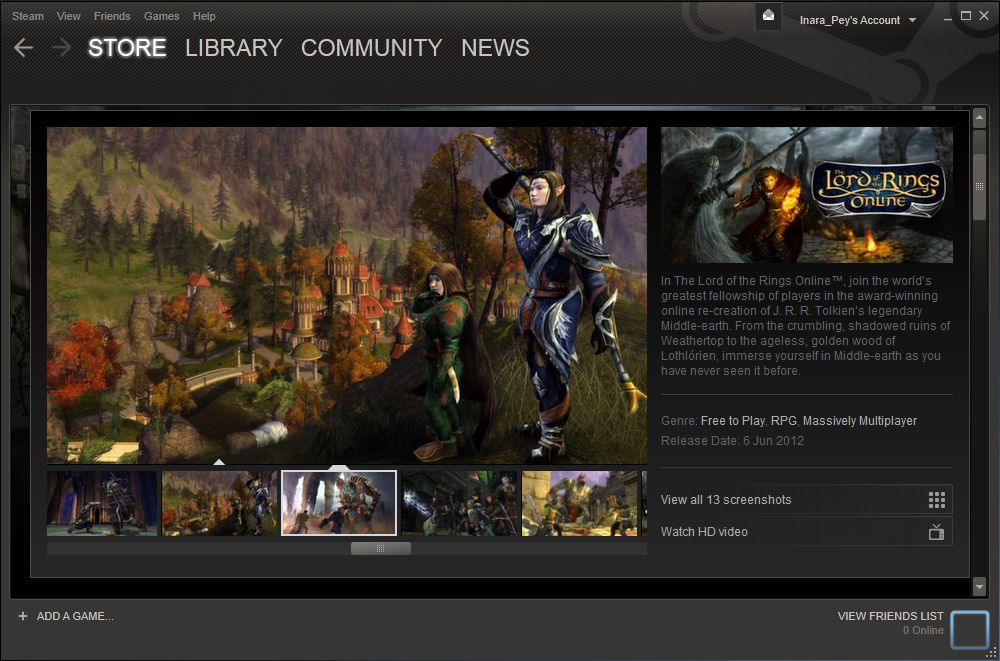
For those unfamiliar with Steam, obtaining a new game is a matter of using the Steam client or web page to browse available games (listed in several categories). Individual games can be previewed in a dedicated panel / page, which includes the options for promotional videos and stills to be added, as well as a description of the game provided.

A typical Steam client game preview panel

Should the user opt to play the game, they can start a download / install process from within Steam (on PCs running Windows 7 32-bit, games are installed into C:\Program Files\Steam\steamapps\ common, for example). Links are created to the user’s Steam library, allowing games to be launched from there as well as through things like short cuts on the desktop, etc.

What is interesting here is that many of the games have some form of sign-up process. However, rather than being incorporated in Steam itself, these generally take the user to an external website to complete the sign-up process. Could Second Life simply take the same route?

The Answer, My Friend, is (Maybe) Written in the Viewer (apologies to Bob Dylan)

Last month, I commented on changes made to the SL Development Viewer’s splash screen – specifically the dialogue box pointing the user to the need to sign-up for an account in order to access SL.

SL Development Viewer 3.4.1.263582, (August 16): initial prompt asking the user to create an account – included for the Steam link-up? (click to enlarge)

This has been included in all subsequent Development viewer releases since August 16th, but is only displayed if there are no avatar account files located on the host PC. Once somone has logged-in to SL and the account files created, the prompt is no longer displayed in starting the viewer.

At the time I reported this update I speculated as to whether it might be related to the upcoming Steam link-up. It’s hard to see why else LL would add such a prompt to the viewer’s splash screen – and the arrival of the update, just a couple of days after the original announcement did seem rather timely (although the splash screen changes have yet to be seen in any other flavours of the official viewer). Certainly, handling things this way would eliminate the need for complicated links between the Steam client / website and the SL website / sign-up page, and eliminate the need for any API interaction between the two.

If this is the case, however, one assumes steps will be taken to update the SL sign-up pages – the final step of which is to download the viewer; as Steam users will have already have effectively done this already, having the prompt without clarification could lead to some confusion.

The potential rebuttal to this is that Oz is involved with the viewer – so if the sign-up process was simply a matter of adding a dialogue to the viewer in order to direct the user to SL’s sign-up page, he’d know? Or is he simply being coy in his response, pending the official launch?

Will SL be Promoted as a Game?

During the TPV/Developer discussion, speculation is voiced that SL will in fact be promoted by Valve as a game on Steam. If correct, then one assumes that SL will be appearing in the Free Games category on Steam. However, this did not apparently come from Linden Lab, but rather from one of the TPV developers at the meeting.

As it is, Valve are due to launch their non-game offerings (described as “creativity and productivity” software this coming Wednesday, September 5th (which some have taken to be the date SL will appear on Steam, although this again is by no means clear) – so we might gain some further insight as to how SL might be pitched then – assuming SL isn’t one of the first offerings on the list.

Given that the original blog-post from the Lab announcing the link-up stated it would be happening in “the next month or so”, it would seem that we may have a couple of weeks yet in which to speculate, rather than perhaps getting a definitive answer this week.

Time will tell, as they say…

Related Links