Linden Lab blogs full availability of SL Mobile App

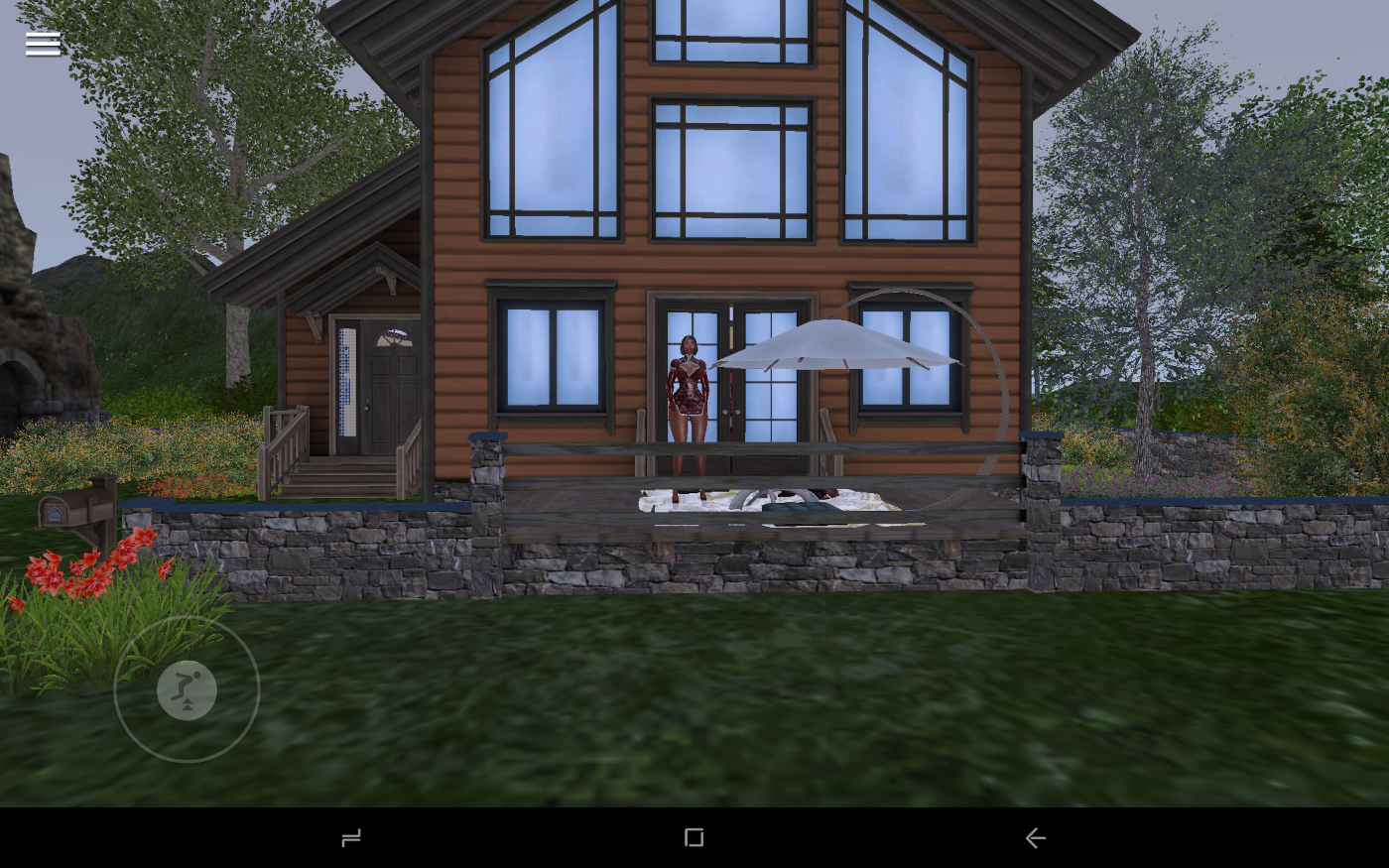
Outside my Linden Home on the SL Mobile App, November 14th, 2024 (unedited / retouched)

A little over a week since quietly making it available to all Second Life accounts types, on Thursday November 21st Linden Lab officially blogged that all Second Life users can now download and make use of the SL Mobile App (available on both Android and iOS) – see Second Life Mobile is here!
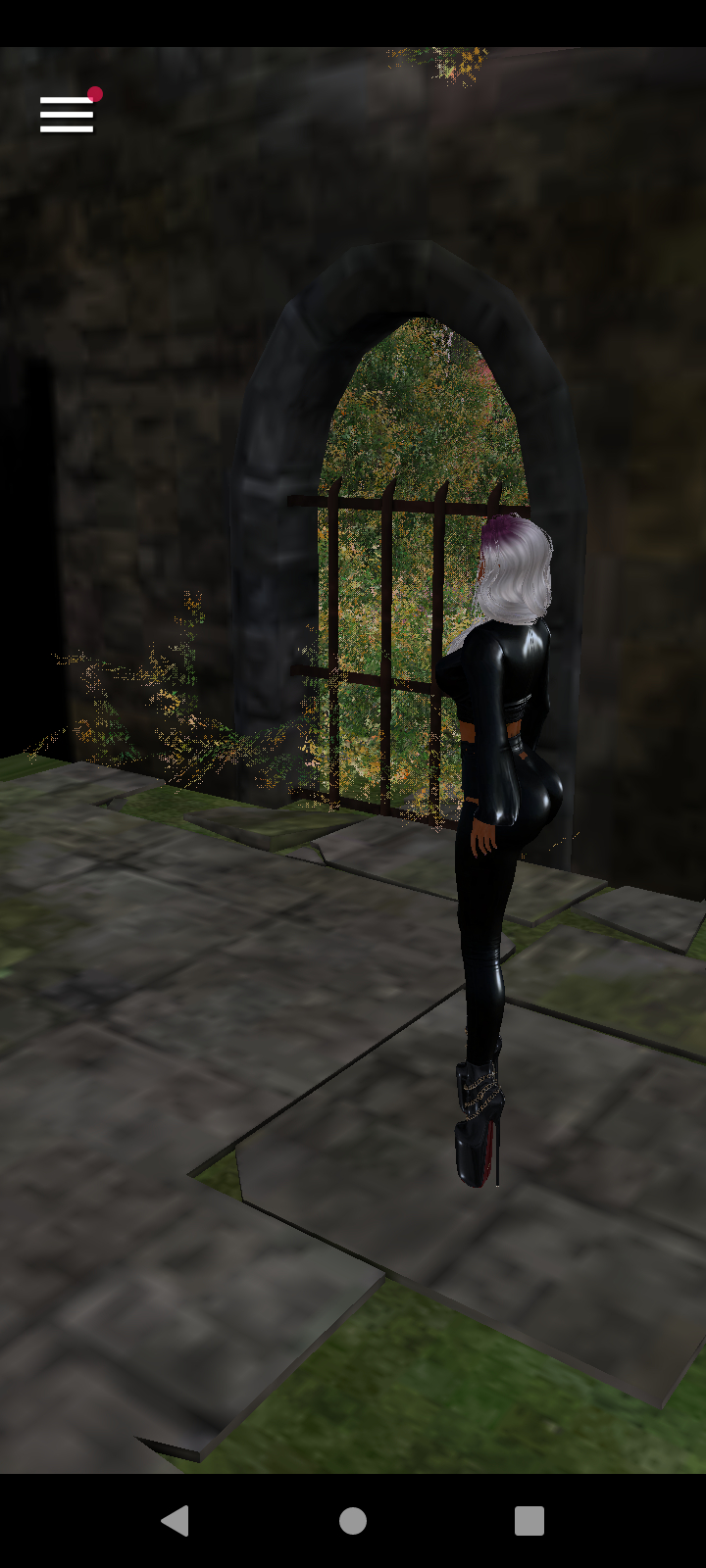
The original November 14th move to make SL Mobile available to all was followed by a special Zoom telecon with a number of Second Life bloggers, during which – and among other things – the Lab specifically discussed Mobile and its development and their hopes for it.

Engaged in that call were Executive Chairman Brad Oberwager, CTO Philip Rosedale, VP of Engineering and Product, Grumpity Linden, and chief Mobile developer Adam Frisby  – who some may know for his former involvement in Second Life and his role in creating the Sine Space virtual world (or as it was once known, sinewave.space), whilst being hosted by Brett Linden.

As one of those able to participate in the discussion, I presented a summary of the commentary surrounding SL Mobile in Second Life Mobile: free to all users & Lab execs discuss the product and goals, and a few of the points made in that article are likely worth repeating here:

  • Currently, the product is still officially regarded a “Beta” – it is still being improved based on feedback, and new features are being developed for future integration.
  • Capabilities are being added in terms of user “journeys” – that is, if someone wants to do X in SL, what capabilities / functionality / abilities do they require? The first such “journey” focused on going something in-world – such as a club or venue, etc., – and doing something, and what that would entail (being able to see the scene, move, chat, IM, view profiles, tip performers etc).
  • The App is not – and most likely will not – ever be seen as a “replacement” for access Second Life via a desktop / laptop; not is it ever likely to be as feature-capable as the desktop viewer.
  • Broadly speaking, SL Mobile has been developed with two primary audience in mind:
    • Existing users – as a means for them to enhance their SL experience by continuing  engage with the platform and their friends during those times of the say when it might not be practical to utilise the desktop viewer in order to do so.
    • “Lapsed” users who have left SL, many of whom have responded to the Lab reaching out to them by saying Second Life doesn’t address their preference for using mobile to access the things they want to do, rather than being reliant on a desktop environment.
  • Linden Lab is seeking feedback on the App, particularly if issues are encountered / persistent. However, when reviewing the App on Google Play or the Apple Store, LL do ask that users keep in mind that SL Mobile is not feature complete, and is being built iteratively, and so not all desired functionality may be there when using it.

Alongside the announcement, the Lab promoted a short video first seen with the “soft” opening of the App’s availability on November 14th, and which is presented below.

Personal Notes

I’ve been using the SL Mobile App since it was first made available for Premium account holders, and as such have watching its development since then. While my own experience with the App has been problematic – and potentially the result of a range of factors outside of SL and the Lab’s control (quality of wi-fi, for example), I’ve been impressed with what I’ve seen in terms of development and progress. However, given I personally have little use for the App (I work from home and so my PC is always within easy reach when I have time for SL), and given its (until recently) limited availability, I’ve not covered it to a great degree going forward.

That said, I will continue to cover the App in my Viewer Release page and weekly viewer release summaries, and as as result of the App now being available to all, I will attempt to report on significant updates going forward, for those interested.

Related Links


Second Life Mobile: free to all users & Lab execs discuss the product and goals

On Wednesday, November 13th, Linden Lab quietly made the SL Mobile App available to all users.

The release was somewhat low-key to help minimise the impact of users piling on to the Google and Apple stores and becoming frustrated if they found themselves unable to access the app and download it due to the volume of demand. 

Table of Contents

As a part of the opening of availability of the App, Linden Lab hosted a mini round-table via Zoom at which SL Mobile was discussed, and a little look behind the curtain for the App and its history was given. The following is a summary of some of what was stated / revealed.

SL Mobile Credit: Linden Lab

On Developing the App and Initially Limiting Access

There were many ways SL Mobile could have been developed; in 2019, for example, it was indicated that LL was working on an iOS client focused on communications (see: Second Life: LL confirm iOS client in the making). However, this work was suspended at some point, most likely so a better solution could be sought.

As was noted in the Zoom discussion, there were multiple paths to take, and how best to present the a Mobile app to an audience of Second Life users. One question in particular that had to be addressed was how to present the app to users; its development involved many challenge such that simply opening it up to all users from the first instance was not considered as really feasible, because the feedback could be overwhelming. The release needed to be limited in some way whilst still allowing for the necessary feedback.

So what is the best way to limit it? It is to limit it to people who have really committed financially, as well as in various other ways [to Second Life], and subscribers were they way that we could do this. It’s not like we really wanted to paywall it forever; we just wanted to open it up to smaller audiences, get feedback, get a lot of iteration, and that’s what we’ve been getting from the community, and it’s been fantastic.

Senior Vice President of Product and Engineering, Grumpity Linden

Features and Intent

In terms of which features the Lab decided to focus on in particular for Mobile, the approach taken was to think in terms of “user journeys”: identifying a specific activity users enjoy doing in Second Life – such as socialising, be it at a club or similar venue, or getting out and about with others – and what are the key capabilities involved in that experience: moving, teleporting, communicate, see what’s going on, hear what’s going on (music), look-up profiles, etc. Then building-out those capabilities iteratively, before moving to another journey – such as enhancing avatar customisation options, and start an iterative process that could result in a more rounded means to management inventory on Mobile.

This next journey – subject to official confirmation – might be enhancing avatar customisation through the App. Again, this will not mean a complete set of customisation and inventory management tools being made available at once, but will again be an iterative process, with options and capabilities  added over time to improve the experience.

However, it is important to remember that the aim with Mobile is to augment people’s Second Life, offering an adjunct to the viewer. It is not intended to emulate / reproduce all of the functionality available within the desktop viewer.

The idea is not to create a simpler experience, say akin to Fortnite, on Mobile, where one can “play” Second Life and have the whole experience on the Mobile App.  We don’t actually know, and are inclined to disbelieve, that would ever be possible. What we’re trying to do instead right now somewhat better by using Mobile; maybe it’s getting messages; maybe it’s finding new places … maybe it’s doing something you like to do every day, but do it in Mobile because you’re on a bus or something; but we’re not trying to design the Mobile client to replace Second Life on the desktop. 

– Philip Rosedale, Linden Lab CTO

SL Mobile (Credit: Linden Lab)

Audience

Broadly speaking, SL Mobile has been developed with two primary audience in mind:

  • Existing users – as a means for them to enhance their SL experience by continuing  engage with the platform and their friends during those times of the say when it might not be practical to utilise the desktop viewer in order to do so.
  • “Lapsed” users who have left SL, many of whom have responded to the Lab reaching out to them by saying Second Life doesn’t address their preference for using mobile to access the things they want to do, rather than being reliant on a desktop environment.

One thing the Mobile app is not intended for – at least for the foreseeable future – is the on-boarding of users entirely new to SL; the learning curves involved in becoming comfortable with SL and engaging with it are seen as being too complex / steep at this point in time. Which is not so say the Lab will not be seeking to resume marketing SL to potential new users; far from it, as Brad Oberwager, the Lab’s co-owner and Executive Chairman, noted:

What we are going to do is to start driving people to the desktop and see what happens. That is in play, and that’s good for everybody here. The more people we can all bring in, the better Second Life will be for everybody.

Reception

One of the downsides to the iterative approach taken thus far with SL Mobile has been that it has received extremely poor feedback on both Google Play and the Apple Store. Much of this appears to revolve around perceived incompleteness, possibly as a result of users jumping in and expecting a fully-rounded product and becoming frustrated when they discover functionality is missing.

In this respect, it is again important to remember that SL Mobile is still very much in a beta stage of development, and the iterative process will continue; as such people do need to offer some patience in terms of “missing” features, etc. While the negative feedback has been a source of frustration and disappointment for the Lab, measures are being considered to correct it- be it by resetting the app on the Apple Store and by continuing to offer a better and better product. At the same time, as Lead Developer Adam Frisby noted, the number of poor reviews is hardly insurmountable in the scheme of things .

Trying SL Mobile

As noted, SL Mobile is now available to everyone on both the Apple Store and Google Play, and the links for more information are below. If you are keen to try out out, again, please remember, this is not a final release – as noted above, SL Mobile is still in beta, so please keep this in mind when reviewing the app. That said, if you do encounter issues or bugs, do please file a report with the Lab .

Related Links

SL Mobile Now Available to Plus Subscribers

SL Mobile – via Linden Lab

On Wednesday, October 2nd, Linden Lab announced the Second Life Mobile (SL Mobile) beta programme is now extended to Plus subscribers, meaning that it is now open for all three levels of subscription tiers to try out and provide feedback on.

In addition, the announcement highlighted the following updates and additions to the App:

  • Full Access to All Regions – Premium Plus, Premium, and Plus members now have the freedom to explore ALL of Second Life – including regions across all maturity ratings! on both Android and iOS.
  • Experimental: Spatialized Voice Chat using WebRTC. This can be tested on the following regions, pending the deployment of WebRTC support across the grid later in October 2024: WebRTC1, WebRTC2WebRTC3WebRTC4)
  • Improved Controls – Now easier-than-ever to navigate with reduced sensitivity controls.
  • Group Tags, Push Notifications & More.
  • Ability to use L$ to pay objects and avatars.

Full details on the most recent update now available via the release notes.

Alongside of the update, the Lab issued a new video highlighting the updates and providing an overview of what’s likely to be coming soon.

How To Get It

Plus, Premium and Premium Plus Second life subscribers can go to Second Life Mobile and follow the links for Apple iOS or Google Android.

Reviews in This Blog

While I have been trying out the Mobile App since the public beta opened, I will refrain from offering any in-depth reviews until after SL Mobile on Android until it is a more rounded application and is fully available to all.

SL Mobile Available to Premium Plus and Premium in Open Beta

SL Mobile – via Linden Lab

On Tuesday, June 25th, Linden Lab announced the launch of an Open Beta phase for the SL Mobile App for Android and iOS, extending the opportunity for anyone with a Premium Plus or Premium subscription to Second Life to download the app and try it, and report on issues / give feedback.

  • The launch coincided with an announcement at the Product and Engineering Town Hall event at SL21B, and came with news of a series of special community-lead events to be held across the grid to mark the launch as well.
  • The announcement also saw the SL Mobile (beta) website become generally available, and the opening of a SL Mobile FAQ – those wishing to download and try the app on their device(s) should give this a read through.

How To Get It

As a beta release, you will need to use one of the links below on your device to access the SL viewer download:

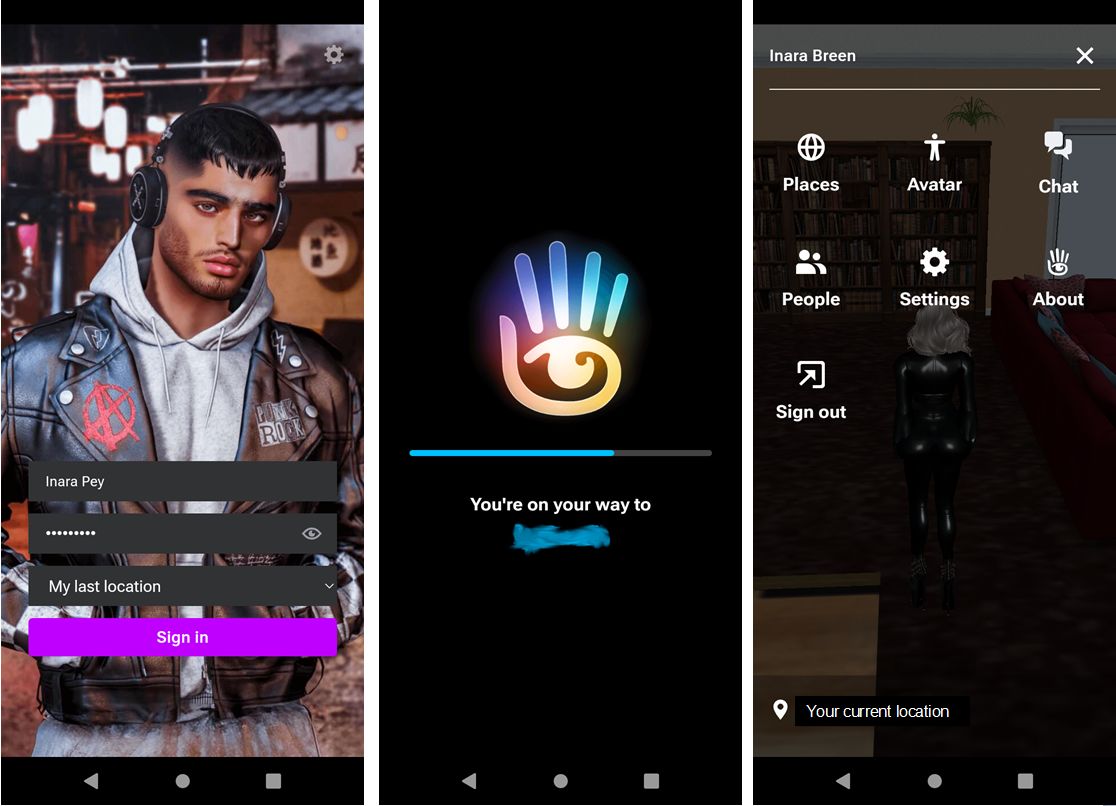
The log-in screen (splash image changes with each log-in), the connecting screen giving destination, and the in-world view with drop-down menu active on a mobile ‘phone with octa-core processors ( 2×1.6 GHz Cortex-A75 & 6×1.6 GHz Cortex-A55), Mali G57 GPU and 8+8Gb RAM 

Some Points on Using SL Mobile

In General

  • This is beta software and liable to glitches (such a avatar skins rendering fully or partially black under a variety of situations).
  • Log-in is subject to multi-factor authentication, so if you use MFA, have a valid code available from your chosen authenticator when initially logging-in.
  • Once you are logged-in to Second Life on a specific device, future log-ins will be automatic on starting the the App until you log-out / are logged out from your device (e.g. because you try logging-in from a regular viewer whilst connected via SL Mobile).
  • The app also supports “standard” touch-screen capabilities including strafing movements (camera), pinch-zoom (camera zoom), etc.
  • SL notifications can be displayed as a part of your device’s notifications.
  • In order to comply with Apple requirements, Adult rated regions in Second Life cannot be access by the iOS version of the SL Mobile app.

Initial Tutorial

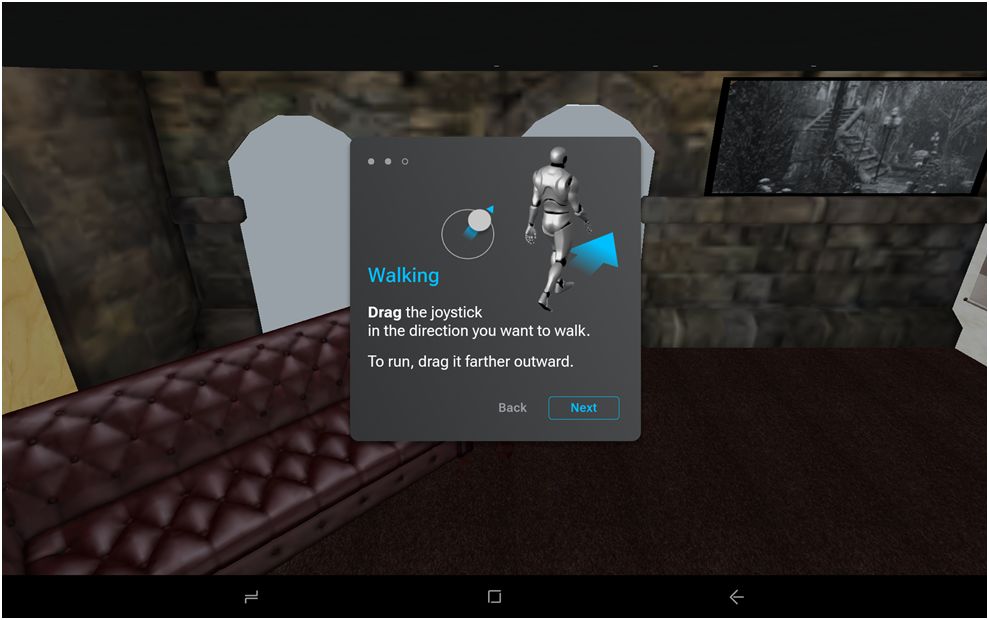
Avatar movement is via a “joystick” controller (tap bottom left of app window to reveal it), and a brief tutorial is supplied at first-time log-in.

Part of the Joystick tutorial displayed when logging-in to the SL Mobile App for the first time. Captured via a Doogee T10 8+7 Gb (Octa-core 2×1.6 GHz Cortex-A75 & 6×1.6 GHz Cortex-A55 CPU with Mali-G57 MP1 GPU), 1920×1200 25.65 cm diagonal screen

June 2024 Capabilities

  • Core capabilities in addition to world rendering and avatar movement, are accessed via a menu button to the top left of the app window.
  • These include:
    • Avatar: ability to change between complete outfits located in the Outfits folder
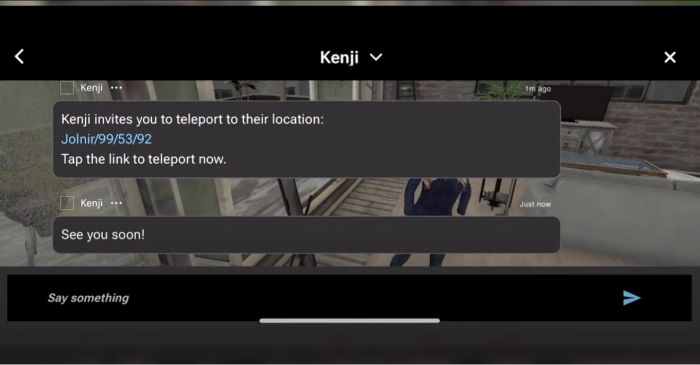
    • Chat: both nearby chat and IM (Friends (+Friends )n-line); Nearby; Group) – via overlay.
    • People: view All Friends, Friends On-line, Groups, Nearby, those Recent(ly contacted), those Blocked.
      • Includes options to view avatar profile, chat, IM, offer teleport, add / remove as friend, block, and AR.
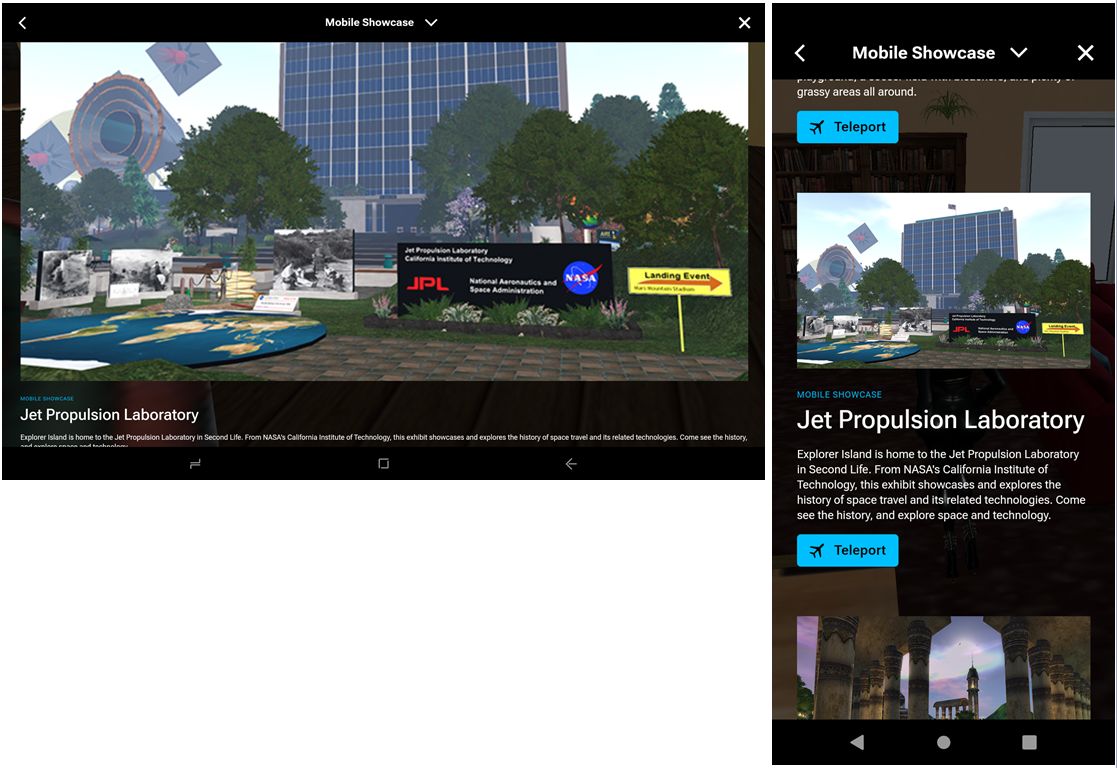
    • Places: personal favourites, Destination Guide, Mobile showcase (DG subset).

    The Destination guide as seen in landscape view (Doogee tablet, 25.65 cm diagonal screen) and in portrait mode (16.5 cm screen on a mobile ‘phone)
  • There are also option to access the App’s settings, including:
    • General settings (draw distance (range 20m to 250m, with 20m or 100m and above not recommended); LOD (high, medium, low), Audio Steaming toggle switch, etc.).
    • Notifications settings.
    • Developer tools.
    • Feedback & bug reporting.
  • Also supported are:
    • Limited Context Menu access for avatars (e.g. to profile, to open chat, et.c) and in-world objects (e.g. to sit) – long touch over the avatar / object.
    • Receipt of Group notifications.
    • Receipt of app-specific notifications (blue dot).

What Isn’t There – Yet

  • At the time of writing the app does not support:
    • Building or object editing.
    • Inventory access and management (but see note on Outfit changing, above).
    • Use of voice.
    • Displaying on-screen HUD attachments or interactive dialogues drive by llDialog.
    • L$ transactions (or balance display) or Marketplace access.

Closing Comments

While I have been trying out the Mobile App since the public beta opened, this piece is not intended as a review, so I prefer not to give personal feedback here. I will, however, provided a more in-depth look at running the app on both a mobile phone and on a 10-in tablet device both on Android 13 in due course, as I gain more familiarity with using it.

Second Life Mobile App enters “private” Alpha testing for Premium Plus users

SL Mobile, December 2023 – screen cap via Linden Lab

Update, December 13th: – the Lab now has an official blog post on the Alpha.

Linden Lab have announced – by way of a You Tube video (at the time of writing, I’ve not seen any official blog or forum post commentary  to accompany it) – the launch of a Second Life Mobile “Private Alpha” allowing Premium Plus subscribers to sign-up for the opportunity to take the app for a test drive and provide feedback to help with development.

Narrated by – I believe – user Boston Blaisdale, the short video (just over a minute in length) introduces the features and capabilities those accepted into the alpha will be able to try. These include:

  • See your avatar & edit appearance / change outfits.
  • Explore the world via the Destination Guide, mobile showcase, teleport, deep links, TP offers.
  • Interact with the world through a limited set of movements (walk, run, fly, sit, stand) and object interactions (touch, sit) – or park your avatar and explore via flycam.
  • Socialise and stay connected (nearby chat, group chat, IM, group notices, find contacts, inspect profiles).
  • Create and log in with a new account.

The app is currently available on the following platforms:

  •  iOS (minimum: iPhone X running iOS 16.6.1).
  • Android: mid-to-high-end Android device (comparable to Google Pixel 6 or higher) running Android OS 13 or higher.

Those participating on iOS will also require the TestFlight app for testing and feedback, whilst Android users will need to provide feedback through Google Play.

Premium Plus subscribers can find out more by following this Support Page link and (I believe) submitting a support ticket. There is also a link on this page to a FAQ  on the Mobile app. It is not clear if this testing is subject to any form of NDA.

SL Mobile, December 2023 – screen cap via Linden Lab

Commenting on more general availability for the app, Linden Lab state:

It’s still early days for our mobile app. Our mobile team has been hard at work building a mobile-centred design and foundational features so that we can all enjoy Second Life anywhere we want. We’re ready to share what we’ve built so far with our most dedicated residents and we ask for your help as we continue to develop this project through this early Alpha stage, but we do not have a date for the next phase of testing or full release at this time.

Using Premium Plus members for initial feedback is an interesting choice. On the one hand, it would appear to greatly limit the potential resource pool of people willing to work on the app and give objective feedback; on the other it does allow Linden Lab to manage the size of the pool of likely applications at this point in time. Whilst some might feel snubbed at the restrictive nature of this initial Alpha, it is probably worthwhile noting that the SL Mobile app has already had input from users and will continue to do so; so will hopefully include more broad-based Alpha and Beta testing using an expanded pool of users in 2024, as LL continue to develop the app.

In the meantime, here’s the video.

Second Life Mobile: Video update from the Lab, with summary

SL Mobile demonstration by Grumpity Linden – a screen capture from the June 2023 development video from Linden Lab
On Tuesday, June 27th, Linden Lab released a new video highlighting the development work for Second Life Mobile App. This video is embedded below, with what follows intended to form a short summary of comments made on the work during the SL20B Lab Gab session with Grumpity and Mojo Linden (and for which I’ll have a text summary available soon.

Key Points

  • Development work is continuing, with an emphasis on performance and rendering (for example: the capabilities of the hardware running SL Mobile is assessed to see if it can render with shadows enabled).
  • The user interface has been revised and improved.
  • The overall aim remains to provide an immersive an experience as possible, and provide users with an many of the capabilities found within the viewer as makes sense to include in a mobile device.
  • As it is, SL Mobile provides:
    • Chats and IM capabilities.
    • Friends on-line information.
    • Destinations / Places.
    • Teleport capabilities.
    • Groups and Group chat functionality.
    • High-quality rendering.
    • Avatar navigation via an on-screen joystick (only visible when in use).
  • Work will continue in adding features and capabilities and refining SL Mobile over the next two quarters.
  • The current time frame for releases is:
    • Limited “private” alpha testing towards the end of 2023.
    • Broader user beta testing in 2024.
  • Further news and updates will be made available as and when there are updates to share.
Rendering in the SL Mobile app / viewer – screencap via the June 2023 development video from Linden Lab

The Video

The new video – embedded below – provides insight into the work carried out since the last update / video released at SL19B, and highlights some of the purposes LL sees SL Mobile being put to. Note that elements such as the UI as seen in the video are subject to possible change as the product develops.