Second Life project updates 30/1: group issues, avatar complexity

Timeless Memories; Inara Pey, July 2015, on FlickrTimeless Memories, July 2015 (Flickr) – blog post

Server Deployments Week #30 – Recap

As always, please refer to the server deployment thread for the latest updates / news.

On Tuesday, July 21st, the Main (SLS) channel had been listed as due to receive server maintenance package previously deployed to the three RC channels (15.07.07.303297). However, post-roll, the channel had been updated to release  15.07.09.303393, although the description of the changes, internal simulator fixes, remained unchanged.

On Wednesday, July 22nd, the three RC channels all received the same new server maintenance package, again comprising internal server fixes related to Experience Keys, comprising null pointer checkers and – interestingly – a configuration option for the number of Experiences a Premium member can have.

Group Issues

Following the week’s deployment, people started reporting group-related issues, particularly:

  • BUG-9725 – Activating a group fails on first selection on Second Life Server 15.07.09.303393 & RC
  • BUG-9735 – Unable to Edit Group Parameters after being made OWNER of newly created group
  • BUG-9695 – [Project Notice] First attempt at joining a group fails (also happens with current release viewer)

BUG-9735 affects promoting a member of the group to Owner status: their role title will change, but they do not gain the Owner powers, even after a relog (if an invitation is sent to someone to join the group with Owner status, they gain the expected rights). Curiously, this bug does not reproduce on Aditi (Beta grid) on simulators running the same code release.

Note that with BUG-9695 that if a fee is charged for joining the group, the fee will be taken, even if the join fails; you’ll then be charged again on your next attempt to join (which should succeed).

The Lab is actively investigating these issues.

In addition, there have been assorted reports of dropped group chat messages and detectable group chat lag.

Avatar Complexity

There have been recent updates relating to STORM-2082, the work Oz Linden has been undertaking on Avatar Complexity (aka “Jelly Baby avatars”). This work had been held-up due to a bug which rendered all avatars affected by the setting as invisible, rather than as the expected “Jelly Babies”. However, this now appears to have been fixed.

This means that this work may well be appearing as a project viewer during week #32 (week commencing Monday, August 3rd).  Commenting on the status of the project at the Open-source Developer meeting on Monday, July 20th, Oz Linden said:

All it needs now is a little more UI – notices that show when your own Complexity has changed, and when your Complexity is too high for those around you to render … I want to wait for those UI changes to release this so that people have a way to understand why things are rendering fully or not … There will be a new setting that controls how long the message about your own cost appears; it will also govern how long the message appears when others are not rendering you.
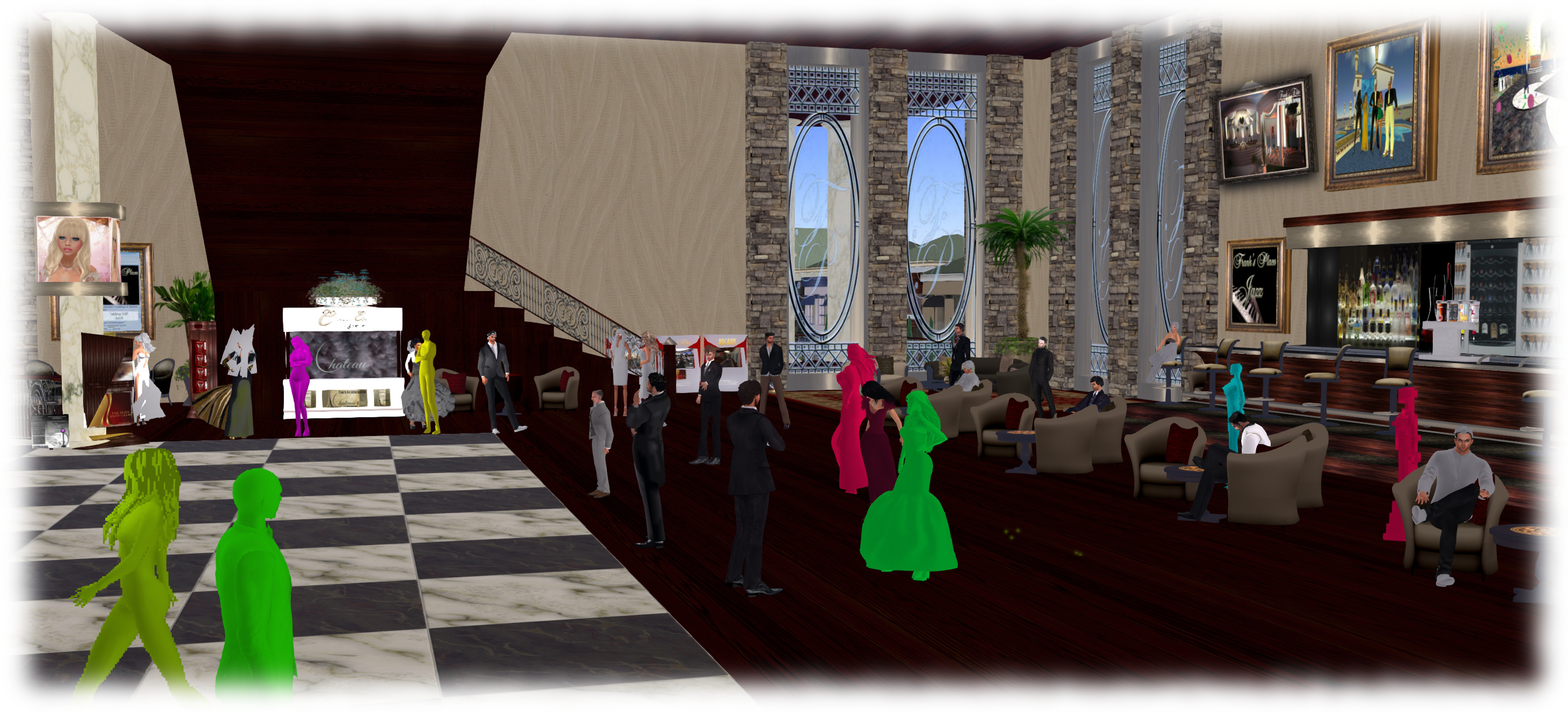
Avatar Complexity (aka Jelly Babies): expected as a project viewer in early August

Oz also indicated he’d like to experiment a little more with things. One idea under consideration is that currently, the viewer is gets all the data on high render cost avatars prior to calculating the complexity value. However, it might be possible to allow the viewer to make the calculations without having to fetch the full avatar data. A benefit of this could be to reduce the risk of worn mesh crashers impacting the viewer.

Lab warns: Facebook upload problems possible

secondlifeFacebook recently implemented changes to the API which Linden Lab (among others) use to allow snapshots to be uploaded to Facebook from the viewer via the SL Share capability.

In response to this, as as I noted in my TPV Developer Meeting report on April 11th, the Lab made changes to SL Share itself to comply with Facebook’s update. These don’t involve and functional changes to SL Share or the way you go about uploading snaps, etc, to Facebook, and it had been hoped that the whole process of changing from the “old” to the “new” API would be completely transparent to SL users.

Unfortunately, Facebook seem to be lagging behind in actually migrating applications using the API to the updated version, and as a result have indicated that some of the applications (like SL Share) might encounter some disruptions as the switch-over occurs.

Because of this, Linden Lab have issued a warning to those using SL Share for Facebook uploads that there might be temporary problems with the service. The notice, which came in the form of a technology blog post, reads in part:

This means that when using SLShare (updating status, photo uploads, and check-ins from the Viewer) you may experience some temporary problems. Please be assured that we are aware of this and any issues you encounter should be resolved once the migration period is complete.

Thank you for your patience!

Note that potential problems might occur with any viewer using the SL Share capability to upload to Facebook, and not just the official viewer. So if you are using a TPV with the capability, please keep this in mind.

The SL Share to Facebook allows you to upload images, provide status updates, etc., directly to your Facebook account - and has proven very popular among the large numbers of SL users who are willing to connect their SL and Facebook accounts
The SL Share to Facebook allows you to upload images, provide status updates, etc., directly to your Facebook account – and has proven very popular among the large numbers of SL users who are willing to connect their SL and Facebook accounts

For those unfamiliar with the Facebook upload capability, it can be accessed either via a dedicated menu / toolbar option in those viewers supporting it, or via the unified snapshot floater (again, in those viewers supporting it). It allows those with a Facebook account to send updates on where they are in SL and what they’re doing, upload snapshots, complete with pre-processing filters. There’s also a Friends tab in the Facebook floater, but this hasn’t been defined in the Lab’s Knowledge Base article on the capability, as I don’t use Facebook, I’ve not been able to confirm it’s use. I assume its a method of connecting to other SL friends you have who also use Facebook.

Related Links

RC regions and inventory issues

Update: March 31st: The Lab hopes to have a fix deployed to all three RC channels on Wednesday, April 1st. In terms of the problems related to disabling the HTTP Inventory option, which this fix does not address (see BUG-8917), the Lab notes that going forward, users should keep this option enabled, otherwise issues of load failure will occur. As such, it is anticipated this option will be hidden from general view within the viewer at some point in the future. 

The server-side deployment to the three release candidate channels (Bluesteel, LeTigre and Magnum) during week #13 included updates focused on reducing instances of inventory loss, and also included some server-side code clean-up. Unfortunately it also brought with it the potential to create a few inventory-related issues.

The problems are reported in BUG-8877, and have the potential to affect anyone running a version of a viewer that does not have the recent AIS v3 updates (e.g. the current release of Firestorm and, I believe, Singularity), and / or any viewer with or without AIS v3 updates which is running with HTTP Inventory disabled. However, they will only occur when you are actually located on an RC channel region, and then only in situations described below.

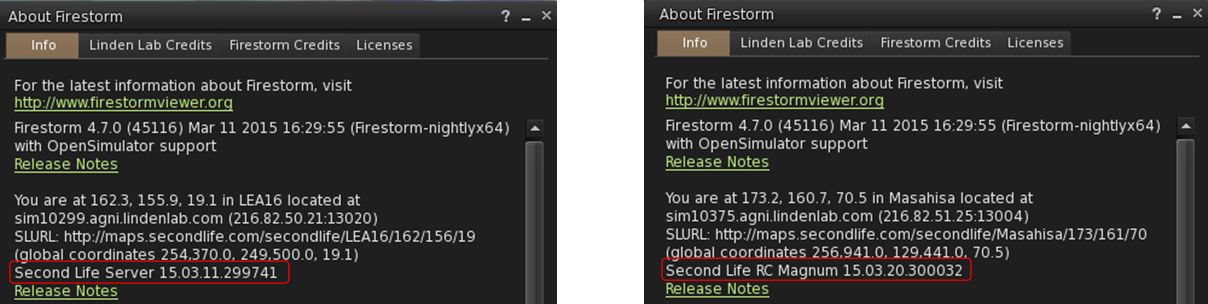
You can ascertain whether or not you are on an RC region via the viewer’s Help > About floater.

You can tell whether or not you are on a simulator RC channel via your viewer's Help > About floater. If you are currently on a region running on the Main (SLS) channel the viewer will report "Second Life Server", followed by the version number. If you are on an RC channel, the viewer will report "Second Life RC" followed by the channel name (Magnum, Bluesteel or LeTigre) and version number
You can tell whether or not you are on a simulator RC channel via your viewer’s Help > About floater. If you are currently on a region running on the Main (SLS) channel the viewer will report “Second Life Server”, followed by the version number. If you are on an RC channel, the viewer will report “Second Life RC” followed by the channel name (Magnum, Bluesteel or LeTigre) and version number. The problems noted here will only occur on RC regions (click to enlarge, if required)

There are two problems which are being encountered:

  • If you empty Trash and relog when using a viewer without the AIS v3 code updates (e.g. the current release of Firestorm), the purged items will reappear in Trash the next time you log-in to SL. This will not happen if you are running a viewer with the AIS v3 updates – your Trash will purge and remain empty, as expected
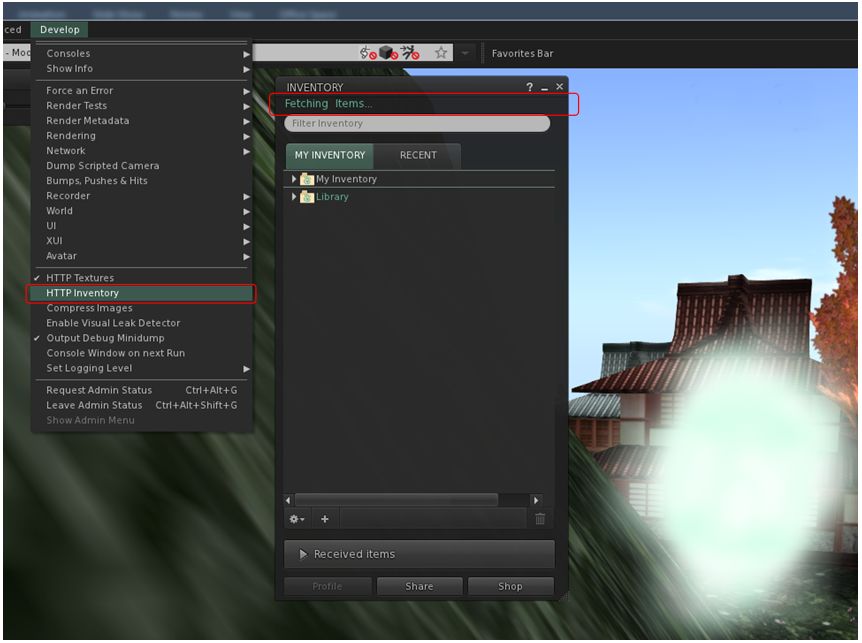
  • If you are running the viewer with HTTP Inventory disabled, and clear cache, your inventory will not fetch as long as you remain on an RC channel region, leaving you a cloud (see below). This will happen regardless of whether you are running a viewer with or without the AIS v3 code updates
One of the current RC issues: If you have HTTP Inventory DISABLED (see the unchecked item in the Develop menu) and then clear your cache in an RC region, on relogging, you'll find your inventory will fail to fetch
One of the current RC issues: If you have HTTP Inventory DISABLED (see the unchecked item in the Develop menu) and then clear your cache in an RC region, on relogging, you’ll find your inventory will fail to fetch

Until such time as the server-side code has been updated, these issues can be overcome / avoided by:

  • Moving to any non-RC region to purge Trash properly without items returning following a relog
  • Re-enabling HTTP inventory in your viewer (CTRL-ALT-Q to display the Develop menu, if required, and then checking HTTP Inventory), and then relogging to overcome issues of inventory fetching following a cache clearance when on an RC region.

The JIRA reporting the issues has been imported by the Lab for an immediate fix. This probably means – subject to confirmation from the Lab – that the code currently on the RC channels will not be promoted to the Main (SLS) channel on Tuesday, March 31st, and that a fix will (hopefully) be deployed to the RC channels on Wednesday April 1st. I’ll have an update in my usual SL project update reports in due course.

AMD’s Catalyst™ 15.3 beta driver offers SL mesh fix

Update, April 27th: AMD have now updated their beta drivers to version 15.4.

AMD have release a new set of Catalyst™ drivers for windows which, according the release notes, includes a fix intended to resolve the  rigged mesh issues  which, since the deployment of the 14.9.2 drivers by the company, have caused rigged mesh to be invisible unless hardware skinning is disabled (see BUG-7653 and my report here).

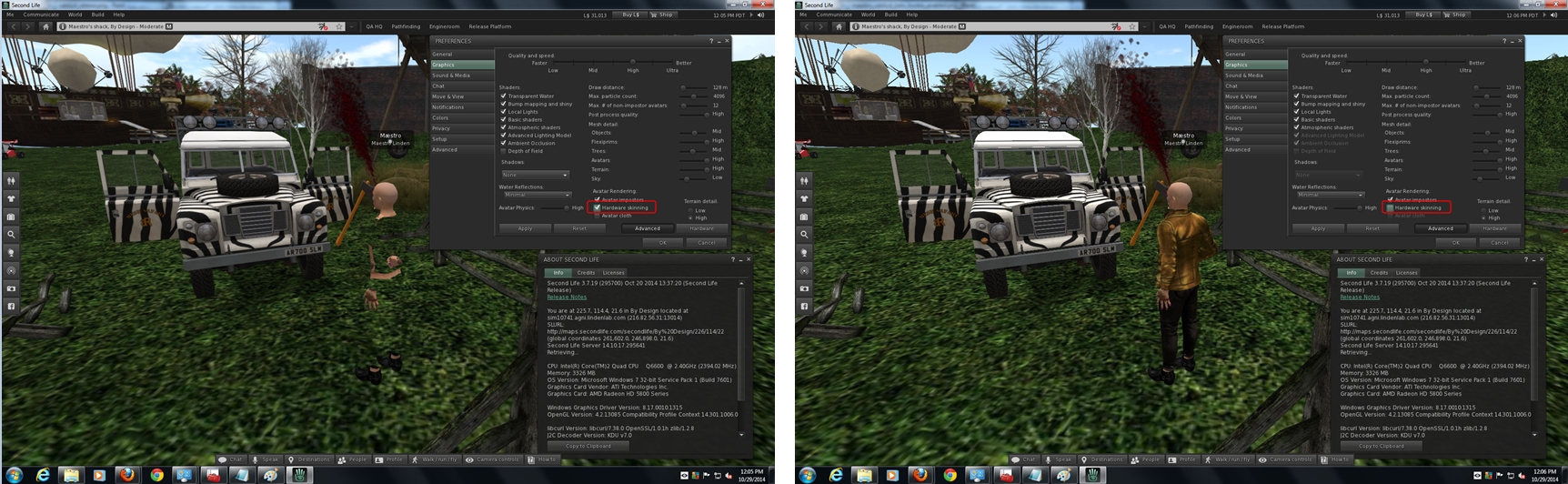
The  AMD Catalyst™ drivers (1.4.9.2 onwards) rigged mesh rendering problems as a result of changing openGL support within the drivers (image courtesy of Maestro Linden, click for full-size)
The AMD Catalyst™ drivers (1.4.9.2 onwards) rigged mesh rendering problems as a result of changing openGL support within the drivers (image courtesy of Maestro Linden, click for full-size)

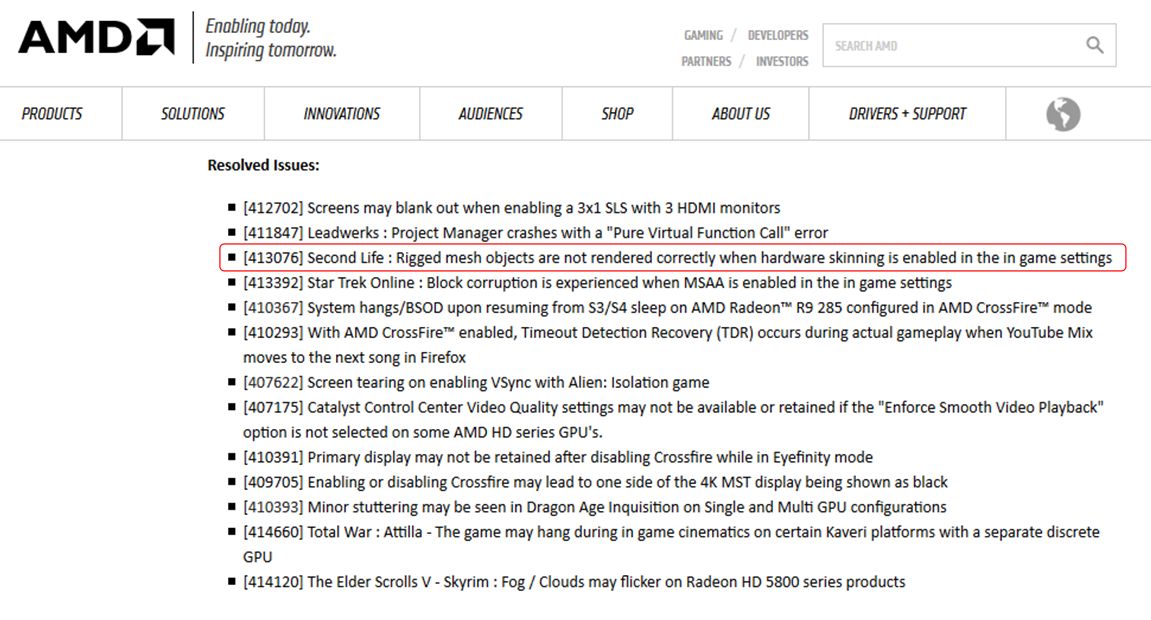
In the release notes accompanying the new drivers, AMD note the following under Resolved Issues:

[413076] Second Life : Rigged mesh objects are not rendered correctly when hardware skinning is enabled in the in game setting

The update was spotted by SL user Liffento Eldritch, who posted the news on the Firestorm Preview Group, prompting Miro Collas of the Firestorm team to poke a few people, and Whirly Fizzle to drop me a line on the update.

The AMD Catalyst™ 15.3 beta drivers offer a fix for the SL mesh rendering issue

As regular readers of these pages know, I’ve followed the situation with the AMD drivers, and have posted on the matter a few times. In turn, as a result of these posts, Yoho Waco wrote-up a workaround for the problem, which appeared in a comment on a blog post here, and which I later reproduced as an article in its own right.

The workaround involves using .DLL files from either the 14.9.1 or 14.2 Catalyst™ drivers, and placing them  in the viewer’s installation folder.

If you are one of those who have employed this workaround yourself, please not that you must remove the relevant .DLLs files from your viewer’s installation folder, or the viewer will revert to using them, rather than the drivers for the newer .DLLs.

I’m an Nvidia user, and so cannot test things for myself, so should you give the new beta driver a go, please do drop a note in the comments on whether or not the fix works for you.

Lab ask for assistance pinning down inventory loss issues

secondlifeOn Wednesday, February 11th, the Lab published a brief blog post seeking help from users in helping to pin-down issues related to inventory loss.

The post reads in full:

As we continue to improve Second Life, we’re looking into the issue of inventory loss. If you have experienced some form of inventory loss in the past 12 months – whether partial (such as a single object or subfolder), or full – please take a moment to share your answers via this quick survey.

Your answers will help provide our engineering team with information that will assist them as they make improvements to Second Life.

We greatly appreciate your time and want to thank you for responding to the survey.

The link will take respondents to a set of 7 questions covering when and how they might have suffered the loss of one or more items from their inventory, the kind of loss experienced (from single item through to their entire inventory, or the loss of a specific folder or items across multiple folders, etc.), details on their preferred viewer, etc.

These are then followed by an opportunity for users to supply any additional information related to their experiences with inventory they feel might be useful to the Lab, and an optional section which can be completed if users have no objection to the Lab contacting them for further information.

If you have suffered from inventory loss over the course of the last year, please do consider completing the survey.

Related Links

Lab update on missing inventory

On Tuesday, December 16th, the Lab issued a brief statement on the matter of missing inventory which has been affecting some SL users since Wednesday, December 10th.

News on problems first arose via a forum post as people started noticing animations from Akeyo and Vista (among others) being replaced by “IP replacement” placeholders – which usual indicate removal as a result of a DMCA action. Some of those affected additionally indicated that they had also received an e-mail on the matter from the Lab – although others apparently did not.

How widespread the issue actually has been, is hard to judge; the forum thread itself involves a relatively few people, although this is obviously no accurate barometer of the overall impact and certainly not any form of mitigation for those who had been affected. Matters were further confused as a result of some support tickets raised on the matter being responded to as being a “resident to resident” issue, and therefore outside of LL’s remit.

By Sunday, December 14th, a number of SL users were pressing both the Lab (through their official community account) and Ebbe Altberg for comment, prompting him to reply:

missing-inv-3Ebbe Altberg's Tweets on the issue

Ebbe Altberg’s Tweets on the issue

Quite what went wrong isn’t clear, other than it apparently being a possible fault within an internal process. Even so, it appears to have caused a few headaches for the Lab in terms of sorting out. On Tuesday, December 16th, Ebbe further Tweeted:

Only this turned out to be a little premature, as a blog post was subsequently issued indicating that the Lab was still working to fix the matter:

Due to a recent internal error, some Residents may have noticed a few items were recently replaced within their inventories. We are working to reverse the process and hope to have the original items restored quickly.

If you believe that your items were affected, please keep an eye on your inventory – you should see the original items restored soon.

In addition to restoring the original items as quickly as possible, we are also taking steps to resolve the issue that caused the error so that we can avoid repeating it in the future. We apologize for the inconvenience and thank you for your patience.

As this article is being written, some people are still indicating that they have yet to see inventory items reinstated. An important point to not here is that if you have been impacted by the situation, do not delete the “IP replacement” placeholders in your inventory; if you do, you may adversely affect the return of your items by the Lab.

Per my comment above, precisely what went wrong is unclear. However, mistakes can and do happen, and generally  without malice aforethought. But that said, given there was something of a serious mistake made, one in part exacerbated by a degree of confusion in communications from the Lab (vis e-mails sent to those affected and support tickets being closed), one hopes that the lessons learned in both correcting the matter and as a result of reviewing how the problem first arose will be taken to heart.