SL project updates 17/1: server, inventory issues

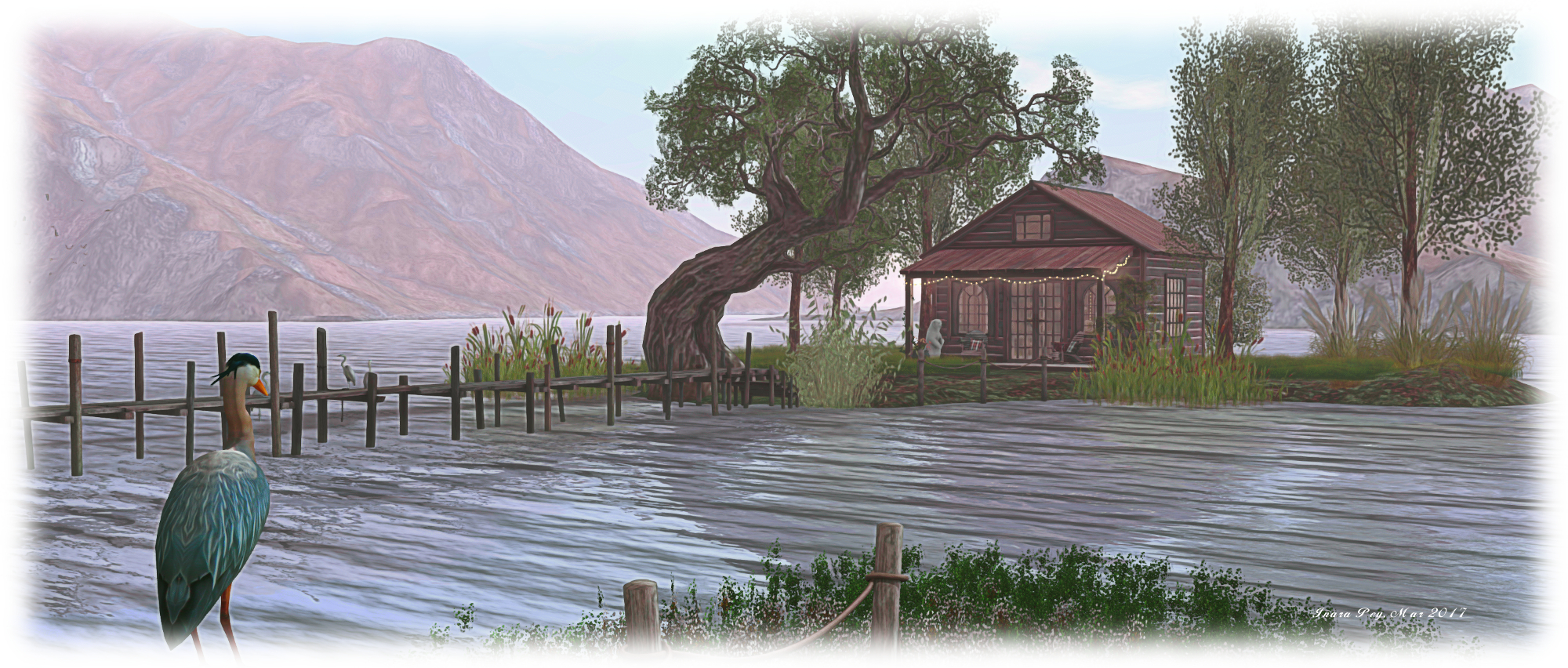
Dawn’s Promise by Marcus Inkpen and Sharni Azalee, Fantasy Faire 2017 – blog post

Server Deployments

As always, please refer to the server deployment thread for the latest information  / updates.

SL Viewer

The Project Alex Ivy (LXIV) project viewer updated to version 5.1.0.504536 on April 25th. According to comments passed at the TPV Developer meeting on Friday, April 21st, this update should now include Havok for Mac, although the release notes currently do not reflect this, possibly because they have not been updated from the previous release.

Outside of this update, the viewer pipeline is as follows:

  • Current Release version: 5.0.4.325124, dated April 3rd, promoted April 19th – formerly the Maintenance RC viewer overview
  • Release channel cohorts:
    • Project AssetHttp project viewer version 5.0.5.325600 dated April 20th – This viewer moves fetching of several types of assets to HTTP / CDN – overview
  • Project viewers:
    • 360-degree snapshot viewer version 4.1.3.321712 dated November 23rd, 2016
  • Obsolete platform viewer version 3.7.28.300847 dated May 8th, 2015 – provided for users on Windows XP and OS X versions below 10.7.

Inventory  / Inventory Loss Issues

Inventory loss is not a new issue within Second Life, and it is something the Lab has acknowledged in the past and sought to try to reduce. However, there are new reports of odd cases of inventory loss resulting from folders apparently somehow being moved to the Trash folder without apparent user intervention, from whence they are then purged (see this forum thread for examples).  Others have also reported seeing folders move themselves to Lost & Found.

While it is only speculative, it has been suggested that a bug somewhat akin to BUG-4617 might be in part responsible. It is also possible that is some cases, the loss is due to accidentally moving a folder to Trash and then purging as a result of a (fairly) recent introduction of the pop-up warning to purge Trash (intended to show up when Trash exceeds 5K items, unless the threshold is manually increased via debug), which may be causing people to purge their Trash without double-checking to ensure nothing is there that shouldn’t be there.

However, the above doesn’t explain the apparent movement of folders into Trash (or lost & Found) where the user is certain then did not mis-click or mis-drag. A further problem appears to be that when moved, folders don’t always appear in Trash – although this may be due to people incorrectly looking at Trash via the Recent Tab in the Inventory floater, or as a result of inventory filters being active.

Kyle Linden is apparently ware of the latest batch of reported issues, which means that  hopefully, they are being looked into. In the meantime, if you do suffer any kind of noticeable inventory loss on the scale being reported, immediately file a support case; it may not work, but the sooner a case is logger potentially the greater the chance of the matter being resolved.

General Steps to Help with Inventory Loss

The following steps are not suggested as a panacea for the kinds of losses noted above, but are offered as a potential help to those experiencing lost inventory (and are based on using the official viewer):

  • Try a cache clear first:
    • In the top menu bar of the viewer, go to Me > Preferences > Advanced -> Click the “Clear Cache” button -> OK
    • Restart the viewer – the cache will be cleaned when the viewer launches
    • Login to a low lag region (for example Pooley), open your inventory and wait for it to fetch
  • If you are still missing inventory, then work through all the relevant steps on the Inventory Loss wiki page
  • If still no luck then you need to contact Linden Lab support directly for help by submitting a support case form at https://support.secondlife.com/contact-support/

SL project updates 16/1: server, teleports and other bits

The Incredible 4 blog post

Server Deployments

As always, please refer to the server deployment thread for the latest information.

  • On Tuesday, April 18th the Main (SLS) channel received the server maintenance package previously deployed to the RC channels in week #15. This includes:
    • Several internal fixes and two new internal logging modes
    • Another adjustment to fix issues with off-line IM and Group Notice delivery reliability
    • Fixes an issue where large numbers of objects could be returned after a rolling restart.
  • On Wednesday, April 19th, the RC channels should be updated as follows:
    • BlueSteel and LeTigre should receive the improved region capacity and access capabilities
    • Magnum looks set to receive a new “secret” update, which has been under testing on the Snack channel (and will likely have Snack reabsorbed into it).

SL Viewer

There have been no viewer updates thus far this week, leaving the viewer pipeline as:

  • Current Release version: 5.0.3.324435, dated March 13 – snapshots to e-mail hotfix
  • Release channel cohorts :
    • Project AssetHttp project viewer version 5.0.4.325368 dated April 12th – This viewer moves fetching of several types of assets to HTTP / CDN – overview
    • Maintenance RC viewer version 5.0.4.325124 dated April 3rd – avatar rendering and other updates
  • Project viewers:
    • Project Alex Ivy (LXIV), 64-bit project viewer version 5.1.0.503537 dated March 17th
    • 360-degree snapshot viewer version 4.1.3.321712 dated November 23, 2016 – ability to take 360-degree panoramic images – hands-on review
  • Obsolete platform viewer version 3.7.28.300847 dated May 8, 2015 – provided for users on Windows XP and OS X versions below 10.7.

Other Items

Differences Between Teleporting and Physical Region Crossings

As we know, whether you teleport between one region and another or physically cross the boundary between two regions, you are performing a region crossing. However, there is a slight different in how they are handled. Rider and Simon Linden described the processes involved during the Simulator User Group meeting, which makes for interesting reading if you weren’t previously aware of the processes involved.

In referencing teleporting between regions, Rider said, “Teleport packs your avatar into a big ball of data and throws you at the destination.” It’s then left up to the destination region to determine whether or not you actually get in. Hence the teleport progress bar.

Simon then said of a physical region crossings, “They do a bit more pre-crossing checks to see if you go into the neighbour[ing] region than TPs do.” Rider Linden then added, “If the regions are adjacent, the sim you are on checks to see if it should smush you into that ball before it does.”

These pre-crossing checks are handled through your child agent on the neighbouring region, allowing the simulator running the region you’re currently in to “see” if you’re able to access the neighbouring region. If it believes you can’t, it won’t bother creating the ball of data about your avatar (and everything attached to it), reducing its workload.

When is a Region Not a Region?

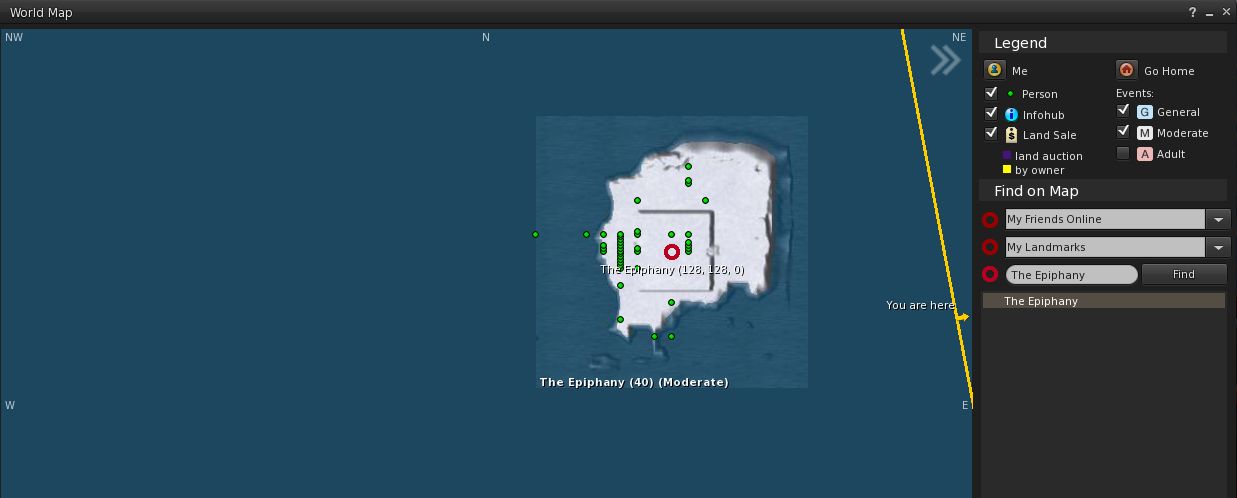
A curious topic came up at the meeting: when is a region not a region? The simple answer is probably “when you can’t see it”. But what about if you can – apparently – see it, at least on the map, and it doesn’t appear to have a name.

The mystery island as it appeared for some people using both the LL viewer and Firestorm

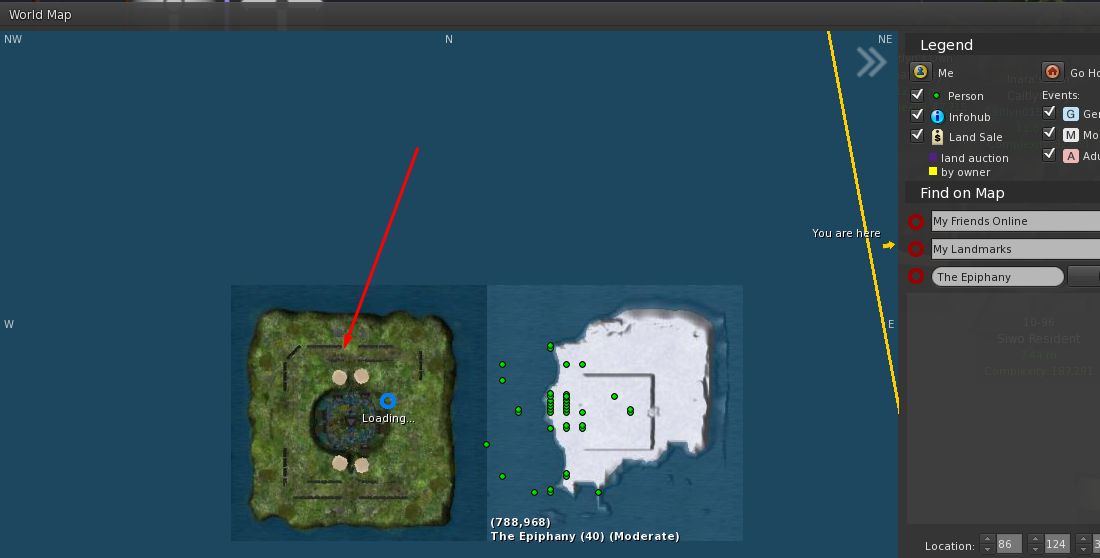
Whirly Fizzle spotted this phenomenon on the World Map with a region apparently adjoining The Epiphany, although her curiosity was piqued as it was apparently without a name. The mystery deepened when most of those at the meeting reported they couldn’t see any such region on their maps – although two or three besides Whirly could, on both TPVs and the official viewer (ruling on an issue in how a specific viewer is handling the map data).

What was equally mysterious, was that those who were able to see the unnamed island on the World map could also see it on the web SL map – while those who couldn’t see it on the world map also couldn’t see it on the web SL map.

As other saw the same area on the map – regardless of viewer

Several theories were put forward for the phenomenon, including it being a  non-updated map texture; a potential error in map tiling and loading;  an  old texture loaded and stuck at the  wrong LOD; and so on.  Running a quick check, Simon Linden couldn’t find any evidence for a region ever having been placed in any of the eight grid areas surrounding The Epiphany. He did, however, offer a possible explanation of what might have happened:

I do know the support team will do some interesting tricks sometimes … they will move one of their regions next to another to do some sort of work, then move it away. Perhaps that got captured there.

Either way, a curious little anomaly.

Mesh UUID Flipping via Script / UUID

Back in the mists of time as mesh support was being added to Second Life, there was the ability to change mesh assets via UUID / LSL. However, the ability was used most frequently as a means of animating meshes  – putting considerable stress of the rendering system in the process. Because of this, a wiki page on the subject was raised, and the ability to change mesh UUIDs via script was eventually removed altogether.

The Lab is currently considering implementing a means to animation meshes (something routinely discussed at the Content Creator’s User Group meeting). This would be a far more efficient and less stressful means of animating meshes where it to be taken up as project, and completely negate the need for animation via UUID flipping.

However, while allowing meshes to be changed through scripts / UUIDs has other potential uses, it is unlikely to be re-introduced even if animated meshes are introduced to SL, because anyone obtaining the UUID for a mesh could potentially download the “mesh” as a vnd.ll.mesh  file from the CDN, and could then theoretically reconstruct the original mesh item from that data (thus effectively stealing it).

SL project updates 2017 15/1: server, viewer

Sky Gardens, Holly Kai Park

Server Deployments

As always, please refer to the server deployment thread for the latest information.

  • The was no Main (SLS) channel deployment or re-start on Tuesday, April 11th.
  • On Wednesday, April 12th, the three RC channels should all receive a new server maintenance package which includes:
    • Several internal fixes and two new internal logging modes
    • Another adjustment to fix issues with off-line IM and Group Notice delivery reliability
    • Fixes an issue where large numbers of objects could be returned after a rolling restart.

It had been indicated that the new server OS build could be deployed to an RC this week. Whether this would be a “full” RC (BlueSteel, Magnum or LeTigre) or perhaps to a limited channel (as is the case with the increase avatar capacity updates, which are on McRib),  was made clear. More on this later in the week, maybe.

SL Viewer

The recent Voice RC, version 5.0.4.324770 was withdrawn some time on Monday, April 10th / Tuesday April 11th as a result of suffering a high crash rate.

The AssetHTTP project viewer was promoted to RC status with the release of version 5.0.4.325144 on Monday, April 10th.

This leaves the remainder of the current viewer list as:

  • Current Release version: 5.0.3.324435, dated March 13th – snapshots to e-mail hotfix download page, release notes
  • Release channel cohorts:
  • Project viewers:
  • Obsolete platform viewer version 3.7.28.300847 dated May 8th, 2015 – provided for users on Windows XP and OS X versions below 10.7.

SL project updates 2017 14/1: server, viewer

Orcadi Islandblog post

Server Deployments

As always, please refer to the server deployment thread for the latest information.

  • On Tuesday, April 4th, the Main (SLS) channel received the server maintenance package previously deployed to the three RC channels in week #13, comprising a small update to asset metrics stats logging.
  • On Wednesday, April 5th, the three RC channels should all receive a new server maintenance package which includes a new option in the estate settings which allows parcel owners to override the public access settings for all parcels in the estate. However, this change is pending a viewer update in order to make it visible to users.

SL Viewer

The Maintenance RC viewer updated to version 5.0.4.325124 on Monday, April 3rd. This viewer as a number of updates and improvements, which I reviewed in a recent post (albeit for the earlier version of the viewer).

Outside of this, the release of the LL viewer pipeline remains unchanged:

  • Current Release version 5.0.3.324435, dated March 13th – snapshots to e-mail hotfix
  • Release channel cohorts:

    • Voice RC viewer version 5.0.4.324770 released on March 20th – several improvements to voice
  • Project viewers:
    • Project AssetHttp project viewer, version 5.0.4.324828 dated  March 30th – This viewer moves fetching of several types of assets to HTTP / CDN – overview
    • Project Alex Ivy (LXIV), 64-bit project viewer, version 5.1.0.503537 dated March 17th
    • 360-degree snapshot viewer, version 4.1.3.321712 dated November 23rd, 2016 – ability to take 360-degree panoramic images – hands-on review
  • Obsolete platform viewer version 3.7.28.300847 dated May 8th, 2015 – provided for users on Windows XP and OS X versions below 10.7.

Region Capacity and Access

On Tuesday, April 4th the Lab announced increases of between 10% and 25% on the number of avatars can enter a region, the exact percentage depending on the region type. These percentages apply to the default maximum number of avatars each type of region (Full, Homestead and Open Space), and to the limit imposed by the region owner. They also include other changes – refer to the official blog post (or my own) for further information.

Commenting on the change at the Simulator User Group meeting, Oz linden pointed out the change was made as an attempt to respond to multiple requests made at the SUG meetings for accessing full regions to be “improved”. Hints were given that the approach might be further refined  / updated in the future.

SL project updates 2017 13/1: server, viewer

Storybrooke Gardensblog post

Server Deployments

As always, please refer to the server deployment thread for the latest information.

  • There was no update to the Main (SLS) channel on Tuesday, March 28th, as there had been no RC deployment in week #12. As there had been a deployment to this channel in week #12, it was not restarted.
  • On Wednesday, March 29th, the three RC channels should receive a new server maintenance package, primarily comprising a small update to asset metrics stats logging.

SL Viewer

The current viewers / candidates remain as:

  • Current Release version: 5.0.3.324435, dated March 13th – snapshots to e-mail hotfix
  • Release channel cohorts:
    • Maintenance RC viewer version 5.0.4.324882 released on March 23rd – avatar rendering and other updates – overview
    • Voice RC viewer version 5.0.4.324770 released on March 20th – several improvements to voice
  • Project viewers:
    • Project Alex Ivy (LXIV), 64-bit project viewer updated to version 5.1.0.503537 on March 17th
    • 360-degree snapshot viewer updated to version 4.1.3.321712 on November 23rd, 2016 – ability to take 360-degree panoramic images – hands-on review
  • Obsolete platform viewer version 3.7.28.300847 dated May 8th, 2015 – provided for users on Windows XP and OS X versions below 10.7.

Other Items

Script Editor Minor Bug

A minor, but irritating bug has been noted when working with the script editor. It is described as:

Open a script, select a reserved word, go to “help” > “keyword help”, minimize the wiki, minimise the script. Observe, you can’t open them individually.

The issue repros in both the official viewer and Firestorm, so is likely to be common to most viewers. A JIRA on the issue is expected.

SL project updates 2017 12/1: server, viewer, Aditi testing

Field of Dreams; Inara Pey, March 2017, on FlickrField of Dreams / L’intangible – blog post

Server Deployments

As always, please refer to the server deployment thread for the latest information.

  • On Tuesday, March 21st, the Main (SLS) channel received receive the same server maintenance package previously deployed to the three RC channels, comprising new internal logging output and changes to increase stability and security
  • There is no planned deployment for the RC channels on Wednesday, March 22nd. As all three were restarted as a part of the week #11 deployment, they will not be restarted.

SL Viewer

Maintenance RC Viewer

A new Maintenance RC viewer, version 5.0.4.324646 was released on Thursday March 16th.  This update includes a range of bug fixes (please refer to the release notes) and improvements as per my overview of the release. However, the updates to Avatar Complexity recorded in the release note appear to be absent the viewer / not working correctly. There are:

  • “We will now remember your choices of whether to render or not render certain avatars. You can set this by right-clicking on someone in-world and choosing Render avatar -> Default / Always / Never” – avatars still revert to Render Normally following a re-log
  • Your selections can be seen (and changed) in Preferences -> Graphics -> “Exceptions…” (under) Maximum Complexity – this “Exceptions” option does not appear to be in the viewer
  • We’ve also added a setting to always render your friends, regardless of complexity – also does not appear to be in the viewer.

A bug report has been filed on this.

Voice RC Viewer

The new Voice release candidate viewer, version 5.0.4.324770, arrived on Monday, March 20th. This viewer offers a number of improvements to voice:

  • Fixes the apparent position of voices in local voice
  • Improves retry behaviour when there are problems connecting or during temporary connection problems
  • Logs more detailed information to the Lab for quantifying connection issues
  • Improves security of the communication between the viewer and SLVoice

Alex Ivy 64-bit Viewer

The 64-bit viewer for Windows and Mac was updated to version on Friday, March 17th.  This update should include the following:

  • An open-source wrapper for CEF called Dullahan (link for those who are curious about the etymology of Lab project names) which will replace llCEF, making it easier to render web content through the viewer
  • The same versions of Dullahan / CEF and libVLC (audio handling) on both the Windows and Mac builds.

In addition, the 64-bit Mac build now uses MacOS Sierra, and will be backwards compatible as far as OSX 10.9 (Xcode 8). The 64-bit Windows build still uses Visual Studio 2013, and will support Windows 10, 8 and 7. Vista support is TBC.

New Simulator Build

DRTSIM-323 is the channel on Aditi (the beta grid) which is carrying the a new version of the simulator code using the Lab’s latest build of the server operating system. In includes the regions: Fire Ants, Bug Island and Mauve (again, these are on the beta grid).

HTTP Asset Fetching

This is another project on Aditi only at present. As previously noted, it will eventually see the move of the remaining Second Life inventory assets  – landmarks, gestures, animations, shapes, sounds and wearables (system layer clothing and body shapes) – to delivery over HTTP and via the Content Delivery Network(s), rather than via UDP through the simulator.  Testing is still progressing, and an initially project viewer repository has been offered, but is not currently listed in the Alternate viewer page, as the server-side of the new code is only available on Aditi, as noted.

If you want to test the new capabilities (uploading new assets – particularly sounds and animations and then running them – you can obtain the project viewer (for the time being) from the Server Beta Group meeting agenda page on the SL wiki. Note the links are liable to vanish as the agenda page is updated, and that this viewer will only currently work in testing the new fetching capabilities when logged-in to Aditi.

Other Items

  • A new feature that aims to improve landowner experience and help premium members in also in the early stages of testing. no details as yet on what it is, but it has previously been hinted at in recent TPV Developer meetings. More details to come, as they become available
  • There is a general capabilities failure issue which can occur when connecting to region on on Aditi, which prevents users entering the region. It is under investigation, but JIRA reports if you persistent encounter the problem in respect of one more more regions on Aditi would be welcomed.