SL projects update week 28 (2): server, SSB/A update

Server Deployments – Week 28

As always, please refer to the week’s forum deployment thread for news, updates and feedback.

On Tuesday 9th July, the SLS Main channel received the server maintenance package previously deployed to all three RC channels in week 26.

On Wednesday 10th July, the three RC channels received the following packages:

  • LeTigre had Server-side Baking / Appearance code enabled. See my mini-update here
  • BlueSteel received a further package of under-the-hood changes related to the experience tools
  • Magnum received a server maintenance project intended to fix a couple of pathfinding issues:

Week 29 Deployments

While the final arrangements for the week 29 deployments (week commencing Monday July 15th) have yet to be finalised, Maestro Linden indicated at the Server Beta meeting on Thursday July 11th that there is likely to be one new server maintenance package going to an RC channel during that week, This is likely to have:

  • Further fixes for various crash modes
  • An additional update for pathfinding characters with CHARACTER_STAY_WITHIN_PARCEL=TRUE, which should enable such characters to re-enter their assigned parcel should they accidentally exit it (as a result of being pushed out, for example), rather than getting stuck
  • Fixes for issues such as:
    • BUG-2931 ‘run_time_permissions no longer triggers in attachments after requesting 0 permissions’
    • BUG-969 ‘teleporting breaks collision detection state for volumedetect objects’

Obviously, I’ll have more on the deployments for the week when details have been published by the Lab.

Server-Side Baking / Appearance Deployment

The enabling of SSB/A on LeTigre on Wednesday July 10th proceeded smoothly, and there have been few problems noted. Most testing the capability are reporting it functions smoothly and are seeing improved avatar skin / clothing layer rendering with few periods of extended avatar blurring.

It’s not entirely clear how SSA/B will proceed from here; it appears as if the Lab plans to keep to the cautious approach previously indicated by Nyx Linden rather than rushing forward to enable the capability right across the grid. As such, Log Linden indicated at the Server Beta meeting on Thursday July 11th that either BlueSteel or possibly – given it has a slightly larger number of regions than BlueSteel – Magnum will have SSB/A enabled next.

Have you updated to a viewer supporting SSB/A?

Log Linden came in for a number of additional questions on the new baking / appearance service during the Server Beta meeting on Thursday July 11th. Although I’ve covered the topics asked about in previous reports, I’ll note them here for ease-of-reference:

  • The baking / appearance service is entirely separate from the simulator servers, operating on its own dedicated servers. This means that when the service caches your outfit, it is effectively cached “grid wide” and not the simulator you happen to be on when you update your outfit
  • When two avatars are wearing exactly the same outfit, they both use the same copy of the outfit cached on the baking / appearance service. The Lab is aware this will only happen on rare occasions, and will most likely only happen in the case of library avatars
  • How long an outfit remains cached on the baking / appearance service depends on how popular it is. So if it is an outfit you are frequently changing into, it is liable to remain cached for longer than an outfit you wear, change out of and then leave it unworn for several days or more
  • Outfits which are removed from the baking / appearance cache are not deleted from inventory or anything – it just means that the baking / appearance service no longer has the data for the outfit, and so must wait until the outfit is uploaded from the viewer once more (although this shouldn’t visibly slow down the baking process)
  • Rebaking functions differently on SSB/A enabled regions: rather than uploading your appearance from your viewer to the server for distribution to the users around you, using the rebake (CTRL-ALT-R or menu option) causes the viewer to request a fresh download of your cached appearance
  • Should the server cached version of your appearance somehow become corrupted, you must add a clothing item in order to force a fresh update of your appearance from your Current Outfit Folder to the baking / appearance service
  • When you enter an SSB/A-enabled region for the first time, your own avatar will initially render grey before your skin and clothing layers re-render correctly. This is expected behaviour and due to you switching-over to the new baking / appearance service.

Anomalies

There have been some reports of odd anomalies in LeTigre regions (where SSB/A is enabled). These include:

  • A report that if you wear a 50% gray textured skin, you appear invisible to SSA viewers
  • Rather than appearing as a cloud in SSB/A-enabled viewers, avatars on non-SSB/A viewer entering LeTigre regions will actually render, but any outfit changes they make won’t render to those using SSB/A-enabled viewers unless they teleport to a non-SSB/A enabled region to change, and then return to LeTigre (something which will obviously not be possible once SSB/A is grid-wide).

Notecard Issue

One problem which has been confirmed with LeTigre regions is BUG-3203 (Error when adding contents to a notecard and saving). If you create a notecard on a LeTigre region and embed another item within it (another notecard, an LM, a texture), the notecard will not save, but will generate the following error: Unable to upload (asset ID number) due to the following reason: The server is experiencing unexpected difficulties. Please try again later.

General Feedback

Overall, feedback appears to be positive, going on comments in the forum deployment thread and made at the Server Beta UG meeting. Some people have reported performance dips while on LeTigre regions and attributed them to SSB/A, although this may be a placebo effect. There have also been so reports of viewer crashes when trying to walk between a non-Le Tigre region and a LeTigre region.

Most people who have carried out comparative testing between LeTigre regions and regions on other channels are reporting that avatar rendering on Le Tigre is significantly faster, with avatar skins and clothing appearing fully rendered in around 15 seconds in regions with a reasonable number of other avatars, and none of the general fuzziness or “double rebakes” which can be witnessed on the “old” baking process. Some are also reporting that they are seeing some improvements on non-SSB/A regions when using an SSB/A-enabled viewer, although this again may be something of a placebo effect.

My own rather quick-fire tests with the SL viewer 3.6.1.278007, Firestorm 4.4.2 and Exodus 13.7.9.1 beta revealed no discernible issues. The majority of avatars tended to render together with visiting regions with a reasonable number on them. I didn’t notice any clouds around me in the more crowded locations I dropped into and where I did experience performance drops, although I put those down to the fact the locations (a club and a hub) were busy with 15-20 avatars in each and had a lot going on rather than being anything intrinsic to SSB/A, nor did I witness anyone remaining grey for an inordinate amount of time.
Related Links

SL projects update week 28 (1): servers, SSB/A, viewer, snapshots

Update Wednesday July 10th: In checking the forum deployment thread for this week’s roll-outs, I see that KarenMichelle Lane has provided a list of regions on LeTigre where SSB/A will be enabled once they have restarted. Again, you’ll need to have an SSB/A-enabled viewer to avoid issues with avatar rendering on these regions. If you find that once the restarts have completed you are encountering issues with avatar rendering (for example, you are using an SSB/A viewer and find you avatar fails to render for yourself or others), or other issues which appear to be linked to SSB/A, please consider raising a bug report detailing the problem, how to reproduce it, and including your environment information (Help > About (Viewer Name) > Copy to Clipboard), which references Project Sunshine.

Server Deployments – Week 28

As always, please refer to the week’s forum deployment thread for news, updates and feedback.

Second Life Server (SLS Main) Channel

On Tuesday 9th July, the SLS Main channel received the server maintenance package previously deployed to all three RC channels in week 26. This comprised:

  • A fix for ‘llApplyImpulse now works only in the root prim’ (SVC-8227)
  • Crash mode fixes
  • New LSL function: string llXorBase64(string str1, string str2)
    • Returns a string that is a Base64 XOR of Base64-formatted input strings, str1 and str2.
    • Addresses the cases from SCR-35 “llXorBase64StringsCorrect returns wrong result when the 2nd string contains nulls”
    • Aside from those cases, this function behaves identically to llXorBase64StringsCorrect()
  • Added max_materials_per_transaction to /simulator/features cap
    • This number returns the maximum number of materials that can be sent to the “RenderMaterials” capability in a single request.


Release Candidate Channels

On Wednesday July 10th, the three main Release Candidate channels should each receive individual updates, as follows:

  • LeTigre should see the Server-side Baking / Appearance code enabled. See my mini-update here
  • BlueSteel should receive a further package of under-the-hood changes related to the experience tools
  • Magnum should receive a server maintenance project intended to fix a couple of pathfinding issues:

Viewer Updates and Release Process

  • The Second Life Beta viewer updated to release 3.6.2.278133 on July 2nd – see the release notes for change details.
  • The Materials Project viewer was also updated on July 2nd, to release 3.6.2.278221.

Speaking at the Opensource UG meeting on Monday 8th July, Oz indicated that he hoped the new viewer release process would go live on Tuesday July 9th. If this has in fact happened, the first viewer to pass through the new process is likely to be a project (or beta viewer) with further third-party code contributions to the SL viewer.

However, as both the SSB/A deployment and the new viewer release process both require an update to the login code, it is possible the new viewer release process will not go live until Wednesday 10th July.

The login change for the viewer release change is to update the automatic check which is carried out to see if a mandatory upgrade is required (see my week 20 report). To prepare for the new release process, is check has been updated. , the login change for SSB/A is described by Oz Linden as, “a very minor change to ensure that inventory is correct” .

Group Ban List

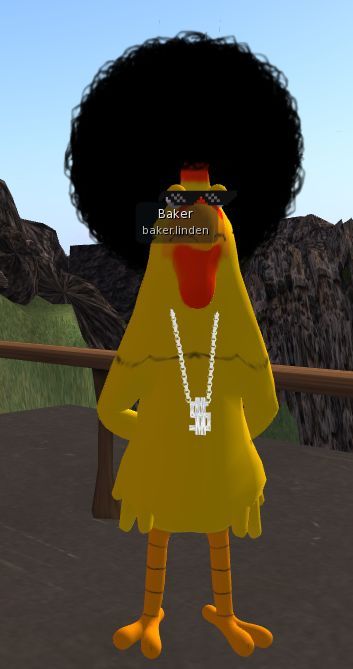
Baker Linden and his new harido

Baker Linden continues to work on the new group ban list functionality (JIRA VWR-29337). Speaking at the Simulator User Group on Tuesday July 8th, he said:

For my update: I’m making really good progress on group bans. I’m doing a bit of a refactoring because I changed the way the backend works slightly. Hopefully by the end of the week I’ll be finishing up the backend code.

There’s currently no date as to when the viewer-side changes might see the light-of-day, but given Baker is currently working on the back-end, this is hardly surprising. He’s also indicated that while it won’t be available when the new functionality goes live, he is considering adding scripting functions to group bans. He also confirmed that group bans would have their own moderation capability, rather than being tied to estate ban moderation.

Particle System Updates

Particle Blocking

As previously reported in these updates, the new “right-click on particles to block and emitter” (MAINT-2268) code for the viewer has been released in the SL Beta Maintenance Viewer. As well as allowing people to click on particles to prevent the viewer generating any more particles in someone’s world-view, the code also has a FPS limit on particles and will stop generating new particles when frame rates drop to 4 FPS.

Those who have tested the capability report it works well and it is very easy to right-click on particles and block them. A slight bug has been reported whereby when unblocking a particle generator / person owning a particle generator, the viewer will not resume generating the particles until the user changes their group tag.

New Particle Capabilities

First reported on in these pages back in week 12, the new particle capabilities – glow, ribbon and blending optionshave had server-side support for some time. The Beta Maintenance viewer mentioned above now has the first part of the viewer code, and speaking at the Simulator User Group meeting on Tuesday July 8th, Simon Linden said, ” Once that one is out, we’ll get the next one going,” so expect these capabilities to be becoming more radily available in the near future.

Ribbon particles – one of the new particle capabilites

Other Bits

Snapshot Fixes

The SL Beta Maintenance veiwer includes further snapshot fixes (MAINT-2152) which are designed to overcome the problem of black rectangles  / borders appearing in very high resolution snapshots. These fixes are in addition to the “tiling” fix issued last year.

However, Whirly Fizzle reports that if very high-res snapshots are captured with the Beta Maintenance viewer and post-processed, the tiling artefact tends to return.

Post-processing high-res images captured using the additional snapshot updates (as found in the current SL Beta Maintenance viewer) can result in tiling artefacts reappearing (image, originally in PNG format, courtesy of Whirly Fizzle.

Simon Linden reports that a further update to these fixes is about to be released, although it is not known at this time if it will fix this issue, or a reported issue of GPU crashes when using the Beta Maintenance viewer for snapshots.

Your Skin – In the Sky

The issue of avatar skins appearing in the sky at very high altitudes (see JIRA VWR-28962) came up for discussion at the Simulator User Group. First reported in 2012, there is some speculation whether SSB/A will impact the frequency with which the issued manifests; it appears to be linked to the local bake process, and so may only occur in the future when people at high altitudes are editing their appearance.

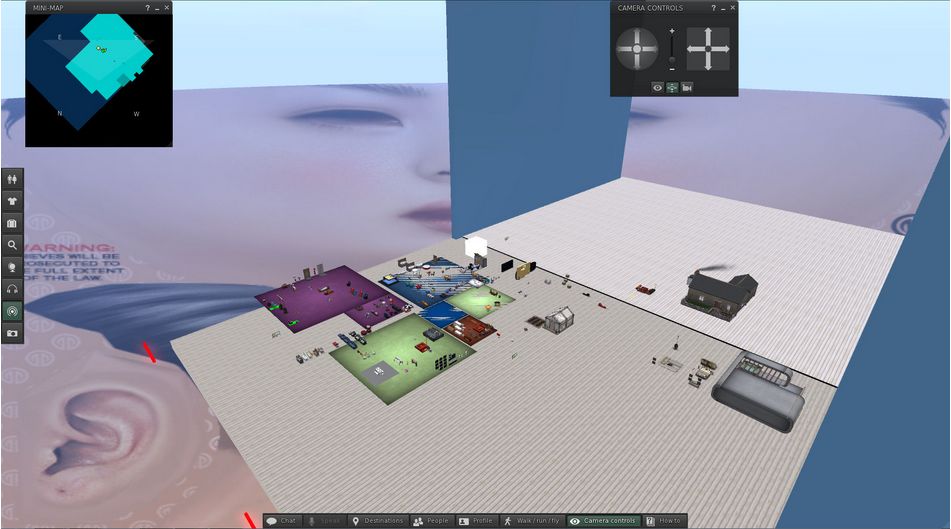
The "face-in-sky" issue (image courtesy of Eku Zhong)
The “face-in-sky” issue (image courtesy of Eku Zhong)

In the meantime, if you are up high and encounter this phenomenon, try toggling the Advanced Lighting Model option in Preferences > Graphics off / on.

SSB/A: rolling to LeTigre, Wednesday July 10th plus Catznip updates

Update Wednesday July 10th: In checking the forum deployment thread for this week’s roll-outs, I see that KarenMichelle Lane has provided a list of regions on LeTigre where SSB/A will be enabled once they have restarted. Again, you’ll need to have an SSB/A-enabled viewer to avoid issues with avatar rendering on these regions. If you find that once the restarts have completed you are encountering issues with avatar rendering (for example, you are using an SSB/A viewer and find you avatar fails to render for yourself or others), or other issues which appear to be linked to SSB/A, please consider raising a bug report detailing the problem, how to reproduce it, and including your environment information (Help > About (Viewer Name) > Copy to Clipboard), which references Project Sunshine.

Update, 22:00 BST: Exodus have released Exodus 13.7.9.1, which includes SSB/A support, CHUI (the Communications Hub User Interface) and the removal of RLVa.

This week marks the start of the enabling of Server-side Baking / Appearance in Second Life.

On Wednesday July 10th, LeTigre will become the first Release Candidate channel on which SSB/A will be enabled. While it is subject to confirmation, it would appear as though all regions on LeTigre will have SSB/A enable once the Wednesday restarts have been completed – I’ll be updating on this following the Simulator User Group meeting on Tuesday 9th July.

In short this means:

  • Regions on the LeTigre RC channel will see UpdateAgentAppearance, enabled. This is used to request a server-side appearance bake
  • The ability of connected viewers to upload baked textures via the UploadBakedTexture capability and via AssetUploadRequest will be depreciated and removed from simulators on the LeTigre channel
  • As a result, viewers that do not support server-side baking will fail to display avatars correctly.
If you want to avoid seeing increasing numbers of grey avatars (l) and / or avoid people telling you, "you're a cloud" when you appear perfectly fine to yourself (c), update to a version of a viewer supporting SSB/A and see and be seen (r)
If you want to avoid seeing increasing numbers of grey avatars (l) and / or avoid people telling you, “you’re a cloud” when you appear perfectly fine to yourself (c), update to a version of a viewer supporting SSB/A to see others, and have them see you, properly rendered  (r)

Note also that as a result of the SSB/A changes, “temporary texture” uploads will no longer function on regions on the LeTigre RC channel. The Local Textures function found within the majority of viewer will continue to work, however, and provide an alternative means to preview textures at zero cost for most situation where this is required (other than collaborative building projects on Agni).

So, if you have resisted updating your viewer to an SSB/A capable version. or moving from a viewer which is no longer maintained & won’t be supporting SSB/A (e.g SL viewer 1.23.5 or Phoenix) now really is the time to do so. At the time of writing, of the maintained “full” viewers listed in the TPV directory, all but Dolphin, and Imprudence currently support SSB/A, while the current releases of Lumiya, Metabolt and Radegast clients also have confirmed support for SSB/A.

To make sure you get the best from SSB/A, make sure you are running the latest version of your preferred SSB/A-enabled viewer.

Catznip 8.1 Update

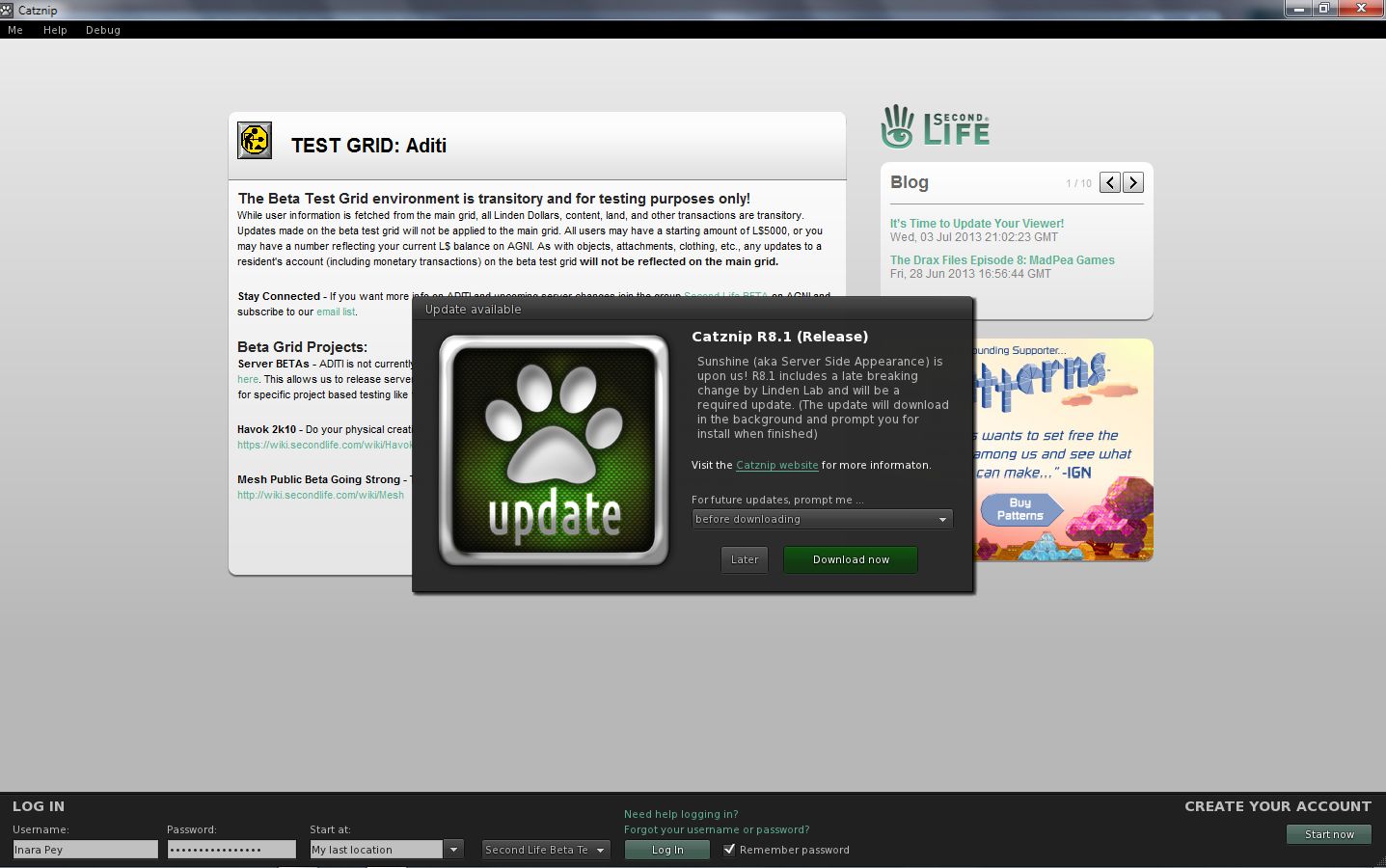
While Catznip R8 is SSB/A-enabled, the Catznip team have released R8.1 on Tuesday July 9th. This contains important code updates from Linden Lab. As such, it is considered a mandatory update.

If you are a Catznip user, and even if you have R8 installed, please make sure you do download and update to R8.1 when prompted.

Although Catznip 8 supports SSB/A, R8.1 includes important LL-driven updates to the viewer-side code, please make sure you update when prompted / download R8.1 from the Catnip site
Although Catznip 8 supports SSB/A, R8.1 includes important LL-driven updates to the viewer-side code. If you’re a Catznip user, please make sure you update when prompted

Related Links

SL projects update week 27: SSB/A, general news and discussions

Apologies for the late-running of this update. I started drafting it earlier in the week and, um, forgot about it.

Week 27 Server Deployments

Just a reminder that due to the Independence Day code freeze for week 27, and the fact that the Lab is closed on Thursday 4th, Friday 5th July for a long weekend, there were no server deployments this week.

Server-side Baking / Appearance

Deployment / enabling should be commencing in week 28, most likely starting on the 9th July. To help spread the message, the Lab has once again blogged on the deployment of the new service, referring to it by the official title of Project Sunshine (which is a part of the Shining Project) and again included their video explaining what is going to be happening.

The majority of maintained viewers provided by both Linden Lab and third-party viewer developers are already ready for the new service, with only Dolphin, Exodus and Imprudence being without support. Hopefully, both Dolphin and Exodus will update shortly, but it will be some time before Imprudence is in a position to adopt SSB/A – the team has a fair amount of catching-up to do.

So, to borrow from the Lab. If you’re not already running an SSB/A capability viewer: “Don’t be cloudy and grey – enjoy Sunshine today” – and update your viewer!

SL Viewer News

A further SL beta viewer release was made on Tuesday July 2nd  – version 3.6.2.278133 – with (among other things) further materials fixes, as listed in the release notes.

In other updates:

  • The Lab has made a viewer repo public which contains various bug fixes and updates made available in the beta maintenance viewer. These include items such as the additional fixes for high-resolution snapshots (to prevent things like black rectangles appearing in very high resolution images). Expect to see them filtering through into TPV soon, and for the fixes themselves to start the SL release viewer possibly sooner.
  • The “project interesting” viewer which contains viewer-side updates to complement various server-side interest list project updates is still undergoing work to fix all the blocker bugs which are currently preventing it from being made public.

In terms of the latter, Andrew Linden reports that he is looking to gather data which will allow for performance comparisons with things like scene loading pre- and post “project interesting”, to see help measure the improvements in the HTTP texture download changes implemented by Monty Linden.

Other Items

What is a Reasonable FPS Rate?

In the last part of my week 26 update, I reported that the Lab has statistics which show that around 50% of users are running viewers with the Advanced Lighting Model option (“ALM” – formerly the Lighting and Shadows option and also referred to as “deferred rendering”) active, and that they further had data to suggest that up to 75% of users have hardware capable of running with ALM enabled “with reasonable performance” in terms of frame rates (e.g. an average somewhat above 10 fps).

At the time I reported this, I noted that:

However, given that fps is a highly subjective measure and somewhat dependent on a range of external factors (such as how many other avatars are in the region with you, whether you are moving around a lot or not, etc), the “YMMV” rule comes into play.

That the term “reasonable performance” is so nebulous sparked a debate during the Simulator User Group meeting as to what might be regarded as “reasonable” frame rates for a viewer running with ALM enabled (although not necessarily with any lighting & shadows options set). The broad consensus of opinion was that a rate of around 20-30 fps would be considered “reasonable”.

Part of the concern here is that while ALM is required in order to be able to render materials effects, LL might be overly optimistic in determining which cards have ALM enabled by default, which may in turn have an additional impact on new user retention due to people logging-in to SL and experiencing extremely low frame rates and not having any understanding on how to improve their experience.

Continue reading “SL projects update week 27: SSB/A, general news and discussions”

SL projects update week 26 (3): more viewer, SSB/A and cache

Materials Processing

As reported in part 2 of this update, the release viewer was updated on June 27th with a release containing a number of updates and fixes, including some for materials, such as occlusion culling is less effective than it should be, especially with regards to very large objects; light function sampling being incorrect in advanced lighting model and the legacy Shiny options being overly strong in deferred rendering. The initial fixes for these issues are considered important for TPVs to pick-up when integrating materials into their viewers, while follow-up releases (such as the new 3.6.1277824 beta viewer released on June 25th, being viewed as slightly less important at this time.

Materials continues to be updated and refined, and the Lab is gathering stats on viewer use with ALM enabled

The latest stats the Lab has on viewers show that some 30% of users are currently running with the Advanced Lighting Model option (ALM – otherwise known as deferred rendering), and are thus able to see materials in use in-world, although the stats also appear to indicate that up to 75% of the user base have hardware capable of running with ALM enabled, “with reasonable performance” in terms of frame rates (e.g. an average somewhat above 10 fps). However, given that fps is a highly subjective measure and somewhat dependent on a range of external factors (such as how many other avatars are in the region with you, whether you are moving around a lot or not, etc), the “YMMV” rule comes into play.

The Lab has already carried out a fair amount of performance tuning with ALM, and at the TPV Developer meeting on Friday June 28th, Oz Linden reported that further work is going on in this area, which will include some profiling of the shaders in order to try to further improve performance.

Currently, and as previously reported in these pages, the Cool VL viewer experimental branch and the Black Dragon 2.2.3 beta both provide materials processing capabilities.

Viewer Release Process and Viewer Updates

The expectation is now that the new viewer release process will come into effect during week 28 (week commencing Monday 8th July). The process is actually ready to go, but as with the server-side of things, the 4th July no change window means that the process cannot be implemented in week 27.

Vivox Update

Once the new process is running, the Vivox update is likely to be one of the first items to go to a viewer release candidate. This update should greatly improve Voice quality within SL. A further Vivox update is liable to follow this at some point.

Interest List Improvements

The viewer-side interest list updates are coming, although the viewer repro has yet to be made public, although again it is anticipated that a project or beta viewer with the updates will be made available after the holiday period, and TPVs will be able to obtain the code.

Viewer Settings

The Lab is moving to eliminate the use of viewer settings files based on channel name. This means that in future, a single SETTINGS.XML file will be used for all versions of an SL viewer which is installed. The code for this is moving towards the release channel of the SL viewer, and the hope is that it will prevent issues of confusion when settings appear to be “wiped out” when using multiple versions of the viewer (e.g. such as moving between the SL release viewer and  the SL development viewer and back a few months ago resulted in people’s toolbar buttons “vanishing” from the release viewer).

Continue reading “SL projects update week 26 (3): more viewer, SSB/A and cache”

SL projects update week 26 (1): server, viewer, materials

Server Deployments – Week 26

As always, please refer to the week’s forum deployment thread for news, updates and feedback.

Second Life Server (Main) Channel

On Tuesday 25th June, the SLS Main channel received the server maintenance package deployed to the three RC channel in week 25. This fixes a number of crash modes, addresses an issue with neighbouring region visibility, and adds new LSL capabilities:

  • The new pathfinding property CHARACTER_STAY_WITHIN_PARCEL, which can be used with llCreateCharacter() and llUpdateCharacter(), and is intended to help with keeping characters within parcel boundaries – see my week 19 report for details
  • The new object return functions I reported on in week 23, namely llReturnObjectsByOwner and llReturnObjectsByID, are intended to provide an automated means of returning objects to their owners – see my full update on these functions for details.

This package also includes the following:

  • An update to llReturnObjectsByID() to prevent it from returning other objects which are owned by the parcel owner or estate owner/manager
  • A fix for an issue in which LSL HTTP-in scripts would sometimes see the incorrect URL (BUG-2833)
  • A fix for Bug 2850 (Cannot rez objects in Bluesteel and LeTigre parcels which disallow object entry) – which caused this deployment to be replaced by the Magnum RC package in week 24.

The neighbouring region visibility issue referred to in the package is for SVC-8019, which is related to issues with regions failing to communicate with their neighbours for up to an hour are a restart, causing communications issues (e.g. LSL chat) across region borders. It is not intended to address the issue of diagonally adjacent regions not being visible to one another (SVC-8130).

Release Candidate (RC) Channels

On Wednesday 26th June, all three RC channels (Magnum, BlueSteel and LeTigre) should receive a new server maintenance package, comprising:

  • A fix for ‘llApplyImpulse now works only in the root prim’ (SVC-8227)
  • Crash mode fixes
  • New LSL function: string llXorBase64(string str1, string str2)
    • Returns a string that is a Base64 XOR of Base64-formatted input strings, str1 and str2.
    • Addresses the cases from SCR-35 “llXorBase64StringsCorrect returns wrong result when the 2nd string contains nulls”
    • Aside from those cases, this function behaves identically to llXorBase64StringsCorrect()
  • Added max_materials_per_transaction to /simulator/features cap
    • This number returns the maximum number of materials that can be sent to the “RenderMaterials” capability in a single request.

SL Viewer

General

With the release process yet to switch-over to the new system, the following viewer updates were made in week 25:

  • The SL beta viewer saw an additional release – 3.6.1.277611 on June 21st. This primarily included some fixes for the version of the viewer which is offered via Amazon for download, and rendering fixes
  • The Snowstorm Contributions Test Build viewer was updated to the 3.6.1 code base (version 3.6.1277577, June 20th, for details of the current contributions in the viewer, follow the link). This would appear to be the first step in merging-up a series of third-party viewer contributions which are liable to see a project / beta viewer release after the new viewer release process comes into use.

Viewer Release Process

Commenting on progress with the upcoming new viewer release process at the Open-source Dev meeting on Monday 24th June, Oz Linden said, “We’re in the final verification stages. Might even get it turned on this week.”

As a side note, and In preparation for the new process, I’ve revamped my Viewer round-up page to (hopefully) better reflect the fact that we should be seeing a broader spread of viewers being put out by LL. This is a work-in-progress, and the page may evolve further as the new viewer release mechanism comes into force. Similarly, the weekly summaries produced from this page are also being revised ready for the new release process.

Materials Viewer

Despite issue with the materials viewer, there are a number of content creators already working on products which leverage the new capabilities. At the Open-source Dev meeting on Monday 24th June, Whirly Fizzle pointed people towards the work of Chip Midnight, who has been working on a mesh avatar using materials properties.

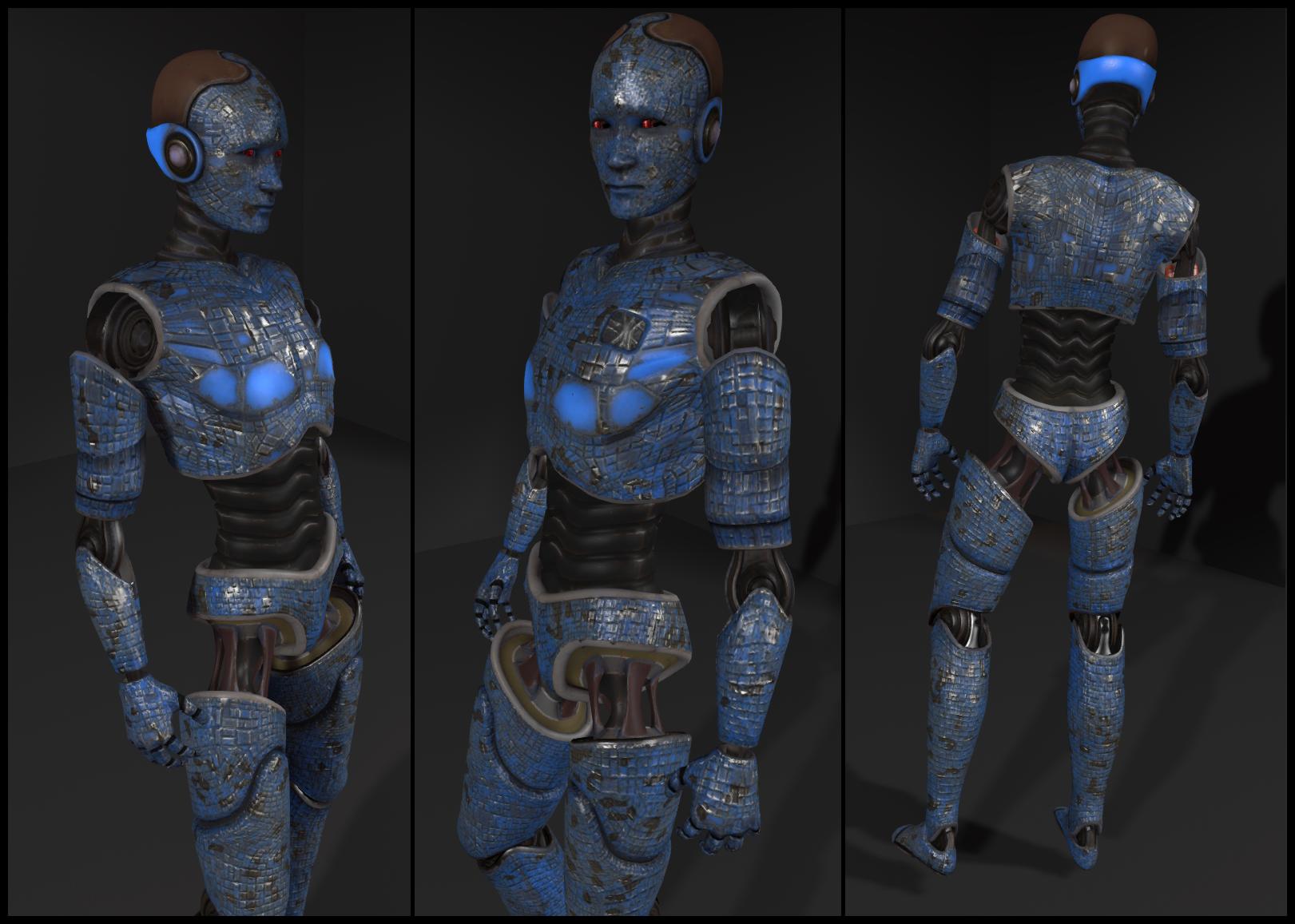
Chip Midnight's mesh avatar model (click to enlarge)
Chip Midnight’s mesh avatar model (click to enlarge)

Whilry also supplied a link to  a thread on the SL Universe forums where Chip discusses the avatar. For those interested, it’s worth following the discussion for the next couple of pages – particularly Drongle McMahon’s reply to Chip on the subject of specular and gloss maps.

Continue reading “SL projects update week 26 (1): server, viewer, materials”