Community Gateways set for a return to Second Life

secondlifeDuring the SL12B “Meet the Lindens” presentations, mention was made a number of times about the new user on-boarding process, and steps the Lab are and would be taking to try to improve the overall experience for those signing-up to Second Life.

There were two aspects mentioned during the talks which piqued my interest. One of them was the Lab’s use of new web landing pages – something I’ll be discussing with Peter Gray, the Lab’s director of global Communications, in an upcoming article.  The other was the potential return of the Community Gateway Programme.

For those unfamiliar with the latter, at one time the Lab ran a programme which allowed communities to connect to the Second Life registration pathway, enabling them to steer incoming users directly to their own orientation / support environment, and thus provide them with assistance and hands-on support in getting started in SL. The programme was discontinued in August 2010, with the Lab citing several reasons for doing so, including issues around scalability and management oversight, together with question marks around the overall effectiveness of the programme.

However, there have been repeated calls from within the community for the Lab to bring the programme back, and this now appears to be what is happening, initially as a test to see how things go.

The community Gateway Programme, discontinued in August 2010, allowed communities to connect to the registration path and bring users directly to their own orientation / support areas - such as Help People Island (which itself discontinued in 2011)

The new programme is designed to allow communities and groups bring users into Second Life, present them with help and support in getting started, much like the original Gateway programme, and hopefully present them with interests and activities to keep them engaged with the platform. These gateways will include web pages to attract new users to them, which will include a registration API to allow those users to sign-up to SL and create and account without necessarily having to go through the central registration process at secondlife.com. Additionally, if they wish, those running the gateway can provide dedicated links for downloading a viewer (official or TPV).

I caught up with Patch Linden on the matter at the end of July, to find out some more. “We are bringing back Community Gateways as a test, based on the positive feedback and indicators of success they had in the past,” he confirmed with me. “We have 20 Gateways with whom we’re currently in discussions, but we’ve not decided on all of the programme details yet and plan to take an organic approach to re-establishing things.”

Did this mean those involved in the new programme would be able to bring new users directly into their experience, I asked, or would they have to go via the current sign-up page, and have new users connect to them via the existing Learning Island / Social Island portal system?

“We’d like to allow gateway creators to help bring in users,” Patch replied. “The idea is that the new registrant would begin their time in SL in the experience that matches their interest, instead of Learning Island.” He paused and then added, “However, adding Gateways to the end of Learning Island and/or Social Island are still being considered.”

Communities and organisations within SL have attempted to offer guidance to new users, including the UWA, with their education-focus guidance for students and teachers arriving in SL - find out more about it here
Communities and organisations within SL have continued to offer guidance to new users. The UWA, for example, offer the SL Educate orientation, designed by Carmsie Melodie and focused specifically at students and teachers arriving in Second Life. You can read more about it here

A look at the Firestorm Gateway

One of the groups involved in the new Gateway Programme is the Firestorm team. Together with a number of other groups offering new user orientation facilities, they participated in a 6-week experiment run by the Lab to monitor how new sign-ups faired as a result of passing through their orientation process, and gather comparative retention data. Following this, Firestorm were one of the groups invited into the upcoming new Gateway Programme.

“The Gateway idea is mostly based on a single region,” Jessica Lyon, Firestorm’s Project Manager said as she and Ed Merryman gave me a tour of their new user experience shortly after I’d talked to Patch Linden. “But you know me :). I wasn’t satisfied with one region – if we were going to do this, we wanted to do it right!”

The result is that the Firestorm Gateway comprises six regions in total, including the original Firestorm Support region, which has been re-purposed to fit with the Gateway approach. “One of the new regions is going to be a Firestorm Orientation for new sign ups only,” Jessica continued as we explored, “it’ll be a similar to our current orientation island.”

Firestorm are participating in the new Gateway Programme, offering an experience focused around their self-help orientation island
Firestorm are participating in the new Gateway Programme, offering an experience focused around their orientation island

The rest of the regions offer an assortment of facilities and activities intended to help new users get better acquainted with Second Life, using the viewer, and participating in some of the activities they can find during their in-world travels. A staffed support area provides practical help and support, for example, while users can also enjoy activities such as jet skis, sailing, boating, and flying within the regions, or try their hand at a scuba diving adventure.

There’s also an amphitheatre (under construction at the time of my visit) which will be used for events focused on new users, viewer Q&A sessions, and so on, while social areas around the island will offer new users the opportunity to relax and meet with established SL users as well.
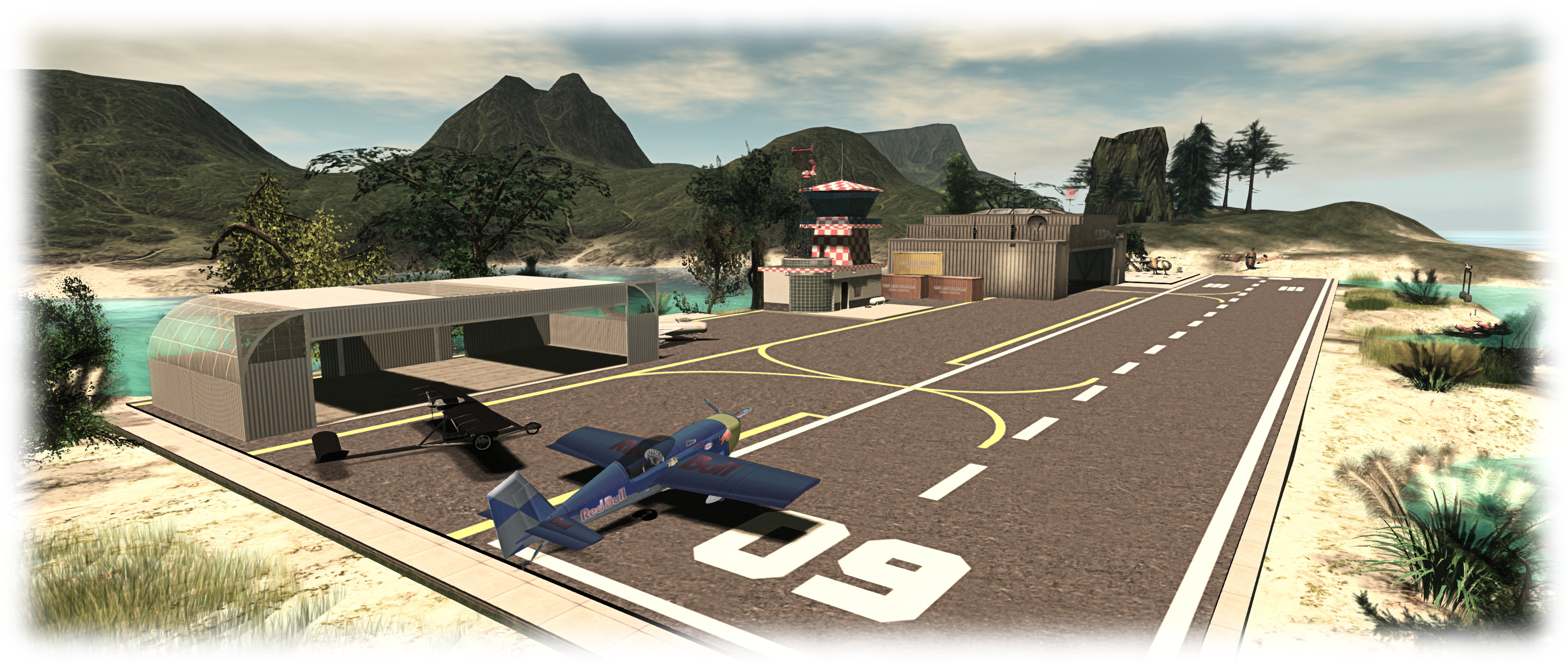
Firestorm also aim to help people discover popular activities such as flying, boating, and boating in Second Life
Firestorm also aim to help people discover popular activities such as flying, boating, and scuba diving in Second Life

To help draw users to the experience, Firestorm will also be remodelling their website, allowing it to be linked to the Lab’s user registration process. Thus, people visiting the website will be able to sign-up to Second Life, select their avatar, download the Firestorm viewer and log-in directly to the Firestorm new user experience, reflecting Patch’s view that new users should be able to directly reach the experience which interests them. Other participants in the Gateway Programme will be able to offer similar sign-up / log-in capabilities for people to reach their experiences as well.

As noted earlier in this article, the new Gateway Programme isn’t quite ready for launch at present – but it will be soon. When it does so, the Lab will be publishing more information on it, including participation guidelines, and I’ll be offering a follow-up to this article at that time.

Similarly, the Firestorm regions are ready for opening just yet; when they do, I’ll be bringing you a in-depth review of the facilities and Firestorm’s approach to the new user experience.

My thanks to Pete Linden, Patch Linden, Jessica Lyon and Ed Merryman for their time and assistance in writing this article.

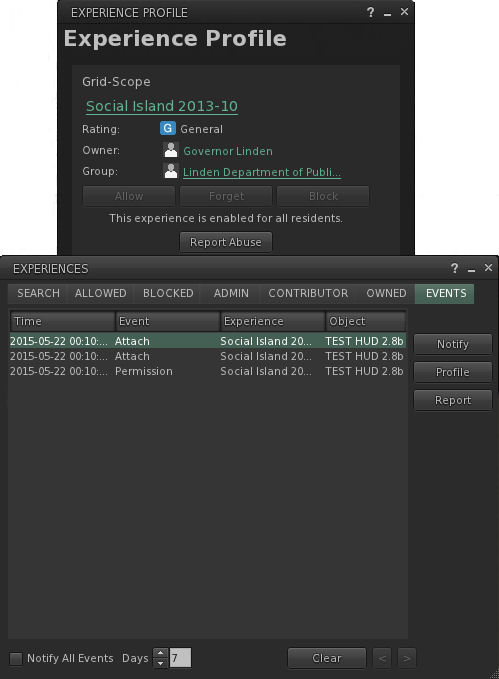
Second Life new user experience now with Experience Keys

Experience Keys are being used as a part of the new user experience
Experience Keys are being used as a part of the new user experience – click for full size (note viewer UI is intentionally turned off)

update, April 2016: The Lab is apparently A/B testing the use of Experience Keys with task-oriented learning at a set the Social Islands. See my article on this for further details.

As a part of my periodic poking at things in Second Life, I recently logged-in using the avatar I keep “parked” at one of the Learning Islands which are the initial arrival points for new users, and  noticed that the Lab has added Experience Keys capabilities to the first-time log-in experience for new users as part of continuing efforts to improve the experience new arrivals have when arriving in-world for the first time.

For those not already in the know, and keeping things to their briefest, Experience Key (also referred to as Experience Tools) are a relatively new (and at the time of writing, yet to be fully deployed) feature that allow users to opt-in to an “experience”  – which could be a game, a tour, an educational activity, and so on – just once, rather than having to repeatedly grant specific permission each time something wants to act upon their avatar – such as a teleport offer, attaching an object, etc.  This means that the experience can be enjoyed much more fluidly and without the distraction of multiple dialogue boxes constantly popping-up. when the user leaves the experience area, their status in the experience is saved (e.g. their progress and items collected), all permissions are revoked, and all attachments removed.

Experience Keys in use as a part of the New User Experience

Within the first-time log-in environment, Experience Keys are being used to help guide new users through the basic steps of using the viewer. The focus (at least at the time when i noticed the use of Experience Keys) is specifically on avatar movement. However, there is no reason why the approach couldn’t be expanded in the future to cover other aspects of viewer use, and other aspects of gaining familiarity with SL.

A key difference between the use of Experience Keys in the new user experience is that the HUD system is attached seamlessly when logging-in for the first time; there’s no initial pop-up dialogue box for the users to accept as they log in.

This is a good idea, as it avoids potential concern which might otherwise occur for a new user in having a potentially confusing / worrying dialogue box displayed as soon as they log-in, stating it wants to take control of this and that. Instead, the HUD attaches, and a couple of seconds later, the first pop-up displayed, providing a brief, basic overview of walking and turning.

In all, there are four pop-up hints given as the user progresses around Social island, each one appearing at an appropriate point in their travels. The hint on flying, for example, comes just ahead of the user reaching a broken bridge which should otherwise span a chasm.

The four pop-up helpers which appear as a part of the experience as the new user progresses around Social Island
The four pop-up helpers which appear as a part of the experience as the new user progresses around Learning Island – click for full size

The process stops when the user passes through the portal leading to one of the Social Islands, with the experience HUD detaching automatically as they do. Once at the latter, things become more of the familiar mix (to those of us familiar with the new user experience, at least!) of potential confusion, wandering and poking at things in order to work out what to do, even with the help from established users, who have for a while now been able to access the Social Islands (and some of whom can themselves be somewhat unhelpful, and do act as an illustration of the Lab’s misgivings on this area).

However, to stick with the use of Experience Keys, the current deployment is pretty basic, but it does offer a rough foundation on which more might be built. As such, I asked Peter Gray, the Lab’s Director of Global Communications about the use of the Experience Keys capability, and whether it might be extended within the new user experience.

“We’ve been using Experience Keys for some time with the new user experience,” Peter confirmed, before continuing, “We plan to continue to test and improve the new user experience, but at this time, we’re not able to share a pipeline for planned changes.”

The How To guide provide a range of information on movement, communications and other basic aspects of using the viewer - yet seems oddly overlooked; it is not opened by default on a first time log-in, nor are new users directed to it
The How To guide provide a range of information on movement, communications and other basic aspects of using the viewer – yet seems oddly overlooked; it is not opened by default on a first time log-in, nor are new users directed to it

How this might be done is a matter of speculation; Experience Keys certainly offer a raft of opportunities for easy learning activities along the lines of the old Orientation Islands of yesteryear, but with a potentially greater level of engagement and interaction.

As it is, the viewer does have a reasonably good introduction to the basics of using the viewer in the form of the How To guide (which has never seemed to really form a part of the various attempts to tweak the on-boarding process). It would be interesting to see the information this contains put to far better use, possibly as part and parcel of a more immersive, interactive means of guiding new users through the basics of the viewer utilising Experience Keys.

Getting to grips with the viewer is, of course, only one aspect of bringing new users into SL and getting them to stick – and it is one perhaps we focus on a little too much. The key to getting people to stay is to get them engaged in the platform – and that comes through positive interaction with others, preferably by helping them to find people within environments and activities which interest the incoming users.

This is perhaps a harder aspect of the problem to solve. However, as write Beau Hindman demonstrates in his recent video on the new user experience; there are options which might be considered. One in particular could be to direct incoming users more towards Experience Keys-led activities within SL, as more and more come on-stream, as it is likely these will tend to be something of a focus of established users as well, thus providing a potential mix of activity and interaction with others. It also fits with the Lab’s vision for on-boarding people in their Next Generation Platform.

As noted above, what is currently employed at the Leaning Islands is rudimentary; but it is also a start. Experience Keys will hopefully be fully deployed across the grid in the near future. Once that’s the case, it’ll also be interesting to see how the various mentor groups might leverage them to help new users as well.

SLeducate: a SL resource for educators, students and new users

One of the most common issues raised by virtual teachers in Second Life (SL) is how to get new students up to speed with the fundamentals. You know – walk, talk, navigate – that stuff. For those with little or no experience in 3D environments it’s not easy to pick up SL’s basics, however these are the skills that underpin everything we do in world. Needless to say a solid set of foundation competencies is vital to the success of any learning endeavour. The problem is that eradicating SL newbie–ness takes time – many would argue lots of time.

So opens a UWA blog post by Carmsie Melodie about a web-based resource she has put together which, while primarily aimed at the education sector, potentially has a broader reach when it comes to assisting those new to Second Life.

The SLeducate site, hosted by the University of Western Australia, essentially comprises three main parts:

  • The SL Basics Series section, which provides a set of resources designed to help newcomers get to grips with Second Life
  • The Virtual Educators section, which provides a central resource (documents, tools, videos) designed to help educators and teachers understand the benefits and potential of using Second Life as a medium for teaching and education
  • The SLictionary, a searchable glossary of Second Life terms, words, abbreviations, etc.

It is the SL Basics modules which are the focal-point for Carmsie’s blog post. In it, she covers the aims of the series, outlines the structure of the modules and their relationship with one another, etc,  and provides notes and thoughts on how the series can be delivered (e.g. as a series of self-teach modules, as a classroom-lead activity, or as a combination of the two).

While primarily aimed at educators and instructors, the introduction to the series notes it can be used by anyone new to SL, or who is interested in trying-out Second Life.

The 6 elements (including the introduction) of the SL Basics course provided as a part of SLeducate
The 6 elements (including the introduction) of the SL Basics course provided as a part of the SLeducate website

There are six modules in total – an introductory unit and five learning modules which take someone wishing to get started with Second Life from signing-up for an account, through downloading the viewer (Firestorm being the viewer of choice in the course), and on to the essentials of getting about in SL, and understanding camera controls, clothing, inventory, etc.

Each module comprises one or more interactive Adobe Captivate sessions, complete with embedded video and demonstrations, with supporting information such as PDF format “cheat sheets” and other handy documents, useful URLS and SLurls, additional optional videos and demonstrations, etc. Each of the Adobe Captivate sessions in turn covers a specific aspect of using Second Life, and can be allowed to run at its own pace, or users can step forward / back through it as needed, with an estimated maximum duration for any session of around 15 minutes.

To assist with using the modules for self-teaching or asynchronously, and to provide and in-world community around the SL Basics Series, Carmsie has created the SLeducate group in-world. This can be used by those following the modules to seek assistance, ask questions, exchange ideas, and so on.

Continue reading “SLeducate: a SL resource for educators, students and new users” →

Ebbe Altberg on user retention now and in the future

A part of one of the new user experience social islands

While at the TPV meeting on June 20th, 2014, Ebbe Altberg didn’t only address questions on the new virtual world platform the Lab is developing. The session actually kicked-off with a discussion of user retention in Second Life and the new user experience.

Some eight minutes were devoted to the discussion, of which around five and a half were taken-up by Ebbe talking through ideas, and the remaining time either with questions or with reminiscences about mentors and the old mentor programme. The audio presented here represents all of Ebbe’s comments on the subject, together with a transcription for those who prefer to read his comments.


The first question was whether the Lab had any further ideas for trying to improve user retention.

Well, there are lots of different types of users, and I think we can make it easier for some users without losing the power for other users. But yeah, that is a tremendous challenge, allowing for this incredible flexibility, openness, freedom, and at the same time make it simple.

I am convinced there’s a lot of things we can do, not necessarily in the short-term, but in the medium-to-long term that going to make things a lot easier.

Ebbe Linden (LL CEO Ebbe Altberg) Talked about user retention at the June 20th TPV Developer meeting (image: Strawberry Singh from the VWBPE conference, April 2014)

I mean, just coming in and getting dressed is a major undertaking, and it shouldn’t have to be. There’s a lot of stuff that is geekier than it need to be; what the hell does it mean to “detach” something from your avatar and stuff like that?

So I think the user interface can improve a lot. and obviously, a lot of the work that you guys have just discussed here [Experience Tools, etc] will make retention improve. When the quality improves, performance improves, that will do a lot as well. It’ll just take users a while to notice and appreciate, and therefore get sticker. It seems to me, the metric seems to indicate, you know, some potential extra stickiness is going on. We’ll have to see; we’ll have to wait a little longer to be sure about that.

But when I talk about making in “simpler”, I’m not suggesting I’m trying to make it dumber or less powerful. So it’s going to take some smart people quite some time to solve for, but we have to try really hard to continuously make it easier.

Hopefully we can have something with the power of Second Life, but appealing to hundreds of millions, and not just a million; we have to figure out how to get there.

The next question was whether Ebbe was aware of the official mentor programme, and whether he would consider bringing that back.

[1:57] I was actually in-world yesterday [Thursday June 19th, 2014] with a group of people, many of whom have been part of that, and so we started conversations. There’s a lot of sub-groups participating in that conversation, of helpers.

I think the difficulty is, for our perspective, or why it might have been discontinued, is how do you manage it at scale? Who do you trust? Who’s behaving? Who’s not behaving? I think that might have been a part of it.

But I think that also a lot of those efforts were unfortunately discontinued as a part of the big layoff back in the day, when a lot of things were thrown out of the window whether it made completely sense to stop those types of things or not.

[2:43] Personally, I’m in big favour of a – what was at the beginning, what was it called? Community Portal? … Community Gateway programme – to enable creators to attract their own audience into their experiences. I think ultimately, if we’re going to scale way beyond a million users but tens of millions or hundreds of millions, we have to allow creators to be able to attract an audience from the outside world directly into their experiences.

There we have to think about what does that mean? Does it become some kind of co-shared, co-branded on-boarding experience for people? Because there are too many unique communities and verticals and experiences, that we can’t correctly advertise and drive traffic to those experiences, and it would be much more powerful if the creators could sort-of attract their own audience, and that’s much more scalable. That’s the way I think about it, but how long it will take to get there, I’m not sure.

[3:43] So we’re actually experimenting right now, where we’re doing A/B tests with a welcome island as we know it, and a second welcome island with a live helper so we can A/B test the conversion rates and the stickiness of the product. Obviously, one person is not going to do it, but we’re starting with one person as a very consistent way of treating people coming in. and then we can see what the actual performance differences [are] between those two experiences. We’ve also tried with audio on and audio off.

So we’re doing these little A/B tests to see what works, and if we find that having a live greeter there has a meaningful conversion rate improvement , then we just have to figure out how we can scale that, so we can have people able to meet everybody.

I haven’t seen statistics come out of that yet. I saw some stats of audio versus no audio, and it was like a tiny, tiny, plus for no audio, so we’re now trying with no audio, or no speech, so that … but other things we can do is maybe only certain people can get to the welcome island … and [not] having cuckoo folk show up there … Having a way to … we can technically potentially solve it so that we don’t have to have people kicking people out, but you could be sort of, only new users or … and if you’re a brand-new user, it’s a little harder to grief than if you’re and existing user.

Anyway, it’s stuff we’re actively playing with. I’ll try to figure out when we’ll have statistically relevant numbers from the tests we’re doing, and then we’ll go from there.

[At this point the discussion moves to PR as a means of reaching out to new users, and then moves into the discussion of the Lab’s next generation platform.]

The Snow Lion, Oceanside dAlliez; Inara Pey, May 2014, on FlickrCommunity Gateways offer perhaps the most flexible means to meet the needs of incoming users (image: The Snow Lion, Oceanside dAlliez (Flickr))

Comments

The first interesting point of note here – and with the benefit of hindsight – is the first clue is given that the Lab is looking towards another platform for mass adoption:

“Hopefully we can have something with the power of Second Life, but appealing to hundreds of millions…” [my emphasis]

The idea of enabling established users to be able to build tailored on-boarding experiences which not only get newcomers involved in their activities, but also provide them with sufficient guidance to be able enjoy the rest of what a platform has to offer, could be a powerful move in the right direction. Not only does it resolve issues of scalability, it is also something that delivers the on-boarding process more squarely to users within a platform, something many in SL want to see.

It will be interesting to see if the Lab actively pursue such an approach with SL, or whether it is something they’ll look more towards implementing in-depth on the new platform. Perhaps we’ll see a little bit of both; the Lab initially “trialing” such an approach on SL, prior to enhancing  / expanding it with their new platform.

The further A/B testing with the current on-boarding process is interesting. Even if one discounts 90% of the current 350,000 (ish) monthly sign-ups as alt creation or spambots*, that’s still potentially 35,000 new users month who are coming into SL, of whom around 80% have apparently evaporated within a month. So any attempts to increase on this are to be welcomed.

That said, whether user retention can be signficantly increased by tweaking at the edges of the current on-boarding process is debatable. I tend to still be of a mind that without finding the means to connect incoming new users on a more “social” level with others within SL, attempts at increasing user retention will be limited in success.  Nevertheless, it will be interesting to see what comes out of the current A/B testing – and in seeing just where else the Lab is willing to invest time and effort in order to try to increase SL’s retention levels.

*Footnote: some claim that 99% of this number is the result of spambots which never actually go on to download the viewer, much less log-in. While I agree that the potential number of sign-up hits by bots is likely to be high, placing it that high is perhaps a stretch, and points toward’s Marcello Truzzi’s statement that such an extraordinary claim requires extraordinary proof.

Taking a peek at the latest new user experience

In June Rod Humble indicated that the Lab would be evaluating a “new” new user experience in an A/B test against the current Destination Islands. During a conversation I was able to have with him a little more recently*, I asked whether the new experience would include anything of the “personal touch” – getting new users more easily get to the things which interest them. He replied:

We definitely want to make it easy for Second Life users (especially new ones) to connect with the things in-world that match their interests. What we’re testing at the moment is more geared at getting new users familiar with basic controls, so it comes even before the point where they’re ready to connect with relevant content.

Given this, I’ve been curious as to what form the “new” new user experience might take – and today I had my answer.

The sign-up process itself remains unchanged, so far as I can tell. as does the first-time installation of the viewer, which I looked at back in March 2012 – although this does differ significantly to the installation process established users may be familiar with.

As I reported in 2012, when installing from the sign-up process, the viewer includes a series of panels which give various hints as to what SL is and how to get a start in it, such as the use of text and voice chat – although admittedly, the fact that these panels still feature viewer 2.x did raise a couple of eyebrows. Nothing like staying up-to-date, eh?

One of the explanatory text panels displayed during the viewer installation process
One of the explanatory text panels displayed during the viewer installation process. note the viewer 2.0 UI, complete with sidebar!

Once logged-in to Second Life, things are now noticeably different. New users are initially delivered to one of several versions of “Social Island”, arriving on a beach. The landscaping here is somewhat more pleasing to the eye than the older Destination Islands, However – and bearing in mind, I have no idea just how “preview” or “work-in-progress” this approach is – it tends to start to unravel from here. Just what do you do? Where do you go? What the heck is going on? There is currently no indication at all.

Well, actually, there are clues. They’re just not terribly obvious clues.

"Where am I? What am I supposed to do?" A plaintive question from a newcomer on the beach at Social Island
“Where am I? What am I supposed to do?” A plaintive question from a newcomer on the beach at Social Island

Up in the navigation bar, alongside the region name is the parcel description “Find the path”. The clue refers to one of two paths off of the beach. The first refers to on which leads up from the eastern end of the beach, under a stone arch, and the other goes through a tunnel to the island’s interior. Taking either results in the parcel description changing to “cross the bridges”. And indeed, there are wooden bridges to cross; although if you went through the tunnel, you’ll need to master climbing the rock face first (up a set of pretty obvious “steps”.

“Social Island” is perhaps well-named. There was a lot of chatting going-on when I arrived. Admittedly it was of the “Help!” variety of conversation – which included comments like, “What am I supposed to be doing?”, “Can anyone tell me what this is?”,  and, “Does anyone else here use IMVU? Why isn’t this like it?” (yes, honestly, that is exactly what was being asked) – but at least people were communicating and socialising. Sort-of.

Perhaps the most disheartening thing was – again, my direct experience – trying to help a newcomer, only to have her respond, “I hate this,” before  she vanished, presumably logging-off into the ether, never to return.

The Social Islands appeared geared towards getting people walking around and perhaps talking - although much of the conversation might be pleas for help from genuine newcomers...
The Social Islands appeared geared towards getting people walking around and perhaps talking – although much of the conversation might be pleas for help from genuine newcomers…

The path leads newcomers to a single teleport portal which uses the experience tools teleport capability to deliver them to one of the Learning Islands. Here things are, if anything, slightly more confusing – again with the caveat that it may be a work-in-progress.

Continue reading “Taking a peek at the latest new user experience” →

Inspiring Orientation: getting users started, stage 2

In June 2012, I reviewed MetaHarpers’ The Inspiring Orientation, an installation intended to be part gallery, part orientation course, with various interactive elements intended to teach new users the basics of getting around in Second Life – walking, flying, chatting, using the camera, sitting, etc.

The originia Inspiring Orientation - from the outside
The original Inspiring Orientation – from the outside

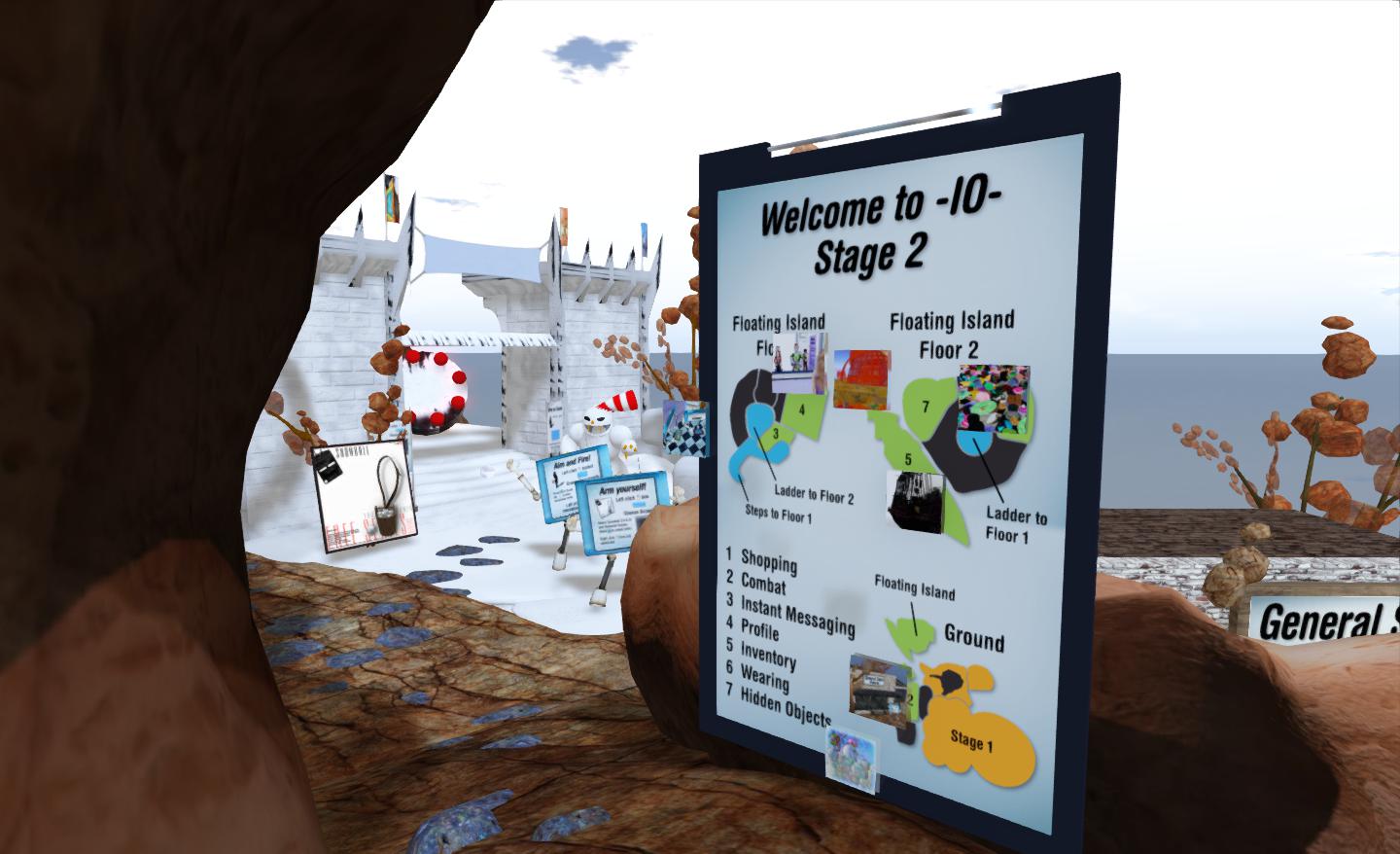
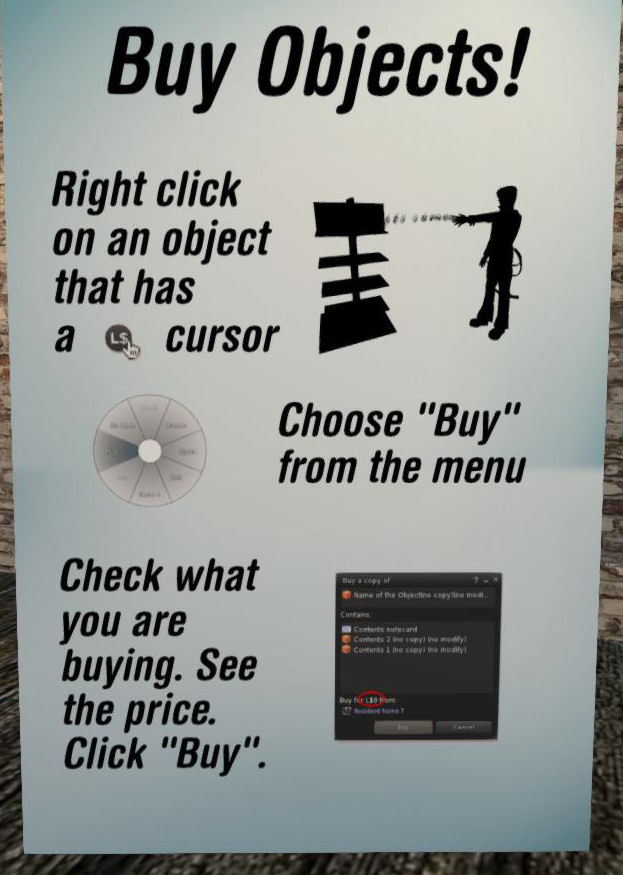
Opened to the public on February 5th, The Inspiring Orientation, Stage 2 now takes the concept a step further by providing additional interactive lessons covering such diverse subjects as in-world shopping, instant messaging, inventory management, profile creation, in-world combat and games, and exploration. At the same time, it revamps the original installation, and incorporates features such as media-on-a-prim. So what is it like?

On arrival, the installation appears familiar – the welcome area is the same as its first iteration, and the familiar tablet-like guides are still there. However, on stepping inside, it is clear things have been changed. Basic movement – walking and jumping – is quickly dealt with before moving onto the basics of camera control, which used to come somewhat later in the piece, and which is dealt with in a more compact manner. The rest of the initial elements of the piece remain largely unchanged until one arrives at the teleport portals, which in the original more-or-less marked the end of the process. While people can still teleport away at this point, a sign points the way to the new additions waiting to be explored.

Inspiring Orientation Stage 2
The Inspiring Orientation Stage 2

Here people can learn about shopping, instant messaging, profiles, inventory (including attachments, clothing layers, etc), dealing with “hidden objects” and combat, all in discrete units linked by footpaths, chair lifts and ladders.

There are several routes around this part of the installation, which can lead to a degree of repetition in instructions (accessing inventory, for example). However, this is no bad thing in that it allows for easy re-caps on lessons and pointers.

The Inspiring Orientation Stage 2

The inclusion of combat options might at first glance seem a little odd, but it actually does make sense given that, while “Second Life is not a game”, many people actually do join SL in anticipation of engaging in roleplay (which can include combat elements) and engaging in combat-related activities (the dreaded zombie hunting beloved of the official SL promo videos, etc). Ergo, getting people started on how weapons, HUDs, mouselook, etc., all work within the realms of combat isn’t necessarily a bad thing.

Whither the context menu?

The use of media-on-a-prim in the portal area, is both new and subtle. Drawing on the Destination Guide to provide a click-through list of destinations and descriptions related to the selected portal, it does much to present users with far more choice on where they go next, and on seeing where they are likely to meet other users.

That said, there are a few niggles with the update. Given this is an exhibition intended to demonstrate a new user orientation, the almost exclusive use of screen shots of a popular TPV is surprising. Yes, it may weel be the most popular viewer in use in SL, but given this is a new user experience, and presumably something the creators would hope users would encounter early-on in their explorations of Second Life, I can’t help but feel that there should perhaps be more emphasis on the official viewer – particularly as this is the viewer the majority of new users will initially be using when they log-into SL.

It could also be argued that other essentials are missed or given scant explanation as well – such as the Marketplace, the use of the world map, search and the concept of teleports (although teleports is touched upon throughout the exhibit, if not fully explained). However, the piece is a work-in-progress (the team behind it plan to move it to a location of its own at the conclusion of its time at the LEA), so these are matters which may still be addressed.

One thing that does still disappoint me with the update, though, is that it still fails to reference the viewer’s own means of providing help to users. The How To guide still goes unmentioned, as does the Help options in the menu. The How To guide is certainly worth a reference, given it forms an easy aide-mémoire to some of the lessons given during the orientation tour.

Some might argue that The Inspiring Orientation fails to offer any significant advantages over a more straightforward approach to user orientation such as that provided by the Phoenix Firestorm Support Region. In some respects, I’m inclined to agree; the latter has the beauty of keeping to a KISS approach which make progress perhaps seemingly less time-intensive. However, The Inspiring Orientation perhaps offers greater visual and aural stimulation, and thus may better hold a new user’s attention than a more traditional “walk-and-read” approach.

Whether it is viewed as a prototype / alternative approach to engaging new users and unlocking some of the mysteries of the viewer or whether it is seen purely in terms of an art installation which encompasses learning experiences, The Inspiring Orientation remains an interesting insight into how an engaging and interactive user experience might be built. As such, it has always made for  an interesting visit, and the Stage 2 updates provide plenty of additional food for thought, particularly for those interested in the new user experience ethos.

Related Links