Linden Lab and Motown: a new approach to user on-boarding in Second Life

The Motown Experience: contained within a Welcome Hub estate

On Tuesday, June 20th, 2023, Linden Lab officially announced the launch of a new partnership experience, this one with Capitol Music Group through their Motown Records label (see: Motown Records Enters the Metaverse with Exclusive Events and Immersive Second Life Experience – corporate press release – and Motown Records Debuts New Music Experience in Second Life – official Second Life blog post).

Of course, such partnership between the Lab and external entities are not new; nor, it is not unfair to say, have they perhaps been the most successful of ventures, as might be said to be the case with Film Threat and Zenescope Entertainment Inc (see: The Zenescope Metaverse in Second Life), and it is more than likely that this announcement will cause some rolling of eyes / raising of eyebrows in an “oh no, not again” style of reaction. However, this time, it is actually different, for a reason I’d like to focus on here and which I’ll get to in a moment.

At first glance, the Motown Experience might appear to be along the same lines of the likes of Zenescope – it is offered as a themed region, in this case intended to evoke Detroit and the home of Motown music, and is designed with music events in mind, hosted by a pair of venues, one indoor and the other out on the streets. Within this setting and through the involvement of STYNGR, Second Life residents and visitors to the platform can explore Motown’s rich music and roster of alumni, the music being provided through STYNGER’s unique expertise in licensing and right management and their ability to generate and provide curated playlists of music for stream into platforms and games.

STYNGR is the gaming arm of the recorded music industry, collaborating across all major labels and publishers to give you access to music and artists. With the largest catalogue of music in the gaming ecosystem, STYNGR partners with you to increase engagement, LTV, and visibility for your platform.

– from the STYNGR website

The Motown Experience HUD includes (l) small and hard-to-read instructions on enabling media for both the official viewer and firestorm; (c) the current track on the current playlist; (r) a list of available tracks, accesses by a small button sitting alongside the play/pause and skip buttons at the bottom of the HUD. Speaking personally, I found the HUD slow to respond (before the region even got busy), with the buttons frequently require 2-3 clicks

This is done via a dedicated Motown Records radio station, curated by Motown and STYNGR, and which can be accessed through an auto-attaching HUD (above), which provides access to the various streams the station provides (at the time of my visit, 5 were on offer, per the above images). These tracks can be accessed via a dialogue box triggered by clicking on a HUD button, with buttons also being provided to start / stop / skip tracks during media playback. In addition, visitors can obtain “Styngs”, which might be described as a “digital badge” that can be attached to an avatar and plays  snippets of their favourite Motown songs, and the region will be host to various events and activities.

All of which, admittedly, sounds like standard “partnership” fare; so what’s so special here? The clue is in taking a look at the map and / or camming around when in the region.

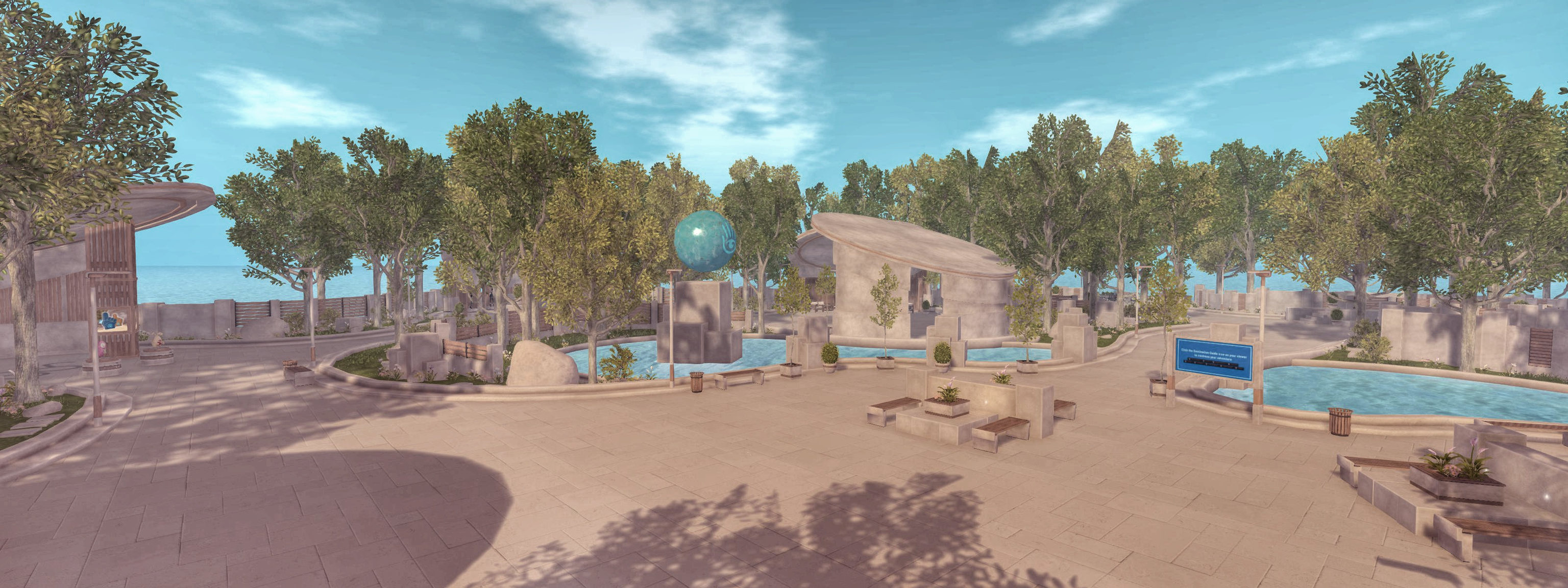
The Motown Experience sits within a nine-region estate built out as a comprehensive Welcome Hub that will in the new future be opened as a Community Gateway to receive incoming new users signing-up to Second Life. As such, it is designed to address what many people have felt has been missing from SL: a fairly engaging environment where incoming users can not only learn about the platform, the viewer and find out how to do the basics – they can actually get involved in activities and (allowing for the popularity of the Motown Experience as a music venue) actually get to meet other users and have some pleasant fun with them.

The Second Life Welcome Centre sitting adjacent to the Motown Experience

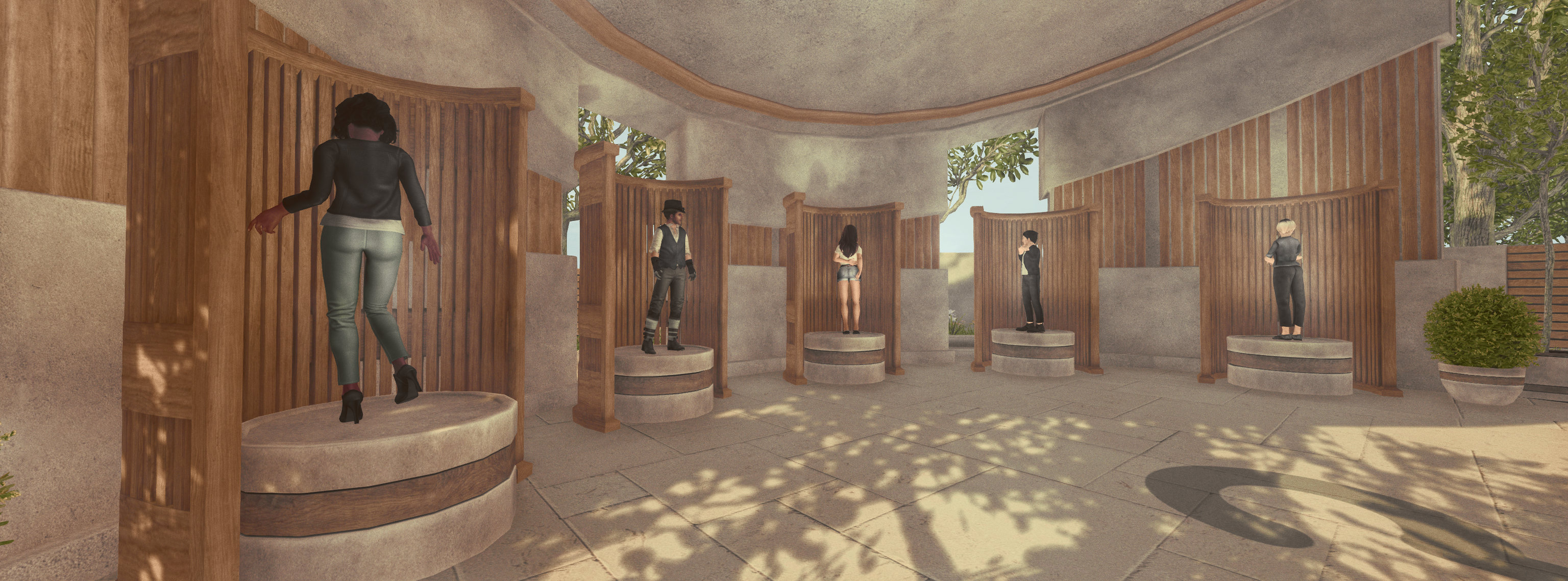
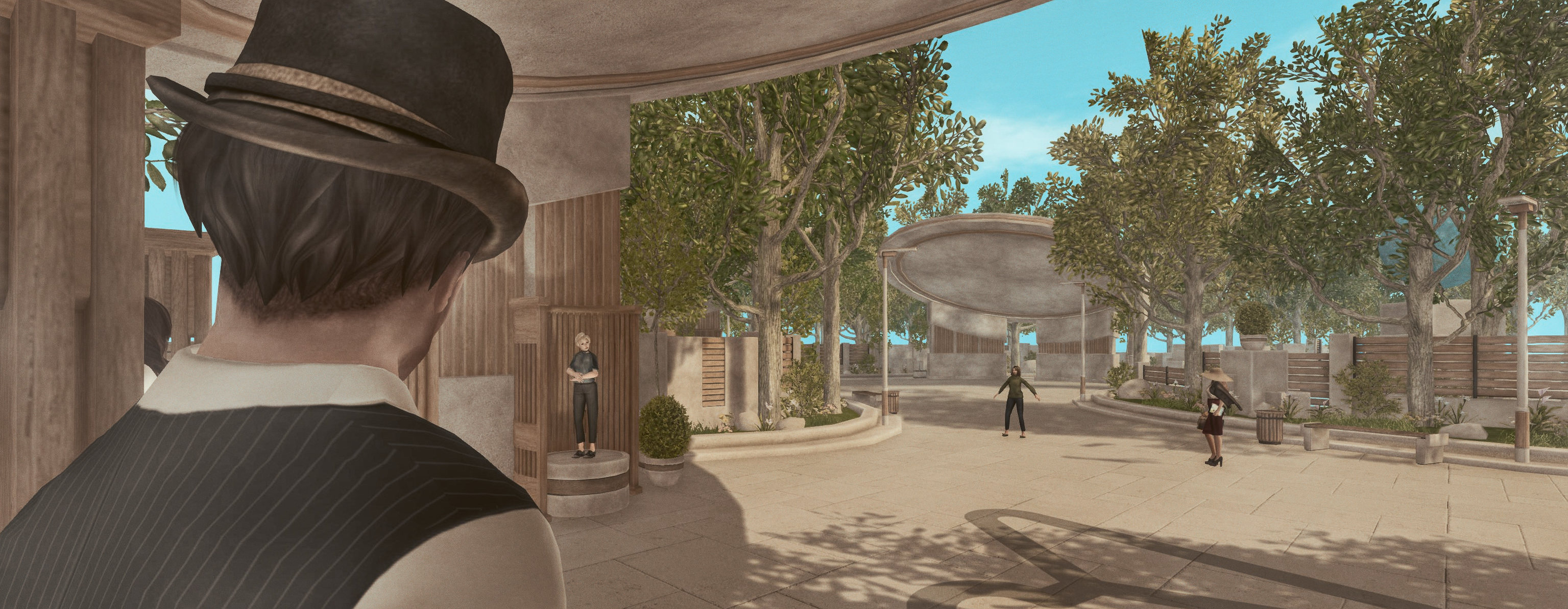
The heart of this hub – which is staffed by people signing-up to the recently announced new Second Life Mentors programme – is the Welcome Centre, where incoming new users will arrive, once the gateway aspect of the Hub is officially opened. This follows lines similar to the Welcome Island I first looked at in 2021 (see: Poking at the new Welcome Islands) and more recently, the BelliHub (see: A look at the new Belli Rub – I mean BelliHub – in Second Life), albeit with its own unique look and feel, which might be defined as semi-sci-fi. Here, as well as as taking lessons either directly or through Second Life Academy videos (isn’t that Second Life University elsewhere?), it s possible to try a game of bumper boats, or try taking to the air in little “robot-driven” flying cars.

Bridges from the Welcome Centre connect variously with the Motown Experience, a sandbox region (allowing visitors to discover the magic of prim-rezzing and banging them together), a sampling of Linden Homes (with open rezzers so the different styles of the available themes can be seen) a shopping district presenting something of a cross-section of content for sale from various creators (no idea how they were selected), and three games areas.

The Welcome Hub includes a Linden Homes region where many of the Linden Home themes currently available can be viewed, with the rezzers open to allowing visitors view the styles of home within a theme

The first of these is innocent enough, presenting an opportunity for people to dip a toe into combat-style gaming via a game of laser tag. This can be reached on foot directly from the Motown Experience region, or via the Shopping region. The remaining two games settings take the form of a Skill Gaming region tucked into one corner of the hub, and a copy of the (still) controversial Lab-developed “social casino” (which I still have yet to actually blog about, as my original piece lapsed into the realm of “meh-dom”). The latter met with (not entirely unjustified) negativity in the forums when the first one opened, and I admit I still cannot get my head around why it ever came to be seen as a good idea.

The Skill Gaming region – reached via either the Linden Homes region or the shopping region – I can understand; it may not everyone’s cup of tea (including me), but Skill Gaming is popular in Second Life. True, I’d rather see the space used as a broader show of what can take place in SL, but that’s a personal opinion. And that said, one thing that is showcased within the hub and via the cinema occupying its ninth region, is the potential for Second Life for producing quality machinima. For the opening, the cinema appears to be showing Waarheid, but I assume other films by residents will also be shown; although that said, I’d certainly not be averse to sitting down and watching “the truly fictious story of the battle of Dirty Hill” – We Were Moles!

The Welcome Hub cinema

Taken as a whole, this approach to providing a comprehensive hub environment with an active experience does represent a new take on a gateway experience for Second Life, and something that is going to be iterated upon and broadened through a rather of partnerships, as Brett Linden, the Lab’s VP of Marketing noted to me.

What you see now is our first test version [of] a new welcome hub we are testing.  It hasn’t fully been turned on yet to newcomers (and [it] will be tested along with other community gateways), and  but we expect to iterate and partner more with the community (and occasionally outside partners) for future iterations. We’ll be tracking things here closely and play-testing with newcomers to see what works and/or needs improvement for version 2.

Brett Linden, June 20th, in conversation

Given this launch, it is likely the new Hub and experience will be subject on comments and feedback during the upcoming SL20B Lab Gab sessions (of which more in an upcoming post), particularly given new user acquisition is a focus for the Marketing Team under Brett, and he and StyFy Linden from the team are featured in one of the upcoming shows sessions.

More broadly, this expanded tyle of Gateway / welcome facility for incoming new users does seek to address many of the critiques directed towards the on-boarding process: it is staffed by mentors who can provide a personal level of assistance; it covers the “first five (or fifteen) minutes” of in-world experience whilst offering a good opportunity to get to grips with the viewer and discover more about what Second Life is about; there is the opportunity to explore more broadly via the teleport portals (or should than be canons?!); there are local shopping and gaming opportunities; and – most importantly, and assuming the Motown Experience succeeds as a music venue / attraction for existing users as a well as new users – it presents the opportunity to meet people. In this, it might be suggested that how well it succeeds in helping incoming users to “stick”, once the gateway is open to incoming new users, is going to be down to how open, friendly and welcoming the established users visiting the Experience and its surrounding Hub are towards those newbies.

Certainly, I enjoyed my afternoon exploring the Hub regions – and my thanks, as ever, to Brett for his time in talking through aspects of the hub with me , and I will endeavour to keep tabs on what is happening with it over the next month or two; if not directly in relation to the Motown Experience, then certainly with the Welcome Hub as a whole.

SLurl Details

A look at the new Belli Rub – I mean BelliHub – in Second Life

BelliHub landing area and new user tutorial

On Wednesday, April 19th, Linden Lab announced the launch of BelliHub and New User Tutorial regions – a new location within the Linden Homes Continent, open to all, which is intended to – quoting from Patch Linden’s forum post – provide:

A place where they can go to find information regarding Bellisseria, meet up with residents living in Bellisseria and have all of their questions answered. BelliHub features:
  • Information: Links to pages with details on things like how to get a home, Premium membership, using the land tools, the Bellisseria covenant, etc.
  • Bellisseria Events Centre: where members of the Bellisseria Performers Group can mark their events on the calendar for all to see.
  • Demo Homes: Finally a place where residents can rez and walk around all of the currently released home themes and models.
  • Hangout: A games area for residents to hang out and interact.
The BelliHub and BelliDemo regions are a resource for everyone who wants to help prospective new Linden Home owners, or just hang out and discuss all things Bellisseria.

– Patch Linden, April 19th, 2023

BelliHub: Linden Homes demo area

I will admit to reading the place name as “Belli RUB” at first glance, hence the title of this piece – I just couldn’t resist; however, the write-up and the Destination Guide entry left me curious enough to hop along and take a look just as soon as Fantasy Faire and completing setting-up my new PC allowed.

Sitting as a part of the New User Experience (NUX), BelliHub shares elements first seen at the new Welcome Islands I explored back in July 2021 to provide a tutorial area for new users and an introduction to Premium subscriptions, Bellisseria and Linden Homes. In particular, the kiosk-style approach to information areas seen within the Welcome Islands is repeated here, together with the garden-like layout and footpaths meandering between the different locales. However – and while I have not been back to the Welcome Islands to see how things may have changed since 2021 (makes a note to try to do soon in the near future), there are improvements here over that layout as originally reported.

Signage, for example, is much improved and less in-yer-face, giving progress through the various areas a more relaxed feel. Outside of the initial tutorial area / landing point, people are invited to touch the various signs to receive information, rather than having it shouted at them by detailed signs which can feel a little overwhelming. And talking of prior Welcome / Learning Islands, those with particularly long memories might want to to give a gentle pat on the head to the parrot at the Communications area, as he once again offers a call back to the Orientation Islands of old (all we need now is the old ball-and-table – which I think I’ve said at least once before!).

BelliHub new user tutorial
Progress is also assisted by the use of blue directional lines laid out along the footpaths, giving a needed sense of order to progress. In the 2021 version of the Welcome Islands, learning was a little more random as people could wander past kiosks without necessarily taking notice of them; here, the trails lead directly to the kiosks and through the areas to which they are linked, encouraging attention be paid to the information boards without any sense of being led by the nose.

Very good use is made of video media throughout as well – complete with auto-detect volumes which trigger videos when someone crosses them / stands on them (instructions are also provided on toggling video media manually in the viewer). The videos range from those produced specifically for the NUX (hi, Abnor!) to videos produced as a part of the Lab’s Second Life University series.

The path around the hub eventually reaches a gateway titled Bellisseria, after passing a Landmarks area where those who wish to do so can continue their explorations elsewhere in Second Life. The archway marks the end of the the “basic orientation” section of the hub, and the focus turns to the ideas of land holding – both Mainland and Private – and on Premium options, with links (including a globe of the Second Life world where those wishing to do so can upgrade to a Premium subscription (the globe itself a further link to the Welcome Islands).

BelliHub: Linden Homes demo area

Given the title on the arch of the gateway, it should come as no surprise that beyond it is a focus on All Things Bellisseria including an events area which includes the ability to book the various community centres for an event by Bellisseria residents (click on the name of any community centre to open the World Map to teleport to it). I’ll admit, reading one of the calendars, I was a little concerned that the last time Abnor Mole ate anything appears to have been April 13th…); and information on the Bellisseria Covenant and what is or is not allowed in the Bellisseria continent. Beyond this, the path ends at a Where Next? kiosk with a link to the Destination Guide and some further focus. Alongside of this end-point is a small dock where a sailboat can be rezzed for those wishing to take to the water: a nice touch.

North of the tutorials / information area and within a second region, and a looped path offering the chance to visit demos of the released Linden Home themes. Visitors can either walk the path or grab a bicycle from the rezzer at the start point and ride around the path. Again, in a nice touch, the house controllers for the demos are open to the public, allowing people to view the different styles of the various themes. Just keep in mind that if you use a bicycle from the rezzer and opt to hop off to look at a house, the bike will poof.

For those looking for a little socialising, BelliHub offers a number of seating areas, some of which also include the opportunity to play chess or draughts, whilst the beach adjoining the tutorial area also offers beach volleyball, 10-pin bowling and other activities.

BelliHub new user tutorial

Overall, the BelliHub is well designed and considered, presenting an engaging and interesting visit for established and curious established Second Life residents as well as those coming into SL who might be directed to it, whilst for those who have invested themselves in Bellisseria and its various communities, it offers a further opportunity to socialise and – possibly – meet and help incoming new users to Second Life.

SLurl Details

Poking at the new Welcome Islands

The new Welcome Islands

Update: Keira Linden indicated as well as A/B testing against the Learning / Social Islands, the Welcome Islands are also being compared with throughput via the Firestorm Community Gateway. you can find more on Keira’s comments on the Welcome Islands and the Guidebook in my July 7th Web User Group meeting summary). 

Following my recent look through the new Guidebook that now forms a part of the official Second Life viewer (and is filtering its way into TPVs), and which is aimed at helping those get started on the platform, I’ve had the opportunity to take a poke at the new Welcome Islands that are designed as an arrival point for incoming new users, and which leverage the viewer’s Guidebook.

Before getting down to some of the details, it’s worth pointing out a couple of things:

  • The new Welcome Islands and Guidebook appear to be in A/B testing alongside the existing Learning Islands / Social Islands that are in use.
  • This means that should you opt to create a new account to try-out the new Welcome Islands, you may not actually be directed to them, but are instead directed to one of the existing Learning Islands / Social Island (reviewed here).
Arrival: the Guidebook opens at the first page, and a path directs you around the island

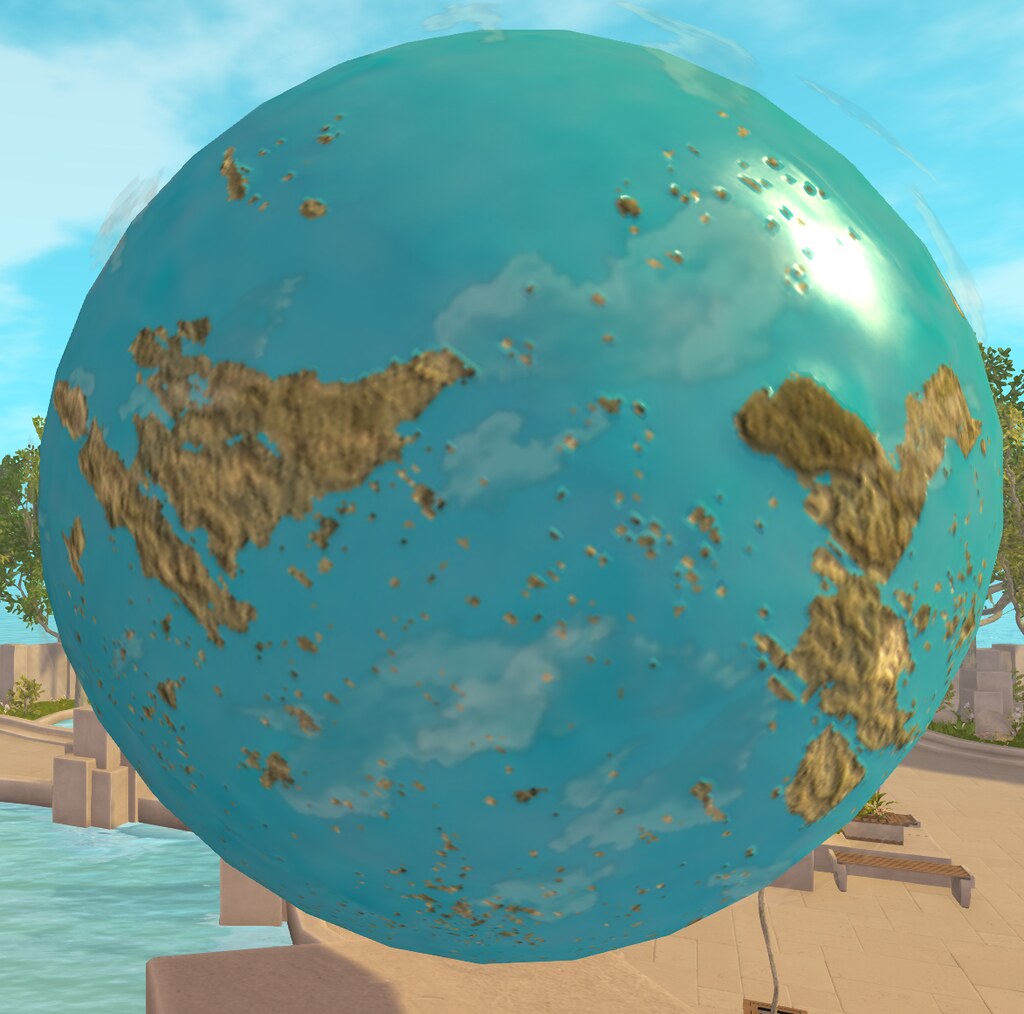
Given this, I opted to use the Guidebook within the viewer to get me to the new Welcome Islands rather than creating a new account and relying on pot luck to get me delivered to them via the on-boarding process (when I might easily be routed to a Learning Island).On arrival, I found the Guidebook had opened itself at the first page – much as I would expect it to do for a new user on their arrival at the Welcome Islands. As with other new user experiences, Welcome Island presents a path for  arrivals are to follow, one that meanders through a park-like setting built around a water feature. The latter offers an interesting view of the Second Life grid – as a planetary globe, canted on its axis and spinning gently, its watery surface dotted by the Mainland continents, mini-continents and private estates / islands.

The Avatar picker area displays a selection of start avatars, all of which are animated in their display area

Along this path can be found the three main stations referenced within the Guidebook for interacting with objects,, changing / customising an avatar and gaining familiarity with avatar attachments, all of which sit relatively close to the landing point. Beyond them are two more large stations – a bar and a café, each with interactive food / drink givers – and a number of open-air seating areas offering the chance for social interactions – if there are sufficient new users on an island who wish to mingle.

Also to be found on the islands is a sign directing all those who wish to move on elsewhere in Second Life to use the Destinations tool bar button. However, what the sign fails to indicate is that if it is clicked, it will (via a dialogue box) offer to open the web search at the Destination Guide, which can then also be used to locate places to visit.

Two new arrivals work on avatar looks – or try to(?)

These islands are a simple in design, easy-to-explore settings with some nice touches (e.g. seats that actually offer poses, drinks and refreshments trays that attach objects to an avatar in order to help new users gain familiarity with interacting with scripted object) and sits well with the Guidebook.  However, part of me does wonder if it is a little too minimalistic in approach in order to satisfy all incoming new users.

The grid as a globe within the new Welcome Islands

Certainly, there is a strong contrast between this somewhat contextual approach and the more tutorial-oriented Learning Island / Social Island approach. There are strengths and weaknesses to both, so continuing with them on a side-by-side basis even beyond A/B testing is likely not a bad idea, so it will be interesting to see what happens down the road.

What I will say is that, whilst loitering in the Welcome Islands I was delivered to, several people dropped in as well. Those who responded to me indicated they had just signed-up (although looked like they were coming back to the “Welcome Back” Island where I was hiding, rather than being “brand new” users”), and further indicated they were finding the Guidebook useful – although this obviously didn’t stop questions! – although one who had managed to find their way into inventory did admit to getting somewhat confused and wanting more information on have to change looks without having to pick an entire new avatar, and what was the difference between WEAR and ADD.

I’m not sure we’ll be given any clear insights into how well the new Welcome Islands perform when compared to the other routes into Second Life, but hopefully it will contribute not only to getting people into SL, but also giving them the level of information they need to keep on visiting – and exploring.

The Project UI viewer: a look at the new user Guidebook

via Linden Lab

In  May, the Lab issued the Project UI RC viewer, part of the work to overhaul the new user experience and provide greater context and support for incoming users when getting to grips with Second Life and – in this case – the viewer.

At  the time it was issued, I  provided an overview of the viewer based on my own walk-through of the viewer as it was at that time, and notes supplied by Alexa Linden (see: Lab issues Project UI viewer aimed at new users).

Since then, the Project UI viewer has progressed through the RC process, and was promoted to de facto release status in week #25. Along the way, it saw some revisions and additions, including a Guidebook to help new users find their way around the viewer. And it is that Guidebook I’m taking a look at here.

Before getting to it, however, a quick recap on the changes within the viewer previously covered:

  • A new menu option called Avatar, and streamlined / revised right-click avatar context menus.
  • Improvements to the Inventory panel.
  • An updated Places floater.

All of these are looked at in the blog post linked to above.

New User Guidebook

The Guidebook appears to be a case of taking an idea first seen in the Basic version of Viewer 2.0 a decade ago, and greatly enhancing it.

In 2011, the was to provide new users with a simple guide to tackle basic actions such as walking and chatting through a pop-up How To guide accessed via a toolbar button. The problem was that the idea was never really followed through: the How To guide was brief to the point of being ignored, and never fully leveraged.

The new Guidebook takes the same initial approach as the old How To, using a button within the toolbar to open a dedicated panel, samples of which are shown below.

The pages of the new Guidebook relayed to avatar / camera movement –  click for full size

However, it is at this point that all similarities with the How To approach ends, as the Guidebook dives a lot deeper into basic needs – walking, communicating, interacting with objects, an overview of avatar customisation and using avatar attachments, finding where to go in SL and where to meet people. It also offers pointers to various viewer menu options and how things like right-click context menus work.

On first being opened, the Guidebook will display the first of the pages dealing with avatar movement, with each page including “next” and/or “back” buttons. Pages display information clearly and concisely, and good use is made of illustrations.

The Guidebook menu

All of the topics covered by the Guidebook can be accessed directly at any time via the three-bar Menu icon in the top-right of panel, then clicking on the desired topic. This index also includes an option to teleport to a Welcome Back Island – a duplicate of the new Welcome Islands incoming users may arrive at, giving those already in SL the opportunity to hop back to an environment where they can gain a refresher. In addition, some sections within the Guidebook also reference locations within the Welcome Islands that also help new users gain familiarity with Second Life and the viewer controls.

Obviously, not everything can be covered in a single guide like this, and people will doubtless have their own views on what “should” be included. However, what is provided should provide incoming users with a reasonable grounding in finding their way around the viewer. It’s also worth remembering that these updates may not be all that’s coming by way of viewer UI updates and/or simplification.

A further aspect of the new user experience is that the Welcome Islands will use an Experience, which in turn uses web page links, it is possible there are yet-to-be revealed elements accessed as new users explore / travel through the new Welcome Islands that may actually give further context to the viewer. As such, any final judgement on what is available in the viewer as released might be premature. Given this, I’ll likely / hopefully be returning to these updates to the viewer as an when the new user experience comes on-stream.

In the meantime, the Project UI is available as the default official viewer download, and the updates it contains will, as usual, be a core part of all future viewer updates and releases from the Lab.

Lab further updates SL splash screen with mixed media video

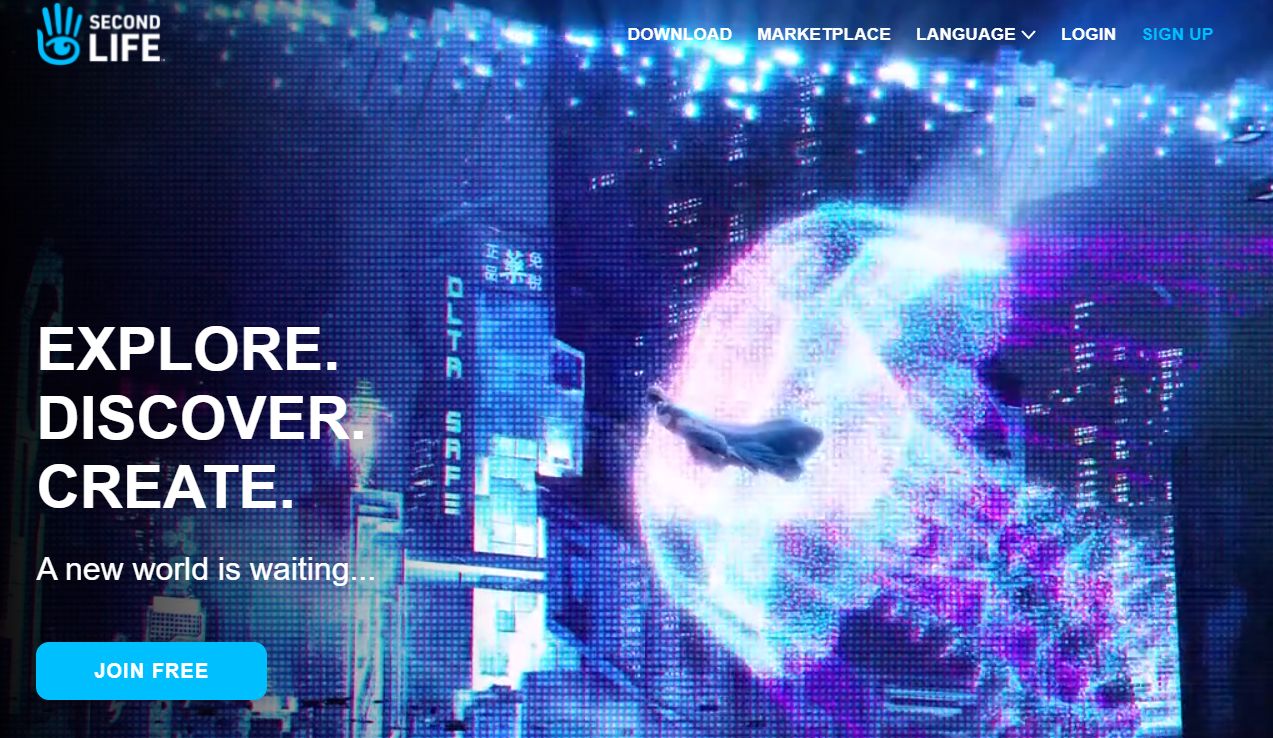
A still from the video now featured on the further revised secondlife.com splash screen

Watching the secondlife.com splash screen is becoming something of a past-time of late.  Last week I noted that the screen had been tweaked after an update in April, with an enlarged still from the broadcast advert by Levitate Media and a revised menu  (Secondlife.com splash screen gets a further tweak).

It  now appears the April update and the tweak last week might be part of a rotating set of splash screens being tried out – as I noted on May 17th in an update to that article, the version of the page I  referenced in that article had reverted to it’s April format.

This week, the page has been further revised – as those logging out and back in may have noticed. The latest change retains the old format of menu up in the top right corner of the screen, but the still image has been replaced by a video loop that mixes footage from the Levitate Media video with video footage shot within Second Life.

Running to 1 minute and 12 seconds, the video may well be the full Leverage Media advert, just sans music or other accompaniment – previously, we’ve only been teased with behind-the-scenes clips of the ad.

Certainly, the inter-cutting of live and Second Life footage comes together very well, although some might critique it for being somewhat vague on specifics about Second Life or that it misses some of the core aspects of the platform – such as the creative elements. However, I’d suggest that as far as enticing interest goes, such critiques are misplaced: the video offers a series of images designed to capture attention, pique curiosity, and entice people to sign-up, rather than reveal all there is to Second Life.

That said, as one scrolls down the page, it would perhaps be nice to see something a little more dynamic when it comes to expanding on what Second Life is – frankly the three selections are vague; and while things like remote meetings in the age of the pandemic have been important to the Lab and SL’s use, it would nevertheless be good to see a broad cassavas of the kind of interests that have tended to attract and retain the wider Second Life user base.

Anyway, click the Play button below and check the video for yourself. Again, note that as it is a hero screen version, it is without sound.

Secondlife.com splash screen gets a further tweak

The small but noticeable update to the secondlife.com splash screen menu that appears to have been recently rolled out

Update May 17th: It  appears LL may either have released a change to the splash screen and have rolled it back, or are experimenting with ideas. On Monday, May 17th, the splash screen had reverted back to the April update.

Back in April Linden Lab slipped out a revamp to the secondlife.com home page.

At the time, it came in for a very mixed response, featuring as it does an actress in elven-like make-up rather than the more usual avatar.

The  image used was actually a still from the broadcast quality advert Levitate Media produced on behalf of Linden Lab in August 2020, and which was previewed in December 2020, a point that seemed lost on at least some of  those who responded negatively to splash screen re-vamp.

The re-vamp also brought the secondlife.com property more into line with other Second Life properties such as the enterprise micro-site, in that scrolling down the page reveals further information on Second Life under a trio of headings.

The secondlife.com splash screen image as seen with the April re-vamp, inset, the scene of the Second Life advert from which the image was taken, being filmed by Levitate Media in August 2020. 

The latest update – seen at the top of this article – was quietly rolled-out during the week. It now features an enlarged version of the still from the Levitate Media video and a re-worked menu. Gone are the options found in the top right corner of the screen, to be replaced by the more “modern” three-bar menu icon favoured by website designers and which offers a mobile device friendly solution to accessing menus. The rest of the page remains unchanged from the April 2021 update.

To be honest, I liked the April update, and the upset over the use of a live model seemed a little overblown to me; as I’ve said elsewhere, Second Life is supposedly “your world, your imagination”, so why not someone dreaming about being Galadriel or somesuch? That said, the image in this latest version is – to me – a little too large and in-you-face and as a result looses a lot of the mystery  / enticement it presented in the April version of the page; better, perhaps to have left it untouched and simply re-work the menu access.

As it is, the latest update is a small tweak, and presumably part of the Lab’s preparations for the deployment of revamped new user on-boarding process and new user experience. It  also makes the secondlife.com splash screen  a little more mobile device friendly (although the rest of the web pages have a long way to in that respect).

Note: you need need to be logged-out of secondlife.com in order to see these changes.