Firestorm TTT: the clean install

firestorm-logoUpdate, March 10th: In response to feedback following the release of this video, Jessica released a more in-depth video examining clean isntalls, settings back-ups, etc. The new video can be found here.

The Firestorm Tool Tip Tuesday video for March 3rd, 2015, covers what can be a thorny and intimidating issue: that of performing a clean install of the viewer.

In an ideal world, clean installs wouldn’t be needed. However, there are times when installing a newer version of a viewer over an existing version, that things which shouldn’t happen do happen, and things that should have happened don’t happen correctly. And while the frequency with which people are asked to perform clean installs have decreased in recent times for most viewers, they can still be the first step in avoiding later issues.

Where Firestorm is concerned, and given it has so many additionally exposed features with supporting UI elements and so on, the chances of something hiccuping during an install and causing problems later cannot be overlooked. Hence why, when releasing a particularly complex update to the viewer, or when dealing with support requests from users after a complex update being released, Firestorm support will often advise / ask if a clean install has been used with the new release.
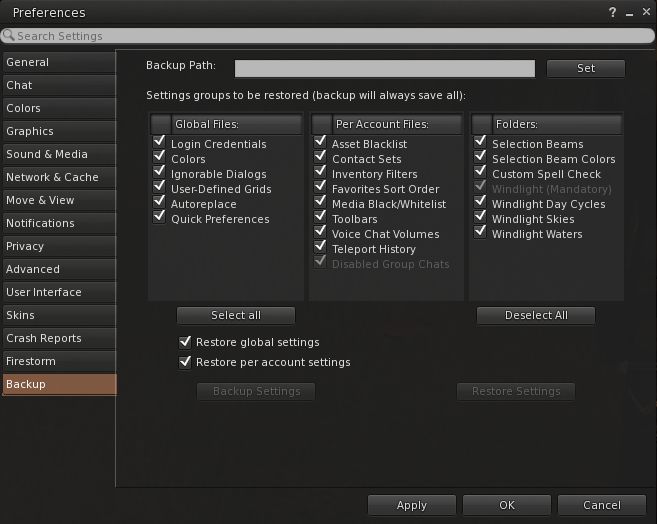
Firestorm's settings backup feature can help remove some of the pain involved in a clean install, by allowing you to save many of your preferred global and account setting locally, and then quickly restore them after a clean install of a new version of the viewer
Firestorm’s settings backup feature can help remove some of the pain involved in a clean install, by allowing you to save many of your preferred global and account setting locally, and then quickly restore them after a clean install of a new version of the viewer

To make things easier, the Firestorm team has provided additional capabilities within the viewer which allow you to not only save things like your chat logs, etc., to a dedicated folder to avoid them being lost as a result of a clean install (as is the case with all viewers), but they’ve provided a means to back-up and restore all of your viewer settings. However, even with these capabilities, performing a completely clean install can be a daunting task for many.

So in this video, Jessica takes you through her preferred method of running a clean install on a PC – starting from ensuring all or logs files and setting are safely saved  / backed-up through to launching the viewer after a clean install and restoring all of your settings.

 

Volumetric lighting: soon for SL?

Blackdragon logoUpdate, March 11th: The capabilities described below are now available in Black Dragon 2.4.1.9, which I’ve overviewed here.

Update, March 4th: Niran is continuing to experiment with shaders, and has posted an interesting snapshot taken under water.

NiranV Dean has always enjoyed a reputation for pushing the limits of the the viewer, first within his Niran’s Viewer, and more recently with his Black Dragon viewer.

A lot of the work he does builds on code developed by Tofu Buzzard – such as with his implementation of screen space reflections and, more recently, Godrays. This work, coupled with his own, has enabled him to earn a reputation for producing a viewer with rich graphical capabilities.

Now Niran is pushing the limits again, using both his one code and elements such a Tofu’s Godrays to bring something to Sl people have long wanted to see: volumetric lighting effects.

On Sunday, March 1st, he released a stunning video showing the work to date. When watching it, be aware that while the camera is moving, everything else is static, other than the grating in the ceiling of the room. When you’ve got that, note how the grating not only casts shadows on the floor, it actually breaks up the light falling through it, just as would happen in real life where light rays hit a solid object and are broken up by it.

“The original Godrays are from tofu,” Niran says of the work. “The problem was, they only worked on objects and terrain; they got cut off on the sky. So I’ve worked on that, and added some code to my viewer, which was really the first iteration of things we saw on my viewer [the updates with Godrays from 2014].

“Since then, I’ve been working on improved resolution and smoother Godrays, moving things to another shader, which brought it’s own problems. Most recently I’ve been moving to another shader for depth of field and improved shadows.”

Interest in the work Niran has been doing has been expressed by the Lab, and he will be offering it as a code contribution for them to consider, although he still has some further work to do.

The first of this is to introduce a global fading effect on the Godrays such that they appear to fade away as an observer looks away from the sun. The basic code is already there, but is disabled in the video, as Niran is still working on things. He hopes to be able to offer the fading effect as a toggle on / off option once the work has been completed.

“The other work still to be done is with particles,” he told me. “Since these Godrays are in the final depth of field shader, they also share the same problems. So, if I can move it into a separate shader on top of everything else, it should resolve the remaining issues, and everything should be good to go.

Of course, contributing code to the Lab doesn’t always mean adoption by the Lab; there can be many intervening factors that prevent the latter. However, Niran is quietly confident his work will be adopted. But if not, “well, there’s always my viewer with it!” he tells me with a wink and a smile.

Firestorm TTT: command line shortcuts

firestorm-logoThe Firestorm Tool Tip Tuesday video for Tuesday, February 24th offers insight into using local chat as a quick means of using a number of viewer-related and other command options.

This is achieved by using what Firestorm calls the “command line options”, which can also be found in some third-party viewers (Singularity being another which uses the capability). There are essentially pre-configured shortcuts which allow you to do a number of things; for example, you can quickly step your draw distance down / up, or teleport to a specific region or height within a region, rez a platform, and so on.

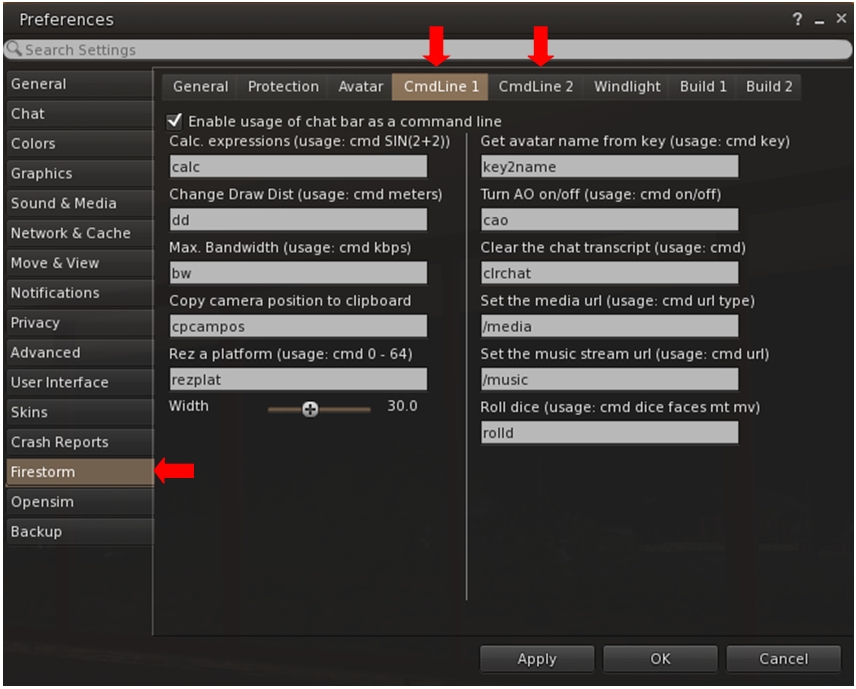
Firestorm is one of several TPVs offering "command line" shortcuts which can be typed into local chat to achieve a number of things - the the full list of options via Preferences
Firestorm is one of several TPVs offering “command line” shortcuts which can be typed into local chat to achieve a number of things – the the full list of options via Preferences

In the video, Jessica takes viewers through several of the more popular command line options as well as looking at some of the commands people might not be so familiar with, such as the calculator, turning your Firestorm AO off / on, clearing-down your local chat history display, and so on. She also touches upon customising the command names to make them easier to remember and use, if you need to.

So, if you’ve never looked into using chat command via the command line option, this is the video for you!

Lock’n’load: it’s snowballs 2: this time it’s Firestorm!

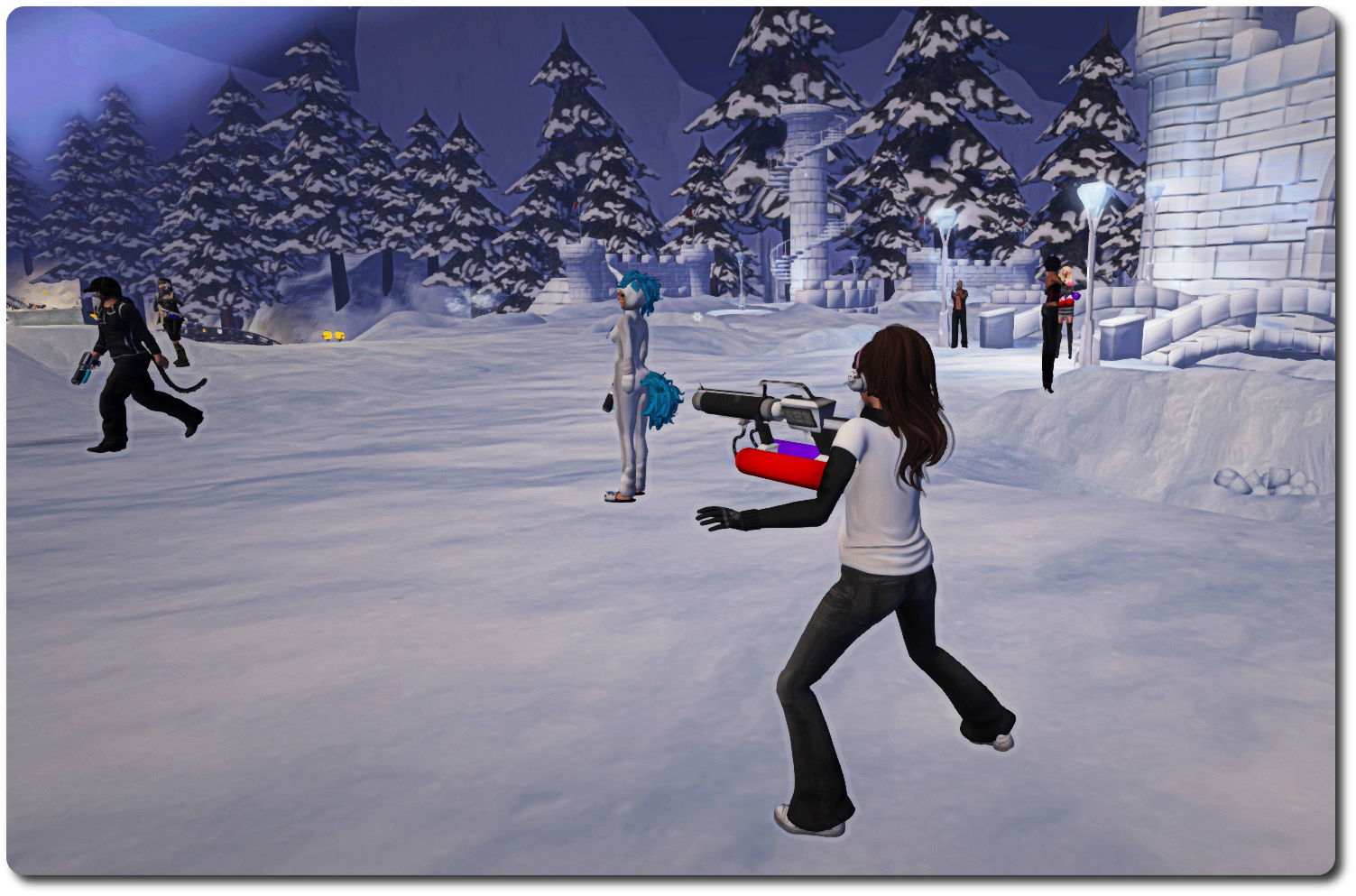
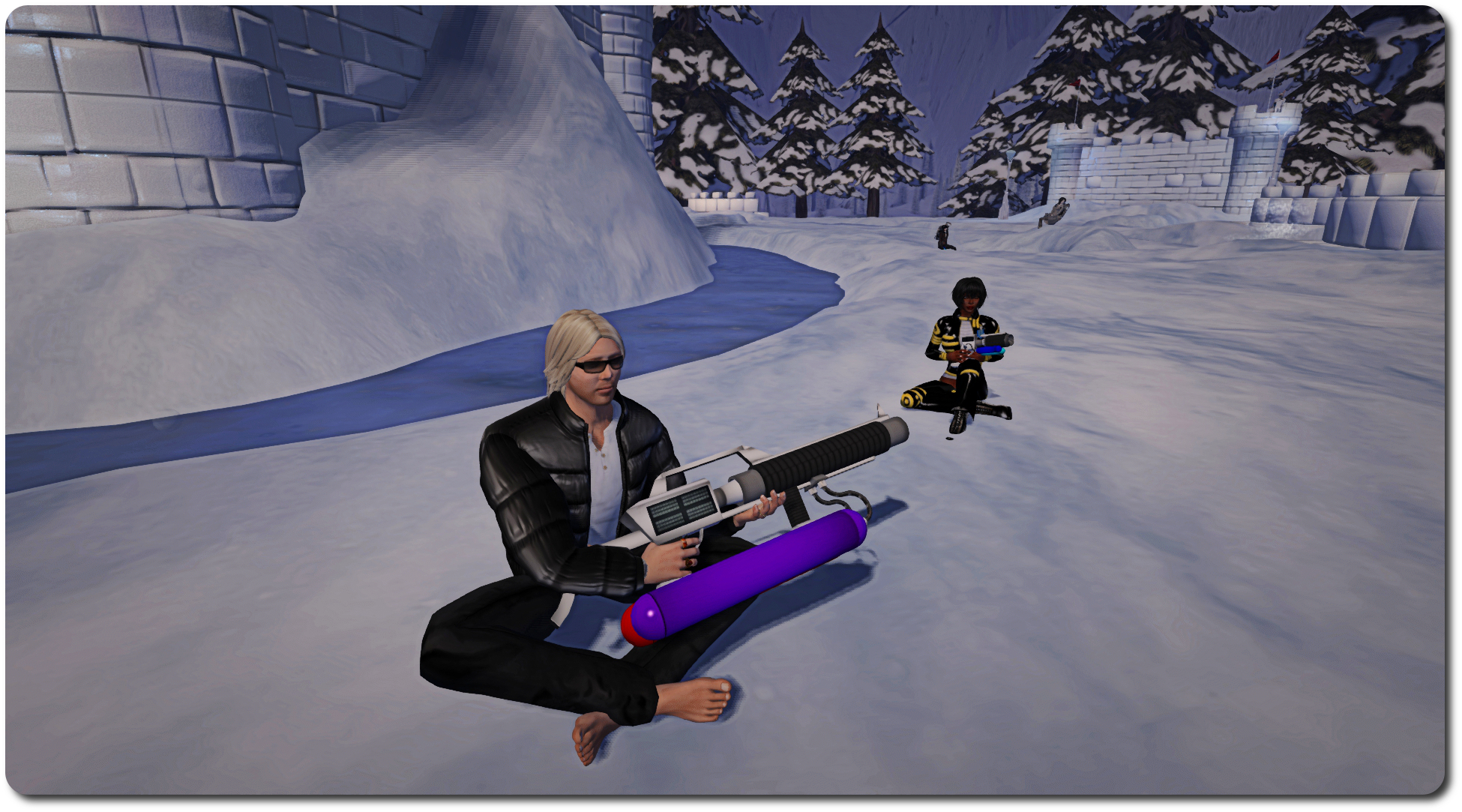
On February 6th, residents and Lindens met in-world for what proved to be a challenge met with gusto and delight: the first in-world snowball fight involving Linden staff in a fair while.

As I was able to report from the front lines (when not picking myself up off the floor and dusting myself down after getting splatted by a certain Mr. Gibson Firehawk … several times 😛 ), the event was held in the Winter Wonderland created by the Lab and the Moles to help demonstrate the forthcoming experience keys / tools.

2015 snowball fight, Winter Wonderland;; Inara Pey, February 2015, on FlickrBut will Strawberry “Snap Shot” Singh be on-hand this time? … 

Well, with Winter Wonderland liable to be closing its doors in March, due to springtime arriving, the gauntlet has been once again laid down, with a challenge handed out to one and all for a further snowball fight – only this time it comes from the Firestorm team!

The challenge was given out in a Firestorm blog post, which reads in part:

The Firestorm team wants to do it again! Snowball fight pt 2! For those who couldn’t make it to the first one this is your chance to get involved and have some old school fun! We have extended an invitation to the Lindens as well and hope some of them will join in too.

February 6th proved to be a huge amount of fun for everyone involved, something which even recalcitrant weapons vendors and a healthy smattering of lag amidst the snow could do little to dampen.

2015 snowball fight, Winter Wonderland;; Inara Pey, February 2015, on Flickr… and who might find they’re in need of a bit of a sit-down amidst all the excitement? (And will hot cocoa also be available this time?)

So… if you missed out the first time around, or if you want to do it all over again, be sure to be in-world at the Snowball Warzone in Winter Wonderland by 13:00 SLT on Sunday, February 22nd!

Related Links

Get to grips with Firestorm’s Contact Sets with Jessica and TTT

firestorm-logoOn Tuesday, February 17th, the Firestorm team launched the latest in their Tool Tip Tuesday series, with Jessica taking a look at Contact Sets.

Contact Sets provide a way to organise your friends – and other people – into sets or categories, using your own criteria. Thus you can create sets of friends, colleagues, business contacts, and so on. They aren’t necessarily for everyone, but for those who are a member of different role-play groups or combat groups, etc., or who need to manage lists of customers or tenants, etc., and perhaps need a quick way of identifying people, they can be very useful.

By assigning a colour to a Contact Set you can, for example, make it easier to identify members of that group in your Friends list or on the mini-map, or through their name tag in-world – or even in group, IM and nearby chat. So identifying a customer or tenant in a crowd becomes very easy, helping to smooth any communications which take place, while spotting people on the mini-map is also made easier.

And if you have problems reading fancy text people sometimes use in their display names, Contact Sets lets you assign an alias to contacts who do, making it it easier for you to identify them without struggling to read their display name.

Contacts Sets allow you to organise your contacts in a wide variety of ways, making them a powerful tool when needed

Contact lists can also be be shared across accounts. This means that if you use alts for a specific tasks (such as customer care) you can copy one or more Contact Sets from one account to another, making the management of your customers that much easier when using your various accounts.

However, the very power found in Contact Sets can make getting to grips with them a little bewildering – so if you’ve ever wondered what they are all about, but have fought shy of diving into them, Jessica’s introductory video should be just the ticket for you. In it she provides an uncomplicated overview of the major features in Contact Sets and demonstrates how to get started within using them.

Should you want to know more about Contact Sets after watching the video, then be sure to check the Firestorm class schedule for lessons on them, and further guidance can be found in the Firestorm wiki.

Firestorm 4.6.1 to be blocked from February 20th

firestorm-logoThe Firestorm team has formally announced the forthcoming blocking of version 4.6.1 of the popular third-party viewer. The move, which is part of Firestorm’s policy of only allowing three active  version of their viewer to access Second Life,

The plan is for this block to only affect Second Life, it should not prevent OpenSim users continuing with version 4.6.1 if they so wish. However, at the time this article was written, this was still being tested.

The Firestorm announcement on the blocking reads in full:

In keeping with our three-version rule, we will be applying a block to version 4.6.1 on Friday, February 20th. This block will only apply to logins for Second Life grid; OpenSim grid logins should still work. Versions 4.6.5, 4.6.7 and 4.6.9 will be the only officially supported versions, but we highly encourage all users to be on our latest release of 4.6.9.

Version 4.4.2 is still exempt from the rule due to Mac-specific issues. However, Linden Lab’s statistics from January 21st indicate that there are still around 8,000 people using this ancient, pre-fitted mesh version. Because of the volume of users who cannot see the world properly, it is harder and harder to justify allowing it to remain exempt. We will be blocking it as well before our next release.

If you are using version 4.6.1 please update as soon as possible to avoid problems logging in on the 20th.

Currently, it looks as though the next release for Firestorm should be around the end of March or early April; however, this is not an official date – the viewer is still being worked on. Therefore, eyes should be kept on the Firestorm blog for information on the next release.