Viewer release summary 2012: week 36

This summary is published every Monday and is a list of SL viewer / client releases (official and TPV) made during the previous week. When reading it, please note:

  • It is based on my Viewer Round-up Page, a list of  all Second Life viewers and clients that are in popular use (and of which I am aware) and which are recognised as being in adherence with the TPV Policy
  • By its nature, this summary will always be in arrears
  • The Viewer Round-up Page is updated as soon as I’m aware of any releases / changes to viewers & clients, and should be referred to for more up-to-date information as the week progresses
  • The Viewer Round-up Page also includes comprehensive links to download pages, blog notes, release notes, etc., as well as links to any / all reviews of specific viewers / clients made within this blog.  

Updates for the week ending: 9 September, 2012

  • SL Viewer updates:
    • Current release rolled to 3.3.4.264214 on September 5 – release notes
    • Beta version rolled to 3.4.0.264445 on September 5 – release notes
    • Development: rolled to 3.3.5.264487 on September 5
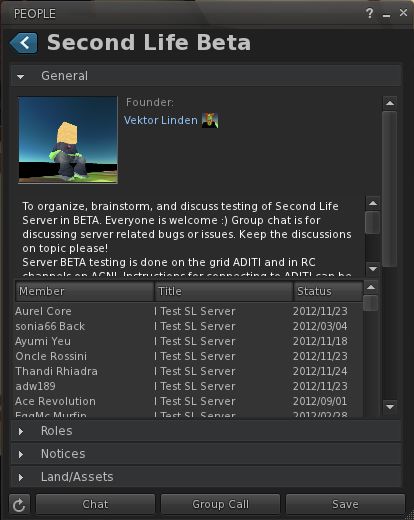
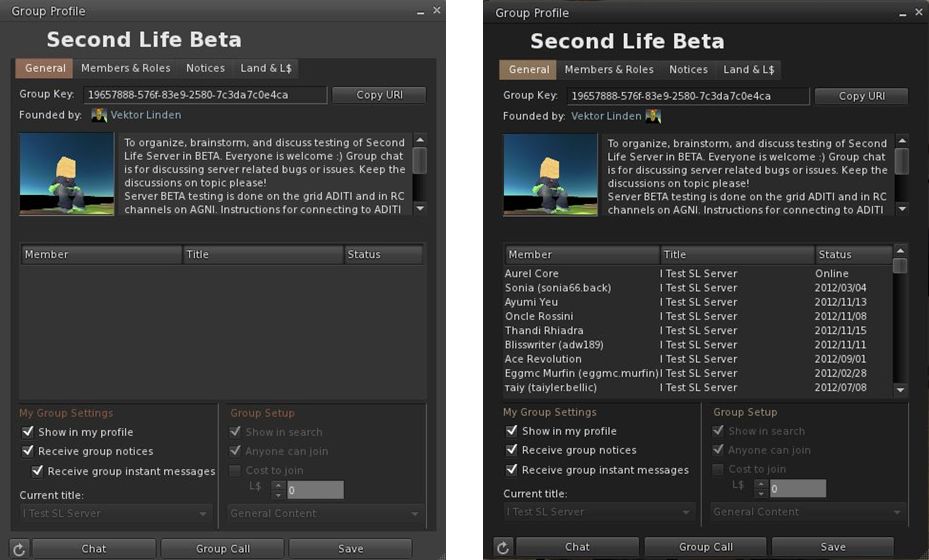
    • Group Services project viewer 3.4.1.264495 released on Sept 7, but awaiting server-side roll-out on Aditi
  • Zen Viewer rolled to 3.4.1.1 on September 7 – core updates: Flickr upload option added to snapshots floater; Latest Mesh uploader with avatar shape deformation; whisper/mumble option for OpenSim; performance updates – release notes
  • Cool Viewer:
    • Stable branch rolled to 1.26.4.29, on September 8- core update: Re-reverted to v3.4 latest fixes to llTargetOmega()
    • Experimental release rolled  to 1.26.5.8 also on September 8 – core update: Fixed the bug that caused objects not to be rendered in sims with mesh support disabled (such as in Inworldz)
    • Release notes for both
  • GroupTools rolled to installer release 2.2.10.0 on September 5
  • LittleSight Android client rolled to version 1.3.0 on September 9 – core update: addition of pay-to-teleport function.

Related Links

Firestorm’s 2 and 1: celebrating the highs and lows of a TPV

Firestorm achieved a number of significant milestones recently, all of which are worthy of note.

  • On Sunday September 2nd, the viewer was officially two years old
  • On Tuesday September 4th, version 4.2.2.29837 officially achieved the lowest crash rate for any V2/V3-based TPV at just 8.54%. This is even lower than LL’s own 1.23.5 viewer, which although long in the tooth and increasingly out-dated, is still regarded as very stable.
Extract from the Third-party Viewer directory listing, showing the most stable viewers at this time

Also on Tuesday 4th September, the team received official notification from LL that Firestorm has taken over from Phoenix as the most popular viewer in use in Second Life. This was marked by Oz Linden putting out an e-mail through the open-source development mailing list:

“On behalf of Linden Lab, I’d like to extend congratulations to the Firestorm Viewer team.

Last week, Firestorm took over the #1 spot on the list of Second Life viewers in terms of total user time, surpassing its elder cousin, Phoenix. The Phoenix viewer still has a slight lead in number of sessions, but Firestorm viewer sessions are on average significantly
longer – which may in turn be due in part to its substantially better stability.

“The Firestorm team has worked long and hard to support users who want both the latest Second Life features being developed by Linden Lab and the additional capabilities you provide, and this achievement is one you can all be proud of.

“Thank you.

Congratulations to everyone at Firestorm for all the time and effort devoted to the project.

William Weaver’s Phototools: create glorious shots with Firestorm

Update: Phototools is fully integrated into Firestorm.

Not long after joining Second Life, William Weaver, known in-world as Paperwork Resident, became interested in both SL photography and machinima. While he quickly realised the viewer has a huge capability for making both, he found that even in a TPV like Firestorm, many of the controls remain spread across multiple floaters and tabs and buried within the debug settings, making it hard to use the viewer to its fullest potential for in-world picture production without a lot of frustrating shuffling of floaters and tabs.

His solution was to develop Phototools, a menu system for Firestorm that pulls together all the various settings and options within the viewer that a photographer or machinima maker is liable to need during a shoot. With Phototools, it is possible to quickly and relatively easily set-up the viewer to produce stunning visual images in a one-stop pass using a dedicated floater; allowing some stunning results to be had without the need for any post-processing through Photoshop or similar tools.

“Discover” by William Weaver – an image produced in Firestorm using the options made available through Phototools and with no external post-processing

Phototools has been around now for a while, available from Williams, blog, Paperwork Shows, and has been gaining popularity among Firestorm users. However, William has been working on preparing it for full integration into the viewer, and as a part of this work, he has made a number of changes to it which have just been released as version 0.94.

Essentially, Phototools replaces several of Firestorm’s default floaters with updated versions. In the original release, these included a replacement camera floater, which presented a wealth of additional camera and mouse / joystick options. However, as it was also relatively large and cumbersome, William has reverted to using the original camera floater in the new release, with the additional controls incorporated into the main Phototools floater. For those who have been using the earlier version of Phototools, the new release includes an .XML file for the original Firestorm default camera floater.

The Phototools Floater

The main floater replaced by Phototools is the Firestorm Quick Preferences floater. For those who find this a very handy tool to have at your fingertips, it is not entirely lost: most of the options it contains are still available in its replacement, which I like to call the Phototools floater. This comprises six tabs: WL – for Windlight settings Light – for lighting and shadows; DoF/Glow – for depth of field and glow effects; Gen – for setting Draw Distance, terrain detail, avatar counts, etc; and Cam – for camera and mouse options.

Three of the Phototools floater tabs (click to enlarge)

Anyone familiar with Firestorm’s Preferences tabs will immediately recognise many of the options presented within the Phototools floater; others may not be so instantly recognisable, as they’ve been pulled from the debug settings. This is where the power of Phototools lay: not in providing new options or functions, but in making those already present in the viewer a lot easier to access and use from a single reference-point with the minimum of fuss and without taking up huge amounts of screen space (and having a heavy impact on frame rates).

The first tab in the floater is for Windlight settings and this includes options to open the Windlight water and sky presets floaters (which can also still be accessed via World-> Environment Editor ->Sky Presets / Water Presets). Both of these floaters have been extensively re-worked to make them much more compact and screen-friendly when compared to the default versions found in most viewers.

Windlight Water Presets: the default floater (l) and the Phototools updated floater (r) both to scale (click to enlarge)

Taken together, the Phototools floater and revised sky and water presets floaters present all the options needed to manipulate the environment, as seen through your viewer, in three panels which are compact enough not to overwhelm the screen; a major benefit when trying to set-up lighting, etc., for a specific shoot or film sequence and you need to see the impact of changes on your world-view as you adjust lighting and other effects to achieve a specific result.

Another of William Weaver’s images created entirely using the viewer options presented through Phototools

How it all Came About

I recently caught up with William with a view to finding out more about Phototools and the future holds for them. I started by asking him how he got started on the road of developing them.

“When I first started in SL I was using it to write,” he explained. “I would role-play and write chapters in a story from the events of the role-play. While doing this, I started taking some pictures and I noticed SL has a great deal of potential for very good image making.”

He also noticed that a lot of people relied on external post-processing to achieve their finished results, “While I appreciate people who are good with Photoshop and after effects, I enjoy working with the limits of the viewer.” This started him thinking about how the capabilities within the viewer could be presented in a more user-friendly and accessible manner. At the same time, and while also involved in the role-play, William got to make his first SL machinima, which brought him up against additional problems.

Continue reading “William Weaver’s Phototools: create glorious shots with Firestorm”

Viewer release summary 2012: week 35

This summary is published every Monday and is a list of SL viewer / client releases (official and TPV) made during the previous week. When reading it, please note:

  • It is based on my Viewer Round-up Page, a list of  all Second Life viewers and clients that are in popular use (and of which I am aware) and which are recognised as being in adherence with the TPV Policy
  • By its nature, this summary will always be in arrears
  • The Viewer Round-up Page is updated as soon as I’m aware of any releases / changes to viewers & clients, and should be referred to for more up-to-date information as the week progresses
  • The Viewer Round-up Page also includes comprehensive links to download pages, blog notes, release notes, etc., as well as links to any / all reviews of specific viewers / clients made within this blog.  

Updates for the week ending: 2 September, 2012

  • SL Viewer updates:
    • Beta version rolled to 3.4.0.264194 on August 30 – release notes
    • Development: rolled to 3.4.1.264186 on August 30
    • Mesh Deformer updated to: 3.4.1.264215 on  August 31
  • Firestorm released version 4.2.1 on August 27, before withdrawing it and rolling to 4.2.2.29837 on August 28 – core updates: pathfiinding, Flickr snapshots upload, mute Group Chat, RLVa 1.4.7, client AO improvements, OpenSim improvements – release notes – my 4.2.2 review here
  • Kokua made pre-release 3.3.4.23783 available on August 30 – core updates: media fixes
  • Zen Viewer rolled to Zen version 3.4.1.0 on August 28 – core updates: sound explorer added; LSL fix for (llTargetOmega() (spinning / rotating objects); angular velocity for vehicles fixed; updated HyperGrid support
  • Cool Viewer:
    • Stable branch rolled to 1.26.4.28, on September 1- core updates: improved mesh uploader with male / female shapes radio button; numerous 3.4.1 backports and updates (incl llTargetOmega() for spinning / rotating objects); added work-around for disappearing / non-rezzing attachments following log-in / TP;
    • Experimental release rolled  to 1.26.5.7 also on September 1 – core updates as per 1.26.4.28 plus fixes
    • Release notes for both
  • GroupTools rolled to installer release 2.2.10.0 on September 2

Related Links

Firestorm 4.2.2.29837: pathfinding, Flickr and more

Monday 27th saw Firestorm 4.2.1.29803 released. Unfortunately, this included a visual bug being inadvertently introduced into the release which made moving items such as doors and wheels appear to be “broken”. While this was only a visual impact rather than a code breakage, the decision was taken to withdraw 4.2.1 and replace it with 4.2.2 once the problem had been fixed.

As a result, and in case the release of version 4.2.2 included additional updates necessary as a result of fixing the issue, I opted to hold-off on my review of 4.2.1, and wait until I’d been able to look at 4.2.2 before Pressing a review.

So here it is, a look at Firestorm 4.2.2, featuring some of the key changes and updates which include an initial implementation of pathfinding. Alongside this, the release sees includes Katharine Berry’s snapshots-to-Flickr option, temporary uploads from the snapshot floater, new toolbar buttons and more.

A Note on OpenSim

This release does not include any fork between Second Life and OpenSim. That will be coming in a future release, which, as Jessica reports in her blog post on this release, might be a while in coming as the team have a lot of work on their collective plate.

Installation

The windows installer is some 33.7Mb in size – so par for the course with Firestorm. If you’ve previously installed version 4.2.1.29803 then a clean install is not required. However, if you’re upgrading from 4.1.1.28744 or earlier, a clean install is required / recommended.

Pathfinding Tools

As mentioned above, and with the exception of navmesh visualisation, all the main pathfinding tools are present in this release, complete with the expected Firestorm finesse when it comes to Rebake Region.

The Linksets and Characters floaters can be accessed using both the context and the pie menu when right-clicking on an object or character. The Build and Object Profile panels also have their pathfinding information panels added.

The Firestorm team have implemented the Rebake Region functionality somewhat differently to Linden Lab. Rather than incorporating a button displayed at the bottom of the viewer window when a rebake is required, the team have combined the rebake function with the pathfinding icon displayed in the Menu Bar / Navigation Bar (if displayed). Thus, when the icon is displayed (either with or without the initial warning pop-up, as shown in the image below), clicking on the icon will display a dialogue allowing a rebake to be initiated.

Region rebaking in Firestorm: The Menu Bar icon is used to trigger a rebake, rather than a button displayed within the viewer window. The default warning of the need for a rebake (top) may also be displayed, depending upon whether you have left the option enabled or not after its first appearance.

Combined with disabling the initial pop-up (by checking Do not show this again),  this option makes the need for rebakes less intrusive when using Firestorm.

New Buttons

There are three new toolbar buttons in the 4.2.0 release: Asset Blacklist and Sound Explorer, both of which toggle open / close the Asset Blacklist floater or the Sound Explorer floater respectively (each otherwise accessible via the World menu), and Ground Sit – which is pretty self-explanatory.

Snapshots: Flickr, Temp Upload and More

Flickr option on Snapshots floater

Flickr is a popular medium for SL photographers, so having an option to save pictures directly to it is likely to be a benefit to many. With this release, Firestorm obtains Katharine Berry’s code to enable snapshots to be uploaded directly from the viewer to a Flickr account.

In order to work, this functionality requires Firestorm is authorised to access a Flickr account. Therefore, the first time the Flickr tab on the snapshot floater is clicked, a pop-up is displayed, both explaining the need for authentication and what will happen. Clicking on NO on the pop-up will stop the process, and you can use another option on your snapshot floater for saving the image.

Clicking on YES will take you to the Flickr authorisation page, which will outline the possible risks of connecting Firestorm to Flickr (a standard alert page, common when using inter-application authorisation). Read the warning carefully, and if happy, confirm you wish to proceed (refusing cancels the link and denies Firestorm the ability to upload to Flickr).

Confirming that you’re happy to proceed will display a code number on the Flickr web-page. Type this into the authorisation pop-up displayed in Firestorm to complete the authorisation process. Once done, you’ll be able to upload pictures to your Flickr account without further hindrance.

This release of the snapshot floater also includes an option to temporarily upload a snapshot to your inventory. Temporary snapshots are saved to your Photo Album, where they will be available for personal use (e.g. non-transferrable, etc) until your next re-log. Finally for the snapshot floater, all settings changes are saved between sessions.

Use the page numbers below left to continue reading

Viewer release summary 2012: week 34

The following is summary of changes to SL viewers / clients (official and TPV) which have taken place in the past week. It is based on my Viewer Round-up Page, which provides a list of  all Second Life viewers and clients that are in popular use (and of which I am aware) and which are recognised as being in adherence with the TPV Policy.

This summary is published every Monday, and by its nature will always be in arrears. Therefore, for the most up-to-date information on viewers and clients, please see my Viewer Round-up Page, which is updated as soon as I’m aware of any changes, and which includes comprehensive links to download pages, blog notes, release notes, etc., for Viewers and clients as well as links to any / all reviews of specific viewers / clients made within this blog.  

Updates for the week ending: 26 August, 2012

  • SL Viewer updates:
    • Beta version rolled to 3.4.0.263727 on August 20 – release notes
    • Development: rolled to 3.4.1.263920 on August 16
    • Mesh Deformer updated to 3.3.1.264008 on August 24
  • Cool Viewer: Stable branch rolled to 1.26.4.27  and Experimental to 1.26.5.6, both on August 26 – release notes for both
  • Singularity release version 1.7.1.2888 on August 22 – release notes
  • Lumiya updated to 2.2.2 on August 20 – release notes

Related Links