2015 viewer release summaries: week 8

Updates for the week ending: Sunday February 22nd, 2015

This summary is published every Monday, and is a list of SL viewer / client releases (official and TPV) made during the previous week. When reading it, please note:

  • It is based on my Current Viewer Releases Page, a list of all Second Life viewers and clients that are in popular use (and of which I am aware), and which are recognised as adhering to the TPV Policy. This page includes comprehensive links to download pages, blog notes, release notes, etc., as well as links to any / all reviews of specific viewers / clients made within this blog
  • By its nature, this summary presented here will always be in arrears, please refer to the Current Viewer Release Page for more up-to-date information.

Official LL Viewers

LL Viewer Resources

Third-party Viewers

V3-style

  • No updates.

V1-style

  • Cool VL Viewer
    • Stable branch updated on February 22nd to version 1.26.12.32
    • New release of the experimental branch, version 1.26.13.0, released on February 22nd – core updates: Viewer-managed Marketplace support (additional notes on this release)
    • Release notes for both.

Mobile / Other Clients

  • No Updates.

Additional TPV Resources

Related Links

Lock’n’load: it’s snowballs 2: this time it’s Firestorm!

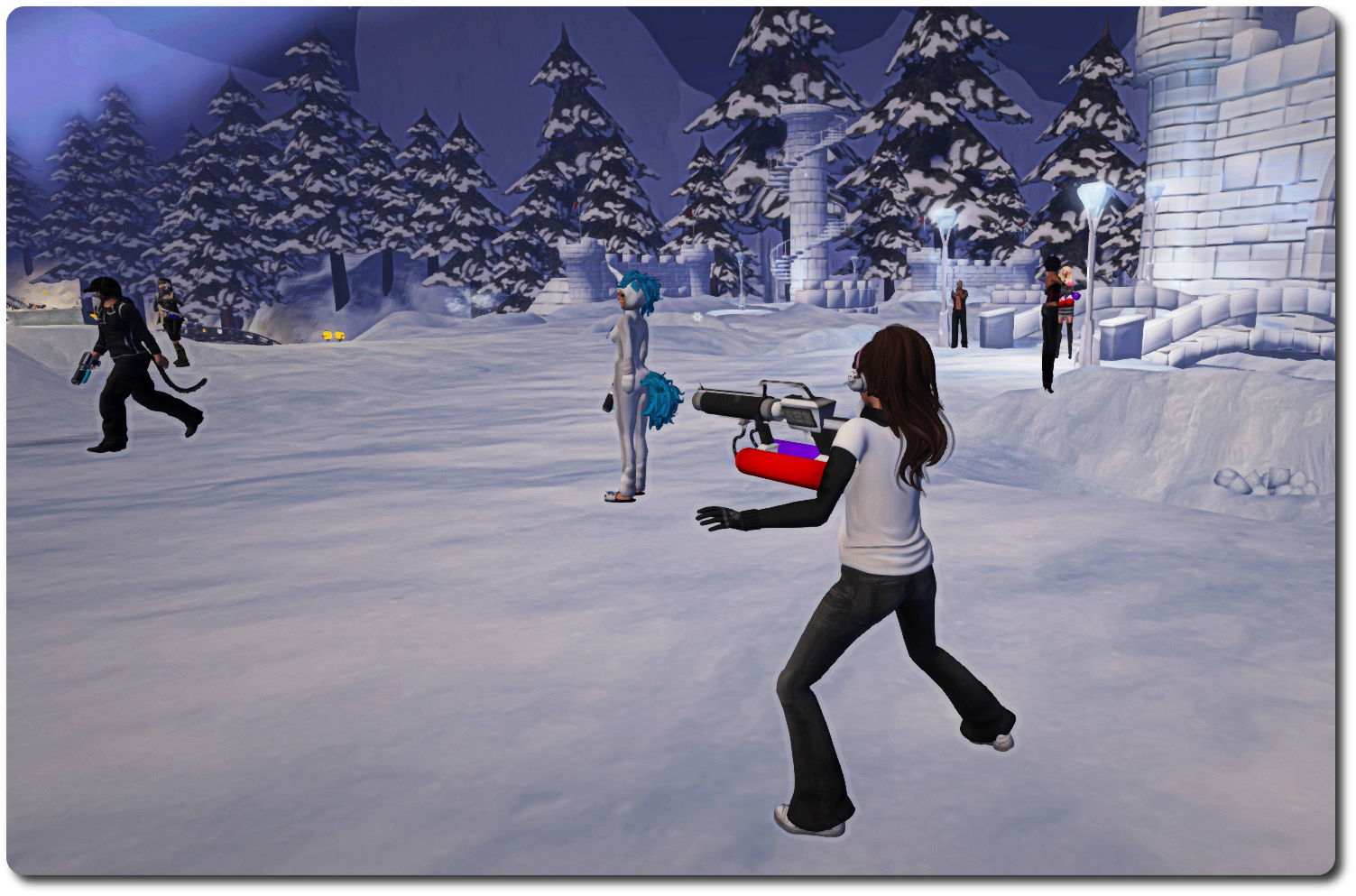
On February 6th, residents and Lindens met in-world for what proved to be a challenge met with gusto and delight: the first in-world snowball fight involving Linden staff in a fair while.

As I was able to report from the front lines (when not picking myself up off the floor and dusting myself down after getting splatted by a certain Mr. Gibson Firehawk … several times 😛 ), the event was held in the Winter Wonderland created by the Lab and the Moles to help demonstrate the forthcoming experience keys / tools.

2015 snowball fight, Winter Wonderland;; Inara Pey, February 2015, on FlickrBut will Strawberry “Snap Shot” Singh be on-hand this time? … 

Well, with Winter Wonderland liable to be closing its doors in March, due to springtime arriving, the gauntlet has been once again laid down, with a challenge handed out to one and all for a further snowball fight – only this time it comes from the Firestorm team!

The challenge was given out in a Firestorm blog post, which reads in part:

The Firestorm team wants to do it again! Snowball fight pt 2! For those who couldn’t make it to the first one this is your chance to get involved and have some old school fun! We have extended an invitation to the Lindens as well and hope some of them will join in too.

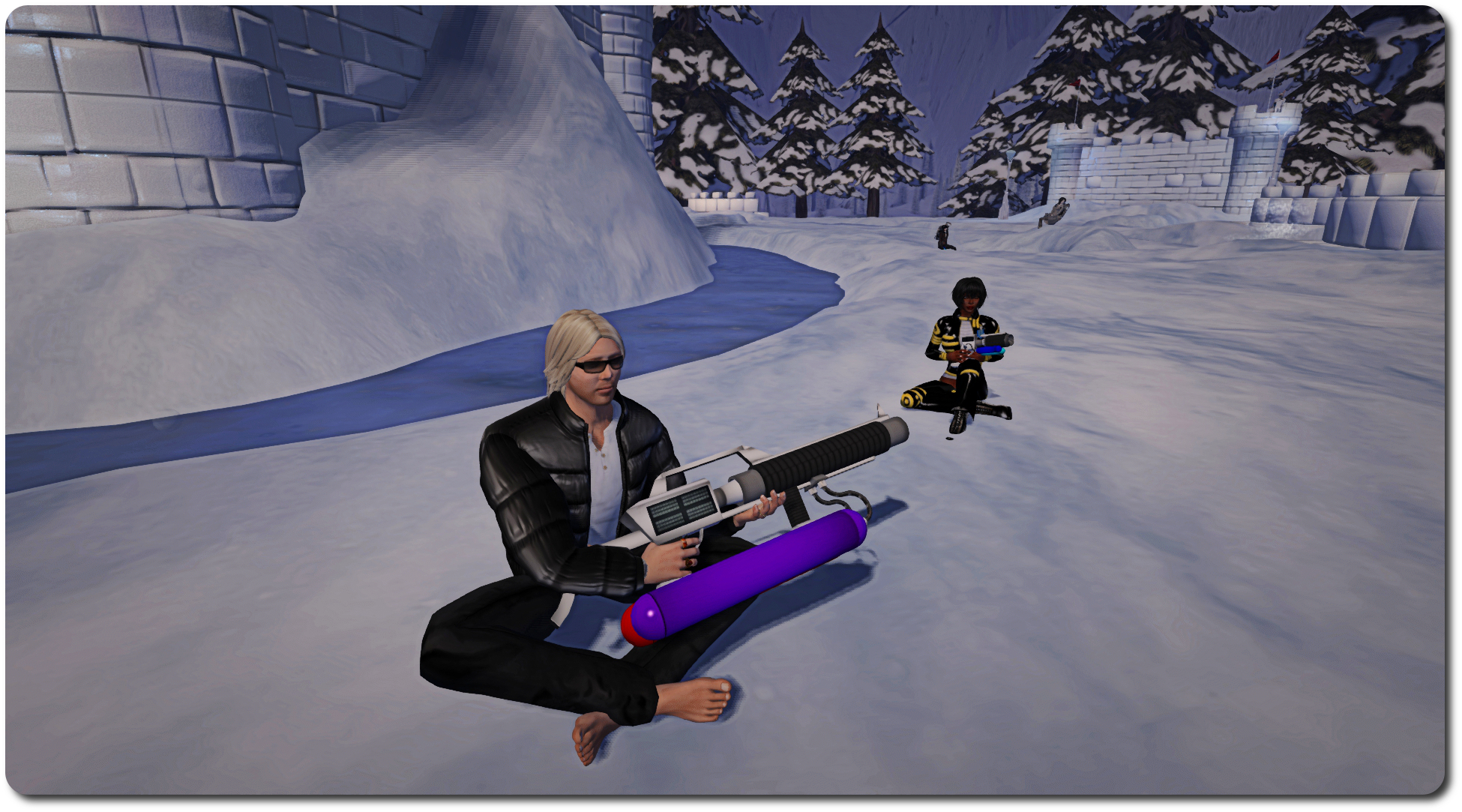
February 6th proved to be a huge amount of fun for everyone involved, something which even recalcitrant weapons vendors and a healthy smattering of lag amidst the snow could do little to dampen.

2015 snowball fight, Winter Wonderland;; Inara Pey, February 2015, on Flickr… and who might find they’re in need of a bit of a sit-down amidst all the excitement? (And will hot cocoa also be available this time?)

So… if you missed out the first time around, or if you want to do it all over again, be sure to be in-world at the Snowball Warzone in Winter Wonderland by 13:00 SLT on Sunday, February 22nd!

Related Links

Get to grips with Firestorm’s Contact Sets with Jessica and TTT

firestorm-logoOn Tuesday, February 17th, the Firestorm team launched the latest in their Tool Tip Tuesday series, with Jessica taking a look at Contact Sets.

Contact Sets provide a way to organise your friends – and other people – into sets or categories, using your own criteria. Thus you can create sets of friends, colleagues, business contacts, and so on. They aren’t necessarily for everyone, but for those who are a member of different role-play groups or combat groups, etc., or who need to manage lists of customers or tenants, etc., and perhaps need a quick way of identifying people, they can be very useful.

By assigning a colour to a Contact Set you can, for example, make it easier to identify members of that group in your Friends list or on the mini-map, or through their name tag in-world – or even in group, IM and nearby chat. So identifying a customer or tenant in a crowd becomes very easy, helping to smooth any communications which take place, while spotting people on the mini-map is also made easier.

And if you have problems reading fancy text people sometimes use in their display names, Contact Sets lets you assign an alias to contacts who do, making it it easier for you to identify them without struggling to read their display name.

Contacts Sets allow you to organise your contacts in a wide variety of ways, making them a powerful tool when needed

Contact lists can also be be shared across accounts. This means that if you use alts for a specific tasks (such as customer care) you can copy one or more Contact Sets from one account to another, making the management of your customers that much easier when using your various accounts.

However, the very power found in Contact Sets can make getting to grips with them a little bewildering – so if you’ve ever wondered what they are all about, but have fought shy of diving into them, Jessica’s introductory video should be just the ticket for you. In it she provides an uncomplicated overview of the major features in Contact Sets and demonstrates how to get started within using them.

Should you want to know more about Contact Sets after watching the video, then be sure to check the Firestorm class schedule for lessons on them, and further guidance can be found in the Firestorm wiki.

2015 viewer release summaries: week 7

Updates for the week ending: Sunday February 15th, 2015

This summary is published every Monday, and is a list of SL viewer / client releases (official and TPV) made during the previous week. When reading it, please note:

  • It is based on my Current Viewer Releases Page, a list of all Second Life viewers and clients that are in popular use (and of which I am aware), and which are recognised as adhering to the TPV Policy. This page includes comprehensive links to download pages, blog notes, release notes, etc., as well as links to any / all reviews of specific viewers / clients made within this blog
  • By its nature, this summary presented here will always be in arrears, please refer to the Current Viewer Release Page for more up-to-date information.

Official LL Viewers

  • Current Release version: 3.7.24.297623 – no change
  • Release channel cohorts (See my notes on manually installing RC viewer versions if you wish to install any release candidate(s) yourself):
    • No updates
  • Project viewers:

LL Viewer Resources

Third-party Viewers

V3-style

  • No updates.

V1-style

  • Cool VL Viewer updated on February 14th, the stable branch to version 1.26.12.31 and the legacy branch to 1.26.8.89 (release notes for both)

Mobile / Other Clients

Additional TPV Resources

Related Links

Firestorm 4.6.1 to be blocked from February 20th

firestorm-logoThe Firestorm team has formally announced the forthcoming blocking of version 4.6.1 of the popular third-party viewer. The move, which is part of Firestorm’s policy of only allowing three active  version of their viewer to access Second Life,

The plan is for this block to only affect Second Life, it should not prevent OpenSim users continuing with version 4.6.1 if they so wish. However, at the time this article was written, this was still being tested.

The Firestorm announcement on the blocking reads in full:

In keeping with our three-version rule, we will be applying a block to version 4.6.1 on Friday, February 20th. This block will only apply to logins for Second Life grid; OpenSim grid logins should still work. Versions 4.6.5, 4.6.7 and 4.6.9 will be the only officially supported versions, but we highly encourage all users to be on our latest release of 4.6.9.

Version 4.4.2 is still exempt from the rule due to Mac-specific issues. However, Linden Lab’s statistics from January 21st indicate that there are still around 8,000 people using this ancient, pre-fitted mesh version. Because of the volume of users who cannot see the world properly, it is harder and harder to justify allowing it to remain exempt. We will be blocking it as well before our next release.

If you are using version 4.6.1 please update as soon as possible to avoid problems logging in on the 20th.

Currently, it looks as though the next release for Firestorm should be around the end of March or early April; however, this is not an official date – the viewer is still being worked on. Therefore, eyes should be kept on the Firestorm blog for information on the next release.

Firestorm Tool Tip Tuesday: People panel and mini-map

firestorm-logoJessica is back with a further Firestorm Tool Tip Tuesday video, this one focusing on the People panel – notably the Nearby tab and mini-map functionality within Firestorm.

The Nearby Tab of the People panel is a quick and easy means of keeping an eye on what is going on around you, and the Firestorm team have, in response to requests for users, added a lot of additional functionality and options to it – so much so that getting to grips with it can be a trifle bewildering.

Jessica offers walk-through of a number of option and settings for the People Panel, including the display options, and how to configure it so that it displays the information you want. As the video indicates, all of what is referred to within the People panel is equally applicable to the Radar panel as well.

The Nearby tab in the People panel (shown here with the mini-map displayed as well), offers a wealth of options to users

An overview of some of the mini-map options follows, noting how these can be linked to options within the People panel.

As the video demonstrates, there is a lot to cover with both panels, so much so that i places the video feels a little rushed (breathe, Jess, breathe! 😉 ), however, this doesn’t detract from the amount of information provided, and if you haven’t plumbed the depths of the People panel / radar, this video offers a great introduction. You can also find more information on the options available through both the Nearby tab on the People panel and the Radar panel by visiting the Firestorm wiki’s Radar page.