Examining Firestorm’s landing pages for Second Life

MadPea and Firestorm: working in collaboration to enhance the experience those new to Second life have with the platformUpdate #3, January 9th, 2016:  The testimonials on the landing pages have now been updated with genuine comments and images from Second Life users.

Update #2: I’ve further been informed that the testimonials are intended to the express the sentiments of SL users and are based upon feedback. expressed by SL users. Similarly, the images are in fact stock Internet images. A footnote to the effect that “The consumers above are not actual consumers of the advertised product.” has now been added to each of the landing pages.

Update #1: I’ve been informed by various third parties that the testimonials on the landing pages may not in fact be genuine. I’ve therefore revised this post until I hear further on this matter.

On Monday, December 28th, Friestorm announced the arrival of their Gateway landing pages, and asked Firestom users for their assistance in helping to spread the word about Second Life.

The Landing pages are an integral part of the Firestorm Gateway, which itself forms a part of the upcoming trail Gateways Programme I previewed back in September, and which hopefully will be officially announced as up and running by the Lab in the near future.

In all, six landing pages have been produced, each one of which is intended to showcase a specific aspect of using Second Life, and encourage those new to Second Life to sign-up and log in to the platform. To help with this, Firestorm is asking SL users to share those pages they feel their non-SL friends and contacts would find to be of the most interest and thus sign-up.  The six pages have the following topic descriptions:

While one might quibble over the subject titles (role-play and exploring might seem to exhibit a high degree of cross-over, for example), the pages themselves offer a crisp, clean approach to present Second Life, including endorsements from (and photos of) actual SL users.

Each of the pages includes a series of sign-up buttons which carry those interested to the initial phase of sign-up: creating an account – providing a user name, etc.

The sign-up form
The sign-up form using the Lab’s API

It’s probably worth pointing out here, and before the conspiracy theorists reach for their tin-foil hats,  that this sign-up process uses an API supplied by Linden Lab. This means that, just like all third-party TPVs, none of the gateways in the programme – Firestorm or anyone else – is storing or accessing the sign-up information a new user provides. The information is strictly between the user and the Lab. The only part of the sign-up information which can be accessed is the e-mail address: and that only for as long as it takes for an automated welcoming e-mail to be sent.

Providing the fields are correctly filled-out  – error messages will be displayed at the foot of the input fields, although you may have to use the vertical slider to bring them into view thanks to the API – clicking Get Started will move you on to the next page, intended to step the user through downloading, installing and launching the viewer.

The Firestorm instructions page

To me, this page presents some issues which perhaps need to be dealt with if it is to be as effective as might be hoped – I’ll come back to this a little later.

One thing established SL users are bound to note is that nowhere is there any opportunity for the new user to select an avatar.

This isn’t an oversight on the part of the Firestorm team – it is a result of having to use the “old” user sign-up API, which doesn’t have any hooks into the Avatar Picker seen on the Lab’s own sign-up pages.  Thus, the first opportunity new users get to picker the gender of their avatar is after they have logged-in – and even then, they only initially get either the male or female default Character Test avatars which (a long while ago) replaced the infamous “Ruth”.

As the gateway has to use the "old" SL registration API, users do not get to select the gender of their avatar until after they log-in (left), and are then defaulted to either the female or male Character Test avatar
As the gateway has to use the “old” SL registration API, users do not get to select the gender of their avatar until after they log-in (left), and are then defaulted to either the female or male Character Test avatar (click to enlarge, if required)

Obviously, this is far from ideal. First impressions count, and many people seeing their avatar for the first time and comparing it to the glossy images on the landing pages could end up feeling a tad bit aggrieved or disappointed and might even simply log off.

This issue has already been raised with the Lab, so hopefully, something can be done about it,  either by providing the updated API with the avatar picker to those involved in the gateway programme, or by the Lab finding the means to present new users coming into SL via these gateways with at least one of the new “Classic” avatars instead of the Character Test versions.

Once they have selected their gender and have seen their avatar appear, the new user will find they’re starting at the start of the Firestorm’s orientation island, where they can start learning to use the viewer, before progressing on to finding out more about Second life in general through the various activities and events operating within the Firestorm gateway regions.

Given that new users are confronted with the Character Test avatars on first logging in (and allowing for the fact this will hopefully be changing), I did find myself wondering if a short lesson couldn’t be provided showing the new user how to access the Avatar Picker and quickly create an alternative look, just to reassure them that avatars in SL really don’t all look like they first see themselves.

The Firestorm Gateway incorporates their viewer orientation island and includes social areas for users
Once new users have progressed through the Firestorm landing / sign-up pages and have installed the viewer and logged-in with it, they’ll be delivered to the orientation island in the Firestorm gateway regions

Continue reading “Examining Firestorm’s landing pages for Second Life”
2015 viewer release summaries: week 52

Updates for the week ending Sunday, December 27th

This summary is published every Monday, and is a list of SL viewer / client releases (official and TPV) made during the previous week. When reading it, please note:

  • It is based on my Current Viewer Releases Page, a list of all Second Life viewers and clients that are in popular use (and of which I am aware), and which are recognised as adhering to the TPV Policy. This page includes comprehensive links to download pages, blog notes, release notes, etc., as well as links to any / all reviews of specific viewers / clients made within this blog
  • By its nature, this summary presented here will always be in arrears, please refer to the Current Viewer Release Page for more up-to-date information.

Official LL Viewers

  • Current Release version: 4.0.0.309247, December 17th – no change
  • Release channel cohorts (See my notes on manually installing RC viewer versions if you wish to install any release candidate(s) yourself):
    • No updates
  • Project viewers:
    • No updates.

LL Viewer Resources

Third-party Viewers

V4-style

  • No updates.

V1-style

  • Cool VL Viewer updated as follows: Stable version to 1.26.16.5 and Experimental branch to 1.26.17.3, both on December 26th (release notes).

Mobile / Other Clients

  • No updates.

Additional TPV Resources

Related Links

2015 viewer release summaries: week 51

Updates for the week ending Sunday, December 20th

This summary is published every Monday, and is a list of SL viewer / client releases (official and TPV) made during the previous week. When reading it, please note:

  • It is based on my Current Viewer Releases Page, a list of all Second Life viewers and clients that are in popular use (and of which I am aware), and which are recognised as adhering to the TPV Policy. This page includes comprehensive links to download pages, blog notes, release notes, etc., as well as links to any / all reviews of specific viewers / clients made within this blog
  • By its nature, this summary presented here will always be in arrears, please refer to the Current Viewer Release Page for more up-to-date information.

Official LL Viewers

  • Current Release version: 4.0.0.309247, December 17th – formerly the Chromium Embedded Framework RC viewer download page, release notes
  • Release channel cohorts (See my notes on manually installing RC viewer versions if you wish to install any release candidate(s) yourself):
    • No updates
  • Project viewers:
    • Project Bento viewer version 5.0.0.309171 released on December 17 – introduces extensions to the standard SL Avatar Skeleton with support for dozens of new bones for both rigging and animation, and accompanying new attachment points (download and release notes).

LL Viewer Resources

Third-party Viewers

V4-style

  • UKanDo viewer updates to version 4.0.0 on Friday, December 18th – core update: parity with the Lab’s 4.0.0 CEF code and RLV 2.9.15 (release notes)

V1-style

  • Cool VL Viewer updated as follows: Stable version to 1.26.16.4 and Experimental branch to 1.26.17.2, both on December 19th (release notes).

Mobile / Other Clients

  • Group Tools updated to version 2.2.35.0 on December 12th  – no release notes available

Additional TPV Resources

Related Links

Firestorm’s Xmas party and the Ghost Town in Second Life

Image courtesy MadPea Games

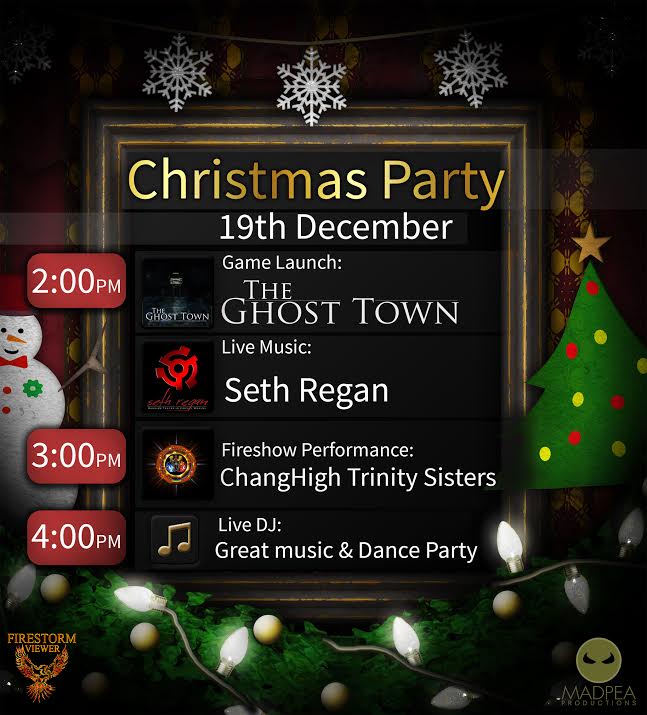
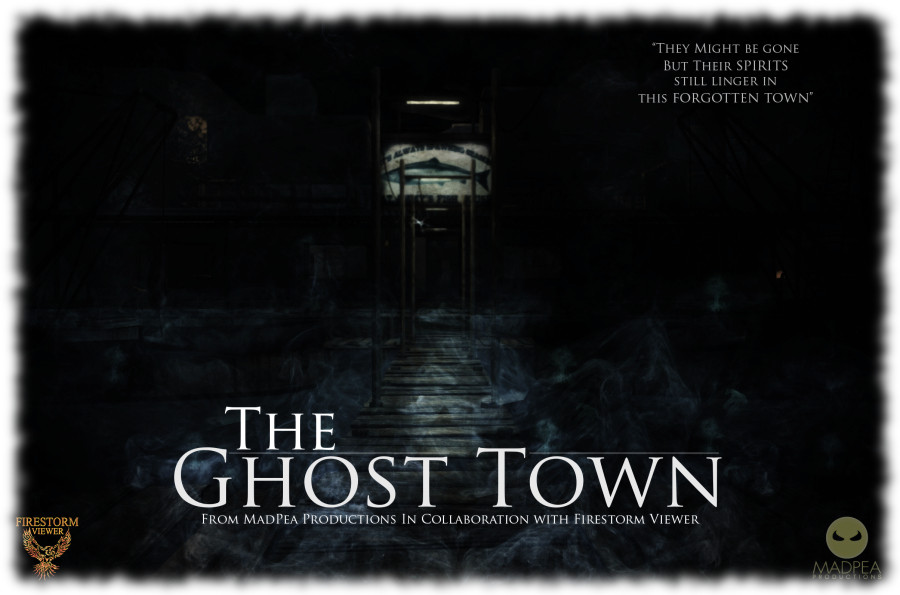
Saturday, December 19th, 2015 marks Firestorm viewer’s official 2015 Christmas Party, and with it comes the opening of The Ghost Town, the first in a series of free-to-play games developed by MadPea Games. These games are intened to give new residents coming through the Firestorm Gateway a means to become more familiar with Second Life through active game play.

The Christmas party will kick-off at 14:00 SLT, which will also see The Ghost Town open its gates to players, features entertainment from Mankind Tracer, Changhigh Trinity Sisters Fireshow and DJs. The entertainments area has been arranged so that around 200 people should hopefully be able to access the party, with three points of entry provided:  Region 1, Region 2, and Region 3.

FS-MP-Party-Poster2015

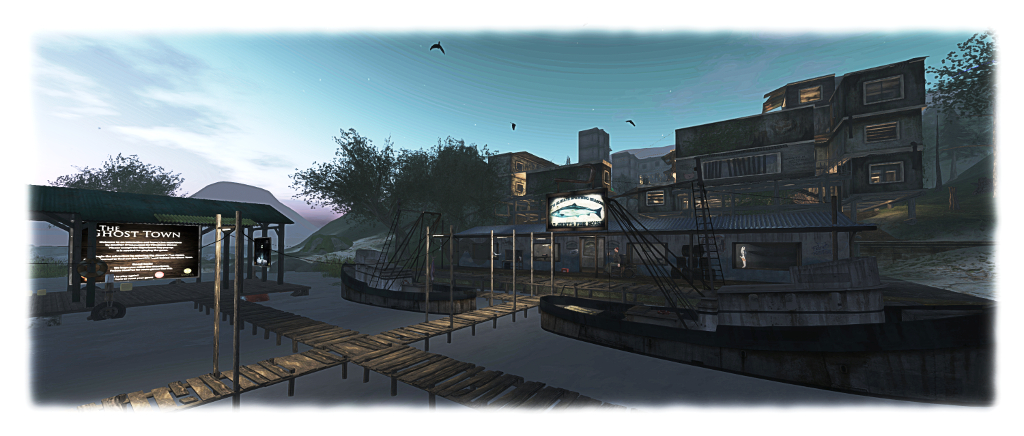
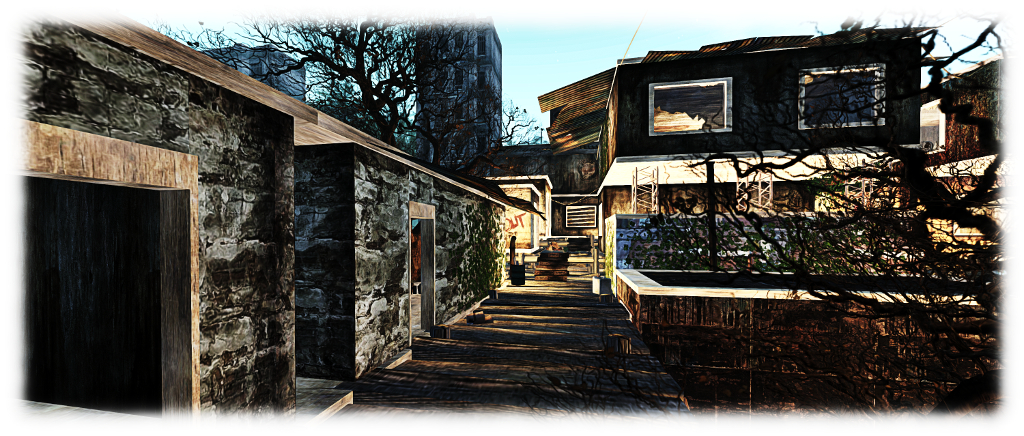
The Ghost Town sees players tasked with  investigating the recent disappearance of local fisherman Big Jimmy. Guided by his journal and equipped with a special camera, players follow the clues left by a mind gone mad and discover the terrible truth behind Big Jimmy’s recent activities.

“New residents who stay and play in our virtual world are essential to the continued success of our grid,” MadPea say of The Ghost Town. “Whilst Linden Lab continue to work to attract new residents once they join and enter the world, we will be doing our part to ensure that they realise the rich, user-created content that is on offer. We hope that by playing our games new residents will learn skills that will help them over the steep SL learning curve while having some fun and collecting some prizes.”

What is the dark secret behind "Big Jimmy's" disappearance - and where will his journal lead new users in Second Life?
What is the dark secret behind “Big Jimmy’s” disappearance – and where will his journal lead new users in Second Life?

As with all MadPea games, The Ghost Town is HUD-driven, and as with their most recent games, utilises experience keys to make game play easier. Gameplay takes place within the Firestorm Gateway regions, where they have to collect the images of 20 “ghosts” using the camera (HUD). Once all 20 have been imaged, players are eligible to claim their prizes.

The prizes on offer have been selected on the basis of being of value to new users and helping them enhance their Second Life experience. They have been provided by creators representing the rich choice of content available in Second Life: abranimations®, Apple Fall,, Black Pearls, Bryn Oh, Cheeky Pea, Deadwool, Elikatira, junk. Lapointe and Bastchild, Lilith’s Den, Plastik, Pose O’Clock, Sn@tch, Snowpaws, The Little Bat, TrAsHeD, United Color, WarBug and zombie suicide.  The MadPea and Firestorm teams both extend their thanks to all of those who came forward with the offer of prizes.

The Ghost Town awaits players new and old

New players will be drawn into the Firestorm gateway through a series of dedicated web landing pages that are in developments (Linden Lab, and quite separately to the gateway trial programme, also use targeted landing pages to attract new users from specific audiences, so it is an approach which seems to yield results). Obviously, existing users are also able to play the game – hence the launch alongside the Firestorm Christmas party.

So, if you’re in the mood for a party, and fancy a spooky new game – hop over to the Firestorm Gateway regions using the region links towards the top of this piece.

Black Dragon 2.4.4.5

Blackdragon logoBlack Dragon, the v3-style viewer by NiranV Dean updated to version 2.4.4.5 (aka version 4.0.0.36527) on Monday, December 14th.

The update primarily includes fixes for issues with Niran’s implementation of Avatar Complexity, and for crash issues, and includes a refactored Places floater.

Niran introduced Avatar Complexity in version 2.4.4.4 of Black Dragon. As I noted when reviewing that release, the split between controls Niran had introduced meant that it could require some juggling with the sliders to get things settled when making random adjustments. However, the was a slightly worse issue for Black Dragon users in that many found that by default, all avatars around them were either “jelly babied” – appearing as a single solid colour to reduce the rendering load on their computer – or not at all.

The reason for this seems to be that Niran missed the fact the LL code sets a default value for Avatar Complexity, based on the anticipated graphics performance of the system on which the viewer is installed, as calculated by the viewer on initial start-up – something he removed from Black Dragon a while ago.  Thus, avatar rendering was defaulting to an exceptionally low value, causing avatars around the user to appear as “Jelly Babies”.

Niran has now introduced his own default value to the viewer, which should correct things. Some users may find it worthwhile playing with the sliders to achieve an ideal for their system / circumstance. He also offers a brief explanation of Avatar Complexity, which essentially replaced the old Avatar Draw Weight (ADW), which in turn replaced the original Avatar Rendering Cost (ARC), within the 2.4.4.5 release notes, and those interested can find out more by reading the official SL wiki entry on Avatar Complexity, or my own overview of the capability.

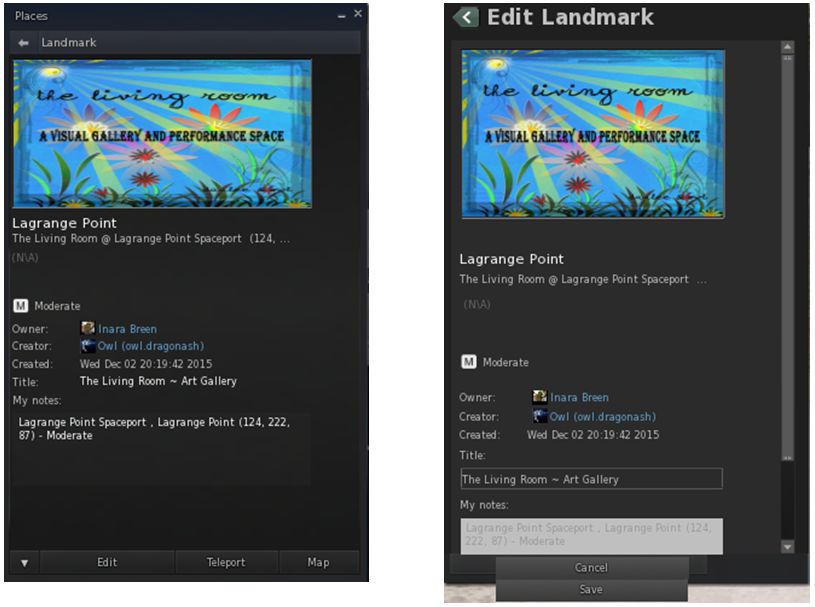
The Places floater overhaul sees the layout refactored to match other panels in the viewer, and a number of fixes added to certain niggles found with it, such as buttons not working (e.g. the Back button at the top of the panel) or it remaining stuck in its last used state.

The Places floater has been overhauled for Black Dragon 2.4.4.5 (left). Issues such as buttons not working correctly or the floater getting stuck in its last used state (shown on the right) have been corrected and the floater's layout tidied-up
The Places floater has been overhauled for Black Dragon 2.4.4.5 (left). Issues such as buttons not working correctly or the floater getting stuck in its last used state (shown on the right) have been corrected and the floater’s layout tidied-up

Black Dragon 2.4.4.5 also includes two additional crash fixes which make updating to it highly recommended. This first is for a bug arising from leftover code, which would be triggered as soon as certain avatars, objects, etc., came within the viewer’s Draw Distance. The second is for a crash occurring whenever you right-click while in either zoom/pan/orbit mode in the tools floater (build window) or when in object view mode in the camera controls floater. As always, please refer to he release notes for the full list of updates.

Additional Links

Pocket Metaverse no more?

PM-logoUpdate: As per the comment from AI Austin below, those who have previously purchased Pocket Metaverse can currently still update the the latest version / obtain a replacement version through iTunes.

Pocket Metaverse has been a text-based client available for iPad and iPhone users to access Second Life and engage with friends through chat and IM, manage inventory, teleport, make payments, etc.

It was last updated on September 8th, 2015, ostensibly providing compatibility with iOS 9, although in the process, this appeared to break support for iOS 7 and 8.

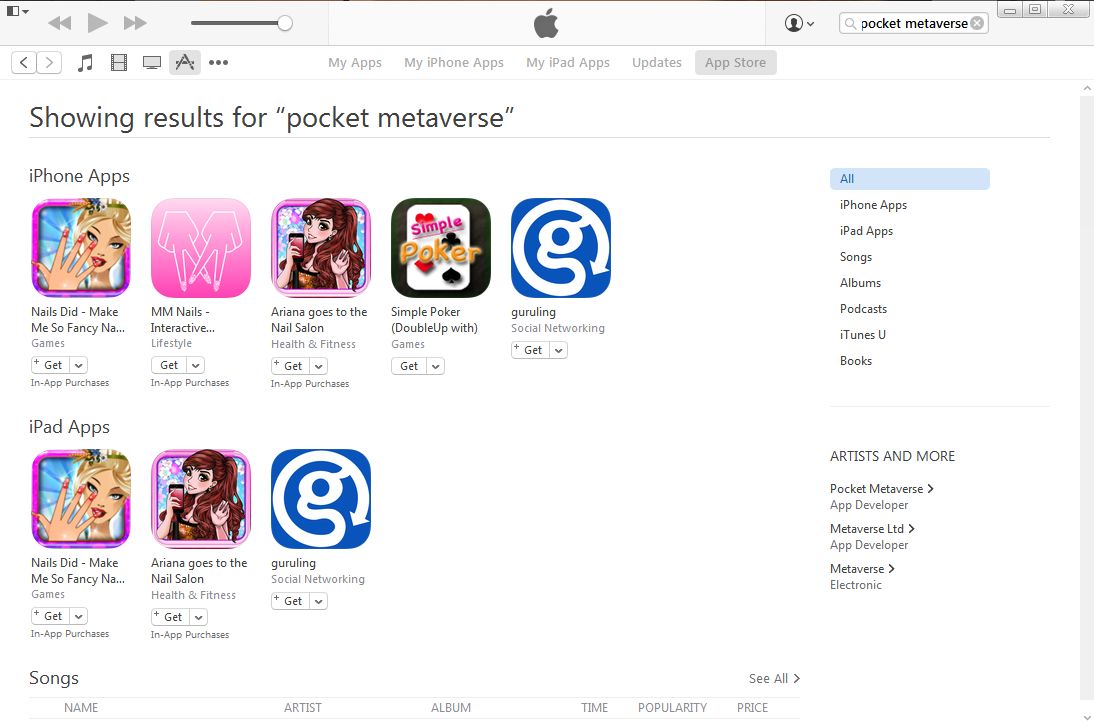
During November the download page for Pocket Metaverse vanished from Apple’s app listings on the iTunes store and so is no longer available to those wishing to download it for the first time, a fact more widely noted earlier in December. While the dedicated web site for the application remains live, searches of iTunes still fail to yield any results.

Search of the App Store on iTunes fail to yield any sign of Pocket Metaverse, which vanished from the store during November 2015

While the application may have vanished from iTunes, I understand existing versions are still working in-world (with the possible issue of version 1.9.4 not supporting iOS 7 or 8); however, as I am not an Apple user, I cannot verify this.

I’ve attempted to contact the developer of Pocket Metaverse, Edward Magic, both in-world and via e-mail during the last couple of weeks, to try to ascertain news on the application’s overall status, but have yet to receive any response (Edward doesn’t appear to have logged-in to SL since June 2013, although as noted, the application has continued to be updated through until September 2015). Should I receive a response I will update this article.