SL project updates 2017-2/3: TPV Developer Meeting Jan 13th

Sagan Planetarium
Sagan Planetariumblog post

The notes in this update are taken from the abbreviated TPV Developer meeting held on Friday, January 13th, 2017. The video of that meeting is embedded at the end of this update. My thanks as always to North for recording and providing it.

SL Viewer

The Maintenance RC viewer was updated to version 5.0.1.322791 on Thursday, January 12th. Otherwise the pipeline remains unchanged from part 1 of this week’s update. [34:20] this will likely be the next viewer to be promoted to release status.

64-bit Viewer

[03:07] It is anticipated that the 64-bit official viewer, version 5.1.0.501863 at the time of writing, will remain in the project cycle for some time. An update to it is anticipated in week #3 (week commencing Monday, January 16th, 2017). Currently, the project viewer isn’t being used by many, and the Lab hopes this number will pick up so that a little more feedback can be obtained.

Points of note with the 64-bit viewer and 64-bit plans:

  • The Mac version is currently without Havok support, an it will likely be 2+ weeks before it does.
  • There will also be a number Havok libraries build in support 64-bit, which will be made available to TPV sub-licensees, but this is unlikely to happen until the Lab starts building 64-bit release candidates.
  • KDU within the viewer is being updated to version 7.9.
  • [08:08] New packaging of the media code and a new version of CEF.
  • The viewer update code will be completely revised.
  • The crash reporting code may be updated.

[11:28] Eventually, the Lab plans to have the viewer available in both 32-bit and 64-bit for Windows, and 64-bit only for Mac OSX and Linux.

For more on Linux, see below.

Voice Updates

[07.18] Updates to Voice should be appearing in a viewer in the next 2(ish) weeks. This will include a new SL Voice plug-in from Vivox which includes a new Opus codec, as well and bug and exploit fixes.

360-Snapshot Viewer

[08:33] Work will resume on this project viewer, version 4.1.3.321712 at the time of writing,  once work on the CEF updates (noted above) have been completed.

Linux and the Viewer

[10:08] Currently, the Lab have not carried out any work on a 64-bit version of the viewer on Linux. However, thought is being given on how to move forward with Linux, and it is hoped that the Lab will have some ideas to put to the TPV / open-source community by the next TPV Developer meeting. It is also hoped that by that time, the Lab will have started work on a 64-bit Linux version of the viewer.

Other Items

The following are covered in brief. please fer to the video for specifics.

New Camera Presets Coming?

[09:14] Jonathan Yap, who has worked on various code contributions for the viewer including, most recently, graphics presets, is working on a new project, which appears to be updating the viewer’s camera presets.

Music Stream Autoplay

[16:45-28:09] A lengthy discussion takes place on music autoplay within the official viewer, and whether or not it should be enabled by default.

  • Having it enabled is seen a off-putting to new users, as it means they can be confronted with loud music playing over their system almost from the moment they log-in, with no apparent way to turn it off. This is seen as possibly causing some to log-off in frustration
  • Having it disabled by default is seen as breaking the shared experience in regions where the creator has specifically included music streaming as a part of the environment
  • The compromise is potentially for the default volume on media to be reduced.

(Note, this discussion also drags on between 29:45-33:50, after the above agreement being reached.)

Click-to-Walk

[28:45] In a similar vein, a request was made to disable click-to-walk, as it has been observed that new users get confused when they find their avatar apparently moving when they haven’t touched their keyboard.  A JIRA on this has been requested.

Group Chat Issues and Group Notice Deliveries

[34:59] Group chat lag become more noticeable over the holiday period. However, the Lab ran a restart of the back-end group chat servers, and this appeared to resolve the majority of issues. If specific groups are still experiencing issues, JIRAs are requested.

[36:49] There are reports that the problem of group notices not always getting through is getting worse. So people don’t get the notice, others get them twice, etc. A JIRA, BUG-40824, has been raised on issues with off-line receipts of group notices as well.

As an aside to this, a fix is in progress t ensure that off-line messages, which may not always get delivered at the next log-in, will be delivered.

Environment Maps, Shiny, Projectors and More

[42:29-end-of-meeting] The end of the meeting centres on a convoluted discussion on the environment map used for the sky, shiny / glossiness, etc. In sort, there is a request for region holders / creators to be able to replace the environment map with a texture of their own choosing. On the plus side, among other things, this could allow things like easier simulation of reflections using projectors. on the negative side, again among other things, it could break a lot of existing content.

Changes to the environment map, providing they can be shown to have specific benefits and do not break existing content, have not been ruled out. However, a specific proposal is really required.
SL project updates 2017-2/2: Content Creation User Group with audio

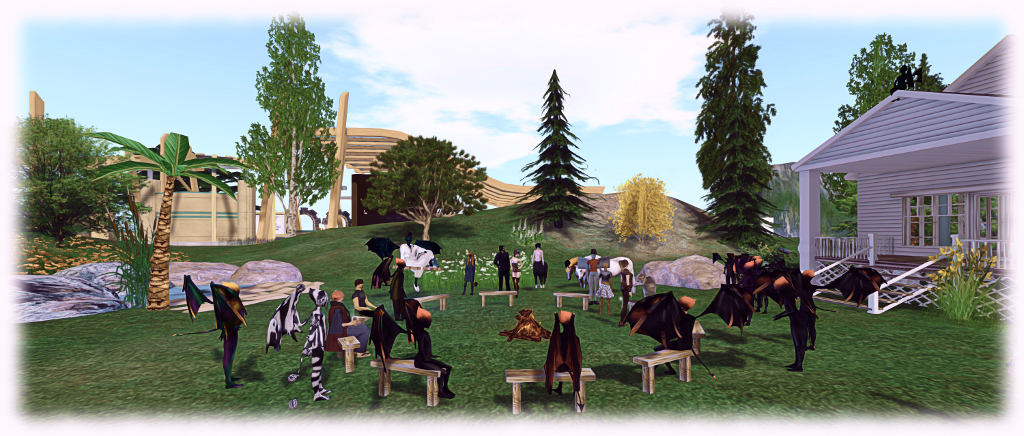
The Content Creation User Group has re-formed out of the Bento User Group, and is held at the Hippotropolis Camp Fire Circle. Imp costumes entirely optional :D .
The Content Creation User Group has re-formed out of the Bento User Group, and is held at the Hippotropolis Campfire Circle. Imp costumes entirely optional 😀 .

The following notes are taken from the Content Creation User Group meeting, held on  Thursday January 12th, 2017 at 1:00pm SLT at the the Hippotropolis Campfire Circle. The meeting is chaired by Vir Linden, and agenda notes, etc, are available on the Content Creation User Group wiki page.

Core Topics

  • Bento request from Troy Linden.
  • Supplemental animations that run alongside the main animation (e.g., flapping wings while walking).
  • Possible future project – applying baked textures to mesh avatars.

Bento Request From Troy Linden

Troy Linden is preparing a presentation on Project Bento for an upcoming Second Life meeting within Linden Lab in which he plans to review the project, the interactions with content creators, the benefits this brought to the project, etc. In particular, he would like to demonstrate Bento content people are making and impress on LL’s executives how the project has been received, and how things might be followed-up.

To help with this, he is requesting that anyone with glamour shots of Bento avatars, etc., videos of avatars and Bento items  to contact him via IM to discuss and / or send him what they have (troy-at-lindenlab.com).

Supplemental Animations

Introduced in 2013, llSetAnimationOverride() is one of a series of animation commands keyed directly into the server’s animation states, allowing for faster, smoother animation state changes than with AO systems using the older llPlayAnimation() command. However, llSetAnimation() only allows one animation to be played  at a time for any given state, and this can lead to conflicts when trying to run custom animations as well (see BUG-41048 . An example of this is trying to use llSetAnimationOverride() to walk whilst using an animation to flap wings (below), which causes while the walk, set by llSetAnimationOverride(), to freeze in favour of running the wings flapping, as they are also seen as a locomotion animation.

Vir has identified two possible courses of action to deal with this. The first would be to extend llSetAnimationOverride() to allow “supplemental” animations to run alongside the animation states keyed by llSetAnimationOverride(), effectively allowing them to play together. The other would be to provide a means for people to define their own custom animation states (with associated animations) which the simulator would be able to recognise and handle alongside the existing animations states, rather than having the associated animation conflict with the default animation states.

No decision has been made on which route to take, and Vir is putting together a proposal on approaches, which he’ll put forward at a future meeting.

Applying Baked Textures to Mesh Avatars

This would allow the skin and clothing layers (skin, tattoo, under shirt, shirt, etc., “wearables”) to be directly applied to mesh avatars. In theory, this could be done, and could make it easier to do things like match skins between, say a mesh body and a non-mesh head without having to use applier systems. It could in theory even reduce the complexity of mesh avatars, which currently have to be made up of multiple layers (the so-called “onion meshes”).


A further benefit would be for non-human avatars a well. Providing the same UV is used across all elements of an avatar, it could allow creators to offer different pelts  / skins for their animal / creature avatars and, if they make their UV maps available to other creators, allow them to produce things like additional skins.

However, there are problems in proceeding this way.The baking service is capped at a limit of 512×512 texture resolution, which would mean a loss of detail trying to “stretch” such textures over a mesh avatar, which would result in the ability potentially being ignored in favour of using the current “onion mesh” and appliers approach.  It might also mean that wearable layers would be used in non-standard ways (e.g. using a “skirt” layer to apply a skin), which could lead to user confusion (“why am I using a skirt to wear a skin?”) – although this could be overcome by adding further wearable types specific for use with avatar meshes to the system.

An alternative would be to increase the texture resolution for the baking service to 1024×1024. While not entirely ruled out, it does carry with it a set of unknowns as well – what would be the back-end resource hit, could it lead to an uptick in texture trashing issues in the viewer, etc.).

Baking Textures on In-World Mesh and prim Surfaces

Part of the above discussion overlapped with the idea of allowing textures to be baked on arbitrary meshes (thus allowing for compositing, etc).

Vir noted that this would be a far more complex project due to the nature of the baking service, and thus would likely not be considered as a part of making changes to how system wearables might be applied to mesh avatars. However, he is interested in seeing feature requests on how this might be done and the benefits it would bring to SL, and a related JIRA – BUG-7486 – is in the process of being re-opened for comments along these lines.

Other Items

The latest version of Avastar is support of Bento is still undergoing testing. Those using it report it is behaving well, so hopefully a realise won’t be too far off.

SL project updates 2017-2/1: 64-bit viewer and Monday Blues

Nagare no Shimajima, Restless Times; Inara Pey, January 2017, on FlickrNagare no Shimajima, Restless Timesblog post

Server Deployments

There are no planned deployments for the week. However, all servers on the three RC regions will be subject to a rolling restart. This is in accordance with the Lab’s new policy of restarting channels every fortnight, whether or not there is an associated deployment. As the Main (SLS) channel underwent a restart on Tuesday, January third, server on this channel were not restarted this week.

SL Viewer

Project Alex Ivy

The 64-bit versions of the official viewer arrived in project viewer form on Tuesday, January 10th, under the code name Project Alex Ivy – which I take to be a reference to 64 (LXIV being 64 in Roman numerals, hence aLeX IVy).

The viewer, version 5.1.0.501863, has been built using the newly updated and upgraded libraries and build process the Lab has been putting together, which will also be used for 32-bit Windows builds. Thus, the project viewer is available in three flavours:

  • 64-bit Mac
  • 64-bit Windows
  • 32-bit Windows.

There is no Linux viewer as yet, but the Lab has indicated it is their intention to provide one, although TPVs and open-source contributors are likely to still be asked to help with its ongoing support.

Additionally, the following points, as specified in the release notes, should be underlined (although please ensure you read the release notes in full if you intend to try this viewer:

  • The Mac build has several known limitations:
    • There is currently no Mac Havok build,so pathfinding paths cannot be visualised, and it may not be possible to upload mesh assets.
    • Video media using QuickTime does not play.
  • The 64-bit version will not run on Windows 10 systems with Intel HD 2000/3000 GPUs and may not run on other systems that do not have GPUs explicitly supporting Windows 10.

These shortfalls will be addressed as the viewer progresses through the project and release candidate phases to release status in the next weeks / months. Once released, it will signal the end of the 32-bit MAC version of the viewer (and possibly the 32-bit Linux version). The Windows version will continue to be available as a 32-bit build as well as having the new 64-build available.

Also, note that this viewer doesn’t include any functional updates / changes to the existing viewer.

Remaining Viewers Pipelines

Outside of the 64-bit project viewer, the various viewer pipelines remain as my last SL project update:

  • Current Release version: 5.0.0.321958, dated December 1st, promoted December 5th – formerly the Project Bento RC viewer
  • Maintenance RC viewer, version 5.0.1.322513, dated December 21st – some 42 fixes and improvements + Bento support
  • 360-degree snapshot project viewer, version 4.1.3.321712, dated November 23rd – ability to take 360-degree panoramic images – hands-on review
  • Obsolete platform viewer version 3.7.28.300847, dated May 8, 2015 – provided for users on Windows XP and OS X versions below 10.7.

Monday Outage

On Monday, January 9th, many users were hit with significant issues, with many finding themselves unable to log-in, or being disconnected from the simulators and unable to log back in. On Tuesday, January 10th, April Linden from the Ops team posted another of her excellent post-mortem blog posts on what happened, and I recommend it as a worthwhile and informative read.

In essence a failure within a third-party provider used by the Lab failed to trigger the expected automatic switch-over of connections for all users accessing Second Life through that provider. As a result, those users were disconnected from the service, and due to the volume of people trying to re-connect, couple (I assume with those simply trying to log in, unaware of problems) generated a backlog, forcing the Lab to bring additional log-in servers on-line.

Once again, April does an excellent job in explaining things – revealing more of the complexities of SL in the process (which, as I’ve oft said in the past, goes well beyond just the simulator servers), and also offers apologies for the Monday problems.

Behind the scenes with Bento in Second Life

Bento: extending the avatar skeleton

Note: this is a compressed version of an article which first appeared in Kultivate Magazine’s January 2017 issue, and which here includes some personal feedback on being peripherally involved in the project.

There can now be few – even among those having only joined Second Life in the last few months – who cannot be aware of project Bento, the work to significantly enhance the Second Life avatar skeleton to better support mesh avatar models, how they are animated and how they might be customised. I was able to observe Bento almost throughout its lifespan. As such, I thought more of a look inside the project might be of interest.

Bento’s heart comes in the form of one person: Vir Linden. Despite the avatar skeleton being one of the most fundamental parts of Second Life which could if interfered with, cause all sorts of issues, Vir was convinced things could be done to make the lot of mesh avatar creators and animators much easier, and without putting additional stress on either the simulator or the viewer. So in early 2015, he started looking at what might be achievable.

Vir Linden, Senior Software Engineer at Linden Lab, and technical project lead for Bento

By roughly April 2015 he felt he had enough information to put together a presentation he could put before senior staff at the Lab. Despite the ambitious nature of the project, potentially adding (at that time) 106 new bones to the avatar, the response was enthusiastic and positive. Troy Linden joined Vir from the Product Team, and Bento was born.

Initially, the work was in-house, involving Lab staff and the Moles. However, as the potential  for the project grew, it quickly became apparent that wider expertise would be needed to both give input to the project and help steer the development work. And so it was that a core Bento User Group came together, comprising Lab staff with expertise with the viewer, with the server, and – most significantly – content creators noted for their expertise in developing mesh avatars and avatar accessories (human and non-human), and the people behind the most popular tools for avatar creation and animation: Gaia Clary and Matrice Laville (Avastar) and Cathy Foil (Mayastar).

Like, Vir, Cathy, Gaia and Matrice deserve special recognition for their work on Bento. Not only did they embrace the project and work to update their products to support Bento, they also took on a lot of the grunt work involved in updating essential code used by the viewer to make Bento happen – and they were enthusiastic about doing so. If you make use of a Bento head and are adjusting things using the sliders, offer a word of thanks to the three of them: they’re the people who carefully went through the avatar files in the viewer to get as many of the sliders as possible working with the new facial bones for you to be able to do so.

Vir linden (foreground) and Matrice Laville at a Bento project meeting
Vir Linden (foreground) and Matrice Laville (in the top hat, left) at one of the closed user group Bento project meetings (note the fellow in the top hat to the right of the picture is Rider Linden)

Bento meetings initially took place at a small desert island on Agni, the Main grid. This sat on its own channel to ensure the necessary tweaks to the simulator end of things could be made to try out ideas and options and generally lay the foundations of the project. This work progressed over a period of just over six months until there was a good level of confidence that the project could be taken to the next stage.

This involved moving things to Aditi, the beta grid, and opening things to the public at large. The use of Aditi meant that more extensive testing of simulator and viewer changes could take place, more space could easily be made available for people to experiment, and more people in general could get involved. In time, these meetings would eventually move back to the main grid. It also marked the start of my ability to publicly report Bento progress on an almost weekly basis.

Bento enables much more flexibility when creating and animating human and non-human mesh avatars

At the start of the public phase of Bento, the skeleton had stabilised with some 92 additional bones – 60 of which were evenly split between hands and head. However, as the work progressed, this number tended to vary for a time as the need for further bones was identified while some of the new bones were found to be redundant and could be removed. As the same time, additional use cases for Bento were proposed, with every effort being made to incorporate as many as practicable. There were even some fundamental shifts made in how Second Life functions so that more could be achieved through Bento.

An example of this lies with bone translations and rotations. In essence the SL animation system had always worked on the assumption that sliders only affect translation and scale whilst animations only affect rotation, allowing both to work cooperatively.As the animation system was not necessarily seen as an intrinsic part of Bento, little thought was initially given to changing it. However, during the public beta phase of the project, a strong case was made for allowing both translation and rotation through animations – and as a result, the necessary updates were made to the animation system to support this without potential conflicts occurring.

Continue reading “Behind the scenes with Bento in Second Life”

SL project updates 2017-1/1: general status

A Painter's Link, Salomon Beach; Inara Pey, December 2016, on Flickr A Painter’s Link, Salomon Beach (closing January 6th, don’t miss!) – blog post

Server Deployments

The RC channels were re-started on December 28th, 2016, to the consternation of some on the Server thread of the technology forum as there was no accompanying update. A rolling restart of the Main (SLS) occurred on Tuesday, January 3rd, 2017, again with further consternation on the thread.

However, as a quick check through the viewer can reveal, both of these operations were simply restarts to keep things running (reasonably) smoothly, as shown by the server version numbers remaining unchanged when viewed in the viewer (Help > About viewer).

No restart is anticipated for the RC channels on Wednesday, January 4th, given they were restarted at the end of December. The usual run of deployments + restarts are expected to resume in week #2 (week commencing Monday, January 9th) with the three RC channels.

SL Viewer

With the holiday break, there has been no movement with the official viewer, with four currently occupying the various pipelines:

  • Current Release version: 5.0.0.321958, dated December 1st, promoted December 5th – formerly the Project Bento RC viewer
  • Maintenance RC viewer, version 5.0.1.322513, dated December 21st – some 42 fixes and improvements + Bento support
  • 360-degree snapshot project viewer, version 4.1.3.321712, dated November 23rd – ability to take 360-degree panoramic images – hands-on review
  • Obsolete platform viewer version 3.7.28.300847, dated May 8, 2015 – provided for users on Windows XP and OS X versions below 10.7.

It had been indicated that the Lab might get a project version of their 64-bit viewer out prior to the holiday break, but this proved not to be the case.


A look at Second Life updates in 2016

A Painter's Link, Salomon Beach; Inara Pey, December 2016, on Flickr A Painter’s Link, Salomon Beachblog post

Each week through the year, I try to get to as many in-world and other meetings held by the Lab to keep an eye on technical developments and updates which are in the works for the viewer and the simulator, relaying the notable items via my SL project updates. As such, I thought it might be interesting to look back at some of the technical changes and updates have come our way in 2016.

The Big Ones

There were obviously a number of fairly high-level updates which came our way, notably Project Bento, which gave us a lot of new bones and attachment points specifically for mesh avatars to make them more flexible and easier to animate. There’s a whole story behind that project which perhaps hasn’t been told in full, so expect to read more from me on it in the New Year 🙂 .

Then there was Avatar Complexity, or Jelly Dolls as it has been more popularly dubbed (initially by Whirly Fizzle after it was pointed out the term “Jelly Baby”, as initially used was in fact a trademark). Avatar Complexity is designed to reduce the often high cost of avatar rendering by the viewer, thus lightening the load on computers / graphics cards which might otherwise struggle.

A longer-term hope may have been that perhaps it would encourage people to consider what they are wearing and how it may affect others, and even get content creators to think more conservatively about their creations, and seek to optimise them for rendering. Whether either of these latter points might be / already have come about is nigh-on impossible to judge.

The Viewer

Both Project Bento and Avatar Complexity involved some pretty substantial changes to the viewer – Bento to the degree it warranted a version number boost. But they weren’t the only significant changes. There were also 6 new Maintenance viewers through the year, bringing with them over 250 fixes, updates and improvements. Besides these the following notable viewer releases / updates also appeared through the year.

Graphics Presets

Alongside of Avatar Complexity we gained Graphics Presets, another useful means to help improve viewer performance by allowing users to save different graphics set-ups for the viewer. This means, for example, we can have a preset for taking photographs, with all the more taxing graphics options – shadows, lighting, longer draw distance, etc – can be enabled, then have another for, say, shopping, where all the bells and whistles aren’t required, helping to improve viewer performance – and we can quickly change between them without all that tedious mucking about in Preferences.

Graphics Presets (also in most TPVs) allows you to create and save your own graphics presets to suit different requirements, and which can be quickly loaded and used with just a couple of mouse clicks

If you are on a system which can struggle at times because you have your graphics settings tweaked a little on the high side and you’ve not experimented with Graphics Presets, you might want to give them a try.

Visual Outfits Browser

The Visual Outfits Browser brought with it the ability to have images associated with your Outfits (if you use the Outfits capability). Feedback on this seems to have been mixed. Many like it, while many, equally, ignore it (and I’m among the latter category).

HTTP Updates

The viewer received a lot of new under-the-hood HTTP updates, including the removal of  a considerable amount of deprecated and unused code, and a series of improvements for things like image, mesh and animation uploads, inventory manipulation, the Viewer Management Marketplace, LSL script compilation, Experiences management, etc.

Voice Updates

Voice has been worked on throughout 2016, with the Lab working closely with the Voice package provider, Vivox, to improve connectivity, overcome Voice quality issues, and removed many of the known exploits as possible to prevent thinks like a user in one region eavesdropping on a conversation being held in another region.

This work has involved changes to the viewer, changes to the simulator, changes to the Voice binary package supplied by Vivox (SLVoice.exe) and even changes to the Vivox servers (Voice is routed through their own servers).

LibVLC

As Apple dumped QuickTime for Windows with potential security vulnerabilities unpatched, The Lab adopted LibVLC for media handling in the Windows viewer (and will be moving to it win the Mac and Linux viewers when their have released their 64-bit viewers).  The move overcomes most issues in trying to play back media in-world, however, licensing around the Advanced Audio Coding and MP3 formats, and the way things are packaged with LibVLC might leave TPVs with a headache or two.

Inventory Handling

Aura Linden worked on removing deprecated and unused UDP inventory messaging mechanisms from the viewer. This work is to be followed by the removal of back-end support for the removed message channels, and further viewer-side work on rationalising and refactoring the code handling inventory operations.

360 Snapshot Viewer

Whilst still only a project viewer, the 360 snapshot  viewer is part of a viewer / simulator project to bring 360-dgree photography to Second Life.

Linux

One unpopular move was the announcement concerning Linux development going forward (although the Lab will be building a 64-bit Linux viewer).

The Simulator and Servers

The simulator software continued through its weekly deployments throughout the year, added bug fixes, security updates, feature requests and more each month. Listing everything that happened here would rapidly turn this article into a TL;DR. However, as well as the continued deployment of simulator code updates, 2016 saw the mechanism and tools used to build the simulator undergo update, as was (/is) the underpinning server operating system running the simulators.

Support for larger animation files was introduced, with uploads increased from 120Kb to 250Kb.

Group bans finally got a tweak so that those banned from a group whilst active in group chat would finally get booted from the group chat session as well.

Experiences got a new scripted sit capability, code-named Project Espeon.

Experience scripted sits came our way in 2016 (image courtesy of Linden Lab)

And, of course, we have the increases to Land Capacity (or LI or prims, however you like to think of it).

Aditi Inventory Syncing

A new process for syncing inventory between Agni (the Main grid) and Aditi (the beta grid) was introduced, eliminating the need for users wishing to have their Agni inventory fully replicated on Aditi having to change their SL password and then wait between 24 and 48 hours (sometimes longer) for their Aditi inventory to be synced with Agni. Under the new system, a process automatically merges a copy of users’ Agni inventories with their Aditi inventory based on their last log-in to the beta grid.

There were some teething problems with the new system when first introduced (and some people report there may still be hiccups), but on the whole the new process is a lot smoother than the old.

Web Services: TLS 1.2 and More

The Lab made the switch to TLS 1.2, which had the potential to impact people’s ability to buy L$ via the LindeX / through a browser and / or add payment info to their account if they were not using a suitable viewer or web browser.

There were also numerous changes to various web properties, including updates to the SL Marketplace, the retirement of SLurl.com, various security and infrastructure updates

Grid Status Page

The Grid Status page moved to a new provider and was overhauled to be hopefully more informative, and have a faster means of update.

 2017 Expectations

The lab plays their cards close to their chests when talking about upcoming changes / updates / improvements to Second Life, but here’s a (short) list of some of the things we can reasonably expect to see in 2017:

  • 64-bit versions of the official viewer (Windows, Mac and Linux).
  • Possible changes / tweaks to the avatar / object complexity calculations made by the viewer, such as it being able to more easily determine those avatars in its field of view it should not attempt to fully render (rather than waiting on information from the simulator to make that determination).
  • Further updates to the viewer build tools (e.g. VS 2015 for Windows).
  • Progress on the 360 snapshot viewer.
  • Further work cleaning-up and rationalising the viewer code.
  • Voice updates for both the server and the viewer.
  • Continued server deployments and improvements 🙂 .

You can follow my updates on SL technical developments and updates through the likes of my weekly SL project updates and weekly viewer release summaries (which also cover TPV releases).