2018 SL UG updates 41/1: Simulator User Group

Destiny Gardens; Inara Pey, September 2018, August 2018, on FlickrDestiny Gardensblog post

Server Deployments

As always, please refer to the server deployment thread for updates.

  • There was no deployment to the SLS (Main) channel on Tuesday, October 9th, 2018. This remains on server release 18#18.09.20.519894.
  • At the time of writing, no deployment to the three RC channels are listed for Wednesday, October 10th, leaving them on server release 18#18.09.24.519940. However, during the meeting, Simon suggested a deployment might be made.

SL Viewer

The Animesh RC viewer updated to version 6.0.0.520211 on Tuesday, October 8th. This update includes the following updates / changes:

  • SL-966 scale and position offset limits are now enforced for Animesh objects. The current scale limit is 64m, offset remains at 3m
  • SL-1290 Issue with animations not rendering if they were stopped and started while host object is selected.
  • SL-9673 some HUDs collapse to low LOD when zooming.
  • SL-1350 Animesh angle offset lags when linked to rotating prim
  • SL-9773 attached Animesh objects visible in mouselook when “show me in mouselook” is unchecked.
  • SL-1291 Animesh selection highlights not showing in edit mode.

Note it does not contain fixes related to the performance loss issue reported in BUG-225584, and noted in my previous TPD meeting summary.

The remaining viewers in the pipeline remain unchanged from the end of week #40:

  • Current Release version 5.1.9.519298, dated September 5, promoted September 26. Formerly the Rakomelo Maintenance RC viewer – No change.
  • Release channel cohorts (please see my notes on manually installing RC viewer versions if you wish to install any release candidate(s) yourself):
    • Spotykach Maintenance RC viewer, version 5.1.10.520176, October 4.
    • Estate Access Management (EAM) RC viewer, version 5.2.0.520057, September 28.
    • BugSplat RC viewer, version 5.1.9.519462, September 10. This viewer is functionally identical to the current release viewer, but uses BugSplat for crash reporting, rather than the Lab’s own Breakpad based crash reporting tools.
    • Love Me Render RC viewer, version 5.1.8.518751, released on August 20.
  • Project viewers:
  • Linux Spur viewer, version 5.0.9.329906, dated November 17, 2017 and promoted to release status 29 November – offered pending a Linux version of the Alex Ivy viewer code.
  • Obsolete platform viewer, version 3.7.28.300847, May 8, 2015 – provided for users on Windows XP and OS X versions below 10.7.

In Brief

  • Region Crossings: see BUG-214653. In brief, several issues are related to message handling between server(s) and viewer. Assorted solutions have been suggested, with Simon linden noting, “Yeah at some point we may want to totally re-do that sequence of messages and get rid of all UDP traffic. It would probably be a little slower but having a more solid sequence would be better.”
  • BUG-216320 “Error when retrieving grid statistics page via llHTTPRequest”: this has been an issue since May, 2018, it had been hoped that the OS update would fix it, but currently there is still one component that needs to be updated in order to fix the issue.
  • The anticipated end date for the simulator OS update, which is key to the work in moving things to the cloud, is the end of 2018 or early 2019. After which there are the back-end services to update.

2018 viewer release summaries, week #40

Logos representative only and should not be seen as an endorsement / preference / recommendation

Updates for the week ending Sunday, October 7th

This summary is generally published on every Monday, and is a list of SL viewer / client releases (official and TPV) made during the previous week. When reading it, please note:

  • It is based on my Current Viewer Releases Page, a list of all Second Life viewers and clients that are in popular use (and of which I am aware), and which are recognised as adhering to the TPV Policy. This page includes comprehensive links to download pages, blog notes, release notes, etc., as well as links to any / all reviews of specific viewers / clients made within this blog.
  • By its nature, this summary presented here will always be in arrears, please refer to the Current Viewer Release Page for more up-to-date information.
  • Note that test viewers, preview / beta viewers / nightly builds are not recorded in these summaries.

Official LL Viewers

  • Current Release version 5.1.9.519298, dated September 5th, promoted September 26th. Formerly the Rakomelo Maintenance RC viewer – No Change.
  • Release channel cohorts (please see my notes on manually installing RC viewer versions if you wish to install any release candidate(s) yourself):
  • Project viewers:
    • Environmental Enhancement Project (EEP) viewer, version 5.1.10.520121, released on October 3rd.

LL Viewer Resources

Third-party Viewers

V5-style

V1-style

  • No updates.

Mobile / Other Clients

  • No updates.

Additional TPV Resources

Related Links

2018 SL UG updates #40/2: TPVD meeting – EEP and Animesh

“Red and yellow and pink and green / Purple and orange and blue / I can sing a rainbow” – Graham Linden demonstrates a rainbow effect in Second Life using EEP. Credit: Graham Linden

The majority of the following notes are taken from the TPV Developer meeting held on Friday, October 5th, 2018. A video of the meeting is embedded below, my thanks as always to North for recording and providing it.

This is again a short meeting, with lengthy pauses in chat, so the following is a summary of key points. Note that due to a log-in issue occurring before the meeting, the discussion proper doesn’t start until the 3m 40s point in the video, having been delayed to give people still having issues the opportunity to log-in and get to the meeting.

Simulator Deployment Update

The planned deployment of server maintenance package 18#18.0924.19940, scheduled of Wednesday, October 3rd was cancelled after a last minutes issues was found in testing.

SL Viewer

[3:40-6:56]

The new Spotykach Maintenance RC viewer updated to version 5.1.10.520176 on October 4th.

The remaining viewers in the pipeline remain unchanged from the start of the week:

  • Current Release version 5.1.9.519298, dated September 5, promoted September 26. Formerly the Rakomelo Maintenance RC viewer.
  • Release channel cohorts:
    • Estate Access Management (EAM) RC viewer, version 5.2.0.520057, September 28.
    • BugSplat RC viewer, version 5.1.9.519462, September 10. This viewer uses BugSplat for crash reporting, rather than the Lab’s own Breakpad based tools.
    • Animesh RC viewer, version 6.0.0.518949, August 24.
    • Love Me Render RC viewer, version 5.1.8.518751, released on August 20.
  • Project viewers:
  • Linux Spur viewer, version 5.0.9.329906, dated November 17, 2017 and promoted to release status 29 November – offered pending a Linux version of the Alex Ivy viewer code.
  • Obsolete platform viewer, version 3.7.28.300847, May 8, 2015 – provided for users on Windows XP and OS X versions below 10.7.

Of the current RC viewers:

  • Animesh appears to be the leading contender, but this is unlikely to happen “immediately” due to apparent performance issues (see below).
  • Bugsplat is currently awaiting a change to the updater to be merged with it, so will likely remain at RC status, and the update may appear in week #41 (commencing Monday, October 8th, 2018).
  • [32:06-32:53] The Estate Access Management viewer is largely regarded as feature complete, although estate holders / managers are being encouraged to test the viewer and offer feedback to the Lab.
  • Bakes On Mesh has received the required simulator update (maintenance package 18#18.09.20.519894). This should just leave the Bake Service update before the capability will be available on Agni (the main grid).
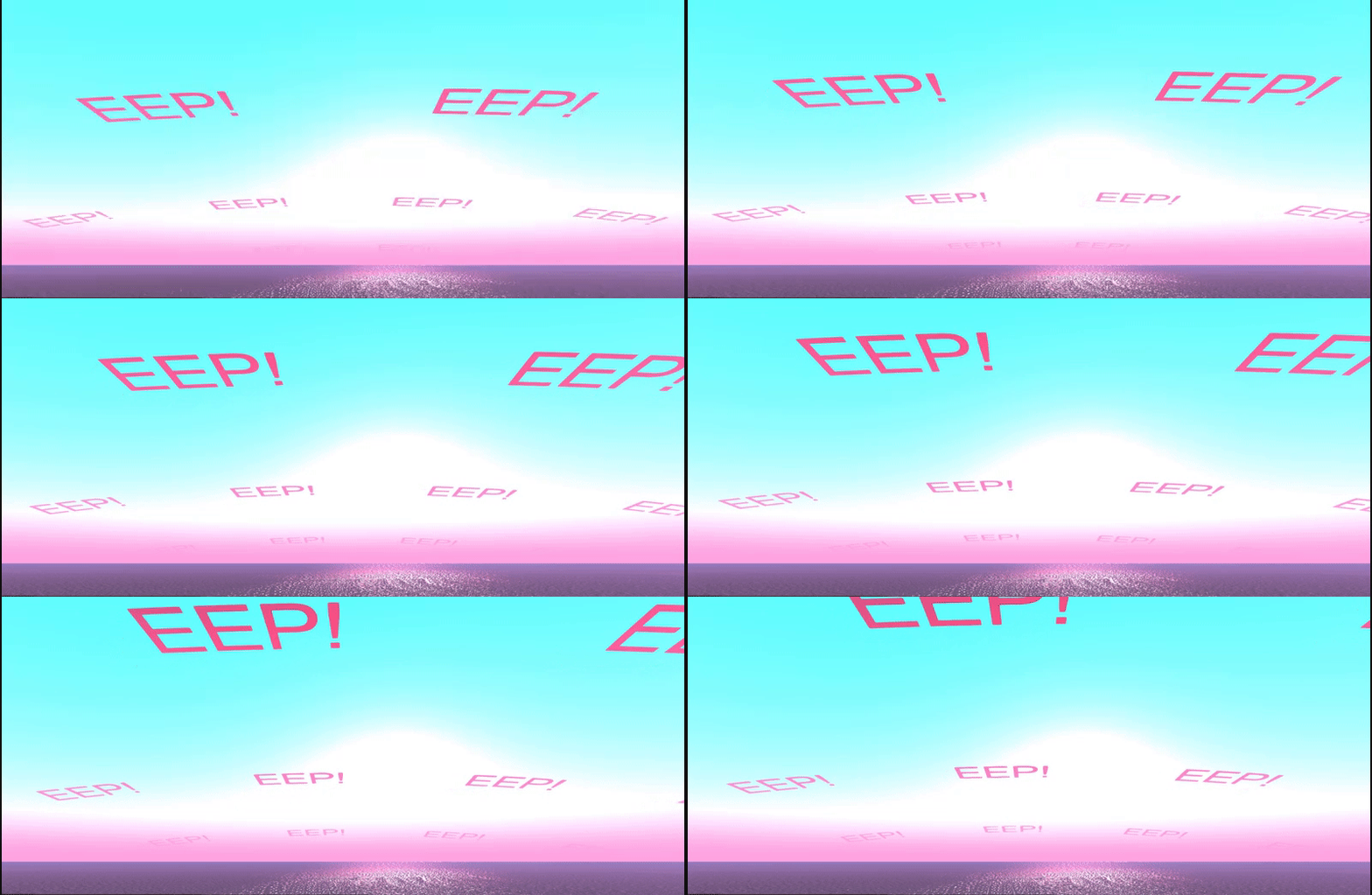
  • EEP is now officially available for testing on Aditi – see EEP testing and project viewer officially announced for more, and the additional EEP news below.

EEP

[10:00-25:50] EEP permissions may cause some confusion. Please see the EEP documentation on permissions for additional information.

  • EEP assets can be set to be Mod(ify) or No Mod(ify); Transfer or No Transfer, but they are always Copy.
  • No Copy is not supported because  – like avatar shapes –  it is possible to manually copy settings values, even if the asset itself is No Copy.
  • No Mod(ify):
    • Is respected for a fixed sky / water asset if it is transferred / sold.
    • Is not respected if the asset is subsequently used as a day cycle frame (presumably to allow blending with other frames in the cycle).
    • No Mod EEP assets cannot be edited and saved; however, Save As can be used with them to create a new asset based on them.
  • No Transfer:
    • Adding a No Transfer asset as a frame in a day cycle will convert the entire day cycle to No Transfer.
    • This prevents No Transfer assets a creator does not want re-sold from being used in day cycles created by others.

The permissions appear confusing in order to allow people to be able to create and sell sky and water assets; however, there have already be calls for EEP assets ignore permissions altogether. This would mean they would be freely exchangeable – much as windlight XML settings are currently.

This feedback has been heard by the Lab and will be taken back to the project, but in the meantime the request is that TPVs do not alter the assigned permissions with EEP assets, due to the additional confusion this would likely cause.

Adjustable Vertical Zoning

[34:06-35:00] Note that the project viewer version of the EEP viewer allows the vertical position of sky settings to be adjusted, rather than being fixed at 1,000 metre intervals. However, Rider Linden has indicated some refinement is required on setting the slider values.

The vertical layers for EEP sky settings are now adjustable. Select the default level to be adjusted, then use the slider.

Animesh: Performance Issue

[30:00-31:45] There is an apparent performance issue with Animesh, which may be connected to the needsUpdate patch added to the viewer as a part of the changes for dynamic bounding boxes – see BUG-225584.

It was always expected that Animesh might introduce some performance hits – although up until the changes to the bounding box nothing major had been encountered – and the degree of impact this issue seems to produce was not anticipated.

Diagnosing the problem has been difficult from the Lab’s perspective, as issues have so far only been reported on the Black Dragon viewer and Firestorm’s Animesh test viewers – with the former suffered a far greater impact than the latter.

Vir Linden has started a forum thread on the issue (as Jira comments are limited to supported users at present). He has also asked for specific testing using the official Animesh viewer as well. Those wishing to test and offer feedback are asked to do so via the forum thread (although for those with permission to comment on Jiras, feedback on the bug report will also obviously be accepted).

There is an upcoming update for the viewer, but it does not include any fix for this issue. As of the TPV meeting, it hadn’t been decided if the issue was sufficient enough to be classified as a blocker to the promotion of the Animesh viewer to de facto release status.

Other Items

  • [8:50-9:06] BUG-225557: “Attaching an object from the ground causes inventory loss under certain circumstances” can be nasty. The Lab are aware of the issue and will be investigating it.

EEP testing and project viewer officially announced

Courtesy of Linden Lab

On Wednesday, October 3rd, 2018, Linden Lab officially announced the opening up of EEP testing to Second Life users.

EEP  is the Environmental Enhancement Project – in short as series of in-development updates to the existing windlight capabilities in the viewer, and to environment settings / rendering across the board. In brief and in part EEP:

  • Gives region and parcel owners the ability to define the environment (sky, sun, moon, clouds, water settings) at the parcel level.
  • Provides new environment asset types (Sky, Water, Day) – referred to as “settings”  – that can be created in the viewer, stored in inventory and traded through the Marketplace / exchanged with other users.
  • Allows the Sun, Moon and Cloud textures to be replaced with custom textures.
  • An extended day cycle, supporting up to 7 days a week and 24-hour day / night cycles.

And that’s just to start. The project will also include rendering updates to allow for atmospheric effects such as crepuscular rays (“God rays”), plus scripted and experience support for the new environment asset types (e.g. assign specific environment settings to an experience, which all participants will automatically have applied in their view when visiting the experience).

A simple 5-minute (including uploading the textures) demo of replacing the Sun and Moon with Mars and Jupiter respectively, then adjusting their respective sizes & putting them in the same quadrant of the sky. Note the windlight clouds drifting in front of Mars.

Testing EEP can only be carried out on Aditi (the beta grid) for the time being, where there is a limited number of parcels available for purchase. Testing can only be carried out using the EEP project viewer.

  • Download the viewer via the Second Life Alternate Viewers Page.
    • At the time of writing, the viewer was version 5.1.10.520121 – but use the above link to get the most recent version.
  • Test region: Aditi EEP Testing (secondlife://Aditi/secondlife/EEPTesting/128/128/23).
    • Parcels cost L$1, but as Aditi funds are provided by Linden Lab, you are not paying for anything with your own money.
    • You MUST be using the EEP test viewer why trying to purchase a parcel on the test region – if you are using any other viewer, your purchase will time out.

Should you opt to test EEP and find issues, please be sure to raise a bug report, using the [EEP] tag. Reasonably feature requests may also be considered.

The parcel-level controls for using EEP, showing the Sun / Moon options and day cycle track

If you do not successfully purchase a parcel, or wish to see what others are doing with EEP, you can still visit the test region  – but you will need to be using the EEP test viewer in order to see anything.

There are a number of resources already available for EEP to get people started

EEP atmospherics via Graham Linden

I’ll continue to have EEP project news and updates through my Simulator User Group meeting, Content Creation meeting and TPV Developer meeting summaries.


2018 SL UG updates 40/1: Simulator and Governance

[Eclectica] A New Dawn; Inara Pey, August 2018, on Flickr[Eclectica] A New Dawnblog post

Simulator User Group

Not a lot to report this week; some discussion on documenting throttles on various LSL requests (i.e. updating wiki entries to indicate those functions that have throttles, rather than providing specific throttle information), and the inevitable region crossing chatter.

Server Deployment Plans

  • On Tuesday, October 2nd, the SLS (Main) channel was updated with server maintenance package 18#18.09.20.519894, comprising the simulator update for Bakes on Mesh.
    • I believe this update still requires a Bake Service update (support for 1024×1024 textures).
  • On Wednesday, October 3rd, the three main RC channels should all be updates with service maintenance package 18#18.09.24.519940, comprising internal fixes.

SL Viewer

The following two viewers were updated on Friday, September 28th:

At the start of week #40, all other viewers remain as follows:

  • Current Release version 5.1.9.519298, dated September 5, promoted September 26. Formerly the Rakomelo Maintenance RC viewer – NEW.
  • Release channel cohorts:
    • BugSplat RC viewer, version 5.1.9.519462, September 10. This viewer is functionally identical to the current release viewer, but uses BugSplat for crash reporting, rather than the Lab’s own Breakpad based crash reporting tools.
    • Animesh RC viewer, version 6.0.0.518949, August 24.
    • Love Me Render RC viewer, version 5.1.8.518751, released on August 20.
  • Project viewers:
  • Linux Spur viewer, version 5.0.9.329906, dated November 17, 2017 and promoted to release status 29 November – offered pending a Linux version of the Alex Ivy viewer code.
  • Obsolete platform viewer, version 3.7.28.300847, May 8, 2015 – provided for users on Windows XP and OS X versions below 10.7. This viewer will remain available for as long as reasonable, but will not be updated with new features or bug fixes.
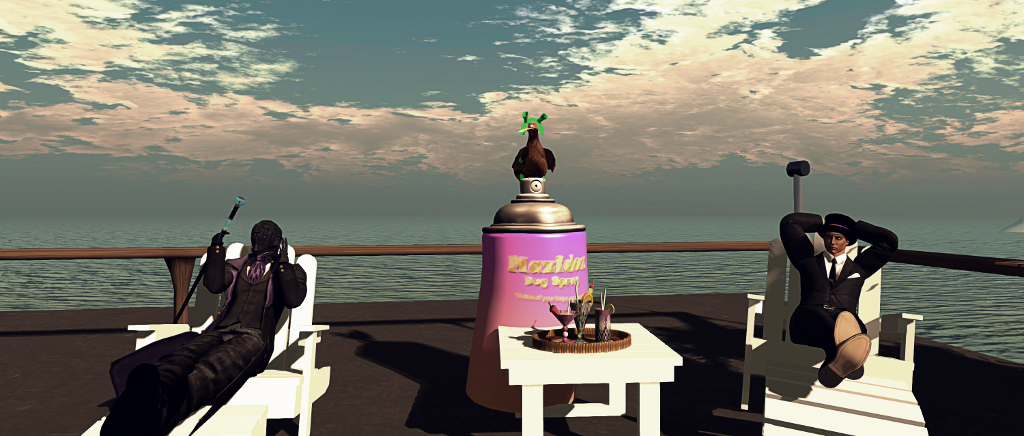
Rider and Simon Linden, seated, at a Simulator User Group meeting, with Mazidox Linden in between. Note Mazi is wearing Shrek ears – the Lab’s office and in-world indicator that someone committed an “oopsie” – in his case, testing the wrong thing.

Governance User Group

Governance User Group (GUG) meetings are generally held on alternate Tuesdays at 13:00 SLT. They are intended to provide a forum for the discussion and education of issues involving Governance.  They are chaired by the GTeam supervisor, Kristen Linden and are open to the public. Details on dates, times and location can be found on the Governance User Group wiki page.

The Governance Team is responsible for dealing with Abuse Reports, in-world abuse, forum reports, Marketplace reports, etc. It is not responsible for issues with accounts being compromised, account subscription delinquency, fraud, IP infringement, etc.

  • These matters cannot be discussed at the GUG meetings.
  • Issues relating to them should be reported through the recommended channels (e.g. Support for account-specific issues, via the DMCA process for IP infringements, content theft, etc).

Similarly, individual cases involving Governance issues (e.g. the outcomes of abuse report filings), cannot be publicly discussed.

Resources

Meeting CliffsNotesTM

  • General comment on L$ reclaims: somewhat related to fraud, despite notes above. If someone receives L$ amounts as a result of fraud or similar issues, when those amounts are reclaimed via the Lab, they will show up as a transaction record in the user’s account transaction history.
  • Visitor trackers – are these a violation? the Governance Team is aware they exists, and generally do not action reports relating to them (radar systems report more-or-less the same information, available from the mini-map).
    • Similarly, the Governance Team tends not to get involved with tar jars that record tippers names / amounts. The suggestion for those who do not wish to have their name recorded when tipping is to tip directly, avatar-to-avatar.
  • Warnings / Suspensions / Termination: Tommy Linden pointed out that the reason someone is receiving a warning or a notice of suspension / termination will receive “a specific reason” on why the action is being taken in the e-mail notifying them of the warning / suspension.
  • Bans and Termination: the Governance Team only ban / terminate as a result of in-world issues related to platform governance. However, users can be banned / terminated by other LL teams (e.g. fraud, legal / IP), depending on the nature of the infraction / activity.
  • Can SL users be banned for things placed on external blogs, etc? As far as the Governance Team is concerned – no.  It is recognised that the team have no jurisdiction over mediums and services outside of those owned by Linden Lab.
    • Users who believe their personal data is being incorrectly publicised via the likes of blogs, etc., on other services, or believe they are being defamed, are advised to go through the complaints process native to the platform in question, and not file an Abuse Report with the Lab.
    • Issues the Lab have with external services, websites, etc., that are felt to be violating things like the company’s brand usage, trademarks, or which might be seen as defamatory, are dealt with by the legal department.
  • Personal questions: asking personal questions – even repeatedly – is not actionable as an AR. No-one has to answer questions, and other avatars can be muted / block if they persist. However, if someone does repeatedly harass a user with personal questions, etc., even beyond blocking, the an AR for harassment can be raised.
  • 24/7 coverage: the Governance Team is “not totally” active on a 24/7, but are deliberately unpredictable in hours kept so that times when Governance may not be available can be easily calculated by potential troublemakers.
  • Does the GTeam track those banned from regions / parcels? No. The region / parcel capability is there for region / parcel holders to use. However, ARs can be a means to identify serial griefers.
  • Does the simulator save a copy of the simstate when an AR is filed? No, however, the logs, etc are available for review during an investigation  – providing the AR is filed within a reasonable time of the incident occurring.
  • Should specific sections of the TOS / Community Standards be quoted in an AR: they can be, but it is not a requirement. A clear description of the incident, with all relevant information and an accurate AR category filing is far better.
  • ARs against copybotting, IP infringement: these are not investigated, but attempts are made to educate on how to file a DMCA.
  • Nudity on Moderate regions: generally considered OK, but nudity with sexual connotations (e.g. sexual acts or a naked male avatar with an erection, in public places) can be AR’d.
    • Region / parcel holders are free to specify no nudity and / or no sexual acts on their regions, regardless as to the rating.

Next Meeting

Subject to confirmation on the Governance User Group wiki page, the next meeting should be on Tuesday, October 16th, 2018. However, the location may change.

2018 viewer release summaries, week #39

Logos representative only and should not be seen as an endorsement / preference / recommendation

Updates for the week ending Sunday, September 30th

This summary is generally published on every Monday, and is a list of SL viewer / client releases (official and TPV) made during the previous week. When reading it, please note:

  • It is based on my Current Viewer Releases Page, a list of all Second Life viewers and clients that are in popular use (and of which I am aware), and which are recognised as adhering to the TPV Policy. This page includes comprehensive links to download pages, blog notes, release notes, etc., as well as links to any / all reviews of specific viewers / clients made within this blog.
  • By its nature, this summary presented here will always be in arrears, please refer to the Current Viewer Release Page for more up-to-date information.
  • Note that test viewers, preview / beta viewers / nightly builds are not recorded in these summaries.

Official LL Viewers

  • Current Release version 5.1.9.519298, dated September 5th, promoted September 26th. Formerly the Rakomelo Maintenance RC viewer – NEW.
  • Release channel cohorts (please see my notes on manually installing RC viewer versions if you wish to install any release candidate(s) yourself):
    • Estate Access Management (EAM) RC viewer, version 5.2.0.520057, released on September 28th.
    • Spotykach Maintenance RC viewer, version 5.1.10.520059, released on September 28th.
  • Project viewers:
    • Bakes on Mesh project viewer, version 5.1.9.519785 September 24th.

LL Viewer Resources

Third-party Viewers

V5-style

V1-style

Mobile / Other Clients

  • No updates.

Additional TPV Resources

Related Links