Projectors as mirrors in Second Life

Using a projector and “reflective” surface in SL to creator a mirror in our living room at home. Note how the “reflection” changes as the viewing perspective moves

Second Life lighting projectors are an extremely useful capability that can be put to a wide variety of uses. I first covered their basics far back in 2011. Since then they’ve been notably easier to use (and that original article was subsequently updated to reflect this).

In 2016, for his art display, Mirrored Garden, at Holly Kai Garden (see here for details), Silas Merlin demonstrated a means to create mirror-like effects in Second Life, with a number of “mirrors” mounted around his sculptures “reflecting” them and the garden in which they were being displayed. I’ve since seen a number of SL artists use a similar approach to add depth to their work, and in April 2018, Adeon Writer offered a video tutorial on using projectors to create “portal-like” effects.
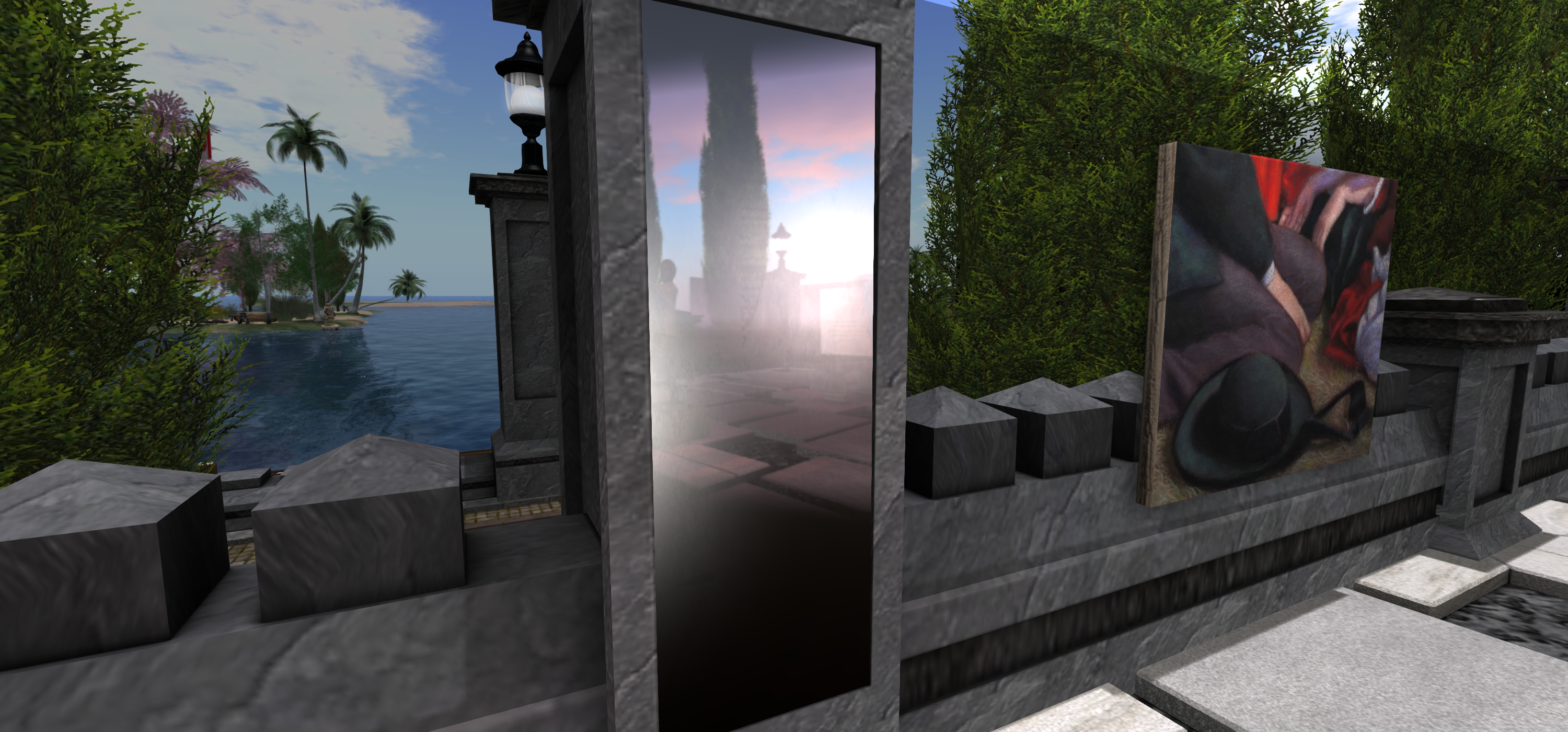
One of the “mirrors” Silas Merlin created for his Mirrored Garden art exhibition at Holly Kai Park in April 2016

Given the latter, I thought it high time a revisited a draft of an article about Silas’ approach I started in 2016, but never quite finished (my apologies to him), gave it a polish and present it as a tutorial for those interested in using projector-based “mirrors” in SL.

Prerequisites

  • For this time of “mirror” to work, those looking at it must have viewer’s Advanced Lighting Model (ALM) enabled via Preferences > Graphics. Anyone who does not have ALM enabled will just see a blank surface instead of any reflections.
  • The “mirror” itself is made up of a number of elements: the “reflective” surface itself (which can be a mesh or prim face), and one or more lighting projectors – the exact number and their placement will be subject to the effect you are trying to achieve.

For this tutorial, I’m producing a single “mirror” using a single projector to create a finished item – a simple household room mirror. Adeon’s video provides an outline on how to use multiple projectors to achieve a result.

Create the “Mirror”

The “mirror” is simple flat surface (face) of a prim or mesh. When done, it can be made part of a more ornate item – so you could add a frame around it, etc.).

  1. Create a prim and size it.
  2. Right-click the prim and click the Select Face radio button, then click on the face of the prim you want to make “reflective”.
  3. In the Edit > Texture tab:
    • Use the texture picker to set the texture to Blank.
    • Set the colour of the face you have selected to black and leave Transparency at 0
    • Enable Full Bright to reduce unwanted reflection of nearby lights.
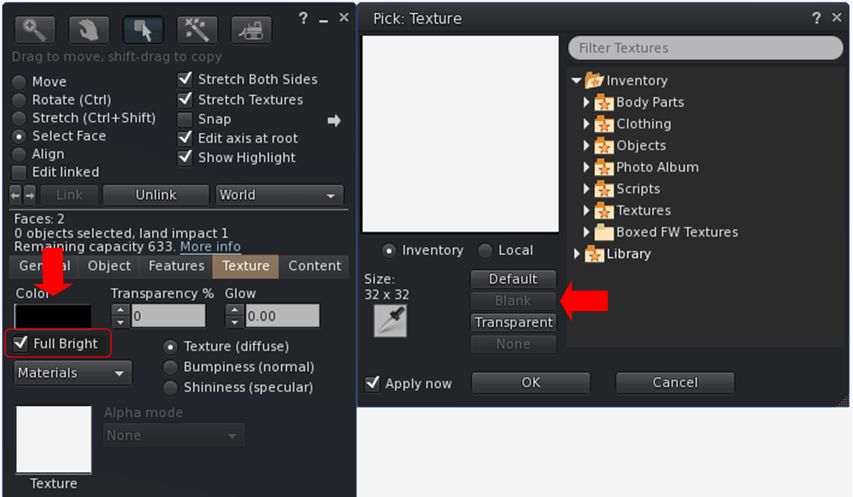
Setting the texture options for a reflective “mirror” surface.
  1. Click Shininess (specular) radio button and:
    • Use the picker to set the map to blank (white).
    • Set Glossiness to 255 (highest).
    • Set Environment to a value that works best for your overall lighting conditions – generally speaking, higher is better.
    • Set the specular colour swatch to black to further reduce unwanted light reflection.
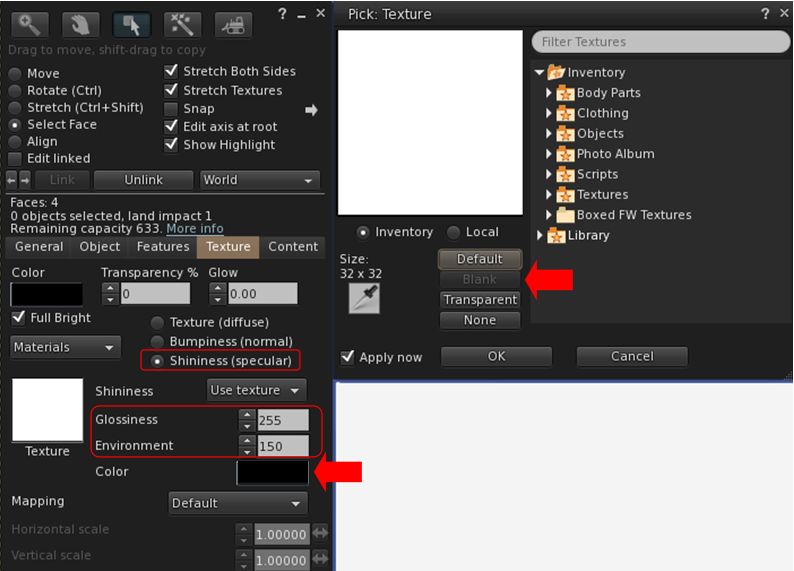
Setting the specular options for your reflective “mirror” surface

Create Your “Reflections”

This can sound complicated, but it’s actually relatively straightforward, requiring two main steps: create an image that will form the “reflection”; create the projector that will use the image.

Create the “Mirror” Image

  1. Position your “mirror” in the location you intend to hang it. Position your camera “in” the “mirror”, and facing out – so you are looking from the “mirror’s” point-of-view (e.g. from the wall on which it hangs looking out into the room it which it is hanging).
  2. Take a snapshot at a reasonably high resolution.
  3. Use an image editing tool to crop the image to give the desired look for the “reflection” – and flip it horizontally before saving.
  4. Repeat for any additional projectors you are using, taking your snapshots from the perspective of each projector.
  5. Don’t upload the texture(s) as yet.

Create the Projector(s)

Repeat the following steps for each of the projectors you’ll be using.

  1. Create a prim.
  2. Edit the prim and select the Features tab.
  3. Check the Light option to enable it and then:
    • Click the second box alongside the Light option to open the texture picker.
    • Click the Local radio button.
    • Use the ADD button to allow you to select the projector texture from your hard drive (note: only you will be able to see the results when using the Local option, but it allows you to experiment without having to upload textures multiple times).
    • When you have selected the required texture it will appear in the texture list on the right of the picker.
    • Click on the texture name to select it; the texture will be applied to the bottom face of the prim.
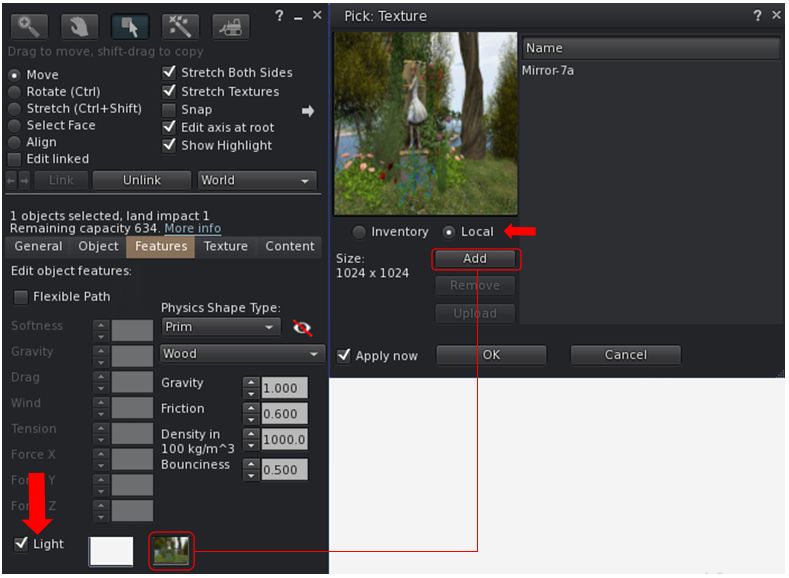
Applying a texture to a projector

Continue reading “Projectors as mirrors in Second Life” →

2018 SL UG updates #19/2: TPVD meeting

Maison de L’amitie: Salar de Uyuni – blog post

The following notes are taken from the TPV Developer meeting held on Friday, May 11th 2018. A video of the meeting is embedded below, my thanks as always to North for recording and providing it.

This was another short meeting – around 30 minutes, with about half of that covering SL projects, which are noted below. The rest of the meeting was more general conversation, and I’ll leave it to the video to cover them. As always, time stamps in the text below will jump you to the relevant points in the video.

SL Viewer

There have been no updates to the current crop of official viewers during week #19. This leaves the pipelines as:

  • Current Release version 5.1.3.513644, dated March 27th, promoted April 13th – formerly the media update RC.
  • Release channel cohorts (please see my notes on manually installing RC viewer versions if you wish to install any release candidate(s) yourself):
  • Project viewers:
  • Linux Spur viewer, version 5.0.9.329906, dated November 17th, 2017 and promoted to release status 29 November – offered pending a Linux version of the Alex Ivy viewer code.
  • Obsolete platform viewer, version 3.7.28.300847, May 8th, 2015 – provided for users on Windows XP and OS X versions below 10.7. This viewer will remain available for as long as reasonable, but will not be updated with new features or bug fixes.

[1:53 -2:45] Currently, the Ouzo Maintenance RC has a slightly lower crash rate than the Love Me Render RC, and so at this point in time looks like the more likely of the two to gain promotion to de facto release status.

Forthcoming Updates

[2:46-3:28] There are a number of viewer-visible updates which will be surfacing in upcoming viewers in the near future. These include (and in no particular order):

  • Updates to the estate management tools for better management and update of ban lists, etc.
  • Changes to viewer texture caching.
  • Further SL Voice improvements.
  • [24:43-25:39] New capability for abuse reports to be called from the simulator by the viewer, rather than being hard-coded into the viewer. This work had some delays while the AR categories were translated into other languages for display by the viewer. However both the simulator and viewer updates are now progressing
  • [30:45-31:35] New capability for receiving off-line IMs to avoid loss of IMs on logging-in. This capability is also now in testing.

GDPR and the Viewer

[5:25-7:17] The Lab recently offered an initial blog post on the upcoming European Union General Data Protection Regulation (GDPR – also see my blog post on the subject as well). Subject to further updates on the matter from the Lab, it would appear that the view being taken that data gathered by the viewer which is used in-world will not be subject to any requirements defined by the GDPR. A benefit the Lab has had in terms of GDPR compliance, is that the company has never viewed users’ personal data as a potential asset for revenue generation.

Other Items in Brief

  • [8:03-10:35] Texture Copying: There have been requests for the Lab to make texture copying “harder”. Given that texture data is held on a local computer, and UUIDs are trivial to capture, and the data they point to can also be obtained, this is no easy task. The Lab therefore finds itself caught between trying to offer better protection for textures and risking giving the impression they can prevent all texture copying, although they do look at ways to at least deter it.
  • [11:18-12:42 (mainly text chat) and 14:28-16:50 (with text chat)] Parcel Banning and Object Information: there appears to have been a recent change that means if an individual is banned from a region, they no longer receive information about objects on that parcel. The change, if made, may have been with good intent but is possibly having unwanted side effects. A JIRA is to be raised on the issue.
  • [12:43-14:20] BUG-216032: A recent back-end security change made to PRIM_MEDIA_CURRENT_URL reportedly broke a lot of content. Following initial complaints, the Lab offered to help those experiencing problems as a result of the change if they got in contact with the Lab. Some are reportedly still having issues, however, the Lab do not appear to have been contacted for assistance. so if assistance is required – contact Oz Linden.

Kultivate Sensuality Exhibition in Second Life

Kultivate Sensuality Exhibition: Reycharles Resident

Open from Friday, May 11th through until Sunday, May 13th, 2018 is the second annual Kultivate Sensuality Art Exhibition. As the name suggests, this is very much an exhibition of adult-themed art, so may not be everyone’s cup of tea.

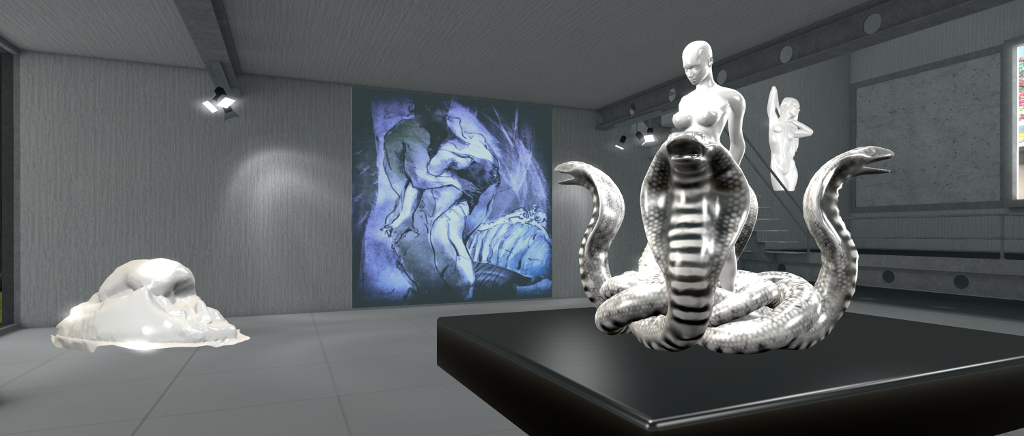
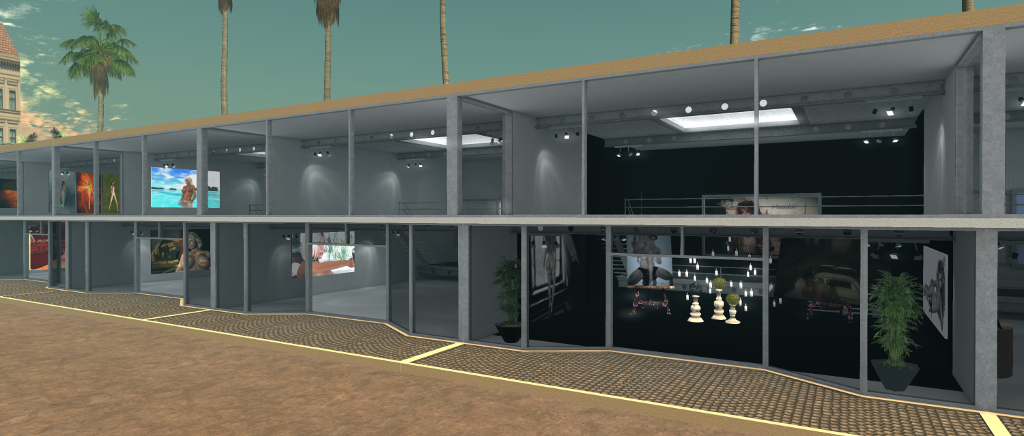
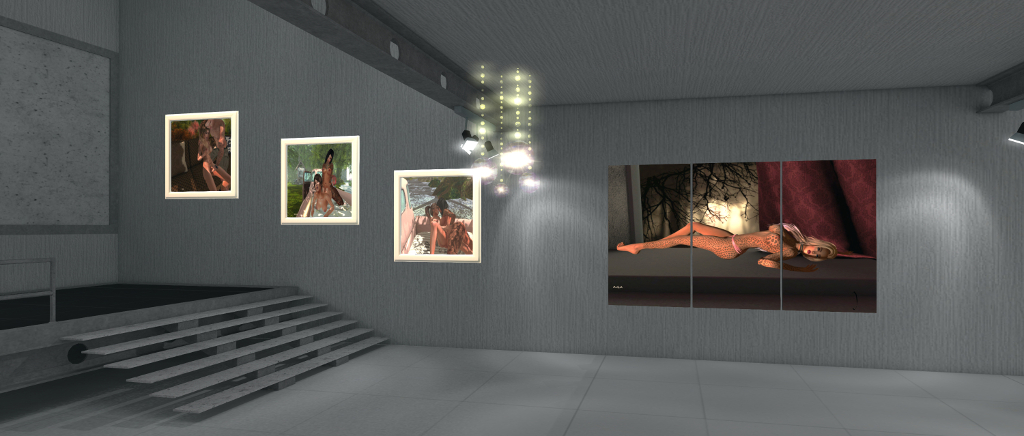
Located on a sky platform, the exhibition presents the artists work in a series of individual gallery spaces set around an events square. Some of the artists have opted to simply display their art unfettered (so to speak, and pardon the pun); others have opted to dress their display spaces in keeping with the themes of the exhibition.

Perhaps unsurprisingly, the female figure predominantly features in the art of display (there still seems to be something of a shying away from public exhibitions for full made nudity in the art world, even allowing for the Adult rating available in SL). There are exceptions to be found – but they are the minority here.  Many of the individual exhibits also seem entrenched in a familiar take on “sensuality”: full frontal nudity, sex, and SM / BDSM.

Kultivate Sensuality Exhibition

Don’t get me wrong, there’s nothing wrong with this per se in an adult-themed art exhibition, and I’ve nothing against what is on display within this exhibition. However, sensuality is a broad canvas on which to paint, and opting from full frontal or direct nudity or “simple” themes such as BDSM at times  miss an opportunity to engage imaginations beyond just titillation.

Let’s face it, the most erotic and sensuous organ in the body is the mind: so it would perhaps be nice to see more artists recognise this, and play or toy with our imaginations rather than perhaps opting for the easier boobs’n’bums approach. Why not, for example, opt for the soft focus and the use of suggestion through setting, pose, lighting, etc.? Give the eye and the mind enough to get the imagination to take notice, and then let it weave what it wishes into the image.

Which shouldn’t be taken as a complaint against seeing this exhibition. As noted above, it’s a personal – and subjective – point-of-view, although I hope it may challenge some artists to consider the subject more broadly next time around 🙂 .

Kultivate Sensuality Exhibition: Ashlee Acacia Gracemount (chey5620)

The exhibition will be marked by a number of supporting events across the weekend (all times SLT):

Friday, May 11, 2018

  • 08:00: Hot Kiss Hunt, Sensuality Raffle and How Sensual are You? Photo challenge all open.
  • 16:00 – 17:00: As Bare As You Dare event with live performer Jaq Luik

Saturday, May 12, 2018

  • 13:00 – 14:00 Naughty Trivia & Angels N Demons Party.

Sunday, May 13, 2018

  • 12:00 noon – 14:00 Sensuality Whips & Chains Masked Ball.
  • 20:00 – Exhibition, Sensuality Raffle, How Sensual Are You Photo Challenge & Hot Kiss Hunt End.

SLurl Details

Linden Lab highlights GDPR – coming into force on May 25th 2018

On May 25th, 2018 the European Union’s General Data Protection Regulation (GDPR) comes into force. While an EU regulation, the GDPR not only applies to organisations located within the EU but it will also apply to organisations located outside of the EU if they offer goods or services to, or monitor the behaviour of, EU data subjects.

The GDPR applies to all companies processing and holding the personal data of data subjects residing in the European Union, regardless of the company’s location. As such, it not  only Linden Lab, who hold data on Second Life and Sansar users in the European Union, it can also impact those operating a business through Second Life and who collect data on customers which is stored outside of the servers operated by Linden Lab.

In preparation for the enforcement of the GDPR, on May 9th, 2018, Linden Lab issued a preliminary blog post on their compliance with the GDPR, which covers both Second Life or Sansar.

GDPR, in a nutshell.

Put simply, the GDPR puts in place new requirements for the collection, maintenance, and use of personal data for residents of the European Union (EU) and European Economic Area (EEA). It’s an important evolution in privacy practices, and one we’ve already started to account for: if you notice, our existing Privacy Policy already discloses the type of personal data we collect from you, how we use and limit any sharing of your data, and your rights to control our use of your personal data.

What you can expect.

In coming weeks, we’ll provide more information on how EU residents in Second Life can best exercise their rights under GDPR. In some cases, you may take actions through your account dashboard (to modify your personal data, for instance). In others, it may be necessary to file a support ticket and verify your identity (to better protect your privacy).

– Linden Lab May 9th blog post on the upcoming GDPR

The GDPR defines personal data as, “any information related to a natural person or ‘Data Subject’, that can be used to directly or indirectly identify the person.” This includes, but is not limited to: IP addresses, on-line identifiers (including avatar names), e-mail addresses, photographs, as well as the more usual name, address, bank details, medical data, etc.

In addition to defining requirements for how such data should be managed and protected by organisations gathering it, the GDPR also specifies a number of rights to Data Subjects who have their personal information stored by companies and other entities. These include, but are not limited to:

  • The right to be informed: Data Subjects have the right to know what data is being collected, how it’s being used, how long it will be kept and whether it will be shared with any third parties.
  • The right to access: generally speaking, organisations are required, within one month of receipt of a formal request, to provide a copy of any personal data concerning the requesting Data Subject.
  • The right to rectification: a Data Subject can formally request that inaccurate or incomplete information relating to them is updated, and the update must be made within one month (exceptions can apply).
  • The right to be forgotten: a Data Subject can request the erasure of all personal data relating to them in certain circumstances (e.g. it is no longer necessary to hold it; if the data was unlawfully processed or it no longer meets the lawful ground for which it was collected). However, there are certain exceptions to this.

(In addition, the GDPR defines: The right to object (to data being gathered); The right to restrict processing; The right to data portability; and Rights related to automated decision making including profiling.)

For those running businesses through Second Life or Sansar which use services  – web sites, computers, etc.,  – outside of Second Life for the collection and storage of personal information on their EU Second Life  / Sansar customers, the GDPR might have significant import – and exposure to the risk of fines. For such businesses, the Lab’s advice is clear and straightforward:

If you collect or process personal data of EU residents on a website associated with Second Life or Sansar, or create or make use of programs that retain information about Second Life or Sansar users or their computers, you may also have obligations under the GDPR. You should consult with your legal counsel for advice regarding your site(s) or program(s).

– Linden Lab May 9th blog post on the upcoming GDPR

To help people get to grips with GDPR, if they haven’t been aware of its arrival, the Lab offer a series of links to articles and FAQs. To these I would add:

The following is a brief video outlining the GDPR in under a minute.

Two modest exhibitions to catch your eye in Second Life

Ce Soir Arts: Xanthe Firehawk – Mystical Spring – The Awakening of Spring (centre)

Art exhibitions in Second Life come in all sizes – from those that are region-sized, through ensemble gallery complexes exhibiting work by multiple artists to small boutique-style galleries, either run by the artist or curated and offering a focused exhibition featuring the work of a single artist.  Two exhibitions falling  into this latter category are Ce Soir Arts, and VOIR Gallery. They are currently and respectively hosting modest exhibitions by Xanthe Firehawk and Storie’S Helendale (GlitterPrincess Destiny) which are both well worth taking the time to visit.

Mystical Spring at Ce Soir features nine images by Xanthe celebrating the arrival of spring. They range from pure landscape settings through to beautifully created avatar studies that richly capture the mysticism and romance we sometime embody within thoughts and images of spring.

Ce Soir Arts: Xanthe Firehawk – Mystical Spring

The landscapes – La Pastorale de Printemps (“Spring Pastoral”) and Spring Awaking offer views rendered in both the soft colours and the rich blooms of spring; the latter very much the embodiment of nature bursting into a celebrating of the season, the former a little more subdued, and perhaps reflecting some of the religious / pagan connotations of spring through its title. These are mirrored  by La Danse du Printemps (“Spring Dance”) and Mystic Downpour from across the other side of the gallery space.

However, and for me at least, the most striking part of this exhibition are the five studies facing the gallery entrance. These perfectly embody all of the mysticism and fantasy we weave into spring whilst also standing as marvellous examples of Xanthe’s art. Such is the strength (and size) of the central piece – The Awakening of Spring – in this quintet of pictures, it is easy to find the eye drawn away from the smaller pictures bordering it two to a side; but I do urge you to take the time to examine them in turn, as they are as equally rich in narrative and symbolism – the unicorn, the font, the white stag – and again stunningly rendered.

VOIR Gallery: Storie’S Helendale: Solitary Moments

Solitary Moments, on display at VOIR gallery, presents a series of self-studies by Storie’S, offered in both colour and black-and-white. The Advanced lighting Model (ALM) should be enabled within the viewer prior to viewing (Preferences > Graphics) and local Windlight set to that recommended at the gallery entrance or – if you don’t have the specific Windlight – set your time of day to Midnight.

The images themselves range in tone and approach; while nudity is limited, it is perhaps best to consider them as being close to NSFW. As the title of the exhibition suggest, the pictures reflect moments caught in the time when one might be alone with one’s own thoughts.

VOIR Gallery: Storie’S Helendale: Solitary Moments

What these thoughts might be is part of the allure of the pictures; they invite us to study them and weave a mood and vignette around them. With one or two – such as Suspect Red – there is a suggestion of being caught unawares whilst lost in thought: the hand extended toward the camera perhaps in an effort to prevent the picture being captured. Meanwhile, Not Extinguished appears to suggest a certain pensiveness on the part of the subject – the cigarette, the way one arm is crossed over / holding the other… All of the images are further nuanced by their very titles, some of which invite more than one interpretation – again, Not Extinguished being a case in point.

All told, two very different, but equally engaging, exhibitions.

SLurl Details

2018 SL UG updates #19/1: Simulator User Group meeting

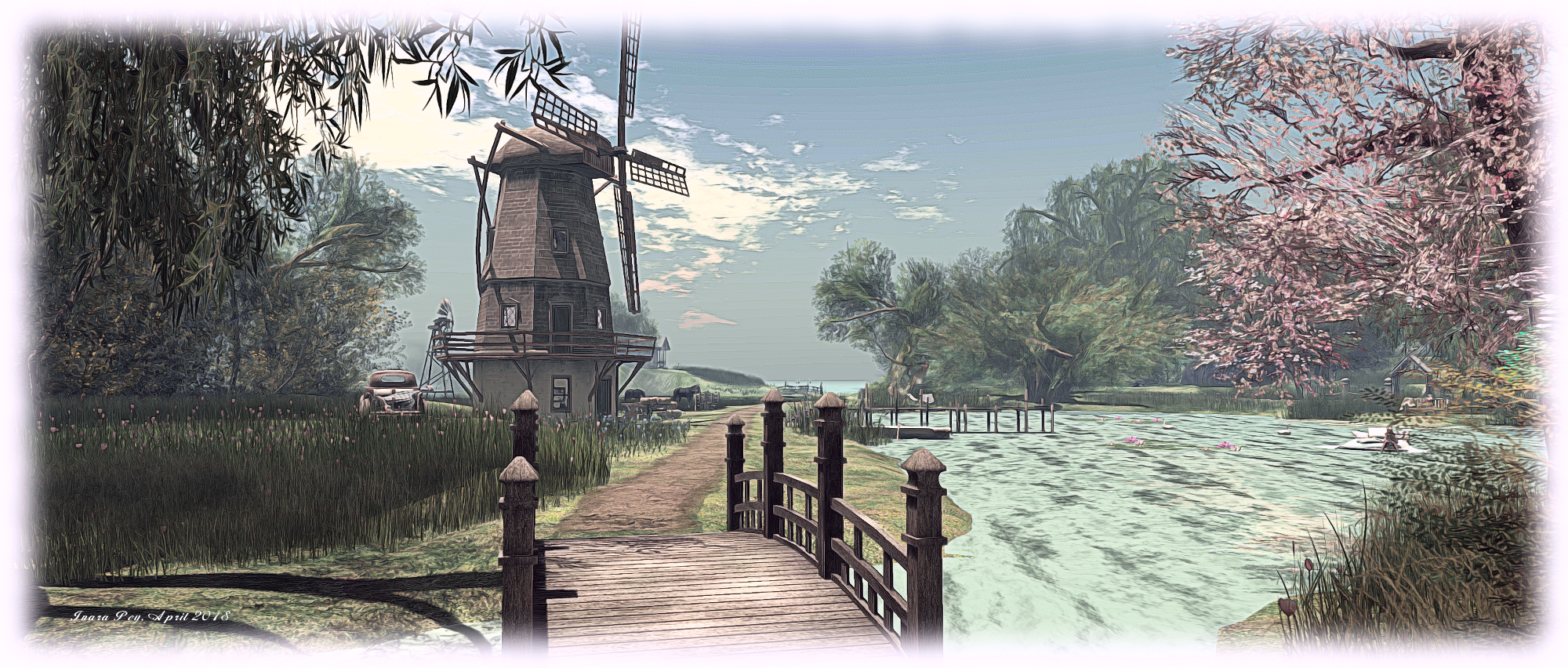
Luane's World; Inara Pey, April 2018, on FlickrLuane’s World – blog post

The following notes have been taken from the Simulator User Group, held on Tuesday, May 1st, 2018.

Server Deployments

As always, please refer to the server deployment thread for the latest updates.

  • On Tuesday, May 8th, the Main (SLS) channel received server maintenance package 18#18.04.30.515008, which includes updates to simulator communication protocols aimed at improving region crossings and teleports.
  • On Wednesday, May 9th, all three main RC channels should receive server maintenance package 18#18.05.07.515224, which includes two new LSL functions: llRequestUserKey and llName2Key –  see below for more.

Region Crossing Updates

Commenting on the region crossing updates, Simon Linden revealed he’d be out of the office for next week, but:

After I’m back I expect to continue region crossing work … the servers are now doing a better job tracking all the attachments and objects you may be sitting on. The goal is to know when the region thinks that’s all done, and the viewer acknowledges it. If that doesn’t happen, it can do better fixing it.

llRequestUserKey and llName2Key

llRequestUserKey and llNameToKey, both of which will be across all RC channels following the Wednesday deployment, are in connection with the upcoming return of Last Names (see this blog post and this blog post for more). These functions can be summarised as:

  • llRequestUserKey:
    • Requests the Agent ID for the agent identified by name from the dataserver. The name given may be either the current name of an avatar or a historical name that has been used in the past. If no agent can be found with the supplied name this function returns the value NULL_KEY.
    • It returns a handle (a key) that can be used to identify the request when the dataserver event is raised.
    • Note that agent being searched for with this function does not need to be signed on to Second Life.
    • See the llRequestRequestUserKey wiki page for more.
  • llName2Key:
    • Returns a key the Agent ID for the named agent in the region. If there is no agent with the specified name currently signed onto the region, this function returns the value NULL_KEY. Names are always provided in the form “First[ Last]” or “first[.last]” (first name with an optional last name.)
    • If the last name is omitted a last name of “Resident” is assumed. Case is not considered when resolving agent names.
    • Uses a different mechanism to look up agent information to the older llKey2Name().
    • See the llName2Key wiki page for more.

SL Viewer

There have been no SL viewer updates for the start of the week, leaving the current pipeline as:

  • Current Release version 5.1.3.513644, dated March 27, promoted April 13 – formerly the media update RC.
  • Release channel cohorts:
  • Project viewers:
  • Linux Spur viewer, version 5.0.9.329906, dated November 17, 2017 and promoted to release status 29 November – offered pending a Linux version of the Alex Ivy viewer code.
  • Obsolete platform viewer, version 3.7.28.300847, May 8, 2015 – provided for users on Windows XP and OS X versions below 10.7.

Other Items

Region Restarts and Server Moves

Once upon a time, the Lab used to put effort into trying to ensure adjacent regions in the same server or nearby server. This was most notably done through server re-balancing exercises (see my notes on one of them here, for example), carried out a couple of times a year and which could take some 6 weeks to complete. These operations generally required additional restarts for the regions being moved, and were thought to bring improvements to teleports and physical region crossings.

With hardware and infrastructure improvements over the years, coupled with other sets taken to improve overall grid performance, these operations are no longer carried out – although efforts are taken to ensure multi-region events are placed on simulators all located on the same or adjacent servers. However, nowadays, for the majority of region, they are moved purely as a part of the weekly rolling restarts.

Those wishing to know which regions might be sharing a server with their own can use Tyche Shepherd’s Grid Survey (use the region search and then click the region name link in the results). However, keep in mind not all the result may be up-to-date.

Next Meeting

As noted above, Simon Linden, who usually leads the Simulator User Group meeting will be out of the office in week #20. However, the meeting for the week will still go ahead as scheduled.