Sometimes it takes us humans quite some time to admit something to ourselves that we don’t want to admit, but eventually there’s no more putting it off.
It is with a heavy heart that I have to announce the end. It’s over. No more new Dolphin Viewer.
Thus opens a blog post dated June 22nd, from Lance Corrimal, which I am ashamed to admit I missed when it appeared. It serves as an introduction to Lance officially announcing the end of all Dolphin viewer development / maintenance work at his end of things.
He goes on:
With my current RL job and all the travelling that I’m doing there are more exciting things to do with the little time I have to spend on SL and other hobbies, than maintaining a third-party viewer… especially when most of the “maintenance” involves fixing stuff that shouldn’t have been broken in the first place.
I have been porting a few of the things that used to be in Dolphin Viewer 3 to Firestorm in the last few weeks … I invite the FS team to grab anything from there that they like.
The Dolphin Machinima Toolbox was one of the last additions to Dolphin to be release (in beta form), and held a lot of promise
This is sad news; over the years Lance had built the Dolphin viewer into an excellent offering (it was my second viewer of choice of a good while). But time has conspired against him, even though he did attempt to get the viewer back on track (and in doing so started implementing some nice additions, such as the Machinima Toolbox, seen on the right).
But the viewer is very much a living, evolving things, and playing catch-up, even with the best will in the world, can become increasingly hard (and probably more than a little demotivating when the “to do” list constantly remains longer than the “done” list). This being the case, we can hardly blame Lance for wanting to spend what free time he has to devote to SL in enjoying things in-world that he finds fun and relaxing; I know if I were in his shoes, I’d have given up a long time ago.
Lance closes his blog post with a paraphrase of a Douglas Adams quote, saying, “Goodbye, and thanks for all the fish!”
I’ll add a small response of my own, “thanks, Lance, for all of your work over the years. May the wind be always be at your back!”
Updated, July 2nd: A series of questions were asked at the Simulator User Group meeting following the release of the Experiences Tools viewer. A summary of those asked and which I’ve seen asked elsewhere has been added to the end of this article for reference.
On Tuesday, June 30th, the long-awaited Experience Tools viewer was promoted as the de factorelease viewer by Linden Lab.
An official blog post announced the move, indicating that while experiences created using the new capability will be open to all, the ability to create new experiences using the tools is available to Premium members only, who have the opportunity to create one Experience by default.
For those not previously aware of Experience Keys, I’ll simply quote from the blog post issued by the Lab back when Experience Keys reached release candidate viewer status:
Experience Keys are a powerful feature that allows creators to build more seamless and immersive experiences in Second Life. Without this feature, you need to grant individual permissions to every single scripted object included in an in-world experience, and that can mean a lot of dialogue boxes interrupting the fun! Experience Keys make it possible for creators to build experiences that ask your permission just once. In other words, you can opt-in to the entire experience, rather than having to grant individual permissions to every single scripted object included in it.
A number of Experiences are already available across the grid for people to use. The Lab’s Cornfield shooter game available through the Portal Parks, for example, utilises Experience Keys, as does Loki Eliot’s outstanding Childhood Dreams, available at SL12B through until Saturday, July 4th, 2015. There’s also a growing section of the Destination Guide devoted to Experiences.
You don’t actually have to use the Experience Tools viewer to visit and participate in any Experience. However, the viewer does provide a lot of additional information to users than viewers without the code, and is essential for those who wish to build Experiences – so expect TPVs to be updating with the code as soon as they can.
An Experience dialogue box. On the left, as it appears in an Experience Keys enabled viewer, and on the right, in a “non-Experience Tools” viewer. Both will allow users to join / refuse experiences, and indicate the levels of permissions the Experience is requesting, but the Experiences Tools viewer provides additional options
As explained in the Lab’s video, once you have accepted an invitation to join an Experience, you never need to do so again; the fact that you have accepted it and the permissions you have awarded it in respect of your avatar are remembered – so each time you re-visit, you’re not hampered by having to accept. If there are HUDs and other attachments applicable to the Experience, these are automatically applied to you on your return; if there are scores or points associated with the Experience, these are also recorded and restored on your next visit. When you leave, HUDs and other attachments belonging to the Experience are removed and any permissions you’ve granted are revoked.
If you spend time in a place that has an Experience you’d rather not join, and don’t want to be bothered by invitations to do so each time you visit that place, you can opt to block the Experience (or specific objects offering invitations to the Experience). This will prevent further invitations being sent.
The Experience floater (left) can be used to manage your Experiences and to display more information about them through the Experience Profile (right) – click for full size
For Experience users and creators, the viewer introduces two new floaters – the Experience panel and the Experience Profile, both shown above.
The Experiences floater (Me > Experiences) helps you keep track of the Experiences you join or block, or which you are involved in as an owner or collaborator. It also allows you to search for Experiences in SL, and tracks the actions taken on your avatar by the Experiences you’ve allowed.
The Experience Profile provides additional information on a specific Experience, and can be displayed a number of ways. You can, for example, highlight an Experience in the Search tab of the Experience floater and then click the View Profile button. You can also click the Experience’s link in the Allowed / Blocked / etc., tabs to display its Profile.
The Profile allows you to Allow or Block an Experience, make an Abuse Report if it is doing something intentionally abusive (such as repeatedly orbiting you). If you wish to leave an Experience, you can use the Forget button. Note that the next time you visit, it will treat you as a new joiner. If an Experience Profile includes a SLurl, clicking on it will open the Places floater, allowing you to teleport to the Experience.
The Experience Keys viewer introduces additional Estate and Land tabs to allow management of the Experiences enabled at estate / region and parcel level.
Experience Keys – which allow Experiences to run – are currently restricted to the region / parcel level. There are currently no keys which automatically allow an Experience to run across the entire grid, although this may change in the future. To help land owners to decide which, if any, Experiences they wish to have running on their land, the Experience Keys viewer also introduces two new tabs to the Region / Estate floater and the About Land floater (shown above).
Adding an Experience to your Land should only be done if you’re actually an active collaborator / participant in providing the Experience to others, or have created it yourself. Do note as well, that a hierarchy that exists between regions and parcels; if an Experience is blocked at Estate level, it cannot be run within a parcel on that estate.
Loki Eliot also has an Experience based game available at Escapades Island
In terms of creating Experiences, and as noted above, this is limited to Premium member. There is a lot of power involved in the capabilities, and so maintaining some degree of accountability with those using them is vital; so limiting the creative element to Premium members is a good way of ensuring that accountability (providing accountability is also why there are options to report abusive Experiences in both the Experiences floater and individual Experience Profiles).
Commencing at 12:01 AM on Saturday, June 27th is a special 24-hour event celebrating historical role-play and educational communities in all their forms throughout Second Life.
Decades is a collaborative event involving a core team of 12 people who have come together to develop and build an incredible region of event areas, builds, exhibits and landscaping in which no fewer than 19 live and / or interactive events will be held over the 24 hours (see the schedule below) amidst a total of 11 exhibition and activity spaces.
describing the event when inviting me to a special preview of the region, Sister (SisterButta), one of the organisers (and the co-conspirator in the original idea from which Decades grew, along with Freda Frostbite), said, “Most of us can think of at least one historical and/or educational region or RP community in SL that has been lost forever due to difficulties of financing these very precious and specialized builds and communities. We hope Decades can play a part in stemming the tide, increasing awareness and build bridges between people from all around the metaverse who celebrate history of whatever era.”
Throughout the event, people will be able to join-in with activities, tour exhibits, enjoy live performances, and more. There will be balloon rides and pony rides, even a zip line. There is an historical ship to explore and an aerospace museum which – I can honestly say – is perhaps the best of its kind I’ve seen in Second Life; put together in less than 3 weeks and incorporating the guiding hand of a genuine NASA engineer.
Donations and funds raised through the kiosks scattered across the region will go directly to Historical Communities and Royal Courts, which is designed to be an umbrella website for historical communities in virtual worlds, with the intent for it to become a clearing house for information on communities, events and activities. A place where people throughout the metaverse with an interest in historical RP and education can brain-storm and which can provide resources to for educators and historians in the use of immersive virtual environments.
Decades actually started quite modestly just a few weeks ago. “Originally, Freda and I thought, ‘oh, let’s have a dance to raise money for Royal Courts,” Sister told me as we wandered through the gardens of the region. “Then I said, ‘I’ll do an art exhibit of paintings from different time periods…’, and then…and then…voilà. it grew! Fast!”
In Memoriam, one of several places to visit at Decades
As it grew, so Decades attracted more and more support, with Jacon Cortes de Bexar, Cloee Heslop, LadyFandango, Merrytricks, Robijn, Claire-Sophie de Rocoulle, Aldo Stern, Heximander Thane, Serenek Timeless and Lucerius Zeffirelli all playing key roles in establishing the region and its associated activities, together with Freda and Sister.
Touring the region, I couldn’t help but be taken by the care with which everything has been put together and presented. As already noted, the Regional Air and Space Museum in the north-east corner of the region is simply mind-boggling in the exhibits it offers, drawing on content creators from across Second Life – and it is something I’d love to see preserved well into the future.
Towards the centre of the region there’s the main pavilion, with a display of historical horse-drawn and road vehicles, again from creators across SL, to one side, as well a a small display of vehicles of war from Da Vinci and the two World Wars; and an art display on the other. And that’s just the start – there really is a lot to see; I’m only going to make passing mention of Merrytricks’ delightful House of Cards maze, the fashion pavilion, the observatory, and the arts and period exhibitions going on throughout the event – so if you want to know more about them, make sure you set aside time on Saturday to visit Decades!
During the Meet the Lindens conversation held at SL12B on Thursday, June 25th which featured Danger Linden, Senior Director, Product, Virtual Worlds and Troy Linden, Senior Producer, a question was asked about the SL feeds – also referred to as my.secondlife.com – and whether they would continue to be developed or enhanced.
Danger Linden was direct and honest in his reply:
That’s a though one, because I don’t think anyone’s going to like the answer … The short answer is no.
It’s kind-of a mess, and it’s very difficult to maintain; it’s usage rate is on the low side compared to other feature. So, it may not be a popular answer, but no more improvements are planned on that.
My.secondlife.com has had something of a chequered history. Web Profiles first appeared in 2011, growing out of the Lab’s attempt to provide a social media style capability to users with the acquisition of Avatars United in late 2009 / early 2010, and which was shut-down at the end of September 2010. The feed capabilities followed in mid-2011, and the capabilities grew from there.
A part of my original web profile on my.secondlife.com
From the start things were a tad awkward; people’s rezdays lacked the year in which they were born (see WEB-3486 – thank you, Whirly!); profiles were very slow to load when viewed from within the viewer; once loaded, they initially required a fair proportion of screen real estate.
When the feeds were introduced, people weren’t too happy that posting anything to them from within the viewer automatically appended your location, whether you wanted it to or not, promoting concerns about the potential for stalking and similar.
The Lab, however, took the concerns and critiques on-board, and listened to suggestions. Years of birth reappeared; the profile panel was resized; better controls were added for who could see your feed / interact with it; a Twitter-like Follow button was added, as was a direct messaging capability (subsequently removed at the end of 2013 due to abuse). All of which made the feeds far more comfortable for people to use, and people did start using them more frequently as a result.
And even when things did persist in going sideways at times – such as the 2012 issues of the wrong names, posts and images turning up on the wrong feeds, or the feed gremlins dining on snapshots during upload, people still continued to use the feeds, and suggestions for improvements continued to be made.
I’ve tended to use the feeds for blog post notifications and snapshot uploads. It’s fun being ability to highlight the things we encounter in SL and sometimes have a little fun with them
Hopefully, “no plans to improve” will be shown to mean just that: no new shiny added to the feeds, and not that general problem solving when thing do hiccup will cease, or that the feeds themselves are liable to suddenly poof in the near future. While it may be a relatively small number of people who regularly use the feeds, they do so with gusto, finding them a handy means of keeping in contact with friends and contacts.
The snapshots capability is a great means of pointing people to places and events in-world, and in sharing moments. Similarly, the comments capability is extremely handy for having informal discussions in an easy-to-follow format that’s a lot more immediate and convenient than using things like forums or shuffling through Plurk events. Also, and unlike Twitter, feed comments are not limited to 140 characters, something which can make the conversational flow a little diffic …
Danger Linden (centre left) and Troy Linden (centre right) discuss Second Life and Project Sansar with Draxtor Despres and Saffia Widdershins at SL12B
Linden Lab’s next generation virtual worlds platform, code-named Project Sansar made the news in Second Life and in the media on Thursday, June 25th.
In the media, Bernadette Tansley, writing in Xconomy covers how Second Life Creator Linden Lab Prepares To Test Parallel VR Universe, delving into the forthcoming closed alpha testing for the new platform, which we know to be code-named Sansar.
In terms of Sansar news, the article specifies:
It can already run at 75 frames per second
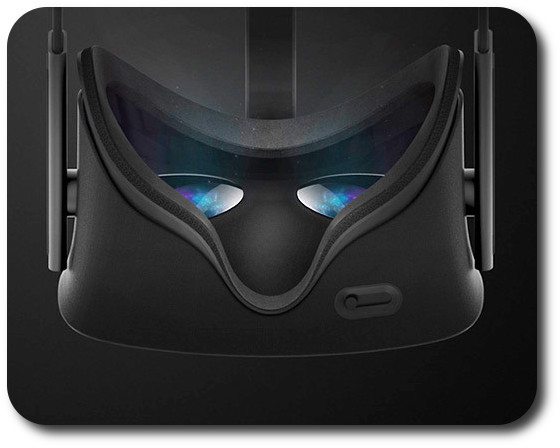
The Lab plans to accelerate the platform to 90 frames per second to sync with specifications expected for the Oculus Rift and other headsets
The initial closed alpha, involving a limited number of creators experienced in the use of Maya, will commence in July 2015
If all goes according to plan, the programme will gradually be expanded to a more public beta testing phase around the first half of 2016
A “version 1.0” of the platform might be ready by the end of 2016.
Outside of LL and Sansar, the article is interesting in that it suggests Cloud Party, which was acquired by Yahoo in 2014, is still in the running to develop a virtual world that can be operated with the upcoming new range of VR headsets, etc., alongside the Lab, Philip Rosedale’s High Fidelity and new start-up AltspaceVR.
You can read the entire piece by following the Xconomy link given above.
Drax, Danger Linden, Troy Linden and Saffia at the Meet the Lindens at SL12B
During an interview with Danger Linden, Sr. Director, Product, Virtual Worlds and Troy Linden, Senior Producer, held as a part of the SL12B Meet the Lindens series of conversations, the subject matter inevitably came around to Project Sansar, and the following tidbits of information were given.
Further confirmations of Known Basics
SL users will be able to use there SL identities with Project Sansar if they wish
Linden dollars will be the transaction currency / tokens on Project Sansar
Both voice and text will be supported in Sansar for chatting / communications.
However, neither of the above mean you’ll be able to teleport directly from SL to Sansar or vice-versa; both are separate entities.
“Master” Accounts
Users will be able to have a “master account”, under which they can then have multiple avatar accounts they can use.
The “master account” will be known only to the user and Linden Lab, and will use an e-mail address as the main form of authentication
Users can create multiple avatar accounts (or “persona names” as Danger Linden referred to them) under this “master” account, which they can use to access Sansar, and will be known to other users only by the avatar account they are using
Inventory and account balances will apparently be associated with the “master account”, allowing them to be shared between the avatar accounts under the master account
It is not clear what format avatar / persona names will take, and whether it will be a first name, last name format.
(The idea of having a “master account” with this kind of flexibility has long been on users’ wish lists for Second Life for a long time – see JIRA SVC-6212 and my own article from 2011 on the subject. As such, this is liable to be a popular move among those SL users interested in trying Second Life.)
Anonymity and Trust
Sansar users will be able to have as much anonymity as they wish. However, the more information that users provide to Linden Lab – be it wallet identity, a verified e-mail address or payment information – the more capabilities they’ll have in-world.
The idea here is to try to address the issue of griefing while still maintaining a relatively low barrier to entry – obviously, the easier it is to access the platform, the easier it is for muppets to run amok. So, the idea is that as more information is provided, the greater the level of trust established between user and Lab, allowing people to “do more” in-world and participate more. However, the exact relationship between platform capabilities awarded, and the information users will be asked to provide in order to access them, is still being determined.
Obviously, the content of the information you provide to the Lab remains private and confidential (i.e. if you supply a verified e-mail address, that e-mail address is not revealed to any other users). However, if a verified e-mail is required to, say, publish a Sansar “world”, then the fact that you have published that world will tell other users you have a verified e-mail with the Lab.
Mesh, Terrain and Building Tools
Sansar content will obviously be focused on mesh – but not necessarily exclusively mesh
Subject to further confirmation, it should be possible to also build in-world objects using voxels
Maya is the tool that is being used purely to assist with testing when the closed alpha commences. It will not be the only tool, and it will not be the sole tool for content creation (see Ebbe Altberg’s comments on alpha access and tools from the Virtual Worlds Best Practice in Education, March 2015)
A goal for Project Sansar is for people to be able to build in-world and to share in collaborative building
Sansar will include a full “professional” (in terms of its capabilities not in the need for people to have to be professional animators in order to use it) animation system, which will be based on Havoc animations (Havoc being the SL physical system), overlaid with additional capabilities / code directly from the Lab
All objects in Sansar will be fully scriptable and animated; it is not clear whether on-the-fly modifications to mesh items in-world will be possible
It is acknowledged that content creation tools can be a barrier to adoption / use; it is therefore a goal with Sansar to “make it easier to make things in Sansar than it is in Second Life”
Two new options which will be appearing in the official viewer in the near future, and which have been mentioned in this blog a number of times over the past few months are Avatar Complexity and the ability to create, save and restore graphics presets. Both are intended to provide options by which users can better tune the viewer and its settings to suit their needs and circumstances.
I’ve had the opportunity to look at both in a development viewer from the Lab, and what follows is an overview of how things may appear when both capabilities are released for general use. However, please keep in mind that things are sill very much a work-in-progress at the moment and aspects of either / both may well change between now and any functionality appearing in any public version of the viewer.
Avatar Complexity
As avatars can often be the single biggest impact on the viewer in terms of rendering, particularly in crowded places, so Avatar Complexity adds a new slider to the viewer which can be used to set a level above which avatars requiring a lot of processing will appear as a solid colour – the most popular term used to describe them being Jelly Babies after the sweet (candy) of the same name – greatly reducing the load placed on a system compared to having to render them in detail, so improving performance.
Avatar complexity is intended to help those who may hit performance issues as a result of their GPU struggling to render complex (hight render cost) avatars, by rendering such avatars as solid colours.
The intent with the capability is to allow people to adjust the setting according to circumstance, so that when in a crowded area with lots of avatars, the setting can be dialled down and more of those avatars which are harder to render become solid colours, while in quieter areas, the setting and can dialled back up, allowing more avatars to be seen in full detail.
Avatar Complexity is intended to sit alongside the avatar imposters functionality (Max # of non-impostors in the official viewer), allowing both to be used as required to produce more optimal performance in crowded or busy places.
By default, Avatar Complexity is set to No Limit, meaning all avatars in your field of view will fully render. As the slider is moved, it will list a render weight value, which is a revision of the RenderAutoMute function within the viewer previously used to help calculate the more familiar Avatar Draw / Render Weight. The latter, viewed via Advanced > Performance Tools, has also been renamed to Show Avatar Complexity Information for consistency, with the displayed information updated.
The Avatar Complexity slider in Preferences > Graphics > Advanced Graphics Preferences (l) and the new format of information displayed when Advanced > Performance Tools > Show Avatar Complexity Information is enabled (r) – click for full size
Graphics Presets
The initial work on Graphics Presets was undertaken by open source contributor Jonathan Yap (see STORM-2082) to provide a means by which users can save and restore different sets of graphics settings within the viewer. The idea being that users can then switch between different presets according to circumstance to help with viewer performance.
So, for example, one preset might have all the performance hitting items – shadows, projectors, etc., – turned on / up for times when the overall quality and depth of detail in a scene is important (such as when taking photos). Another might have these more taxing capabilities turned down / off to ease the processing load on a computer during more general activities. A third might be established for “in door” uses, with things like draw distance and the level of detail for external items (the sky, trees, terrain, reflections, etc.) all turned down, again easing the processing load.
Like Avatar Complexity, Graphics Presets is still undergoing development internally with the Lab, and so what is presented here may be subject to change.
Perhaps the most significant change this brings to the viewer is the introduction of a new Advance Graphics Preferences floater (shown below right). This is designed to display all of the options than a user can set and save within a graphics preset without having to either scroll through options (an earlier iteration of the design did use a scroll bar, but they didn’t meet with favourable reactions during testing), or having to switch between different sub tabs.
The new graphics presets options – the Advanced Graphics floater (as it is at present), and the options for saving / restoring profiles from within Preferences – click for full size