A look at the Lab’s new promo videos

secondlifeUpdate: December 26th: Seems I may have been a little hasty in critiquing the Welcome to Second Life video. Both of the new videos are intended as part of an e-mail campaign, and so additional context will be given. 

Tuesday, December 23rd saw the Lab issue two new promotional videos on You Tube (although interestingly, at the time of writing, one one appears on the WhatIs page of the official SL website). I missed both when released – so thank you to Whirly Fizzle for sending a G+ notification of both, which showed-up on my Nexus tablet.

There has often been strong criticism of past SL promotional videos produced by the Lab, some if which have seemed a tad confusing, while others have perhaps given a bit of a false impression about the platform. In the past I’ve droned on about the Lab doing more to work with established machinima makers to put together promotional material; in fact I did so as recently as January, thanks to Strawberry Singh raising awareness of a very slick promo video for an in-world brand.

So what are the latest videos like?

Well, pretty good, actually. The first one I caught is called Create in Second Life, and it’s a very good demonstration of just that – content creation in Second Life. It comes with the descriptive tag of Second Life is a powerful platform for creativity. Everything in Second Life – interactive 3D objects, unique experiences, global communities, and more – is created by people just like you.

It runs for bang-on one minute (with 52 seconds of actual footage). The editing is fast-paced without being confusing, and the various sequences provide a pretty good glimpse at various elements of content creation within the platform.  There is a lot showcased in the film, including Cica Ghost’s Little Town and the famous Dwarfins, together with Chouchou, to name the three I instantly recognised. What’s more, footage from The Drax Files: world Makers series is used (notably clips from segment #23, featuring Loz Hyde).

All told, it is a snappy, tightly-produced video that showcases SL very well.

The second (for me in terms of viewing order) is entitled Welcome to Second Life. It runs to slightly longer – 1:07 minutes, with 1:04 comprising footage. It also includes a more detailed description:

Second Life is an online 3D virtual world imagined and designed by you. From the moment you enter Second Life, you’ll discover a universe brimming with people and possibilities.

Create and customize your own digital 3D persona, also known as your avatar. Be a fashion diva, a business-savvy entrepreneur, or a robot or all three. Changing identities is quick and easy, so if you tire of your avatars outfit or body, shop for a new one in Second Life or from your web browser. Then switch it in seconds.

Every minute, Residents assemble buildings, design new fashion lines and launch clubs and businesses. There’s always more to see and do.

However, as much as I like it, it does cause something of a niggle; the video supposedly takes one through engaging in Second Life in “five easy steps”. However, actually joining SL by creating an account is completely missed. Instead, the video  gives the visual impression that all someone has to do is download the viewer and start from there (i.e. any sign-up process is inclusive to the viewer, when in fact it is a separate step), the second step being to “login to Second Life”.

A persona niggle for me with the second video is it does gloss over the need to have an SL account before downloading the viewer
A personal niggle for me in the “Welcome to Second Life” video, which is otherwise pretty good overall, is it does gloss over the need to have an SL account before a new user downloads the viewer and attempts to log-in.

This may sound nit-picky, given it is a promotional, rather than instructional, video. While I don’t expect a promo video to get bogged-down in all the steps required to sign-up, at the same time I can’t help but feel that failing to even point to the Join Now options on the web page could result in people following the steps as outlined by the video only to find themselves facing the viewer log-in screen and screaming a frustrated, “HOW?!”

Beyond this, however, the video is again slick, well-edited and does show off SL’s better features – and it is certainly good to see attention drawn to the likes of the Destination Guide to help people with their engagement in the platform, and to aspects of help and support, as well as to the broader community as represented through the website and forums.

Having said that, both videos do offer a bright, positive look at SL, with Create in Second Life really carrying the banner very well.

Lab issues Experience Keys release candidate viewer

The cornfield (game play area iuses a much darker and more atmospheric windlight)
The Cornfield: the Lab’s Experience Keys demonstrator (game play area uses a much darker and more atmospheric windlight)

On Wednesday, December 17th, the Lab issued a release candidate version of the Experience Keys viewer. Alongside  the promotion comes a new blog post promoting the availability of the viewer and the Experience Keys / Tools beta programme.

For those not previously aware of Experience Keys, the blog post provides some explanation:

Experience Keys are a powerful feature that allows creators to build more seamless and immersive experiences in Second Life. Without this feature, you need to grant individual permissions to every single scripted object included in an inworld experience, and that can mean a lot of dialog boxes interrupting the fun! Experience Keys make it possible for creators to build experiences that ask your permission just once. In other words, you can opt-in to the entire experience, rather than having to grant individual permissions to every single scripted object included in it.

I provided an overview of Experiences, Experience Keys and the the viewer-side updates when the Experience Keys viewer first appeared as a project viewer. While there have been some updates since then, the core of that article should still be valid where the viewer is concerned, and finding actual Experiences is now a lot easier given they are now listed in the Destination Guide. You can also try-out the Lab’s own Experience Tools activity, the Cornfield via the LR Portal Park1 (and it looks like another one might be opening soon!).

As to the viewer, this essentially gives you all the tools you need in order to track and manage those activities you opt to participate in or those you opt to turn down – again, the key thing with Experiences is that you retain overall control; if you don’t want to participate in something, you can decide not to opt-in. So, for example, is a region has an Experience associated with it, but you’d rather just explore, you can decide not to join the Experience when prompted, but do so at a later time. There’s also a Search option (with its own Maturity setting) that allows you to locate Experiences from within the viewer.

The Search tab on the new Experience floater - part of the Experience Keys project viewer
The Experience Keys RC viewer provides you with the tools you need to manage the Experiences you decide to participate in, or decide not to join. (the Allowed / Blocked tabs, above right), while the Search tab makes it easy to locate in-world Experiences (click for full-size)

As well as the tools for those wishing to find and participate in Experiences in SL, the viewer also includes tools and options which allow those wanting to build their own experiences – but you’ll need to refer to my preview article for more information on that.

You can, of course, still participate in those Experiences which are already available in-world with any viewer – you just won’t get the same richness of information and options that the Experience Keys RC viewer provides.

An Experience dialogue box. On the left, as it appears in an Experience Keys enabled viewer, with options to display the Experience Profile (by clicking the Experience name link) and to accept / refuse the Experience and to block the Experience (so you'll never see a prompts anywhere for it again) or to block just the current inviter. On the right, how the same dialogue appears in a viewer that is non Experience Keys enabled - you can only opt to accpt or refuse the invitation
You can use a “regular” viewer to join Experiences in-world, but you don’t get the same richness of information and options as presented by the Experience Keys RC viewer. Information displayed by the latter is shown above left, compared to a “non-Experience Keys” updated viewer on the right. While the “non” viewer still gives you basic information on the Experience you might be about to enter, the RC viewer provides a lot more – including a link you can use to display additional information on the Experience, which may additionally help you decide if you want to join in or not

Also, when you leave a region in which an experience is running, you needn’t worry about anything untoward happening to you – all permissions, etc., associated with the Experience are revoked when you leave.

As the official blog post notes, Experience Keys are, from a creation standpoint, still in beta, but the signs are the first set of capabilities will be rolled out in the very near future, hopefully not too long after the Christmas / New Year break. After that, and depending on uptake / feedback, etc., it is likely the system will be enhanced and extended.

One thing to note with Experience Keys and Tools, is that while the emphasis is primarily on game-base activities, they offer a lot of potential in other areas as well – guided tours, store demos, and more. All of which will potentially make the capability a very flexible addition to Second Life.

There will be more to come on Experience Keys and Tools, but in the meantime, and like the official blog, I’ll leave you with Torley’s explanatory video.

Related Links

Lab update on missing inventory

On Tuesday, December 16th, the Lab issued a brief statement on the matter of missing inventory which has been affecting some SL users since Wednesday, December 10th.

News on problems first arose via a forum post as people started noticing animations from Akeyo and Vista (among others) being replaced by “IP replacement” placeholders – which usual indicate removal as a result of a DMCA action. Some of those affected additionally indicated that they had also received an e-mail on the matter from the Lab – although others apparently did not.

How widespread the issue actually has been, is hard to judge; the forum thread itself involves a relatively few people, although this is obviously no accurate barometer of the overall impact and certainly not any form of mitigation for those who had been affected. Matters were further confused as a result of some support tickets raised on the matter being responded to as being a “resident to resident” issue, and therefore outside of LL’s remit.

By Sunday, December 14th, a number of SL users were pressing both the Lab (through their official community account) and Ebbe Altberg for comment, prompting him to reply:

missing-inv-3Ebbe Altberg's Tweets on the issue

Ebbe Altberg’s Tweets on the issue

Quite what went wrong isn’t clear, other than it apparently being a possible fault within an internal process. Even so, it appears to have caused a few headaches for the Lab in terms of sorting out. On Tuesday, December 16th, Ebbe further Tweeted:

Only this turned out to be a little premature, as a blog post was subsequently issued indicating that the Lab was still working to fix the matter:

Due to a recent internal error, some Residents may have noticed a few items were recently replaced within their inventories. We are working to reverse the process and hope to have the original items restored quickly.

If you believe that your items were affected, please keep an eye on your inventory – you should see the original items restored soon.

In addition to restoring the original items as quickly as possible, we are also taking steps to resolve the issue that caused the error so that we can avoid repeating it in the future. We apologize for the inconvenience and thank you for your patience.

As this article is being written, some people are still indicating that they have yet to see inventory items reinstated. An important point to not here is that if you have been impacted by the situation, do not delete the “IP replacement” placeholders in your inventory; if you do, you may adversely affect the return of your items by the Lab.

Per my comment above, precisely what went wrong is unclear. However, mistakes can and do happen, and generally  without malice aforethought. But that said, given there was something of a serious mistake made, one in part exacerbated by a degree of confusion in communications from the Lab (vis e-mails sent to those affected and support tickets being closed), one hopes that the lessons learned in both correcting the matter and as a result of reviewing how the problem first arose will be taken to heart.

Firestorm is (SL) Go – and across multiple grids!

SL go logoImportant note: The SL Go service is to be shut down on April 30th, 2015. For more information, please read this report.

On Tuesday, December 16th, 2014, OnLive, the providers of the Second Life streaming service, SL Go, announced a new addition to the SL Go service: The Firestorm Viewer.

The announcement follows several months of collaboration between the Firestorm Team, lead by Jessica Lyon, and the folk at OnLive, lead by Dennis Harper, the results of which now mean that with immediate effect, SL Go now provides a choice of TWO viewers to subscribers and users:

  • The existing SL viewer – which OnLive are referring to as “SLV” – can be used from any Mac computer, PC, and from Android devices and iPads to access Second Life
  • AND The Firestorm viewer, initially available for Mac computers and PCs, which can be used to access Second Life and OpenSim grids.

SL Go’s pricing options remain the same whichever viewer you opt to use, and you can swap between them at any time you like, should you wish. Simply make your choice from the SL Go selection screen.

SL Go users access the service via PC or Mac now have a choice of viewer: the SL Viewer (SLV, as OnLive refer to it) or Firestorm
SL Go users accessing the service via PC or Mac now have a choice of viewer: the SL Viewer (SLV, as OnLive refer to it) or Firestorm (image via OnLive)

Since its launch in March 2014, which I covered in-depth at the time, the SL Go service has proven to be very popular with people who are using low-end systems which traditionally have problems when trying to run the viewer locally. Because the viewer is streamed from OnLive’s dedicated servers,  it’s the servers that do all the heavy processing, delivering a fast, smooth service to users, thus helping to give a new lease of life to older hardware.

Of course, because SL Go is streamed, it means that – like the SL viewer offered by OnLive – certain functionality within the Firestorm offering has either been removed for security reasons (such as the Develop menu, and no access to debug settings and content cannot be uploaded), or has been disabled (such as the option to save snapshots to a hard drive – as that would effectively mean saving them to the OnLive server).

Firestorm viewer on SL Go from OnLive - click for full-size
Firestorm viewer on SL Go from OnLive (click for full-size)

The big benefit in using Firestorm through SL Go is that – with the noted exceptions due to security issues, etc., – it brings the richness of Second Life’s most popular third-party viewer to those on older systems who have perhaps felt themselves to be increasingly edged out of Second Life, something Firestorm Project Manager Jessica Lyon commented on when discussing the release with me.

“I’m really happy about this,” Jessica said. “For years folk on lower-end systems have seen significant improvements to Second Life, particularly with how the world looks, pass them by because their systems are unable to run them. We’ve even heard from many that they simply cannot use Firestorm or any other viewer and as being pushed out of SL completely.

“This release of Firestorm through OnLive, together with the existing SL viewer, hopefully gives those people a new way to enjoy Second Life. I really hope this works for them!”

I can personally attest to that. In 2010, I purchased an Asus PC EEE 1201N notebook, which has found running a viewer like Firestorm increasingly heavy going. With Firestorm through SL, with all the bells and whistles turned-up, I’m averaging around 60 fps!

Firestorm on SL Go from OnLive: almost 60 fps on a Asus PC EEE 1201N notebook with all the bells and whistles active! (this image replaces an earlier version, after I realised I'd uploaded the wrong screen cap - one with shadows disabled)
Firestorm on SL Go from OnLive: almost 60 fps on a Asus PC EEE 1201N notebook with all the bells and whistles active! (this image replaces an earlier version, after I realised I’d uploaded the wrong screen cap – one with shadows disabled)

That SL Go does bring a new lease of life to older hardware can be seen in the fact that since the launch of the service in March, 2014, the largest take-up among users has been by those using the service through the OnLive PC and Mac clients. But those who want Firestorm on their mobile devices need not fear – it will be coming in 2015.  This is something Jessica is also looking forward to.

“A could of years ago we fooled a great many people with our April Fool’s joke of a Firestorm Mobile client,” Jessica said. “The excitement over the announcement, and the outcry when it turned out to be just and April Fool’s joke, was overwhelming. The great news is – and no joke this time! – that OnLive will be making this capability real very soon!”

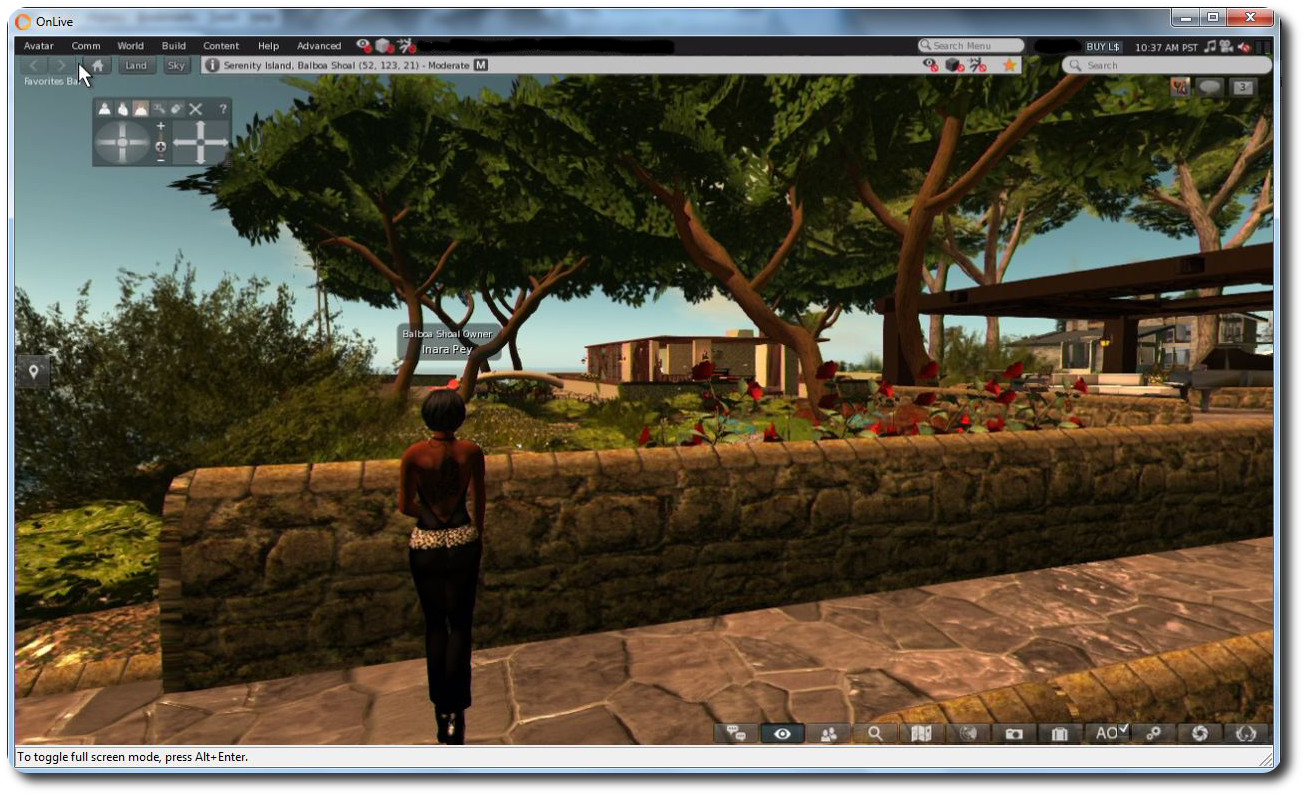
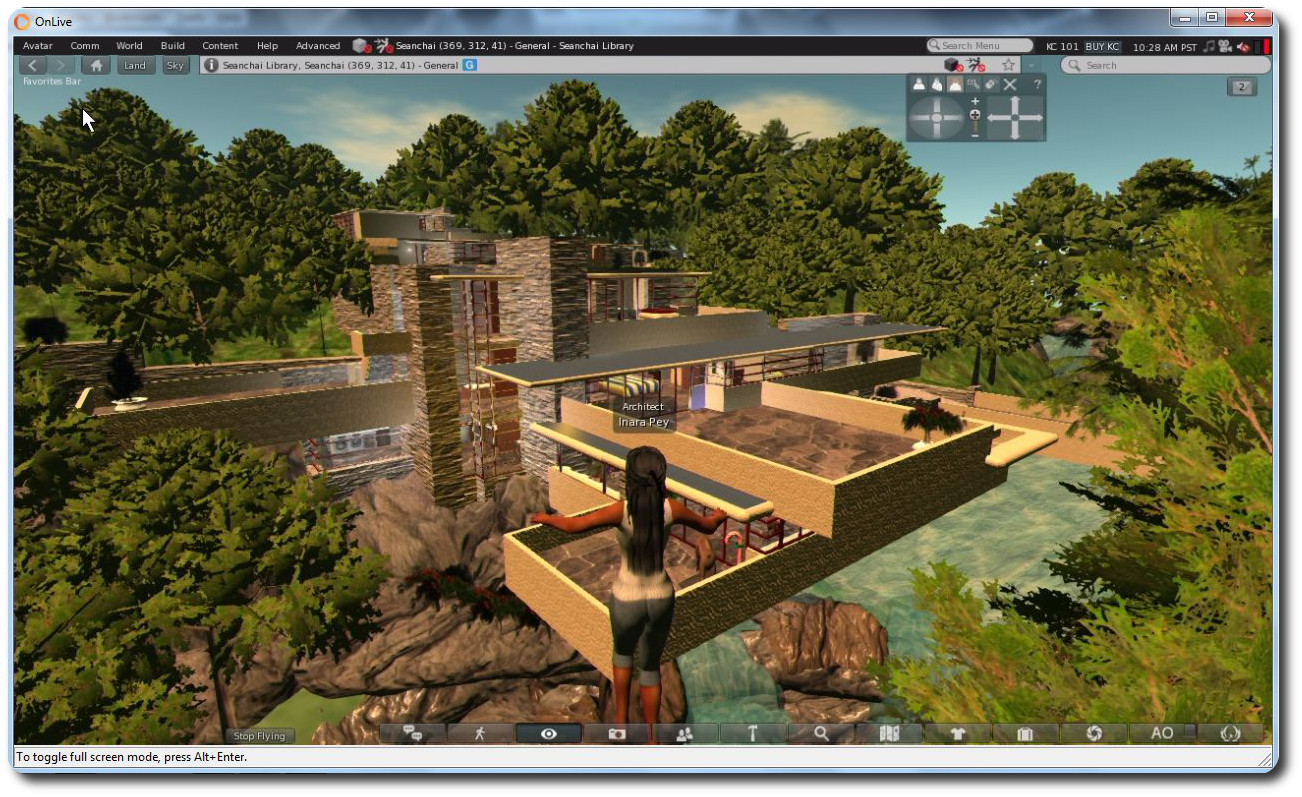
And it doesn’t end there. One capability that Firestorm brings to OnLive and SL Go  users is the ability to log into other grids as well as Second Life. The version of the viewer supplied to OnLive is the OpenSim version, which means it is complete with the grid manager and start-up grid selection drop-down, allowing you to log into all your favourite grids – as I did, logging-in to Kitely and Fallingwater at the Seanchai Library.

Use Firestorm on SL Go and any PC / Mac / laptop to access your favourite OpenSim grids (click to enlarge)

Thus, with a single subscription to OnLive, you gain access to the entire metaverse from any low-end PC or Mac in your home.

“We’re happy to be able to empower SL Go users with more choice. They’ve told us they want a choice of viewers, so offering the popular Firestorm viewer was a natural next step.” said Rick Sanchez, VP of Product and Marketing at OnLive, at the launch of the new offering.

I’ll have a more in-depth look at Firestorm on SL Go available shortly.

Viewer-managed Marketplace feedback meeting: video, audio and Q&A transcript

On Friday, December 12th, Brooke Linden chaired a meeting on the Aditi grid to discuss the upcoming Viewer-managed Marketplace (VMM) changes, which are currently undergoing beta testing on that grid. With her were core members of the Viewer-managed Marketplace development team, comprising:

  • Baker Linden has been working on the back-end of the web service for the project
  • Merov has been working on the viewer updates
  • Sklar Linden has been working on the updates to the SL marketplace itself
  • Steeltoe linden is one of the Lab’s user experience designers

Also in attendance from the Lab were Xiola Linden, lead community manager, Jeremy Linden, who is responsible for the VMM Knowledge Base documentation, and Kurt Linden from the Lab’s QA team.

The meeting was intended to gather feedback from TPV developers and merchants on the existing status of the VMM changes, as they are presented on Aditi and through the VMM project viewer. However, and for whatever reasons, attendance was somewhat low (and I plead guilty to this myself, being unable to attend), with the majority of non-Lab people attending being from TPV and viewer code development and support.

The meeting was recorded by Chakat Northspring, while Baker Linden produced an audio recording of the meeting as well.

I have embedded the video below for reference  – my thanks as always to North for providing it. It is followed by a summary of the core areas of discussion as shown in the recording, with particular emphasis on the Q&A session. Time stamps are provided so that comments can be heard in full for those preferring to read rather than listen, but do keep in mind the first part of this article is a summary, not a transcript.

Also, please note that there was a region disconnect issue at around the 32:40 mark which lasted a number of minutes. during that time the video (and voice) kept running until people re-logged, after which there was a very brief discussion. As the meeting disbanded shortly after the required relog from the disconnect, with the exception of a brief note on accessing the Aditi test regions, coverage of the meeting in this article ends at the time the disconnect occurred.

VMM Overview

The first half of the meeting [04:57 onwards] deals with how VMM will function from the user’s perspective. Most of what is discussed is covered in my overview of the VMM beta and the VMM project viewer. as well s the Lab’s VMM Knowledge Base article. However, as a very brief summary of key points:

The Marketplace listing panel is the viewer-side hub of the new VMM functionality
  • VMM doesn’t replace the marketplace, but improves aspects of managing inventory and Marketplace listings
  • With it, items can be delivered to customers directly from a merchant’s inventory (including items which are No Copy to the merchant), eliminating the need to upload items to the Marketplace servers or use Magic Boxes in-world
  • VMM allows basic listing operations to be performed from within the viewer: creating a listing, assigning a new or updated item to a listing, amend listings, remove items from a listing, and unlist goods entirely
  • VMM does this by replacing the Merchant Outbox with a new panel, the Marketplace Listing Panel (a hidden system folder within inventory)
  • Merchants can easily “migrate” existing Marketplace listings with items to be delivered by VMM in a simple 3-step process.

Continue reading “Viewer-managed Marketplace feedback meeting: video, audio and Q&A transcript” →

AMD Catalyst™ drivers: additional Windows workaround

Update, March 21st: AMD have release a new set of Catalyst™ drivers, version 15.3 beta, which include a potential fix for the rigged mesh issues, negating the need for this workaround – see my notes here.

Update, Sunday, December 14th: user DMC Jurassic reports that the process outlined below can also be used with the OpenGL .DLL files from the AMD Catalyst 14.4 drivers. However, no ZIP file of the extracted DLLs are currently available, so Yoho’s notes at the end of the article will need to be followed to obtain them.

Also note that Singularity have issued a supplemental update to address mesh rendering issues.

On Tuesday, December 9th, I blogged about the continuing issues impacting  those with AMD GPUs using the latest Catalyst and Omega drivers.

Yoho Waco offers an AMD Catalyst driver workaround for Windows users

Second Life resident, and contributor to this blog, Yoho Waco offered a workaround to the problem for Windows users who would prefer to use the latest Catalyst drivers, rather than rolling back to an earlier version.

The workaround should fix the mesh rendering issue, and while Yoho uses Windows 7 64-bit, the basic approach should work with all flavours of support windows, 64-bit and 32-bit.

I can’t actually test it myself, as I use Nvidia, but feedback indicates it works well, and so with Yoho’s permission, I’m reprinting his instructions here so that it might get broader visibility.

As many have pointed out, the issue lies in the fact that the more recent Catalyst drivers use a late version of OpenGL that is supported by SL. This being the case, Yoho provides instruction on using an earlier version of OpenGL with the more recent drivers:

It seems that the problem is in the OpenGL version has the new driver 14.12.

AMD- Catalyst-1

I tried a small solution is to take the DLL’s from version 14.9 and place them inside the folder .\SecondLifeViewer

Above left: the .DLL files from Yoho's dropbox copied into the SL viewer's installation folder;  and above right, how they are reported by the viewer
Above left: the .DLL files from Yoho’s dropbox copied into the SL viewer’s installation folder; and above right, how they are reported by the viewer

It works perfectly, no problems or fall FPS.

Yoho provides the required files in a  ZIP file users can download – just copy them to your viewer’s installation folder, as he notes above.

Note that if you’re using a viewer other than the official SL viewer, you’ll need to drop the files into the relevant installation folder, rather than .\SecondLifeViewer (e.g. in the case of Windows 64-bit, instead of dropping the files into C:\Program Files\SecondLifeViewer, you would  place them in C:\Program Files\[name of your viewer]).

Commenting to me about the fix, Yoho said:

I had to install version 14.9 on my computer and search for the files inside C:\Windows\System & C:\Windows\System32. Once copied, I completely uninstalled the version of the Catalyst 14.9 drivers and reinstalled the new version 14.12 Omega drivers. I used and application called DDU, as  it is best to fully uninstall a driver to avoid conflicts. However, this is all very complicated, so I published my DLLs [in the dropbox link above] so users can access them and copy them to their viewer.

Do note that this workaround won’t solve the shadows issues which occur with the Catalyst 14.9.x drivers (see BUG-7947 and BUG-7627), however, Yoho informs me that when he has the time, he may try to see if he can use the OpenGL DLLs from the 14.4 drivers to see if they can be used in this approach to resolve issues, both with mesh rendering and with shadows.

In the meantime, those who would prefer to use the latest drivers and have tried this approach state it works, but as always, your mileage may vary, and the workaround is offered without liability or responsibility on either Yoho’s or my part.

My thanks to Yoho for his work in this and notifying me.