Important: verifying your e-mail address with Second life

Linden Lab and Second Life use e-mail in a wide variety of ways, from direct e-mail campaigns informing users of promotions, etc., through the users having a means to obtain IMs sent to them while they are not logged-in (and even reply to them within a certain time constraint).

However, many people sign-up to Second Life, either with new accounts or additional accounts, and offer e-mail addresses which are either made up, or unused. The former is a particular problem for the Lab, as it creates additional traffic passing through ISPs, which can mark the Lab as a purveyor of “spam”.

To try to reduce this problem, the Lab recently introduced e-mail verification. When you sign-up to Second Life, the e-mail account provided will receive a request to verify it (the usual click-on-the-link approach); if you change the e-mail address, you will receive a similar verification request.

In addition, there is also an option within the Change Email Settings of your Second Life dashboard where you can have your e-mail verified without having to change your e-mail address.

This is important because, starting in the very near future, the Lab will be making changes to their e-mail service which will eventually mean that outgoing e-mails will not be sent to any unverified e-mail addresses.

So, if you want to be sure you continue to receive SL-related e-mails – such as IMs to e-mail or Marketplace information sent to your e-mail as a Merchant, etc., – it is important you ensure the e-mail you use with Second Life is verified.

Here’s how:

  • Go to your dashboard at secondlife.com.
  • Click on Account at the top left of your dashboard to open the Account sub-menu.
  • Click on Change Email Address to open the Change Email Settings page (below).
  • Locate the Verify link next to your e-mail address and click on it.
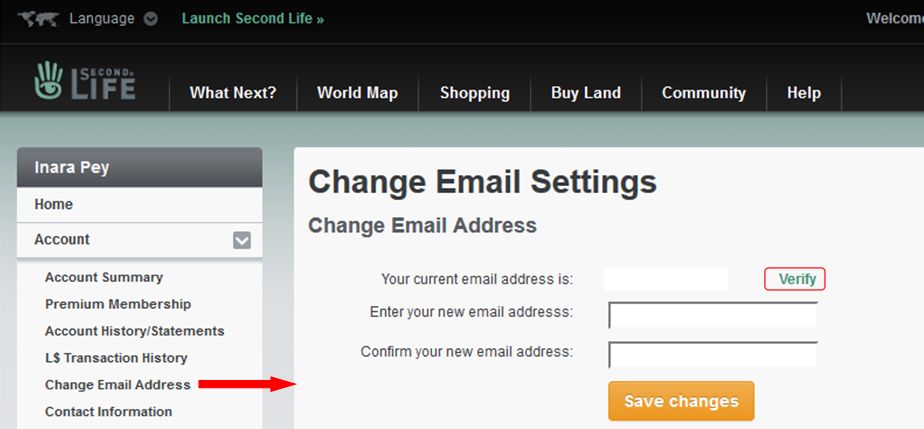
The Verify link will allow you to have your current e-mail address verified
The Verify link will allow you to have the e-mail address associated with your SL account verified
  • A verification e-mail will be sent to your current e-mail address associated with Second Life, containing a link. Click the link to verify your e-mail address.
  • Wait a minute or so, then refresh the Change Email Settings page on your dashboard. It should be updated to show your e-mail address is verified (below).
A verified e-mail address

There will be an official notification from the Lab when the work updating the e-mail service commences. However , this article can be treated as something as an advanced warning, courtesy of Oz Linden speaking at the January 27th TPV Developer meeting.

It’s not clear how long the changes will take to implement / propagate out, but it is important that if you rely on any e-mails sent to you by the Lab in relations to Second Life, you ensure your recorded e-mail address is verified, otherwise you will at some point no longer receive any e-mail notifications from the Lab until such time as you are using a verified address.
Of islands and ideas in Second Life

Yet more island changes :)
Yet more island changes 🙂

So yeah. The island home; aka the job I’m always prattling on about, or “just when you thought it was safe to read this blog…” We hadn’t actually planned on changing things. Honest. But then I mentioned to Caitlyn that while the new layout worked, it was also a bit flat, She agreed. Thus, cue the unpacking of landscaping bits …

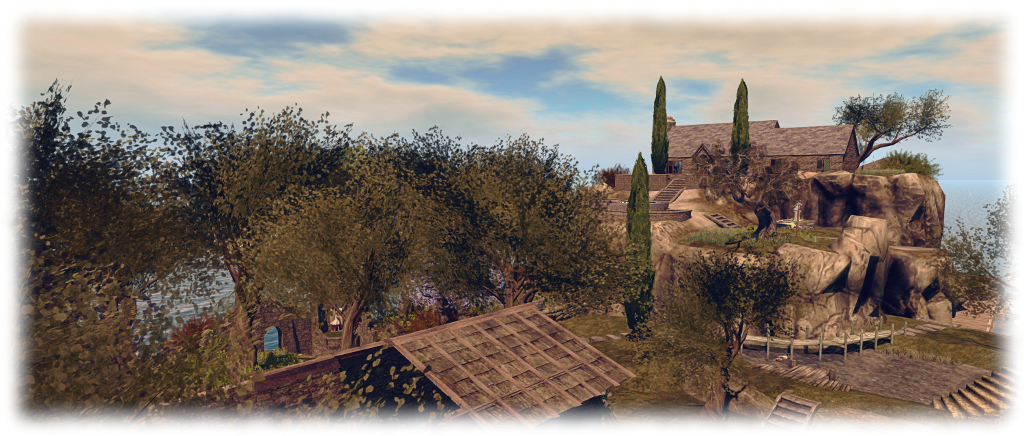
After spending time trying to integrate the northern and southern ends of the island into a “whole”, going back to rocks and cliffs might sound like things are being broken up again. However, what we’ve settled on  – we think – returns some of the character to the island, giving it more depth (or should that be height?) while retaining a unified feel.

The base of the cliffs - retaining the pond
The base of the cliffs – retaining the pond

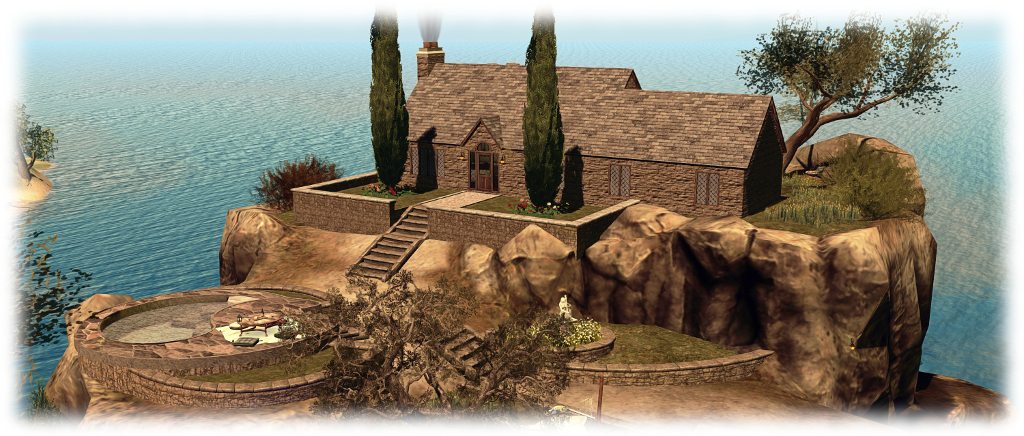
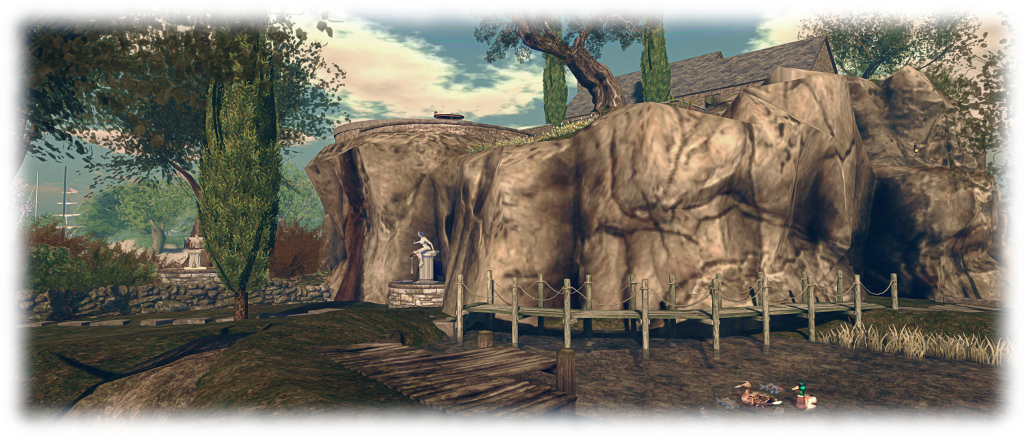
In essence, the gardens and beach at the north end of the island have given way once again to the Fanatik Rocky Island. If I’m totally honest, this isn’t my favourite piece of landscaping; the baked textures aren’t entirely to my liking, and the lack of differentiation between vertical and horizontal faces means it cannot be reasonably re-textured. But in terms of natural look, with paths and differing levels on the plateau, I’ve yet to find anything in SL that matches it.

The upper two levels of this are now the location for our little stone cottage, with front lawns, cypress trees and back patio / lawns and just a little touch of the old castle ruins. Alex Bader’s Tiered Wall Garden set allowed for a degree of landscaping on the lower two levels of the plateau, allowing us to add lawns and the Trompe Loeil Dorina Outdoor Hangout, converted back to use as a pool.

The Trompe Loeil Outdoor Hangout makes a nice vantage point to watch passing boats
The Trompe Loeil Outdoor Hangout makes a nice vantage point to watch passing boat races through the channel south of us

One of the other positive aspects of the Fanatik rocky island is that it comes handed, so slipping it into the island and having the switch back path leading up one side match the moorings for our two ‘planes was nice and easy – and provided a route from house through island in the process. At Caitlyn’s suggestion, Alex’s Boardwalk set provided further integration between cliffs and fields by providing a wooden path around the rocks and over one side of our pond.

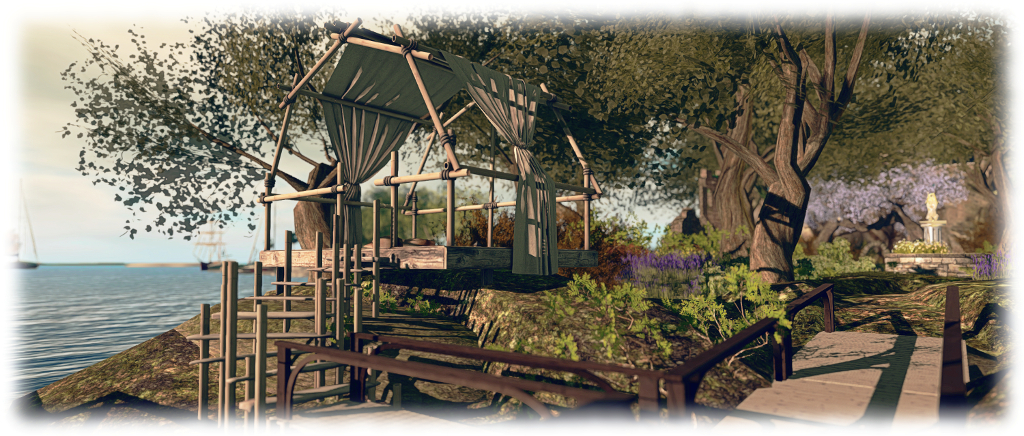
We also recently thinned-out some of the ruins, and shunted the old chapel across to the east side of the island. So in re-arranging things, we’ve been able to include an open grassy area at the base of the cliffs, Alex’s Ancient Stone Wall building set dividing it neatly from the “wilder” woodlands while a Stepping Stones set from Cube Republic offers a nice pathway to link everything together. Finally, a gift from John and Eles Briana means we now have a little “summer-house” in the form of the Trop Loeil Outcrop Hut, where we can watch the passing boats in the local sailing races.

I'm not the world's greatest fan of the Fanatik Rocky Island, but there is no denying its dramatic potential
I’m not the world’s greatest fan of the Fanatik Rocky Island, but there is no denying its dramatic potential

So, once again, a few more nips and tucks  – and a very big rock – at home. Now, onto the next project!

Place Pages: a new gateway to your activities in Second Life

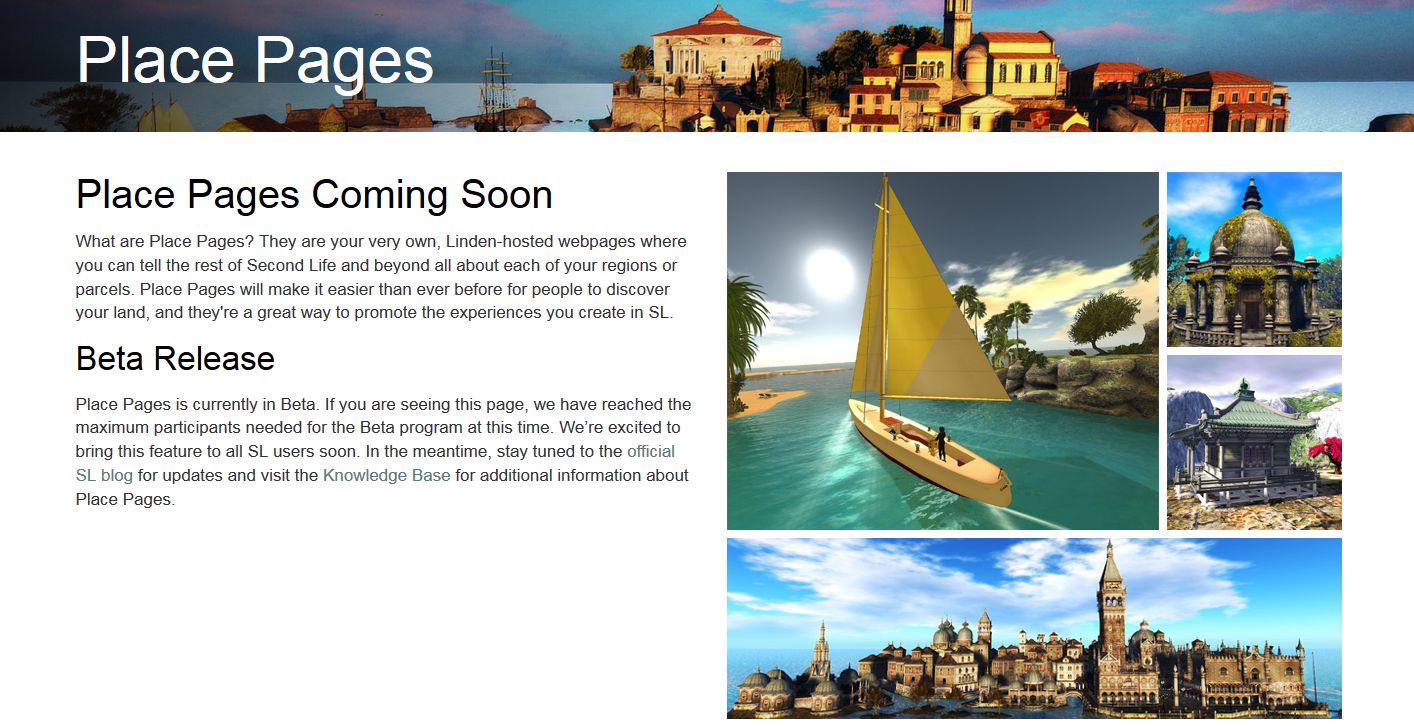
Second Life Places Beta Page

On January 11th, 2017, the Lab announced a new beta programme – Second Life Place Pages.

In essence this allows region and parcel owners to create a web browsable page for their location(s) in-world where they can be shared through blogs, websites, etc. Included with each page are buttons to allow visitors to the page to launch their viewer and teleport directly to your location (assuming they are Second Life users – if not, they’ll have to sign-up  via the provided link to the main sign-up process).

In order for people to be able to use the Places pages to promote their own locations, certain criteria must be met:

  • You must own the parcel / region in question OR you must be assigned a the group ability to Toggle ‘Show Place in Search’ And Set Category within the group owning the land
  • About Land > Show Place in Search must be checked (recurring fee of L$30 a week).

The announcement itself was – frankly – vague. Whilst explaining the purpose of Places, and the fact it is beta, the blog post itself doesn’t actually provide information on where to find detailed information on the new pages – such as how to get started or even how to view the new pages. While there is a link to a forum post, it also isn’t that much more informative on where to find information for those unsure of how to proceed. This being the case, here are the key links:

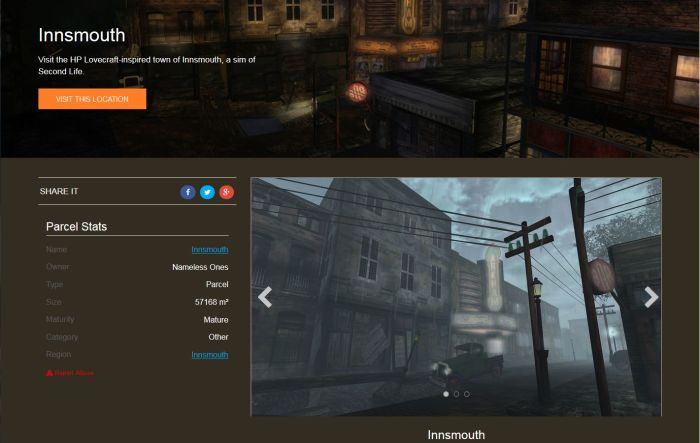
A part of the Places page set-up by the Lab for the Innsmouth role-play community
A part of the Places page set-up by the Lab for the Innsmouth role-play community – click image to visit the page

As a quick run-down of the basics, providing you meet the criteria for establishing public Places page(s) for your parcel(s) / region(s) as defined above, you can get started by:

  • Visiting the Places home page – note you may have to log-in to it.
  • Hovering the mouse pointer over your name (top right of the page) and selecting My Places from the displayed drop down  – this will list all of your parcels and regions. You can then select those you wish to edit, and follow the instructions in the Knowledge Base article.
  • Note that A Places page for a parcel can also be “hidden” at any time by unchecking Show Place in Search in the About Land window, while all Places pages for a region, regardless of parcel settings, can be hidden by checking World > Region/Estate > Region >  Block Land Show in Search.

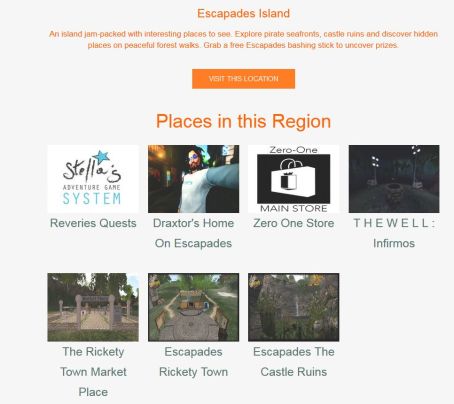
Within the pages are options to embed image slide shows, machinima videos and include social media buttons to Facebook, Twitter, Google+ for those wishing to use them, as well as basic information on the location itself. There is also the ability to include a 360-snaphot banner / hero image, and to include links to the Places pages for locations  / venues within the current location. For example, Loki Eliot’s Escapades Places page includes links to the Places pages for venues with his Escapades island, as shown below.

If you have a location with multiple venues / places to visit, you can create a Places page for it, and then link to the Places pages for each of the venues / places within it - as Loki Eliot has done with Escapades Island (click to go to the Escapades Place page)
If you have a location with multiple venues / places to visit, you can create a Places page for it, and then link to the Places pages for each of the venues / places within it – as Loki Eliot has done with Escapades Island (click to go to the Escapades Place page)

All of which make the pages somewhat flexible. And while they are fairly basic at present, they could evolve into exceptionally useful items and make the L$30 a week search listing fee more than worthwhile.

Note, however that as a beta, capabilities are both limited and subject to bugs. The Lab is welcoming ideas and feature requests, and asks that specific bugs (the linking to places described above is buggy, for example), are reported via JIRA. General feedback and observations should be given via the official forum thread,

I’m not sure how many actually have access to the beta programme, or whether this initial deployment is restricted to those who actually OWN regions. However, I’ve been unable to access those parcels / regions where I have the required group rights as an Estate Manager and the land is listed in Search. Others in a similar position to myself have also reported they cannot view the Places pages for  their regions.  This being the case, and in addition to the screen shots above, here are some Places pages links for those wanting a closer look at things:

Of snowball fights and premium discounts in Second Life

Winter Wonderland - the snowball fight Arena awaits
Winter Wonderland – the snowball fight Arena awaits

The Lab has been awash with blog posts this last week. There was news of  a new Marketplace promotion – the 12 Days Of Savings, which launched on Wednesday, December 14th and runs through to December 25th. It sees the Lab hook-up with selected content creators to offer up to 70% off selected goods for the period.

That was followed by the announcement of the Jolly Holiday Crawl, and a chance to meeting Linden staff as they hop across wintry regions before retiring to Winter Wonderland for the time-honoured residents vs Lab snowball fight.

The Jolly Holiday Crawl will start at 1:00 SLT on Monday, December 19th, and conclude at :12:00 SLT at the Winter Wonderland, ready for the snowball engagement at Winter Wonderland, which will continue through to 14:00 SLT (officially!). There’s a special gift on offer for those taking part, and the itinerary reads as follows (all times SLT):

Winter Wonderland
Winter Wonderland

To coincide with the above, and the opening of the all new Portal Parks (see my post here for more), the Lab officially announced the re-opening of Winter Wonderland on Thursday, December 15th, together with an end-of-year Premium Membership discount drive.

The five regions of Winter Wonderland offer the Village of Lights (with the main landing point), the snow track for snowboard and snowmobiles (rezzers at the starting point), the skating rinks, Ferris wheel, walks in the snow, and – of course – the snowball fight arena.

The Premium Membership discount is this time in respect of the Quarterly  Billing plan, and relates to 50% off your first payment under that plan.  (all subsequent payments will be at the standard rate), and provides all the usual Premium perks. In addition, new and existing Premium members can claim yet another premium gift, which this time also includes a Premium Badge which unlocks exclusive options at Winter Wonderland (e.g. upgrading snowball weapons in the snowball arena).

For those who are interested in the Premium Membership offer, it expires on January 2nd 2017, at 08:00 SLT – be sure to read the small print on both the official blog post and the Premium sign-up page.

The all new (new) portal parks open in Second Life

New Portal Parks
New Portal Parks

Back in October 2016, Linden Lab blogged about various updates to Second Life (see here). One of the updates mentioned concerned the new two-region Portal Parks, which I wenet on to write about in a little more depth (see here).

Well – guess what? It’s all changed again!

“We made everything fit into one region again,” Naughty Mole told me as I dropped into one of the new Portal Park regions on the suggestion of Dee Linden. “These will be replacing the 2-region ones, which will be gone in a few hours.”

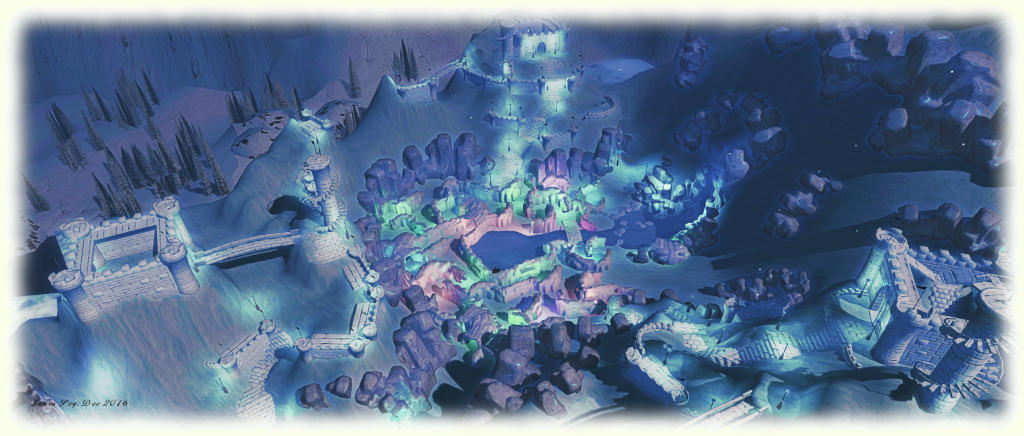
There is something distinctly Tolkienesque about the new parks, which offer a very compact design. At the centre is a huge tree, rooted in a massive crystal, which itself hovers gently in the air, light rising in twists and spirals around it from the glimmering water below.

New Portal Parks
New Portal Parks

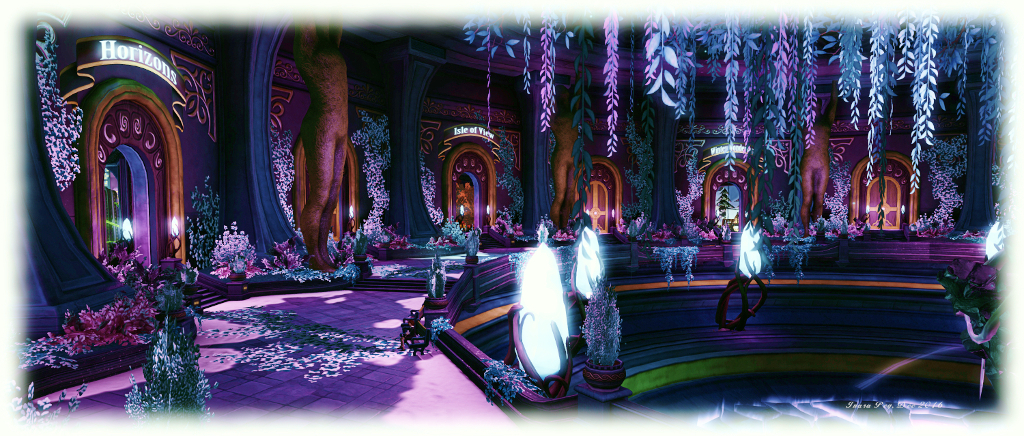
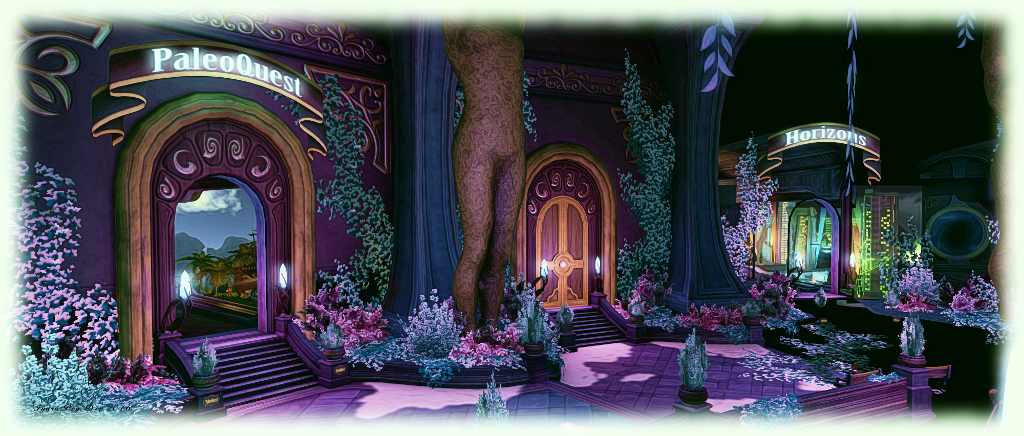
Around this is a circular pathway, sitting between the rim of the pool and the great walls of an all-encompassing dome, ageist which great statues and pillars stand, feet garlanded in flowers and plants, the walls behind them set with growing ivy while crystals light the scene. Within these walls are set great doors. Some are closed, their lintels guarded by ancient runes – representing destinations still to come. Others are open, offering walkways to waiting portals, the destination displayed in glowing letters above the runes which might otherwise guard them.

All of the current Lab-provided destinations are represented: Gaming Island, Halloween Haunted, Horizons, Isle of View, Linden Realms, PaleoQuest, The Cornfield and Winter Wonderland. However, if any are not currently open to the public, their teleport portals are sealed and inactive.

New Portal Parks
New Portal Parks

Of the various portal parks designs, this is both the most compact – and potentially the best looking. A landing point built out over the central well present people with a place to sit and a map of the available portals on the surrounding walkway. Admittedly, this started to get a little crowded as people were diverted from the “old” parks – but things will hopefully settle down as both of the portal parks come into use.

SLurl Details

Lab adjusts billing and trading limits in Second Life

On Tuesday, December 13th, Linden Lab announced updates to the caps placed on trading volumes across the LindeX which are designed to help prevent fraud.

The announcement reads in full:

Many Residents participate in the LindeX® exchange – trading L$ and contributing to the Second Life economy on a regular basis. As part of our commitment to prevent fraud and comply with applicable regulations, there are limitations in place that cap the trading volume for each Resident’s account at certain tiers.

We have recently reviewed and adjusted these tier limits to better accommodate the needs of Second Life Residents. For most, these changes will be beneficial, and you can review the details of your current trading limits by logging into your account and visiting your order history.

If you find that you need higher limits, you can request a tier limit review through our support system. Simply submit a ticket –> Billing –> LindeX Billing and Trading Limits Review Request (for basic accounts) or  Billing and L$ -> LindeX Tier Review ticket options (for premium accounts).

Happy trading!