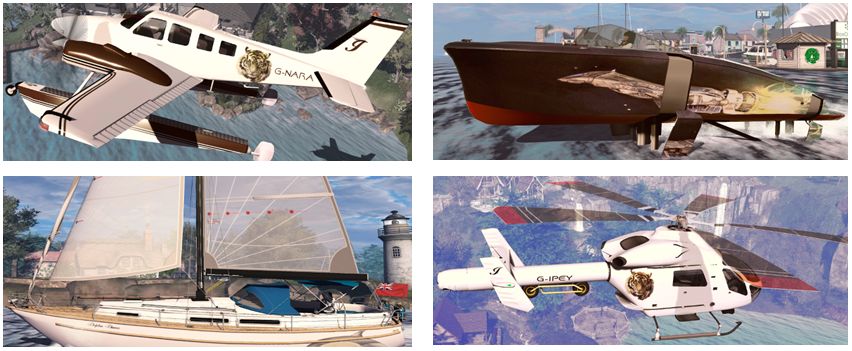
A look at my most-used SL vehicles (thus far!)

Some of my preferred vehicles in SL

I’ve written a lot about the boats and aircraft I’ve purchased and used in Second Life, and more than a few people have asked what I rate as my favourites. Well, the fact is, I’m not sure I have any favourites per se, but there are those I tend to use a lot in preference to others, so I thought I’d offer a summary of those I tend to use the most.

Bandit 50/3

Hull names: Sea Tiger 3 and Dolphin Dancer.

Released in May 2019, the Bandit 50/3 is the best sailing experience I’d had in Second Life (remembering that I’ve yet to really get into sail racing in-world, so my sailing is purely for pleasure). I reviewed it just after it has been released, and in the months since, my opinion of it hasn’t changed.

The BOSS sailing system means all of Analyse Dean’s boats have realistic handling, and this makes the 50/3 a particular pleasure to sail, while it comes packed with animations and options that make it a lot of fun to use whether at sea or moored.

My Bandit 50/3 Sea Tiger 3 underway

Additional information:

DSA G58 Baron

Registration: G-NARA.

I first started taking flying in SL seriously when I picked up the DSA C33 Debonair (available for a bargain price of L$200). Since then, I’ve picked up a number of these builds, with the G58 Baron becoming my favourite, on the basis of its looks and size: I like twin-engined light aircraft and the Baron fits neatly into the space we have on the home island and I have at my Linden Home houseboat.

DSA aircraft may not be the more recent aircraft in SL in terms of build and scripting, but they make for comfortable, easy-to-grasp flying with a reasonable degree of realism, all utilising the same script engine and HUD system. However, my personal attraction to them is the floats option models like the G58 have. It allows the pilot to swap back and forth between the ‘plane’s wheeled undercarriage and floats with simple local chat commands, making it possible to fly them from / to almost any land-based airstrip / airport and any publicly-accessible Linden Water with ease or the need to swap models from inventory.
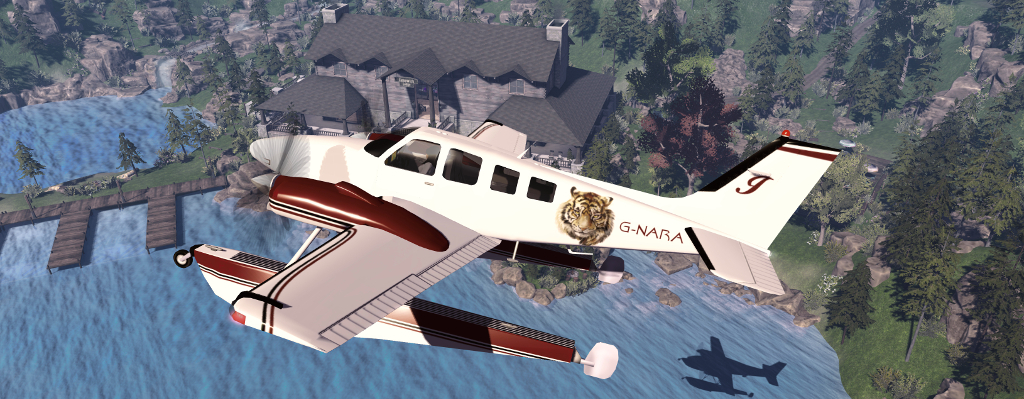
The DSA G58 Baron

Additional information:

Piaggio Systems Little Bee

Hull names: Serenity and Black Jack.

I’ve had a four-year association with Piaggio builds, and it started in 2015 with this classic tender-style speed boat that comes with some unusual capabilities.

Smartly styled, this is a fast little boat than handles exceptionally well, while for those who want a little more speed, it has a hydrofoil option that can see it really zip along. Nor is this all; also for the sports-minded, the Little Bee includes wakeboard and parasail options. It also utilises Ape’s cinematic camera system, making it possible to see / photo / film it from a range of angles and views as the camera system steps through them. For those who live a distance from water, the Little Bee even comes with a trailer from which it can be launched (and to which it can be recovered), with a VW Beetle to tow it.
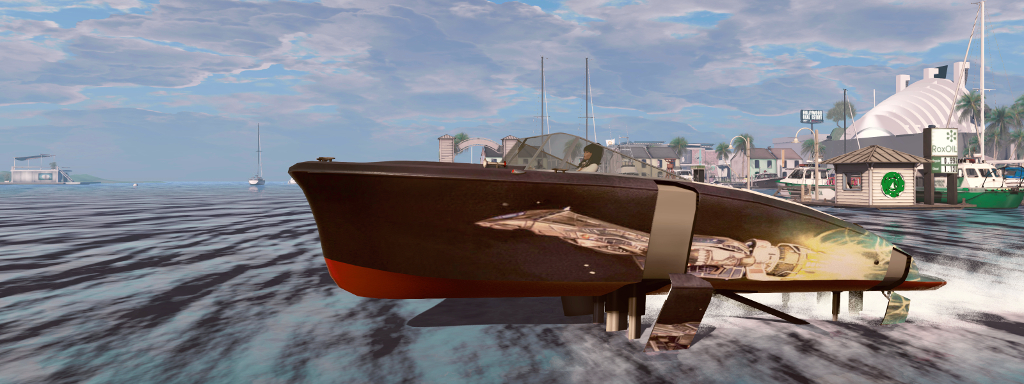
My Little Bee Serenity running with hydrofoils deployed

Additional Information:

ReneMarine Ask 13

Released in April 2018, the ReneMarine Ask 13 is an Second Life sail plane that is – to my knowledge, at least – still the best that is available. Based on the Schleicher ASK 13, of which I have experience in flying with in the physical world, it comes with a vintage Curtiss JN-4 aero-tow to help in getting off the ground.

Once airborne, the Ask 13 can be operated like a real sail plane, using SL’s wind system and thermals to gain lift and altitude, while free-flying between thermals allows for aerobatics, while a HUD makes locating thermals across regions easy. A two-seater with switchable controls, it’s also an excellent vehicle for training friends who want to learn to glide as well.

Riding a thermal in my Ask 13

Additional information:

Spijkers & Wingtips MD 900 Explorer

Registration: G-IPEY.

In writing this piece, I was surprised to realise I’ve had my MD 900 Explorer for five years, although it really doesn’t feel that long. old among my vehicles it might well be, but it remains fun to fly. It handles regions crossings as well as can be expected with 4 avatars on board, and has some fun options, such as camera following searchlight, the winch system and the auto-deployable pontoons for water landings. These all make it suitable for a variety of roles – as a casual glance through the available paint schemes on the MP will show.

Like the vast majority of vehicles I have, the MD 900 is with .PST files for producing custom finishes, while its Modify permissions mean these can be applied directly, rather than necessarily having to rely on a scripted applier. The Modify option also means I had a little fun using the Piaggio vehicle transportation system to allow my MD 900 carry the Piaggio S33 RoadRunner beneath its tail boom, just in case I should ever need to take to the road after flying to some new location.
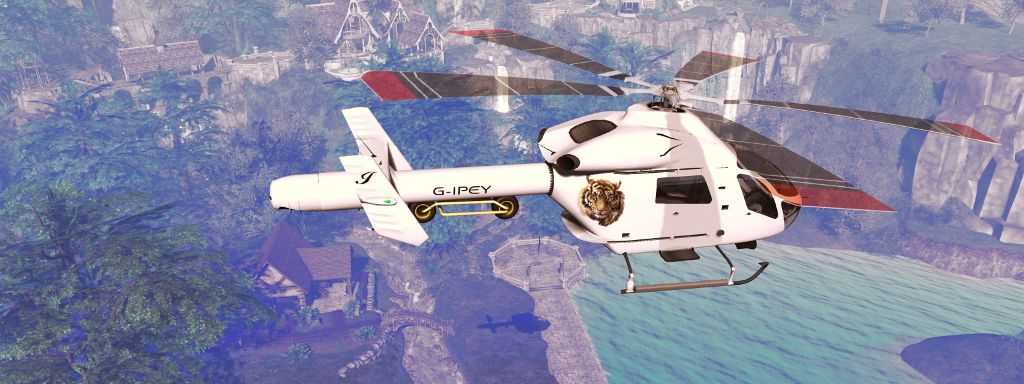
Flying my MD 900, complete with my Piaggio RoadRunner slung under the tail boom

Additional information:

TBM Kronos

Registration: G-INAR

I was directed towards the TBM Kronos as a result of writing about another biplane, the CLSA Stampe SV.4. It was not something I had any intention of buying, but after trying out the demo version, I was hooked. It’s not exactly a ‘plane for starting out with SL flying, but it is a lot of fun to fly.

Resembling the Pitt Special S1 / S2, the Kronos is a single-seat biplane that has been designed specifically for aerobatics in Second Life. Small and easy to handle, it is superb for use within the confines of a single region – as the demo version ably shows – but it also handles region crossings well. It’s the best I’ve used for a range of manoeuvres from inside / outside loops through various rolls to Immelmanns and the split S (I’ve not mastered the hammerhead,  possibly because full opposite aileron can’t be applied relative to the rudder).

Pulling a loop over Isla Pey in my TBM Kronos with the smoke on

Additional information:

WALT SeaRoo

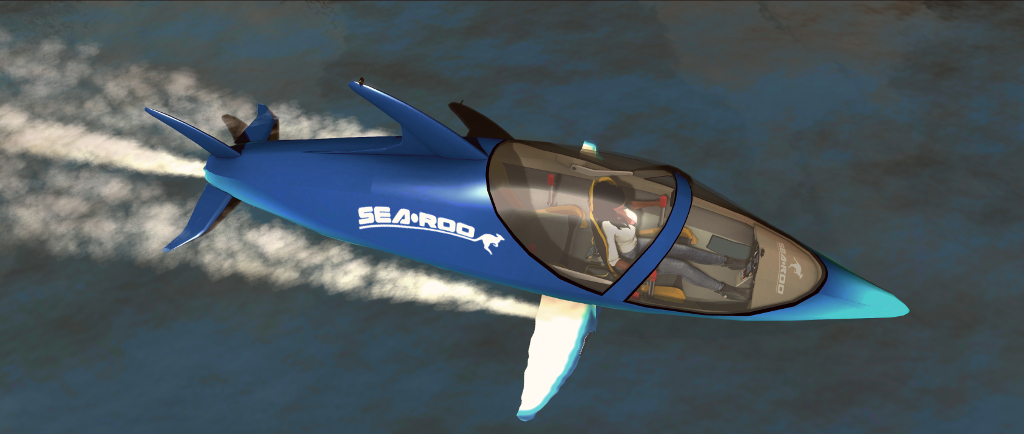
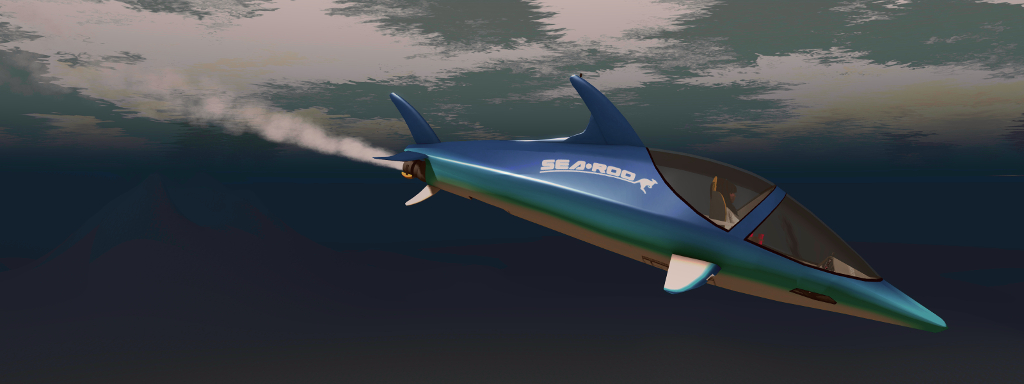
At the time of writing, the SeaRoo is the most recent release from Ape Piaggio using the WALT brand name. It’s another vehicle I played something of a role in helping to develop, but that’s not the reason it is listed here. The simple fact is, the SeaRoo is an extraordinary amount of fun, without out on (or under) the water on your own or with a passenger.

The complete package comes with a range of options for racing and performing acrobatics (if you have rezzing rights in the available water), and includes a dock system. With a cache of poses when the boat is floating free rather than being driven, as well as its outstanding handling, the SeaRoo is probably the best legal fun you can have one, under – and even over at times – Linden Water.
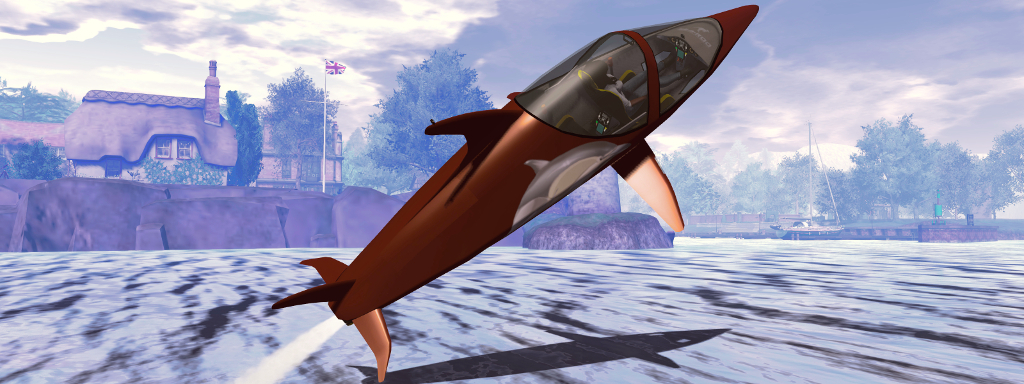
Leaping in the WALT SeaRoo

Additional information:

I don’t really use land vehicles, and I’m certainly no expert with them; hence the lack of any listed here. However, were I to include one, then – and at the risk of being accused of bias, and remembering I only have limited experience with land / road vehicles – it would have to be the Piaggio S33 RoadRunner. At L$350, it is modestly priced, nippy, easy to use and fun. You can read more about it here.

Again, the above is not intended to be a list of the “best” (design-wise, script-wise, build-wise or otherwise); they are simply the ones among I own that – as noted – I use the most, and would particularly recommend to those interested and who may not have them already.

Season’s Greetings

Merry Christmas to all, and sincere thanks for reading / following my random thoughts and reporting. May you have a restful Christmas and a joyous, safe and healthy 2020!

Product review: the WALT Sea Roo in Second Life

The Piaggio WALT Sea Roo in its box

It’s taken a while to reach the market place since I first wrote about it under the prototype name of WaveHopper (see Previewing a little wave hopping in Second Life), but Ape Piaggio’s WALT (Walter, Air Land, Technologies) branded SeaRoo has reached the market. The delays in the release have been due to some final fine-tuning of the vehicle and its scripting – and have also allowed Ape to add further animations as well as a number of further options for the vehicle.

Based on the physical world Innespace Seabreacher, a two-seat semi-submersible personal watercraft that is shaped like a Dolphin and mimics its movement on and under the water, the SeaRoo behaves like a speedboat and can make short dives (up to 60 seconds at a time) underwater. It can be piloted in both Mouselook (the dashboard has working instruments) and third-person views, making it an all-around leisure craft.

Priced at L$3,000, the SeaRoo is delivered in a package that comprises the vehicle, a system to build one or more SeaRoo mooring points (and which includes a fuelling station), an obstacle / race course building set, the SeaRoo Key (described below), a tool kit for adding custom animations (it comes with a range of single and couple animations for when it is not being piloted) and a comprehensive set of manuals, the main user guide of which includes a link for downloading a set of .PST files should you wish to create paint schemes for the vehicle.

The SeaRoo can be touched for a menu system. If touched when outside the vehicle, the menu is more limited in scope (l) than when seated in the vehicle (r). When seated, the full menu is displayed, providing access to all of the vehicle’s options and settings. Refer to the SeaRoo’s user manual for full details

I’m not going to run through absolutely everything with the SeaRoo – the user guide is comprehensive in that regard, but it is worth covering come of the highlights.

SeaRoo Controls and Operation

By default, the SeaRoo’s controls match those of an aircraft:

  • The ◀ and ▶ or A and D keys turn the SeaRoo left or right when in motion.
  • The ▲ and ▼ or W and S keys pitch the nose down (dive) or up (surface / jump)
  • The PAGE UP and PAGE DOWN keys or E and C increase and decrease the throttle respectively, with PAGE DOWN / C putting the vehicle into reverse from 0% throttle.
    • A double tap on PAGE UP / W will set the throttle to 100%.
    • Pressing PAGE UP and PAGE DOWN (or E and C) simultaneously will cut the throttle to 0%.

Those who prefer a boat-style layout for the main controls, with the ▲ and ▼ (W and S) keys controlling the throttle, can switch to this mode of operation via the menu → Settings → Tuning → CTRL Style. In this mode, the PAGE keys and E/C will control the SeaRoo’s pitch down/up.

To sit in the vehicle, right click on it and select Sit Here from the context / pie menu. Once seated, and as with most vehicles, the SeaRoo’s engine can be turned on / off using “s” in local chat, or “start” / “stop” – note that all of the SeaRoo’s chat commands are entered in lower case.

Zipping along above the waves

Key Vehicle Features

“Keyless Activation”

Enabled by default, this causes the canopy to open and the dashboard to engage when you are with a few metres of your SeaRoo. Similarly, when moving away from the vehicle, the dashboard will turn off and the canopy canopy automatically close. This option can be disabled / enabled via the menu: Settings → Keyless.

The HUD

The Sea Roo HUD

By default, those sitting in a SeaRoo (pilot or passenger) get offered a HUD. It is not vital to piloting the SeaRoo, but provides an informational display (shown on the right) for fuel, speed, heading, engine temperature and power settings. It also includes three buttons:

  • Resize: increase / decrease the HUD’s size via a dialogue box.
  • Menu: access the main menu.
  • Colors: set the colours for the SeaRoo’s dashboard.

Note that the HUD is inactive whenever the SeaRoo’s engine is not running, and further details can be found in the user guide.

Hovertext Information

When the SeaRoo’s engine is on, information on the vehicle’s speed, engine power level and temperature, and the fuel level is displayed over the SeaRoo’s tail. It can be disabled / enabled by typing “hud” in local chat.

General Handling Notes

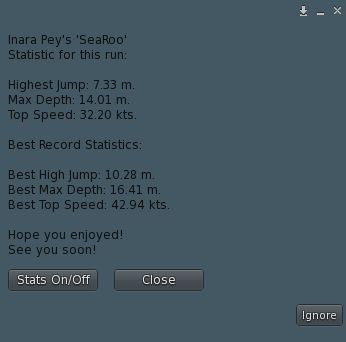
After any trip, the SeaRoo can report a set of statistics for you. Toggle off via the button, if required

Like many vehicles, the faster the SeaRoo goes, the more responsive it becomes. As such, I recommend handling it at low to mid-range speeds to get familiar with it, rather than leaping in and going flat out; but keep in mind some capabilities work best at mid to higher speeds, such as diving / staying underwater, and performing jumps and acrobatics.

As speed is increased, the SeaRoo also takes on a nice Dolphin-like movement as if responding to the waves as it moves. Also, like a real boat, if it is moving at speed and you press both throttle keys to drop the throttle to 0%, it may take time to come to a complete stop.

The vehicle’s time underwater is – as noted – limited to 60 seconds. This is because the air intakes must be closed when submerged. A timer is displayed with the stern hovertext to help keep track of submerged time, and an audible alarm will sound when 20 seconds of submerged time remains. Try to stay underwater beyond 60 seconds, and the engine will cut out to prevent damage, and the SeaRoo  automatically surfaces. Once there, and providing the AutoRestart option has not been disabled, the engine will automatically restart.

Jumps are achieved from underwater by making sure you have sufficient speed, then pitching the nose up by about 30-45°. As you clear the water, gently pitch the nose forward to re-enter the water. Note that if you are moving too slow or pitch the nose up too high, the SeaRoo might either stand on its tail and fall backwards into the water, or perform a belly flop. You can also use SHIFT+ ◀ or A to roll left or SHIFT+ ▶ or D = roll right for both underwater acrobatics and to help level the SeaRoo after turning.

Taking a dive under the sea – note the bow light will, be default, come on automatically when underwater and turn off when on the surface

Refuelling

The SeaRoo has a limited fuel supply, and can be refuelled in a couple of ways:

  • Using the fuel pump supplied with the SeaRoo dock system or any Bandit / TMS compatible gas station – see the user guide for details.
  • Using the SeaRoo’s fuel canister when at sea: with the engine stopped and type “f” in local chat (no quotes) to trigger the refuelling animation. Note you may have to repeat this to completely fill the tank.

Continue reading “Product review: the WALT Sea Roo in Second Life”

A video of home in Second Life

A look at the new house design, inspired by the Sky Tower from 2013’s Oblivion, (see More on a Sky Tower home in Second Life) as I get back to updating my video capture and editing capabilities.

Once again, Ramin Djwadi’s music from the Westworld series formed the basis for the video, this time the hauntingly beautiful Take My Heart When You Go, from season 2, and which comes courtesy of an arrangement via Lunar Black.

A baker’s dozen in Second Life

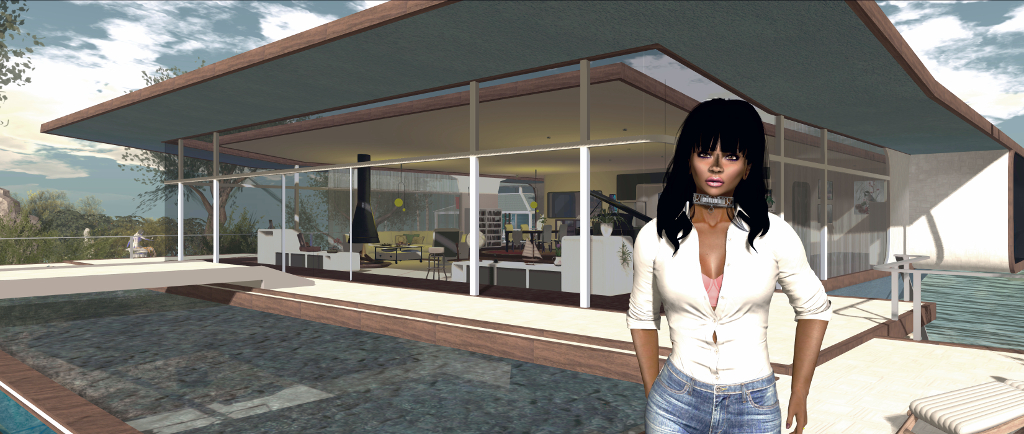
At home, December 2019

December 5th is my SL rezday anniversary and this year marks 13 years since I arrived back in Second Life as Inara Pey. Thirteen years is actually the 2nd longest time by which I’ve called a single place my home, given a lot of my childhood and teen years saw my family moving around a lot in the physical world, and my early adult life was similarly marked by semi-regular relocations due to the annoyance of careers.

I was delighted to be featured in the May 2019 edition of Eclipse Magazine

As I noted in my 2018 piece Twelve years in Second Life, I really didn’t expect to still be logging-in to the the platform after so long, given that a few years ago, I sort-of agreed with myself to hang up my SL hiking boots on the occasion of my 10th anniversary as Inara in-world.

In that piece, I noted three major reasons for still being around now: fun, discovery and freedom. I’m not going to re-tread those reasons here and now; suffice it to say that they do still hold true. I’m still having fun with SL sailing, boating ad flying as well as still enjoying my time kitbashing and scratch building (I’m still very much a prim person for building, never having really got my head around Blender, but also enjoy taking mesh bits and re-purposing them).

I’m still out and about visiting SL regions and appreciating all the art that is offered through the platform, and I’m obviously still captivated by the freedom Second Life offers all of us to be who and what we want to be (within the boundaries of the Terms of Service and Community Standards, of course!) regardless of race, religion, gender species or ability.

There’s also the fact that the technical complexity of Second Life continues to fascinate me, and I still enjoy trying to dig into things and understand them, be they genuine technical developments or updates, or more esoteric issues such as the SL economy, what’s going on at Linden Lab, and so on.

One of the most enjoyable aspects of of my Second Life time is maintaining this blog. What started as a fairly narrow-focused and perhaps lopsided projects has grown over the years, has become something that I’ve striven to make into not only a journal of my SL travels and appreciation of art in Second Life, but which can also be a useful resource for other users – hence the menu system at the top of each page (if you’ve not used it before, I do encourage you to do so!).

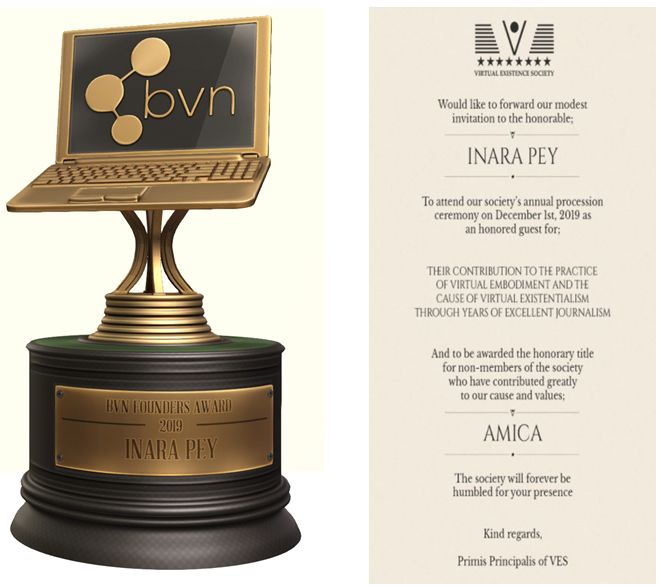
While I’ve never sought recognition, I am flattered and honoured by the fact that over the years, this blog has been recognised, from topping a poll of New World Notes readers’ favourite blogs, through to this year being awarded the Blogger and Vlogger Network (BVN) Founders Award, while I was also flattered and honoured to be made an Amica honoree by the Virtual Existence Society (VES). MY thanks again to both organisations for these honours.

This year has seen this blog and myself honoured twice – and for which I’d again like to sincerely thank BVN and VES

This year has been interesting blog-wise, given the changes that have popped-up within Second Life, such as the arrival of the new Premium Linden Homes and their continent, there have been the various fee changes that have taken place, the arrival of Animesh and more – all of which have kept me busy. Sansar has also kept me engaged – to a degree, although I admit that the uneven pace of development with that platform and the unevenness of the same has caused a lessening the time I’ve been spending there.

Right now, I don’t see my blogging journey coming to and end – but we really can’t guarantee what the future may bring; so rather than prattling on, I’ll simply say another “thank you” to all of you who continue to read this blog, who support me via social media with re-tweets, likes, etc.. You as much as anything keep me engaged in Second Life. My thanks as well to Brett Linden at the Lab for continuing to put up with my questions and requests for information. And most of all, my thanks to Caitlyn and all my friends who continue to make my explorations and time in SL fun.

Virtual Existence Society Honouree

My VES Amica award invitation

On Sunday, December 1st, 2019, I was one of a number of recipients of the first honorary titles to be awarded by the Virtual Existence Society (VES).

The Amica (Friend) award is a title awarded by VES to individuals in recognition of:

Their contribution to the practice of virtual embodiment and the cause of virtual existentialism through years of excellent journalism.

Those in receipt of the Amica award were invited to attend a special awards ceremony held by the VES on Sunday, December 1st, where they, and the members of the Society who had been nominated for, and accepted, were able to receive their award and title.

Unfortunately, due to the ceremony being held at a time that makes it difficult for me to be in-world on a weekend (and particularly Sundays), I was unable to attend in person.

However, I would like to extend my sincere thanks to VES senior / founder members lucagrabacr and Nodoka Hanamura and to the brothers and sisters of VES for nominating me to be one of the first recipients of the Amica title, and congratulations to my fellow recipients, and to all of the VES members in receipt of the Fidelis title.

You can see a full list of all recipients on the VES website.

About The Virtual Existence Society

The Virtual Existence Society is a non-profit group of like-minded individuals who find value in the practice of virtual embodiment and the philosophy of virtual existentialism, and want to preserve, and promote those things.

The purpose of the Society is to preserve and promote shared belief and values by the means of passively strengthening members’ faith through philosophical formulation and understanding of those values, and actively participating in activities aimed to preserve and promote said belief and values.

In addition, the society also conducts activities aimed to preserve and promote virtual world platforms to which it resides in (e.g. Second Life).

You can find out more about VES, including its structure on the Virtual Existence Society website, and visitors are welcome at the society’s in-world headquarters.

The VES Headquarters in Second Life