Invasions, waffles, secret agents and pirates

Seanchai Library

It’s time to highlight another week of storytelling in Voice by the staff and volunteers at the Seanchai Library. As always, all times SLT, and events are held at the Library’s home at Holly Kai Park, unless otherwise indicated.

Sunday, November 11th, 18:00 Magicland Storytime

Caledonia Skytower celebrates 10 years of Magicland Storytime with a selection of favourites at the Golden Horseshoe.

Monday, November 12th 19:00: Tumithak Of The Corridors

Far and away the best and most exciting story I had ever read up to that time. I found the characters human and the hero all the more admirable because he could feel fear. I found the plot exciting and a deep humanity in the sentence ‘Tumithak had to learn that in no matter what nation or age one finds oneself, he will find gentleness, if he looks, as well as savagery.’

– Isaac Asimov

Such are the words of praise from one of the giants of science fiction for Charles R Tanner’s Tumithak series, first published in the 1930s (the fourth book in the series, Tumithak and the Ancient Word was not published until 2005, 31 years after the author’s death).

The series follows the  titular hero, Tumithak, a young boy who rebels against the tyranny of the oppressive Shelks, invaders from Venus who have over-run Earth and force humanity to live underground in tunnels and caverns created at the time of the invasion. With no access to technology or knowledge of science, humankind lives in fear of the Shelks, who periodically descend into the tunnels of Man to hunt humans for sport – and worse.

Tuesday, November 13th 19:00: Everything on a Waffle

In the small Canadian town of Coal Harbour, in a quaint restaurant called The Girl on the Red Swing, everything comes on a waffle–lasagna, fish, you name it. Even waffles!

Eleven-year-old Primrose Squarp loves this homey place.She a young girl who could use a little extra attention; her parents were lost at sea and believed to be dead, and while her Uncle Jack tries his best to care for her, doesn’t have a lot of free time, and the guardian he hires to look out for Primose is so old, child welfare isn’t foremost on her mind. Similarly, the school councillor is far more interested in listing her own concerns and telling her own tales to actually listen. All-in-all Nobody knows what exactly to think of young Primrose, and Primrose doesn’t quite know what to make of her small community, either.

So Kate Bowzer, the owner of The Girl on the Red Swing takes Primrose under her wing. She teaches  her how to cook, doesn’t patronise or chastise her, even when she puts her guinea pig too close to the oven and it catches fire. And so Primrose, in her own perceptive way, develops wisdom beyond her years and a belief system we could all do well to adopt – including the idea that hope is not crazy.

Join Faerie Maven-Pralou as she reads Polly Horvath’s 2002 Newbery Honor winner.

Wednesday, November 14th: 19:00: The Jennifer Morgue

Corwyn Allen reads the second volume in the Laundry Files by Charles Stross.

Bob Howard is an IT expert and occasional field agent for the Laundry, the branch of Her Majesty’s Secret Service that deals with occult threats. In this second outing, Bob Howard finds himself dragged into the machinations and conspiracies of megalomaniac multi-billionaire Ellis Billington, The Black Chamber and The Laundry…

Dressed in a tuxedo (what else for a globe-trotting British Secret Agent?) and sent to the Caribbean, Bob must infiltrate Billington’s inner circle via his luxurious yacht. His mission? Prevent the Billington from violating a treaty that will bring down the wrath of an ancient underwater race upon humanity’s head.

Offering a wonderful pastiche on both the world of James Bond and a wonderful mimicking of Ian Fleming’s style of writing, Stross produces a novel that also evokes Lovecraftian overtones that is delightfully entertaining to read. In true Bond style, Bob is (reluctantly) partnered with an American agent – in this case a stunningly beautiful woman who also just happens to be a soul-sucking succubus from another dimension. Which, being the case, marks Bob’s mission somewhat differently to those of Bond: not only must he stop the bad guys and come through this at best shaken, he must totally avoid being stirred towards getting the girl…

Thursday, November 15th

19:00: Young Jack Sparrow – The Coming Storm Pt 2

With Shandon Loring. Also presented in Kitely (hop://grid.kitely.com:8002/Seanchai/144/129/29).

21:00: Seanchai Late Night

Contemporary science fiction and fantasy with Finn Zeddmore.


Please check with the Seanchai Library’s blog for updates and for additions or changes to the week’s schedule.
A trip to 18th Century France in Second Life

Magritte; Inara Pey, November 2018, on FlickrMagritte – click any image for full size

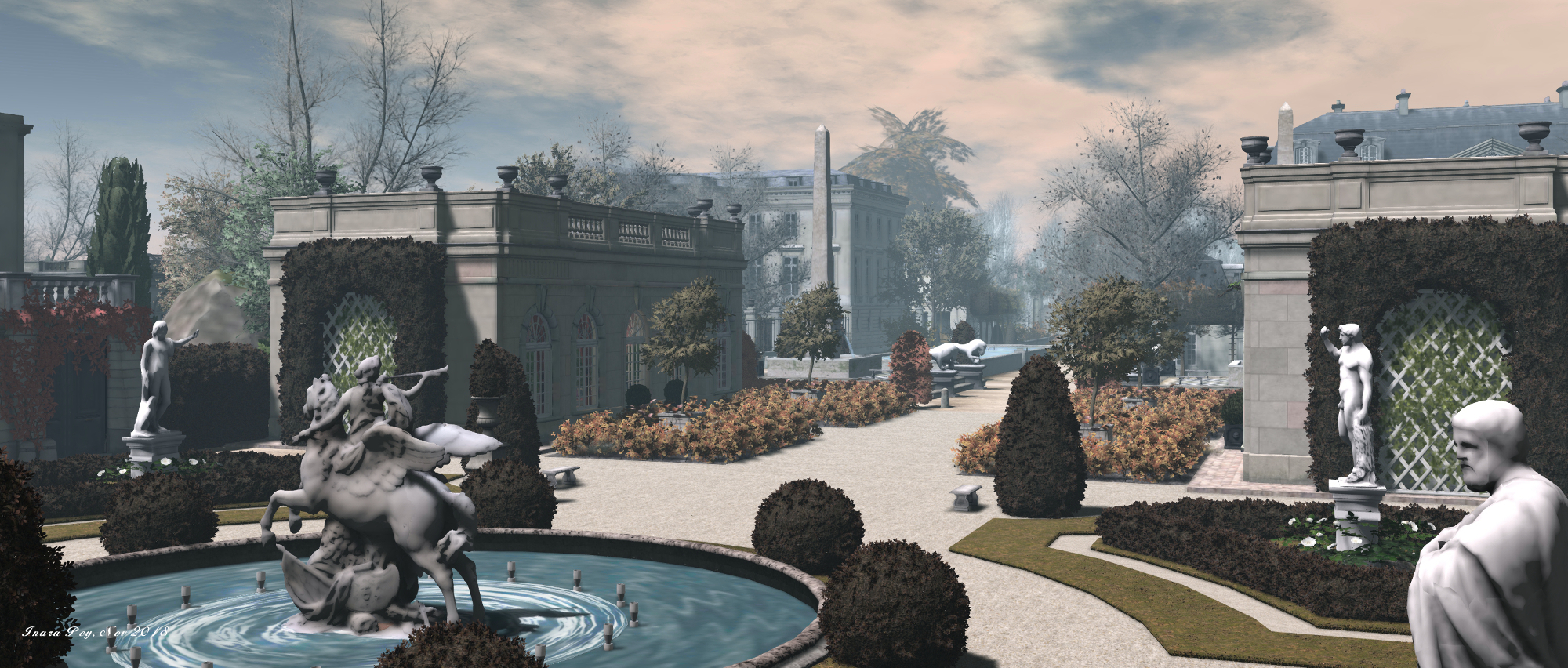
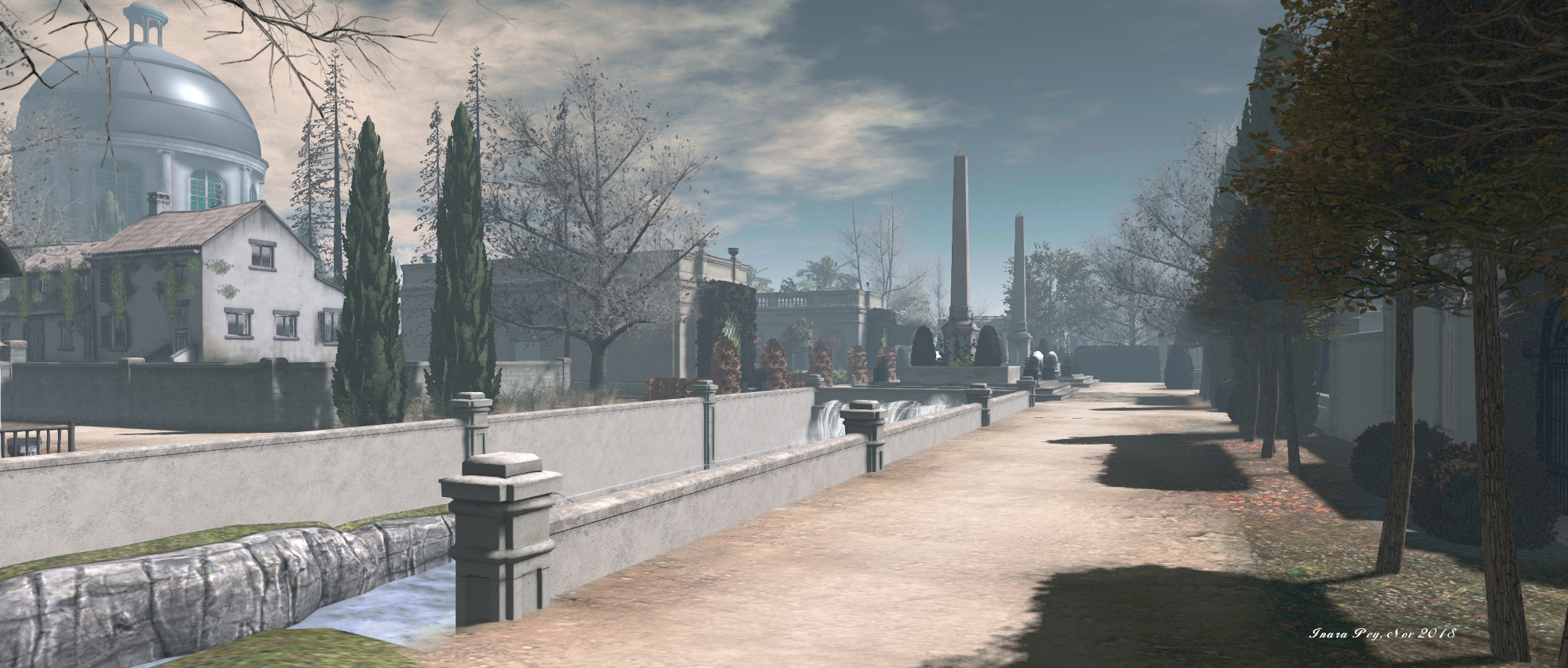
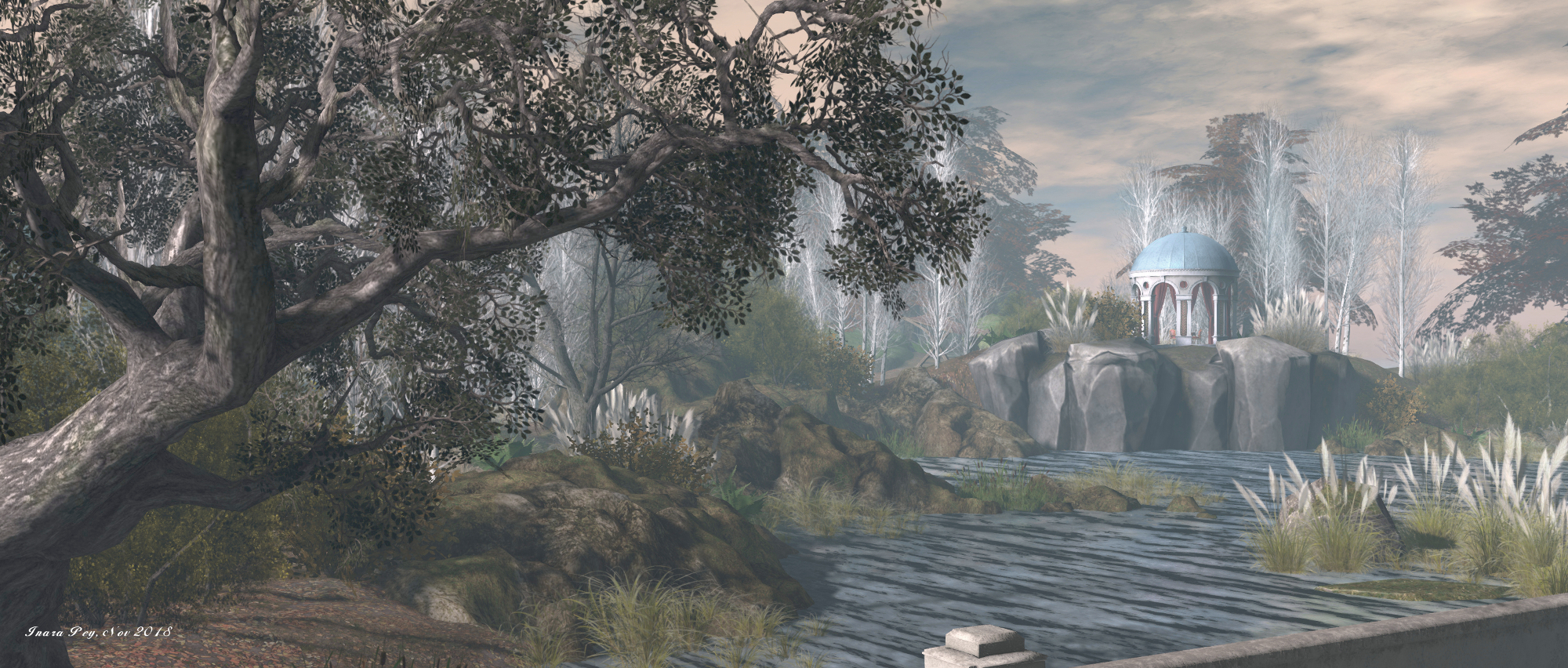
Magritte is a two-region estate – Full (using the full 30K allowance) and Homestead – offering Second Life residents the opportunity to travel back in time and participate in the life of the people of southern France in the 1750s, just over half-way through the reign of Louis XV.

Designed by Benoit de Montgelas (ZeustheImmortal) and Florens de Montgelas (EganObelius), the town and noble houses here are said to be located close to the town of Bergerac, a sub-prefecture of the Dordogne. The introductory notes for the estate point out that the south-west of France was somewhat independent of the king’s rule (in the time of Louis XIII, some of the nobility here had even tried to separate from the rest of France), and there was also much rivalry between families and houses, all of which makes for a rich backdrop for potential role-play.

Magritte; Inara Pey, November 2018, on FlickrMagritte

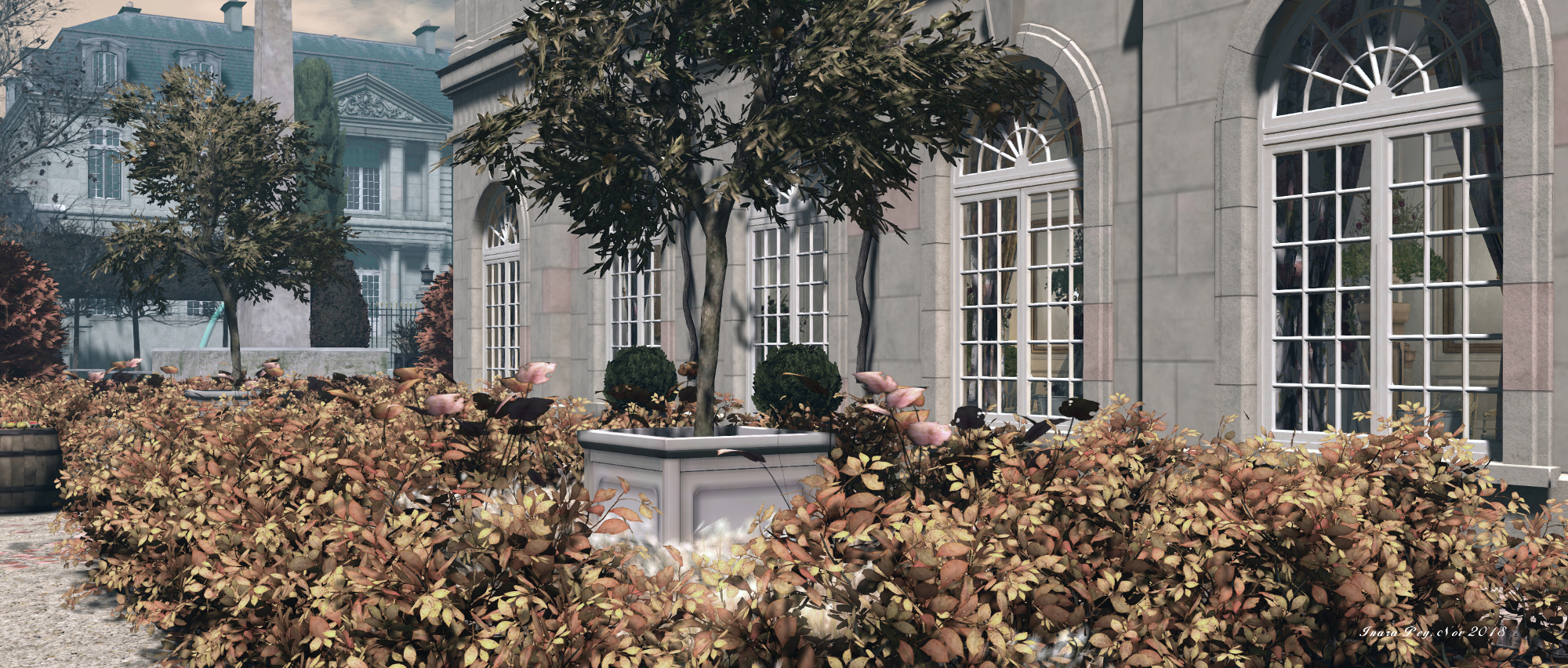
In terms of the layout, most of the estate reflects the wealth of the region: the houses of the wealthy and landed are proud and expansive, encompassing formal gardens, high walls presenting an air of aloft privacy as they face one another across wide, cobbled boulevards.

The largest of these fine houses sits to the south, forming a grand estate, Maison du Printemps. Modelled in the style of Robert de Cotte, this is a private setting  – one of several in the estate, so do be careful to avoid trespass. However, it sits on land open to visitors, where horse riding and archery are both available. The horse riding is available to most types of horses available in Second Life, and championship races and fox hunts are announced through the estate’s role-play group. The archery system can be used with all types of range weapons – although obviously, it is preferred that weapons are kept to the period, there is also a request that the weapons available from the estate’s blacksmith, operating out of dock-side marketplace, are used.

Magritte; Inara Pey, November 2018, on FlickrMagritte

Role-play in the region is open to anyone wishing to join, and roles can be among the aristocracy, the bourgeois or the peasantry. Details of RP are available from the information centre at the landing point. So too are period outfits for those who don’t have them – simply join the estate’s group and take either the male or female outfit and collect the Out Of Character (OOC) tag also available to make it clear you are just visiting.

The town and docks, located to the west of the estate, stands in strong contrast of the grand houses of the nobles. Here the building are huddled together, clustered around the docks, almost medieval in style. This helps to give the town a busy feel, and is entirely in keeping with the period, where many towns hadn’t really changed too much over the years when compared to the fineries of architecture afford by the wealthy.

Magritte; Inara Pey, November 2018, on FlickrMagritte

As well as the horse riding and archery, fishing can be had within the estate and – for the nobles, perhaps – there are also formal dances and, the estate’s notes offering the following:

The “Salon blanc” is a ballroom for concerts, banquets and dancing. Festivities will be announced in our groups.
If you wish to host your own event, like a ball or concert, please contact the Barons for further information and planning.

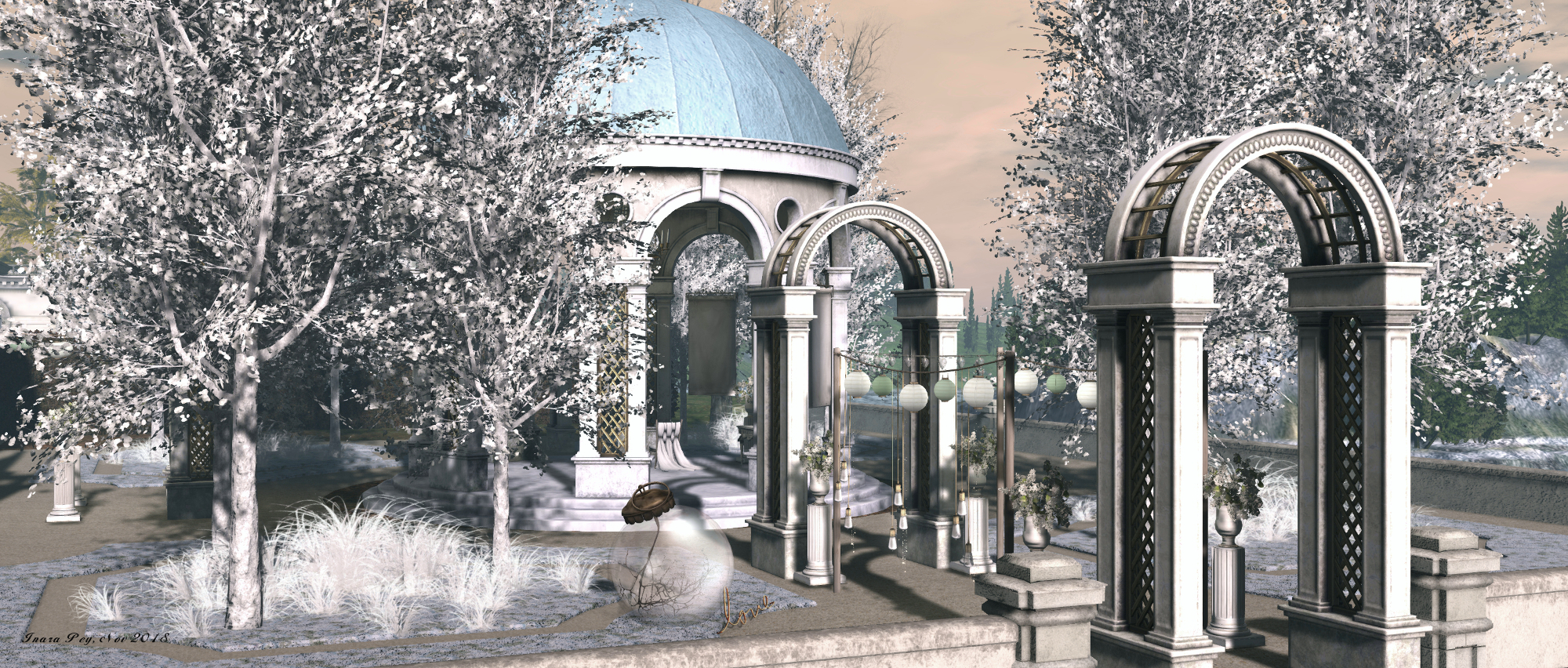
In addition, a pavilion on the southern estate offers a place where a pleasing rest can be had following a walk under the trees, complete with a view across the river to Margitte.

Magritte; Inara Pey, November 2018, on FlickrMagritte

There are perhaps a couple of small incongruities in the estate; for example, the docks are home to a sailing vessel that might actually have found it a little difficult navigating this far up the Dordogne (there’s also a second lying a little off-shore as well). But this is Second Life, and a little license is allowed in how ideas are presented, and the docks do help add character to the town.

Overall, the estate is genuinely photogenic, and during my visit there were resident players to be found (OOC visitors are encouraged not to interact in open chat but keep questions, etc., to IM). I’d certainly like to thank Le Baron de Magritte for his gracious hospitality during my time at the estate, and for asking after my well-being.

Magritte; Inara Pey, November 2018, on FlickrMagritte

SLurl Details

2018 OSCC: registrations open, and a call to artists

Via OSCC

On Saturday, November 29th, I received an e-mail announcing that registrations for the 2018 OpenSimulator Community Conference are open.

The 2018 conference will take place on Saturday 8th and Sunday 9th December 2018, celebrating 11 years of community and development of OpenSimulator and focusing on the evolution and future of this open-source virtual world platform.

Attendance is free, but numbers are limited. Those wishing to donate to the supporting this and future conferences, can do so through a number of donation options, ranging from $10.00 USD through to $200.00 USD, or donate an amount of their own choosing, all of which offer various benefits to purchasers, such as reserved seating areas expo booths at the event, physical t-shirts and other OSCC18 promo items.

The expo area associated with the conference will not be ticketed and so can be accessed by any avatar, subject to constraints on the number of avatars that the exhibition regions can hold at any particular time.

To book your tickets to attend the conference through your avatar, and to see the full range of ticket options and their respective benefits, please visit the conference ticket page.

Note that registration is open on a first-come-first-served basis until the maximum number of virtual conference centre tickets is reached. At that point, community members will still be able to register for the live streamed version of the conference that will be available.

The OSCC conference centre, 2013

Volunteer and Social Events Registrations Still Open

OSCC 2018 is still accepting registrations from volunteers to help run the event, and from those interested in hosting a social event associated with the conference.

The conference needs volunteers to help in a range of activities: greeters / audience assistants ; moderators; builders; scripters; social media / communications; streaming and technical support. Those interested in volunteering can do so via the Volunteer Sign-up form,  Depending upon interests, volunteers can select more than one role if they wish.

Social events can be held on other grids, and can be scheduled on dates leading up to the conference on Saturday, December 8th, 2018, or for after 17:00 PDT on either Saturday, December 8th or Sunday December 9th, 2018. Those wishing to host an event are asked to complete the Social Event Sign-up form.

There will also be limited available space on the OSCC conference grid for those who would like to host an OSCC meet-up or after conference event on Sunday, December 9th, 2018. Please contact the organisers with questions.

OSCC 2014 conference arena. Credit: OpenSimulator Community Conference

A Call To Artists

Also on November 10th, the conference organisers issued a call to artists, which reads in part:

We are looking for artists to Contribute art with us to showcase and to freely share with the community. These artworks will be placed on our Landing Regions and Expo Regions and possibly in the Keynote Regions. We will encourage participants to tour the artworks and make those that are either Public Domain Dedication or Creative Commons Attribution available for OSCC attendees to pick up a copy for their own regions.

Art can be static or kinetic in nature, and multiple submissions from individual artists are welcome, but there are certain criteria that should be noted by applicants:

  • All art must fit a 5m x 5m x 7.5m (height) area.
  • Mesh must not exceed 25K polygon counts.
  • Art must be distributable by Copy or by box, and must be resource considerate.
  • No timers, scanning or logos permitted.

Artists wishing to participate are asked to e-mail opensim@avacon.org, and include a photo or sketch, description, and any other details about the work they would like to submit.

About the Conference

The OpenSimulator Community Conference is an annual conference that focuses on the developer and user community creating the OpenSimulator software. The conference is a joint production by Core Developers of OpenSimulator and AvaCon, Inc., a 501(c)(3) non-profit organization dedicated to promoting the growth, enhancement, and development of the metaverse, virtual worlds, augmented reality, and 3D immersive and virtual spaces.  The conference features a day of presentations, panels, keynote sessions, and social events across diverse sectors of the OpenSimulator user base.

2018 Sansar Product Meetings #45: Look At Me release

Nirvania

Look At Me Release Feedback

  • Typing indicator:
    • Requests have been made to remove the box around the dots and just have the flashing dots when someone is typing.
    • It was also requested that the indicator not pop-up when typing “/” commands for emotes – but as was pointed out, the system has no way of knowing what is being typed until after it has been sent, making it difficult for the indicator to ignore “/” when input.
    • Other UI interactions can also incorrectly cause the typing indicator to appear over an avatar, which the Lab are looking to refine.
  • VR virtual keyboard:
    • Enhancements are already being planned – such as a “emote wheel” to make selection of emotes easier and not reliant on the commands being typed.
    • The Lab would like further feedback on the keyboard and how it might be improved, or options that might be added, if some of the keys should be re-organised, etc.
    • There have been instances where people opening the VR virtual keyboard in (first person view) have found their avatars unexpected walking forward without any of the keyboard buttons being touched.
  • Voice Reset issue: along with the new options to test microphone levels, there is an option to reset the voice stream. However, reports are that when used, the voice stream fails to reconnect.
  • Settings: it’s been noted that in VR, Settings > Control, no longer displays the VR controller options; users only get the desktop keyboard options.
  • UI Buttons:
    • Requests have been made to make them switchable between the left and right sides of the client window, depending on individual user preference.
    • There have also been concerns raised that on very high-resolution (e.g. 4K) screens, the buttons are very small and hard to see.
  • First person avatar view in VR: a preference for seeing the avatar hands an arms when using things like the revised client button set on the left wrist  has been voiced. Eliot noted that the default blue hands are used to cater for avatars that do not have hands and arms (e.g. they have tentacles), so they have a frame of reference when tying to use menus, etc.
  • Hi-Res Texture Streaming: a request was put forward to allow users to select whether or not they want to use the hi-res texture streaming when loading an experience. The point here being that some games – those against the clock, for example – might be dependent upon the scene being fully loaded and ready to go when the user is placed within it.
    • The lab noted there are some tweaks to make to the texture loading, and that in general, there is more to be done to the scene loading to improve load times.
  • Crash issues: there have been a number of crash issues associated with the release (and experienced at the start of the meeting). The Lab is gathering logs, etc., and investigating causes.

Custom Emote Issues

This is something the Lab is aware of. It’s also complex to describe but easy to witness. if someone has a custom animation enters an experience, other avatars of the same gender that are already using the same emote, or attempting to use the same emote, will adopt the same custom animation as playing on the new arrival.

So, for example, if a female avatar enters a room with a “floating” animation they’ve assigned to the “/sit” gesture, any other female avatar using “/sit” will also start to float, even if they previously had their own custom animation assigned to “/sit”. The effect is also cumulative: avatars will switch to play the last custom animation assigned to the emote, until such time as they reset through Look Book.

It’s been suggested that whatever bug causes this be annotated so that in future it might show how animations might be shared in certain situation (such as a “dance bomb” in a club hat could be triggered by (say) the DJ to get everyone doing the same dance – the Time Warp, anyone?).

Other Discussion Points

Avatar Deformations

People in VR are experiencing issues with their avatars being deformed in certain situations. For example, a tall male using the female avatar can find the avatar deform or adopts odd shapes, even after the height has been adjusted, almost as if the avatar is “too small” for the person using it. Another seems to give avatars massively broad shoulders, resolved by re-logging. The Lab is aware of these issues and investigating them. If anyone does encounter such issues, the request is to make clear notes on what they were doing  (steps taken) when the problem occurred and file a bug report.

Animation Preview

It’s been noted that there are some glitches with the animation preview capability, such as preview recordings now always playing back on the Sansar Store, or the entire preview playback glitches while playing.

New User Experience

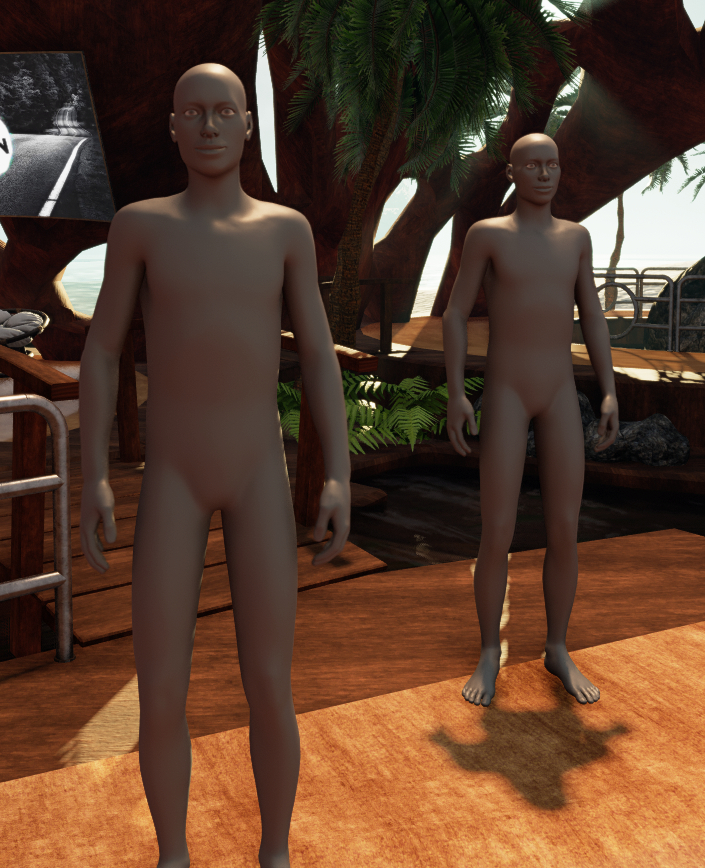
The new default avatars

A part of the new user experience was deployed with this release. In short this:

  • Automatically assigns a unique account ID (seen after the @ symbol in name tags), base on the avatar name + a numeric sequence.
  • Delivers new users directly to a populated experience with a new default grey avatar.

It was mentioned at the meeting that new users will receive a tutorial on the client to get them started when first entering Sansar.

However, it was not clear in the discussion as to whether or not the tutorial aspect has been deployed with the Look At Me release. My own testing suggests it has not: while I was delivered to a populated experience with the new default avatar (see image, right), there was no associated tutorial. While I have reached out to LL to try to confirm the tutorial’s status, at the time of publishing these notes, I had not received any reply.

In Brief

  • Will Sansar support full body tracking? In time, yes, but not on the immediate horizon. The Vive trackers are helping with this, allowing data on hip and foot movements to be collected for use with IK, but Oculus is some way behind in their tracking systems.
  • Currently, when the Chat App is opened and there is available text, it will default to the top of the text (i.e. the oldest comment), rather than scrolling to the bottom of the chat and the most recently made comments. This is a known issue, and part of a number of bugs in the App the Lab will be addressing.
  • Rotating rigged and animated meshes: again requested, to help with bringing NPCs to life. This is apparently “on the list” but seen as a big task.


Blue Orange: adventures in art in Second Life

Blue Orange

It’s been nigh on a year since my last review of an exhibition at Blue Orange gallery, the music and arts venue in Second Life curated by Ini (In Inaka). Part of the reason for this was that the last exhibition at gallery I covered seemed to be drawn out over an extended period, and then the gallery was reported as being closed for re-building. However, I hopped over recently out of curiosity to find it once again open for business – and the rebuild has left a visit feeling less like a trip to a gallery and more of an adventure of discovery.

The familiar subway landing point is still present – but now with a second platform on the far side of the track, the first indication of changes as ghostly trains roar between the tunnels at either end of the station. The familiar music venue lies at the end of the tiled hall leading away from the platform, a hall displaying images by various photographers taken whilst visiting Blue Orange.

Blue Orange: Daze Landar

From here – or earlier, if you opt to walk along the platform to the doors labelled Art Corner – the adventure begins, as the Art Corner can be accessed via a hole in the wall of the club. This route leads visitors first to the Library. Inspired by The Colour of Pomegranates, a 1969  Soviet arts film directed by Sergei Parajanov, this is a surreal place with unfinished walls, against which books are pinned, with more floating in the air. Each book offers a web link to a writer or poet’s website where the given story or poem can be enjoyed.

Beyond this lies an assortment of halls, some connected directly to one another, others reached via doors or through connecting passages (including the second platform), still others reached via stairs and ladders or by actively jumping down well-like holes. Within each of these spaces art can be found.

Blue Orange: Wakizashi Yoshikawa

At the time of my visit, this included 2D photography and art by Grady Echegaray, Harbor (Harbor Galaxy), Natalia Seranade, Gitu Aura, Thea Maiman, Daze Landar (DaisyDaze), and Ina herself.  3D work by Kimeu Korg (Kimeu) and Bryn Oh (the latter reached via the stairs behind the club’s DJ area) is also to be found, while Wakizashi Yoshikawa and Aïcha (Tubal Amiot) present a mix of 2D and 3D art.

Finding your way around the art spaces is, as noted, something of an adventure; confusing in places (are you supposed to go through the blue door and then drop down to a space apparently between the exhibition halls?), but definitely worth the time taken to explore and discover.

Blue Orange: Gitu Aura

I’m not sure if the gallery will feature a changing roster artists, or whether some of the halls are intended to offer permanent spaces in which artists-in-residence will offer different exhibitions of their work – Bryn Oh’s space, for example, now appears to be a permanent fixture within Blue Orange.

However, such questions are secondary to the time spent in explorations here: the art is rich and diverse, and the nature of the gallery’s halls means that each corner or stair can lead to a pleasing discovery for any lover of art in Second Life. However, when visiting do make sure you have enabled Advanced Lighting Model (ALM) on your viewer (Preferences > Graphics), in order to ensure you see all of the art as intended.

Blue Orange

SLurl Details

Flickr Free account changes: CC licenses, and downloading

via Flickr.com

Following the November 1st statement by SmugMug that Flickr will be changing its account options, limiting Free account holders to only 1,000 images, the company issued an important – for some – clarification on what will happen with free accounts.

In the original blog post, it was stated that Free accounts with more than 1,000 photos or videos have until Tuesday, January 8th, 2019 to download content over the limit, after which Flickr would start deleting content from accounts over the limit (from oldest to newest) until it is reached.

However, on Tuesday, November 7th, a further announcement was made, indicating that images uploaded under Flickr’s own Flickr Commons license or – more particularly for Second Life users – displayed under a Creative Commons licence will not be deleted – but there is a potential catch.

Specifically, the November 7th, 2018 blog post states:

Photos that were Creative Commons licensed before our announcement are also safe. We won’t be deleting anything that was uploaded with a CC license before November 1, 2018. Even if you had more than 1,000 photos or videos with a CC license. However, if you do have more than 1,000 photos or videos uploaded, you’ll be unable to upload additional photos after January 8, 2019, unless you upgrade to a Pro account.

– From: The Commons: The Past Is 100% Part Of Our Future
Don McAskill, SmugMug / Flickr CEO

Obviously, this doesn’t change the fact that Free account holders will not be able to upload more than 1,000 images. However, if you are a Flickr Free account user, and have uploaded your images using a Creative Commons license, it means you should not have to worry about pictures being deleted if you are already over the 1,000 image limit; your images will be preserved  – as will blog links, etc., to them, even if you opt to use another service going forward.

The potential ambiguity with the statement is in the use of the words uploaded with a CC license before November 1, 2018. This might imply that images uploaded under a different licence (e.g. All Rights Reserved), but which have their license changed after November 1st are to be excluded from this arrangement.

I reached out to Flickr to see if they could clarify whether or not images that have their licensing changed after November 1st, 2018 will be included in the new arrangement. Unfortunately, the reply I received this morning was not really helpful:

We’ve been talking with the E.D. at Creative Commons generally about the changes and they have shared their concerns and priorities with us.

At this time we do not have all of the details needed to provide you with a more thorough answer, however, once we do we will update you as soon as possible.

– Statement from an e-mail received from Flickr, November 9th, 2018

Whether “as soon as possible” means before the January 8th, 2019 deadline for the deletion of older images or not, is anyone’s guess. If they do provide me with and update (or issue a clarification) then I’ll certainly post.

But, given that a potential amnesty has been offered, and you are a Free account holder with more than 1,000 images not under a Creative Commons license, you might want to consider altering them anyway, just in case the answer is “yes, they will also be preserved”. This can be done in bulk relatively easily:

  • In Flickr click on You > Organise to open the batch editor.
  • Use the image preview bar at the bottom of the window to scroll through your images to those you wish to change licenses.
  • Drag the photos from the preview bar up into the editing panel.
Batch editing your Flickr images to change permissions

When you have selected your photos (you can obviously do this in batches):

  • Click on the Permission drop-down in the second menu bar at the top of the window.
  • Select Change Licensing from the drop-down.
  • Use the radio buttons to select your preferred Creative Commons license type.
  • Click Change License to apply the change to all the photos you’ve placed in the batch editor.
  • Use Clear This Batch (top right of the screen) to clear the current selection of photos and repeat as required.
There are a number of Creative Commons license options, use the one you’re most comfortable with. Selected option for illustrative purposes only

Also, remember that if you don’t have originals of your images saved locally, you can re-download them at their original uploaded resolution from Flickr in one of two ways:

  • If you’ve organised your photos into Albums, you can download an entire Album.
    • Go to You > Albums > select the required album > click on the download button in the album banner.
    • The images will be ZIPped and saved on the Flickr servers, and you will be sent a download link via e-mail.
  • Otherwise go to You > Camera Roll. By default, this will display your images by date uploaded. You can then select them individually or via the Select All buttons, and use the download button displayed on the pop-up at the foot of the Flickr window to save them to ZIP files ready for download.
    • Multiple images will be ZIPped and saved on the Flickr servers, and you will be sent a download link via e-mail.
    • How many ZIP file you use is down to you and the volume you wish to download.
    • You can re-sort your images by what Flickr call their “Magic View”  – whether this helps sort your images or not is debatable.