Pop-up art in Second Life

Derry McMahon
Derry McMahon – Pop-up Art

Noted SL photographers Derry McMahon and Bear Silvershade have come up with a new approach to exhibiting art in Second Life, and they’re calling it “pop up art”. Bear explains the idea in a press release thus:

We’ve watched as galleries flicker in and out of existence, and had shows at several. Two things are consistent: nothing is permanent, and even with the most relentless, ongoing promotion, visitor numbers drop off dramatically after the opening and reach near zero long before a month – the usual length of gallery shows – is up.

Instead of fighting it, we’ve decided to embrace the ephemeral nature of Second Life and experiment with pop-up galleries. It goes like this: Rent a piece of suitable land, set up our work and open it to the public, but just for a couple of weeks.

Derry McMahon
Bear Silvershade – Pop-up Art

For their inaugural exhibition using the idea, the couple have rented an open-air space in Bay City – Falconmoon, where they’ll be opening a joint exhibit at 14:00 SLT on Saturday, September 19th. Derry’s half of the exhibit is called Double Vision and presents pairs of images she has created – one from the physical world, one from the virtual. These are not designed to offer pairs of similar images (although a couple are wonderfully alike), but rather offer insight into Derry art on both sides of the digital divide.

Bear’s pieces, as he notes, are largely taken from his monochrome Lonely Streets of Second Life series – a series I’ve always particularly admired, mixing a couple of his physical world images in with them as well. Taken together, the rich colours on Derry’s work facing Bear’s austere black-and-white pieces serve to complement one another very well.

Derry McMahon
Derry McMahon – Pop-up Art

Continuing the press release notes, Bear says of the approach – which originated as an idea with Derry:

The short time frame is key. For the patrons, it gives them more incentive to get out and see the show; no putting it off because “There’s plenty of time.” For us, it gives us the freedom to experiment and not feel tied down.

We can set up when and where we want, with whatever style we want. They might happen in different places once a month, or once every six months – whatever feels right.

Bear Silvershade
Bear Silvershade – Pop-up Art

I think it’s potentially a clever approach. As Bear says, it overcomes the issues of holding a gallery permanently open, generates interest in an exhibition due to the shorter time frame and could, if due consideration is given to the spaces which are rented-out for such exhibits, perhaps make them a part of an exhibition as much as the images on display. Kudos to Derry for the idea, and to her and Bear both for taking it on the road, so to speak.

SLurl Details

Stand up 2 Cancer in Second Life: the 1/2 way weekend

logo-2Stand up 2 Cancer In Second Life, organised by Still Braveheart, this weekend reaches the half-way mark in a marathon series of concerts and DJ sits taking place at over 40 venues across the grid and which features over 150 artists, performers and DJs.

The events are to raise funds for Stand Up 2 Cancer (SU2C) and their ground-breaking and innovative  approach to ending cancer, which puts funds directly where they are needed: into leading-edge cancer research and treatment, and undertaking aggressive research programmes. 100% of all donations made through SU2C goes directly into funding this work, none is lost to “administrative costs” or put aside for CEO or executive salaries, etc.

Since launching on September 12th, Stand Up 2 Cancer in Second Life 2015 has already brought-in donations of almost L$800,000 (approx US $3,200) in the course of its first week through in-world donations alone (people can also donate directly through the SU2C SL Team web pages – see the links at the end of this article), which has been a phenomenal response for SL residents.

The best way to keep fully abreast of SU2C activities in-world is via the Google calender of events and via Still Braveheart’s blog. – and remember, SU2C runs right through until Sunday, September 27th.  In the meantime, here’s the weekend’s line up, which may be subject to last-minute changes.

As always, all times SLT. Where a time or venue has ” against it, it means it is the same as the last entry to provide either.

Friday, September 18th

Time
Venue
Artist
11:00-12:00 noon
 Bring a Friend and Stay Awhile Garth Lannock
12:00-13:00
 “ REALLYMAD Morpork
13:00-:1400
 “ Crash Landfall
14:00-:15:00
 “ OneSummer Oh

 Kickin Mr Kev Cockney Crash Tyson
15:00-16:00
 Bring a Friend and Stay Awhile Starflower

 1st Chapter Starkz Voom
16:00-17:00
Bring a Friend and Stay Awhile ELiz Watanabe

 1st Chapter Chief Blaisdale
17:00-18:00
Bring a Friend and Stay Awhile David Csiszer

 1st Chapter Annette Wildrose
BS's Bring a Friend and Stay Awhile
BS’s Bring a Friend and Stay Awhile
Time
Venue
Artist
18:00-1900
1st Chapter Krell Karu

 Place of Grace Harmonia Trefoil

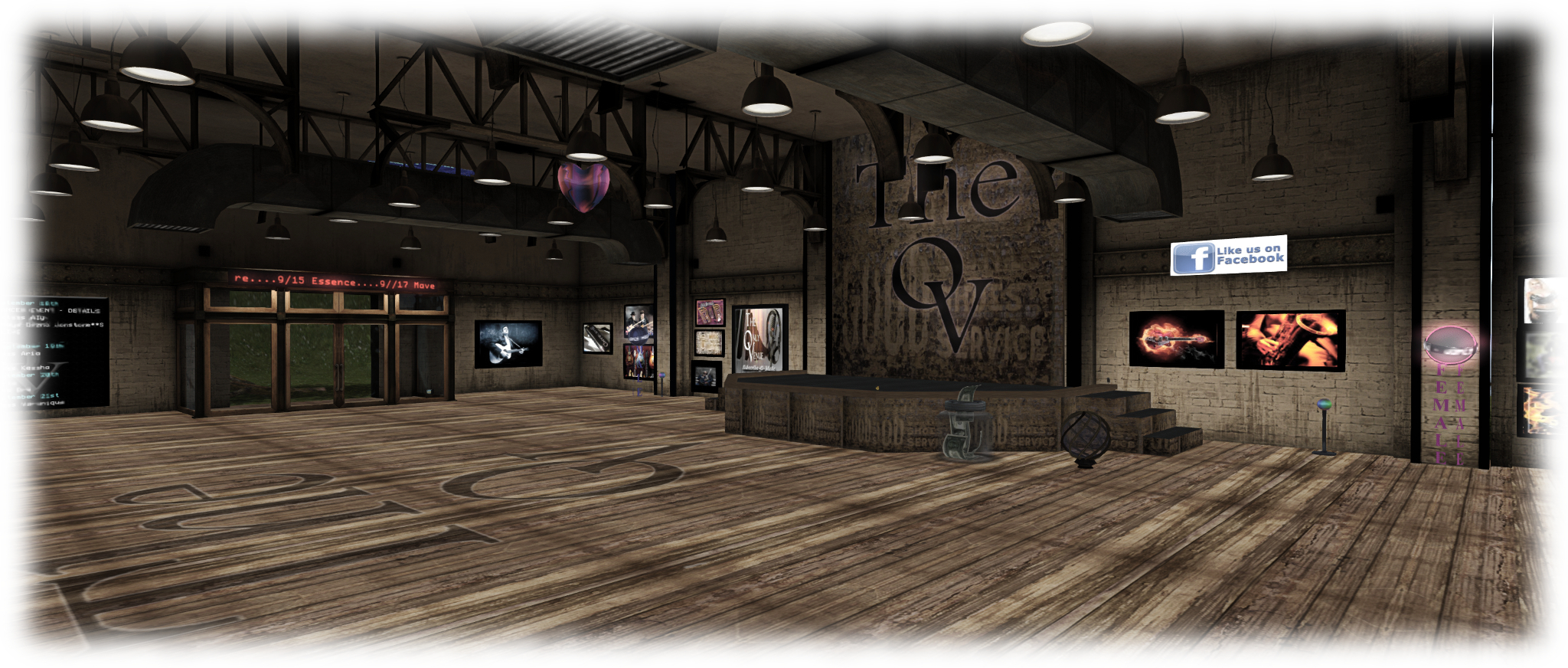
 The Only Venue Shaye Dezno

Bring a Friend and Stay Awhile Leeman Convel
19:00-20:00
 The Only Venue Parker Static

  Place of Grace Denny Mac

 Coconut Beach Bandit Eddingham
20:00-21:00
The Only Venue Dango

Coconut Beach Savannah Coronet
21:00-22:00
 “ Samm Quendra
The Only Venue
The Only Venue

Saturday, September 19th

Time
Venue
Artist
09:00-10:00
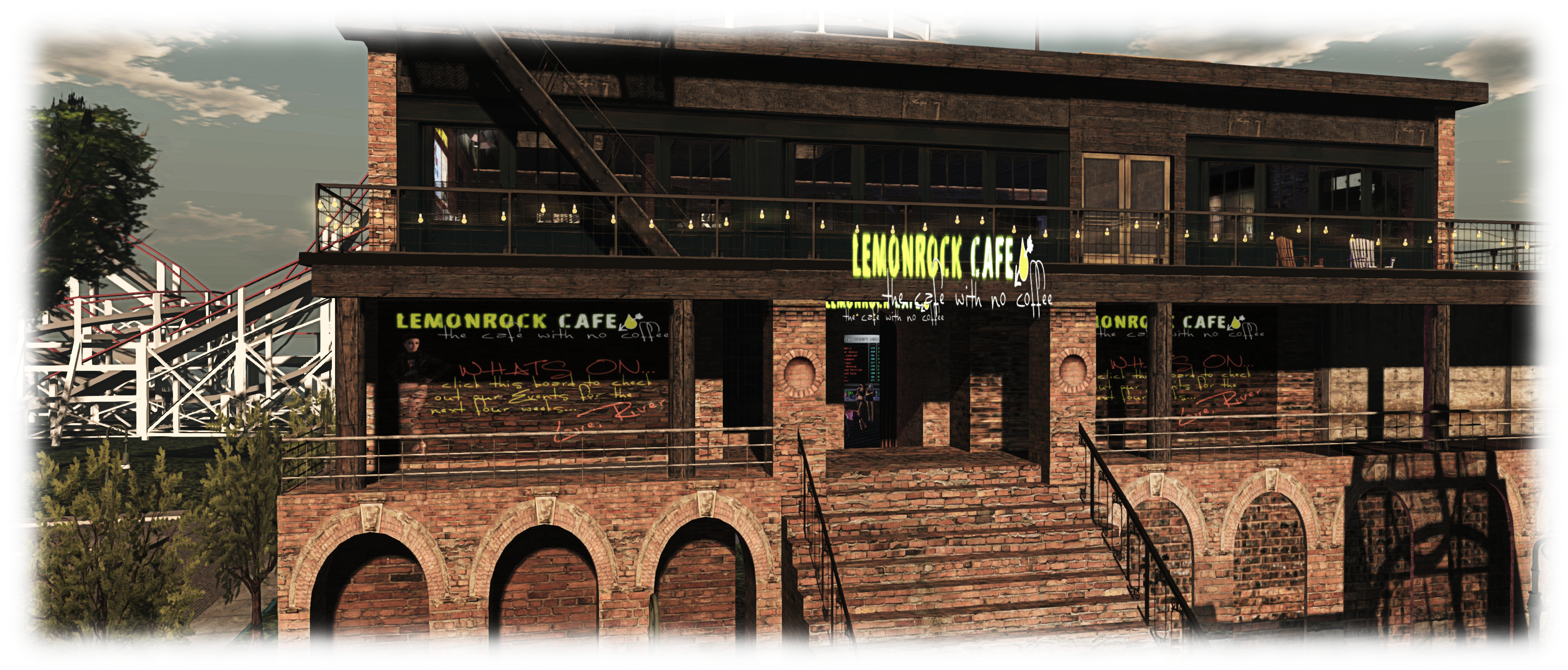
The Lemonrock Cafe Liam Defoe

 Bound Elegance Bones Writer
10:00-11:00
 The Lemonrock Cafe Anek Fuchs

 LC Live! TrickyLicks
10:00-12:00
 Bound Elegance DJ Emma
11:00-12:00 noon
 Wonderful Dreams Phil Setner

 The Lemonrock Cafe Bones Writer

 LC Live! Stickle Back
12:00-13:00
The Lemonrock Cafe Reallymad Morkpork

Wonderful Dreams Donny Collazo

 LC Live! Maximillion Kleene
12:00-14:00
Bound Elegance DJ Firewater Firecaster
The Lemonrock Cafe
The Lemonrock Cafe

Continue reading “Stand up 2 Cancer in Second Life: the 1/2 way weekend”

Second Life project updates 38/1: server, viewer

Pandora's box of Dreams; Inara Pey, September 2015, on FlickrPandora’s Box of Dreams September 2015 – blog post

Server Deployments, Week 38

As always, please refer to the server deployment thread for the latest updates.

On Tuesday, September 15th, the Main (SLS) channel was updated with the server maintenance package previously deployed to the three RC channels, comprising internal simulator fixes and a fix for BUG-9504 “Clicking on any object that affects the navmesh while in Mouselook dirties the navmesh”.

On Wednesday, September 16th, the RC channels were updated as follows as noted below.

Magnum and LeTigre

Magnum and LeTigre received a server maintenance package providing llGetAttachedList(), which returns a list of all visible attachments worn by an avatar in the same region (i.e. it does not currently include details of any HUDs)  as per feature requests BUG-9683. The wiki page for the function is still appears to be in preparation. Also completes feature request and BUG-9891.

Commenting on data relating to HUDs during the Simulator User Group meeting on Tuesday, September 15th, Simon Linden said, “I’m likely to change that a bit in the future to maybe allow some restricted access to HUD info, so you can get info on those too, but I need to figure out the right restrictions so it doesn’t become a privacy issue … I’m concerned about it as a  privacy thing, like I give you something, you rez it, and it sends me an IM listing all your HUDs.”

BlueSteel

The BlueSteel RC received a further roll of the server maintenance package containing internal simulator fixes to improve inventory performance. These updates had previously been deployed in weeks #36 and #37, only to be rolled back due to various issues (e.g. the “zombie eyes” situation and problems with note cards and scripts as reported in BUG-10183).

SL Viewer

On Wednesday, September 16th, the Quick Graphics project viewer updated to version 3.8.4.305063, with further tweaks to the Avatar Complexity elements. On Thursday, September 17th, the mesh importer viewer RC updated to version 3.8.4.305119.

It appears that the obsolete viewer supplied for users on XP and OS X 10.6 or earlier (version 3.7.28.300847) , may cease working with anything involving monetary transactions (e.g. the Marketplace, buying L$ through the viewer, etc.), possibly by the end of the year. This appears to be the result of compliance reasons preventing the Lab from continuing to provide that backward compatibility.

llGetEnv

During the Simulator User Group meeting, Simon threw out a question and comment relating to llGetEnv:

How useful would some new items for llGetEnv() be about simulator health? … I can imagine wanting to know both temp and normal rez counts, maybe for a specific item too – like if there are 10 projectiles already waiting.

He requested a feature request be filed on the matter, which was duly filed by Lucia Nightfire – see BUG-10263, and simon requested the people add their thoughts / ideas, noting that, “simplest ones are most likely to get attention and stand a chance of getting done.” If adding to the feature request, remember to specify how any additional data requested will help improve the SL experience for those using the function.


Kerupa Flow Unveiled in Second Life

The Portraits of Kerupa Flow Unveiled

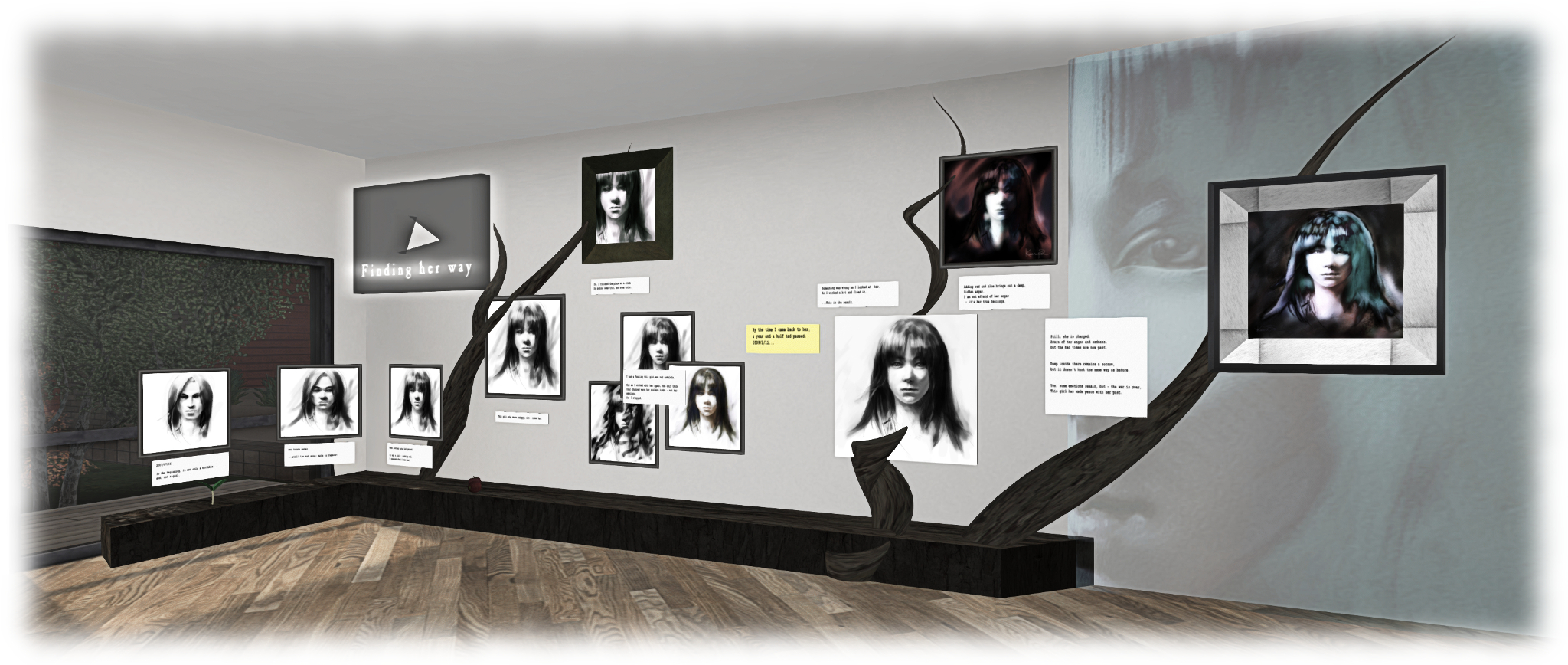
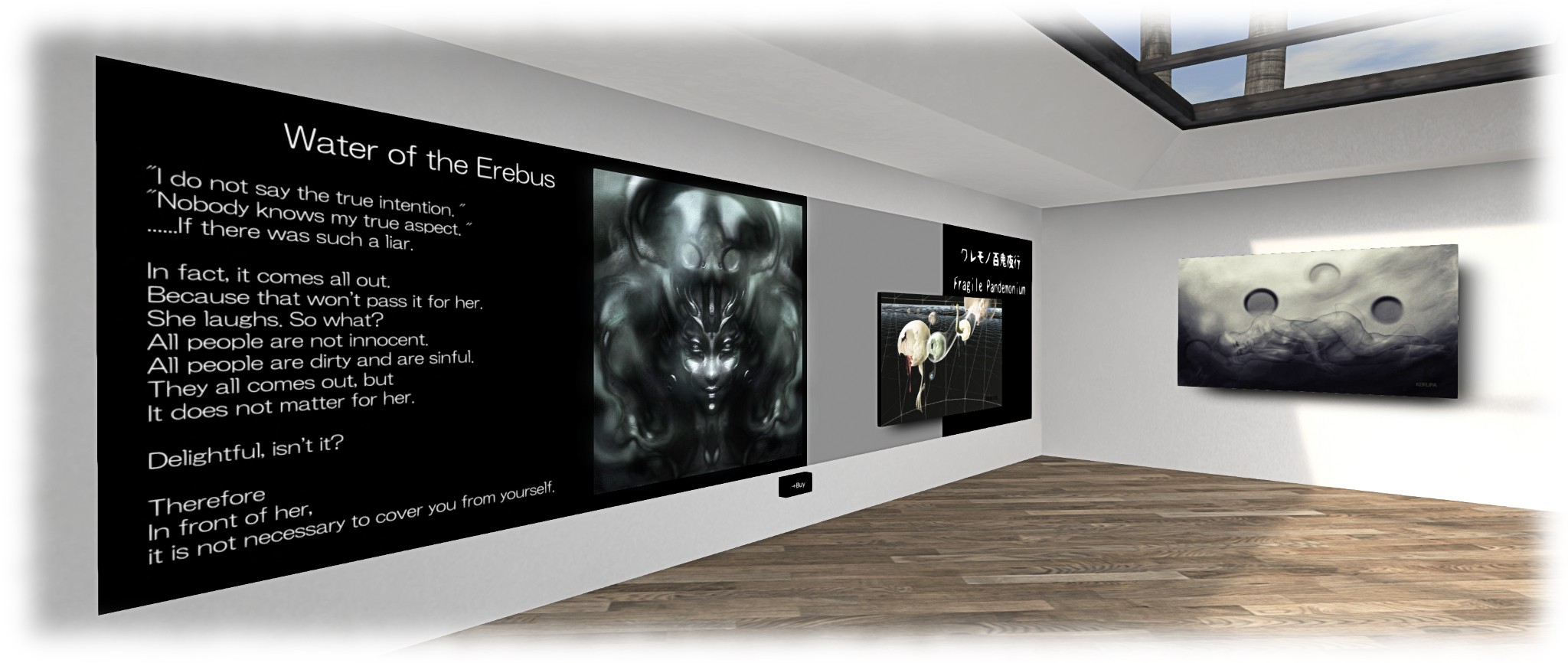
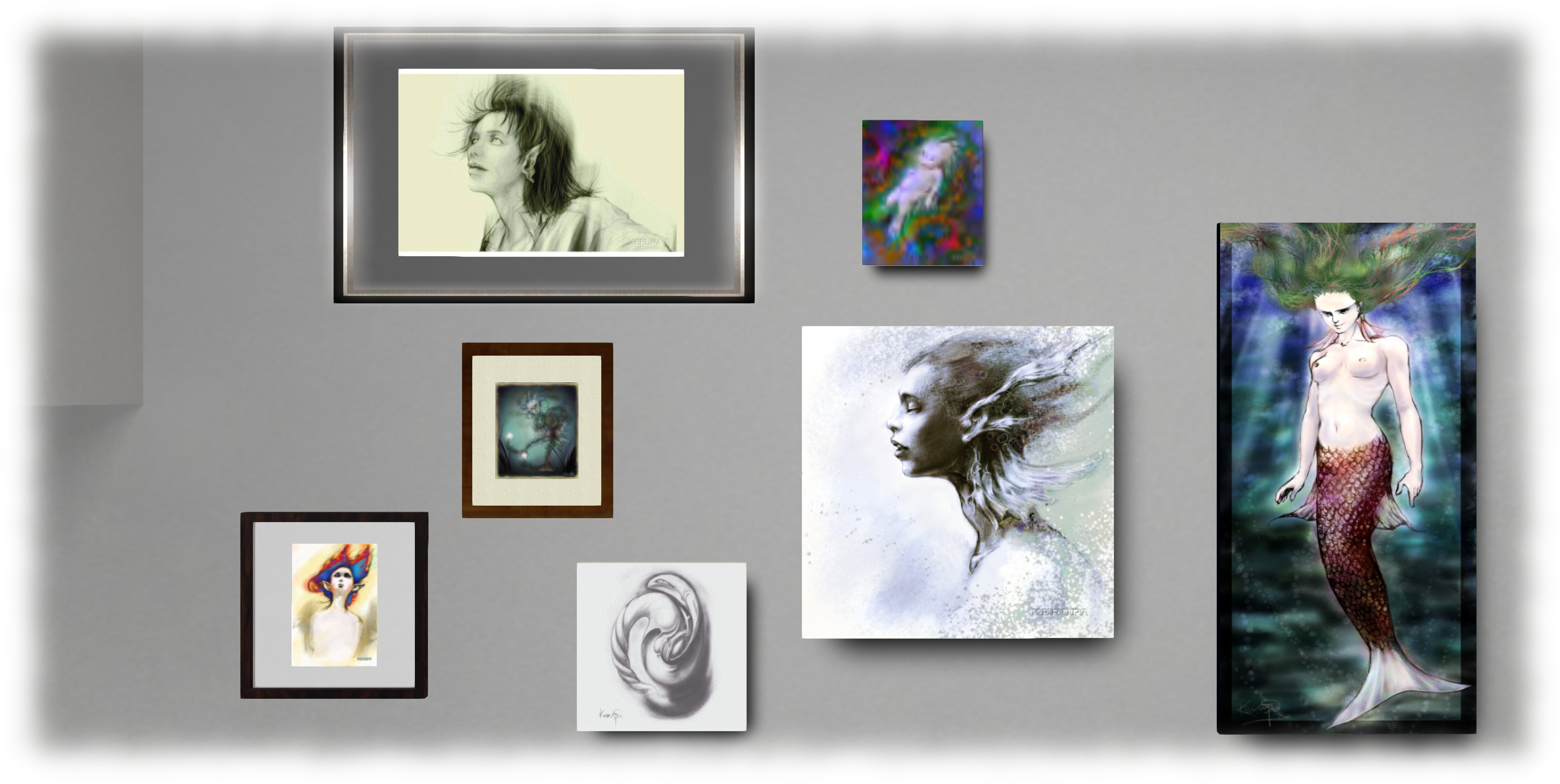
On display at Tabula Rasta’s Gallery 24 is some of work by Kerupa Flow. Entitled The Portraits of Kerupa Flow Unveiled, it presents a series of the artist’s real life portraiture brought into Second Life and offered as a cosy exhibition curated by Kayly Igali.

“I am a Japanese artist.  The art you see here was made on a computer, using a pen tablet,” Kerupa says of her work. “SL allows me to display my art in its purest form.  Digital data is revealed via graphic pixels.  SL helps make my art come alive, makes it real, more even than in 1st life, because to show it there I would have to transform it, by printout or posting on the web.  Here I can upload and it is a real life experience inside SL.  I find that so exciting!”

The Portraits of Kerupa Flow Unveiled

The result is a collection of largely black-and white drawings and images spread across the front floors of the gallery. Most of them stand-alone, but within which sits a fascinating examination of the artist’s creative process at work. It commences with a simple androgynous portrait, dated July 2007, which progresses through to a finished” image – only for Kerupa to later return to it and continue working with it. You can see the study in brief in the image at the top of this piece – but an up-close look is recommended.

What makes this set of images particularly interesting, is that the artist presents a series of comments alongside the pictures. These not only serve to illustrate how the image developed over the passage of time, but also offers insight into Kerupa’s evolving relationship with the individual within it, the latter’s expression and the emotions it conveys serving to influence Kerupa’s own responses with each iteration of the work.  The result is a lovely narrative  leading from initial sketch to a final painting.

The Portraits of Kerupa Flow Unveiled

As noted, this is a small, but fascinating display of an artist’s work – and one I thoroughly enjoyed visiting. My only regret is that I missed the opportunity to hear the artist talk about her work on September 14th.

SLurl Details

Lab Advises: update your Second Life payment info

secondlifeOn Wednesday, September 16th, 2015, Linden Lab issued a blog post advising people  who use a credit (or debit) card to make payments directly to Linden Lab, to update their Second Life payment information.

This is due to the company transitioning to a new payment system. The advice is particularly pertinent for any users who have not recently added or updated their payment method as the post notes:

Second Life is transitioning to a new payments processor for credit cards. If you use a credit card for Second Life payments and have not added or updated your billing information since July 7, 2015, we strongly encourage you to re-enter your information to avoid any potential disruption of services. If you use PayPal or Skrill for Second Life payments, no action is needed.

Updating your payment information is relatively simple:

  1. Login to your Second Life account at SecondLife.com.
  2. Click Account and then Billing Information.
  3. Under How You’re Paying, select the payment method of your choice.
  4. If you wish to re-use the same credit card already filed directly with the Lab, you will need to Remove it first, and then re-add the details.
  5. Make sure you also indicate to payments which are to be charged to the card by clicking on the Change option and checking the required check boxes.
To update / re-use card information filed with the Lab, you will need to Remove the existing card details first, add (or re-add, if using the same card) details of your card, and then make sure you select the payment options for which the card is to me used by clicking the Change link and checking the option(s) you wish to use
To re-use existing card information filed with the Lab, you will need to Remove the card details first, and then re-add them. When adding card payment information, make sure you also define the payments which are to be charged to the card through the Change option.

When you have updated your payment information, you should see a banner notice at the top of the Billing Information page telling you this is the case.

As noted in the Lab’s blog post, you may notice a small authorisation charge made against the card you register. This is a common means of authenticating billing information, and the charge will be reversed / cancelled by you bank of credit card issuer, so the money is refunded to you.

It is not clear exactly when the transition to the new payment system will take place / be completed (or indeed, if it has already been completed). However, if you do have a credit / debit card registered with the Lab which you have not recently updated, it would be best to do so sooner rather than later to avoid any possible hiccups with payments.

Related Links

Halloween photo call to help promote Second Life

secondlifeLinden Lab has launched a photo call in the run-up to the Halloween season in October, and it is one with a slight twist. rather than offering cash prizes, selected entries could be used to help promote Second Life Halloween activities, etc. to residents via e-mails and banner ad campaigns, and perhaps even social media.

The photo call announcement reads in part:

Do you like to dress your avatar up in costumes – travel the haunted spots all over Second Life, and generally run amok during this time of year? Why not show off your fun with images?

Share your pic on our Official Flickr Page with the tag “SLHalloween2015” so that we can see all of your amazing works. You may submit as many as you like between now and September 28th, 2015.

We’ll showcase the chosen image(s) in an email to Residents, as well as in some banner campaigns. We’ll let the chosen image creators know via Flickr and ask for an avatar name for the credits.

An example of the use to which images submitted in the 2015 Halloween photo call might be put (image courtesy of Linden Lab)

There are obviously some basic requirements for entries to be considered – they should be appropriate for audiences of all age ranges; they should be taken in-world and free from additional text and logos, for example. The Lab also suggests taking a picture that tells a story might help make an impression.

This isn’t a contest per se, and shouldn’t be taken as such. It is, however, an opportunity for users to get into the Halloween spirit and perhaps have their avatars immortalised n a Second Life campaign.  Those wishing to take part should, as the announcement notes, simply submit their images with the SLHalloween2015 tag to the official Second Life Flickr group.

So – happy snapping!