The Drax Files Radio Hour: healing and memories

Episode #37 of the Drax Files Radio Hour arrived on Friday September 19th. I’m little out-of-step with things, having missed segment #36, so my apologies on that and the late arrival of this article.

The two major topics of interview with this episode are remembering Joe Miller (Joe Linden) and on SL as a tool for counselling and support, as seen by Dr. Tammy Fletcher.

Joe Miller (Joe Linden) remembered in the show (Image: Sportvision.com)

Jeska Dzwigalski remembers Joe Miller early on in the show (the 02:56 mark). Mr. Miller, who passed away in July 2014,  served as the Lab’s Vice President of Platform and Technology Development from May 2006 through until December 2010, and as such, oversaw many of the key technical developments within Second Life.  Jeska is well placed to recall him, as she worked with him through his time at Linden Lab, where he was highly respected by colleagues and by SL users.

A lot of Jeska’s comments are reflected in the short piece I wrote on Mr. Miller, but her time working with him obviously gives her recollections a very first-hand and personal feel, and her comments on the arrival of voice – which was added to SL pretty much as a result of Joe Miller’s involvement at the Lab – help shine a light on how the Lab believed it could add a whole new level of immersiveness to the platform.  She also touches upon his genuine passion for the platform, and his direct influence on her as a mentor, thus providing a warm insight to one of the great heroes of Second Life.

Prior to going to the interview with Dr. Fletcher, the show touches on a number of areas, including the plight of young LGBT people, who are forced from home by their parents. This is something Vilvi Rae actually covered through a Second Life machinima film called Sun Dog, focusing on the estimate that around a quarter of all homeless young people in Western countries identify as LGBT, who cite conflict at home as the main reason for leaving and taking to the streets. The film was second runner-up in the University of Western Australia’s / Screen My Shorts’s Project Homeless challenge, being one of three films made in Second Life on the subject of Homeless which topped-out the machinima section of that challenge.

During the VR commercial break ;-), the discussion sort-of edges towards the idea that VR and AR may merge.  I’ve given up waving my arms at Drax and chanting, “castAR, castAR” as an early example of technology already well down this road, so instead, I’ll cut to my own commercial break 🙂 – the last few minutes show the AR / VR combination element.

We get to the chat with Dr. Tammy Fletcher (known as Avalon Birke in SL) starting at 27:48 with an introduction by Drax. A therapist providing individual and couples counselling, Dr. Fletcher is a long-time believer in the role virtual environments can play in mental healthcare and support.

In some respects, this interview travels further through a door opened during the episode #35 interview with Jacquelyn Ford Morie, which also touched upon the use of VWs in therapy work, specifically mentioning the ICT’s work with VR and virtual environments (and which will be the focus of one of my promised further articles on the ICT), the use of the SimSensei, which I wrote about in August, and also Jacki’s work with Dr. Valerie Rice of the US Army in using mindfullness-based techniques within VWs to assist US service personnel and veterans deal with PTSD.

Dr. Tammy Fletcher
Dr. Tammy Fletcher (via fletchertherapy.com)

Which is not to imply that this conversation is simply a re-run of topics already covered. Far from it; the discussion is very broad-ranging and offers considerable food for thought, looking as it does at the complexities, benefits and potential problems of providing or seeking counselling and support through a virtual medium such as Second Life.

For example, how can you, as an SL resident for example, be sure that the person offering to provide counselling is actually qualified to do so, when you have nought but an avatar name to (initially) go on? How can you be totally assured of confidentiality of information – either as a person seeking support or as a therapist wishing to provide support. All of this and more enters the discussion, and Dr. Fletcher’s own experiences as both a Second Life resident and as a professional counsellor provides added depth to what is already a thought-provoking subject.

A frequent theme within the interview is countering the oft-held view (generally from outside the platform) that SL is somewhat itself a pathology. This is done very clearly and directly on a number of occasions, such as drawing parallels between it and other, similar activities which present the same degree of involvement but which are regarded as “acceptable”, and by underlining the fact that by offering many and varied avenues for release and self-expression, SL is potentially an ideal environment for what might be referred to as self-therapy. Of course, as SL users, we may all feel we’re well-versed and understand how beneficial SL can be; nevertheless, Dr. Fletcher’s comments are well worth listening to, as they provide a perfect frame by which many of these negative views on SL can be positively countered.

That said, and in terms of the core issue of providing therapy and support within such an open virtual medium like SL, all is not necessarily sunshine and roses. There are a fair few thorny issues involved, which Dr. Fletcher both acknowledges and offers additional food for thought. Identity and veracity are two such thorns: how can you really know that a person hanging out a shingle to offer professional counselling is qualified to do so? How can those providing counselling and support actually determine the genuineness of those seeking their support? more importantly, how they can fulfil their legal obligation of attempting to intervene should threats of self-harm be raised by a patient.

This is perhaps where the mask of anonymity works against the platform, and not necessarily just within the healthcare community. Some groups have striven to address this through their own means; Dr. Fletcher makes mention of one group in the healthcare community, while the SL Bar Association have also established their own verification service to help those seeking legal advice via SL. But should the Lab be more directly involved? That’s a tough question to answer; certainly making the Lab the gatekeeper of activities over which they have no direct control (and may not be best placed to manage) may not be as straightforward as it sounds.

Similarly, there is often only so far a therapist / counsellor can go when issues of threatened self-harm are raised on the part of a patient; how can the proper authorities be informed when all you have is an avatar name? Where or how should the Lab be involved, can they be involved in an effective manner?

Issues like these can have an impact on the overall degree and effectiveness of providing support and therapy through a virtual medium, and Dr. Fletcher superbly sets out many of the boundaries faced by the virtual counsellor as well as pointing to the rich benefits that can be obtained through such immersive environments like SL, with its many and varied communities and subcultures, opportunities for positive release and for what might – as mentioned above – be referred to as self-therapy.

With reference to communities and subcultures, her commentary on both the furry and child avatar communities within SL are a definite must listen, and directly challenge the misguided preconceptions sometimes held by those outside such communities, and on the way each of them are sometimes quite wrongly viewed as being a pathology.

In fact, so much is touched upon within the interview – including a look ahead to the potential of the Lab’s next generation platform – that it’s impossible to encapsulate it all in written words. If you haven’t already listened to this segment of the Drax Files Radio Hour, then it is one that I’d really encourage you to find time to sit down and run through, whether or not the subject of psychology is of interest to you. It will leave you with a lot to consider and contemplate.
SL project updates: week 39/1: server, viewer, iCloud and other issues

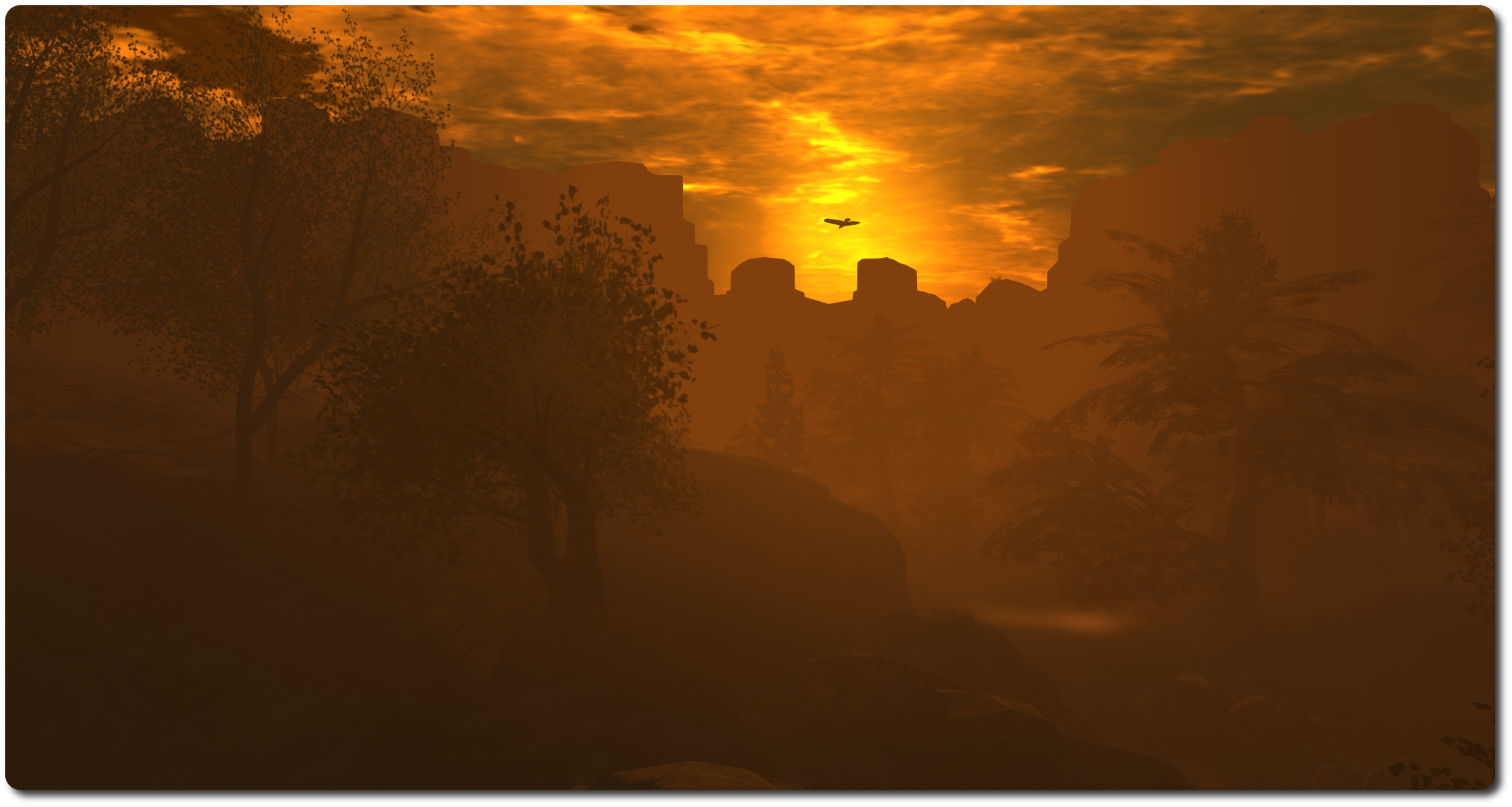
Matoluta Sanctuary and Bay; Inara Pey, September 2014, on FlickrSunrise, Matoluta Sanctuary and Bay (Flickr) – blog post

The following notes were taken from the Open Source Dev meeting on Monday 22nd September 22nd, and the Simulator User Group meeting on Tuesday 23rd September.

Server Deployments Week 39

As always, please refer to the forum discussion thread for the latest updates and information.

  • There will be no scheduled deployment to the Main (SLS) channel this week.
  • On Wednesday 24th September, all three RC channel should receive a further update to the Experience Tool maintenance release deployed in week 38, which includes a fix for an issue with llGetExperienceDetails().

SL Viewer

The most recent Maintenance release viewer, version 3.7.16.294015, was promoted to the de facto release viewer on Monday 22nd September. This viewer includes fixes for inventory and outfit management; appearance editing; group & group ban management; camera controls; multi-grid support for favourites; notifications management; stability, bug and crash fixes – see the release notes for further information.

On Friday September 19th, the New Log-in Screen RC viewer reached release candidate status when 3.7.16.294345 arrvied in the release channel. This viewer brings a simple and clean login screen for new users, and a corresponding update for returning users. (download and release notes, my overview).

GPU Table Retirement

An ongoing project at the Lab is to remove the need for the GPU table within the viewer. This is currently used to set the default graphics level for a user’s graphics card, and requires constant checking and update as new GPUs and cards are produced. Recent work has seen the GPU table massively updated, with the Lab working towards an alternative strategy of determining the capabilities of a graphics system.  This is primarily done by  measuring the memory bandwidth of a card and setting the default based on that (plus a couple of other parameters.

A viewer utilising this approach is currently with LL’s QA team and should be making an appearance soon. This strategy has already shown sufficient promise that new GPUs are no longer being added to the GPU table in preparation for it to be phased out.

Other Items

iCloud Conflict

A recent update to Apple’s iCloud service aimed at users of windows system using the service has had an unexpected impact on various aspects of the SL including killing mesh uploads, snapshots (saving to inventory fails with “Error encoding snapshot”) and textures (upload fail with “Couldn’t convert the image to jpeg2000”), and UI elements can turn completely black.

Full details of the issue can be found on BUG-7343,  and the problems have been particularly noted in both the official viewer and Firestorm, and Catznip. investigations are underway by both the Lab and the Firestorm team, and one line of thinking is that it might be some DLL injection poisoning issue.

The iCloud update, which was apparently deployed over the weekend of the 20th /21st September has, at the time of writing, yet to be deployed for Mac systems. There is some speculation that it may not result in similar issues for Mac users due to the way iCloud is implemented for each OS. One potential work-around is to roll-back to an earlier version of the service’s client, making sure that any auto-update option is disabled.

Group Tags

We’re probably all aware how changing group tags can often be a cure-all for a number of problems, even when logically it should be the case. One possible explanation as to why this is the case is that changing your group tag may trigger a full update of your avatar.

However, possibly as a result of interest list changes, there is now one situation where changing your group tag is not a good idea – and that is when a scene is still loading, as doing so can cause the scene load to fail, and the only means of resuming it is to relog – see BUG-6299. So, if you arrive in a location that sends you a request to join a group you’d like to join, wait a couple of minutes in order to give the scene the chance to fully load before you do so.

This issue is known to the Lab, but a fix has yet to be determined.

llSetlinkAlpha Update Issue

This is an issue that is getting a little long in the tooth – see BUG-1786 – which sees llSetLinkAlpha failing to correctly update a percentage of prims when a large(ish) number are updated simultaneously. Weapons users are liable to be familiar with this, as it can occur in “holstering”  or “slinging” a weapon which should cause the “held” version of the weapon to turn transparent and the “slung” / “holstered” version rendered, but often results in elements of the “held” version of the weapon remaining visible.

This issue appears to be related to UDP packets being lost between the server and the viewer, with Simon Linden commenting, “I remember digging into this and it seemed like lost packets.  It’s really hard to predict when they’ll get lost, but it seems it’s not slowing down updates quite right when there’s a sudden flood.” He promised to pass the issue with LL’s product team, but wasn’t optimistic it might move higher up the “fix” chain due to the current volume of work.

Loonetta: small, but beautifully formed

The Loonetta 31
The Loonetta 31

I entered the world of casual SL sailing via the Premium Gift sailboat. I know, I know, there are better offerings around! Well, those of you who have been nudging me to “upgrade” to something more will likely be likely be pleased to read that I have 🙂 .

September saw me hopping around looking at various boats and options, as I wasn’t sure what I wanted. I did know I didn’t want a racing yacht or racing sail boat; not that I have anything against racing, I just wanted something that offered comfort and a degree of style to sailing around SL. Two boats went fairly immediately to the top of my list, the MLCC Oceanic, and the MLCC Loonetta 31, both of which are created by Motor Loon, who has a well-deserved good reputation for his custom bikes and other vehicles (he’s also a regular at SL User Group meetings, which are where I first met him).

The Oceanic is the older of the two designs, and is a sleek sailing cruiser, a little over 25 metres in length which features a very comfortable& furnished cabin – seriously, you have to see the boat for yourself to appreciate the level of detail. The Loonetta 31 is the more recent of the two builds and 100% mesh. Around 9.5 metres in length, it might be thought of as the Oceanic’s chubby little sister.

Both come packed with features and capabilities, making them each very excellent value – I’m not going to spill the beans on everything included, as part of the pleasure with these boats is in the discovery. Suffice it to say check hatches and steps carefully 🙂 . Initially, I was swayed towards getting the Oceanic, but in the end opted for the Loonetta 31. This was for two reasons; firstly, Motor’s excellent video tutorial on customising it via a very smart scripted system and set of texture maps convinced me this would be something even I could manage, and secondly – and more directly – the Oceanic is a tad on the long side when manoeuvring alongside at the jetty in front of my house, and is too long to fit the dock alongside the house whereas the Loonetta 31 sits easily alongside either one.

Loonetta 31: closer look
Loonetta 31: closer look at the default finish

Which is not to say I’ve taken second best – far from it; the Loonetta 31 is an incredible little vessel, featuring a fully fitted cabin, like the Oceanic, and  has plenty of room for friends to enjoy a trip out with you. As I siad, the customising system is quite awesome, and it is packed with some really nice touches.

The boat is delivered unboxed and ready to go – simply move the folder from your Received Items to your inventory, then drag the boat into the water. The default colour is a white finish, but there are six more pre-set finishes you can pick from simply by clicking on the boat (not the wheel or the seats – you’ll end-up sitting! Top of the cabin is the best) then selecting SETUP from the displayed menu, and using the DESIGN + and DESIGN - buttons to page through the different finishes, which will render on the boat as they are selected.

The Loonetta's Cabin
The Loonetta’s Cabin – where you can use the radio to listen to an SL Coastguard weather report for Blake Sea

However, that’s not the end of the customisation options – you can select just about any part of the boat and change its colour / hue using the RGB buttons, you can change the degree of shine applied to various parts of the boat, both via the COLOR/SHINE button, and by following Motor’s very excellent video linked-to above, you can learn how to download the texture maps for the boat and use them to create your own texture finishes – which is pretty much what I did.

The menu is also used to control other options as well – lower / raise the anchor or sails, set the spinnaker, adjust the camera position, deploy / hide the fenders for docking, sound the bell or horn, set the boat to a moored status, adjust each of the 40 poses individually, and more. For those who prefer, text commands can also be used with the boat.

My customised Loonetta 31, "Exotix 2"
My customised Loonetta 31, “Exotix 2”

Customising the Loonetta 31 took me a couple of hours – a fair part of which was me trying to do a half-decent job with a graphics programme; I’m pretty sure that anyone with any reasonable graphics abilities could have done the same as I’ve achieved in half the time or less. Essentially, I used the hull map to create a red hull with a white stripe set on it, did the same with the stern plate, and re-coloured the cabin roof in a matching white. I also added a couple of graphics to the main sail and spinnaker, and created a custom name. I have to say I’m quite pleased with the results.

A point to make here is that the Loonetta 31 and Oceanic are both No Modify, so if you’re going to be engaging in some extensive customisation and are concerned about upload costs, you might want to re-sync your Aditi beta grid inventory with a password change, wait 24 hours, and then work on your boat there; once you’re satisfied with the results, you can then upload your modified textures to the main grid and apply them to the boat.

Sailing-wise, these boats are a real treat; Motor has spent a lot of time optimising them for sailing and region crossings. While it is still early days for me, a trip around the United Sailing Sims presented no problems with multiple region crossings under sail or motor. A nice touch is the smoothness of motion when turning; the boat turns gently and easily in a continuous motion, rather than the more step-by-step turns some vehicles exhibit (love the animation uses when turning the boat as well!). And if you don’t wish to leave the boat moored, you can pull out a stand from its contents and rest it safely on land.

Under sail
My customised Loonetta 31, “Exotix 2”, under sail

To say I’m pleased with the Loonetta 31 would be an understatement. It may not be the sleekest boat available (I can’t help but call it chubby!) nor the fastest, but it has won my affections. Motor has done a magnificent job with it, and despite my clunky flapping around with GIMP, I really enjoyed putting together a personalised look for it, one which keeps to my preferences for red-and-white :).

For anyone interested in seriously trying-out sailing in SL, I have no hesitation in recommending the Loonetta 31 or its big sister.

Related Links

MSABC: I Feel, You Feel hunt now underway

Making Strides Against Breast Cancer in SL is underway, and the event’s I Feel, You Feel Hunt hunt has kicked-off, which runs through until the end of October 2014.

The hunt, which has been organised by Earth Nirvana’s and the Be Hunted Group, features more than 50 participating stores and a creators across Second Life, with a range of male, female, and unisex gifts available to hunters. Just L$2.00 is being asked in return for each gift – and 100% of all donations will go to Make Strides Against Breast Cancer. That’s a very small price to pay in helping to save people’s lives.

To get started on the hunt, visit the MSABC in SL kiosk at the American Cancer Society Island, where you can make a donation to the cause, pick-up a fundraising tool kit – it’s never too late to get involved in helping to raise funds! – and find a list of participating stores and landmarks.

In addition, you can visit the hunt webpage for a list of participating stores and hints on where the gifts can be found.

Get started on the I Feel, You Feel hut at the American Cancer Socirty, and help raise funs for Making Strides Against Breast Cancer
Get started on the I Feel, You Feel hut at the American Cancer Society Island, and help raise funs for Making Strides Against Breast Cancer

About Making Strides Against Breast Cancer

Making Strides Against Breast Cancer or MSABC is the largest network of breast cancer awareness events in the United States, uniting more than 300 communities across the country. Every breast cancer walk run during the MSABC’s season is seen as an incredible and inspiring opportunity to honour those who have battled breast cancer, raise awareness on how the risk of breast cancer can be reduced, and to raise money to help the American Cancer Society fight the disease with research, information, services and access to mammograms for women who need them.

About Be Hunted

BE HUNTED {BH} is a group for store owners to promote their businesses through specially low-priced or free prize hunts. There is no cost to participate, and enquiries on participation should be made to Earth Nirvana. Th {BH}  group can also be used by hunters to receive information on current and upcoming hunts.

Related Links

Updated log-in screen viewer reaches RC

The updated login screen viewer has made it past the experimental / project viewer status and is now a release candidate viewer, version 3.7.16.294345. This viewer, which I previewed while still a project viewer, features two log-in splash screens, one of which is seen by users logging-in to SL for the very first time, and one which is seen by returning users.

The “new user screen” provides a couple of hints as to what to expect when those coming to SL for the first time log-in.

The log-in screen displayed by the experimental viewer the *first time* a new user runs the viewer ready to log-in to SL
The updated log-in screen which is only seen by a user logging-in to SL for the very first time, and which provides some information on what to expect.

The more “regular” log-in screen which is seen by returning users (i.e. those who have previously logged-in to SL), has the log-in criteria fields moved to the top, and introduces a few changes, which I described last time around, but will re-cap here for convenience.

The most obvious of these is that the credentials area now has three independent log-in buttons:

  • At last location – as  most users will be familiar with, logs you in to your last location; you’ll also be logged in to that location if you type-in an avatar’s name and password and tap ENTER as per the current viewer log-in screen
  • My Favourite Places – a drop-down which lets you choose to log-in to your home location, or any landmark you have dragged and dropped into the viewer’s Favourites Bar / the My Favourites folder in your Inventory
  • The familiar Type a Location text entry box, allowing you to type-in the name of a specific region / sim to which you want to log in – this now works if you type a location and tap ENTER rather than having to then click the Log-in button.
The log-in / splash screen in the experimental viewer that is seen by user who have previously logged-in to SL
The updated log-in / splash screen users returning to SL will see

Note that on computers which are used to access Second Life with multiple accounts, the user name field now has an auto-complete function based on the initial letters of an avatar name entered into the field (providing Remember Me is checked). However, do note that this does not extend to the password field, which is not auto-completed on the basis of the user name field. When logging-in with different accounts, you will still need to manually enter the password for the account you’re using.

The reason the log-in screen has been revised is that during A/B testing, the Lab believe they noted a rise in user retention of 3-5% among those new users who were supplied with viewers using revised log-in layouts when compared to those who received the release viewer download with the current log-in screen. Speaking at the TPV developer meeting on Friday September 12th, Grumpity ProductEngine Linden also indicated that these may be the first in a series of changes to the viewer log-in, saying:

We’re going to be putting forward some changes to the newbie log-in screen and then the subsequent returning user log-in screen. They’re going to be gradual, and sometimes not as beautiful as we might like all at once; however, you can be assured that they’ve all been tested and that they perform better.

If this does mean further updates might be appearing down the road, it’ll be interesting to see what form they’ll take.

With thanks to Gibson Firehawk for pointing out the log-in auto-complete and location fix.

Viewer release summaries: week 38

Updates for the week ending: Sunday September 21st, 2014

This summary is published every Monday and is a list of SL viewer / client releases (official and TPV) made during the previous week. When reading it, please note:

  • It is based on my Current Viewer Releases Page, a list of all Second Life viewers and clients that are in popular use (and of which I am aware), and which are recognised as adhering to the TPV Policy. This page includes comprehensive links to download pages, blog notes, release notes, etc., as well as links to any / all reviews of specific viewers / clients made within this blog
  • By its nature, this summary presented here will always be in arrears, please refer to the Current Viewer Release Page for more up-to-date information

Official LL Viewers

  • Current Release:  3.7.15.293376 – no change
  • Release channel cohorts (See my notes on manually installing RC viewer versions if you wish to install any release candidate(s) yourself):
    • New Log-in Screen RC viewer 3.7.16.294345 released on September 19 – simple and clean login screen for new users, and a corresponding update for returning users. (download and release notes)
  • Project viewers:
    • No updates.

LL Viewer Resources

Third-party Viewers

V3-style

  • UKanDo viewer updated to version 3.7.15.28403 on September 18th – core updates: parity with LL viewer code through to release 3.7.15; numerous tweaks and updates (release notes)

V1-style

  • Cool VL viewer updated on September 20th – Stable release to version 1.26.12.18 and Legacy version 1.26.8.76 – core updates: please refer to the release notes

Mobile / Other Clients

  • No updates

Additional TPV Resources

Related Links