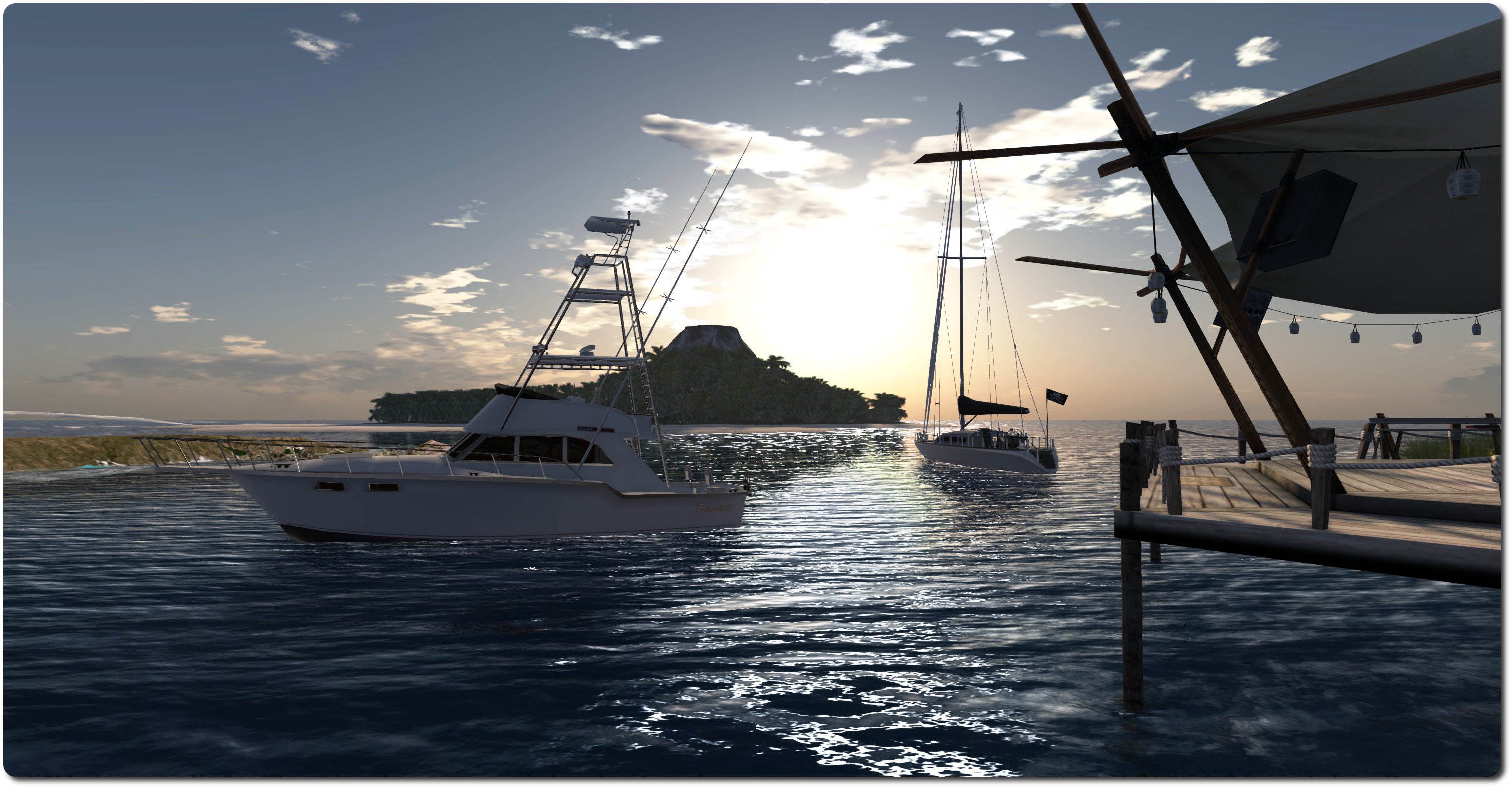
Themes of solitude, industry, landscape and more

Melusina Parkin: Themes
Melusina Parkin: Themes (click any image for full size)

Melusina Parkin’s Themes is now open at the The Nite’s Place Red Line Exposition Area. Curated by Simonh Sandial, Themes features 42 photographs selected by Melusina in and exhibition space which allows them to be displayed in 6 groups of seven photographs apiece on the themes of “solitudes”, “landscapes”, “industry”, “details”, “urban” and “minimal”.

The selected images are striking in nature, each one displayed large enough to draw the eye into it, making the observer almost a part of the scene itself. What is particularly noticeable about many of the images is the fact that they appear so very life-like; so much so that on first look, it’s actually hard to tell whether they were taken in-world or in real-life. It is only on closer examination, or when the eye is drawn to certain clues, that the fact the photo was taken within SL becomes apparent.

Melusina Parkin: Themes

Take the two images above (put side-by-side for comparison purposes): the one on the left (“Loneliness 1”) gives every impression of having been taken in RL, while in the second (“Loneliness 3”), it is only when one sees the while glow surrounding the nearer of the two sets of lamps that its SL origins are revealed.

This RL / SL “crossover” is intentional on Melusina’s art, as she informed Ziki Questi, who reviewed this exhibition earlier in May. “The aims of my photographer’s work are always the same: showing how fantasy and skills of SL residents made a world that reflects the main features of the natural or human environment’s common imagery,” Ziki quotes Melusina as saying of the pieces on display here.

Melusina Parkin: Themes

Not only this, but the selected images beautifully – even hauntingly – reflect their intended themes. In this, several of the pictures in the “solitudes” section were particularly evocative for me, while “industry 1” (see on the left in the topmost image in this article) give rise to images of the romantic age of steam and the stirrings of time long past, together with the feeling of a story waiting to be told.

As noted at the top of this piece, this is a striking exhibition, and for those with a love of SL photography, definitely not one to be missed.

Melusina Parkin: Themes

Related Links

SL projects updates 20/2: server, group bans

Server Deployments Week 20 – Recap

There was only one server channel deployment in week 20, which went to the Magnum RC.

This was a new sever maintenance project deployed on Wednesday May 14th, which included a bug fix for a networking-related issue that sometimes affects busy sims, which Maestro Linden described as, “busy sim hosts would suddenly run into a bunch of networking issues, where you’d see failures creating inventory, accessing capabilities, etc.” The problem can also apparently affect LSL email registration for receiving email from outside the region, causing it to break without automatic recovery.

Maestro indicated that the Lab has a hotfix for regions reporting the problems (although that number appears to be low) which involves a configuration change for the sim host, but the update deployed to Magnum (and which will obviously progress to the other sever channels) has this config change set by default.

SL Viewer

There have been no further updates to any of the SL viewers currently in the release channel or available as project viewers.  Releases are as per my Current Viewer Releases page.

Group Bans

The group ban work is inching closer to the main grid. However, it’ll still be another couple of weeks (ish) before anything visible is seen as far as this capability is concerned. As noted in week 19, the Lab will be deploying things cautiously, with an initial back-end host code update being undertaken first, prior to anything being seen on the simulator channels.

“We’re just running some final tests at this point; the server which runs the group ban service also provides some other services, and we want to check that those didn’t break,” Maestro Linden informed the Server Beta User Group on Thursday May 15th.

He went on, “After the back-end is out, we’ll want to give it a few days to verify that nothing broke because we don’t want to roll back the backend service after group ban is on server RC.”

This probably means it’ll be another couple of weeks before the server-side code appears on a server RC channel. The plan is that when that happens, a formal project viewer with the viewer-side group ban code will appear for public use.

When formal deployment to one more simulator RCs does commence, it is important to remember that until the server-code has been fully deployed across the main grid, the group ban functionality will only work as advertised on those servers / simulators / regions which have the necessary server-side code. It therefore may appear to give unpredictable results.

For example, you will only be able to effectively ban people from you group when the viewer is connected to a server supporting group bans (although they do not need to also be using the group ban viewer in order to be banned). Also, even when someone is banned from your group, they could successfully rejoin it from any simulator / region which does not have the server-side code deployed to it (leading to further confusion as they’ll appear in both your group members list and your group ban list).

Obviously, these issues will go away once the server-side code is fully deployed across the main grid. However, until such time as that has been achieved, people should be aware they may encounter what appear to be “issues” with the functionality simply because it isn’t available right across the grid.

More information will be posted on this when the project viewer surfaces and the code has been made available of a server-side RC.

Planning to celebrate SL11B? Then let the Lab know!

secondlifeOn Friday May 16th, Linden Lab issued an invitation to users and communities planning their own events and activities to mark Second Life’s eleventh anniversary, to submit their details for inclusion in the SL Destination Guide.

The blog post reads in part:

Happy Birthday to …. Second Life!

While it’s only the middle of May, June is fastly approaching and the time is now to start planning your Second Life Birthday celebrations! As in past years, we’ll wrangle the best of the best in Second Life Birthday events and corral them into a special SL11B category on our Destination Guide during the month of June.

The blog post goes on to note that the community itself is organising its own celebratory event, and includes a link to the SL11B Community Celebration website.

Anyone who is planning a celebration of their own can submit details of the event / activity for inclusion in the special SL11B section of the Destination Guide by completing the official submission form using the “misc” category. Alternatively, the details can be submitted via e-mail to the Destination Guide editor, using “SL11B” is the subject line of the e-mail.

The main stage area from SL10B By Us event, one of numerous events run as a part of the grid-wide SL10B celebrations in 2013

As with SL10B in 2013, the Lab is planning some surprises of its own to mark the occasion, and news on these will likely be appearing in due course in the official blog.

Patterns: all change for a new experience

LL logoUpdate, October 9th, 2014: Linden Lab announced that development work on Patterns has been discontinued.

Patterns, Linden Lab’s slowly maturing sandbox game for the PC and Mac saw a new release on Friday May 9th. The update brings with a host of new features, including the promised new user interface, which I previewed in April.

Version 0.7 requires acceptance of the Lab’s Terms of Service, which tends to be the case with each major update of the game. Once this has been done, the changes to the game are evident right from the start, with the new right-hand sidebar now managing both logging-in to the game / creating an account and launching the game options, which now comprise five options:

  • Create: allows you to create new worlds using the basic worlds provided with Patterns, or using your own existing worlds, either saved locally or previously published to the Patterns Cosmos
  • Explore: allows you to explore the worlds in the Cosmos and access them. Worlds are defined in terms of featured, recently uploaded, and popular with users
  • Find Multi-player allows you to quickly find any multi-player games which are in progress
  • Tools: allows you to launch tools associated with Patterns. This is currently the Materials Editor, which I first looked at back at the start of January 2014 and then again in a little more detail and the end of that month
  • Settings: access the game’s settings: controls, keys, graphics and audio.

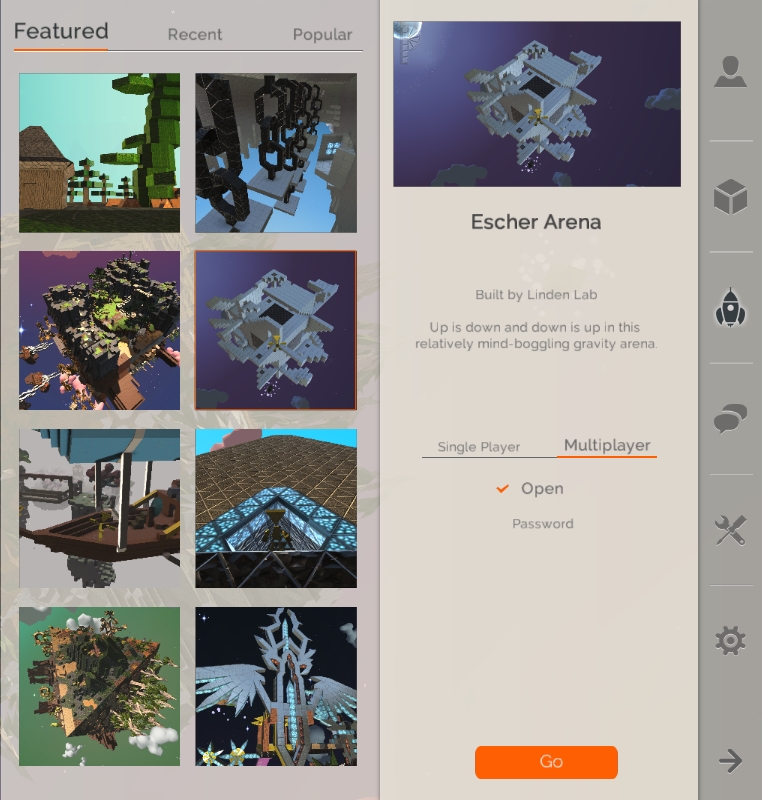
The Create, Explore and Multi-player options preview available worlds in tabs, each world having its own thumbnail (if available) which, when clicked, displays more information on that world. This makes previewing worlds and selecting interesting ones for game play a lot more informative than earlier Patterns versions.

It's a lot easier to preview Patterns worlds - your own or those in the Cosmos - with the new release of Patterns
It’s a lot easier to preview Patterns worlds – your own or those in the Cosmos – with the new release of Patterns

You can also opt to open any world in both the Create and Explore modes as either single player or multi-player. When starting a world in multi-player mode, you can either leave it set to “open”, allowing it to be displayed in the Multi-player tab such that anyone can select it and join the game (up to the maximum number of four players), or you can set a password against it, which other players have to use in order to access the game (handy for when you want to keep a game among friends).

The streamlined UI makes selecting shapes, materials and models a lot easier, and also offers a cleaner overall UI. At the bottom of the Patterns window is a tool bar area which has a toggle option on the left which switches it between elements and materials, and each of which have ten placeholders apiece, which can be used to store your preferred elements and materials ready for immediate use. an Inventory icon on the right of the toolbar will open your full inventory of shapes, materials and models, allowing you to quickly drag and drop them into the placeholders, replacing anything previously stored in any given placeholder, making selecting and swapping shapes to suit your needs fast and easy.  ESC closes the inventory window and returns you to the game play.

When used in-game, ESC will pause the game and call-up additional options, but in a slightly different format to previous releases, with everything other than the option to save the world to your hard drive now also located in the right-hand sidebar. These options include the familiar game settings, the respawn world option, help, and a new scene settings option.

The scene settings option provides access to a number of tabs which allow you to adjust a number of options associated with a world – how gravity works, what appears in the sky, fog effects, lighting (direct, reflections, etc.), SSAO blurring, and so on.You can also use this option to add your own materials packs to a world as well. A video from SandovalCurse (aka happyhappygaming on YouTube) of the Curse team provides and overview of the scene setting options.

Continue reading “Patterns: all change for a new experience”

Lab launches new mesh avatars

some of the new avatars as they appear in the selection screen of the new user sign-up process
Some of the new avatars as they appear in the selection screen of the new user sign-up process

Update May 16th (2): Following a tweet I made directed at Ebbe Altberg on the NO MOD nature of the base avatar shapes, he responded with the following:

ebbe-avatars

My apologies for taking a while to post this. My ISP and WordPress have a periodic battle in which my access to this blog is at best limited. The battle was rejoined today, leaving me with severe access issues.

Update May 16th (1): While there are limitations with the new mesh avatars, they can also look very good as photographic models, with suitable inventory items and windlight settings. Caitlin Tobias demonstrates this with a series of very eye-catching images, which are well-worth a look at.

On Thursday May 15th, Linden Lab launched their line of new mesh avatars. In all, 24 avatars are were made available, both for new users signing-up to Second Life, and through the Avatar Selector for those already using SL.

The blog post announcing the new avatars reads in part:

Today, we’re updating Second Life’s default avatar options with 24 brand new mesh avatars. You may have spotted a sneak peek at a few of these as Lindens tried them out recently, and starting today, you can start using them yourself!

These avatars are designed to give new users a more appealing set of choices as they start their time in Second Life. Based on the most popular avatars picked at registration, these new options are much better-looking and take advantage of technology incorporated into Second Life over the past year (like fitted mesh and materials) for a more modern feel.

Currently, the avatars are largely limited to human forms, but are ethnically diverse. I use the terms “largely” and “human forms” as twelve of the new avatars are listed under the “Vampire” heading  – although given one looks a tad more Lycan than vampiric, another is more demon than anything, and two have a decidedly zombie look to them, I’ve perhaps have gone for “Horror” to describe this set of avatars.

The "Vampire" avatars - although "Horror" might have been a better title
The “Vampire” avatars – although “Horror” might have been a better title (click to enlarge)

Being mesh, there are inevitably some caveats around the new avatars. Facial expressions, for example, are fixed, and old-style system clothing won’t work with them and they are NO MOD – or at least the four I tried all were. This means you cannot edit the shape using the sliders without swapping the base shape for something which is MOD.

Two of the avatars  – the demon and the Lycan – come with AOs, and it’s shame a little effect wasn’t put into providing the rest with a starter AO,  if only to get rid of the newbie duck walk. While the latter is a lot better than it once was, it’s still pretty ugly to see.

Two of the new mesh avatars; "Alicia" and the werewolf (which is also a pretty good approximation for how I feel before the first mug of coffee for the day...)
Two of the new mesh avatars; “Alicia” and the werewolf (which is also a pretty good approximation for how I feel before the first mug of coffee for the day…)

In terms of overall looks, the avatars are a mixed bag. That they may have been designed to “take advantage of technology incorporated into Second Life …. (like  fitted mesh…)” seems to be something of non-sequitur for new users, given they are NO MOD, and thus require the base shape swapping out to allow for some degree of shape customisation, as mentioned above.  While this isn’t a major issue per se, it still might lead to some confusion among newbies as to way they can’t customise the shape, height, etc., of their avatar while others can.

For my part, I confess there’s nothing within this set which would divert me away from my current avatar and her look, and I’d say that overall, the avatars may well be mesh, but they’re not particularly attractive for being so.

A Goodnight dream

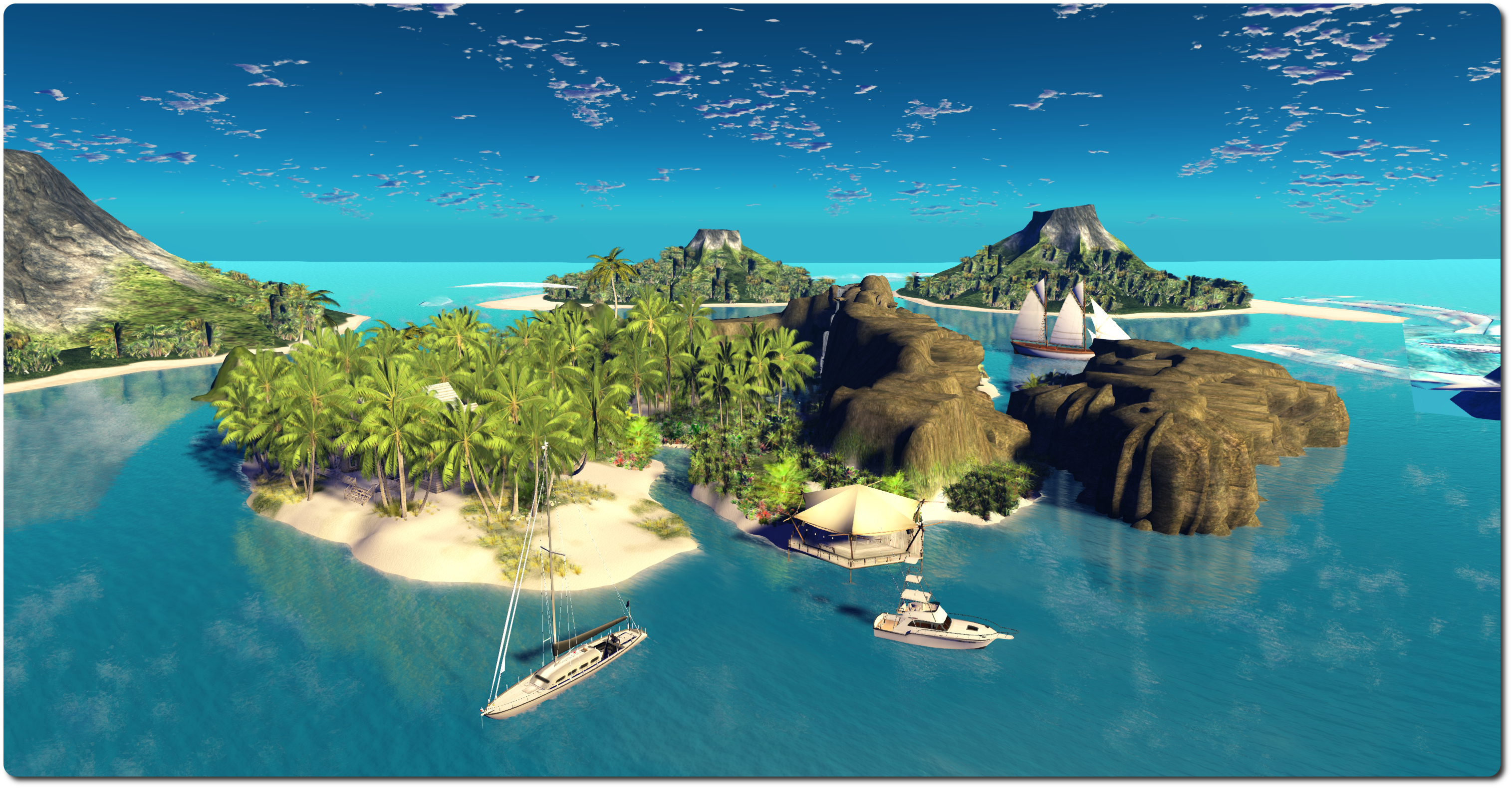
Goodnight Photography, Berlengas; Inara Pey, May 2014, on FlickrGoodnight Photography, Berlengas (Flickr – click any image for full size)

Jeff Goodnight is an SL photographer who has a well-deserved reputation for taking some incredible pictures in SL, as both his blog and his Flickr stream reflect.  So when I discovered he’s completed his own region and was inviting people to visit, I knew I had to hop over and take a look.

Jeff describes Goodnight Photography as a, “labour of love and has been 5 weeks in the making.  After a couple of starts and restarts, I finally decided on the look I was going for and this is the result.  I wanted a tropical sim but I also wanted to infuse some color and warmth into it as well and this is what I eventually ended up with.” It’s fair to say that he’s achieved all that and more.

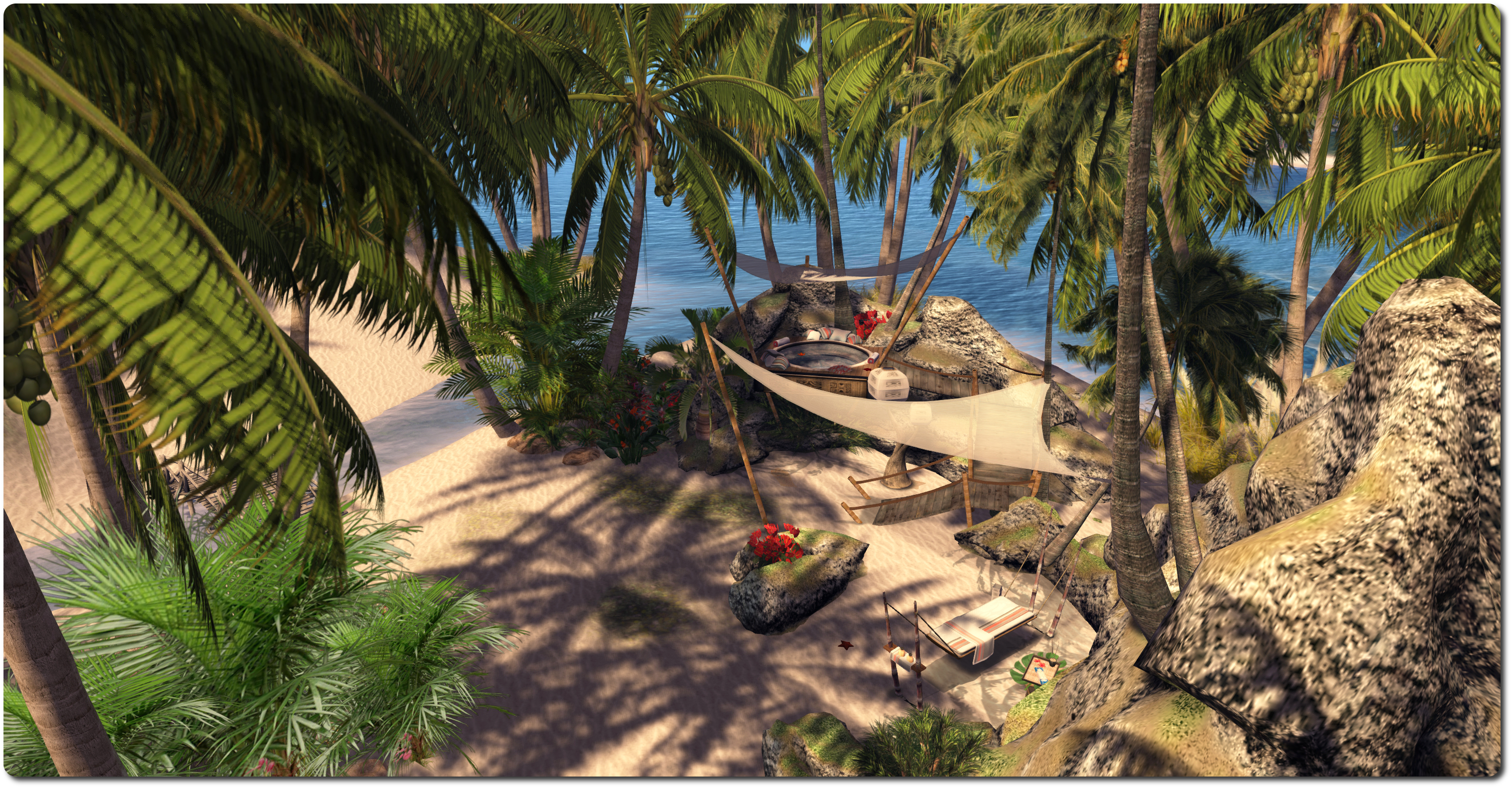
Goodnight Photography, Berlengas; Inara Pey, May 2014, on FlickrGoodnight Photography, Berlengas (Flickr)

On arrival one is presented with a tropical paradise, a beautiful island within a small archipelago, on which he’s built a stone house, its colour blending perfectly with a setting  which offers some wonderful opportunities for photography.

Given the surrounding islands, it is easy to imagine the island sitting within the caldera of some long-submerged volcano, perhaps amidst the Indonesian or Philippines islands. Indeed, looking out at the peaks surrounding the place, vents from the old volcano would still appear to be somewhat active!

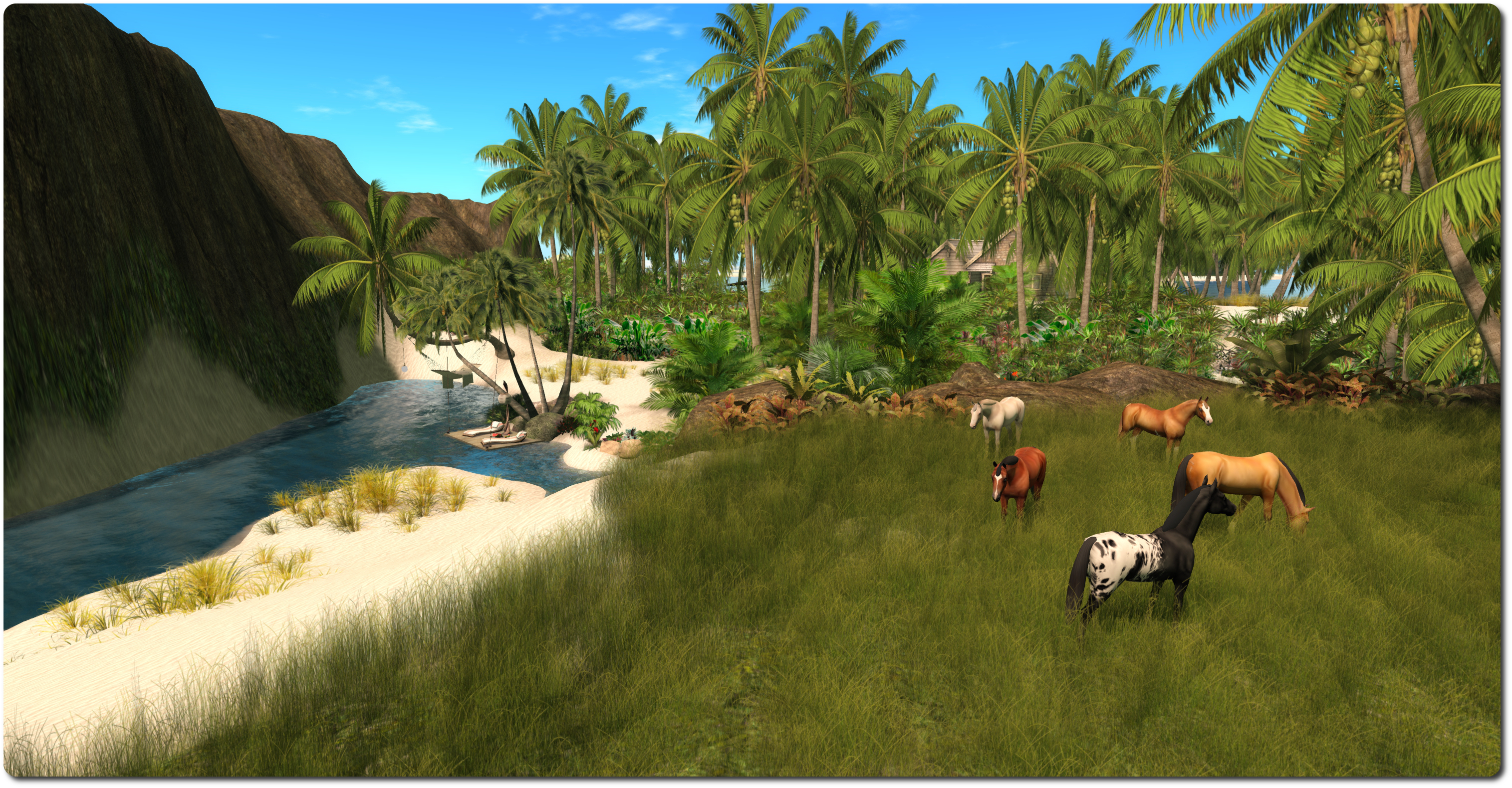
Goodnight Photography, Berlengas; Inara Pey, May 2014, on FlickrGoodnight Photography, Berlengas (Flickr)

The design here is that of elegant simplicity, suggestive of an island which has been “tamed” just enough to provide a comfortable home, but which has not been unduly spoiled in doing so.  There are trails, low-lying beaches, high cliffs, grassy meadows where horses roam, places to lie in the sun or the shade, boats anchored just offshore, streams cutting through the rocks and around the house, rich colour and opportunities galore for photography. So much so, that it’s hard to point to a single aspect of the island as particularly photogenic – everything works so perfectly.

Goodnight Photography, Berlengas; Inara Pey, May 2014, on FlickrGoodnight Photography, Berlengas (Flickr)

On the subject of photography, Jeff has this to say about the island:

Not only do I want people to visit, enjoy, and photograph it, but I also want to use this as my launch into avatar photography.  Besides the setting on the ground, I have other photographic items set up to accommodate many requests.  If you would be interested in having your pictures done, either for profile pics or something more personal, please do not hesitate to contact me.  I would be more than happy to discuss them with you.

In the case of the former – people taking their own photos, rezzing is allowed on the island; just do please remember to clear-up again should you choose to put out a prop or two. In the case of the latter, should you have something in mind photo-wise, be it individual portraiture, group shots or something else, please do give Jeff a call in-world. If he’s not on-lin when you do, he’ll certainly get back to you.

Goodnight Photography, Berlengas; Inara Pey, May 2014, on FlickrGoodnight Photography, Berlengas (Flickr)

Related Links