Black Dragon 2.3.9.8: poking at the UI and adding filters to the snapshot floater

Blackdragon logoOn Friday May 16th, Black Dragon 2.3.9.8 was released on the world. The release is marked as “experimental”, and so some caution is advised in using it. It is also billed as a part-way release between the 2.3 and 2.4 versions of the viewer.

The majority of the changes this time around are within the UI, although the version does pick-up on some new shiny from LL, notably the SL Share 2 capabilities for uploading text and photos to Twitter and photos to Flickr.

Again, this isn’t intended as an in-depth review of the viewer, more a look at some of the highlights and give some initial feedback.

UI – Toolbar Buttons

The UI changes are immediately apparent on launching the viewer: the UI has moved more to a black schema, and system messages, etc., are by default in red. The result is quite striking, but at the same time I wonder how those with visual impairments will find the viewer at first glance.

The most noticeable element of this version of the viewer when run for the first time, is new button placement area at the top left of the screen. This displays buttons where one would, in any other v3-based viewer, expect to find the Me, Comm, World, etc., menu options.

The new top bar arrangement in Black Dragon - note the toolbar buttons on the left (click for full size)
The new top bar arrangement in Black Dragon includes the ability to set-up toolbar buttons “in” the top bar, ranged to the left of the Black Dragon drop-down menu which accesses the familiar menu options (“Dragon”)

The buttons are displayed in a new size of “Tiny”, and are immediately followed by the Dragon menu option, which provides access to the expected drop-down of menus (File, Edit View, World, etc). Right-clicking on these buttons displays the expected button options menu, and buttons can still be dragged and placed on the left or right of the screen or at the bottom of the screen, according to your own preference.

It’s an interesting approach, and bearing in mind the current release is experimental, not entirely trouble-free, for me at least. By default, the Navigation & Favourites bar are enabled, but for me, the Navigation Bar didn’t display the region name or any details, and toggling to the Mini-location Bar caused it clash with the toolbar buttons, suggesting more work needs to be done in integrating the two sets of functions. Given the nature of the viewer, I’m not pointing to either item a fault, but rather something to be aware of should you try the viewer yourself and encounter similar oddities.

Additional "spacer" buttons in the Black Dragon Toolbar Buttons floater can be used to add spaces between groups of toolbar buttons
Additional “spacer” buttons in the Black Dragon Toolbar Buttons floater can be used break-up buttons in a toolbar into logical groups

Another interesting / useful little extra is the addition of five “spacer” buttons to the Toolbar button floater. Like the toolbar buttons, these can be dragged and dropped into any of the toolbar areas and used to break-up the buttons displayed within it into groups. As with the other buttons on the floater, note that each spacer can only be displayed (used) the once.

Snapshot Floater Overhaul

Niran has undertaken a complete overhaul of the snapshot floater. Again, this still appears to be a work-in-progress, given the lack of a preview panel for viewing snaps, but what is there is likely to get some people bouncing in their seats.

The most immediate change visible in the floater is the inclusion of buttons for the share to Facebook, Twitter and Flickr options. Clicking on any of these will launch the respective floater, thus offering a quick and easy way to swap from the snapshot floater should you wish to upload an image elsewhere.

However, and perhaps more particularly for most people, Niran has incorporated the post-processing filters from the SL Share 2 viewer into the snapshot floater. This means that when saving snapshots to disk, e-mail or your Profile feed, you can now apply any of the filters supplied with the  SL Share 2 code (1970s colours, autocontrast, sepia, lens flare, etc., and Niran’s own “realblackandwite”).

Black Dragon's WIP snapshot floater: note the inclusion of the post-process filter options, applicable to iamges saved to disk and inventory and uploaded to profiles feeds or e-mailed
Black Dragon’s WIP snapshot floater: note the inclusion of the post-process filter options, applicable to images saved to disk and inventory and uploaded to profiles feeds or e-mailed

Clicking on the red bar to the right of the floater will open the preview pane – something which caught me out initially in looking at Black Dragon (and for some reason a trial click didn’t do anything – so my thanks to Maddy Gynoid for poking me on this and getting me to try again and revise this review as a result).

The snapshot preview panel

Motion Blur and Godrays

Black Dragon’s motion blur option is now on by default, and gets its own tuning options in Preferences > Display. Note that motion blur, while itself on by default, will only work when Deferred Rendering (now more commonly called “Advanced Lighting Model” in viewers) is enabled. However, Ambient Occlusion and Shadows do not need to be enabled.

The Motion Blur and Godray options in Preferences > Display

This release of Black Dragon also sees the Godrays option gain a toggle option in Preferences > Display, together with fine tuning sliders.

Niran has produced a video demonstrating motion blur, embedded below, or you can travel to the Black Dragon office in Hippo Hollow and witness it first-hand using the viewer.

Godrays, from Tofu Buzzard, were introduced with the last release of Black Dragon, but enabling them was a slightly convoluted process, as Niran hadn’t got around to adding a toggle function to them. The new option, together with the fine tuning sliders makes using Godrays much easier, and can, with the right windlight settings, produce some stunning effects, although (for me at least) it took some trial-and-error to get something reasonably usable, When used properly, it can add some stunning depth / feel to snapshots, although I did encounter something slightly unexpected when panning my camera around a sky build when I had Godrays enabled.

Casting shadows on the sky with Godrays

Given most people will be looking towards the Sun when using the Godrays effect, this isn’t much of an issue; however, for the artistically minded, it might offer-up ways to produce some interesting images …

Feedback

Niran has always pushed the envelope with the viewer, and this release of Black Dragon is again ample demonstration of that. The fact that much of the UI is still a work-in-progress means that it would be unfair to pick at it at any length, given any issues that might be apparent could well be down to the fact that it is in a state of flux.

That said, the new approach to the top bar areas of the viewer is interesting, and I’d like to see how that develops, vis getting things like the Navigation bar to correctly display. I’m not totally convinced about the toolbar button area sited to the top left screen; which it works fine for the “mini icons” setting, it does so only if your taste in buttons is minimal. Get to many, and they start wrapping. Use any of the other display options, and things can get a little messy up there very quickly.

The mini icon option also works on the side and bottom toolbar positions, and from my perspective works really well in them; the buttons are unobtrusive but easy to click. Now, if only Black Dragon would include an option to left / right range them along the bottom…

However, as mentioned above, it is the snapshot floater where Niran is to be given particular kudos; the inclusion of the SL Share 2 filters is an excellent addition. The overall design of the panel is something I wouldn’t mind seeing in other viewers; so hopefully it’ll be contributed back to LL and accepted.

Related Links


SL11B Community Celebrations: patience, young applicant!

Applications for the SL11B Community Celebration closed on Tuesday 20th May 2014 – and it seems that many of you are eager to hear back on you applications – which is great!

However, please, please bear in mind that in all, the organising team have received over 1,000 applications, including:

  • 426 exhibitor applications
  • 440 performer applications
  • Over 300 volunteer applications.

Obviously, the volume of applications means that it is going to take time to sort through everything and, in particular, figure out how to get 426 exhibitors and 440 performers into 243 plots and 3 stages.

A few peeks at the DJ Stages, still in development (by Vivena Resident)

While priority is being given to exhibitor applications, do keep in mind that exhibition parcels don’t actually open for building until noon SLT on Friday May 30th, so please give the organising team a little more time to work through the applications, assess them, and get acceptances out. Someone will get back to you as soon as they are in a position to do so, and ahead of the start of the building window.

Once you do hear back on your application, again, please be patient! Read and follow the procedure in your acceptance email and please don’t IM the group before May 30 asking to be let in to the SL11B community Celebration regions; it won’t happen.

Also, the team would like to point out that water plots are extremely limited this year and so will be going to exhibitors that really need them. If all you need is shallow water or part water, then your needs may well be met through the use of a land plot. The team ask for your understanding with this, and offer their apologies in advance to anyone requesting a water plot but who does not get one.

If you’ve applied to be a volunteer or performer – don’t worry, you’ll not be forgotten, either. Replies just might take a little longer to organise, and the team will be posting dates on which  performers can expect to hear from them in a while.

In the mean time, here’s the updated timeline for the celebration:

  • Friday, May 30th, noon: Sims open for builders
  • Wednesday, June 15th, noon: Sims close to builders
  • Saturday, June 21st, noon: Press day
  • Sunday, June 22nd, noon SLT: SL11BCC opens!
  • Monday, June 23rd: Second Life’s Official 11th Birthday!
  • Sunday, June 29th: final day of celebrations
  • Monday, June 30th to Saturday, July 5th: Sims will remain open for viewing. No performances.
  • Sunday, July 6th to Tuesday, July 8th: Breakdown
  • Wednesday, July 9th: Sims go offline

Related Links

Oculus VR sued over alleged “misappropriated trade secrets”

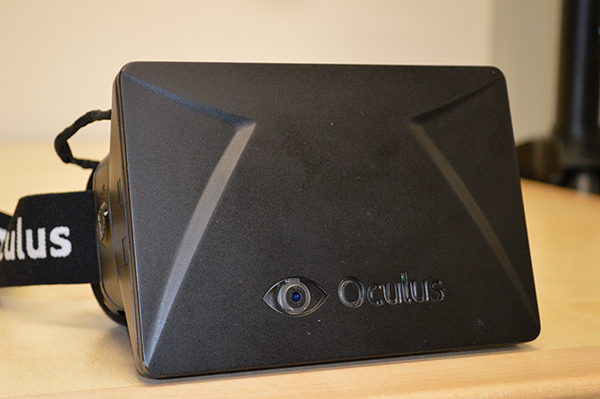
On the day Linden Lab announced the arrival of the Oculus Rift capable project viewer, news also came that ZeniMax Media has pulled the trigger on a lawsuit against Oculus VR and company founder Palmer Luckey alleging, among other things, the misappropriation of trade secrets by Oculus VR.

The lawsuit, filed in the U.S. District Court for the Northern District of Texas has been widely reported in the on-line tech media, makes some heavy reading. As well as the claim of misappropriation of trade secrets relating to virtual reality technology, the Maryland-based company also alleges infringement of ZeniMax copyrights and trademarks and asserts claims for breach of contract, unjust enrichment, and unfair competition against the defendants.

The move is the latest in a war of words which initially erupted in the form of public correspondence between ZeniMax and  Oculus VR – who obviously strenuously deny all claims made by ZeniMax. The latter first informed Engadget of their intentions at the start of May, 2014, and in which they specifically pointed at John Carmack’s involvement in the development of Oculus Rift at a time when he was working for ZeniMax subsidiary id Software, as well as pointing to a non-disclosure agreement (NDA) signed by Palmer Luckey in 2012, relating to the use of ZeniMax technology.

Oculus Rift: ZeniMax lawsuit specifically related to the early development of the headset, alleged use of their technology, possible IP infringements and breach of contract (image courtesy of BGR.com)

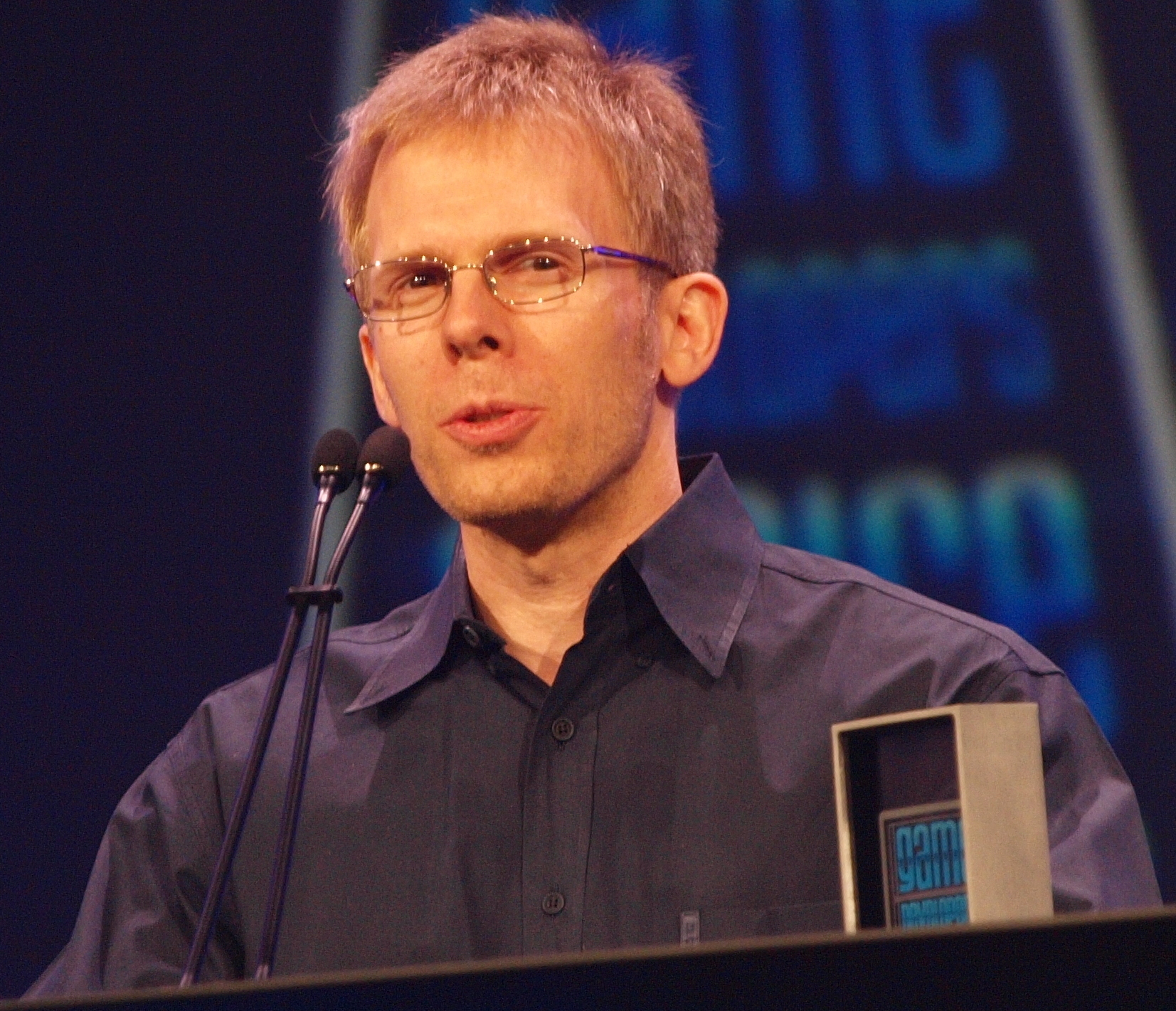
Cormack himself took to Twitter in an immediate rebuttal of the ZeniMax allegations, noting that while he recognises that any code he wrote while under ZeniMax’s employment is clearly theirs, at the same time the company never once patented any ideas arising from his work – placing the burden of proof on ZeniMax to demonstrate trade secrets / IP has been misappropriated where no patents exist.

John Carmack, Oculus VR’s CTO used Twitter in an immediate rebuttal of ZeniMax’s claims at the start of the month.

With the claims following on the heel of Facebook acquiring Oculus VR, the latter also commented on the ZeniMax allegations, framing them in terms of the Faceback acquisition, stating:

It’s unfortunate, but when there’s this type of transaction, people come out of the woodwork with ridiculous and absurd claims. We intend to vigorously defend Oculus and its investors to the fullest extent.

Daniel Nye Griffiths, writing for Forbes Online provides a solid examination of the initial claims made by ZeniMax and the response by Oculus VR,  which although somewhat superseded by the lawsuit’s filing, help frame the two companies respective positions. In their response to the claims by ZeniMax, and without using the actual words, Oculus VR pretty much demanded ZeniMax to put up or shut up.

Continue reading “Oculus VR sued over alleged “misappropriated trade secrets””

May 22nd Scheduled SL maintenance and log-in freeze postponed

The scheduled maintenance planned for Thursday May 22nd, which would have seen Second life logs-in suspended for about an hour from 07:00 SLT onwards, has been postponed.

The announcement was made as an update to the original Grid Status page maintenance announcement, and reads in full:

[Updated 10:46 AM PDT, 21 May 2014] The maintenance originally scheduled for tomorrow, 22 May at 7am has been postponed.  We’ll post a new scheduled date as soon as possible.

Readers are advised to keep an eye on the Grid Status pages for further updates.

Lab releases Oculus Rift project viewer

secondlifeOn Wednesday May 21st, Linden Lab publicly released the Oculus Rift project viewer. Version 3.7.8.289834 of the viewer offers initial support for Oculus Rift, and is focused on getting started with the Oculus Headset (which has yet to be commercially released, although there are currently some 75,000 SDK 1 models in the world, and shipping will commence soon on the updated SDK 2 version).

For Windows, Oculus Rift requires Windows Vista or later, and with Mac OS X, version 10.7 or later is required.

The blog post announcing the release reads in part:

The early beta testers of our integration have provided some valuable feedback, identifying bugs as well as providing suggestions for additional features and options that would improve the experience of using the Oculus Rift with Second Life. Today we’re pleased to announce that our Oculus Rift integration is now available as a Project Viewer, the first step toward becoming a part of the default Second Life Viewer.

Like our initial beta release, this Project Viewer is more about making it easy to get started using the Oculus Rift to view Second Life than it is about optimizing the UI for headset users. We’ve made some minor adjustments to the regular Second Life UI in order to present it in head-mounted display (HMD) mode, but the UI headset users will experience with this project Viewer is still essentially the same as you’d see without an Oculus Rift.

A new Toolbar button makes toggling the Oculus Rift on / off easy

Features in the viewer include:

  • Full Oculus Rift Hardware Support – includes automatic hardware detection and display calibration for quick and easy setup
  • HMD Mode – activated via Me > Display Select or via CTRL-SHIFT-D / CMD-SHIFT-D or via the HMD Mode toolbar button. This command also allows one to display the stereo rendering output intended for the Oculus Rift on their primary display
  • HMD configuration via Preferences > Move and View > click the HMD calibration button
Display A new Preferences pop-up provides additional display configuration options
  • Full UI Support – users can access the entire Second Life UI and HUDs while in Oculus Rift mode, so there are no limitations on what a user can do in-world while using the headset
  • Avatar Head Motion – Oculus Rift head-tracking data is mapped to the avatar, so users’ avatars look where they do
  • “Align to Look” [Q]  –  allows users to quickly start moving the direction they are looking
  • New First-Person View – allows users to enjoy the immersion previously available with Mouselook mode, but allows the mouse to be used to control the cursor, allowing for interaction with the UI and objects in-world
  • Action Key – [“X”] It is now possible to activate action items (i.e. Opening Doors) from Mouselook mode. Aim the crosshairs at the item you’d like to activate, and press the “X” key. In First-Person mode, the Action Key [“X”] will have the same functionality as clicking the mouse button in Mouselook mode (i.e. it will “trigger” guns or other held items).

To display the viewer with the best results, Linden Lab recommend that the Oculus Rift is configured as an Extended Desktop in Windows (do not Duplicate Displays), and that Mirroring Mode (Settings > Displays) is enabled on Mac OS X.

There are some known issues with the viewer, as noted in the release notes. These include, but are not limited to:

  • Alt+Tabbing out of the viewer confuses the Rift – RIFT-22
  • Build Tool’s Translation plane is opaque – RIFT-4
  • File Browsers cannot function in HMD mode – RIFT-20
  • Snapshots disabled while in HMD mode because:
  • HUD and UI elements always drawn in snapshots –RIFT-30
  • Save to my Computer adds a blank screen between refreshes when trying to take snapshots – RIFT-31
  • Toggling HMD mode sets the focus wrong and you have to click in world before doing anything else, on Macs – RIFT-110

There are also known limitations with the Action Key [“X”] – please refer to the release notes for a list of known issues and to JIRA raised under the RIFT project.

To go with the project viewer launch, the Lab has also created a new Oculus category in the Destination Guide, which is intended to list “places that are particularly compelling with the Oculus Rift.

The blog post includes an introductory video, embedded below. Please note, this video refers to downloading the release version of the SL viewer – this is incorrect. The Oculus Rift capabilities are only available via the Oculus Rift project viewer, which is correctly linked-to in the blog post.

Related Links

To slip the surly bonds of Earth …

A Dream, the wings to fly

Opening on Wednesday May 21st at 13:30 SLT is a new 3D art sculpture by London Junkers entitled A Dream, the Wings to Fly, located at the torno Kohime Foundation’s 3D Art Gallery and jointly sponsored by the torno Kohime Foundation and Tanalois Art.

It’s a beautifully intricate piece, celebrating the history of aviation and flight.  The central element of the sculpture is a jet turbine engine, the blades of which form the two main levels of the piece, connected by a stairway. On the upper section sits an exquisite build which richly encapsulates the dream and reality of flight.

This starts with a sculpture of a bird in flight, the gentle arc of its wings reflected and exaggerated in the arc of the wings of the structure it flies before, and which themselves echo the long history of the dream of flight, when men sought to mimic the shape of a bird’s wing that they might also fly.

A Dream, the Wings to Fly

At the base of this structure sits the simplest flying machine anyone can make: a paper aeroplane, while above it, continuing the jet aviation theme rises the central spindle of the turbine, passing through another set of turbine blades to support two Spitfire-like aircraft.

But look again, because there is more to be seen here than might at first be apparent. See how the turbine blades are exaggerated in form, twisted into cloudy wisps. Look again at the central turbine spindle rising into the sky, note its shape and the four fin-like supports at its base; here sits not a spindle, but a rocket, pointing to the stars.

And there, at the centre of it all, lies a small, glass Earth, richly symbolic in its placement. It is both the only home we have, a place which aviation and spaceflight have helped us to explore and map and understand as never before. The place our yearning to continue our voyages of discovery longs to one day slip.

A Dream, the Wings to Fly

There are powerful echoes here: Da Vinci,  du Temple, the Wright brothers, Whittle, Tsiolkovsky, Goddard and others; echoes perhaps best summed-up, giving the Spitfire motif, in the words of John Gillespie Magee, Jr.

Oh! I have slipped the surly bonds of Earth
And danced the skies on laughter-silvered wings;
Sunward I’ve climbed, and joined the tumbling mirth
of sun-split clouds, — and done a hundred things
You have not dreamed of — wheeled and soared and swung
High in the sunlit silence. Hov’ring there,
I’ve chased the shouting wind along, and flung
My eager craft through footless halls of air….

Up, up the long, delirious, burning blue
I’ve topped the wind-swept heights with easy grace.
Where never lark, or even eagle flew —
And, while with silent, lifting mind I’ve trod
The high untrespassed sanctity of space,
– Put out my hand, and touched the face of God.

A Dream, the Wings to Fly

Lizzie Gudkov, London’s SL partner tells me that London hopes the piece will encourage people who visit it to try their hand at flying in SL; that’s not an inappropriate aim. It matches both the aviation theme of the piece and reminds us that Second Life, with all its rich and varied opportunities, allows imagination to truly take to wing, allowing us all to slip the surly bonds of Earth.

A simply beautiful piece, highly recommended to anyone who is either a lover of aviation or whose dreams encompass the freedoms we’re offered through SL.

Related Links