I finally had time to sit down and play with the latest update to Radegast – version 2.2.1171. This isn’t a major update per se, but it certainly adds some very nice capabilities to what is, from a straightforward user perspective, the most flexible of “text” clients for Second Life and OpenSim.
As always, comment here are based on using the Windows version, and this article supplements my previous reviews of Radegast and Radegast 2.0.
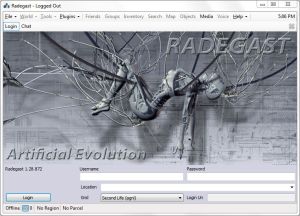
The .EXE file comes in at around 8.3Mb, and as with previous versions, installation is very straight-forward, although I was surprised when it gave the install directory as Radegast-experimental, given this is a formal release; quick update needed there! The login / splash screen hasn’t been changed since the 2.0 release, and logging-in brings you to the familiar chat tab in the main window.
The key updates with this release are:
Multiple attachment support
View your own attachments in the object tracker & touch them
Temporary texture uploads
Change Profile Picture
Inventory backups can now save textures and snapshots
Multiple Attachments
This sees an ADD TO WORN option added to the menu when you right-click on an object in Inventory, allowing you to wear it at the pre-assigned attach point (body or HUD) in addition to whatever else is already worn at the point, exactly as with a graphical Viewer.
Additionally, any objects attached to your body or a HUD position are now listed in the main OBJECTS tab, as well as TOOLS -> MY ATTACHMENTS or CHAT -> [Avatar]-> ATTN. Providing you set the Objects tab to display objects by DISTANCE from you, rather than NAME, worn items will always appear at the top of the list, making them easy to locate.
Attachments now listed in OBJECTS tab
As with other scripted objects, you can access the menu for any attachment by either right-clicking on it and selecting CLICK/TOUCH from the drop-down menu, or left-click on it and then clicking on the TOUCH/CLICK button.
This now allows you to view / edit any scripts / notecards contained in an attachment (subject to permissions):
To view the contents of the root prim: right-click to select an attachment, then click on the CONTENTS button to the right of the Radegast window.
To view the contents of a specific component / prim, highlight the required prim in the panel at the bottom of the OBJECTS tab, then click on the CONTENTS button
In either case, a list of the prim’s contents is displayed. Click on the require script / notecard and click on OPEN.
Temporary Uploads
Image file temporary uploads option
As with a number of third-party graphic Viewers, Radegast now supports temporary texture uploads. Select FILE ->UPLOAD IMAGE. The option to upload a temporary texture is on the main selection / upload panel.
Temporary uploads follow the same rules as for graphical Viewers (no SL charge on upload, cannot be transferred, etc).
Profile and Picks Images
Radegast 2.2 includes the ability to change your Profile image, or any images associated with the Picks in your Profile.
Select your avatar’s name in the Chat window and click on the gear icon to open your Profile
Size / position the main Radegast window (or your inventory window, if you have that open separately) so you can see both it and your Profile window
To change your Profile picture, navigate through your inventory and select the image you wish to use for your new Profile picture. Drag and drop the image into the image area of your Profile
To change the image for a Pick, open the required Pick in your Profile. Navigate through your inventory and select the image you wish to use with the Pick and drag and drop it into the image box on the Pick display in your Profile.
Drag and drop images from your inventory to update your Profile and Picks
Additionally, when you right-click on an image in your Profile or Picks you can now:
SAVE them to your inventory
Locate an original in your inventory using SHOW IN INVENTORY
Copy an image to your clipboard
Copy the UUID of an image to your clipboard.
Other Features and Fixes
Features
Francogrid (OpenSim) added to grid presets
Option to save images and inventory list to inventory backup
3D scene viewer renders megaprims even if their center is beyond the draw distance as long as their closest edge is within
Auto Item accept
Ability to see group and group roles keys
Fixes
[RAD-268] – merged ‘Chat+Objects’ Tabs can’t be re-opened
[RAD-280] – Autoresponse triggers on System Messages
(A semi-lighthearted look at the arrival of the newest member of Linden Lab’s Board)
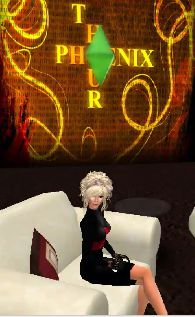
Last week’s Phoenix Hour had something of a cryptic start, allowing for the fact this is the season of Halloween. As the show opened, Phaylen drew attention to the fact she was wearing a green gem over her head.
The “Simified” Phaylen Fairchild
“D’you seen the little green thing above my head? It’s time, ladies and gentlemen, for Halloween; so this year I thought I’d do something extra special and spectacular and arrive on stage as something we’ve all come to love – a Sim!”
The mystery apparently deepened when Jessica cryptically commented:
“It’s actually interesting that you have The Sims theme. I have this feeling that we might be seeing more of The Sims theme in the future…”
Now, I admit I’ve never played The Sims; I’m genuinely not into computer games per se. However, I am aware (Google is still sometimes my friend) that a green gem is very much associated with that game.
What’s more, I’d venture to say that The Sims isn’t somthing people would size upon as a theme for a Halloween costume. Well, not in my household and neighbourhood at least; around here it’s more sheet-over-the head, Dracula, witches and zombies – but then, this is rural England…!
The Sims Logo (TM & C EA Games)
Of course, the comments were more than likely made in complete innocence and sans any deeper meaning than referencing the season itself (by Phaylen) and perhaps concern over the yet-to-be-released new UI (from Jessica).
Howeverm the comments did prove to be remarkably prescient, because it now appears that at some point (possibly during the last week*), and entirely on the Q.T., none other than Will Wright joined the Board of Linden Lab.
Will Wright is, of course, the man originally behind the massively-successful The Sims – hence the precient nature of Phaylen’s and Jessica’s comments.
The Sims, as we all know, is also a game that is very dear to the heart of one Rod Humble, who worked on both The Sims 2 and The Sims 3, as well as serving as EA Games’ Executive Vice President and Head of The Sims Label.
Will Wright speaking at the Games Developer’s Conference in 2010
Just how involved Wright will be in Linden Lab’s development and direction is far from clear, as Tateru Nino notes in commenting on his arrival.
The Board as a whole has been very quiet since mid-2010, in marked contrast to the past, where they appeared to be far more vocal in matters relating to Second Life, with Bill Gurley making statements as regards the platform in 2009, and most famously, Mitch Kapor for his 2008 SL8B address, which could best be summed as an attempt at a, “So long and thanks for all the fish,” kind-of farewell to the user community as efforts were made to push SL aggressively towards becoming a “business application”.
Of course, a quiet Board doesn’t mean an uninvolved Board, so it will be interesting to read precisely what Tateru can ease out of LL by way of comments on Wright’s arrival and possible contribution / involvement in the company’s development.
Certainly, Wright and Humble have much in common. Humble, as we know, is very focused on “creative spaces”, and Wright has always been fascinated by what he dubbed “possibility spaces”; and Hamlet Au notes that Wright himself sees MMOs very much as environments that should encourage user creativity – which could be taken as a very positive sign for Second Life.
Quite when he joined the Board is unclear – there was no Press Release or other form of announcement, possibly by mutual agreement that this should be the case; something that is not actually as unusual as one might expect in these matters.
Was there a hint at all anywhere that this was happening / about to happen? Did it in fact occur after The Phoenix Hour was broadcast on the 18th? If either is the case (and to return to a more lighthearted frame again) then given the season, there is only one way to respond to Phaylen’s and Jessica’s opening comments in the show in light of what has happened…
Spooky!
In the meantime, and more seriously, welcome to the wacky world of Second Life and Linden Lab, Mr. Wright!
*Thanks to Ciaran for his observation that Will Wright may have joined LL in August and we all missed it!
I reported on the last Phoenix Hour update recently, in which Jessica made it clear that where new releases of Firestorm are concerned, the team is pretty much waiting on Linden Lab and fixes to the OpenGL issues (for which the team are also providing assistance).
At the time of that broadcast, LL were saying that it could be another couple of weeks before suitable fixes are in place and ready to roll. However, since that time, progress has been made, although there still issues to be resolved. Among these is an issue with Mac systems using nVidia, which can experience black screens when running SL.
While there is still no date for merging the revised code into the main Viewer code, the progress, together with the fact that it has been a little quiet over on the Phoenix blog has prompted Jessica to drop a line or two on what is going on.
In the post, Jessica discusses the OpenGL issue, before going on to state:
“As of yesterday Firestorm development shifted into release mode. This means we are now focused on fixing the significant remaining bugs, polishing up any unfinished features that have been in progress and we’ve started an intense QA program. If all goes well, the next release of Firestorm will be the big one!”
Of course, such an admission is bound to bring cries of when, as Jessica acknowledges. However, she will only say:
“Unfortunately it seems every time we announce a date.. something goes wrong to jinx it, so I won’t go down that path, but I will say.. VERY SOON!”
This is pretty positive news, as the release promises to be pretty amazing, featuring, among a long list of things:
Spell checker
AO updates
Inventory “jump” fix and improved inventory load times
Mouselook zoom
Notecard text search
Chat bar auto-hide
More V1-style functionality in the Phoenix mode
Radar-in-a-floater
Right-click -> reload texture
Mesh uploads!
Commenting on the promised mesh-rendering version of Phoenix, Jessica indicated this will be following a couple of weeks behind the Firestorm release.
I’ll be aiming to bring a review of the release as soon as possible after it hits the download page!
Note: there is now further information available on the total number of sims leased as a result of the sale.
I had doubts that the weekend’s Land Sale would prove popular among independent users and smaller estate owners. Rather, I thought that if it had any appeal at all, it would be with the larger estates.
I was completely and utterly wrong on both counts.
As Tyche Shepherd reveals, during the offer period, some 322 private regions were leased. Overall, this resulted in a net growth in private regions of some 311 – around 300 more, Tyche estimates, than might otherwise have been the case.
The 322 regions added to the grid currently comprise:
152 full regions
43 Homesteads
127 currently closed to public access (could be either full or Homestead)
In terms of purchasers, in the 195 regions open to public access:
177 are owned by different purchasers, with no single individual buying more than 3 regions
111 of the new owners have no other active land holdings
Some purchases were made by larger estates, but again, none exceed 3 purchases during the period of the sale
So, what does this mean? Certainly, it is a braking (I wouldn’t go so far to say “reversal”) of the recent private region losses. Whether this remains so will only be seen in the release of figures over the weeks.
In terms of stemming LL’s revenue losses resulting from the fall-off in private regions, it tends to demonstrate that far from having to take “drastic” action as some have been demanding, LL actually need to do very little. Just imagine how many more sims might have been leased had the offer run for a week, or how well another such sale would be received if run, say, some time early in the New Year. Of course, whether such promotions have benefit beyond the balance sheet is quite another matter.
Certainly, the sale has generated a lot of debate around abolishing the set-up fee altogether. Some were actually making the call even before the sale was over, and the success of the sale would seem to support them. But abolishing set-up fees is not without risk; many have been reporting for a good while now that they are finding it increasingly difficult to “offload” sims due to the $100 transfer fee. Abolish the front-end set-up fee for new sims on a long-term basis, and this situation could get very much worse.
Perhaps the middle ground would be for LL to restructure (i.e. reduce) the front-end set-up fee while at the same time abolishing the sim transfer fee for “used” sims. Assuming contractual obligations with their co-location hosting company would allow this to happen, one might suggest that dropping set-up to the cost of tier might be a happy medium (so a full sim would cost $295 set-up + $295 tier, for example), alongside of transfer fees being dropped altogether.
When looking at the set-up fees, one has to say there does appear to be a gross imbalance, which suggests there might be some room for manoeuvre here. What is it about a full sim that makes the cost of setting it up some 2.5 times greater than the fee for setting-up a Homestead? At the end of the day, surely, both are more-or-less the same in terms of software, and both have to go through the same load, configuration and test processes prior to being released to the customer. As such, one would have thought that actual costs involved for both would be more-or-less comparable.
At the end of the day, however, what this sale has demonstrated (besides being very good for LL’s balance sheet) is that when given the right incentive, there is still a healthy market willing to invest in new sims. As such, it’s far to call the promotion a success. Nevertheless, whether it has itself been beneficial to the SL land market as a whole is another matter entirely. That is only likely to be known in another two or three months time via Tyche’s on-going grid surveys.
War of the Worlds is a novel I’ve always enjoyed for both its allegorical nature and for being a chilling tale first encountered at school. I also very much enjoy Jeff Wayne’s musical version (thanks to both Dad & my own discovery of Wayne’s brilliant Spartacus back in the 1990s). I’m also more that a little familiar with the tale of Welles’ 1938 Mercury Theatre Hour broadcast – but then, who isn’t?
Given all this, attending a special presentation of War of the Worlds in Second Life by the Seanchai Library is something I’ve been looking forward to ever since Bear Silvershade passed me details of the production, together with an invitation to attend.
I did actually try to make the opening night, on Saturday 22nd, but issues with Voice and Media put paid to that for me, with the result that I felt most frustrated. Sunday’s performance proved to be a lot better – although it did prompt a hasty re-install of a Viewer to allow me to hear things clearly. So it was that I settled down into a beanbag in a packed audience at Haunted Fruit Islands to await the unfolding of events at Grover’s Mill.
Bear Silvershade as the ill-fated Carl Phillips, and who invited me to the performances
Yes, Grover’s Mill, New York, not Horsell Common, Surrey. Given this is a Halloween presentation, this is not just any adaptation of War of the Worlds, it is a presentation of the original script use by Welles and his company in 1938. What’s more, it is being staged with the full approval of the estate of the late Howard Koch, who wrote the script for the infamous 1938 broadcast.
So it is that the story is relocated from rural England and bustling London’s at the end of the 19th Century to rural New Jersey and the towering metropolis of New York. Thus, we open with a scene-changing voice-over that condenses Wells’ original prose and aids with the change in setting from the late 1890s to the latter years of the Depression in the United States.
Of course, Second Life is a visual medium – so how do people go about trying to recreate an audio broadcast? Acting the piece is clearly impossible, not with all that goes on; but having a group of actors standing listlessly on stage isn’t the answer either.
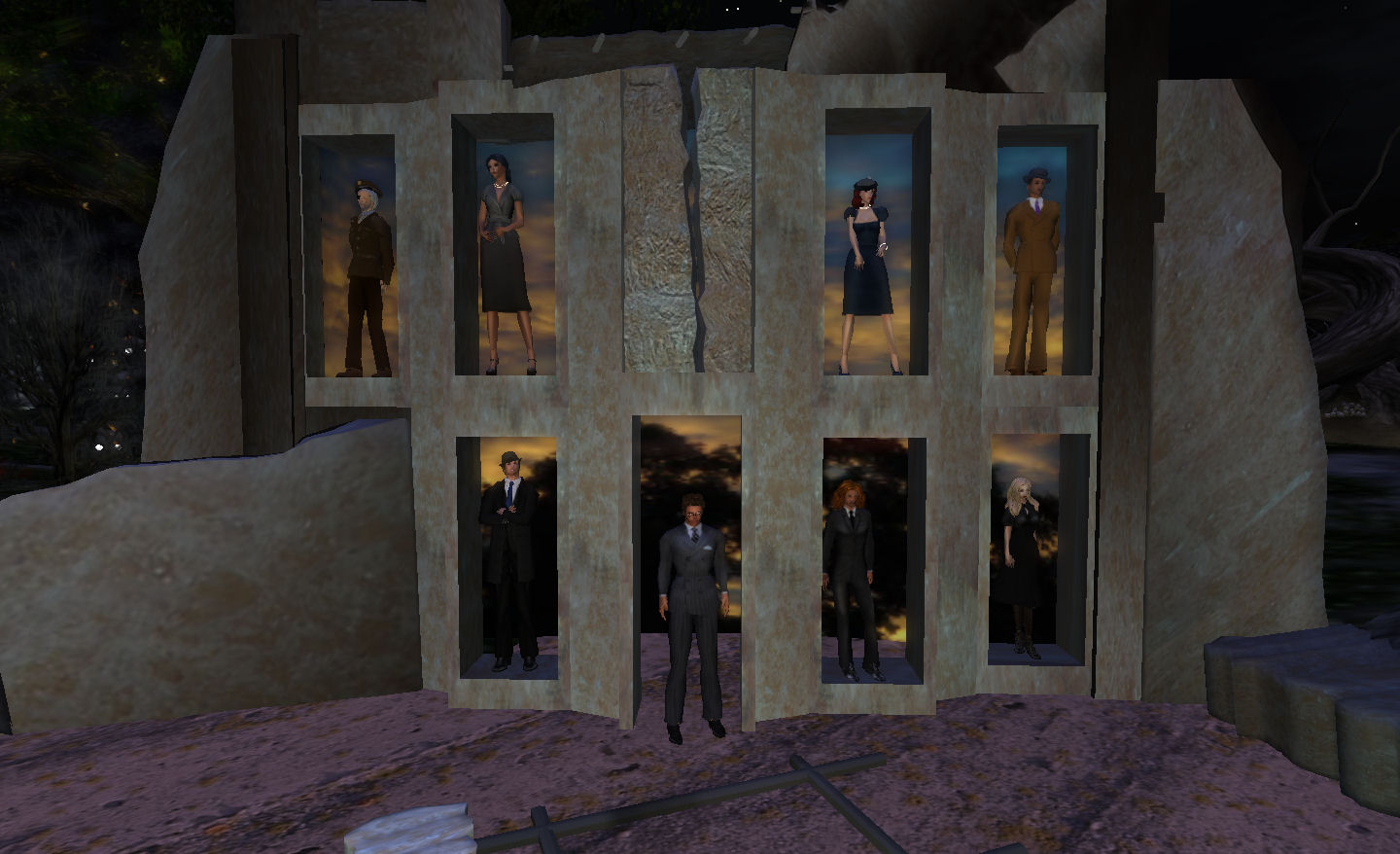
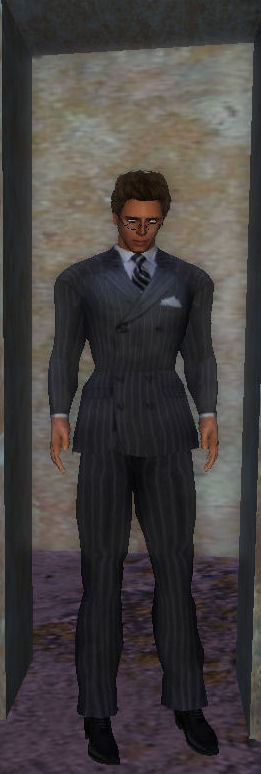
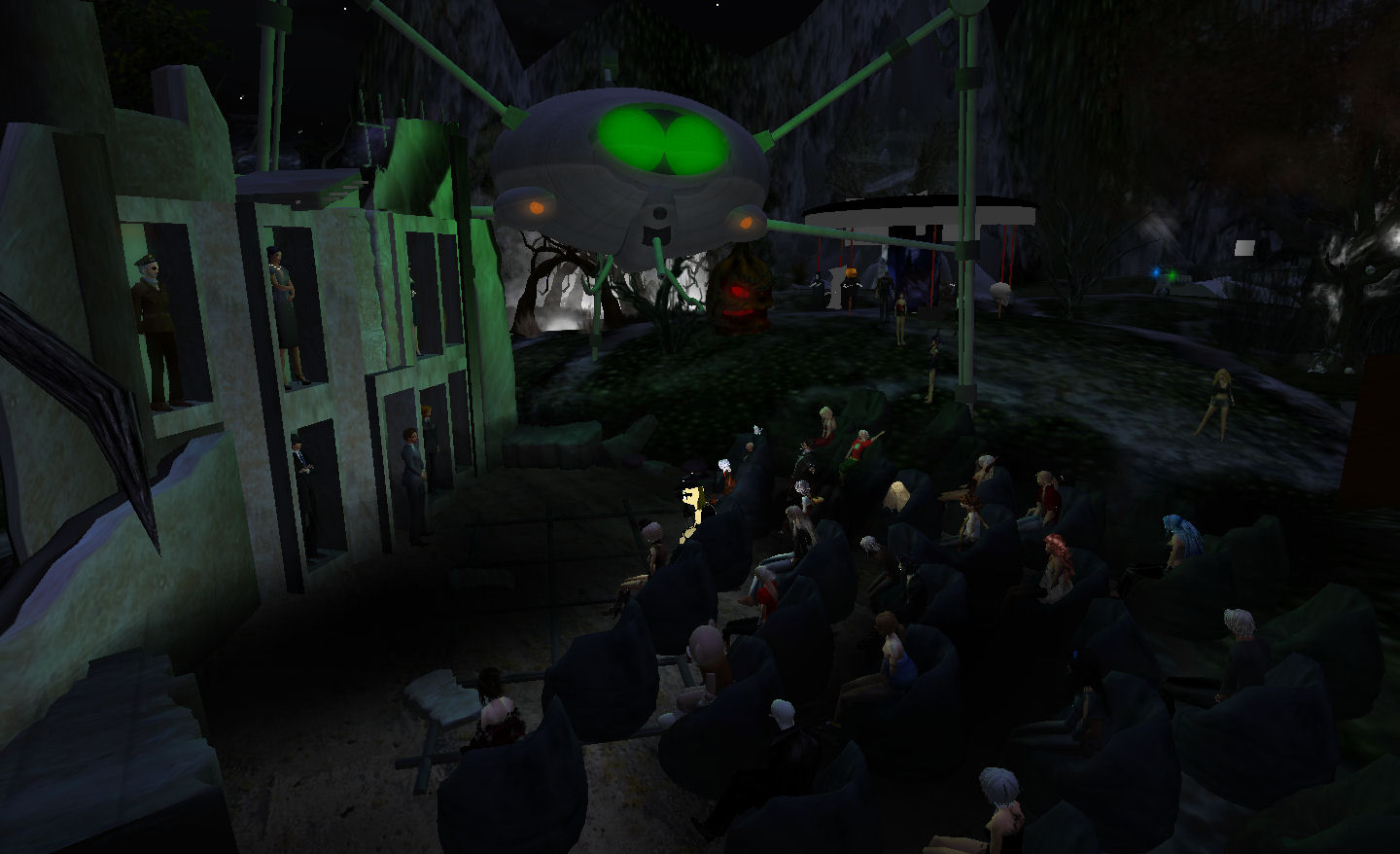
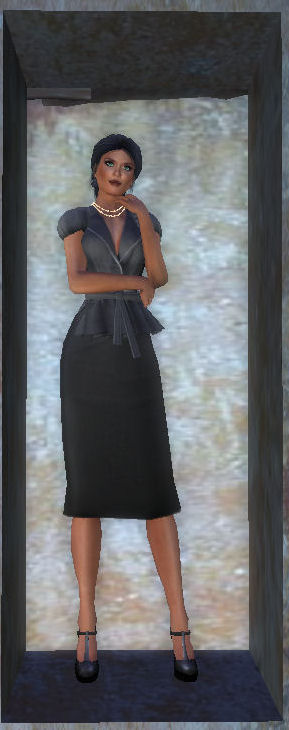
Seanchai Library deal with the issue very cleverly, using a simple but effective set. This has the members of the cast standing in the windows of what appears to be the ruins of a building somewhere – perhaps the remnants of a New York high-rise, so hauntingly described as being cut down as if by the hand of a giant in the broadcast. Kaydon O’Connell – who takes over the central role of Professor Richard Pierson from Orson Welles – takes up the centre of the set, standing in the “doorway” of the building.
The stage: simple and effective
It’s an exceptionally good arrangement; the cast are posed without the risk of AOs distracting the audience, helping to focus attention on what is being said. It also allows those in the cast who have several roles within the piece (i.e. everyone but Kaydon O’Connell as the lead), free to adapt to their various roles quickly and smoothly.
Kaydon O’Connell
As Professor Richard Pierson, Kaydon O’Connell has a considerable pair of shoes to fill. While only 22 when he produced War of the Worlds, Orson Welles was already a director and producer of renown. In 1934 he had directed what became known as Voodoo Macbeth in rapturous reviews that lead to it touring the United States. By the time he co-founded the Mercury Theatre Company, he’d built a considerable reputation as an actor in a number of CBS productions, perhaps the most notable of which was Hamlet, in which he took the lead role as well as serving as Director.
In War of the Worlds, Welles’ authoritative tones do much to establish the character and credibility of both the play and of Professor Pierson, and his closing monologue is particularly chilling. Taking on the role, Kaydon O’Connell brings the same authority and, as we reach the end of the tale, achieves the same mix of confusion, despair and bewilderment Welles evidenced in his portrayal. In this he is an ideal choice for the role; his tone is natural, the emotions behind his words clear – and he carries the core of the play superbly.
The young Orson Welles, circa 1937/8
Alongside the main stage set, there were some additional visual effects planned for the production. Unfortunately, this being a Sunday night, the players had to deal with something Wells nor Welles could never have conceived: an attack of SL Weekend Gremlins. These put a stop to some of the effects, and caused a short pause in the proceedings – although they failed to dampen the audience’s enthusiasm!
The visuals we did see were a treat – as I said at the start of this review, I’ve always enjoyed Jeff Wayne’s musical interpretation of War of the Worlds, and so was delighted when, in a very nice nod to that work, a familiar Martian Fighting Machine appeared above the audience, heat ray extended, and which then spewed forth a black, cloying “smoke” in time to the unfolding events of the play.
“The chances of anything coming from Mars, are a million-to-one, he said”
Some of the readings are at times a little rushed or stilted – hardly surprising, given the cast here don’t have the luxury of being in the same studio with one another and so lack the benefit of having visual or directorial cues to follow. But that said, the cast as a whole handle the material exceptionally well.
Indeed, it’s fair to say it is a brave group that takes on a piece as infamous as Welles’ War of the Worlds, but the Seanchai Library and friends do so with verve, gusto and success. Given we all know the book and the story of the original radio broadcast, attempting to recreate the atmosphere the audience of 73 years ago must have felt is nigh-on impossible. However, the cast are to be congratulated in the way that, despite our foreknowledge, they nevertheless provide us with a window into the past through which we can gain a sense of what it must have been like on that dark night of October 30th 1938, as people huddled around their one link to the world at large only to hear what seemed to be news of a fearsome invasion unfolding as they listened.
Of course, Welles’ intention was never to panic anyone – and today there is still much debate as to whether the original show actually caused the degree of panic claimed to be the case during the broadcast, or whether it was in fact the press reports in the days after the broadcast that created the major frenzy. Welles’ intention was simply to entertain people on a chilly Halloween evening – a point he later discussed with H.G. Wells himself in a 1940 radio broadcast.
So, if you do enjoy a good tale for Halloween, you might like to pop along for the final presentation of The War of the Worlds, which takes place at 19:00 SLT this Wednesday, the 26th October, at Seanchai Library. All things being equal, I’ll see you there, as I hope to be back as well to soak up even more!
In the meantime, courtesy of the Vancouver Film School, and to whet your appetite, here’s a short film of how Welles might have been inspired to adapt Wells’ novel, had the two men met before the events of October 30th, 1938.
Alpha Point and Omega Point are two stunning builds in Second Life created by Masoon Ringo and Sweetlemon Jewell. Occupying a full sim and a Homestead sim, they form a marvellous build that combines fantasy and science-fiction in a way that simply demands exploration. Just make sure you give yourself plenty of time to do so; there is much to see – and much that can be so easily missed if you rush things.
I was introduced to the regions by Himitu Twine, who spends a good deal of time at both, wandering and exploring – and after the first time I joined her at them, I could well understand why. The combined build is simply glorious. Nor is it entirely static; Omega Point has altered over time, and I’ve no idea as to how permanent the current layout is. So, if you’re reading this piece six months after it is written, don’t be surprised if you follow the SLurls and find things have changed; it simply means you have a new experience to enjoy and will still have much to see and discover.
Alpha and Omega Points
Before you do pay a visit, make sure you turn your draw distance up as far as you comfortably can in order to get the fullest impact of the build; I recommend a setting of around 300m. Also, like a lot of regions nowadays, both Alpha Point and Omega Point have their own Windlight presets, and I recommend you keep to them after you’ve arrived.
The current teleport co-ordinates are such that whether you travel to Alpha Point or Omega point, you arrive at more-or-less the same place: an arrivals area that spans the boundary between the sims, high up and central to the build as a whole. While a marker clearly defines the sim boundary itself, I suggest you wait until things rez before moving around too much, least you find yourself bouncing off the boundary itself (although crossing between the sims, providing you do so at walking pace, is generally very smooth).
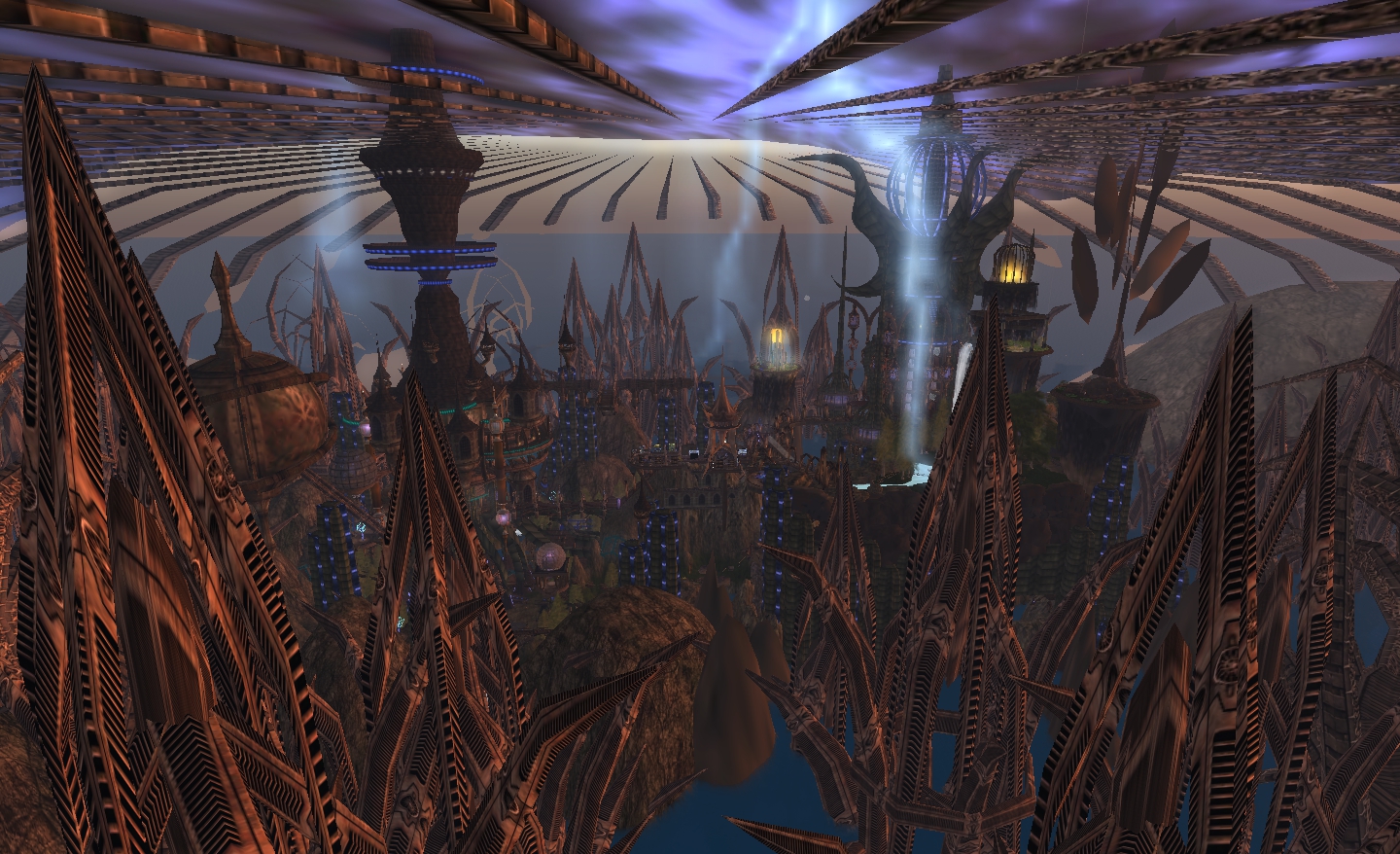
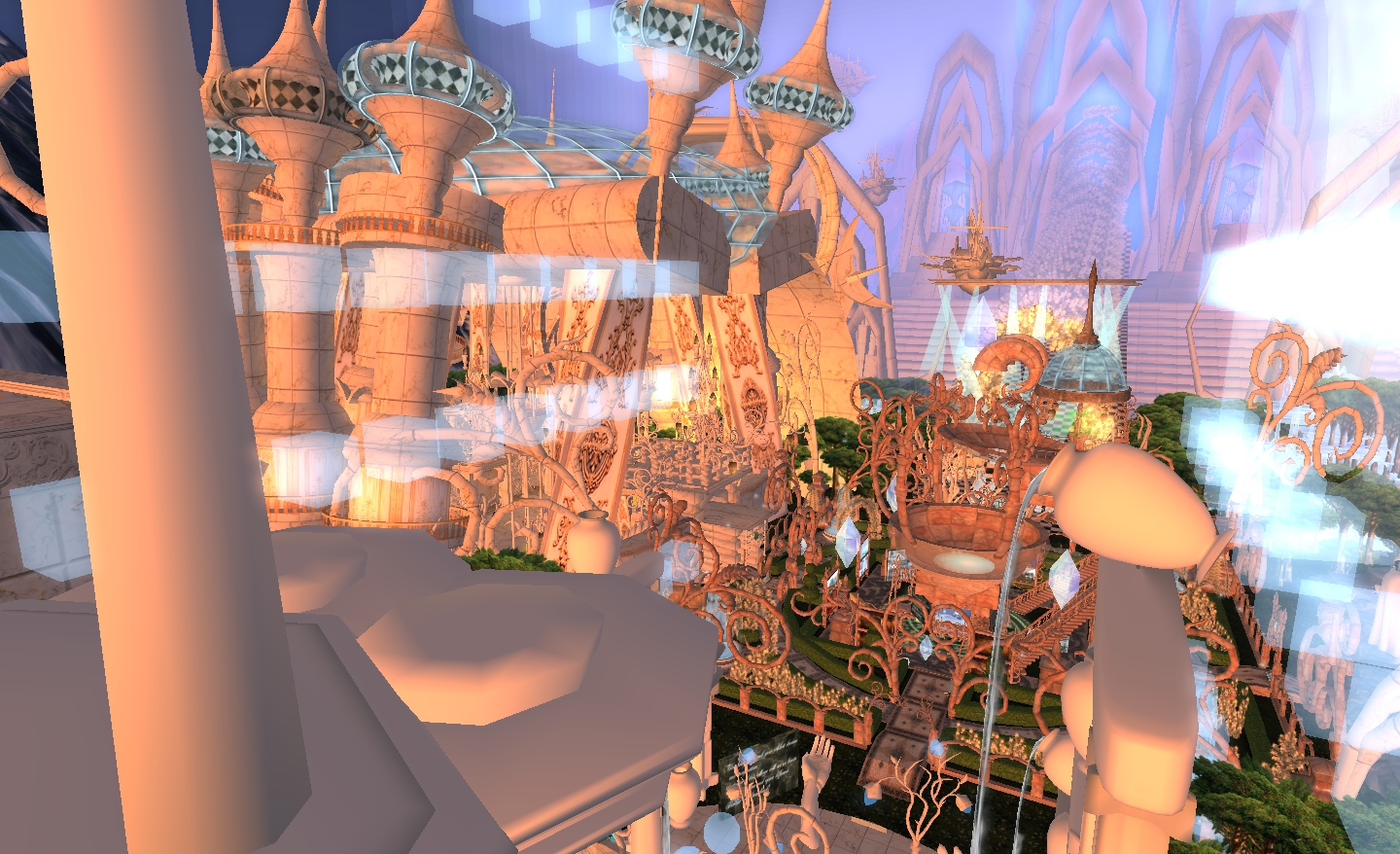
Once rezzed, cam out a little and orbit around your position. What appears to be a spired city, with trees and waterways below and a storm-laden sky above surrounds you, and you get the first indication of the complexity of the place. But don’t go camming too far out and peering into windows and doorways – you’ll simply spoil what is to come. This is a place that is best discovered through exploration.
The arrivals areas themselves have a series of teleport panels to get you to many of the points of interest and beauty in the build. At Alpha Point there are also a couple of flying options you can use to get around. However, I do suggest you ignore both flying and teleports to start with.
Teleport arrivals: Alpha (l) and Omega (r)
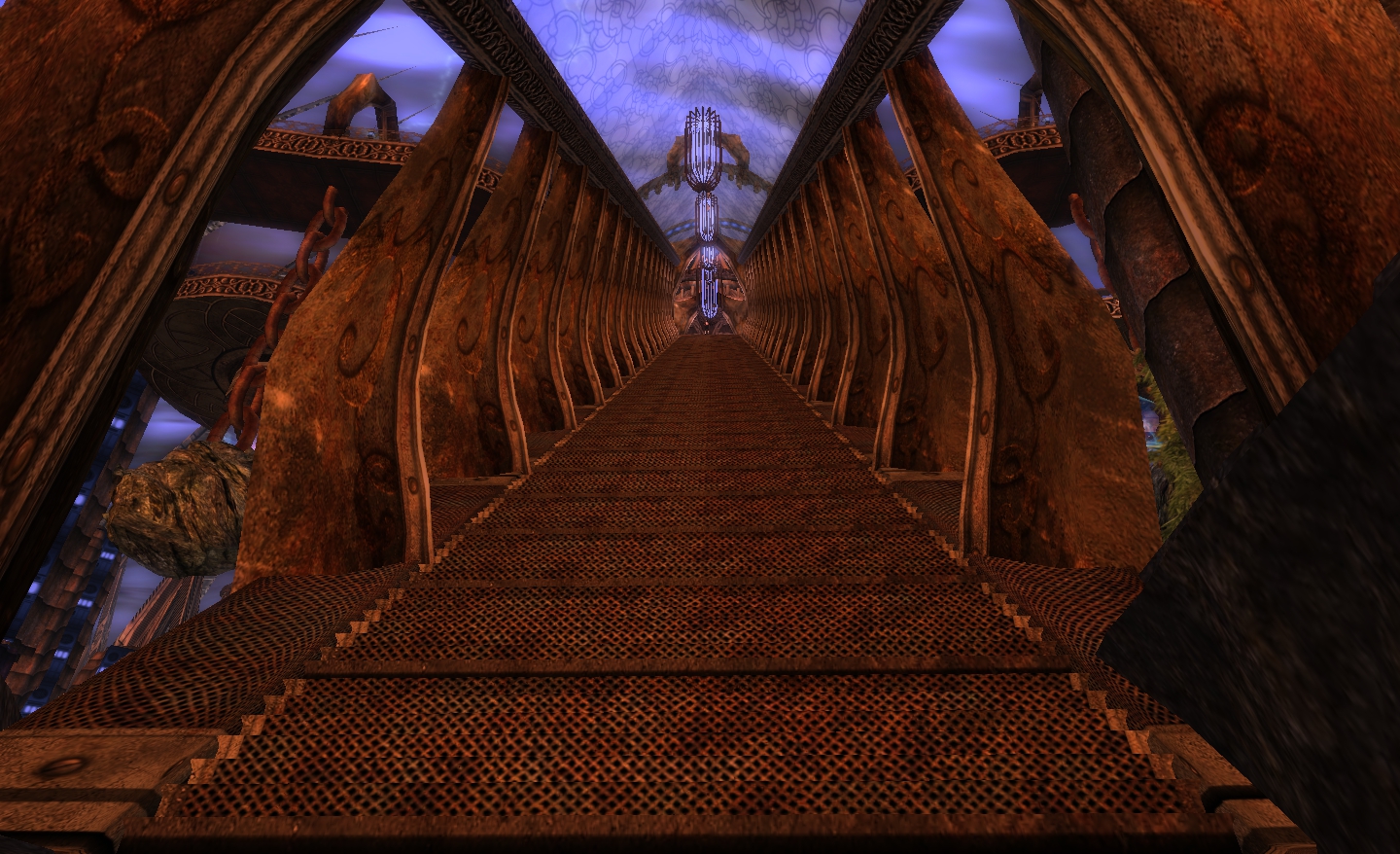
The arrival areas also have stairs and walkways leading from them, and if you really want to experience the build, then you should really start by using Shanks’ pony: take the stairs and start your explorations on foot.
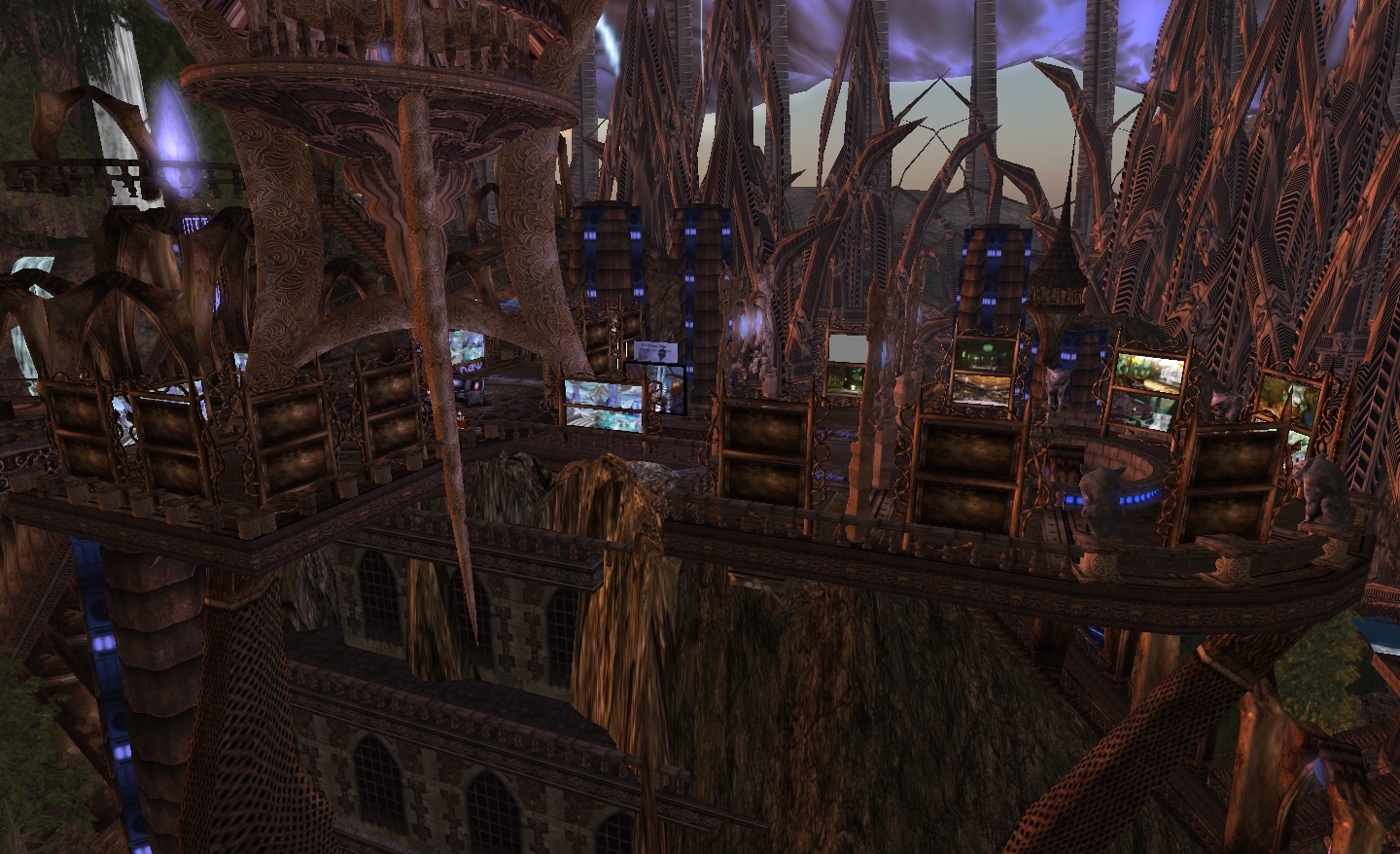
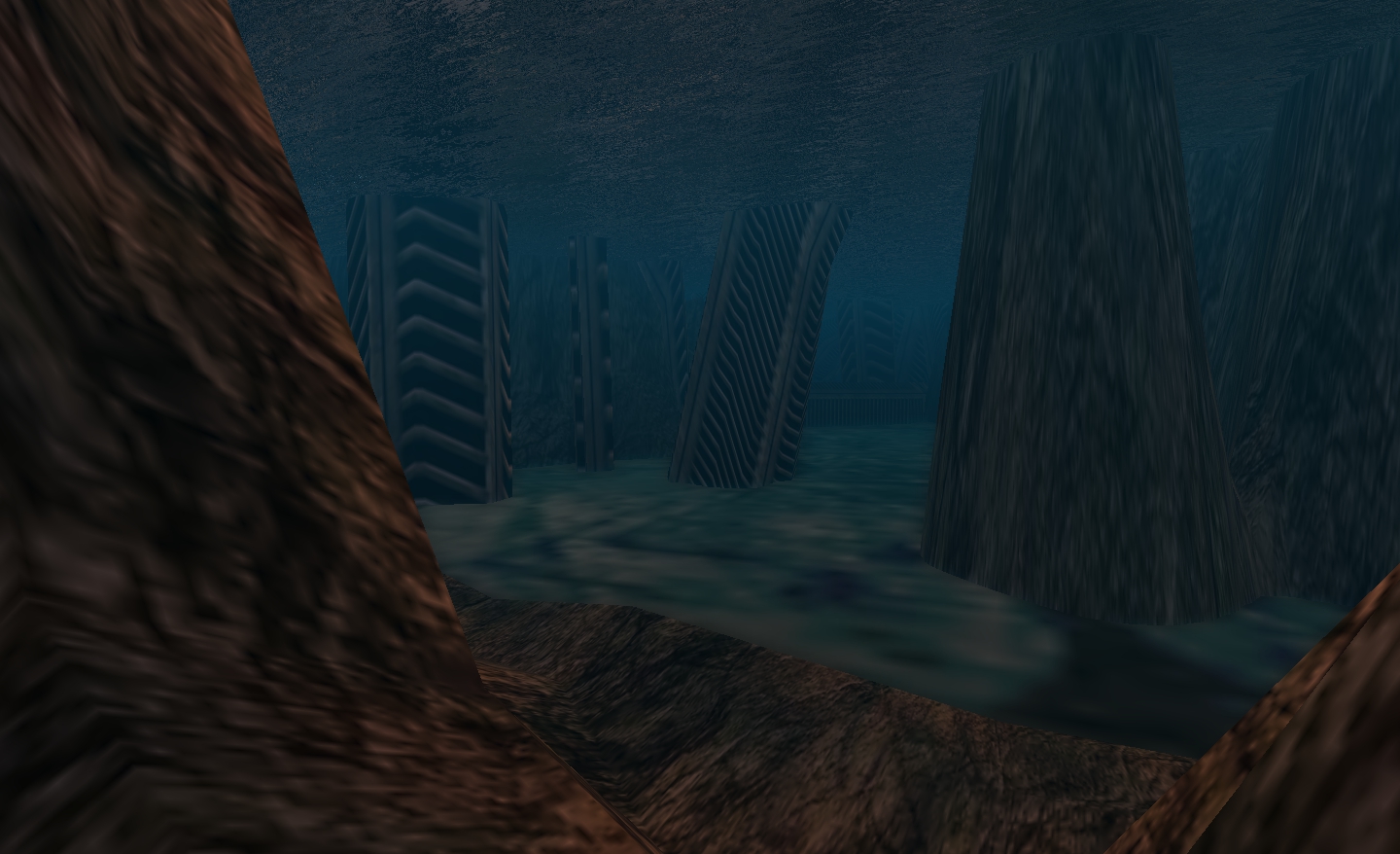
At the time this article was written, the stairs from the Omega Point arrival area lead down to a lower level from which you could make your way to the huge central tower, crossing a gargoyle-lined bridge, or you could carry on down even further to other walkways, landings and stairways until, eventually, you reach the ground. From here, it is possible to wander among trees and fallen sections of the build, long forgotten and half-buried that point to a story yet to be told about the passage of time in this place. There is much to be discovered while down among the trees, so don’t be afraid to wander wherever you will.
“Climb the stairs, Jim!” – yes, that’s me at the top!
Take the long staircase down from the Alpha Point arrivals area, and you’ll come to a walkway that leads the way around a stunning view of a waterfall. Follow the walkway further, and you’ll pass back under the waterfall, and so enter the labyrinthine lower levels of the build. Here hang paintings and images high up along tall walls, each with a story of its own. Here too, are stairways leading both up and down…
Sims extensions – cleverly used (click to enlarge)
One of the things I love about this build is the imaginative use of off-sim phantom prims to create an even more fantastical realm. In places, it’s as if the build never actually ends; it simply continues beyond our reach, down a hall, along a path or around a corner. It’s so tantalising; the effect engages the imagination and leaves one with a sense of “if only”; if only we could walk around that distant corner and slip under that shadowed archway, or reach those distant doors! What would we find, what wonders would await us – what stories would we have to tell? Lying beyond our reach, these parts of the build demand we fill their hidden promise with people, places – and creatures…
Never knowing quite where you are going to end up is another reason I like visiting; follow a route down into the bowls of the build, and it is quite possible that if you take enough stairs and turn enough corners, you’ll find that the way you thought lead back to where you came from has actually lead you somewhere else entirely. Just do be careful where you do walk, however, some of the walkways appear to lead you towards a destination, only to end abruptly, as if a section has fallen away; whether through age or other reason is up to you to decide.
Flyers – a great way to get around
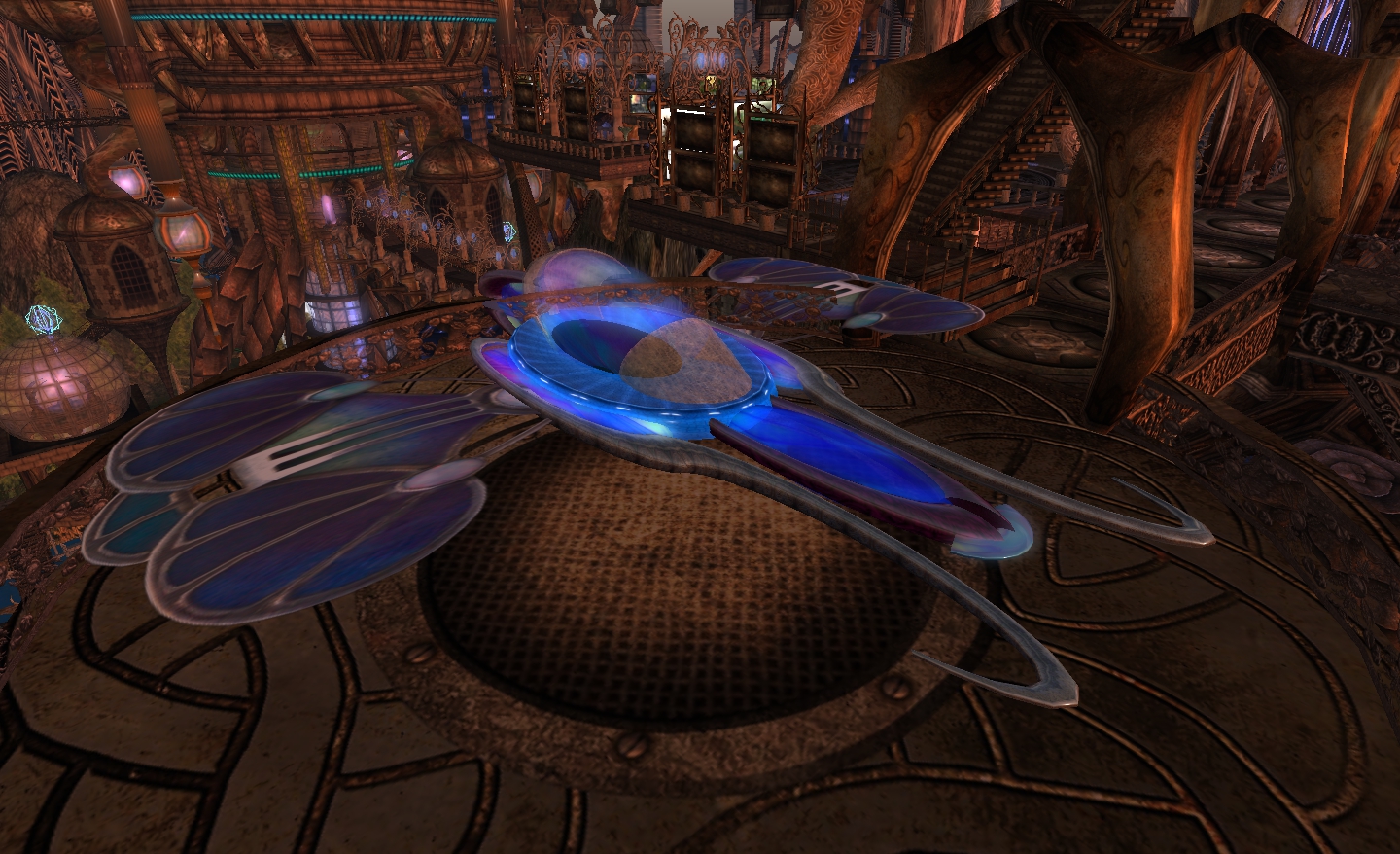
Should you tire of walking, but still have no wish to use the teleports, you can opt to take one of the flying options mentions earlier (so much more fun than free-flying on your own!). Find them back on either side of the Alpha Point arrivals area and teleports.
You can choose from a flying bubble or a craft that resembles a dragonfly for your aerial excursion. Each carries up to two people, allowing a friend to share the experience with you. Full instructions are provided via hovertext, and the usual keyboard controls can be used to control direction / height. Both craft are rez-on-demand from the master version, and will de-rez when you stand up from them. They are certainly a great way to see the build from above, and both perfectly match the theme and design of the place. While crossing between the sims is very smooth for the most part, it’s worthwhile keeping an eye on your co-ordinates and taking things gently as you do reach the boundary between the two.
Romance or solitude also await those who seek them
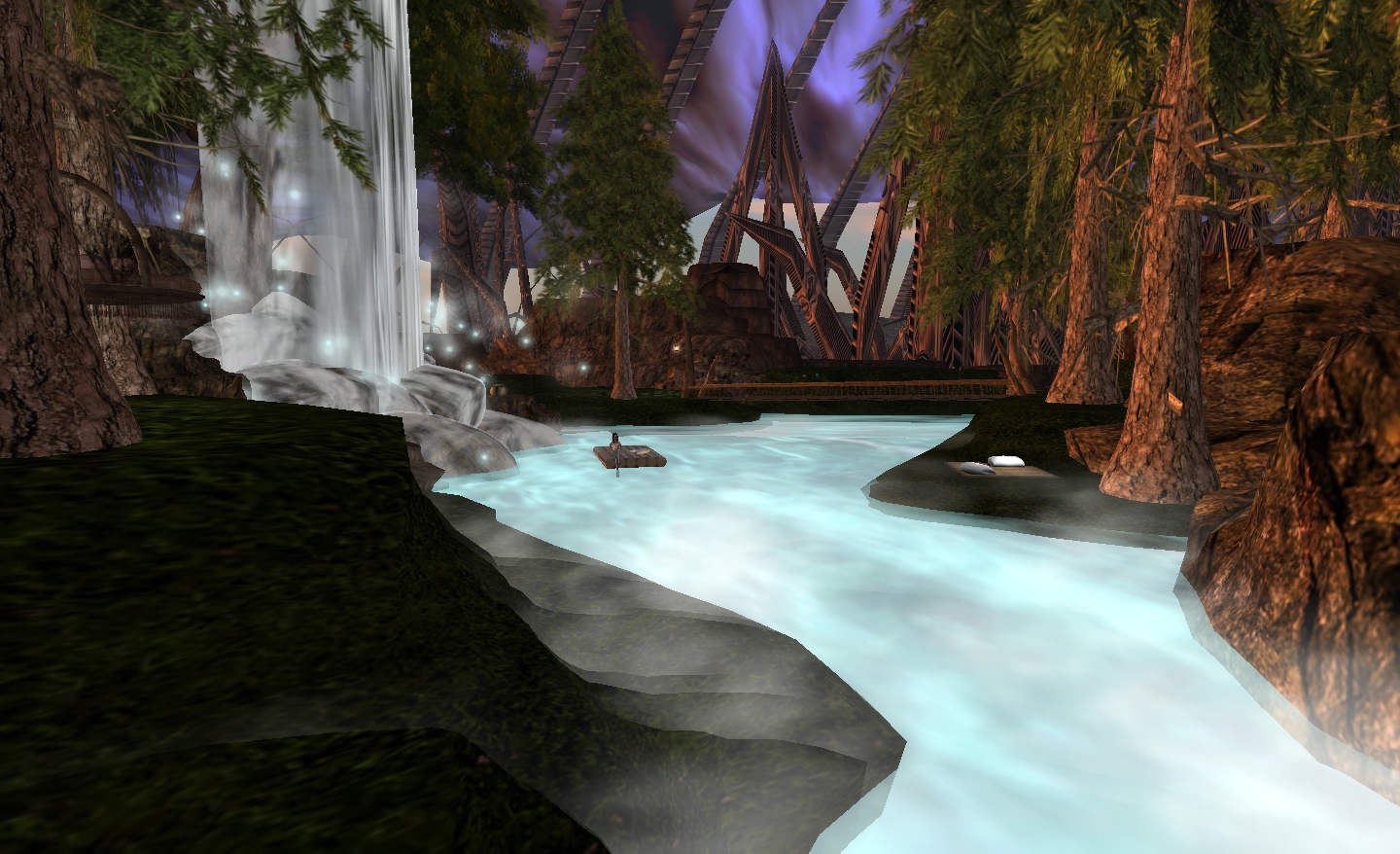
Nor is the build short on romance. You can dance the time away in a ballroom or among the trees or beside the tumbling waters of a fall; you can cuddle quietly in one of many sofas and seats to be found throughout the build, or amidst the trees and grass of a floating garden; you can spend time admiring a waterfall, sitting on the banks of a river or sharing a raft as the water cascades down from high above…
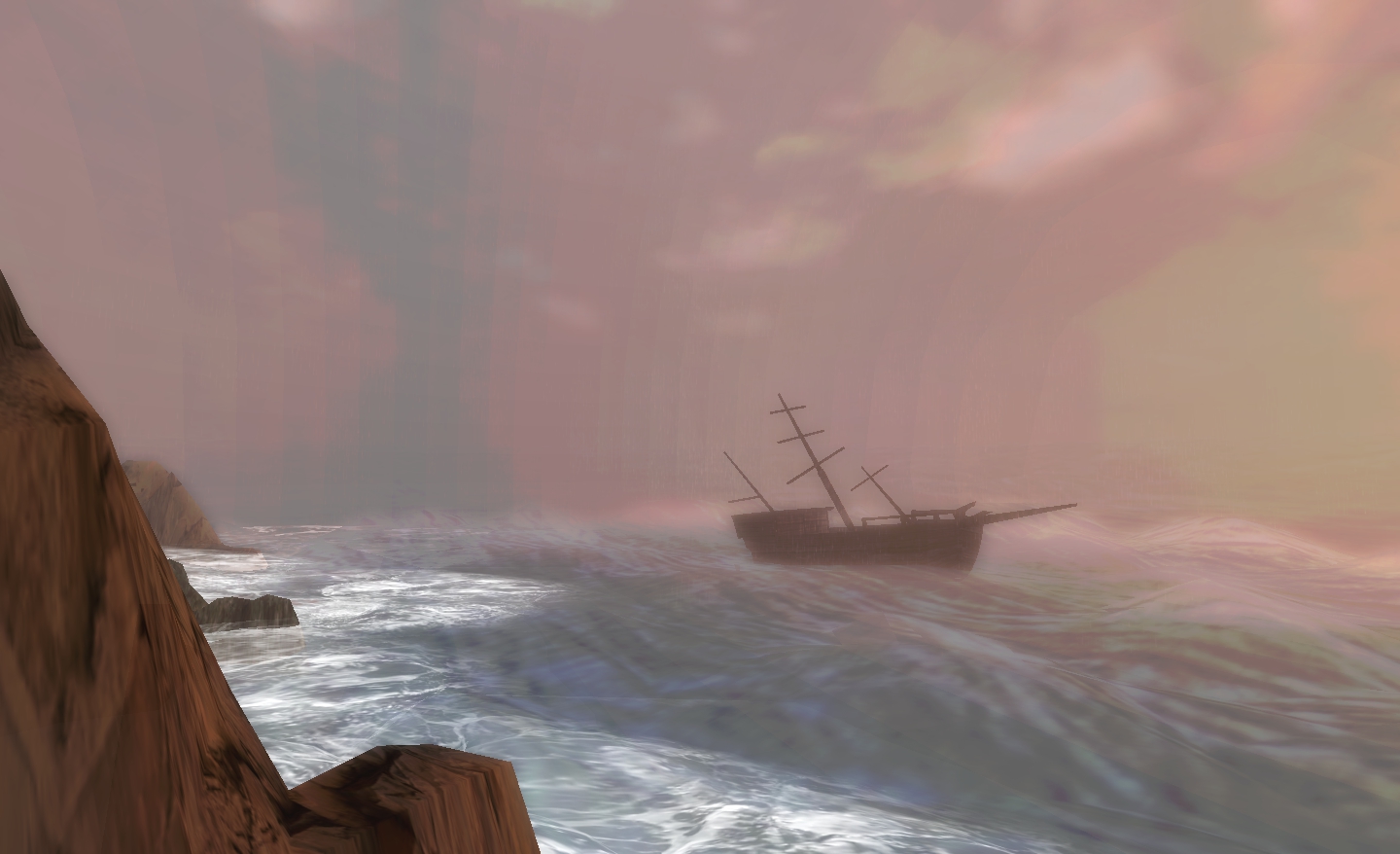
There are also stories to be found as well, if you take the time to seek them – or at least, the hints of stories to be told – such as that of the storm and the shipwreck.
The wreck and the waves
Whither sailed the ship before the storm caught her and tossed her toward the rocks? What was her cargo? Did anyone from the shore witness her sad fate – and what of her crew? Did they live to tell of her loss, or did they perish in the unforgiving arms of the sea?
The start of the story is there for you to see – but how it should end is down to your imagination, and your imagination alone – but you’ll have to find it by exploring in order to settle on your own tale!
Even with the flyer options, however, there are some places here that are best reached via teleport. One of them is the fantastic “Village to Heaven”.
Set high in the sky and surrounded by perilous mountain peaks, this is another stunning build, rendered in ivory, marble and ice blue, with gleaming cloud-ships sailing by, and lush woodlands below.
“Village to Heaven”
The scale and attention to detail here is equally as stunning as the build on the ground, including the use of phantom prims to extend the beautiful fantasy of the place beyond the limitations of the sim boundary, again giving the illusion of places we cannot visit and stories we cannot witness.
Take the path from the teleport, for example, and follow it through the doors leading into a huge amphitheatre – a feast for the eyes in itself – then cross to the other side and open the second set of doors. Just where does the path, sloping upwards and guarded by pairs of white-cloaked statues, lead? What lies beyond the gilded doors at the far end of the climb? You can never know for sure, as they lie beyond the edge of the sim – but as you walk as far as you can towards them, you can be sure your imagination will be asking questions as to what might be there, and who the robed statues really represent…
Another stunning use of a custom sim extension – where exactly does the sim end? Walk the path and find out…
Teleports are available here as well, but you should take the time to explore on foot, there is so much to see. The Village comprises parts representing the four elements: Air, Water, Earth and Fire – and I found that Air and Water in particular put me in mind of Tolkien’s Imladris – and I expected to hear the soft lament of elves if I turned on my sound.
Cloud ships
The key here is, again, to take your time with your explorations. When you have seen all you wish to see, look around once more. The chances are there is a path or stair or doorway you may otherwise miss.
When you are satisfied with all you’ve seen, return to the teleport point and climb the stone stairs. These lead up to the a Fall Pod platform. Here, every few seconds a ball will drop and roll towards a tunnel-like chute. Grab one quick with a right-click and SIT, and take a ride back down to the world below. It will reveal things that have so far escaped your attention as you return to the Alpha Point arrival area.
If there is one problem with this build, it is that when it comes to reviewing it, there is simply too much to see. This article is already around the 2000 word mark, and I’ve barely scratched the surface of the place. To try to capture everything in words and images would take a novella. But then, frankly, words and images alone do not do Alpha Point and Omega Point any justice. This is not something to be read about and looked at via static pictures; to do so would be like convincing yourself you’ve watched The Fellowship of the Ring on the basis of seeing and reading the film poster.
To really appreciate this build, it has to be visited; it is something that should be experienced, explored, enjoyed – and savoured – and I urge you to do just that. But be warned: once you have visited the Alpha and Omega of Second Life, you are likely to find yourself coming back time and again. The build is magnetic, inspiring…
…Addictive.
Omega Point
To further whet your appetite just a little more, here’s a machinina video JJCCC Coronet produced just over a year ago, showing how Omega Point looked back then.
 I finally had time to sit down and play with the latest update to Radegast – version 2.2.1171. This isn’t a major update per se, but it certainly adds some very nice capabilities to what is, from a straightforward user perspective, the most flexible of “text” clients for Second Life and OpenSim.











 Inara Pey: Living in a Modemworld