Recent SL viewer activities

It’s been a while since I’ve reviewed any of the official SL viewers from LL, so here’s a quick round-up of recent releases.

New Log-in / Account Creation Prompt

The new account creation prompt, displayed if the viewer does not locate any user settings files on a computer, and which first appeared in the 3.4.1.263582 release (August 16th), now looks to be the default option for all development / project viewers. It is part of both the most recent Mesh Deformer project viewer (3.4.1.264215, August 31st), and the new HTTP Group Services project viewer (3.4.1.264495, September 7th). However, it has yet to filter through to either the Beta or release versions of the Viewer.

Account creation prompt: now standard on all development / project releases of the SL viewer released since August 16th (click to enlarge)

Mesh Deformer Project

August 31st saw a new release of the Mesh Deformer (3.4.1.264215), which includes a revised mesh uploader floater with deformation options for the male and female shape.

New deformation options

According to Nalates Urriah, the new options invalidate all test items so far provided for the project, and new samples are now required, although no comments to this effect appear to have been made on the JIRA or elsewhere, so they may have been confined to a user group meeting. Details on how to provide test items can be found in Oz’s forum post on the matter. The JIRA (STORM-1716) for this project is still open for viewing and comment.

Group Services Project Viewer

As noted this week, there is now a Group Services (group management) project viewer available for testing the new HTTP group management service. The server-side of this project has yet to be rolled-out to Aditi, so it cannot be tested as yet. However, Baker Linden, who is developing the service, is apparently updating the JIRA, SVC-4968 (which is still publicly viewable) with the project status, and has indicated he’ll post when the server-side elements are available for testing.

The viewer is available in Windows, Linux and OSX flavours.

HTTP Libraries Viewer

The HTTP Libraries project viewer (3.3.3.262585) appeared on July 27th. This project, which Monty Linden is driving, is currently aimed at improving texture downloading and rezzing as a part of the Shining project.

HTTP Libraries project viewer: improved texture loading and rezzing

Texture loading / rezzing would appear to be significantly faster on this viewer compared with other offerings, although there also appear to be what might be placebo effects associated with it. Some people have reported that floaters, etc., seem to load more slowly, and some have reported various performance improvements outside of the HTTP library changes.

Beta Viewer and Release Viewers

The Beta viewer (3.4.0.264445 at the time of writing) continues to be focused on pathfinding, with fixes and updates going into it on a weekly basis – which is why the pathfinding tools have yet to release a release version of the viewer.  The removal of JIRA numbers from the release notes now means that tracking issues previously being watched is that much harder (even if the JIRA themselves are no longer accessible, having the JIRA numbers still visible facilities easier identification of issues being specifically tracked).

Similarly, the release viewer (3.3.4.264214) appears to be focused on bug fixes and general improvements, with the release notes currently benefiting from the retention of JIRA numbers, making scanning for specific fixes easier.

Performance

I carried out basic performance tests on the viewers listed above using Dimrill Dale as my sample sim, during a period when there were the same number of avatars in the region (5, including myself). Tests were carried out in the same location on the region, looking in the same direction and with the same viewer settings (e.g. Graphics on high, Draw Distance set to 260m, using default time-of-day, with deferred disabled / with deferred enabled and lighting set to Sun/Moon+projectors, etc.). While all such tests are rough-and-ready, these did tend to show that all of the viewers offer the same performance on my default PC (see the sidebar panel on the right of this blog’s home page for system details). My results were:

  • Non-deferred: 18-20fps
  • Deferred with Sun/Moon+ projectors: 8-10fps

Similar figures were also obtained using the current Firestorm and Exodus viewers, although with deferred enabled and Sun/Moon+projectors active, Firestorm was slightly down at an average of 17-18fps, the other viewers being closer to an average of 19-20fps.

Group management project viewer released

As I recently noted, Baker Linden has been working on the large group management / editing issues, developing a new HTTP-based service to replace the current UDP service which has significant issues handling groups with more than 10-11K members. At the TPV/Developer meeting on the 24th August, he indicated that a project viewer would be available in the near future.

On Friday September 7th, he updated the JIRA on the issue with notes that the project viewer is now available for Windows, Linux and OSX.

In commenting on the JIRA (SVC-4968), Baker notes that the server-side code for the new service has yet to be deployed to Aditi, where initial testing will take place, and adds that he’ll be providing an update on the status of the server code once the situation has been clarified. He goes on to add:

There may be some issues during testing. When getting the member list of a large group, other info (group title, group info, etc.) may not properly load. This is an issue with the speed of Aditi’s SQL server and shouldn’t occur once live on Agni. To receive the rest of the data, wait for the member list to appear (this can be upwards of a few minutes), go back to the My Groups panel of the people floater and view the group profile again. The query will be cached this time, and the member list will appear quicker than it did before (depending on your connection speed). The rest of the information should be received this time.

If you find any problems while testing, please send me a message in-world (on Agni).

Large group loading: part of the group management problem

As noted in my previous report, in the first implementation, the data will be uncompressed. This means there will still be some delays in group loading (Baker previously estimated that a 40K member group is around 5Mb in size and could take up to a few minutes to download, depending on someone’s connection speed). Data compression is being looked at for a future release, although as noted in the comments on my last article, some are wondering why paging group data isn’t being implemented (does the viewer API support it?).

Another point of note is that the new service is not compatible with V1 code, so adoption by V1-based viewers is liable to require some backporting. This is important, as once the new HTTP service is rolled out, the older, more limited UDP service will be capped at groups containing 10,000 members – larger groups will not function.

There is still no definitive time scale for the roll-out of the new service. However, it seems likely that once available on Aditi, the server code will remain there for testing for at least a couple of weeks prior to it being added to a RC channel on the main grid. How long the testing period across both will be is open to question, and a lot will depend on feedback as to how well the new service performs.

Popularity and the official SL viewer

In commenting on Firestorm’s achievements, Wolf Baginski asked a question about the popularity of official SL viewer:

From my POV, while I am glad I made the effort to shift from Phoenix to Firestorm, I would say there is an argument here which is missing their main point. 

Just what is wrong with the Linden Viewer UI?

What spoiled it for me was the jump from V1 to V2. Linden V1 has a range of colour schemes. V2 appeared in Beta with a rather dull set of colours, which I found difficult to use. I set out my reasons for wanting to see the same sort of choices that V1 had, and when that sort of choice appeared, I found I had to rely on a third-party developer, who had to repeat and test the work every time the Viewer was upgraded by Linden Labs.

Now they’re on V3, but I’ve never bothered to try it out. The Firestorm crew do a good job, and you can find these guys in-world. They’re people who take the trouble to use their Avatars. There are Lindens like that but, to be honest, I wouldn’t want Torley to be responsible for colour choices in the UI. Might not be the UI design… Maybe the question is, why don’t we feel safe with the Linden Viewer?

I’m not sure I share the contention that people don’t “feel safe” with the official viewer (not liking it is not the same as not feeling safe with it), although I do agree that people may well have a trust issue around LL (something I’ll  to come back to). However, Wolf’s question in interesting, as it actually touches on elements of the Lab / user dynamic that go beyond the viewer itself – or at least it set me off thinking in that direction, as well as a number of others; so much so that as I attempted to reply to his comment with my thoughts, I found them growing to essay length proportions. Rather then end up with a huge splurge in the comments section of a blog post, I decided it might be better to give my thoughts a post of their own.

It’s About the Options

Whatever its flavour, the official viewer has always been regarded by many SL users as a poor offering. Back in the days of Viewer 1.x, for example, we had Nicholaz’ Viewer, the RLV .EXE for the official viewer, Cool Viewer and Rainbow Viewer. Of course, we also had the infamous Emerald Viewer. Of them all, the latter probably lead to an explosion in TPV use, with people opting for the huge spread of options and innovative approaches to the UI that made their in-world experience easier and more informative. It also, it’s fair to say, paved the way for Phoenix’s huge success when shenanigans from within brought an end to Emerald in Second Life.

Even today, the major reason for the adoption of TPVs has little to do with the UI presentation and issues therein or with any matters of trust where LL is concerned. It comes down to a simple matter of the range of additional options and capabilities presented to the user in a TPV when compared to the official viewer.

The Failure of Viewer 2.0

The real problems for LL’s own viewer really began with Viewer 2.0 and broader matters occurring before and during the launch period, as summarised below.

Poor UI Implementation

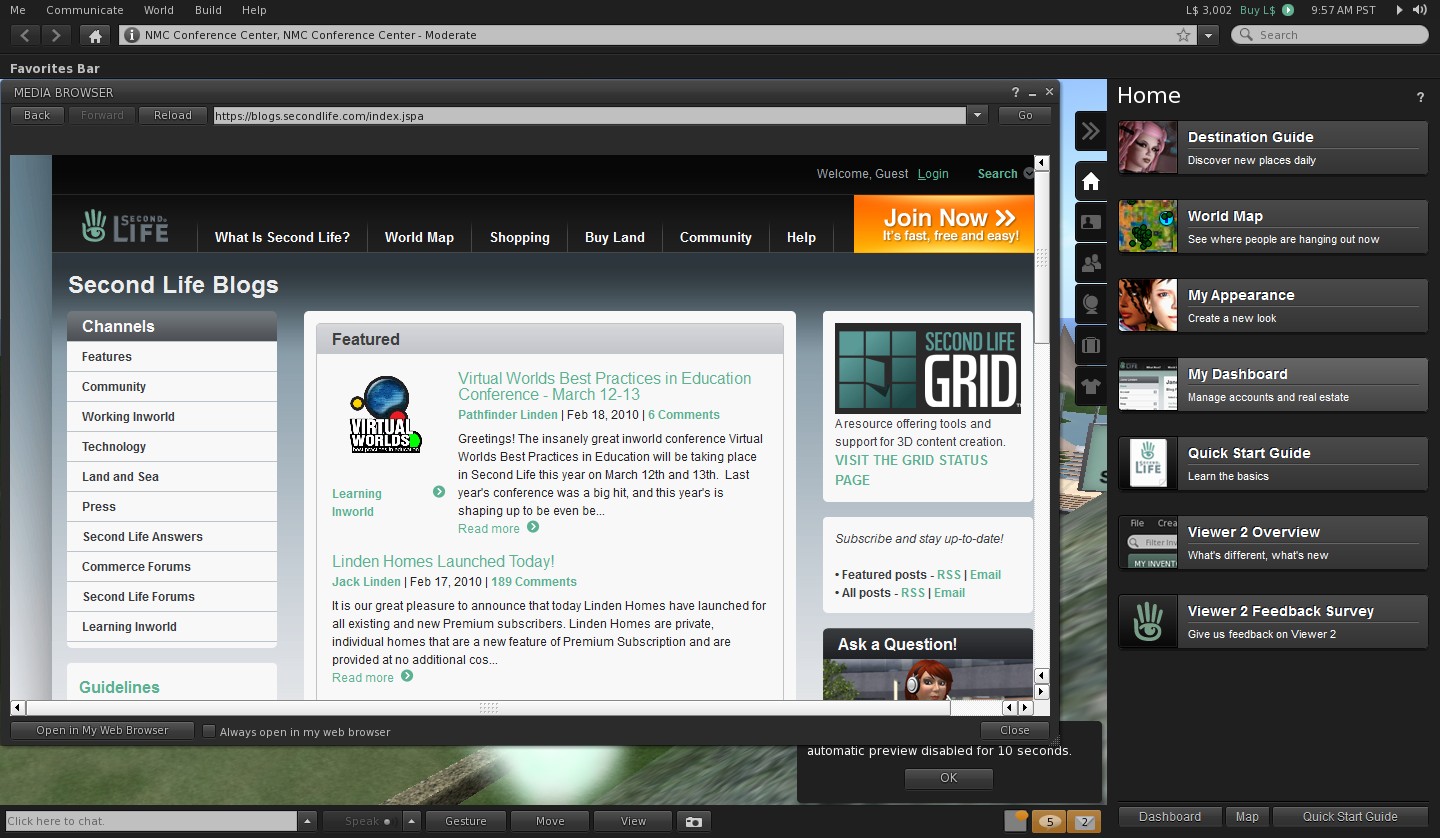
Viewer 2.0: usability issues galore

The UI design was bad, period. Not only were there issues with the colour scheme and issues with the font style (which many with eyesight problems reported as being hard to read), and in the use of toasties / chiklets, etc., –  it was simply horribly unsettling to use.

The most obvious examples of this were the original sidebar, which rudely shunted the world-view off to the left rather than functioning as an overlay, what far too large and intrusive and included a series of eye-distracting side tabs jutting into the right side of the screen, and the bizarre decision to split up the camera controls into mutually exclusive panes on the same floater. Neither of these were destined to find favour with established users, and LL were to prove equally unwilling to accept this.

Setting False Expectations

An image from Massively’s sneak peek at “SL 2.0” (credit: Massively / Tateru Nino) – click to enlarge

Prior to V2.0 appearing, a lot of false expectations were set as to what it would be. Not all of these were LL’s fault, in fairness. Some, however, were. In late 2009, LL allowed Massively a sneak peek at various elements of the “new” viewer, which largely received positive feedback from users.

Such was the buzz about the new approach, LL actually issued what amounted to a warning statement shortly after Massively published the piece, stating: “What we ship later this year will be very different from what appeared in that post. We’ll share a sneak peek of the “real” Viewer 2009 later in the year, with plenty of time to receive and incorporate feedback before the final iteration ships.

Not only did the Massively sneak peek present a UI that was reasonably familiar – and comforting – to users, it also offered insight into new and useful functionality which ended up being tossed aside prior to the release of the “finished product”.

Thus, and despite issuing their cautionary response to the Massively article, LL had managed to tweak people’s expectations: we were going to get a viewer that looked something like V1; it was going to have cool additional features we’ve been looking for. What’s more, and as shown in the Massively article, there was even going to be a fairly simply UI skin that would potentially be easier on the eye for those with vision impairments.

Use the page numbers below left to continue reading

HTTP and Group Services updates

There are a number of projects underway at the moment to improve various aspects of Second Life performance. Some of these have been reported on as a part of the Shining Project, others are being dealt with elsewhere are reported on through the likes of the SL Scripting User Group and the fortnightly TPV/Developer meetings.

The following is by way of a brief update on the ongoing HTTP Library and Group Management projects with information taken from the most recent TPV/Developer meeting (recording link).

HTTP Library

The focus of this aspect of the Shining Project is to improve the underpinning HTTP messaging that is crucial to simulator / simulator and simulator / viewer communications, and it is under the management of Monty Linden.

Discussion on progress with the project commences at 36:36 into the recording.

The project code (textures only) is with the Linden Lab QA team and is expected to be in the 3.4.1 viewer once it has been released by QA. In the meantime, the HTTP project viewer was updated at the end of July. Many people are noticing improvements in viewer performance that go beyond initial texture loading, although there have been reports of other aspects of the viewer which use HTTP apparently being “slower” to use. This latter issue is most likely a false impression, with Monty commenting at the August 24th meeting that, “Most parts shouldn’t be affected. It’s competitive, when you’re doing both texture downloading and some of that work … but other things aren’t being cheated if you’re not downloading textures at the time.”

An issue has been noted in older Macbook Pro systems (late 2007 into 2008 dual-core systems, although the span of the problem isn’t clear) using nVidia drivers, wherein the expected speed-up with cached data which can be seen on other systems isn’t occurring. Monty is still investigating this. Overall, however, feedback on this project has been positive.

Group Management Functions

Large group loading: a familiar problem

Baker Linden has been working to resolve this problem, and his plan is also to go the HTTP route, which will require changes on both the server and the viewer sides of the equation. His comments on progress start at 42:53 into the TPV/Developer meeting recording.

The server-side code for an initial implementation of the solution has been passed to LL’s QA and is expected to be rolled to selected regions on the Beta (Aditi) grid soon.

In terms of the viewer, the plan is to develop a Project Viewer, which will be made available in the near future for people to use with the Aditi test regions. How soon this viewer is likely to appear is open to question – the code will initially need to be passed by LL’s QA (who may have received it on the 24th August) prior to the viewer being built. Once in the project viewer repository, the code will also be available for TPVs to produce test viewers of their own.

How long the testing period will last is also open to question and dependent upon feedback / issues arising. However, the plan will be to follow the usual pattern for roll-outs in that once the code has been tested on Aditi and necessary updates made, it will be rolled to a main grid RC for more more involved testing. This is important, as there is a significant different in the number and sizes of groups operating on the two grids. For example, the largest group on Aditi numbers some 40,000 members; on the main grid the largest group is about 112K, and there are many more groups with between 40K and 112K members.

One thing that has been made clear is that there will be no attempt at backward compatibility with V1-based viewers on the Lab’s part; the new code will be aimed solely at the V3 code base. However, V1-based viewers will still be able to use the UDP protocols for group management, although the LL servers will limit UDP access to groups with 10K members or fewer, so V1-viewers will have some more code backporting on their hands.

There will also initially be some issues around the new HTTP protocol. For example, in the first implementation, the data will be uncompressed. This means that a 40K member group is around 5Mb in size, which can take up to a few minutes to download, depending on someone’s connection speed, so some frustrations are liable to continue. While data compression will eventually be used, this is not planned for the initial implementation.

The discussion involved providing an option to routinely clear-down group lists based on people’s last log-in date, or who have not logged in for a (group owner specified) number of days. However, LL are not going to implement such a feature on the grounds that it could lead to mistakes being made, and people being accidentally removed from a group.

Time Scale and Implementation

As mentioned above, there is no definitive time scale for this work to be completed. Testing is liable to take several weeks at the very least, so it is unlikely the new group management capabilities will be rolled-out on a widespread basis for at least another month, or possibly longer.

However, and like the upcoming new avatar bake service, once the server code is available on the grid, the switch-over will be transparent. If a viewer has the code to use the new group management HTTP service, it will do so, if it has not been updated, it will continue to use the UDP service (with the aforementioned 10K “cap”) until such time as that capability is “retired” from the grid.

SL Viewer: getting up steam for Steam?

secondlifeFollowing-on from the announcement that Second Life will soon be available through Steam, it appears the viewer itself is going through some small changes in order for it to be better used with SL.

Yesterday, I downloaded the latest Development version of the viewer. As per usual, I performed a clean install, removing the older version & the associated user and log files. On starting the viewer, I was surprised to see the log-in screen displayed with an additional pop-up:

SL Development Viewer 3.4.1.263582, (August 16)

Clicking Create Account pops-up the familiar “Do you want to open your web browser” dialogue box, prior to taking you (on clicking OK) to the SL sign-up page. I confess I have not (as yet) run through th actual sign-up process to see if that has changed in preparation for the Steam tie-in, but I’ll be doing so around the time the tie-in is announced as being live, if only out of curiosity.

Clicking Continue from the prompt will allow you to log-in using an existing account, and the prompt to sign-up is not repeated the next time you launch the viewer.

Alongside the new pop-up message, the actual log-in area of the viewer splash screen has been tidied-up and made more presentable.

The cleaned-up log-in credentials area of the splash screen, completed with grid access option enabled (Main and Beta grids only)

Assuming these changes are a part of the preparations for the link-up with Steam, they would appear to answer how users coming to Second Life via Steam will be directed to the sign-up pages. As such, it will be interesting to see what, if anything, will be done to make at least the initial sign-up page more informative as to what Second Life is, or whether this will be handled directly through the SL page(s) on Steam itself (I personally suspect the latter).

The skills divide: investigating a better build floater

As I reported a while back, the Content Creation Improvement Informal User Group has started looking into the matter of the Build floater.

Like many things in the viewer, the Build floater has to cover many tasks, some of them quite basic (moving a lounge chair across a room) through to very complex building and texturing activities required by content creators. Over the years, this has led to the Build floater becoming considerably more cramped and complex as options, capabilities and tools have been added to it.

Even redesigns of the UI – as with Viewer 2.x and Viewer 3.x have brought with them issues of their own. Some of these are code-related, some of them are very much impact the usability of the floater, e.g. localisation problems wherein languages other than English don’t readily fit the floater size and layout, etc.

Some TPVs have sought to tackle the issue over the years, but efforts have tended to revolve around working with the constraints defined by the current Build floater, rather than looking what needs to be done in order to make the use of tools traditionally grouped together as “build tools” more task-oriented.

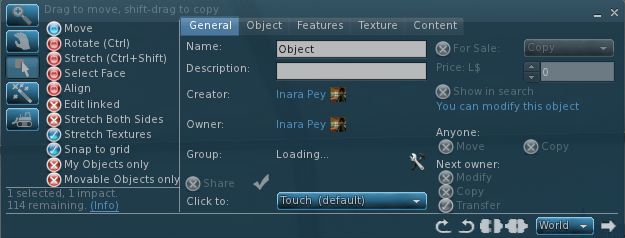
Firestorm and Phoenix, for example, have retained the old V1 capability of being able to show a minimal toolbar (remember the MORE and LESS options on the old, old Build floater?) which can be used to perform basic object movement and rotation tasks without having a plethora of additional information thrown at the novice user.

The V1-inspired “minimal Build floater” as exemplified by Firestorm

Niran’s Viewer has also sought to address how information within the Build floater is presented: offering it in a left-to-read format which is potentially more readable for many people as it is easier to visually scan.

However, such approaches suffer their own drawbacks. Niran’s Viewer may present the information in a more logical left-to-right flow, but this is really a cosmetic change rather than a fundamental shift in emphasis in how the tools are presented in terms of user needs as opposed to content creator needs. Similarly, the Firestorm / Phoenix approach retains the minimal information approach from Viewer 1.x, but again, even this potentially contains too much information for, say, someone merely wishing to pull out a sofa and position it in their lounge or who wants to adjust the location of a bracelet attachment on their wrist.

Niran’s Viewer: attempting to make the Build floater a little more logic

The CCIIUG is therefore looking not so much to redesign the Build floater itself, but what needs to be done to present options and tools more logically, such as through one or more floaters that could eventually replace the Build floater as we know it. As such, the Group has been discussing requirements in terms of use rather than function:

  • What tools does the lay user, with no interest in content creation, need to be able to see and access in order to complete the simplest of tasks such as the aforementioned positioning of an in-world object or to resize an object (in-world or attached) to suit their needs?
  • How can these be presented in a user-friendly manner that doesn’t swamp the “consumer user” with information superfluous to their needs
  • Where does the cut-off come between “basic” tools (as described above) and the more advanced tools generally the preserve of the content creator?
  • How should the more advanced tools be presented?

These are actually tough questions to answer as they cover very specialist areas, code design, UI design, etc., as well as a need to clearly understand what “consumer” or “novice” users actually require (itself a tough question for anyone who has been engaged in Second Life for any reasonable length of time, as views naturally become more subjective as time passes). However, the work is potentially pertinent for a number of reasons:

  • The Build floater is seeing more and more being pushed into it as functionality within Second Life continues to be enhanced with new tools and features – mesh saw the additional link and pop-up panel; pathfinding has seen the addition of new information panels, etc.
  • It is thought that there may well be a further change pushed into the Build floater as a result of “something new” (no specifics available) coming down the line
  • Even if any new approach coming out of the CCIIUG isn’t adopted by LL, as it amounts to UI improvements, as so long as it does not impact how the in-world experience is shared between viewers, it does not fall foul of the TPV Policy, and so TPVs will be free to adopt whatever improvements may arise from discussions if they so wish.

A working party within the CCIIUG is being formed to look more closely at the matter, and with a view to putting together mock-ups of ideas as to what a new Build tool UI might look like. As such, input is being welcomed from both TPV developers and from users in general on the matter, with the aim of eventually presenting ideas to Linden Lab at some point in the near future.

If you’d like to be a part of the working party, you can join by attending the weekly CCIIUG meetings, held every Tuesday at 15:00 SLT at the Hippotropolis Auditorium. Information on the Build tools discussions to date, please see the links below.

Related Links