SL projects update week 28 (2): server, SSB/A update

Server Deployments – Week 28

As always, please refer to the week’s forum deployment thread for news, updates and feedback.

On Tuesday 9th July, the SLS Main channel received the server maintenance package previously deployed to all three RC channels in week 26.

On Wednesday 10th July, the three RC channels received the following packages:

  • LeTigre had Server-side Baking / Appearance code enabled. See my mini-update here
  • BlueSteel received a further package of under-the-hood changes related to the experience tools
  • Magnum received a server maintenance project intended to fix a couple of pathfinding issues:

Week 29 Deployments

While the final arrangements for the week 29 deployments (week commencing Monday July 15th) have yet to be finalised, Maestro Linden indicated at the Server Beta meeting on Thursday July 11th that there is likely to be one new server maintenance package going to an RC channel during that week, This is likely to have:

  • Further fixes for various crash modes
  • An additional update for pathfinding characters with CHARACTER_STAY_WITHIN_PARCEL=TRUE, which should enable such characters to re-enter their assigned parcel should they accidentally exit it (as a result of being pushed out, for example), rather than getting stuck
  • Fixes for issues such as:
    • BUG-2931 ‘run_time_permissions no longer triggers in attachments after requesting 0 permissions’
    • BUG-969 ‘teleporting breaks collision detection state for volumedetect objects’

Obviously, I’ll have more on the deployments for the week when details have been published by the Lab.

Server-Side Baking / Appearance Deployment

The enabling of SSB/A on LeTigre on Wednesday July 10th proceeded smoothly, and there have been few problems noted. Most testing the capability are reporting it functions smoothly and are seeing improved avatar skin / clothing layer rendering with few periods of extended avatar blurring.

It’s not entirely clear how SSA/B will proceed from here; it appears as if the Lab plans to keep to the cautious approach previously indicated by Nyx Linden rather than rushing forward to enable the capability right across the grid. As such, Log Linden indicated at the Server Beta meeting on Thursday July 11th that either BlueSteel or possibly – given it has a slightly larger number of regions than BlueSteel – Magnum will have SSB/A enabled next.

Have you updated to a viewer supporting SSB/A?

Log Linden came in for a number of additional questions on the new baking / appearance service during the Server Beta meeting on Thursday July 11th. Although I’ve covered the topics asked about in previous reports, I’ll note them here for ease-of-reference:

  • The baking / appearance service is entirely separate from the simulator servers, operating on its own dedicated servers. This means that when the service caches your outfit, it is effectively cached “grid wide” and not the simulator you happen to be on when you update your outfit
  • When two avatars are wearing exactly the same outfit, they both use the same copy of the outfit cached on the baking / appearance service. The Lab is aware this will only happen on rare occasions, and will most likely only happen in the case of library avatars
  • How long an outfit remains cached on the baking / appearance service depends on how popular it is. So if it is an outfit you are frequently changing into, it is liable to remain cached for longer than an outfit you wear, change out of and then leave it unworn for several days or more
  • Outfits which are removed from the baking / appearance cache are not deleted from inventory or anything – it just means that the baking / appearance service no longer has the data for the outfit, and so must wait until the outfit is uploaded from the viewer once more (although this shouldn’t visibly slow down the baking process)
  • Rebaking functions differently on SSB/A enabled regions: rather than uploading your appearance from your viewer to the server for distribution to the users around you, using the rebake (CTRL-ALT-R or menu option) causes the viewer to request a fresh download of your cached appearance
  • Should the server cached version of your appearance somehow become corrupted, you must add a clothing item in order to force a fresh update of your appearance from your Current Outfit Folder to the baking / appearance service
  • When you enter an SSB/A-enabled region for the first time, your own avatar will initially render grey before your skin and clothing layers re-render correctly. This is expected behaviour and due to you switching-over to the new baking / appearance service.

Anomalies

There have been some reports of odd anomalies in LeTigre regions (where SSB/A is enabled). These include:

  • A report that if you wear a 50% gray textured skin, you appear invisible to SSA viewers
  • Rather than appearing as a cloud in SSB/A-enabled viewers, avatars on non-SSB/A viewer entering LeTigre regions will actually render, but any outfit changes they make won’t render to those using SSB/A-enabled viewers unless they teleport to a non-SSB/A enabled region to change, and then return to LeTigre (something which will obviously not be possible once SSB/A is grid-wide).

Notecard Issue

One problem which has been confirmed with LeTigre regions is BUG-3203 (Error when adding contents to a notecard and saving). If you create a notecard on a LeTigre region and embed another item within it (another notecard, an LM, a texture), the notecard will not save, but will generate the following error: Unable to upload (asset ID number) due to the following reason: The server is experiencing unexpected difficulties. Please try again later.

General Feedback

Overall, feedback appears to be positive, going on comments in the forum deployment thread and made at the Server Beta UG meeting. Some people have reported performance dips while on LeTigre regions and attributed them to SSB/A, although this may be a placebo effect. There have also been so reports of viewer crashes when trying to walk between a non-Le Tigre region and a LeTigre region.

Most people who have carried out comparative testing between LeTigre regions and regions on other channels are reporting that avatar rendering on Le Tigre is significantly faster, with avatar skins and clothing appearing fully rendered in around 15 seconds in regions with a reasonable number of other avatars, and none of the general fuzziness or “double rebakes” which can be witnessed on the “old” baking process. Some are also reporting that they are seeing some improvements on non-SSB/A regions when using an SSB/A-enabled viewer, although this again may be something of a placebo effect.

My own rather quick-fire tests with the SL viewer 3.6.1.278007, Firestorm 4.4.2 and Exodus 13.7.9.1 beta revealed no discernible issues. The majority of avatars tended to render together with visiting regions with a reasonable number on them. I didn’t notice any clouds around me in the more crowded locations I dropped into and where I did experience performance drops, although I put those down to the fact the locations (a club and a hub) were busy with 15-20 avatars in each and had a lot going on rather than being anything intrinsic to SSB/A, nor did I witness anyone remaining grey for an inordinate amount of time.

Related Links

SL projects update week 28 (1): servers, SSB/A, viewer, snapshots

Update Wednesday July 10th: In checking the forum deployment thread for this week’s roll-outs, I see that KarenMichelle Lane has provided a list of regions on LeTigre where SSB/A will be enabled once they have restarted. Again, you’ll need to have an SSB/A-enabled viewer to avoid issues with avatar rendering on these regions. If you find that once the restarts have completed you are encountering issues with avatar rendering (for example, you are using an SSB/A viewer and find you avatar fails to render for yourself or others), or other issues which appear to be linked to SSB/A, please consider raising a bug report detailing the problem, how to reproduce it, and including your environment information (Help > About (Viewer Name) > Copy to Clipboard), which references Project Sunshine.

Server Deployments – Week 28

As always, please refer to the week’s forum deployment thread for news, updates and feedback.

Second Life Server (SLS Main) Channel

On Tuesday 9th July, the SLS Main channel received the server maintenance package previously deployed to all three RC channels in week 26. This comprised:

  • A fix for ‘llApplyImpulse now works only in the root prim’ (SVC-8227)
  • Crash mode fixes
  • New LSL function: string llXorBase64(string str1, string str2)
    • Returns a string that is a Base64 XOR of Base64-formatted input strings, str1 and str2.
    • Addresses the cases from SCR-35 “llXorBase64StringsCorrect returns wrong result when the 2nd string contains nulls”
    • Aside from those cases, this function behaves identically to llXorBase64StringsCorrect()
  • Added max_materials_per_transaction to /simulator/features cap
    • This number returns the maximum number of materials that can be sent to the “RenderMaterials” capability in a single request.


Release Candidate Channels

On Wednesday July 10th, the three main Release Candidate channels should each receive individual updates, as follows:

  • LeTigre should see the Server-side Baking / Appearance code enabled. See my mini-update here
  • BlueSteel should receive a further package of under-the-hood changes related to the experience tools
  • Magnum should receive a server maintenance project intended to fix a couple of pathfinding issues:

Viewer Updates and Release Process

  • The Second Life Beta viewer updated to release 3.6.2.278133 on July 2nd – see the release notes for change details.
  • The Materials Project viewer was also updated on July 2nd, to release 3.6.2.278221.

Speaking at the Opensource UG meeting on Monday 8th July, Oz indicated that he hoped the new viewer release process would go live on Tuesday July 9th. If this has in fact happened, the first viewer to pass through the new process is likely to be a project (or beta viewer) with further third-party code contributions to the SL viewer.

However, as both the SSB/A deployment and the new viewer release process both require an update to the login code, it is possible the new viewer release process will not go live until Wednesday 10th July.

The login change for the viewer release change is to update the automatic check which is carried out to see if a mandatory upgrade is required (see my week 20 report). To prepare for the new release process, is check has been updated. , the login change for SSB/A is described by Oz Linden as, “a very minor change to ensure that inventory is correct” .

Group Ban List

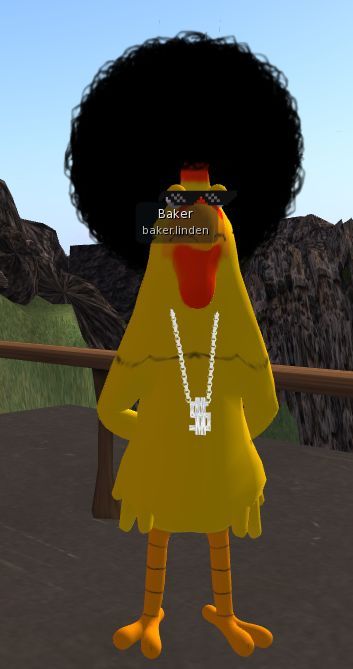
Baker Linden and his new harido

Baker Linden continues to work on the new group ban list functionality (JIRA VWR-29337). Speaking at the Simulator User Group on Tuesday July 8th, he said:

For my update: I’m making really good progress on group bans. I’m doing a bit of a refactoring because I changed the way the backend works slightly. Hopefully by the end of the week I’ll be finishing up the backend code.

There’s currently no date as to when the viewer-side changes might see the light-of-day, but given Baker is currently working on the back-end, this is hardly surprising. He’s also indicated that while it won’t be available when the new functionality goes live, he is considering adding scripting functions to group bans. He also confirmed that group bans would have their own moderation capability, rather than being tied to estate ban moderation.

Particle System Updates

Particle Blocking

As previously reported in these updates, the new “right-click on particles to block and emitter” (MAINT-2268) code for the viewer has been released in the SL Beta Maintenance Viewer. As well as allowing people to click on particles to prevent the viewer generating any more particles in someone’s world-view, the code also has a FPS limit on particles and will stop generating new particles when frame rates drop to 4 FPS.

Those who have tested the capability report it works well and it is very easy to right-click on particles and block them. A slight bug has been reported whereby when unblocking a particle generator / person owning a particle generator, the viewer will not resume generating the particles until the user changes their group tag.

New Particle Capabilities

First reported on in these pages back in week 12, the new particle capabilities – glow, ribbon and blending optionshave had server-side support for some time. The Beta Maintenance viewer mentioned above now has the first part of the viewer code, and speaking at the Simulator User Group meeting on Tuesday July 8th, Simon Linden said, ” Once that one is out, we’ll get the next one going,” so expect these capabilities to be becoming more radily available in the near future.

Ribbon particles – one of the new particle capabilites

Other Bits

Snapshot Fixes

The SL Beta Maintenance veiwer includes further snapshot fixes (MAINT-2152) which are designed to overcome the problem of black rectangles  / borders appearing in very high resolution snapshots. These fixes are in addition to the “tiling” fix issued last year.

However, Whirly Fizzle reports that if very high-res snapshots are captured with the Beta Maintenance viewer and post-processed, the tiling artefact tends to return.

Post-processing high-res images captured using the additional snapshot updates (as found in the current SL Beta Maintenance viewer) can result in tiling artefacts reappearing (image, originally in PNG format, courtesy of Whirly Fizzle.

Simon Linden reports that a further update to these fixes is about to be released, although it is not known at this time if it will fix this issue, or a reported issue of GPU crashes when using the Beta Maintenance viewer for snapshots.

Your Skin – In the Sky

The issue of avatar skins appearing in the sky at very high altitudes (see JIRA VWR-28962) came up for discussion at the Simulator User Group. First reported in 2012, there is some speculation whether SSB/A will impact the frequency with which the issued manifests; it appears to be linked to the local bake process, and so may only occur in the future when people at high altitudes are editing their appearance.

The "face-in-sky" issue (image courtesy of Eku Zhong)
The “face-in-sky” issue (image courtesy of Eku Zhong)

In the meantime, if you are up high and encounter this phenomenon, try toggling the Advanced Lighting Model option in Preferences > Graphics off / on.

SL projects update week 26 (2): server, pathfinding bug, viewer updates

Server Deployments – Week 26

As always, please refer to the week’s forum deployment thread for news, updates and feedback.

Second Life Server (Main) Channel

On Tuesday 25th June, the SLS Main channel received the server maintenance package deployed to the three RC channel in week 25. This fixes a number of crash modes, addresses an issue with neighbouring region visibility, and adds the new pathfinding property CHARACTER_STAY_WITHIN_PARCEL to llCreateCharacter() and llUpdateCharacter() – see my week 19 report for details – and the object return functions I reported on in week 23.

While not intended to fix issues of diagonally adjacent regions not being visible to one another (SVC-8130), there are reports that at least some of the regions which have suffered from this issue for a considerable time can be seen from one another once more – although Maestro Linden isn’t entirely convinced the underlying cause of the problem has been corrected.

Release Candidate (RC) Channels

On Wednesday 26th June, all three RC channels (Magnum, BlueSteel and LeTigre) received a new server maintenance package, comprising:

  • A fix for ‘llApplyImpulse now works only in the root prim’ (SVC-8227)
  • Crash mode fixes
  • New LSL function: string llXorBase64(string str1, string str2)
    • Returns a string that is a Base64 XOR of Base64-formatted input strings, str1 and str2.
    • Fixes a ‘bad’ behaviour when the 2nd string contains nulls (“A” in base64) – SCR-35
    • Aside from those cases, this function behaves identically to llXorBase64StringsCorrect()
    •  added to avoid changing the behaviour of existing scripts which may rely on llXorBase64StringsCorrect()’s current output
  • Added max_materials_per_transaction flag to /simulator/features cap
    • This number returns the maximum number of materials that can be sent to the “RenderMaterials” capability in a single request.

MAX_MATERIALS_PER_TRANSACTION

Speaking at the Server Beta meeting on Thursday 27th June, Maestro Linden described the max_materials_per_transaction flag thus:

It limits how many materials the viewer can request details for or set (POST, PUT methods) in a single message. By default, the limit is 50. The reason for the limit is that we don’t want the simulator to hang if a malicious viewer requests the details of 2 billion materials at once.

So, the capability for materials is called RenderMaterials [and] it has 3 HTTP access methods:

  • GET: get the full list of details of all materials in the region
  • POST: get the materials details for a list of material_ids (the server will only parse the first max_materials_per_transaction in the post data)
  • PUT: set the materials properties of up to max_materials_per_transaction object faces

GET is used when you first connect to a region and want to get the materials of everything [in the region, not just within draw distance]; POST is used if, for example, a new object is rezzed with a new materials type, and the viewer needs to resolve what the normal map is, etc; and PUT is used for object editing.

[So] if the viewer needs to edit 80 faces at once, for example, it will know that the server limit is 50, and POST in 2 messages (one for the first 50, the other for the other 30).  [The] ‘max_materials_per_transaction’ flag in the features cap will be a way for the viewer to know if the server limit changes from 50 per message. I’m not aware of any plans to change that limit in the near future, though.

Deployments for Week 27

There will be no server-side deployments in Week 27 (commencing Monday July 1st), as US Independence Day is on Thursday July 4th. The next scheduled deployments will be in week 28, commencing Monday July 8th.

Pathfinding Bug

Elijah Linden has discovered a bug within the pathfinding code, wherein certain regions have continuous navmesh rebaking, which causes some annoying UI effects, hurts simulator performance somewhat and causes memory spikes. Regions can be affected even if pathfinding is turned off.

Voidpointer Linden assumes human form (stock)

The bug arose as a result of the recent CHARACTER_STAY_WITHIN_PARCEL property added to the pathfinding capabilities. Commenting on the bug at the Server Beta meeting on Thursday 27th June, Voidpointer Linden, who implemented the new CHARACTER_STAY_WITHIN_PARCEL property, said:

As part of the STAY_WITHIN_PARCEL changes, I needed to change the way the navmesh is constructed. This involved making sure that every region did a rebake once. Unfortunately, the criteria that I used to test whether a region needed rebaking had a flaw – it can’t see parcel edges underwater [possibly because the navmesh doesn’t include areas below sea level]. So if a region has more than 1 parcel and has no parcel edges above water, then it thinks it needs to rebake. So it does.

And does so repeatedly, as Elijah Linden reported in BUG-2975 (Regions continue to requests rebake after rebakes have been performed).

There is a fix for the issue, but it currently requires testing, and may not appear for a while. In the meantime, there is one assured workaround: if your region is suffering from the issue and has a parcel which is completely submerged, subdivide / raise one part of a boundary for that parcel (and which is not also a region boundary) above water so it can be found by the navmesh rebake process.

This bug is unlikely to be resolved before week 28 due to there being no deployments scheduled for week 27, as mentioned above.

SL Viewer

The SL release viewer updated to version 3.6.1.278007 on June 27th, containing the fixes from the 3.6.1.277611 beta release. This contains some updates related to the viewer being available via Amazon, and fixes for occlusion culling being less effective than it should be, legacy Shiny being too strong in ALM with materials,light function sampling is incorrect in advanced lighting model and a viewer compilation error.

The beta viewer updated to 3.6.1.277824 on June 26th, with the release notes listing the same updates as 3.6.1.277611 and 3.6.1.278007 – so these appear to be work-in-progress fixes.

SL projects update week 26 (1): server, viewer, materials

Server Deployments – Week 26

As always, please refer to the week’s forum deployment thread for news, updates and feedback.

Second Life Server (Main) Channel

On Tuesday 25th June, the SLS Main channel received the server maintenance package deployed to the three RC channel in week 25. This fixes a number of crash modes, addresses an issue with neighbouring region visibility, and adds new LSL capabilities:

  • The new pathfinding property CHARACTER_STAY_WITHIN_PARCEL, which can be used with llCreateCharacter() and llUpdateCharacter(), and is intended to help with keeping characters within parcel boundaries – see my week 19 report for details
  • The new object return functions I reported on in week 23, namely llReturnObjectsByOwner and llReturnObjectsByID, are intended to provide an automated means of returning objects to their owners – see my full update on these functions for details.

This package also includes the following:

  • An update to llReturnObjectsByID() to prevent it from returning other objects which are owned by the parcel owner or estate owner/manager
  • A fix for an issue in which LSL HTTP-in scripts would sometimes see the incorrect URL (BUG-2833)
  • A fix for Bug 2850 (Cannot rez objects in Bluesteel and LeTigre parcels which disallow object entry) – which caused this deployment to be replaced by the Magnum RC package in week 24.

The neighbouring region visibility issue referred to in the package is for SVC-8019, which is related to issues with regions failing to communicate with their neighbours for up to an hour are a restart, causing communications issues (e.g. LSL chat) across region borders. It is not intended to address the issue of diagonally adjacent regions not being visible to one another (SVC-8130).

Release Candidate (RC) Channels

On Wednesday 26th June, all three RC channels (Magnum, BlueSteel and LeTigre) should receive a new server maintenance package, comprising:

  • A fix for ‘llApplyImpulse now works only in the root prim’ (SVC-8227)
  • Crash mode fixes
  • New LSL function: string llXorBase64(string str1, string str2)
    • Returns a string that is a Base64 XOR of Base64-formatted input strings, str1 and str2.
    • Addresses the cases from SCR-35 “llXorBase64StringsCorrect returns wrong result when the 2nd string contains nulls”
    • Aside from those cases, this function behaves identically to llXorBase64StringsCorrect()
  • Added max_materials_per_transaction to /simulator/features cap
    • This number returns the maximum number of materials that can be sent to the “RenderMaterials” capability in a single request.

SL Viewer

General

With the release process yet to switch-over to the new system, the following viewer updates were made in week 25:

  • The SL beta viewer saw an additional release – 3.6.1.277611 on June 21st. This primarily included some fixes for the version of the viewer which is offered via Amazon for download, and rendering fixes
  • The Snowstorm Contributions Test Build viewer was updated to the 3.6.1 code base (version 3.6.1277577, June 20th, for details of the current contributions in the viewer, follow the link). This would appear to be the first step in merging-up a series of third-party viewer contributions which are liable to see a project / beta viewer release after the new viewer release process comes into use.

Viewer Release Process

Commenting on progress with the upcoming new viewer release process at the Open-source Dev meeting on Monday 24th June, Oz Linden said, “We’re in the final verification stages. Might even get it turned on this week.”

As a side note, and In preparation for the new process, I’ve revamped my Viewer round-up page to (hopefully) better reflect the fact that we should be seeing a broader spread of viewers being put out by LL. This is a work-in-progress, and the page may evolve further as the new viewer release mechanism comes into force. Similarly, the weekly summaries produced from this page are also being revised ready for the new release process.

Materials Viewer

Despite issue with the materials viewer, there are a number of content creators already working on products which leverage the new capabilities. At the Open-source Dev meeting on Monday 24th June, Whirly Fizzle pointed people towards the work of Chip Midnight, who has been working on a mesh avatar using materials properties.

Chip Midnight's mesh avatar model (click to enlarge)
Chip Midnight’s mesh avatar model (click to enlarge)

Whilry also supplied a link to  a thread on the SL Universe forums where Chip discusses the avatar. For those interested, it’s worth following the discussion for the next couple of pages – particularly Drongle McMahon’s reply to Chip on the subject of specular and gloss maps.

Continue reading “SL projects update week 26 (1): server, viewer, materials” →

SL projects update 25 (2): server, materials

Update June 21st: A new Materials Support and Tips thread has been started by Creator Linden in the Building and Texturing Forum (with thanks to Daniel Voyage for the poke).

Server Deployments – Week 25

As always, please refer to the week’s forum deployment thread for news, updates and feedback.

Second Life Server (Main) Channel

On Tuesday June 18th, the SLS main channel received the interest list improvement project which have been previously deployed to Magnum (week 22) and BlueSteel and LeTigre (week 24).

Release Candidate (RC) Channels

On Wednesday 19th June, all three RC channels (Magnum, BlueSteel and LeTigre) received the same server maintenance package, designed to fix a number of crash modes and address an issue with neighbouring region visibility. In addition this package:

  • Contains the new LSL pathfinding property CHARACTER_STAY_WITHIN_PARCEL, and the new LSL object return functions designed to assist land owners with the return of objects under controlled conditions
  • Provides fixes for A fix for an issue in which LSL HTTP-in scripts would sometimes see the incorrect URL (BUG-2833) and for Bug 2850 (Cannot rez objects in Bluesteel and LeTigre parcels which disallow object entry).

The neighbour region visibility issue fixed by the deployment is for SVC-8019, which is related to issues with regions failing to communicate with their neighbours for up to an hour are a restart, causing communications issues (e.g. LSL chat) across region borders, rather than being related to the issue of diagonally adjacent regions not being visible to one another (SVC-8130), which is still an issue on the main grid.

The fix deployed to the Release Candidates does not address issues of diagonally-adjacent regions failing to render to one and/or the other
The fix deployed to the Release Candidates does not address issues of diagonally adjacent regions failing to render to one and/or the other

Commenting on the latter issue while testing it with an alt during the Server Beta meeting on Thursday May 20th, Maestro Linden said, “It looks like some kind of false communications timeout in the remote region, where it disconnects your viewer.” Currently, there is no proposed fix for the issue, although the Lab keep poking at it.

Materials Processing

matbug-715-a
Objects using transparencies as rendered with ALM off in the materials viewer (click to enlarge)
matbug-175-b
The same items rendered with ALM active in the materials viewer (click to enlarge)

The Materials Processing project reached a release status on Wednesday June 19th, with the release of Second Life viewer 3.6.0.277516.

However, problems continue to be reported with transparencies rendering as black when using the viewer, (see MATBUG-175, MATBUG-193 and a similar bug, MATBUG-186).

Two possible workarounds for these problems have been suggested, which may work, depending on the precise nature of the issue, if you’re experiencing it:

  • Going into Preferences > Graphics and unchecking Advanced Lighting Model (ALM) before click OK to apply, then going back into Preferences > Graphics and enabling ALM once more
  • If you have water reflections set to Minimum in Preferences > Graphics, try setting them to a higher value and then unchecking / rechecking ALM.

Some of these issues were known well in advance of the viewer reaching a release status, which promoted comments of surprise during the Open-source Developer meeting on Wednesday June 20th that the viewer had been released. Commenting on this, Oz Linden responded:

I’m not at all surprised that people found combinations of visual attributes we hadn’t tested that were busted, really. There are a staggering number of combinations – after you factor in all the possible settings changes on top of them, the number is absolutely not even close to something we could test. The “black issue” makes it sound simple…. we probably had a dozen bugs during development that had that same symptom for different reasons. I’m sure we’ll get it sorted out.

Continue reading “SL projects update 25 (2): server, materials” →

SL projects update week 25 (1): server, SSB/A, viewer

Server Deployments – Week 25

As always, please refer to the week’s forum deployment thread for news, updates and feedback.

Second Life Server (Main) Channel

On Tuesday June 18th, the SLS main channel received the interest list improvement project which have been previously deployed to Magnum (week 22) and BlueSteel and LeTigre (week 24). This includes:

  • A fix for excessive AvatarAppearance packets being sent to the viewer [in which the simulator would send many unnecessary AvatarAppearance messages to the viewer]
  • A final fix for the “meeroo problem” whereby animations on Meeroos and other animals fail to update correctly when camming around.

Release Candidate (RC) Channels

On Wednesday 19th June, all three RC channels (Magnum, BlueSteel and LeTigre) should receive the server maintenance package briefly deployed to BlueSteel and LeTigre in week 24. to fix a number of crash modes, addresses an issue with neighbouring region visibility, and adds new LSL pathfinding capabilities and object return capabilities:

  • The new pathfinding property CHARACTER_STAY_WITHIN_PARCEL, which can be used with llCreateCharacter() and llUpdateCharacter(), and is intended to help with keeping characters within parcel boundaries – see my week 19 report for details
  • The new object return functions I reported on in week 23, namely llReturnObjectsByOwner and llReturnObjectsByID, are intended to provide an automated means of returning objects to their owners – see my full update on these functions for details.

This package also includes the following:

  • An update to llReturnObjectsByID() to prevent it from returning other objects which are owned by the parcel owner or estate owner/manager
  • A fix for an issue in which LSL HTTP-in scripts would sometimes see the incorrect URL (BUG-2833)
  • A fix for Bug 2850 (Cannot rez objects in Bluesteel and LeTigre parcels which disallow object entry) – which caused this deployment to be replaced by the Magnum RC package in week 24.

SSB/A Pile-on Test Update

Nyx Linden (stock)
Nyx Linden (stock)

On Friday June 14th, a Server-side Baking / Appearance pile-on test was conducted on the main grid (see my report on events). The Lab is still going over the results of the test and all JIRA filed and log files submitted. Giving a preliminary summary of the test at the Content Creation User Group meeting on Monday June 17th, Nyx Linden said:

We actually just recently got through looking at the bug reports that were filed. Things are looking good, if you know anyone who saw anything major during the pile-on test please encourage them to file a bug ASAP if they have not already done so.

The system seemed to work quite well for most people, and we’re looking closely at the people who were having trouble resolving to try to figure out exactly what happened. The baking service was doing fine, there were some other services that weren’t used to that many people changing their outfits that close together (hence some attachments had difficulty resolving, etc). If anyone knows of failure cases for SSA (aside from those reported if you log in with very old viewers), please let us know asap.

The test did not include a minor update intended for the viewer-end of things, or the code change to help avoid SUN-74. However, as mentioned in my last SSB/A update, the former isn’t required prior to SSB/A starting its deployment across the grid, while the safest way to avoid encountering problems with non-maintained viewers  / viewer without the necessary SSB/A updates is to upgrade your viewer. Now.

Viewer News

Materials Processing

The final beta release (3.6.0.277409) performed well over the weekend, with a crash rate “comfortably under” 9%. The code has been merged with the release viewer and is in its final QA testing ready for deployment. Providing nothing unexpected happens, it should appear on the viewer download page as the release viewer very soon.

Viewer Release Process

Work is continuing on the new viewer release process, which may go live later in week 25 or early in week 26. In the meantime, and as reported in week 24, a viewer source repositories page has been produced on the wiki. There is also a further wiki page explaining the release process, although it is still under development. You can find it listed as the Viewer Integration and Release Processes.

The new viewer integration and release process – click to enlarge (image courtesy of Linden Lab)

Note that the new process does not mean there will be multiple versions of the release viewer available for download (although there will potentially be multiple project / beta / release candidate versions available for download).

Should two projects reach a point of being ready to go to a release status at the same time (such as with “project 1” and “project 2” in the diagram above), a decision will be made by the Lab as to which should go first. That viewer then changes status to release, with the code pulled back to the viewer-release repository. The second viewer awaiting release will then merge with the changes and put out a further release candidate, and will then move to a release status from there.

For ease of reference, the viewer download page and the Alternate Viewers wiki page remain the default places for most users to obtain versions of the SL viewer.

Other Bits

Object Contents Loading

We’re all familiar with using prims as storage for other items (e.g. “boxed” items sold through the Marketplace or using a prim to store items in inventory we don’t frequently use). when a prim has a large number of items in it, there can be a noticeable delay in seeing the contents listed in the Contents tab of the Build floater. In addition, adding objects can be prone to a slow response as well – and can cause problems such as the loss of No Copy items when dropping more objecting into the Contents tab while the system is already copying / adding items to a prim’s contents. I

n terms of the slow loading issue, some have reported times of 30-40 seconds when trying to list the contents of a prim with 100 or so items, and a question was asked at the Simulator User Group meeting on Tuesday June 18th on whether there was any particular reason for this.

Replying to the question, Andrew Linden started with a cautionary note, “Sure, people can create that many items in contents, but I wouldn’t rank it as a good idea.” He then went on, “I don’t know the exact nature of the bottleneck there, but 30 seconds sounds too long. I’m pretty sure it could be sped up, but I’d have to dig around to see why it is slow.”

Kelly Linden then added: “Object inventory transfer from server to viewer uses one of the oldest legacy methods in Second Life. Updating that is probably a good idea but would require a joint viewer and server version change, or some acrobatics on managing compatibility.”

While agreeing this might be the case, Andrew went on, “The UDP protocol should be able to transmit 300 items in much less than 30 seconds. I’ll try to look around to see what is limiting that. However, I should note… I won’t be attending next week. I’ll be on vacation.”

So, there may be further updates on this in the future.

Related Links