SL projects news week 33 (1): server, “grey box attachment” issue, SSA, materials

Server Deployments Week 33

As always, please refer to the week’s forum deployment thread for news, updates and feedback.

Second Life Server (SLS Main) Channel – Tuesday August 13th

There was no update to the Main channel. It had been anticipated that the package deployed to BlueSteel in week 32 would reach the Main channel this week, but this is not the case, for the reason given below (see the Grey Box Attachment issue notes, below),

Release Candidate Channels – Wednesday August 14th

    • Magnum remains with SSA enabled, but otherwise received no further updates.
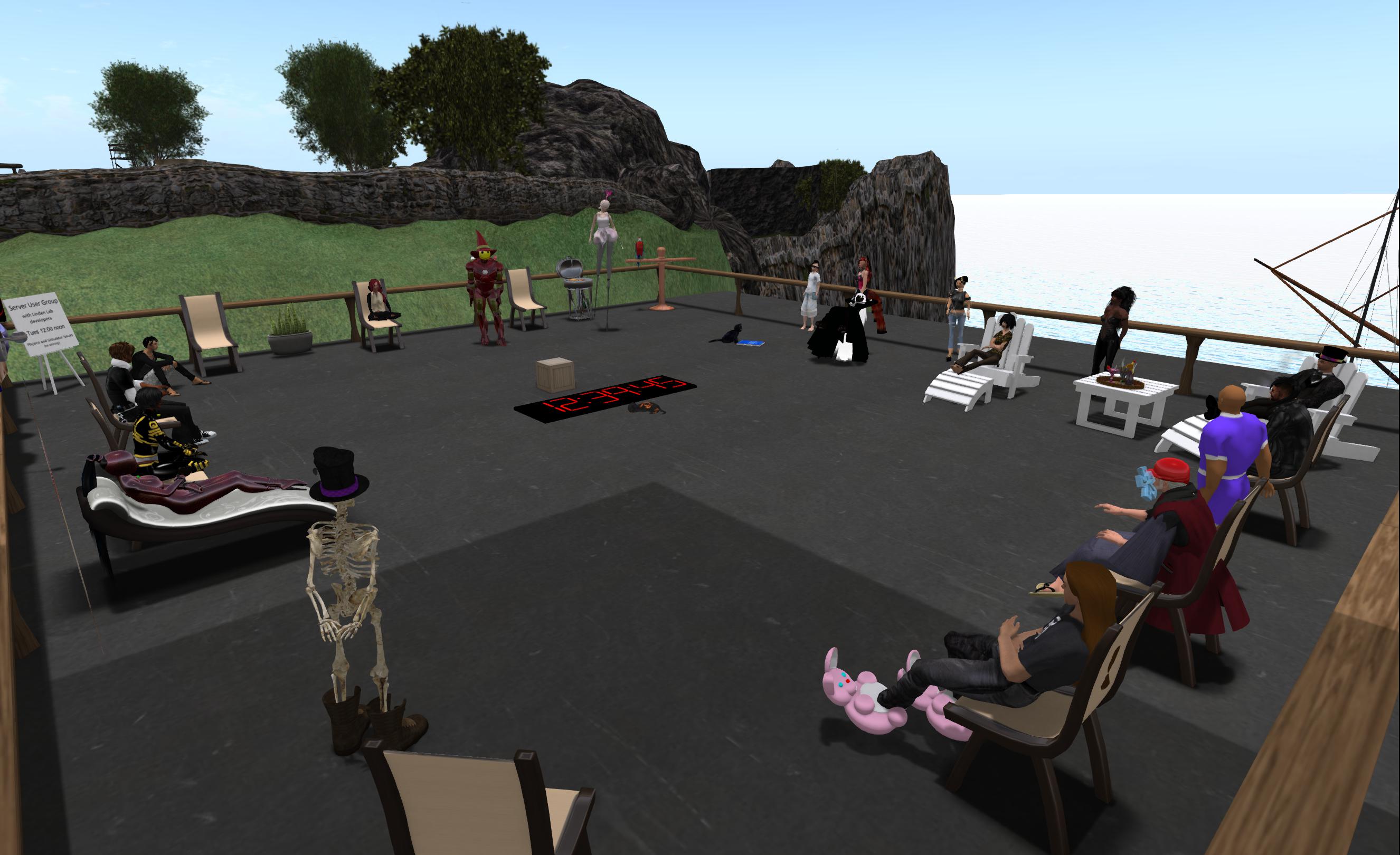
    • LeTigre should receive a new maintenance package which “only includes a few internal bug fixes which shouldn’t show any visible changes to the residents”. In describing this at the Simulator User Group meeting on Tuesday August 13th, Simon Linden said, “There’s one performance fix that you might see in the viewer … you shouldn’t get those situations where you see lots of ‘duplicate caps. messages”
    • Bluesteel should receive a new server maintenance package comprising:
      • A fix for the “grey box attachment  issue” (non-public BUG-3547, details below)
      • A (further?) update to for “llListen in linked objects is listening at root instead of linked object local position *after re-rezzing the linkset*”, which was also listed in the BlueSteel release notes for week 32  (non-public JIRA BUG-3291)
      • The code to block avatars entering a region / objects being rezzed in a region during the last 60-seconds before a restart. In addition, restart warning pop-ups will include the region name. This was again in the release notes for week 32, so would appear to be a further update to that code
      • Fixes for further simulator crash modes.

“Grey Box” Attachment Issue

This is a problem whereby a grey prim appears around any passenger(s) sitting on a boat / vehicle when crossing from a BlueSteel region to any other region (including another BlueSteel region) – the driver / pilot is left unchanged. The affected avatar has no control and requires a relog, while the prim itself appears to be linked to vehicle when edited.

The "grey box attachment issue" (image courtesy of Jen Cuddihy via the SL forums)
The “grey box attachment issue” (image courtesy of Jen Cuddihy via the SL forums)

It is thought the bug was introduced during the week 32 BlueSteel deployment, and Simon Linden indicated it was the reason there was no Main channel deployment for week 33, saying:

We didn’t update the main channel today. There was a bug found involving vehicles and region crossings that needed to be fixed, so that update will go out tomorrow [the BlueSteel RC deployment].  Basically, don’t sit more than 1 person on a vehicle when leaving a BlueSteel region, otherwise it turns you into a box :P.  It happens to the 2nd (and probably more, if you had a crowd) person seated on the object.

Kelly Linden explained what was happening to cause this:

Every agent has a ‘task’ representation on the server that is the same as a prim. The bug is in sending the linked set w/ avatars to the other region: avatars after the first are losing the special avatar treatment and getting passed as a regular linked prim. So that prim is what the server thinks all avatars look like.

Simon added:

The region crossing code basically un-sits avatars from an object, sends both the avatars and object to the next region [as separate sets of data], which puts them back together. In this case, the 2nd avatar doesn’t get detached properly and things go south from there. So the 2nd avatar gets sent over bundled up with the object … which it’s not designed to do.

The additional avatars on the vehicle at the time of the region crossing essentially end-up in limbo, with data caught between the two simulators. “The regions are very confused about that avatar data by that point, I’m sure a relog would be needed,” Simon said.

An interesting side-effect of this is that the bug makes it possible to exceed the 256-prim linkset limit – sort-of. Enterprising individuals have realised that if you rez a 256-prim linkset, sit a number of avatars on it and move it across a region boundary, it will acquire an additional prim for each additional passenger over the first avatar to sit on it. However, the ability is of limited value; make any changes to the enlarged linkset, such as unlinking a child prim or trying to texture one of the greyprims, and the entire thing turns no modify / no copy – and the fix being deployed to BlueSteel should correct the problem anyway.

Server-side Appearance

Just as a reminder. There are no further SSA deployments planned for week 33. This is to allow for some back-end updates to be made to the SSA servers. These updates shouldn’t result in any visible difference to users on SSA-enabled regions, and are intended to fix a couple of scenarios where the viewer would have to re-try requests when it shouldn’t have to. The Lab wants to get these updates deployed to the SSA server prior to making any move to rolling-out SSA to the entire grid.

There have been comments on the forums that SSA “must” be encountering major problems as the deployment has been so protracted. This is not the case. Linden Lab (via Nyx Linden) have always stated that the deployment would proceed very, very cautiously because it is such a fundamental change in how Second Life functions. Even though the Lab has indicated that very, very few problems have been encountered with enabling the service so far, and the load testing on both Magnum and LeTigre (representing a little over 20% of the grid) has been very positive, they are sticking to their softly, softly approach.

Viewer Updates

As the Vivox updates became the de facto release viewer in week 32, the remaining five release candidate viewers in the viewer release channel have been underground rebuilding using the updated release viewer code base. On Monday August 12th, updates for both the Cocoa Viewer for Mac (version 3.6.3.279554 – download and release notes) and the Maintenance Viewer (version 3.6.3.279564 – download and release notes) were released.

Materials Project

The Materials Project viewer was updated to version 3.6.3.279651 on August 8th. This release lists a large number of fixes, perhaps most notably those related to problems with the appearance of alpha textures under both local lights and sunlight, and numerous issues with mesh rendering and lighting within the materials viewer. Please refer to the full list of JIRA items in the release notes linked-to above.

ALM Concerns

Concerns have been raised about performance issues as a result of having the Advanced Lighting Model (ALM) enabled by default (as is now frequently the case for most graphics cards, as is a requirement in order to see materials in use in-world).

The amount by which ALM can affect the user experience is variable, and subject to a lot of influences, not just the graphics cards / computer system the viewer is running on. Some people with systems similar to my own (see the panel on the right for my system spec), have noted “significant” impact when running with ALM enabled on a materials-capable viewer.

Part of the problem is the “ALM” is a very broad term, and other options within the viewer can influence performance, but will not impact the ability to see materials even if they are turned off – such as having shadows set to None, for example, or having water reflections set to Minimal and turning off local lights (via debug or Phototools, for example). So part of the problem is that of communicating what can be done from within the viewer to help offset performance impacts should they occur, but which don’t limit their ability to see materials in use.

Quick ways to improve performance when running in ALM to see materials. Top left: you can uncheck Ambient Occulsion, keep Shadows set to None and drop water reflections to Minimal. Bottom Left: Using Debug Settings from the Advanced Menu, set  RenderLocalLights to FALSE. Right: Firestorm / Phototools, ambient occulsion, hadows, local lights and facelights can all be disabled from the Light tab and water reflections lowered from the WL tab
Quick ways to improve performance when running in ALM to see materials. Top left: you can uncheck Ambient Occlusion, keep Shadows set to None and drop water reflections to Minimal. Bottom Left: Using Debug Settings from the Advanced Menu, set RenderLocalLights to FALSE. Right: Firestorm / Phototools, ambient occlusion, shadows, local lights and facelights can all be disabled from the Light tab and water reflections lowered from the WL tab

Related Links

SL projects update week 32 (3): all things viewer, SSA, HTTP and more

A typical TPV dev meeting

The Viewer Release Process and Viewer News

There are currently five viewer release candidates sitting in the viewer release channel. These are:

  • CHUI updates
  • Cocoa updates for the Mac version of the viewer
  • Google Breakpad updates (fixes and updates to improve the level of crash reporting from the viewer)
  • Maintenance viewer updates
  • Snowstorm updates (third-party contributions to the viewer)

As the first release candidate has now become the de facto viewer release (the Vivox updates, see part one of this report), all of the remaining release candidates are undergoing rebuilds using the “new” release viewer code base, and this is expected to be completed in week 33.

The current number of release candidates is considered to be atypical of the process, and reflects the fact that there is a backlog of viewer updates to be cleared. Once this has happened, it is anticipated that the number of release candidates within the viewer release channel will fall. In the meantime, it means we could be seeing new viewer releases (i.e. release candidates being promoted to the de facto release viewer) at the rate of one a week, depending upon how well individual RCs perform in user testing, until such time as the number of RC viewers becomes more manageable.

Installing Multiple Release Candidate Viewers & the Auto-updater

By default, release candidate viewers are intended to install / be installed into the same location as the de facto release viewer. Therefore, if you wish to run multiple RC viewers, you must install them manually into separate folders.

However, there is a problem in installing multiple RC viewer under windows, whereby the last location used to install a viewer is recorded by the installer (presumably as a registry setting), and the auto-updater will automatically use that location to install any update. So, if you manually install “Release Candidate B” into its own folder, and then receive an update for “Release Candidate A” (already installed on your PC) via the auto-updater, it will be installed into the folder containing “Release Candidate B”, overwriting it. This may even happen if the auto-updater is “disabled” within viewer preferences (see here for notes on how to avoid this).

At least one JIRA (non-public BUG-3522) has been raised against this issue. However, while LL are still investigating the problem, if it lies within the installer itself, it may not be addressed as there is an unwillingness at the Lab to get deeply involved in the mechanics of the installer.

Viewer Downgrades

There have been reports of the auto-updater mechanism forcing people to downgrade their installed viewer to an earlier release. While it “shouldn’t happen”, and may have been fixed, anyone who does experience the problem when auto-updating a viewer is asked to raise a bug report with as much information as possible on what happened (i.e. version being run before the update, version running after the update, date of update, etc.).

Making the Viewer Management System Available to TPVs

The Lab is experimenting with making the viewer management system available to TPVs if they wish to make use of it. This will mean that TPVs will have to port the code for use in their own viewer / environments, but it could help them with automating viewer updates if they don’t already have such a mechanism in place. One of the potential benefits of this for those TPVs following the Lab’s lead is that, as a result of changes also being made to the Lab’s reporting mechanisms, they will be able to receive a range of stats reports on their viewers directly from the Lab.

Settings.xml Changes

The current Snowstorm release candidate includes a change to how the settings.xml file works (the file which controls your viewer settings). This change will only affect those who have more than one Linden Lab viewer installed on the same computer (for example, someone who has the release viewer, a beta viewer and several project viewers installed), and will see all of the installed LL viewers using the same settings.xml file, rather than each creating a separate version of the file. This should prevent issues where the settings from one LL viewer are incorrectly applied to another, as can sometimes occur at present.

Interest List News

As noted in earlier parts of this report, Andrew Linden has wrapped-up his current work on interest lists. However, the project viewer for some of the work still has yet to appear, and is apparently still encountering problems getting through LL’s QA process. The code has been “real close” to being ready for release in some form on a number of occasions before getting kicked back for further work. The hope is that it will appear as a project viewer – or possibly a beta or release candidate – “soon”.

Continue reading “SL projects update week 32 (3): all things viewer, SSA, HTTP and more”

SL projects update week 32 (2): server releases, SSA, Oculus Rift

Server Deployments Week 32

As always, please refer to the week’s forum deployment thread for news, updates and feedback.

Second Life Server (SLS Main) Channel

There was no update to the Main channel in week 32. This is primarily because the SSA project is not being further deployed during week 32, and BlueSteel was not updated in week 31 (other than to be brought up to a par with the Main channel), so there is nothing from the RC channels to promote to the Main channel.

Release Candidate Channels – Wednesday August 7th

Magnum and LeTigre remained SSA enabled, and without any further updates.

BlueSteel received a new server maintenance package comprising:

  • A new feature which will see regions block rezzing and entering during the final 60-seconds before a shutdown / restart (see notes below)
  • Code to help fix an exploit whereby a scripted object can surreptitiously obtain permissions from an unsuspecting avatar, allowing the object owner to later use the object against the avatar in s griefing attack (e.g. by tracking camera movements in a deform attack, and so on – see publicly viewable JIRA VWR-13228 and the notes below)
  • A fix for “llListen in linked objects is listening at root instead of linked object local position *after re-rezzing the linkset*.” (non-public JIRA BUG-3291)
  • Fixes for further simulator crash modes.

I covered the region restart capability and the code to help with the animation exploit in part 1 of this week’s report, and refer you to that if you need any more details.

Server Deployments Heads-up for Week 33

Details are still to be finalised, but at present it looks as there will be another light week of deployments in week 33 (week commencing Monday August 12th).

  • The server maintenance package currently on BlueSteel looks set to be promoted to the Main channel on Tuesday August 13th
  • There will likely be a new server maintenance package on BlueSteel, which Simon Linden describes as not having much exciting in it other than a “fix for a performance problem that can occur in very specific situations where you have to have neighbour regions, avatars over on those regions and such, but that will hopefully just be a silent improvement.”
  • SSA will most likely not be enabled elsewhere on the grid (see below).

SL Viewer Updates

The Materials project viewer received an update on Thursday August 8th with the release of version 3.6.2.27965 (download & release notes). Otherwise things remain pretty much as they were with part 1 of this report.

Server-side Appearance

There is unlikely to be any further SSA enabling in week 33 (week commencing Monday August 12th). This is because the baking servers themselves will be getting an update, and the Lab wants to see how that goes. Commenting on the update at the Server Beta meeting on Thursday August 8th, Simon Linden said it will be carried out “behind the scenes” with no actual downtime for the SSA service.

Oculus Rift

There has been considerable interest in the state-of-play with this project ever since Rod Humble indicated in an interview with Eric Johnson of All Things D that a viewer supporting the headset might be surfacing in “late summer”. Obviously, the retail version of the headset has yet to ship – and may still be a while before doing so – but the SDK kits are available at $300, and people are purchasing them, so it is not unreasonable to assume the Lab may well have a project viewer with Oculus Rift support available ahead of the consumer version of the product being launched.

Oculus Rift
Oculus Rift – artist’s impression

Commenting on the status of the current work with OR at the Lab during the Server Beta meeting, Simon Linden said:

I tried it out on the code in development and it’s pretty cool. It still needs work and there’s no estimates when it will go out, but we’ll have a project viewer at some point. It requires very careful building in SL, however, as it really needs high frame rate … We’re still getting the basics going … some simple things like a menu, UI buttons and clicking in-world are tough to get right in the Rift.

So it is still likely to be a while before any project viewer sees the light of day.

Related Links

SL projects update week 32 (1): Server, viewer

Server Deployments Week 32

As always, please refer to the week’s forum deployment thread for news, updates and feedback.

Second Life Server (SLS Main) Channel

There was no update to the Main channel on Tuesday August 6th. This is primarily because the SSA project is not being further deployed during week 32, and BlueSteel was not updated in week 31 (other than to be brought up to a par with the Main channel), so there is nothing from the RC channels to promote to the Main channel.

Release Candidate Channels – Wednesday August 7th

Magnum and LeTigre will remain SSA enabled, and apparently without any further updates.

Bluesteel should receive a new server maintenance package comprising:

  • A new feature which will see regions block rezzing and entering during the final 60-seconds before a shutdown / restart (see notes below)
  • Code to help fix an exploit whereby a scripted object can surreptitiously obtain permissions from an unsuspecting avatar, allowing the object owner to later use the object against the avatar in s griefing attack (e.g. by tracking camera movements in a deform attack, and so on – see publicly viewable JIRA VWR-13228 and the notes below)
  • A fix for “llListen in linked objects is listening at root instead of linked object local position *after re-rezzing the linkset*.” (non-public JIRA BUG-3291)
  • Fixes for further simulator crash modes.

Region Restart Blocks

Referring to the new feature allowing regions to block rezzing and entering during the last 60 seconds before a restart at the Simulator User Group meeting on Tuesday August 6th, Simon Linden said, “this is just trying to stop adding stuff to the region’s workload when it shuts down. Let’s say you TP into a region in the last second before it shuts down … you’re still going to be loading when it boots you out [and changes made to attachments could be lost after the resultant relog]. [It’s] the same possibly with rezzing an expensive no-copy item … it’s just not a good idea to start a complicated process right before shutdown. So those last 60 seconds are going to block entering and rezzing.”

In addition to the new blocks, Simon has also added the region name to the pop-up warnings which are displayed during the 5-minute countdown to a restart shutdown / restart.

Animation Griefing

The fix for scripted objects surreptitiously obtaining permissions from an unsuspecting avatar (per JIRA VWR-13228) will require a viewer-side update as well to be effective, which will utilise the Stop Animating Me function in the viewer.

Currently, Stop Animating Me is purely viewer-side. When activated, it will stop all animations running on your avatar within your view, with an update (ANIM_REQUEST_STOP) sent to the simulator which gets relayed to everyone in the same sim to tell their viewers to also stop animating you. The system isn’t perfect, but generally works.  However, it is important to note that no actual permissions are revoked by the process, allowing griefing objects such as Soul Seize to retain control over an avatar.

Under the new system, and once the viewer-side update is available in viewers, Stop Animating Me will send a message to the simulator so it revokes all animation permissions for all objects in the region (other than those worn by the avatar issuing the command, such as AO HUDs, etc.), with the result that they are no longer animating the avatar (legitimate objects can re-animate via an explicit request, as per normal).  While there were concerns expressed at the Simulator User Group meeting that a griefer may be able to work around the approach (although most workarounds appear to be somewhat labour-intensive), the new capability should be enough to stop griefing objects such as Soul Seize within a region from retaining control of an avatar.

Commenting on the viewer side of the fix, Simon Linden indicated that the viewer with the change is undergoing QA testing, but because of the number of updates it contains, it is unclear as to when it will make a public appearance.

Simulator UG meeting, August 6th

SL Viewer Updates

The Vivox release candidate viewer was promoted to the de facto release viewer (version number 3.6.2.279258) on Monday August 5th, which can be obtained via the main viewer download page or will be offered as an automatic update to those using the previous release and who have updates enabled. The release notes summarise changes.

As a result of this, the Google Breakpad release candidate updated to version 3.6.2.279364, on August 5th (download / release notes) and the Maintenance Viewer RC updated to 3.6.2.279427 on August 6 (download & release notes).

In the meantime, the Cocoa viewer updates (Mac only) moved from a project viewer to a release candidate (3.6.2.278960, download & release notes) on August 6th, bringing the number of active RCs back up to five.

The latest CHUI updates (now in release candidate 3.6.2.279321, released on August 1st) still contain the issue of highlighted text in scripts  / notecards being deleted if somewhere else in the script editor / notecard is clicked, requiring a CTRL-Z to undo (see publicly viewable CHUIBUG-210 and the associated forum thread).

As a small aside, apparently the (or perhaps only one of the) meeting(s) to decide on the status of the current viewers and determine which (if any) is ready to go to release status is held around late morning SLT on Mondays.

Group Ban List

Baker Linden - old style (stock)
Baker Linden – old style (stock)

There has been some confusion over the group ban function, which lead Baker Linden to clarify that anyone banned from a group under the new capability will be automatically ejected as well (hence the ban), and will not be able to re-join the group until such time as the ban is lifted. Group owners will automatically be blocked from the ban function, to prevent them being accidentally banned by other group officers.

Baker has been considering who can actually be banned by a group member granted the ability to ban others.

His initial idea is to allow anyone given the authority to ban group members to be able to ban anyone else (other than the group owners), so one officer with the ability to ban people could ban another officer, for example. “My reasoning is that if you can’t trust an officer with banning, don’t let that person be an officer,” he explained.

Descibing the other option he was considering, he said, “The other route I can go is anyone with the ban ability can [only] ban anyone that doesn’t have that ability.”

This second option appeared to gain more support than the first, although Baker himself sees it as somewhat limiting, “But I don’t see the point in that,” he said, “Since we already have a problem with eject not being able to eject anyone belonging to any role other than ‘Everyone’ which seems pointless to me.”

Unfortunately, the meeting drew to a close before both options could be further explored, and so they may be a topic for further discussions at the next meeting. However, the idea of those with the ban ability only being able to ban those who don’t have the ability doesn’t actually seem to be as limiting as Baker suggests when citing the issue with group ejections (only those in the “Everyone” group can be ejected), so it will be interesting to see how much more discussion there is on this subject.

Andrew Linden: Interest List Work and Anti-Griefing Measures

Andrew Linden reports he has now all but finished his current work on interest list updates. While there is still no indication when the viewer-side changes might surface, he’s nevertheless freeing himself up to take a look at anti-Griefing measures. He’s already compiling a list of items he wants to look into, although his initial focus will be on general maintenance work to get him, as he puts it, “back in the groove”. One item in particular he’ll be looking at prior to delving more into anti-griefing measures is that of motion stops on region restarts.

Related Links

SL projects report week 31 (2): server and viewer

Server Deployments Week 31 (Week Commencing Monday July 29th)

As always, please refer to the week’s forum deployment thread for news, updates and feedback.

Second Life Server (SLS Main) Channel

On Tuesday July 30th, the SLS Main channel received the server maintenance package previously deployed to BlueSteel in week 30 and LeTigre in week 29. This project includes:

  • A further fix for the issue of pathfinding characters using CHARACTER_STAY_WITHIN_PARCEL getting stuck if they somehow exited their home parcel
  • Fixes for objects failing to detect collisions after teleporting (BUG-969) and run time permissions failing to function correctly on attachments (BUG-2931)
  • New capabilities added to the materials system to control how quickly the viewer can set or query normal and specular maps on objects. The current maximum is once a second and the new capability will be 4 a second. However there will need to be a viewer-side update to make use of the new capability, which should be available soon.  Commenting on the capability, Maestro Linden said, “the difference will probably be most noticeable if you’re doing something like rotating the normal map on an object with the spinner control (holding down the button) it should update more quickly to observers in that case.”

Release Candidate Channels – Wednesday July 31st

  • Magnum and LeTigre will remain SSA enabled and both received the updates deployed to the Main channel.
  • BlueSteel should have received a new server maintenance project. However, as noted in the update to part 1 of this report, a last-minute bug was found in the code which meant the deployment didn’t go ahead with the result that it is currently running the same release as the Main channel.

Viewer Updates

There have been a number of viewer release candidate updates for the end of the week:

  • The Google Breakpad RC was updated on Tuesday, July 30th (2.6.2.279026 – download and release notes)
  • The Snowstorm  contributions appeared in a release candidate on Wednesday, July 31st (3.6.2.279119 – download and release notes)
  •  The Vivox RC was updated on Wednesday, July 31st (3.6.2.279258 – download and release notes)
  • The CHUI updates became the latest viewer release candidate on Thursday, August 1st  (3.6.2.279321– download and release notes)

The appearance of the CHUI and Snowstorm RCs brings the total number of cohorts in the release channel up to five.

Animation Syncing Issues

Speaking at the Server Beta meeting on Thursday August 1st, Maestro Linden said that he and Alexa has been looking into the animation syncing issue I noted in part 1 of this report. Their findings pointed to an issue going back to 2012, whereby someone who is dancing in sync with others can cams such that all of the group is out of the field-of-view and then cams back, their own avatar will be out of sync with the rest. As such, Maestro felt the issue might be related to JIRA VWR-10578.

Some saw people go out-of-sync almost as soon as dance sequences started, and without moving their camera position (image courtesy of Whirly Fizzle)

Following the meeting, a number of us participated in a “group dance test” to see what would happen, and the experiences varied somewhat, with some reporting issues consistent with the long-standing problem, others seeing avatars slip out of sync without and camera movement, and some reporting the avatars on the very edge of their field of view appearing to be dancing slower than the rest, and starting to slide out of sync. This lead to a lot of speculation as to the possible causes, and also as to how much settings such as avatar imposters or message throttling might be influencing the viewers play-through of animations.  Maestro did suggest some of the issues may be down to some sort of message sorting behaviour based on where the avatars are, relative to camera view. As it was, no definitive outcome was reached, so it is liable that investigations may continue.

Related Links

SL projects update week 31 (1): server releases, SSA, Interest List

Update, July 31st: further to the note below relating to the BlueSteel RC deployment, it appears the bug fix did not clear QA in time for the deployment to occur. Maestro Linden has updated the deployment thread to read: “BlueSteel’s planned project hit some last minute issues, so the update has been canceled for this week.  Instead, BlueSteel will not be rolled this week (it will match the version on the ‘Second Life Server’ channel).

Server Deployments Week 31 (Week Commencing Monday July 29th)

As always, please refer to the week’s forum deployment thread for news, updates and feedback.

Second Life Server (SLS Main) Channel

On Tuesday July 30th, the SLS Main channel received the server maintenance package previously deployed to BlueSteel in week 30 and LeTigre in week 29. This project includes:

  • A further fix for the issue of pathfinding characters using CHARACTER_STAY_WITHIN_PARCEL getting stuck if they somehow exited their home parcel
  • Fixes for objects failing to detect collisions after teleporting (BUG-969) and run time permissions failing to function correctly on attachments (BUG-2931)
  • New capabilities to the materials system to better handle texture requests.

Release Candidate Channels – Wednesday July 31st

Magnum and LeTigre will remain SSA enabled and both receive the updates deployed to the Main channel.

BlueSteel should receive a new server maintenance project. However, a last-minute bug was found in the code. While this has been fixed by Kelly Linden, it has still to pass LL’s QA at the time of writing. Assuming the package passes QA and is deployed, it will include:

  • Fixes for some simulator crash modes
  • A fix for BUG-3291 (“llListen in linked objects is listening at root instead of linked object local position *after re-rezzing the linkset*.”)
  • A fix for BUG-3307 “(llApplyImpulse called from attachment does not work on avatar if script is reset or started when attached”).
The Simulator UG meeting, Tuesday July 30th.
Doyouthinkhesaurus – Baker Linden (far right), in his new avatar look, literally towers over the start of the Simulator UG meeting on Tuesday July 30th.

Server-side Appearance

As noted above and in part 2 of last week’s report, SSA will not be enabled on any additional server channels this week, but does remain enabled on LeTigre and Magnum as the Lab continue to gather statistics and monitor performance, etc. Commenting on the state-of play, Nyx Linden said, “Testing seems to be going well, but we’re being on the cautious side – making sure that the back-end can handle the load. There are a few reported bugs in JIRA, but *most* are minor and we’re working on the not-so-minor ones.”

Issues

I provided an update on some of the more serious issues the Lab has been addressing with SSA in part 2 of my week 30 report (see the link in the paragraph above). Since then I’ve been poked about additional advice the Firestorm team have put together for those experiencing issues, including SUN-98,and I’m providing the relevant information here.

Avatar textures remaining grey / SUN-98: is generally the result of wearing a corrupted clothing asset, and as such is “expected behaviour” in order to avoid cases of accidental nudity, as I explained last week. To help diagnose the problem, the Firestorm team suggest you:

  • Remove all clothing and allow the avatar to bake with just the skin layer worn. If it fails to bake properly, the skin is the corrupted asset and needs to be replaced
  • If the skin bakes correctly, start adding the clothing layers of the outfit one at a time and check each to see how it bakes
  • If an item shows-up fully or partially grey, that is the corrupted asset. Replacing it should allow everything to bake and render correctly.

The Firestorm article also includes some Firestorm-specific actions for problems, and is a work-in-progress, so you can refer to it via the link above for further advice.

Continue reading “SL projects update week 31 (1): server releases, SSA, Interest List”