Sansar Product Meetings week #19: R32 updates and LOD support

Sansar: Eternity

The majority of the following notes were taken from my recording of the Sansar Product Meeting held on Thursday, May 9th, which covered updates to the R32 release and an overview of the upcoming deployment of initial level of detail (LOD) support in Sansar.

R32 May 7th Update

The R32 Movement release (overview here) was updated on May 7th, which offered a number of improvements and fixes and two additional features:

  • Toast notifications for Events: users now receive notifications when adding and removing events from their calendars
  • People indicator for Events: a new people indicator shows the number of users in an Event.

LOD Release

  • This is an update that is coming “very soon” and “before the next major release”.
  • It will mark the first time the Sansar level of detail (LOD) system will be enabled, and will initially only apply to avatars.
    • This will be an automated process, which will take place after the avatar has been dressed and hidden surfaces removed as the avatar is baked (after something like selection in Look Book or a change of outfit).
    • Five LOD versions of the avatar will be created with different tri counts
  • LOD models will be selected based on the distance between the avatar and a viewing camera (e.g. the further an avatar is from your camera position, the lower the LOD version for that avatar that will be used).
  • Effort has been put into trying the minimise the sudden increase in detail (which can cause an avatar to suddenly “pop” into shape) when moving to higher LOD models as an avatar in approached.
  • It is hoped that this will have a “non-trivial” effect on improving performance in experiences / events where there is a high avatar presence.
  • In the future:
    • The system may be opened-out to give creators more control over the LOD models that are generated and / or users greater control over when the different LOD models should be used within their view.
    • An avatar imposter system might also be implemented.
  • LOD options for objects and terrain are under consideration, and will become available in the future, and the Lab is looking to consider issues of (again) creator / user control; management of objects taking up large amounts of screen real estate, texture loading, etc.

Experience Stress Test

The meeting included an experience stress test  – users were requested to come in one of three avatar types in order to help the Lab gather data on experience instance performance under avatar loads. The test was similar to those that have been carried out internally at the Lab, and are specifically aimed towards gathering data to help the Lab expand the numbers of avatars an instance of an experience can comfortably handle.

A second part of the exercise was to gather feedback on how people feel about being asked to wear a specific type of avatar to an event. Apparently one of the ideas being looked at is that, in order to manage avatar loads, people attending a large-scale event will be asked to (made to?) use a pre-defined avatar & outfit.

In Brief

Featured Experiences in the Atlas

It should be noted that the new format for featured experiences in the Atlas is still to be deployed. However, he plan remains for this to be:

  • Three featured experiences reserved for the Lab’s content partners.
  • Three featured experiences that align with other internal goals the Lab has which “may or may not be obvious”. These might, for example, focus on live music concerts.
  • Three  featured experiences open to Sansar creators, and will be changed on a weekly basis, and selected through a TBD criteria set.

Avatar Contest: New User Carousel Edition

  • To encourage creators to make custom avatars suitable for presentation to new users through the carousel, Linden Lab launched the Avatar Contest: New User Carousel Edition in April.
  • As of the closing date (May 9th, 2019), no entries had been received.
  • Feedback was offered at the meeting on why there had not been any entries. This ranged from some creators not feeling confident in competing with more experienced avatar creators; some creators feeling that the amount of work involved in developing a fully dressed avatar was beyond their usual avatar design remit given the value of the prize; some felt that new users would be more attracted to customisable avatars that could be dressed / use other clothing off the Store, rather than being supplied “complete”. Even the length of time of the competition (a month) was considered problematic.
  • This feedback was taken by the Lab and will be used to determine how this and competitions might be revised to make them more appealing.
  • It was also pointed out that there is nothing stopping creators from selling undressed versions of a “new starter avatar”, or from selling the avatar itself through their store when it is not featured on the avatar carousel for new users (when it is on the carousel, it must be free).

User-Generated Documentation

  • A new Help page has been created for user-generated Sansar documentation.
  • If this proves popular over time, then effort may be put into developing a formal Sansar wiki.
Sansar Product Meetings week #17: R32 overview

Scorpion’s lair: Hall of Light

The majority of the following notes were taken from my recording of the Sansar Product Meeting held on Thursday, April 25th, which served to introduce members of the Sansar team, discussing the upcoming April release.

Avatar Controls

  • Extra tracker controls for VR: as per my week #14 notes, R32 will include fully body tracking for the HTC Vive, utilising the hip and ankle trackers.

  • Desktop throw indicators: when attempting to throw something when in Desktop mode, a visual indicator of the arc the object will take when released will be displayed, and the mouse scroll wheel can be used to adjust the strength of the throw.
    • The visual arc is not a perfect representation of where the object will go, and will fade out after a time, but is designed to give overall guidance.
  • Avatar crouching: crouching will be joining jumping as an option with R32.
    • Crouching will be physically enabled in VR, and via keyboard in Desktop mode.
    • The avatar’s motion will be correspondingly slower when crouched.
    • The collider / bounding box for the avatar will also automatically adjust to match the avatar’s height as well, making it possible for tunnels, etc., to be made through which avatars must move when crouched.
    • The collider / bounding box in VR will collapse in accordance to how low the user crouches.
  • Keyboard turn / face forward:
    • Currently, when moving sideways using A and  D, the avatar will strafe to the left or to the right whilst walking, while S will cause the avatar to walk backwards.
    • With this new keyboard option enabled, the avatar will turn to face the direction of travel when walking to the left or right or backwards, and the camera will automatically follow.
    • With the option disabled, the avatar will resume the strafing walk.
    • Users weill be able to set whichever they prefer or toggle according to circumstance.

Avatars

  • Avatar scaling: R32 will see the first implementation of avatar scaling to allow differently sized avatars.
    • The initial release will allow avatars to be uniformly scaled down to 1/2 the size of the current default Sansar avatar and 1.25 times larger.
    • Scaling will be applicable to custom avatars as well, and will include all avatar attachments.
    • Initially walk / run speed, jump and crouch heights will be normalised against the default avatar’s height / stride (e.g. so if your avatar is of a small size, it will seem to move very fast proportionate to its size; when made larger, it will appear to take shorter strides).
    • This may be revised in the future so that walk speed / stride / jump height, etc., will be proportionate to the actual avatar size.
  • Partial animations:
    • A new simplified Sansar skeleton (with around 70 bones) will be available for download to be used specifically for animations.
    • This does not mean a simpler skeleton is being used by the avatar – that remains unchanged and will see animations created using the new simple skeleton will be applied to the full skeleton; any bones not used by the simplified skeleton will remain in the reference pose.
    • The importer will (obviously) work with this simpler skeleton, and with any other skeleton, as long as it is topologically the same in terms of ordering and naming for bones.
    • This will hook-in to third-party tools such as Mixamo’s animator tools.
    • As the full skeleton is still used by the avatar, things like facial animations can still be driven through Speech Graphics, although dedicated facial animations will still require the download and use of the full skeleton.
  • Object movement APIs:
    • There will be a new moveable from script objects flag that when enable will allow use the flagged object (mesh, sound, trigger volume, light, etc.), will be moved.
    • This also allows interactive objects and the root element of animations to be moved without them having to have a rigid body.
    • It will enable frame-perfect animation; movements can be properly queued to be executed at specific times / in a specific order by the engine of the desired frame and allow animations to ease-in and ease-out one to the next.
    • Overall this should allow:
      • The development and movement of simple non-player characters (NPCs), allowing simple patrol / follow behaviours, etc.
      • Dynamic assets to drive animated assets, which in turn should enable things like animated held objects like guns, etc.

  • Rigged assets to support collision meshes: R32 will allow keyframed physics rigid bodies to individual bones (so an animated trunk on an elephant can physically knock / move things around, for example).
    • Should be used with consideration, as adding this to every bone in a body could place considerable additional load on a scene.
    • Not suitable for ragdoll physics, as this requires the set-up of physics joints between the bones.
  • Atlas and events updates: as per the week #16 product meeting, the Atlas and events will once again be more closely integrated.
  • Sansar Store:
    • The Store will be updated so that Marvelous Designer items will be more clearly tagged.
    • It should be easier to wear newly purchased wearables when purchased through the client version of the store.
  • Edit mode: the gizmo tools for moving / rotating objects within a scene should be more selectable / easier to use.
  • Scripting updates: these will include the ability to call the Sansar new user experience tutorial when required, among other changes.

Sansar Product Meetings week #16: Lindens and events

Skye Naturae Virtualis

The majority of the following notes were taken from my recording of the Sansar Product Meeting held on Thursday, April 18th, which served to introduce members of the Sansar team, discussing changes to featured experiences, and raised the possible instigation of a possible Office Hours with the product team. The meeting was followed on April 19th by an announcement concerning the use of PayPal as a supported payment service provider, which is noted at the end of this report.

Lindens

The meeting took the opportunity to introduce:

  • Kelly Linden: Kelly is worked at the Lab for 15 years, obviously primarily with Second Life, where he headed the scripting team; he now leads the scripting development team for Sansar.
  • Skylar Linden: Skylar heads the Sansar Live Events team, and is leading the work on the work with events and the Atlas that is currently in progress.
  • Signal Linden: has been part of the Sansar team for three years, working in a number of areas, including the web API, and is currently focused on some transform tool changes in the Edit mode, and which see the addition of some hot keys to allow toggling between things like move and rotate, etc.
  • Lankston Linden: a data analyst  for Sansar, focusing on typical activities within Sansar – how many people are doing X at a given time, etc., how many are using Y, helping to determine trends within the platform, etc.
    • The analytics Lankston is helping develop are intended for use by the Lab, but Landon Linden indicated that developing analytics for use by Sansar creators. This should hopefully start to happen towards the end of the second half of 2019.
  • Harley Linden, who head the Sansar support team.

Featured Experiences

Featured (Recommended in the web version of the Atlas) have not been updated in a while. The web version comprises a 3×3 grid, and in the future:

  • Three of these featured experiences will probably be reserved for the Lab’s content partners.
  • Three will feature experiences that align with other internal goals the Lab has which “may or may not be obvious”. These might, for example, focus on live music concerts.
  • The remaining three will be open to Sansar creators, and will be changed on a weekly basis.

The criteria on how the last three are selected still have to be determined, however:

  • It is likely that a creator featured one week will not be eligible to be featured the following week, even with a different experience.
  • There is likely to be some form of public “voting / nomination” for potential experiences through the Sansar Discord channel.
  • It might be that the three slots will be determined by an over-arching theme (e.g. holiday themes during notable holiday weeks, or themes like clubs, games, etc.

Discord

  • Sansar’s Discord channels have been opened to the public.
    • A new public channel (or channels) is available for those who might hear about Sansar and who want to check the community, etc., before opting to install the client and sign-up.
    • This means the content of the existing channels will be available for anyone on the public Sansar Discord channel to read, but only registered Sansar users will be able to post to them.
  • The Lab is additionally look to reach out to other communities on Discord and generate interest in Sansar (e.g. the live music community).

In Brief from the Meeting

  • Linden Lab is looking to expand the number of avatars a single instance of an experience can handle. The limit has been 35, but 50 is being looked at with tests of up to 65.
  • There is a known issue with voice that can see it suddenly drop / fail within an experience where multiple people are chatting.
  • With the next release (as previously reported) events and the Atlas should be fully re-integrated. However, it is still TBD on whether the event will feature the primary instance of the supporting experience, or will be tied to a dedicated instance of the experience.
  • Product Office Hours: the idea here is for sessions (possibly on Twitch) in which specific topics could be addressed (e.g. “how to rig an avatar”). Feedback on this idea has been asked for via Discord.

PayPal Support

On Friday, April 19th, Linden Lab announced – via Steam – that with immediate effect, they would supporting PayPal as a payment service provider, allowing users to purchase Sansar Dollars, store items, and tickets to events using PayPal.This is something users have been requested since at least the time of the public beta.

Full details on adding PayPal to your Sansar account can be found in Adding a payment method to your account, which also includes:

Sansar Product Meetings week #15: custom avatars and contest

Felsenmeer – Silas Merlin – blog post

The following notes were taken from my recording of the Sansar Product Meeting held on Thursday, April 11th intended to be on the subjects of custom avatars, upcoming changes to the Sansar Discord channel, and moderation capabilities in Sansar.

Custom Avatars

First Time Avatar Selection for New Users

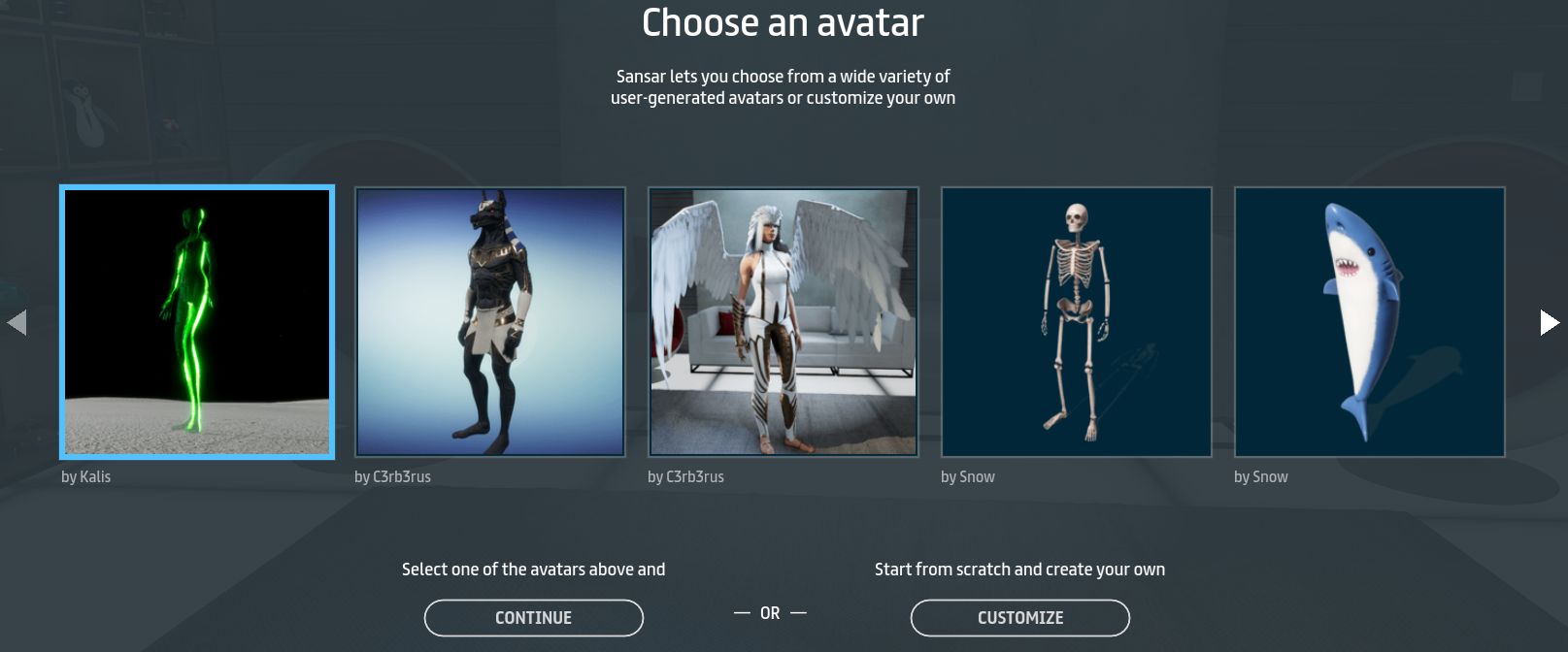
  • With the March Jumping and Questing release, new users can select from a range of (user-created) custom avatars via a new carousel (or opt to create their own look using the system avatars via the Customise button).
  • Stats show that around 50% of new user avatar selections are now custom avatars.
  • Custom avatars are currently selected on the basis of:
    • How good it looks in the Lab’s eyes, particularly to gamers.
    • How appealing the avatar is to all allowed age groups. – including whether the avatar is fully clothed (allowing new users to go directly “in-world” to experiences without having to go to the Look Book to customise their look.
    • Whether the avatar can be easily dressed using Marvelous Designer clothing.
    • Whether the avatar is offered for free in the Sansar Store.
  • The selection of custom avatars will continued to be curated and updated.
A sample of the custom (user-created) avatars on the avatar carousel and available at the time of writing to new Sansar users on signing-up

Avatar Contest: New User Carousel Edition

  • To encourage creators to make custom avatars suitable for presentation to new users through the carousel, Linden Lab have launched the Avatar Contest: New User Carousel Edition.
  • Full details are available in the official blog post. However, in brief:
    • Creators are invited to present custom avatars suitable for use on the new user avatar carousel.
    • Avatars must meet the requirements outlined above, and additionally must have properly rigged hands and mouths.
    • Creators may submit up to five entries (but can only win one of the prizes).
    • Five avatars will be selected from entries, and the designers awards S$27,500 each.
    • The onus is on humanoid avatars, or human anthropomorphic avatars.
    • Avatars can be submitted through until 17:00 PDT on Thursday, May 9th, 2019.
  • If the contest proves popular, it may be run again in the future.

Discord Changes

These are due to come into effect from Monday, April 15th, 2019.

  • Those who wish to keep their view of Discord as it is will be able to do so. All of the changes / new features will be on an opt-in basis.
  • A new public channel (or channels) is to be introduced (most likely on Monday, April 15th) alongside the current “user” channels,.
    • This is specifically aimed at those who might hear about Sansar and who want to check the community, etc., before opting to install the client and sign-up.
    • Existing users are encouraged to join the public channel and participate in discussions there, answer questions, etc.
  • The existing “user” channels will remain only accessible for interaction to those with a Sansar account (which will continue to be the point of entry to them).
    • However, the content of the channels will be available for anyone on the public Sansar Discord channel to read.
  • If the public channel aspect doesn’t work as anticipated, it might be rolled back in the future.

Moderation

This was more of a general discussion / feedback session, rather than an announcement of new features or changes to the current moderation / blocking capabilities. Key points from the discussion are summarised below:

  • The current set of moderation tools with their focus on avatar / avatar blocking have been developed from the perspective of helping new users deal with unwanted situations. It is acknowledged that a broader toolset is required,
  • At present, users can block one another’s avatars – useful if someone is being a particular nuisance, but the experience owner isn’t around to intervene, or if they are just being a very specific annoyance for another user. However:
    • There has been feedback that the current blocking is insufficient, as it doesn’t include removing their text comments from local chat.
    • There is no personal block list, so it is difficult for some to determine whom they might have blocked (possibly accidentally) without the subject of their block actually being present in an experience with them (but being invisible to them).
    • How to unblock also lacks clarity.
  • A lack of ability for experience creators to quickly ban troublemakers from causing issues within an experience being enjoyed by others – such as a single-click eject (back to the user’s Home Space?) / ban capability.
    • Avatar blocking doesn’t work in this situation, as it is purely avatar-to-avatar, so the nuisance can still go on to bother others in an event game, and can also be disruptive as they can continue to interact with elements in the scene.
    • Having to record an avatar’s name, then go to Create > Build Experiences > My Experiences > Publish > Publishing Options > Ban List and then add a name is (rightly) seen as too long-winded.
    • This is something the Lab has considered alongside the current moderation tools and are planning to provide. However, it is also something that hasn’t as yet been prioritised.
    • However, the Lab have looked upon such capabilities as being more event-driven (e.g. large-scale events that require specific moderation  / some form of moderator role which would include the required capabilities.
    • The problem with the Lab’s approach is that potentially, without a broader, more accessible set of moderation capabilities available to them, experience creators already in Sansar are reluctant to hold major events of their own, simply because of the overhead involved in taking action against a troublemaker (or worse, a group of troublemakers) with the current capabilities.
  • Part of the Lab’s approach to moderation is to provide tools that allow users to be both pro-active and to consider the options at their disposal in accordance with a situation (does someone’s behaviour actually warrant blocking, or is muting sufficient? Should they be banned for an experience  – where banning is an option – or should they be reported? Should they be banned and reported? etc).
  • As it is, blocking / muting in VR is not that intuitive. The Lab is aware of this and looking to improve things.

Sansar Product Meetings week #14: events + future updates

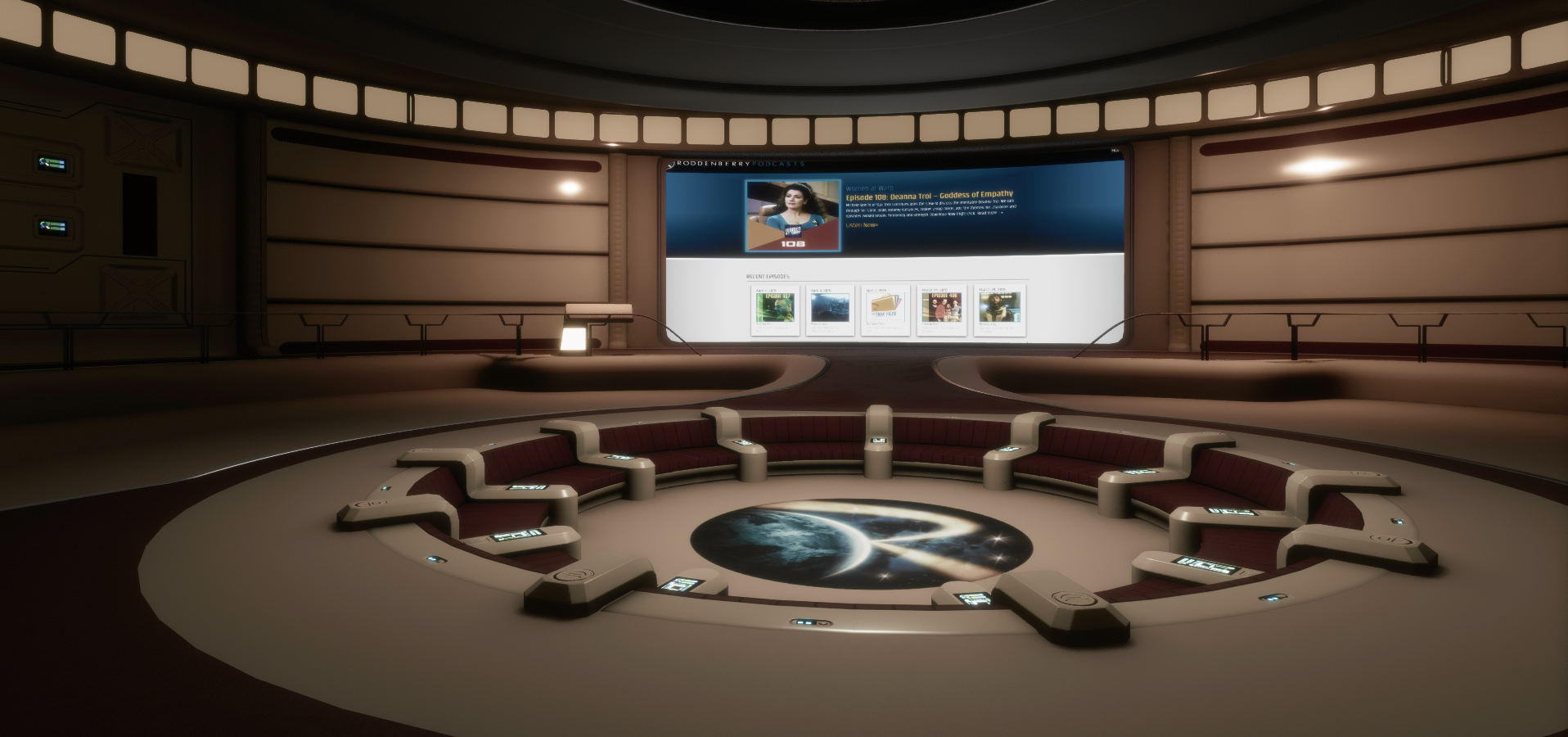
The Roddenberry Theatre: often the location for Product Meet-ups

The following notes were taken from my recording of the Sansar Product Meetings held on Thursday, April 4th. The first meeting, lasting 30 minutes, focused on Sansar Events and the changes made to the events system. The second meeting, lasting an hour, focused on upcoming features. This update focuses on the reasoning behind the events changes, and the confirmed work coming up for the R32 release and beyond.

Sansar Events

The Questing and Jumping Sansar release saw some changes to how events are managed. In short:

  • Events can no longer be joined by finding an experience, it must be done via the event calendar, with the event itself a special copy (not an instance) of the experience.
  • Active events are listed on a new Featured tab – Client Atlas only.
  • Event creators can change the scene tied to an event, customise the scene like any experience, and delete the experience if it’s no longer needed.

As Linden Lab is looking towards much more in the way of events hosting – specifically with “big partners”, these changes have been made to improve the management of events, the Atlas, and to better support the running of ticketed events. Thus, events are now viewed as much more their own type of experience, rather than being an activity tied to an experience and the Atlas.

  • The intent is to make events more a of driver of Sansar use.
  • In particular, it is hoped that ticketed events (with the hint of tiered ticketing, such as “general admission”, “VIP admission”, etc.), will be better supported through the new system.

This has resulted in making events harder to find via the Atlas, as events no longer appear towards the top of the event pages on the basis of the number of people attending. To address this (and other pain points):

  • With the next (R32) release, events will be folded back into the Atlas, rather than only appearing on the Events panel.
  • Some of the Atlas UI will be revised in order to make it more user-friendly to established and new users alike when trying to find things.
  • These revisions should mean that users more clearly see both experiences and events as they browse through the Atlas.
  • The featured section of the Atlas will be changing, so that both experiences and events will be listed.
  • More intelligence will be put behind featured events; e.g. events with an active attendance will be pushed into the featured listing in lieu of any specified as “featured” not having attendees (perhaps because they have not yet opened).
  • It will not be possible to bookmark / like the copy of an experience in which an event is being held; however, it will still be possible add events to your calendar.
    • In time, it might be that recurring events will be automatically retained in a calendar, rather than just the current date / time.
  • Concerns have been voiced that as events now take place in a dedicated copy of an experience, users will no longer be able to bookmark the original experience so they might return to it at a later date.
    • A counterpoint to these concerns is that currently, Sansar has disparate ways to find out what is going on: the Atlas to see what experiences creators are making, the Store to see what goods creators are making, etc., and it might be better to present users with a more holistic view of what creators are doing as a whole (this is kind-of possible via profiles).
    • However: a) such an approach, if taken, has yet to be clearly thought-through to determine how best to implement it; b) it will not compensate creators who wish to use events to encourage visitors to their actual experience.

Future Developments: R32 and Beyond

R32: Full Body Tracking

  • Vive Tracker support has been added to allow full body tracking.
  • The Lab provided a video of an Sansar skeleton moving in time to Landon McDowell’s daughter (wearing the trackers) as she danced (see below).
  • It is hoped that this will add a new dimension to Sansar for VR users (or at least, Vive system users for now), and that it might in the future be used to record custom emotes (gestures in SL parlance).
  • This has involved overcoming a lot of technical challenges, and there is still more work to do to refine the system further.

R32: New Movement Scripting API

  • This will:
    • Allow objects to rotate and turn.
    • Include a set of supporting Simple Scripts.
    • Enable frame-perfect animation; movements can be properly queued to be executed at specific times / in a specific order by the engine of the desired frame.
    • Allow animations to ease-in and ease-out one to the next.
    • Support multiple animation states, with blending between them.
  • This system should work for non-rigid bodies as well.
  • A major part of this is to allow the development and movement of non-player characters (NPCs), allowing simple patrol / follow behaviours, etc.
    • Initially these will be relatively simple: there is no pathfinding, complex interactions, etc.
    • However, it does Include line-of-sight location (e.g. if an NPC is designed to chase an avatar, it will only do so if it can “see” an avatar, so such NPCs could be avoided by keeping things like walls between you and them – see the official video below).
  • LL plan to suse this system to add some simple NPCs to the questing capabilities.
  • Longer-term it is hoped to have NPCs supporting looks, expressions, being able to play recorded voice audio and use Speech Graphics, utilise MD clothing, etc.
  • This should allow dynamic assets to drive animated assets, which in turn should enable things like animated held objects like guns, etc.


R32: General

  • Avatar crouching for desktop will be added as a part of R32. This should reduce the avatar capsule to allow walking through spaces with low ceilings, etc.
  • New throw capability for Desktop mode which should allow more accurate throwing and placement.
    • Throwing will likely include direction and strength indicators for Desktop mode users, allowing them to participate in games with VR users.
    • Placement controls should allow Desktop mode users more accurately place items they have picked up, rather than simply dropping them (e.g. pieces on a chess board can be accurately placed).

Beyond R32

  • Uniform scaling for avatars: scale them up or down proportionally.
    • Scaling of individual body parts (e.g. an arm or the head) will not be possible until the “avatar 2.0” is released.
  • Partial animation import:
    • Allowing a partial / simplified Sansar skeleton (with around 70 bones) to be downloaded and animating directly off of that.
    • Being able to hook this into Mixamo’s animator tools.
  • Feedback on the latest updates for using Marvellous Designer are being gathered and examples put together and will be fed back to MD in the hope of getting issues to work as expected.
  • Work is continuing on the questing system, including opening it to user-generated experiences.
    • Currently, the focus is on getting the system to work for the Lab and ironing out issues and bugs.
    • For the R32 release, the Lab hope to provide more quests beyond those added in the Questing and Jumping release, with the emphasis on showcasing what is possible, rather than building entire games.
  • Performance team continuing to work on a LOD system and performance improvements to get more avatars into an experience.
    • There is also a release with a focus on crash fixes coming soon.
  • Run-time joints: a feature which will hopefully appear later in 2019 that would allow users to parent things to their avatar (e.g. take a hat in and experience and wear it within that experience).

Sansar Product Meetings week #11: R31 and avatars

Sansar Studios: Colossus Rising

The following notes were taken from my recording of the Sansar Product Meeting held on Thursday, March 14tth. The full official video of the meeting is available here. The topic of the meeting was that of the upcoming R31 release due at the end of March, and the Sansar avatar. In attendance from the Lab were community manager Galileo, with Landon MacDowell, the Lab’s CPO, and Sansar project manager Cara, together with Nibz, Nyx, SeanT, Harley, Lacie, Stretch, EagleCat and Stanley.

R31 Release

Avatar Updates

Skin, clothing and Custom Avatars
  • The next release should see the default Sansar avatar have skin tinting enabled. If I was understanding this correctly, the skin will have six basic swatches of colour, which can then be adjusted to allow users to generate a wide range of skin tones.
  • It will be possible to dress custom avatars (until now, these have had to be supplied with clothing that cannot be removed or altered or added to).
    • This option is regarded as a beta release.
    • It will allow custom avatars to be dressed, use hair and accessories and wear clothing developed in Marvelous Designer (MD).
    • The adjust clothing option for MD clothing within the Look Book should work with custom avatars, and the Lab is working to make this capability easier to use in Desktop mode.
    • Dressing custom avatars will probably not work well with items rigged to fit the default avatars, and the Lab would appreciate feedback on this, and to how to improve the system, what problems are encountered. etc.
    • Obviously, the closer a custom avatar is to the default avatar, the better things are likely to work.
  • Future updates to follow this initial release will include:
    • Adjusting rigged accessories to correctly fit custom avatars will be a future iteration for the system.
    • Attachment points (e.g. select a right hand to add a watch).
    • Allow MD clothing to be moved, rotated, uniformly scaled, etc.
Avatar Editor Changes
  • The Save and “return to world” functions are being separated into their own buttons.
  • The Save function will allow users to save their changes to the current avatar or as a new avatar look in the Look Book.
  • A reset button will be added to the adjust clothing capability for MD clothing, to overcome issues of things being “dropped”.
  • There are a number of cosmetic updates to the avatar editor UI.

New User Flow

  • The new user on-boarding flow will be extended to include a selection of custom avatars as well as the existing default avatar set.
  • It will also be possible for users with the Grey avatar to be able to dress them until they decide on an avatar.

Animation Updates and Improvements

Jumping
  • Jumping is almost ready for release.
  • Different heights of jump can be achieved when using the jump button / key, and jumping will be gravity sensitive  (the lower the gravity in an experience, the further / higher the jump).
  • It is hoped jumping will open up the opportunity for platform style game experiences.
  • Future updates to this might include:
    • Scripted control of jumps (e.g. gain a “power up” in a game to jump higher / further).
    • Adding an animation override for custom jump animations.
  • A “falling” animation will also be released with jumping (so if you step off a wall or cliff, the avatar will fall, for example).
Walking / Running
  • The default walking and running speeds are to be increased.
  • The animation graphs supporting these may also be opened to scripted adjustment in the future, depending on feedback.
VR Animation Improvements
  • Work is being done to improve the sensation of being “grounded” (more connected to the virtual ground) when moving around in VR.
  • Work is also being carried out to better handle arm and hand positioning when in VR (e.g. so removing a headset in VR doesn’t result in the avatar’s hand being weirdly positioned or its arms going through its body).

General R31 Updates

  • Users will be able to see their bodies when in Desktop first-person view (this won’t include seeing weapons correctly held in the first pass, so carry on shooting yourself in the foot for now in Desktop mode 🙂 ).
  • Save current location: when you go to Look Book within an experience, you will be returned to the last “safe” location you occupied in the experience, rather than being forced back to a spawn point (“safe” as in not being spawned in mid-air if you were travelling on a moving surface when you entered Look Book, for example).
  • Teleport to friend will be updated so:
    • If you are in a different experience on teleporting, you will teleport to them in the scene they are in, and not to the experience spawn point.
    • If you are in the same experience when using teleport to a friend, the experience load screen will not longer be displayed.
    • “Safe” locations for teleporting will apply in both cases.
    • Creators of game-type experiences or similar that require a specific spawn point, and who do not want people randomly popping-up in their experiences will be able to set a flag to override this and divert teleports to their assigned spawn point.
  • Grabbing objects in VR should not longer display the blue beams, but allow users to naturally reach and take objects.
    • The object’s outline will still be highlighted.
    • A grabbed object should stick in the hand a lot better.

Beyond R31

Other work in progress for future releases includes:

  • Uniform scaling of avatars: users will be able to uniformly scale avatars up / down (precise range still to be decided), and will include automatic scaling of clothing and attachments.
    • Also TBD with this is whether or not the avatar capsule should scale as well, whether or not walk / run speeds should scale, etc.
    • Scaling will see foot placement and grounding in VR mode correctly adjusted as well.
  • More parity between Desktop and VR when grabbing / throwing objects.
    • These updates will include a “throwing beam” for desktop users so they can see the trajectory of an object were they to throw it, and then adjust it.
  • Work is continuing to the default avatar 2.0 (greater customisation, etc.).
  • Full body tracking in VR is being investigated (e.g. using the additional trackers for the HTC Vive). This could open Sansar for a lot of performance related activities.
  • Windows Mixed Reality (WMR) gear, etc., should work better with the next release. However, this is a user-generated fix, and it shouldn’t be taken to mean Linden Lab are supporting WMR, etc.).