March 2025 SL Web User Group: web site refreshes, Project Zero and Mobile

The Web User Group meeting venue, Denby
The following notes cover the key points from the Web User Group (WUG) meeting, held on Wednesday March 5th, 2025. These notes form a summary of the items discussed and is not intended to be a full transcript.

A video of the meeting, recorded by Pantera Północy, is embedded at the end of this summary, with sections of this summary times stamped to the relevant points in the video for those wishing to refer to the audio. My thanks as always to Pantera for recording it and making it available.

Table of Contents

Meeting Overview

  • The Web User Group exists to provide an opportunity for discussion on Second Life web properties and their related functionalities / features. This includes, but is not limited to: the Marketplace, pages surfaced through the secondlife.com dashboard; the available portals (land, support, etc), and the forums.
  • As a rule, these meetings are conducted:
    • On the first Wednesday of the month and 14:00 SLT.
    • In both Voice and text.
    • At this location.
  • Meetings are open to anyone with a concern / interest in the above topics, and form one of a series of regular / semi-regular User Group meetings conducted by Linden Lab.
  • Dates and times of all current meetings can be found on the Second Life Public Calendar, and descriptions of meetings are defined on the SL wiki.

MFA Enabled across Web Property Log-ins

[Video: 2:56-3:14]

  • Multi-factor authentication (MFA) is now enabled for all Second Life web properties.
  • Those with MFA logging-in to the majority of SL web properties (e.g. the dashboard, Marketplace, Project Zero, the Destination Guide, etc.,), will be asked to supply a token from an appropriate authenticator the next time their current token expires.
  • As with the viewer, tokens will generally be valid for 30 days, the exception being should you clear cookies from your browser, in which case you will also have to supply a new token on logging in.
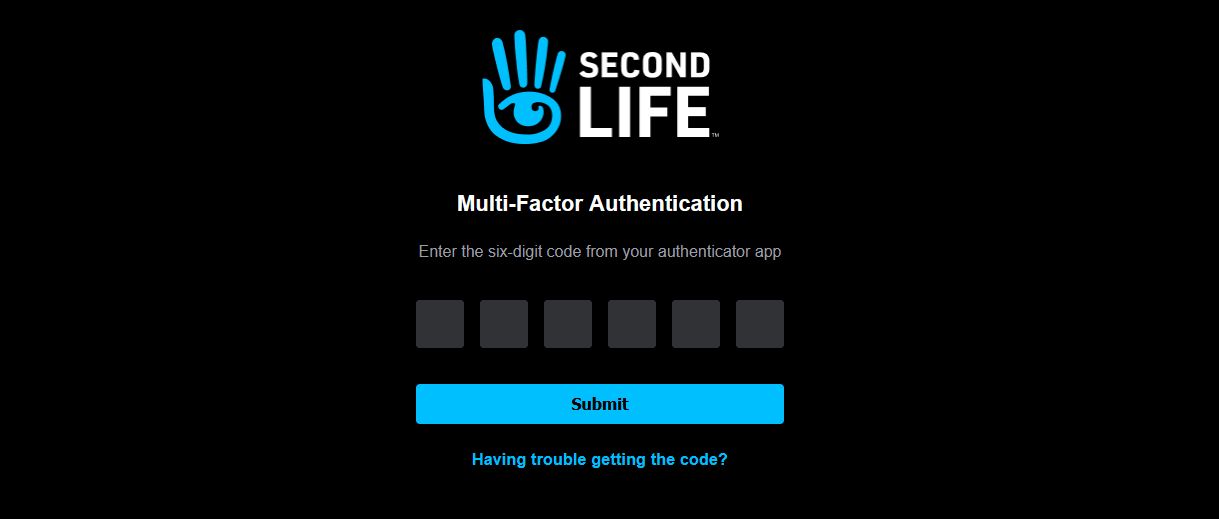
Those with MFA enabled on their account will now see an MFA token request when logging in to the majority of SL web properties (which includes Project Zero) for the first time OR after clearing browser cookies will be asked to present a authentication token – which should now remain valid for the 30-day period / until the site cookies are cleared (whichever comes first)
  • This work should harmonise logging-in across most of the popular SL websites.

What Next? Page Refresh

[Video: 3:15-3:38]

  • The What Next page, accessible via the Dashboard menu has been refreshed.
  • The new look include new tabbed sections, more relevant video, and the style in keeping with the overall web properties style refresh.
  • However: at the time of writing, the Destination Guide – present under the drop-down previously available when hovering the mouse over the What Next? menu option – is absent from the page.
  • This means that currently, the Guide can be accessed using its dedicated URL – https://secondlife.com/destinations.
  • This prompted a discussion later in the meeting on where the Destination Guide should go – e.g. as its own menu item.
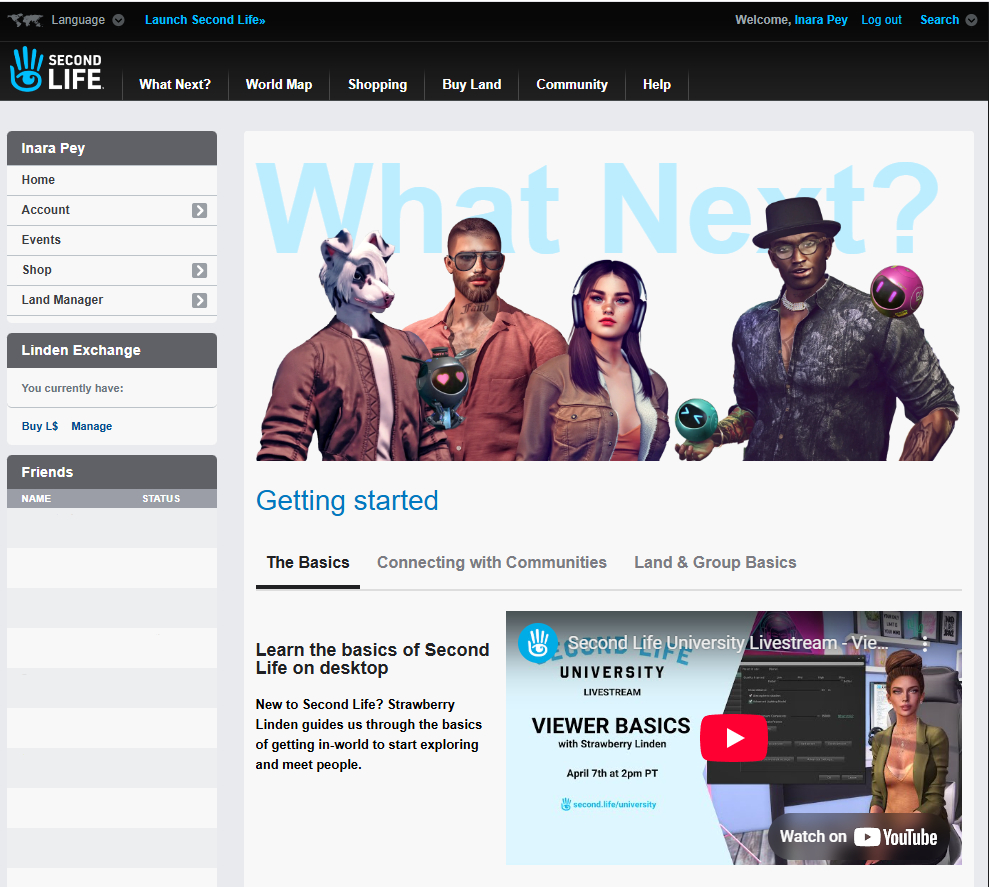
The refreshed What Next? page as accessed from the dashboard

Viewer Download Page Refresh

[Video: 3:15-4:03]

  • The viewer download page has been updated to the new Dark Theme, and includes a refreshed look which now includes links to the SL Mobile viewer pages on the Apple Store and Google play.
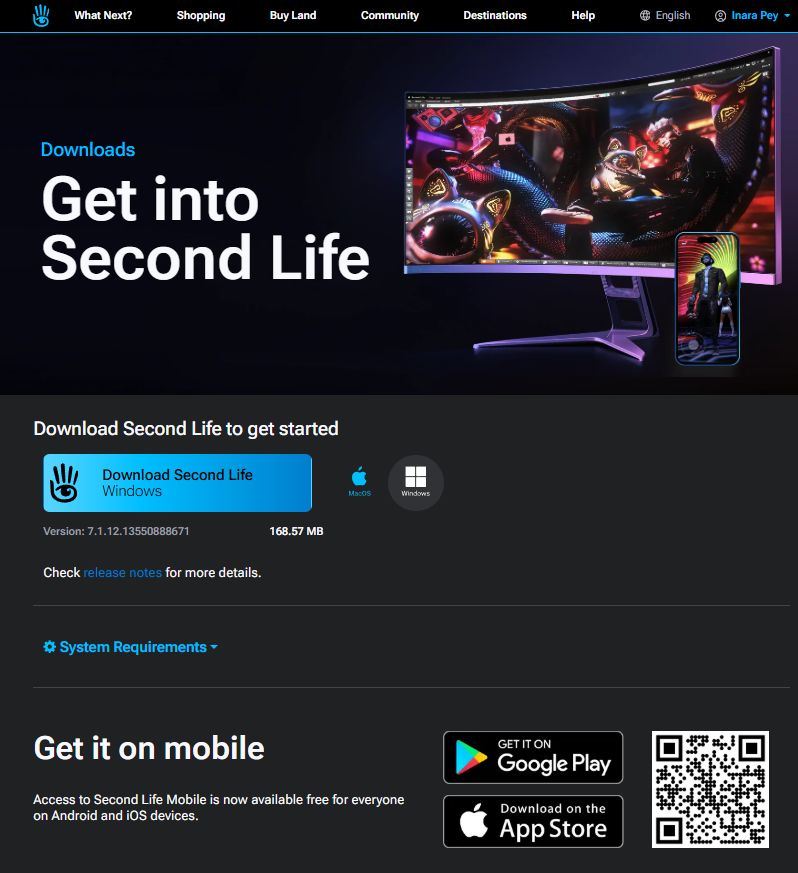
The updated viewer / SL mobile download page

Marketplace

[Video: 4:09-7:25]

  • Responsive product listing pages were enabled on Wednesday, March 5th, 2025.
    • This should mean product listings should be displayed in a responsive manner, depending on whether you are viewing them on a large monitor or Tablet / Mobile device.
    • Not all of the Marketplace is responsive as yet, so expect this to be an iterative implementation.
  • The Marketplace legacy pay-out page has been “put back”, and work has been carried out some optimisations to the Account History page, with more to come.
  • Coming Soon: Improvements to the Mobile / Tablet versions of MP Search, which are “pretty stripped down” at present.
    • This is being actively worked on, and the iteration of further responsive MP pages will come after this work has been completed.
    • The approach is to start making “small, incremental improvements to your Marketplace lives.”

Project Zero and SL Mobile

[Video: 28:00-46:13]

Note: Project Zero is the code name for the viewer-in-a-browser experience:

Project Zero

  • Numbers able to access the service are still limited, with the priority (for want of a better term) being given to users signing-up to Second Life over existing users.
    • If the service is running at capacity, the “endlessly spinning” loading circle should now eventually time-out and display the message below.

The number of existing users able to access Project Zero is limited in favour of users signing-up to SL, so the above message might be frequently encountered.
    • Whilst the number of concurrent users able to use Zero is low, when combined with the session limit and the fact the service s available 24/7 it should still mean that “several thousand” users per day are be able to access it.
    • The ratio of slots for existing users and those for new users is also subject to adjustment up and down.
  • LL are curious as to why existing people are using the viewer in a browser and the type of device being used. Those at the meeting responded in terms of:
    • Curiosity, better performance than on their own machines, testing (including trying it on different devices), logging-in via a tablet device to offer support to customers.
    • Devices used ranged from desktop PC through laptops to tablets + mobile devices(!).
  • Feedback on experience varied in feedback:  avatar loading was seen as better; region crossings / teleports (and associated failures) were seen as about the same for some, improved in terms of success for others.
  • The fact that many appear to be using Zero from a tablet seems to have surprised LL, with Sntax Linden (project lead) curious as to how people were managing sans and UI overlay (in my case, multi-channel wireless keyboard and trackball both switched to BT mode and linked to tablet).
  • Feedback was also taken on whether people would prefer using Project Zero over the Desktop experience (screen resolution, etc., adjusted). Responses were varied.

SL Mobile

  • The Lobby function has been extended to Premium Plus subscribers and to (some? iterative deployment?) Premium members.
    • Lobby appears to be included with iOS version 0.1.534 and Android version 2025.2.543.
  • Requests have been made to be able to simultaneously log-in to SL Mobile whilst also being logged-in to the viewer (and vice-versa).
    • This is something for which LL has an awareness, and the Lobby function is seen as a possible first step towards it by allowing communications ,etc., to occur prior to the world loading-in.
    • However, overall, making it possible to be logged-in from both Mobile and the viewer simultaneously does have some significant technical challenges, due to the way client / simulator interactions are managed. For example, a client must have an avatar physically present in SL in order for chat, IMs, etc., to work, and the system doesn’t support having an avatar effectively in-world twice.
  • Philip Rosedale asked for people’s preferences for SL Mobile, if they are only given a binary choice, either:
    • Have SL Mobile fully render the 3D world and use it to interact with the world through it much as they would with the viewer? Or:
    • Have it as a “communications companion” with chat, IMs, Groups, etc., prioritised and without the associated world rendering etc (e.g. pretty much as the iOS Mobile project had originally been initiated under Oz Linden)?
    • Those at the meeting, while a small sample, leaned towards the latter (rather ironically, given that during the development of the iOS Mobile option, there were multiple calls for it to offer world rendering as a priority in order to be useful).
  • As an extension to the above conversation, some at the meeting indicated they’d actually prefer some means of chatting / responding to IMs via their account dashboard.
    • As per the notes regarding being simultaneously logged-in via Mobile and the viewer, whilst the Lab are aware of the desire for a web-to-in-world chat capability, it would require a substantial re-engineering effort given chat + IM communications are predicated on the avatar being logged-in to a location in SL.

In Brief

Please refer to the video for details on the following.

  • [Video: 7:30-9:18] Marketplace Styles (aka variants):
    • Styles is the ability to list multiple versions of a single items in a single Marketplace Listing (e.g. different colour versions of the same sweater, together with a demo and any fatpack (if offered)).
    • As I’ve previously noted, this was reported as something planned for deployment at that start of 2023, but has since seemingly fallen off the table.
    • Kali Linden indicated that the Web Team still want to implement Styles, but the work essentially lost its management sponsor before it could be seen as completely ready for deployment.
    • Threfore more the subject is mentioned, the more likely it is to receive the necessary management support – this being the case: Brad, Grumpity, whomever! give us Styles on the MP! 😀 .
    • Also, if you would like to see the capability implemented on the MP, upvote the feature request.
  • [Video 10:00-11:47] maps.secondlife.com:
  • [Video: 15:42-20:20] A general discussion on on things like style cards, lists of items, etc., new starters can get to assist them in customising / clothing their avatars.
    • This included the idea of the Lab providing a “Starter Pack” that could include things like a basic AO, leading to a broader discussion on the use of AO, their availability and importance to news users, the weakness of the Senra wearable AO system, building the AO system into the viewer, etc.
    • No conclusions drawn.
  • [Video: 20:34-25:56] General discussion on web properties and issues / possible updates, including:
    • The status of Place Pages (in short: a means to promote in-world locations user have created, introduced in 2017 as a “beta”,  then launched shortly thereafter – and basically left to wither on the vine.
    • (Again) aligning maps.secondlife.com functionality with that seen within the in-viewer World map.
    • Giving the dashboard page (and associated pages – transaction history, etc.) a broader facelift. Kali indicated this requires the input of two teams, and will likely be a longer-term top-to-toe redesign.
    • Reducing the amount of sub-menu nesting evident in some web properties.
  • The last 15-ish minutes of the meeting (approx: 47:00 onwards) formed a more general conversation on MP reviews (particularly “bad” reviews), dashboard chat capabilities and what else might be possible, such as making notecards viewable without being logged-in – which led to mention of having Inventory accessible through the web), search the MP via date ranges, etc.
    • Kali notes that a feature request to add the date listed (/updated) added to an item’s listing has been accepted, and will likely be implemented (see also the Chrome Marketplace Enhancer extension).
    • Adding a tab to listing where creators can drop their log files / update notes into a listing.

Next Meeting

  • Wednesday, April 2nd, 2025.

Second Life in your browser: a new initiative from Linden Lab

The viewer-in-a-browsers website, showing increased time limit (as of January 9th, 2025)
On December 23rd, 2024, I was able to sit down with Linden Lab co-owner and Executive Chair, Brad Oberwager and the company’s founder and now CTO, Philip Rosedale, to talk about a project the Lab are working on, and what it may mean for many users either already engaged in SL or who are joining the platform.
Table of Contents

The gist of it is, starting at the very beginning of January, we’re going to start making Second Life available through a browser. We’ve had a team on it for a couple of months now, and we’re going to make the first demonstrative use of it at the start of January.
In fact, we’re taking advantage of a mix of different changes in the market and technology; we’re going to tie a bunch of different components together, but at the core of the offering that we’re going to start testing at the beginning of January is a streaming version of Second Life which is pixel-perfect, 1080p, you can’t tell you’re not using a desktop client, there’s no way you can perceive that you’re using it … and so it’s just like logging-in to Second Life [on a desktop viewer].

– Philip Rosedale, in conversation with me, December 23rd, 2024

This ability to stream Second Life through a browser is now available for testing – and if you wish to do so, you can do so free of charge for the next few days – simply hop down to the notes on how to do so at the end of this article.

However, the streaming test is one part of a broader strategy the Lab is taking in an attempt to make Second Life more accessible to both existing and incoming new users, and I want to focus here on that, and what we are likely to be seeing during 2025.

Of course, this is not the first time an attempt has been made to stream SL to users; there have been two commercial attempts to do so in the past with both SL Go, provided by OnLive between March 2014 and April 20151, and then via Bright Canopy, provided through the Frame application delivery service (now Dizzion) between 2015 and 20202. However, those services were at a time when streaming complex content was still relatively in its infancy, and their providers were subject to business and marketplace forces which ultimately led to their respective demise.

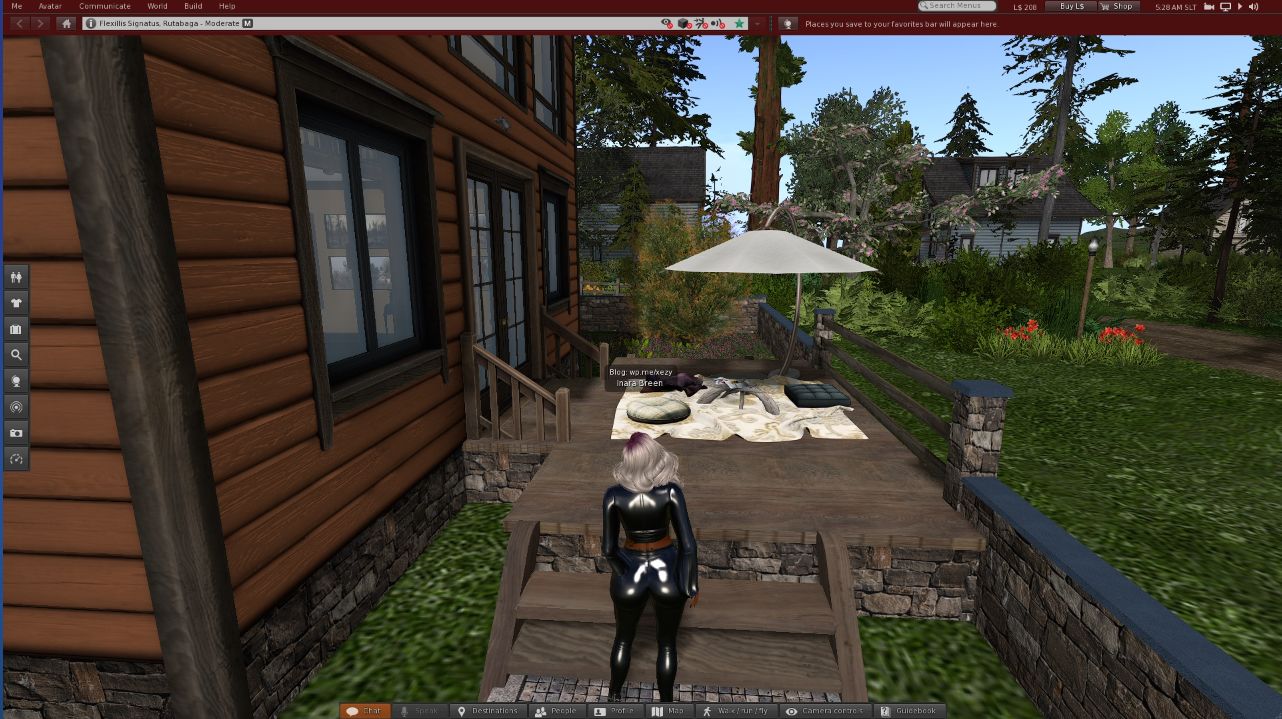
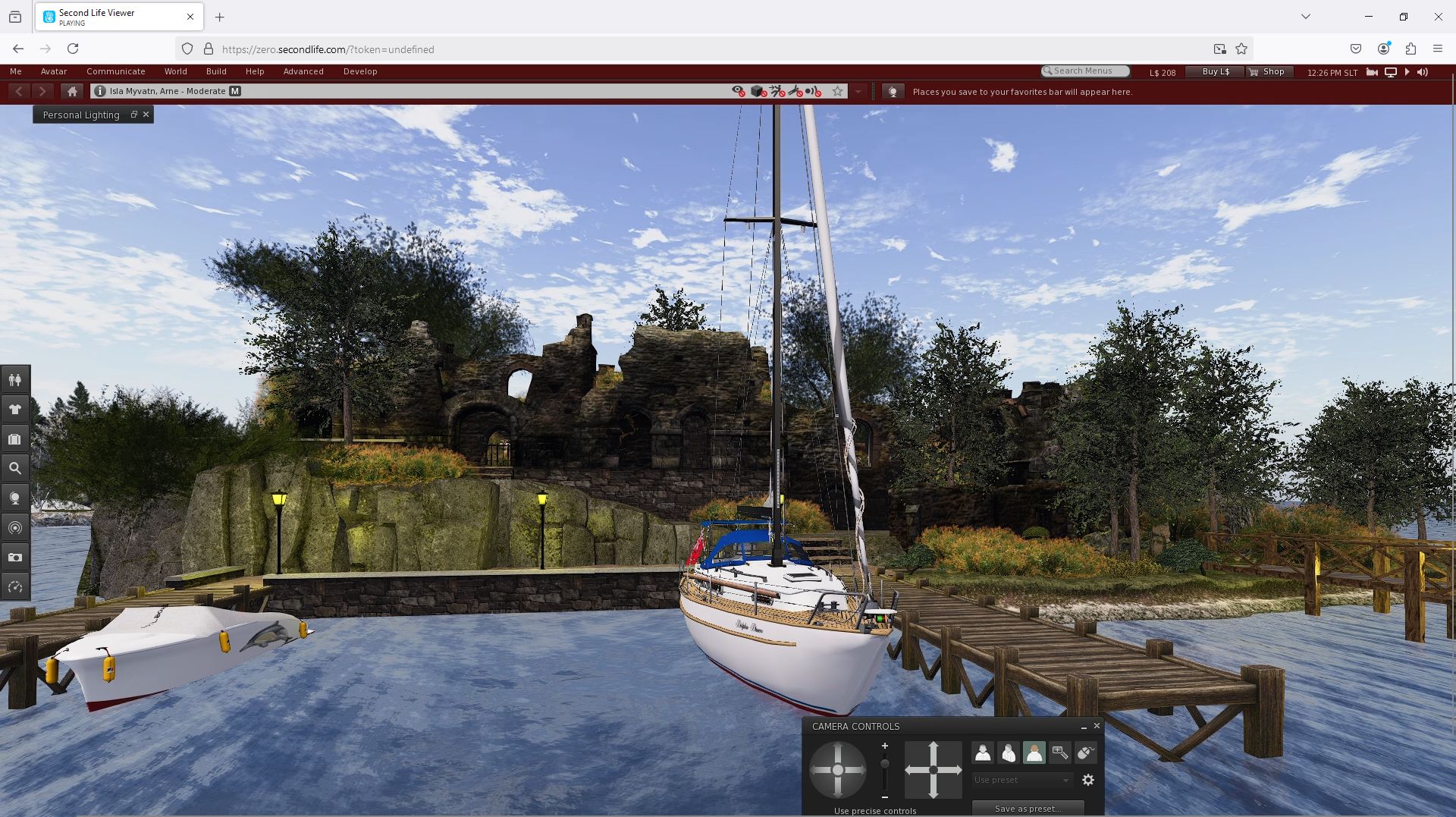
Second Life streamed via Firefox

For the Lab, the move towards browser-based accessibility to Second Life is based on addressing a number of long-term pain points in using the platform:

  • The fact that it continues to require fairly high-end computer hardware to experience it at its very best – and roughly 50% of the existing user base do not have such hardware at their disposal.
  • The fact that it requires a dedicated viewer to be downloaded and installed by new users as a part of the sign-up process.
  • The fact that the viewer has a sprawling and complex UI which can be both hard to master by new users.

Offering a browser-based / streaming solution can overcome these issues – and that is the point of what is being called Project Zero: to allow those on low-spec systems experience SL as if they were using a gaming rig with a high-end GPU, whilst offering incoming new users direct access to coming in-world via a URL within the sign-up workflow.

We’re [also]  going to start A/B testing by letting a good chunk of the people that come in new to Second Life go through this new streaming system, as opposed to downloading the desktop. So we’ll be able to start to test that and quickly see how they compare. Our expectation is, barring any unforeseen problems, it’s going to be the case that a lot more people are going to be able to get into Second Life because they don’t need a high-end GPU or have to go and install some software.

– Philip Rosedale in conversation with me, December 23rd, 2024

But this is just the tip of the iceberg.

Project Zero: Evolutionary and Revolutionary

The initial offering of the viewer through a browser is just that: a baseline service which allows someone to go to a URL and launch an instance of the viewer and access Second Life. As such, it has limitations (which I note below for reference). However, Linden Lab intend to start iterating on the capability pretty rapidly, utilising the experience they’ve gained through other projects, to build on the browser experience and improve it – particularly  in regards to the UI.

We’re going to re-do the interface completely, in the same way that we did with the Mobile client. We’re going to start by streaming the existing interface, but then very quickly – probably sometime in January – you’ll see us turning off the UI layers that are in the [browser] client and switch them out into a modern HTML / React style web UI on top of the viewer which should look and feel a little bit like what we’ve done with Mobile, where we’ve only been implementing the features we absolutely need, and then implementing them cleaner than they were before and in a way anybody coming into Second Life today, no matter what their age so just look at it and go, “oh yeah, that looks like a sensible UI.”

– Philip Rosedale, in conversation with me, December 23rd, 2024

Once these core elements of using SL are working within an overlay-style of presentation, the plan is to move on to the more challenging aspects of the UI and using SL – such as avatar customisation. And here things start to get revolutionary, as the Lab will be looking for input and assistance from content creators.

We’ll move upstream in terms of difficulty level towards the kinds of things that people need to do to get acclimated inside Second Life. We view the dressing problem to get the avatar to look the way you want to be the penultimate challenge here; that is the thing we need to get both greatly improved in its usability, and then moved on to an entirely new UI approach.
We’re going to do that UI design in partnership with others; we’re going to do things like put different default avatars in there which we’re going to build in partnership with content creators; we’re going to sit down with content creators who have complex things like HUDs  and say, “OK, if we started from scratch, how would we make your experience perfect accessible to a new user?”, and do that co-design with them and rapidly push that into the pipeline of the actual code-base of this new viewer

– Philip Rosedale, in conversation with me, December 23rd, 2024

Second Life streaming through Firefox

Does This Mean The Viewer is Going Away?

No. The intent with streaming Second Life / Project Zero might be summed up as being about:

  • Trying  to try to ensure a new user first experiences Second Life to in as friction-free and as friendly a way as possible before eventually graduating to more advanced Viewer options.
  • To give those on lower-specifications a cost-effective means of experiencing Second Life at its fullest, should the wish to do so.

The familiar viewer – official and TPVs  – is not going away, and the Lab emphasises that is is not in any way  downshifting any development of, or support for, its own and  third party viewers. In fact, LL are open to talking to TPVs and adding them to the streaming capability as it is developed and enhanced.

The best way to thing of streaming and the installable viewer is that they compliment one another – although it is possible that some of the refactor of the UI could be ported back to the installable viewer, if they are seen as particularly beneficial.

Of Costs and Philosophy

As noted, the ability to stream SL through your viewer is at this point in time, both a test and is being offered free of charge. However, the elephant in the room is that like it or not, streaming something as complex as Second Life does cost money. As such, the need to cover those costs has to be considered – and here again, the Lab is trying to be flexible.

What we’re trying to build long-term, is a browser-based interaction with Second Life. Right now, it has to be streamed. That’s the technology to do it NOW and do it FAST, and we’re going to learn a lot. Clearly, streaming is expensive; so we’re looking at this as an investment in a way to build down the road.
But, Second Life is big, and people spend a lot of time in-world, so if we get charged on an hourly basis, we can’t get into a situation where we’re spending $100,000 a day. So yes, we’re going to explore all different ways. Right now, it’s free; we’ll probably explore “what if we give it away to Premium Plus? What if we come up with a subscription fee? What if we do it per hour? Would you get a better deal if it is a completely new [Second Life] subscription?” We’ll test all of that to figure out what the residents want; but to be clear, we’re not looking to make money on it.

– Brad Oberwager in conversation with me, December 23rd, 2024

There is also something of a value proposition here for those using lower-specification systems which are more than adequate for everything else they want to do on a computer, but would like to experience a smooth, more immersive Second Life: is paying a fee / subscription for streaming SL more preferable that the up-front cost of buying a new high-end computer just to enjoy SL’s full graphic fidelity? This is something of an imponderable – but it is one the Lab is looking at.

We recognise that today, some of the most trivial pay-as-you-go  set-ups are just too expensive to just let everybody in Second Life on; but hopefully, between Brad and myself and the overall technologies changes, we’ll be able to drive that price down. So it’s kind-of tricky, because we can’t put ourselves out of business in the short-term, but we also know that we’ll be able to get the price down quickly. 

– Philip Rosedale in conversation with me, December 23rd, 2024

Exactly where that price-point lands remains to be seen. In the meantime, the streaming option is now available to test.

Trying SL in a Browser

The updated Second Life web login-in screen

To try out the streaming version of the viewer for yourself:

  • Go to https://zero.secondlife.com/
  • If you have not logged-in to Second Life via the web for some time (e.g. to your dashboard at secondlife.com), you will be asked to log-in via the updated web log-in page.
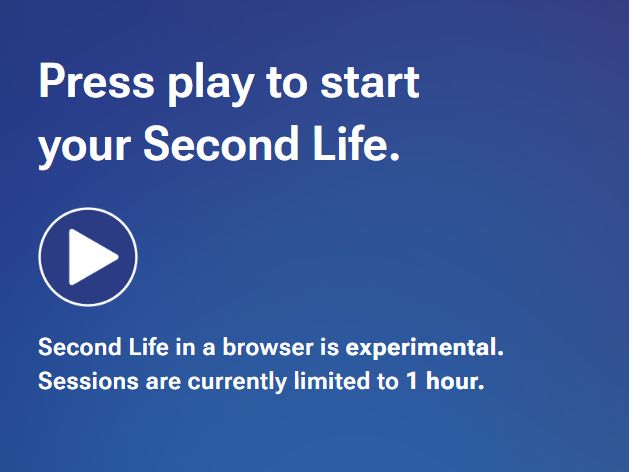
  • Read the notes on the Second Life in a Browser splash screen
  • Click the Play button.
  • The viewer should then launch through your browser (I tested on Chrome, Firefox, Opera and Edge with Windows, and all worked for me, Brave, Vivaldi and Gener8 did not).

Things to Note When Trying the Option

  1. This is a free-to-try test, intended to offer LL a demonstration that they have the core capabilities working: the viewer is streamed smoothly, and overall performance (frame rates, etc.), is at least as good as seen when running Second Life on reasonably high specification computers.
  2. As it is a test, there are limits on the number of users who can concurrently access the service – LL are hoping to support several thousand per day, but depending on demand, you may find you have to wait to try.
  3. Individual sessions are limited to just one hour (as of January 9th, 2025), after which you will be disconnected.
    • There is no warning of any impending disconnection; you are simply logged-out of SL and pushed to the official viewer download page in your browser.
    • If you were testing something at the time of disconnect, you can start a new session. However, from my personal testing, I would recommend waiting a few minutes before doing so, rather than immediately trying to re-launch a viewer instance in your browser, as the log out process seems to lag behind redirecting you to the viewer download page.
  4. In addition, whilst it is hoped that people will not repeatedly log-in to the service (so as to give as many as possible the opportunity to try it) please note:
    • The viewer is being streamed at a 1080p resolution. If your display does not support this, you may have to use you browser’s zoom and full screen options to display the viewer in its entirety, or use the browser scroll bars.
    • As the viewer is being streamed, there are limits on what can be done: personal preferences and settings are not saved; you cannot upload textures, etc., if you use MFA you will have to provide a token with each session. Further, Voice chat is not currently available.
      • However, all of the above will be changing as the service iterates.
  5. Please do not create ALT accounts use multiple accounts when trying the streaming service, just keep it to one existing account when trying it.
  6. Whilst it should be possible to access the streaming option on Tablet devices (subject to the notes above) it is not intended to be accessed via mobile devices like ‘phones, etc., with small screens: these remain the purview of SL Mobile.

If you do try the service out, please give feedback to help LL in the design process. For this first phase, we are most interested in finding any failure cases where you are unable to connect at all, and if so-minded, join the conversation in the designated forum post for this topic.

Personal Experience

I accessed Second Life via the browser option using a laptop with the following specifications: Intel Core i31.8 Ghz; Intel HD 4000 integrated graphics (up to 1.8 Gb shared memory); 8Gb DDR memory. Outside of the resolution issues referenced above (the screen was 1366×768 resolution). The experience was not too far off that of running a viewer on my primary PC (AMD 5800X 8-core processor with 16 Gb DDR4 and Nvidia RTX 3060 12Gb), and both PC and laptop using wired connections rather than wifi.

Footnotes

    1. You can read more about the history of SL Go in this series of articles.
    2. Some of Bright Canopy’s development and history is covered in this series of articles.