
Update: July 8th: Linden Lab has suspended viewer support for the Oculus Rift. This article has been updated accordingly, notably with strikethroughs on links which are no longer valid.
Update July 5th: Rai Fargis has raised a JIRA – BUG-20130 – where specific issues with this viewer can be recorded for the direct attention of l,inden Lab. Many thanks to Rai for doing so, and to Ai Austin for poking me with the JIRA number. please also refer to my follow-up article on his project viewer
Update July 3rd: Those with Oculus HMDs are reporting significant issues with this update to the viewer via Twitter, the SL forums and YouTube, with some of the problems also being added as comments to the end of this article. Any specific, reproducible issues (allowing for the apparent quantity of problems being encountered) should be reported to the Lab via the LL JIRA, if possible.
On Friday, July 1st, 2016, Linden Lab released the much-anticipated update to the Oculus Rift project viewer.
Version 4.1.0.317313 of the viewer is a Windows only build, for a very specific reason, as all VR followers should be aware, and as explained in the headline comments in the release notes:
The SDK from Oculus Rift does not support anything but Windows, so the other platforms are not supported for use with an Oculus Rift.
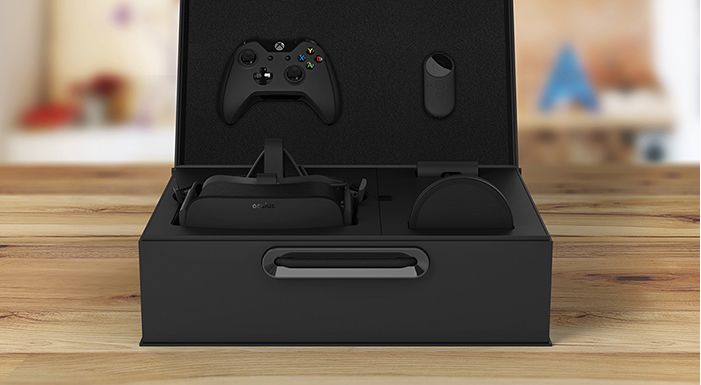
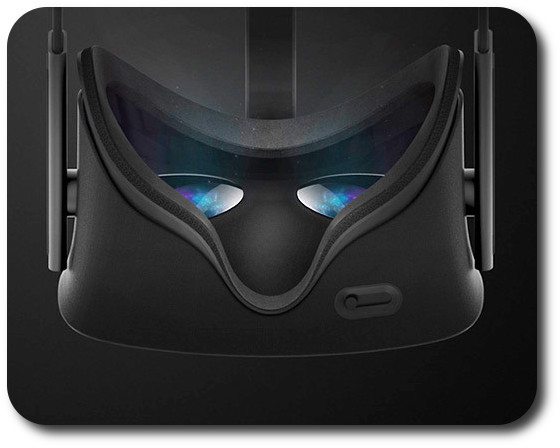
This update means the project viewer should now support both the Oculus DK 2.0 and the new consumer version of the headset, the CV-1. Note, however, that it is not intended to support the HTC Vive as well (see below).
In addition, the update brings the viewer up-to-date with all viewer releases through to the Lab’s current release code base, and so includes the plethora of updates over the last two years, up to and including Avatar Complexity and graphics presets.
As with the previous version of the viewer, the Oculus Rift setting panel can be accessed via Preferences > Move & View. There is also an Advanced HMD menu option in the viewer’s Advanced menu, but I’ve no idea what this does (I don’t have an Oculus Rift of my own), and a toolbar button is available for those wishing to toggle in / out of the viewer’s “Rift mode”, which can also be done by pressing CTRL-SHIFT-D (note that using either of these options will generate an on-screen error message if a Rift headset is not connected to your PC).

The release notes for the viewer contain a set of tips designed to help optimise the viewer’s performance (unchanged from the previous release of the viewer), as well as listing the core key controls:
- Enter HMD mode – CTRL + SHIFT + D
- Align to look – Q
- Center Mouse Pointer – Z
- Action key – X
- Camera Mode – M (Press multiple times to cycle through 3rd Person, HMD Mouse look, and 1st Person modes)
- Hide UI – CTRL+SHIFT+U
Performance
As has been repeatedly indicated by the Lab (e.g. the June 2016 Meet the Lindens chat with Ebbe Altberg), the nature of Second Life, where much of the in-world content (including avatars) has not been optimised for delivery at very high frame rates, the viewer is unlikely to deliver optimal Oculus Rift performance (e.g. 75 fps at all times for the DK-2 and 90 fps for the CV-1). It should, however, offer a “comfortable” level of performance sufficient enough for people to enjoy the immersive experience presented by the headset reasonably well.
Future Intent and Vive Support
Going forward, the Lab plans to progress Oculus support through project and RC status and integrate it into the release viewer. There are no plans to offer a specific “Oculus Rift flavour” version of the viewer that will be maintained alongside a “non-Oculus Rift” version.
Speaking at the TPV Developer meeting on Friday July 1st, Oz Linden indicated that providing support for the HTC Vive in Second Life is something the Lab “would like to be able to do”, but it is not something on the horizon at present. If and / or when the Lab might offer Vive support in SL, and how far that support might go (e.g. will it include support for using the Vive’s room sensors with SL) is an open question at this point is time.
Related Links
- Second Life Alternate Viewers wiki page
Oculus Rift version 4.1.0.317313 release notes





 Inara Pey: Living in a Modemworld