A house among the ruins – take 4!

Yup, I'm fiddling with the island home .... again!
Yup, I’m fiddling with the island home …. again!

We’re reaching the end of another quarter, and guess what? I’ve been back making changes to the home island 🙂 . I know, I know; “You’re still fiddling around with it? It’s a wonder Caitlyn hasn’t launched you off of the nearest cliff!”

While I’ve been largely happy with the most recent work on the island hope, the three different levels of the island have been something of a bugaboo with me. So I started fiddling with an idea to see what things would be like if I removed one of them. The intent wasn’t actually to make huge changes, but things sort-of rolled one into the next.
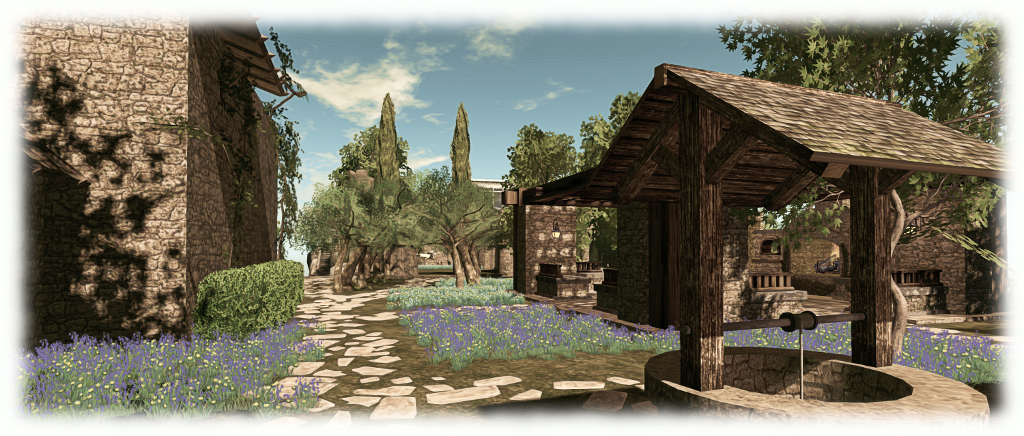
The garden and ruins are all pretty much on one level, with new paths and flowers, thanks to Alex Bader

So, without going into huge amounts of detail, the island is now really pretty much on two levels (other than the beach.). With the house still at the highest point, and then all of the gardens and ruins occupying the same level. This also involved tweaks around the moorings for the ‘planes, G-CAIT and G-NARA, and the stairs linking them to the house gardens.

The change also encouraged me to finally swap back to the original cliffs and rocks, as provided by Axel Bergan and sold under Novocaine Islay’s InVerse brand. By “swap back”, I mean using them with their original texturing, just tinted a little, as the off-white colouring, Caitlyn and I both agree, works better with the new layout of the cliffs compared to completely re-texturing them.

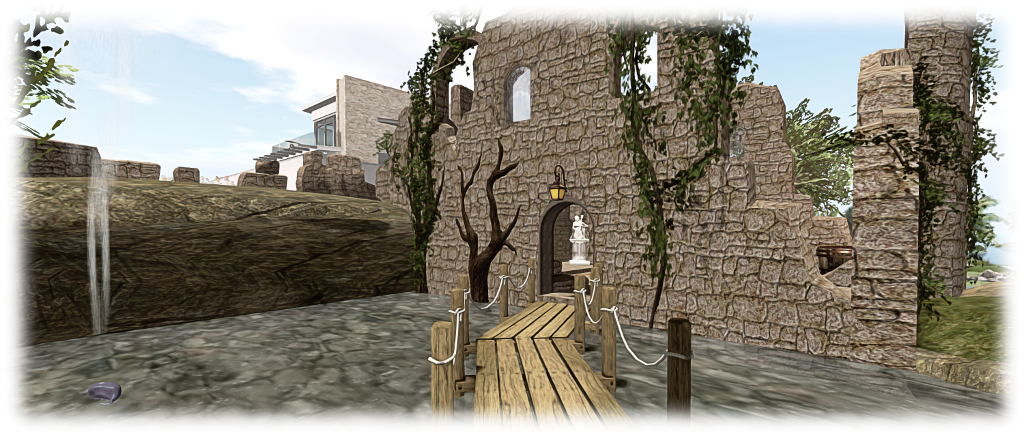
The house and the path to the new tower and steps leading down to the 'plane slips
The house and the path to the new tower, via Rya Nitely,which “guards” the steps leading down to the ‘plane slips

Elsewhere, the change has allowed us to extend the ruins a little, notably with an additional tower, again from Rya Nitely’s selection of Medieval ruins, which sits at the head of the stairs to the ‘plane moorings, and which like the rest of the ruins, as easy to re-texture using Alex Bader’s Lush and Enchanted Walls texture set, which has previously proven to be such a boon in giving all the various parts of the ruins a look of uniform age.

Alex, who provided  generous and invaluable help with the re-development of Holly Kai Park, became the inspiration for almost all of the rest of the changes. His Stone Steps and Enchanted Woods Spring Flowers bolt-on pack have both been used across the island, while the stones from his Rocky Trails Building Set, separated from the base pieces and flattened a little, provided the perfect means of building new footpaths. Also, his Tropical Beach Set meant I could finally get the island’s beach looking a lot more natural than I’ve so far managed; one complete with Dick Oompa’s wooden pier for friends to moor their boats against when visiting.
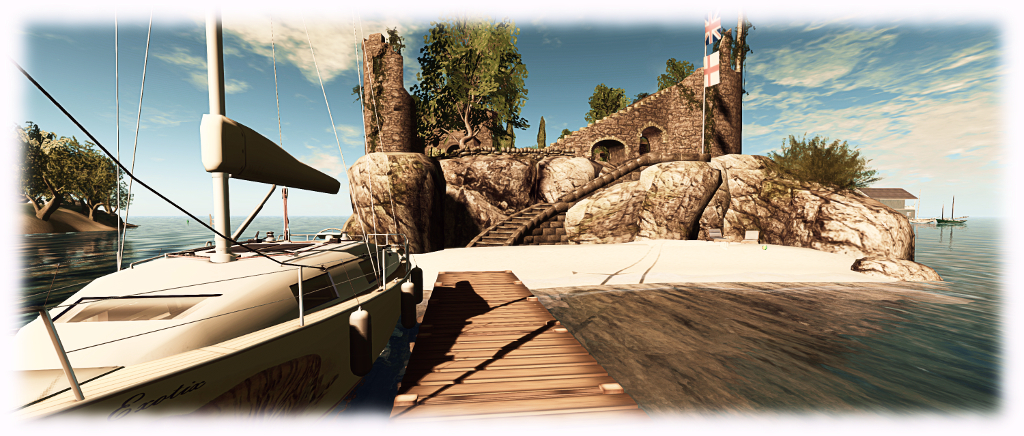
The beach and steps at the southern end of the island

So, is this really really it for the home island? Well, believe it or not, I actually think so, yes.

Pocket Racing in Second Life

"It's a glorious day here at the Inazuma circuit, Ace Resort, with perfect race conditions, a track temperature of 37 degrees, and the drivers ll looking forward to a good race..."
“It’s a glorious day here at the Inazuma circuit, Ace Resort, with perfect race conditions, a track temperature of 37 degrees, and the drivers all looking forward to a good race…”

I’m always on the lookout for fun things to do in Second Life  – hence how I got into sailing, boating and flying. I’ve also poked around at cars and racing, but they’ve never really appealed to the same degree. However, when Annie Brightstar posted an article about trying a Pocket Racing circuit recently, it piqued my curiosity.

The track in question is the [Pocket Racers] Inazuma Circuit, part of the 719 Racing brand created by Hakuyuki719. It is designed to fit into a 1/4 region and comes complete with everything needed for up to 8 people at a time to race one another and / or race against the clock. The cars presented by the track are the little 719 [Pocket Racer] Wing series which can also be purchased separately as a rezzing system.

When I say the cars are little, I'm not kidding. They are, however, veritable pocket rockets
When I say the cars are little, I’m not kidding. They are, however, veritable pocket rockets

Like Annie, I hopped over to the track at Ace Resort, a Japanese region offering a variety of activities at ground level (and possibly elsewhere in the sky – I confess I didn’t explore that much, other than by, um, accident…), with the track located high overhead.

The car rezzer is located at the end of the pit lane, and I would suggest that once you have driven off of it, you touch the car for the configuration menu – these may be pocket-sized vehicles, but that doesn’t mean they have a pocket-sized performance; they can actually be something of a handful for the uninitiated. I found setting the transmission to Auto and re-setting the steering responsiveness to around 5-6 worked best for me, but the best thing is to fiddle with the settings yourself.

On the grid following an installation lap (or six...)
On the grid following an installation lap (or six…)

You can do this by heading out onto the track for an F1-style installation lap, which also allows you to gain some familiarity with the track before racing begins. Then it’s back around to the grid ready to race your lap time will automatically start and be recorded each time you cross the start / finish line.

My early laps were not brilliant, but as I settled down, I did manage to climb up to 4th place on the timings board. However, I seriously doubt my technique would endear me to a Formula 1 team, given it partially relied upon bouncing the car off the Armco barriers at the side of the track.

4th fastest time - just don't ask to see the condition of the car after I achieved it...
4th fastest time – just don’t ask to see the condition of the car after I achieved it…

There are transparent safety walls around the course, although I didn’t find them particularly effective. This probably say more about my racing technique than any fault in the safety system, but it did give me the opportunity to discover the shooting range at ground level – if only by dint of landing in it. Well, it was that or bailing out of the car and practising my skydiving technique instead!

The great benefit of courses like this is they don’t involve the unpredictability of region crossings (719 Racing also produce a region-sized track suitable for “full-sized” racing cars), while the tight fit of this particular course makes it very competitive in these little cars. When driving on your own, the clock becomes a significant adversary, and I’d imagine when racing against friends, a certain hilarity would be forthcoming.

"Well, I was going to take a look at what was on the ground after racing, anyway..."
“Well, I was going to take a look at what was on the ground after racing, anyway…”

Is it enough to convert me to racing cars in-world? Well, no; I’m too addicted to boating and flying. Is it a fun way to spend an hour or so completely distracted from the care and worries of the world, physical or virtual? Absolutely. There are doubtless other Pocket Racer tracks scattered around SL, but if you want to give things a try, Ace Resort is a good place to start. And if you’re looking for a new attraction for your own region, the 719 Inazuma Circuit might be just the ticket!

Additional Links

All change at Holly Kai in Second Life

Holly Kai Park: the revised garden area with two studio, terrace and beach
Holly Kai Park: the revised garden area with two studio, terrace and beach – click any image for full size

It’s now seven months since I took over as curator for the Art at the Park series at Holly Kai Park and generally looking after things there alongside Estate owner Nber Medici and park owner, Hollykai Resident.

Prior to opening our first exhibitions at the end of 2015, I worked on making some changes at the park. At the time, I didn’t want to make too many changes, because a lot of time and effort had been put into redeveloping the park in the first place.

Holly Kai Park: the art hill will be given a slight re-working in the near future
Holly Kai Park: the art hill will be given a slight re-working in the near future to improve facilities

However, running six events at Holly Kai – particularly three large ensemble exhibitions – convinced me of two things. The first was that I simply don’t have the bandwidth to manage two series of art exhibitions with roughly monthly openings each. The second was that the park could do with some changes and swap-outs just to reduced the rendering load being placed on people’s viewers.

So, for the last few days, we’ve been engaged in revamping things. The work is still in progress, and due to the nature of some of the changes, won’t be finished for a while yet. For one thing, we have an exhibition running at the moment, and have no wish to disrupt that. However, a lot of the core changes have now been made.

Holly Kai Park: the Pavillion has moved to the south-east corner of the region
Holly Kai Park: the Pavilion has moved to the south-east corner of the region

In summary:

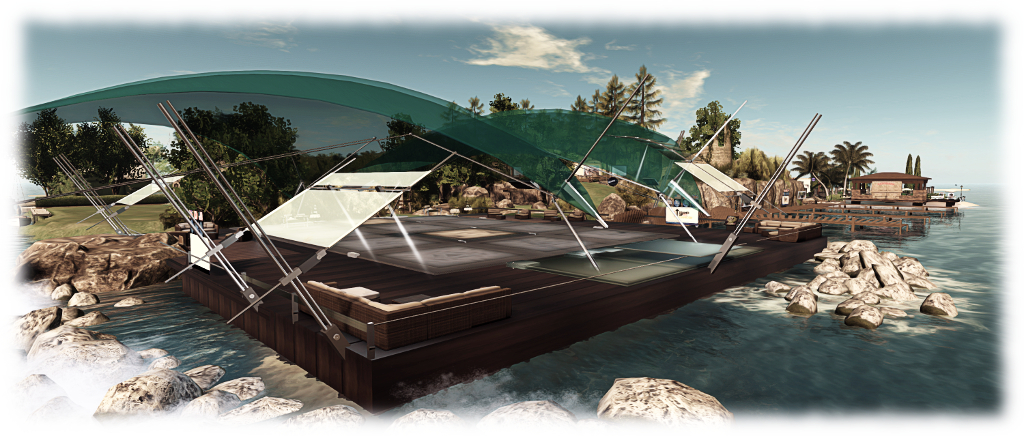
  • The Pavilion, Holly Kai Park’s live event venue, has been relocated to the south-west corner of the region, where it overlooks largely open water
  • Holly Kai Garden now serves two functions: it is the location for the studio and terrace of our new Artist-in-Residence, Silas Merlin, whom I am delighted to say will be joining us in due course. His studio now sits alongside mine, with an outdoor terrace display area facing it
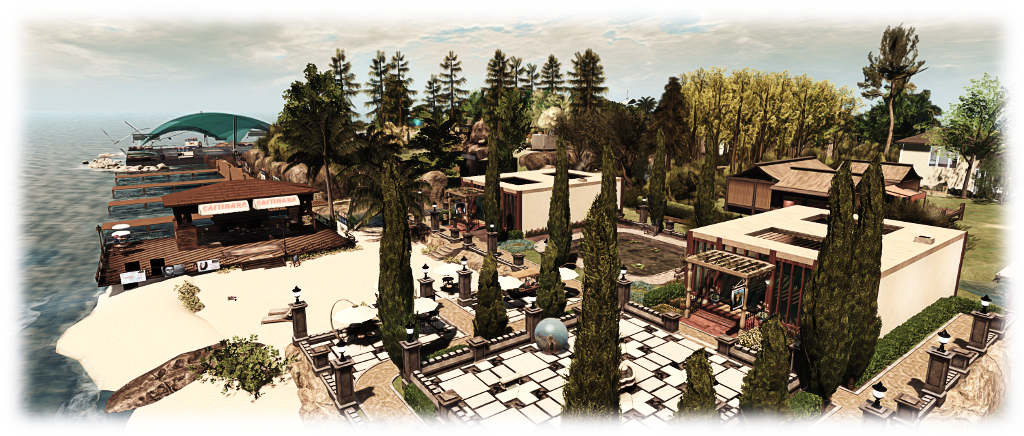
  • Caitinara Bar has relocated to the Garden area, which now has its own beach front.
Holly Kai Park: the relocated Caitinara Bar on the new beach

The Pavilion, Caitinara Bar and the garden all have their own landing points, and both the garden and the Pavilion are linked to the main landing point via bridges. Quite a lot of the high render cost foliage and trees have been replaced with items which are hopefully less of a burden on systems, while some of the park paths have been reworked to make them easier to follow.

Those those who enjoy sailing in the area, the west side beach is still available for moorings  – 60 minutes loiter time with re-rez at the slips.

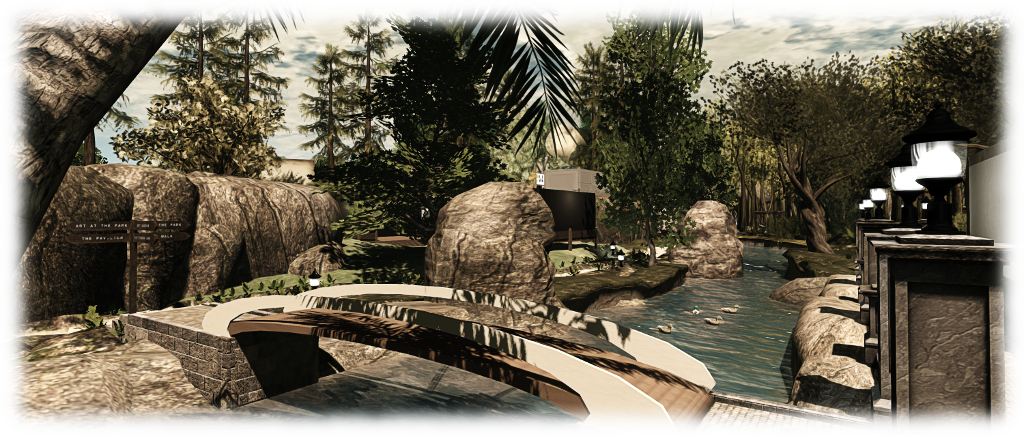
The Holly Kai river now completely surrounds the art hill in the park
The Holly Kai River now completely surrounds the art hill in the park

There’s still some more work to be done around the art hill, but for now, the changes described here are all in place and ready for people to visit, We hope you like the updates, and look forward to see you at Holly Kai Park soon.

Holly Kai Park Revised SLurls

Holly Kai Park is rated Moderate.

Of rocks and ruins

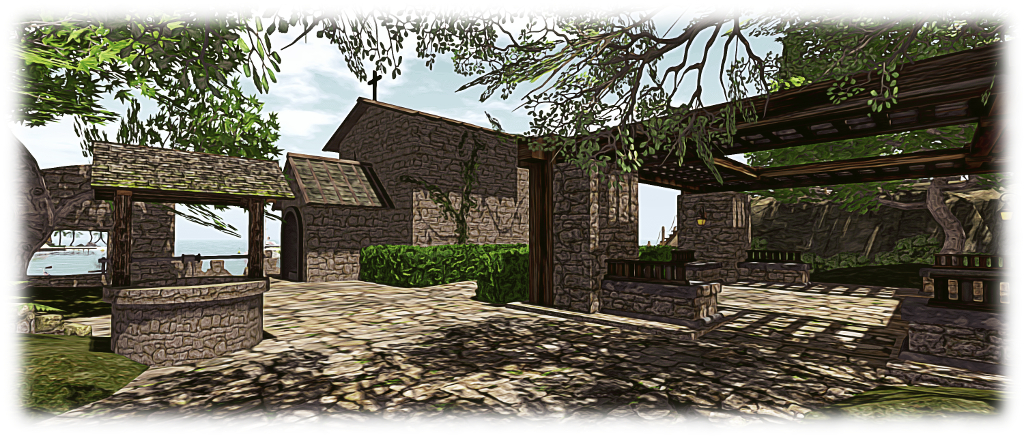
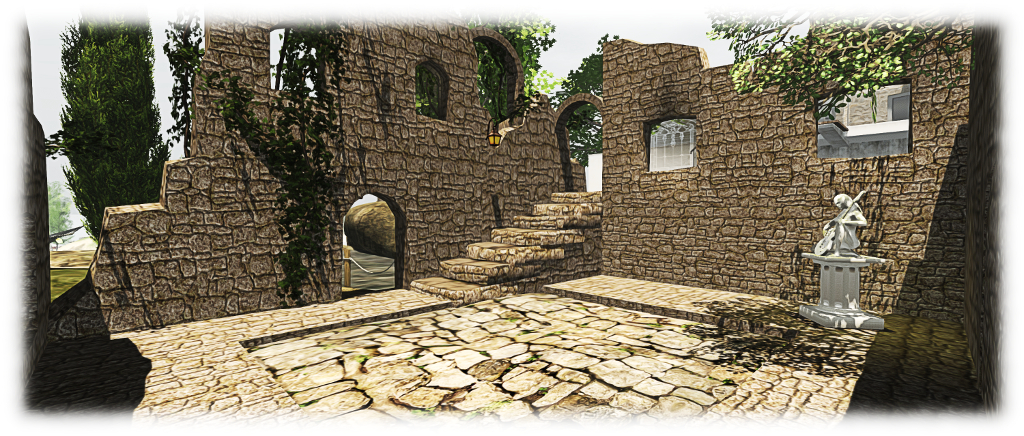
The new flagstone courtyard at the entrance to our island ruins, which helps integrate the pavilion (centre right) with the rest of the design
The new flagstone courtyard at the entrance to our island ruins, which helps integrate the pavilion (to the right) with the rest of the design

Another month, and another weekend fiddling around with the home island (we’ll get there one day…!). I’m not entirely sure how it all started, other than thinking the “bath house” ruin on the mid-level of the island looked in need of something. So, up went additional walls, a shifting of a few things, and so matters snowballed a bit 🙂 .

The result is that the ruin with the bath is now the remains of a fair-sized 2-storey structure which now contains the steps linking the upper and mid levels of the island, making things a lot tidier. This in turn allowed the water feature on this level to be revised, with new shorter board walks making it easier to cross the water and leaving it more open. Some additional tweaks to the waterfalls improved things a little more as well, offering a more natural flow through from the main pool.

The extended "bath house" ruins, sitting below the house, and reached via revised board walks
The extended “bath house” ruins, sitting below the house, and reached via revised board walks

As someone asked me after I last wrote about the island, the main component used in building the ruins has been Rya Nitely’s mesh Medieval Ruins. Available as either a pack sold through his SL Marketplace presence or via his in-world store, the various parts can also be purchased individually in-world as well. I like these as they are modifiable, and so can be both resized (with care, where doorways are concerned) and re-textured to fit with most designs. They can also be easily tweaked here and there with the addition of a prim or two.

Rya’s pieces aren’t the only elements I’ve used to create the ruins, but they are the most numerous. Alongside of them, and equally invaluable in bringing things together, has been Alex Bader’s Lush and Enchanted Wall texture pack. This has allowed me to give a (largely) uniform stone wall finish to all of the various part of the ruins, which also include (as I’ve mentioned in the past) Kriss Lehmann’s beautiful Forest Ruins Tower, together with Reid Parkin’s Mesh Ruins and the .:BTH:. Medieval Ruined Chapel (which I’ve extensively modified).

The new "bath house" ruins now also contain the steps linking the house with the mid-level of the island
The new “bath house” ruins also contain the steps linking the house with the mid-level of the island

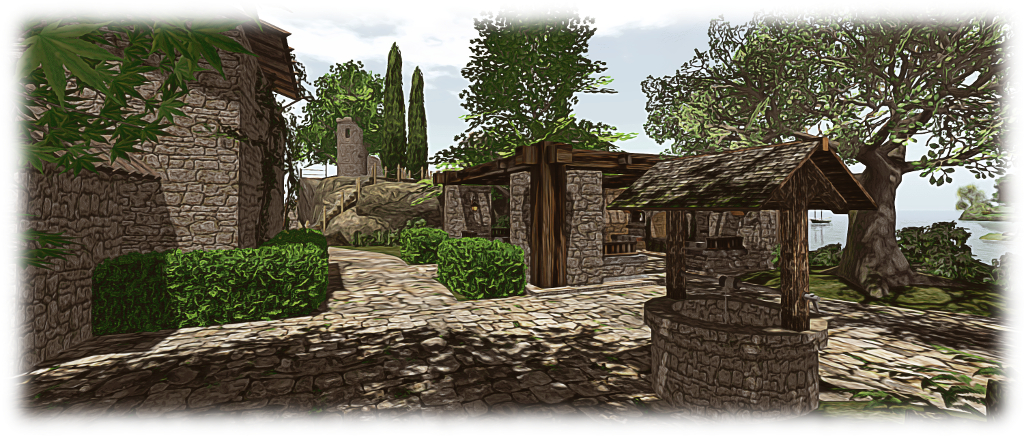
One part of Rya’s set which has come in handy this time around is the stone flooring segment. I’ve always been a little bit bugged by the layout of the lower section of the ruins, and the stone flooring segments have provided the means to solve the problem. So we now have a flagstone courtyard linking the island entrance with the chapel and tower stairs, as well as providing a home for the old well.

The stone flooring has also allowed us to better integrate the Trompe Loeil Rustic Pavilion, thanks to a quick swap-out of the latter’s base for some prims to give it a suitable finish. With a footpath of nicely uneven (as with age and settlement) stone slabs, the lowest level of the island now looks more like a complete whole, rather than an assortment of bits occupying the same space.

The flagstones and new path - finishing touches?
The flagstones and new path – finishing touches?

The finishing touch came via a suggestion from Caitlyn: adding ivy to help break-up the stone walls and give a further sense of age. Once again, Kriss Lehmann had just what we needed, with vines “borrowed” from the Forest Ruins Tower which, with a little reshaping and rotation, fitted well with the “bath house”, towers and the chapel.

So is this it finally for the island? Well, we do still have the upper level lawn to think about. Caitlyn has already suggest a croquet court might be in order – so who knows 🙂 .

The PrimPossible mesh piano in Second Life

The new PrimPossible mesh piano

I’ve previously written about my passion for pianos, both in the physical world and the virtual (where I can indulge my fantasy of owning a concert grand). Over the years I’ve shifted from the Musical Alchemy grand by Persephone Milk, through Ample Clarity’s 1 prim / LI PrimPossible sculpted grand, to the current piano gracing the music room at home, the 8 LI Lisp mesh grand.

On March 12th, 2016, Ample launched his latest piano. It’s again a model with just a single LI, but this time it is presented in mesh, and he was kind enough to pass over models for me to take a look at.

The new piano offers a far more natural grand piano form then the earlier sculpted model, with a much higher level of detail
The new piano offers a far more natural grand piano form then the earlier sculpted model, with a much higher level of detail, including a 3D cast iron plate in the harp assembly (which can be substituted by a texture of the entire visible harp: plate, strings and soundboard, if preferred)

The new piano is s collaborative piece, Ample tells me, and on rezzing it is certainly striking. Not only is it unsurprisingly less taxing, rendering-wise, than its sculpted predecessor, the details and style are a lot more refined. The keyboard is one of the best I’ve seen in terms of attention to detail, and there is a nice little touch with a reflection of the keys in the open lid.

Controls are straightforward: touch (left-click) the piano once to initiate it. This presents the  menu controlling the music selection (15 classical pieces, although a further 9 are included in a separate book which can be mounted on the music stand), the piano’s appearance (change the textures and / or shine and also switch between either a 3D cast iron plate for the harp, or one of 9 different soundboard / strings / plate textures), set general access permissions for the piano, etc.

They keyboard is beautifully detailed and includes and interesting "reflection" in the lacquer of the lid)
They keyboard is beautifully detailed and includes and interesting “reflection” in the lacquer of the lid)

Left-clicking a second time will seat you (and add a 1LI invisible “pose shell” around the piano to allow the pose system to work). When seated, the animation / pose menu is opened, with the PG version offering some 400+ individual and couples animations, while the Adult version offers a further 400 “XXX” rated animations (again, individual and couple). A permissions option can also be used to limit access to this menu.

The playing poses are split between male and female and offer several playing styles, and all poses can be adjusted, as one would expect. Music playback is as good as any other high-end piano available in SL, although there is on occasion a slight distortion during intense passages – but again, this can be found in other models as well. When seated,  the top boards automatically close to facilitate the animation system (which makes use of the top of the piano). To open it for playing again, type “open lid” (sans quotes) in local chat (you’ll have to STOP the system via the menu and then re-sit if you later wish to use the animations as part of the same session).

Some of the detailing, such as the top board props and music stand are a little heavy compared to the rest of the piano, probably due to the fact the entire instrument is a single mesh

Given this is a 1 LI item (2 with the pose shell, as noted above, and which is required for the piano to work in SL), the amount of detail and capabilities packed into this piano is remarkable. However, the fact that the piano is just a single mesh has led to one or two minor compromises in detailing which for me had the annoying habit of attracting my eye once noticed, leaving me feeling that perhaps the use of a second mesh (the 1 prim approach of PrimPossible notwithstanding) might have avoided them.

But that said, the PrimPossible mesh piano is a stylish, ultra-low LI design. The L$950 price tag for both No Copy models equates to that of most Copy versions of other upmarket SL grand pianos, but few others have the range of animations associated with this model. The Copy versions, meanwhile are priced at L$2,400 (PG) or L$2,800 (Adult).

The PrimPossible mesh piano at Caitinara Bar
The PrimPossible mesh piano at our Caitinara Bar

I’ll be honest and say that the PrimPossible mesh piano hasn’t persuaded me away from the Lisp at home, but it certainly now adds an extra grace at Caitinara Bar. Certainly, those who like their pianos to give something a little extra beyond music will be hard pressed to find a piano to match this one, while those operating on an LI budget who want a really nicely style grand piano simply won’t find better.

The PrimPossible mesh piano is available via the PrimPossible Marketplace furniture store and via the PrimPossible in-world store.


Playing with a hovercraft in Second Life

The Hovercraft 1.0 on land
The Hovercraft 1.0 by Kaliska (Yetius) on land

Every so often it happens: you’re hunting for something specific on the Marketplace or in-world, when something else grabs your attention. It’s not what you’re looking for and it may even be something you’re not sure you want – but it’s there and it gets your attention just enough for you to think, “why not?”

Such is the case with the all mesh Hovercraft 1.0 by Kaliska (Yetius), which I happened across on the MP whilst looking for mooring buoys. Despite being into my tenth year in Second Life, I’ve not really seen that many hovercraft around, so the idea of a little single-seater (and which is offered free to boot) proved to be a little too distracting.

... and over water ...
… and over water …

Kaliska describes the vehicle thus:

I recently discovered the dinkie avatar (a mesh tiny sized avatar), and just had to do something about the total non-existence of dinkie-friendly vehicles.

So this is primarily a diminutive hovercraft for dinkies.  It’s loosely modelled on pictures of single seat racers and personal/leisure/small utility craft, but based on nothing in particular.

By “dinkie”, I think Kaliska means “petites”; however, and as she notes, this is not a vehicle aimed at a single small market; there is a version included in the package suitable for tinies and one for “normal” sized human avatars (if you’re 7+ feet tall, some adjustment to the sitting pose may be required).

Everything bar the engine script is supplied Mod, offering plenty of opportunities for playing around with the vehicle and texturing / colouring it to suit personal tastes – maps are supplied to assist with both, and can be found in the instructions note card. For the purposes of testing, I simply recoloured parts of mine from white to red. I could well end up playing more extensively with it at some point 🙂 .

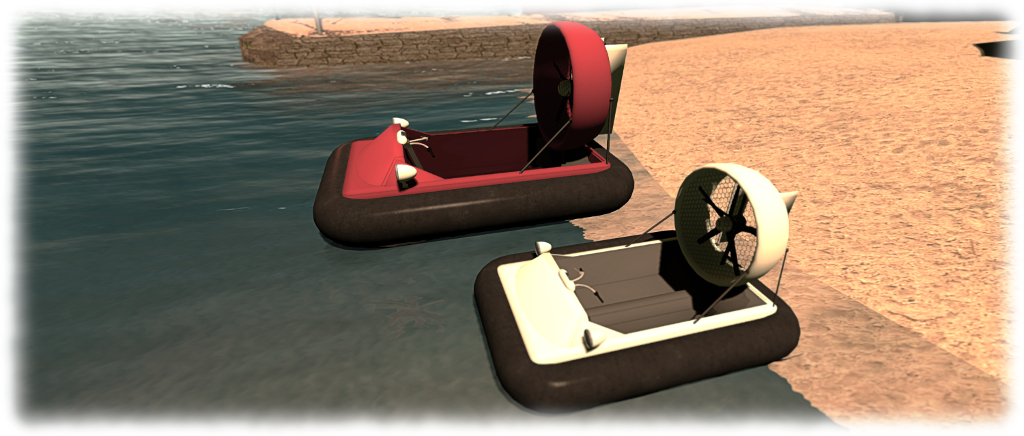
The full-size Hovercraft (red) and the "dinkie" / tiny version
The full-size Hovercraft (red) and the “dinkie” / tiny version

At just 12 LI for the human version and 8 LI for the “dinkie” / tiny version, this is a little craft which can easily fit within most land budgets. It is also, I have to say, A lot of fun once the controls are mastered – and these are not exactly taxing. Sitting in the vehicle and typing “start” in chat enables the engine, lifting the vehicle slightly as dust (is on land) our spray (on water) is blown out from under the skirt.

From here, movement is simple: the UP and DOWN arrows are your throttle (faster and slower respectively), LEFT and RIGHT turn you. If you prefer, WASD achieves the same). PAGE DOWN / C acts as quick stop, bringing you immediately to a standing hover. A couple of things to note is steering is only possible when in forward motion, and doesn’t work at all in reverse, which is accessed by coming to a standing hover and then pressing and holding the DOWN key.

In addition to the above, PAGE UP / E will toggle the headlamps on/off – note that these use projected lighting, so ALM needs to be enabled to see them decently. Finally, typing “HUD” in text shows / hides the vehicle’s hovertext info, and typing “stop” shuts down the engine.

The default pose for "normal" sized human avatars is pretty spot-on in terms of handlebar placement
The default pose for “normal” sized human avatars is pretty spot-on in terms of handlebar placement

Overall, the hovercraft handles very well; a quick few taps on the UP key and you’ll be zipping along; both water and terrain are handled well, and mesh terrain doesn’t prove a major challenge. I zapped from home across the waters and to Holly Kai Park in next no time and traversed from mesh beach to water and back to beach with ease at both ends of the ride.

I’d actually be happy paying for this little vehicle, and perhaps see it with group driving were it offered for sale, as it’s the kind of thing that’s fun to rez when friends visit, and then scooting around the sea together. Setting a nominal fee for it would allow it to be gifted, which is something I’d like to do with a few close friends as well, rather than nagging them to go grab it as a freebie.

But these are really minor point.As a freebie, there is absolutely no faulting it – and it really be worth paying for it were it to be offered at a reasonable price. As it is, if you’re looking for a little vehicle to mess around with on land and water, this could certainly be just the ticket. Now, if you’ll just excuse me, I’m off for a little more fun…

Hovercraft 1.0 by Kaliska (Yetius)

Links