Many of us reported last week that development on Kirsten’s Viewer had been suspended due to Dawny being ill. As a consequence of her illness, Kirstenlee has had to seek full-time employment as well as needing more time to care for her.
Today, Hamlet Au published an interesting piece on the fact that if the (approx. 8,500) users of Kirsten’s Viewer were to each donate $6.00, then work could continue on the Viewer for an entire year. That’s not $6 a month – it’s $6.00 per person in total, or 50c a month.
Let me be clear here – as Hamlet is – this is neither Dawny nor Kirstenlee asking for money – this is a suggestion coming from Hamlet following-on from a conversation he had with Dawny. It’s not entirely clear what Kirstenlee’s views are – although I’d be surprised if they were any different to Dawny’s; the Viewer has been a major part of their lives for a long time now, and they have both put heart and soul into it, together with the rest of the team.
Hamlet isn’t suggesting people start donating right away – but rather they use the Kirsten’s Viewer site to register moral support – with dollars possibly coming later, once details have been worked out, and potential options looked at.
In a sad notice posted today, Kirstenlee Cinquetti has announced the end of line for the foreseeable future – if not permanently – of the outstanding Kirsten’s Viewer. The entry in full reads:
“You may have noticed that the client has not been updated in some time. Sadly Real Life events have taken an unfortunate turn which basically puts an end to any more development.The Plans for S22 have been shelved and the project has been marked as discontinued.
“Installers have been removed as they are now very outdated, the sourcecode will of course remain. The website and forums will stay up for as long is required. Also inworld groups will stay active. It is of course entirely your choice as to how long you continue to use the client, however I do stress that it will fall behind with features and it may be wise to seek alternatives in the near future.
“Dawny has been very Ill, and had to stop working. As you can imagine my priority is to support her in any way possible and that means I have to become the main bread winner, as much as I enjoy working on the client it’s obviously the first thing to go.
“Not much more to say…
“BUT finally I would like to wish everyone who has supported the project over the years, a huge hug and many thanks, Jabba, Altair and all the people who have put up with my ranting and raving and unusual colour choices in UI. 🙂
“Who knows what the future holds! But for now Kirstens Viewer goes into a deep sleep.
“Presses the Shut Down button, Drives spin down, silence……….
“Love to you all, KL”
This is a very sad day for Second Life and Viewer development. Over the years, Kirsten’s Viewer has set the benchmark for SL-related photography and machinima as well as being ground-breaking in many other areas, not the least of which was the development of the first Viewer 2 hybrid client that offered a usable interface well ahead of V2’s own at the time, and which has remained innovative and highly preferable to LL’s own offering. More recently, it became the first and, up until its suspension, only Viewer to support the upload of mesh objects outside of Viewer 3.x.
I’ve always enjoyed using Kirsten’s Viewer – it requires a fairly high-end machine, and at times my PC had struggled with it, but it has always given me faultless performance and the ability to enjoy elements of Second Life that just weren’t available to me through other Viewers – such as the initial iteration of dynamic shadows.
Happier times: Jabba Abbye’s screen capture celebrating the release of S21 Build 9 with mesh object rendering / upload support
I’d like to take this opportunity to thank Kirstenlee and the team for everything they have done and achieved with the Viewer, together with a personal message of best wishes and a return to health for Dawny. For now it is Adieu to Kirsten’s Viewer; perhaps we’ll meet again in the future.
Kirstenlee’s Viewer has always been bleeding edge; it is the Viewer for the serious SL photographer and Machinimaist.
At the end of May, the Viewer took another leap forward as it went…3D!
I hadn’t been able to test it myself, due to a lack of any appropriate glasses. However, a trip to the local cinema solved that problem, so this afternoon I got to have a paddle with it.
The first thing I will say is that my PC is not top-of-the-line, nor is my graphics system. That said, it handles shadows reasonably OK, if with something of a performance hit, so I was pretty sure 3D would work – and it did! I’ll be honest, there was a performance hit (GeForce 9800 card with 1 Gb, btw, running with a Q6600 2.63 Mhz processor & Win 7 32), but it was nowhere near as massive as when enabling shadows. My normal 40-50fps tumbled to around 25-28. The glasses I have from the cinema perhaps weren’t the greatest (after all, your supposed to be sitting tens of feet from a big screen when wearing them, not sitting a dozen nose lengths away from a table-top screen), but with some jiggling of the sliders, I got a reasonably impressive result and spent 20 minutes bimbling around my sky platform.
Given my GPU / CPU, I didn’t hold out too much hope of running shadows and 3D effects – and I was right. While both enabled, I was left with a frame rate of 1 fps. Erp, as the spokesperson once said, but not surprising.
The only real problem I had lay with the fact that while the in-world view was 3D, my HUDs weren’t – and the colour separation on them was appreciable to the point of making text illegible.
The 3D controllers can be found in the PREFERENCES -> VIEWER -> MISC tab, and comprise a check box to enable and a couple of slider controls – adjust with care. If you try it, be aware that the Build 8 Viewer is experimental and may do Unpredictable Things.
As photos don’t really do the 3D justice, here’s a video made by Chantal Harvey showing off the results:
S21 Build 8 is currently only available in for Windows; Mac and Penguin versions to follow.
Not too long ago, Tom (T Linden) Hale passed a comment in one of the multitudinous Viewer 2.0 threads to the effect that the skin of the Viewer itself can’t really be that radically changed because it is too much a part of the of overall viewer (and had I the patience to wade through the blasted flog, but patience and the official flogs don’t seem to go hand-in-hand).
At the time he mentioned this – back when the “beta” had just started – the comment struck me as odd. The majority of the Viewer files are XML…the folder structure of Viewer 2.0 isn’t that different from 1.2x – so wher’s the problem? However, I’m also not a programmer, so what on Earth do I know?
Now, Hitomi Tiponi has issued “Starlight”, a new skin specifically for Viewer 2.0, and what is likely to be the first of many such efforts.
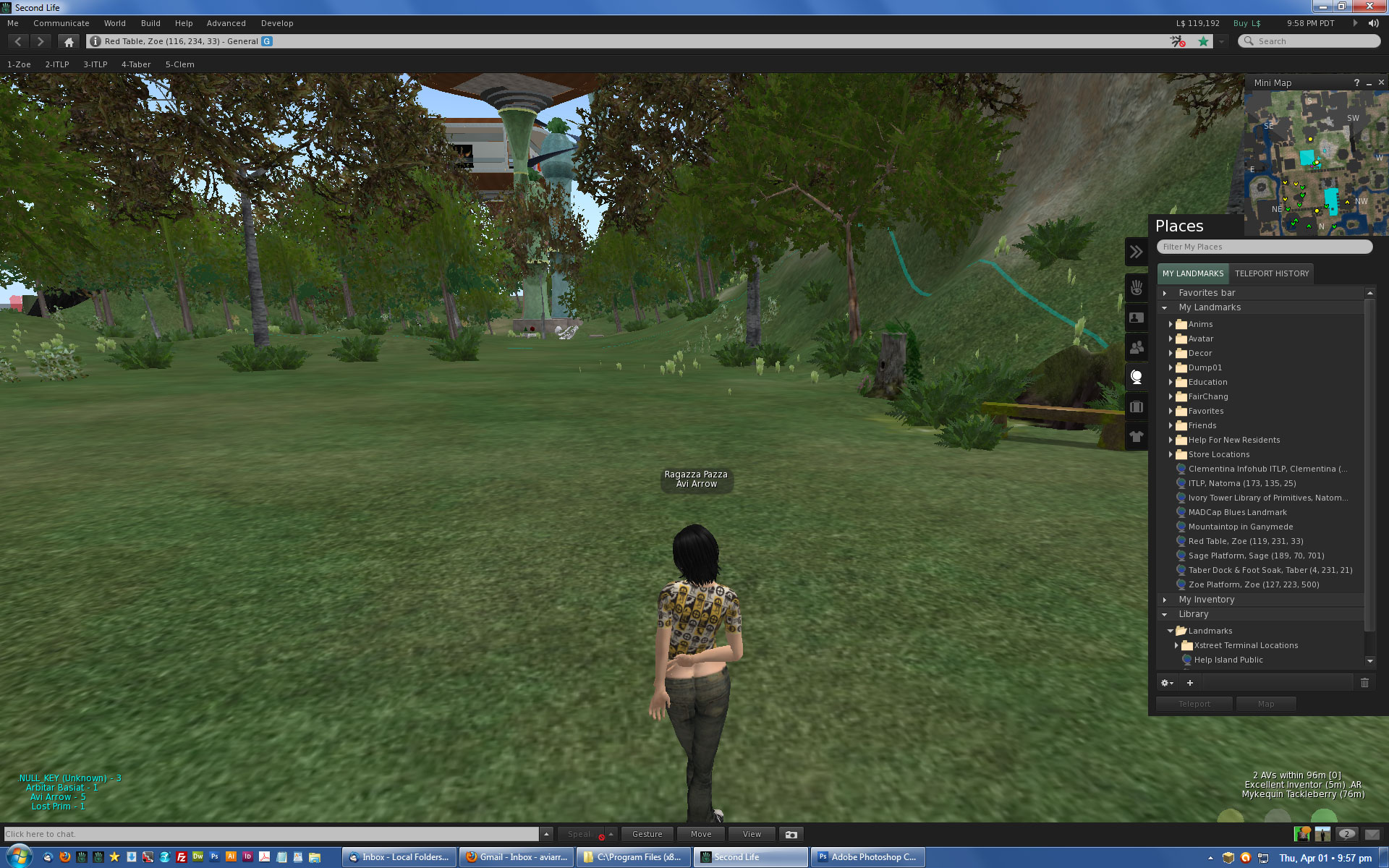
Starlight brings together several of the tweaks developed by Alexandrea Fride and others, and presents them in a skin design that – while keeping to the overall 80’s approach LL opted for with the Viewer – lightens the basic colour scheme up somewhat. Avi Arrow has further tweaked Hitomi’s design to make the Sidebar somewhat less intrusive so it doesn’t block the top and bottom right HUD attachment points (or the mini-map, if you prefer having that open on the top right of the screen). I’m borrowing the following screen shot from Avi to demonstrate both Hitomi’s skin and the sidebar revision.
V2.0 “Starlight” Skin with Avi Arrow’s modified Sidebar (Credit: Avi Arrow)
Notice the additional buttons and other tweaks to the interface in the image above.
The Starlight skin can be downloaded here, and Hitomi provides full installation instructions for Windows, while Mac instructions and Avi’s sidebar mod can be found in the flog thread on the skin.
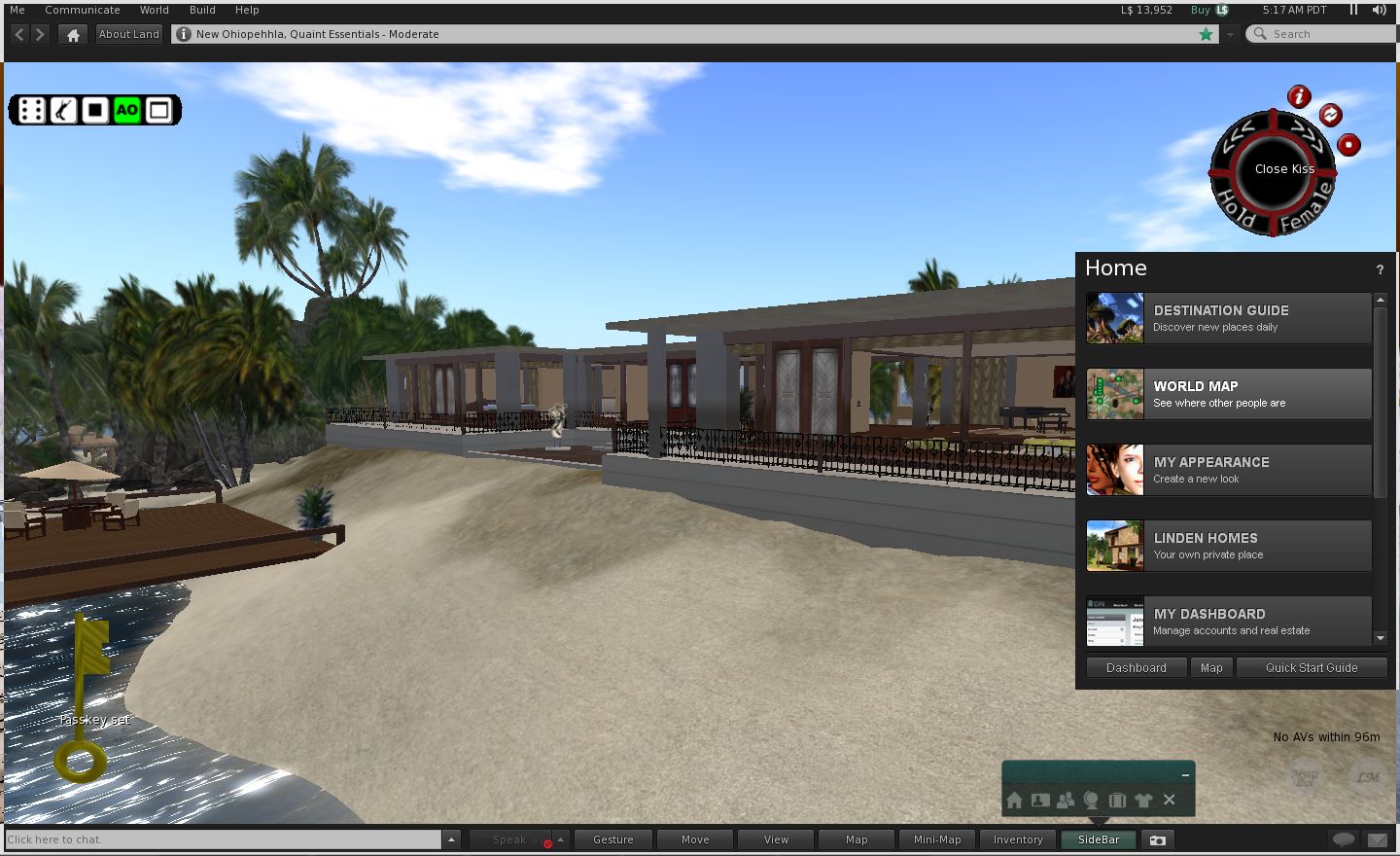
Elsehwere, KirstenLee Cinquetti continues to revise and improve her take on Viewer 2.0, and the latest – S20.12 removes the sidebar completely from the screen until such time as it is need. Instead, there is an additional button in the toolbar area, which opens a mini-selection bar when clicked, which can be used in turn to display elements of the sidebar in their usual place. It is not elegant – but it does reduce the intrusiveness of the sidebar considerably.
In a tip of the hat to Avi’s idea, I’ve further tweaked KirstenLee’s sidebar so that it no longer blocks access to the top / bottom right HUD attach points, both of which I use.
My revision to KLee’s Viewer 2.0 variant
To make the changes to the Sidebar’s appearance (Klee S20, v16 or lower):
Close the Viewer, if running.
Use a text editor (such as Notepad) to open main_view.xml contained in the skins\default\xui\en folder of your KLee Viewer installation)
Find the section commencing <!– side tray –>
Within the < panel block, change the following:
Height=”450″
Top=”195″
Save the changes.
Start the Viewer – your sidebar should now be suitably resized when opened.
Klee S20 v17 and later:
Close the Viewer, if running.
Use a text editor (such as Notepad) to open main_view.xml contained in the skins\default\xui\en folder of your KLee Viewer installation)
Find the section commencing: <!– side panel now scales to top n bottom KL –>
Within the < panel block, change the following:
Top=”195″
Save the changes.
Start the Viewer – your sidebar should now be suitably resized when opened.
 Many of us reported last week that development on Kirsten’s Viewer had been suspended due to Dawny being ill. As a consequence of her illness, Kirstenlee has had to seek full-time employment as well as needing more time to care for her.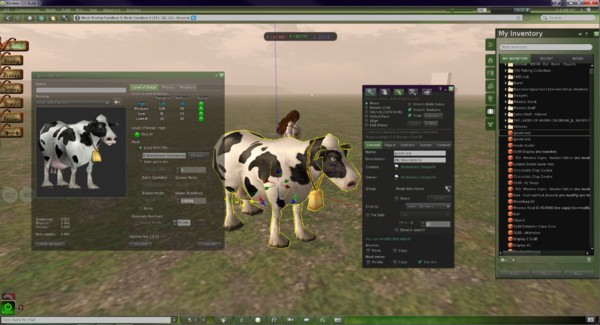
 Inara Pey: Living in a Modemworld