The Cornfield: the Lab’s Experience Keys demonstrator (game play area uses a much darker and more atmospheric windlight)
On Wednesday, December 17th, the Lab issued a release candidate version of the Experience Keys viewer. Alongside the promotion comes a new blog post promoting the availability of the viewer and the Experience Keys / Tools beta programme.
For those not previously aware of Experience Keys, the blog post provides some explanation:
Experience Keys are a powerful feature that allows creators to build more seamless and immersive experiences in Second Life. Without this feature, you need to grant individual permissions to every single scripted object included in an inworld experience, and that can mean a lot of dialog boxes interrupting the fun! Experience Keys make it possible for creators to build experiences that ask your permission just once. In other words, you can opt-in to the entire experience, rather than having to grant individual permissions to every single scripted object included in it.
I provided an overview of Experiences, Experience Keys and the the viewer-side updates when the Experience Keys viewer first appeared as a project viewer. While there have been some updates since then, the core of that article should still be valid where the viewer is concerned, and finding actual Experiences is now a lot easier given they are now listed in the Destination Guide. You can also try-out the Lab’s own Experience Tools activity, the Cornfield via the LR Portal Park1 (and it looks like another one might be opening soon!).
As to the viewer, this essentially gives you all the tools you need in order to track and manage those activities you opt to participate in or those you opt to turn down – again, the key thing with Experiences is that you retain overall control; if you don’t want to participate in something, you can decide not to opt-in. So, for example, is a region has an Experience associated with it, but you’d rather just explore, you can decide not to join the Experience when prompted, but do so at a later time. There’s also a Search option (with its own Maturity setting) that allows you to locate Experiences from within the viewer.
The Experience Keys RC viewer provides you with the tools you need to manage the Experiences you decide to participate in, or decide not to join. (the Allowed / Blocked tabs, above right), while the Search tab makes it easy to locate in-world Experiences (click for full-size)
As well as the tools for those wishing to find and participate in Experiences in SL, the viewer also includes tools and options which allow those wanting to build their own experiences – but you’ll need to refer to my preview article for more information on that.
You can, of course, still participate in those Experiences which are already available in-world with any viewer – you just won’t get the same richness of information and options that the Experience Keys RC viewer provides.
You can use a “regular” viewer to join Experiences in-world, but you don’t get the same richness of information and options as presented by the Experience Keys RC viewer. Information displayed by the latter is shown above left, compared to a “non-Experience Keys” updated viewer on the right. While the “non” viewer still gives you basic information on the Experience you might be about to enter, the RC viewer provides a lot more – including a link you can use to display additional information on the Experience, which may additionally help you decide if you want to join in or not
Also, when you leave a region in which an experience is running, you needn’t worry about anything untoward happening to you – all permissions, etc., associated with the Experience are revoked when you leave.
As the official blog post notes, Experience Keys are, from a creation standpoint, still in beta, but the signs are the first set of capabilities will be rolled out in the very near future, hopefully not too long after the Christmas / New Year break. After that, and depending on uptake / feedback, etc., it is likely the system will be enhanced and extended.
One thing to note with Experience Keys and Tools, is that while the emphasis is primarily on game-base activities, they offer a lot of potential in other areas as well – guided tours, store demos, and more. All of which will potentially make the capability a very flexible addition to Second Life.
There will be more to come on Experience Keys and Tools, but in the meantime, and like the official blog, I’ll leave you with Torley’s explanatory video.
As always, please refer to the server deployment thread in the forums for the most recent news and updates.
On Tuesday, December 9th, the Main (SLS) channel was updated with the server maintenance package deployed to the three RC channels in week #49. This update comprises:
A fix for BUG-7515 “Restarting region turns off ‘block parcel fly over’”
A fix for BUG-4949 (non-public) “Cannot manage block list with certain object names”
A fix for BUG-7850 “Experience tools: ‘Script trying to teleport other avatars!’ script error” appears incorrectly
A fix for BUG-6789 “Spelling mistake in llGodLikeRezObject”
Minor server change to help configure the texture and mesh CDN.
On Wednesday, December 10th, all three RC channels should receive a new server maintenance package comprising:
A fix for BUG-7595 “Allowed & Blocked experiences persist with parcel owner change after purchase or abandoning”
A fix for (non-public) BUG-7036 “Experience based scripts in attached child prims reference their operation by region position instead of root position like non-experience based scripts”
A fix for (non-public) BUG-7048 “llGetExperienceDetails() returns 4 for state and “operation not permitted” for state message while over mainland parcels that have the experience allowed”
A fix for BUG-6757 “Different error code returned for an Experience that is not permitted to run on a parcel / region OR a user clicked No on the permission request dialog”
Additional internal Experience Key fixes
To find experiences with all unicode names you have to leave the search field blank and page through all results
SL Viewer
No further updates to any of the SL viewers (release, RC or project) since my last viewer release summary. Please refer to my Current Viewer Releases page for the current status of SL and TPV viewers.
However, as I noted in a separate report, the most recent AMD update to their Catalyst™ drivers, version 14.12 does not resolve the problem of failing to display rigged meshes unless the viewer’s hardware skinning is disabled. I’ve also been informed that this issues also extends to the most recently AMD / Nvidia Omega driver update.
Experience Keys / Tools
the RC deploy due on Wednesday, December 10th, sees a number of fixes and updates for the Experience Keys / Tools project. Again, commenting on the status of the project at the simulator User Group meeting on Tuesday, December 9th, Simon Linden said:
We’re getting close on that … there are some last-minute things to take care of, and we’re being extra careful that we have the systems in place to handle the key-value storage usage. How much load that will create is some interesting guesswork, but it’s better to be over-prepared.
However, with the holiday season now fast approach, and with it no change windows for server and viewer updates popping-up, it may be that the project doesn’t make it to a deployment beyond its current beta status until the new year.
Once Experience tools are deployed, the Lab will seek to address issues through the Simulator User Group meetings. However, if there is sufficient demand in terms of issues raise for discuss, etc., during the Simulator UG meetings so a to warrant a separate meeting, they will look into doing so.
Group Chat
Commenting on his recent group chat work, Simon had this to say:
There’s another chat server update this week. It’s pretty minor, but you shouldn’t see the problem where it gets way behind and then starts delivering ancient (more than 5 minutes old) messages. I’m still chasing the main bug but this should make the recovery faster and less confusing. The new code is on only one of the server cluster machines but will go to more this week, assuming we don’t see new problems. So far it’s looking good.
He went on to comment that, while a complete overhaul of the group chat system is unlikely, simply because it is unlikely to result in a significant enough improvement in things, despite recent improvements. “the servers still spend more work updating your chat member lists than it does sending messages. That’s just not right.” So it would seem further tweaking of things will continue in 2015.
Tuesday, December 16th will be the last Simulator User Group meeting for 2014.
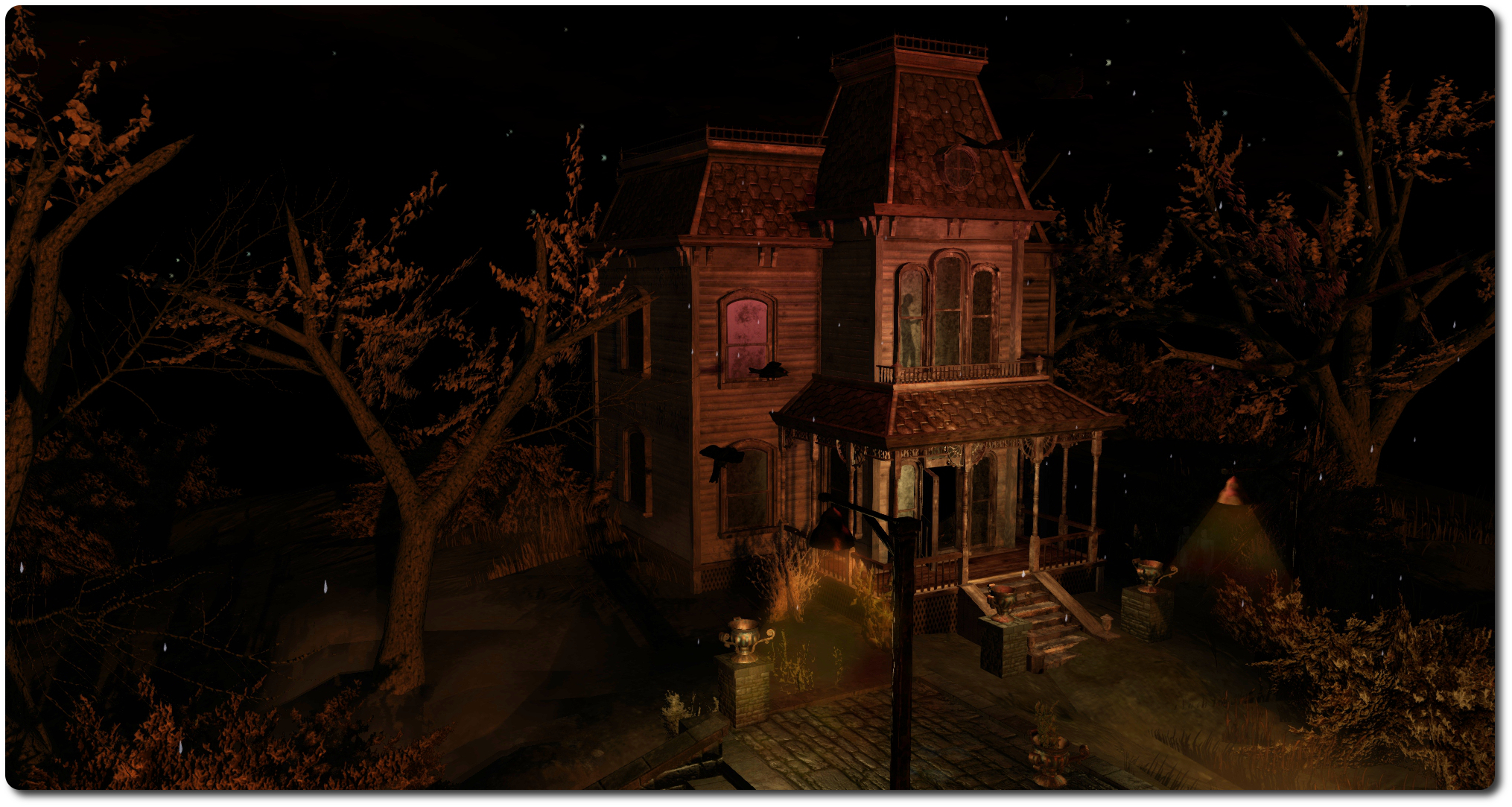
The Haunted Halloween Tour, launched with the October Premium Membership offer (click images for full size)
Launched alongside the October 2014 Premium Membership offer, but available to all SL users, is the Haunted Halloween Tour, the latest offering from the Lab to feature Experience Keys, and one that appears to be specifically geared towards the Oculus Rift.
The tour can be accessed via the Lab’s Portal Park – simply go through the gate marked “Halloween” following your arrival. The path will lead you to the access point, with gateways available for those with and those without an Oculus headset (the latter obviously requiring the Oculus Rift project viewer).
Whichever one you take (the actual tours are more-or-less the same), the first time you do so, you’ll be required to grant the experience the right to carry out certain actions on your avatar (perhaps most noticeably in this case, control your camera). Once you have done so, you’ll be transported to the experience area, where you’ll be invited to take a tour of a veritable house of horror.
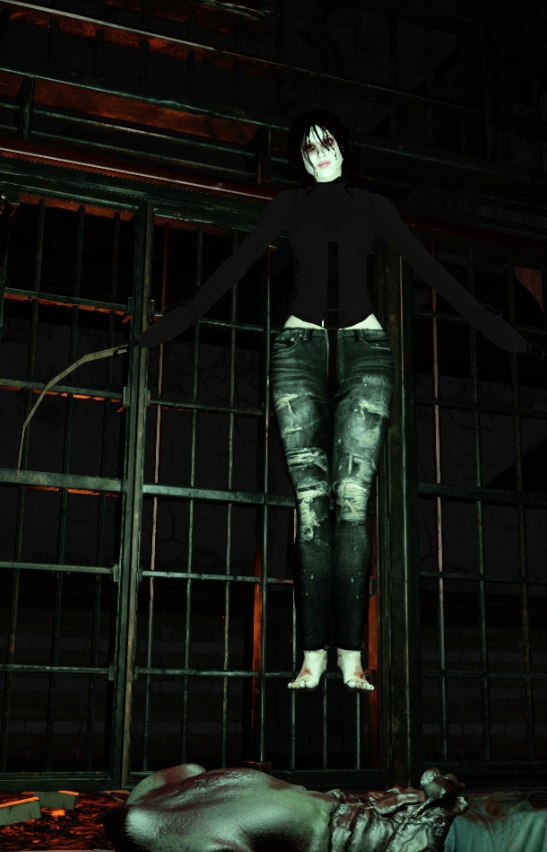
Shaman Linden was one of those I found hanging around when taking the tour…
This is achieved by seating yourself in your very own coffin, which will take control of your camera and shift your view to something of a “first person” perspective. After a brief pause, you’ll then ascend a hillside stairway through thunder and rain to the house itself before (literally) plunging inside.
I shan’t reveal much of what lies inside the house, other than given the theme, expect the usual mix of screams, bumps, ghouls, body parts and so on – and if you’re very lucky the odd Linden and / or Mole or two, some of whom might be there to menace, while others might be simply …. hanging around.
This is very much an Experience geared towards the Oculus Rift, with the coffin allowing the awkwardness of trying to navigate oneself through the house while wearing one eliminated (and which also ensures you keep to the designated path). As such, the ride does feature a lot of things rushing at you (heads, knife-welding asylum patients and so on), and well as sudden panning, zooming and tipping to add to the experience.
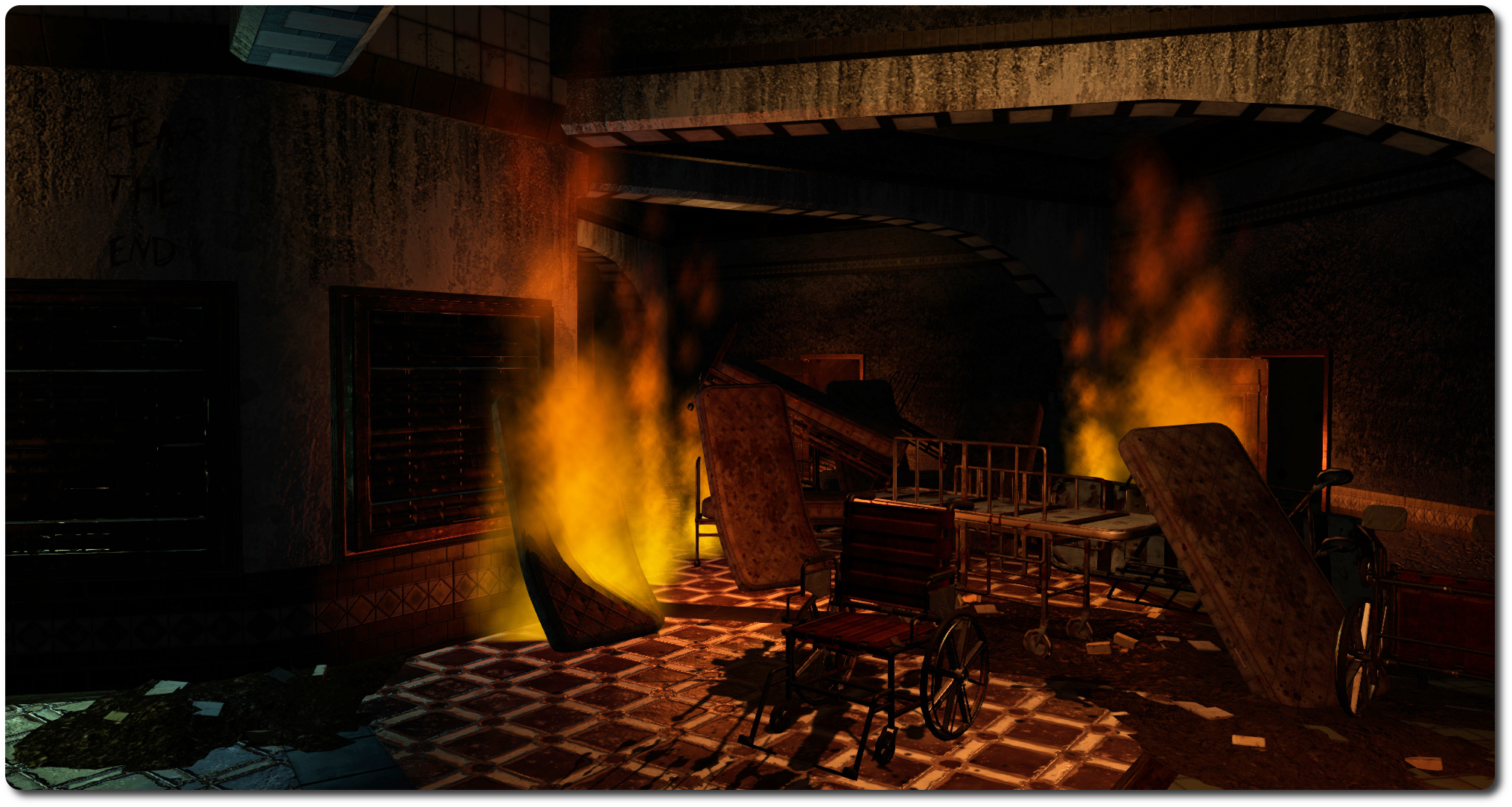
For those with an Oculus, I expect this does work rather well; I’m just not sure the approach works when taking the “non-Oculus” version of the ride. This isn’t to critique the Lab for providing an Oculus focused experience; they’ve put time and effort into getting the viewer to work with the headset and so a demonstrator is only right and proper. It’s just that it leaves the tour somewhat dry if you don’t have a headset. Or at least it did for me – I confess found myself admiring the use of materials and projectors far more than anything else as I was carried around the place!
Inside the happy house …
Oh, and a word of warning to those on the non-Oculus ride: it might be an idea not to try to cam around too much in order to take snaps – on two occasions when I did, I found myself chucked out of my coffin and returned to the arrival / start point below the house …
Overall, the ride lasts for around 8 minutes, and at the end of it, on stepping out of your coffin, you’ll be returned to the Portal Park (as you will be if you stand up at any point during the ride).
My apologies for this appearing a little on the late side; things have been a bit manic in the physical world of late (not helped by the Tour de France and the German GP this weekend!), and I’ve been slipping behind on blog posts (I’ve also got to talk to my minions about vacation scheduling….).
Note that the following notes are taken from both the Server Beta User Group meeting of Thursday July 17th and the TPV developer meeting on Friday July 18th, the video of which is supplied below (my thanks to North, as always). Items taken from the later are time stamped within the text, so you can locate and listen to the discussion in full via the video.
Server Deployments Week 29 – Recap
On Tuesday July 15th, the Main channel was updated with the Experience Keys project, which had previously been running on Magnum. This roll-out coincides with the release of the Experience Keys project viewer (see below) and the release of the Lab’s first Experience Keys demonstrator game, The Cornfield. Please refer to the release notes for further information
On Wednesday July 16th, the Magnum RC was updated a new infrastructure project that adds support for the upcoming changes to the Skill Gaming policy. Release notes
On Thursday July 17th, BlueSteel and LeTigre were both be updated with the Experience Keys project, but otherwise remained on the same server maintenance project as week 28, which addresses a JSON-related bug, an interest list related race condition, and to improve L$ transaction logging for payments made by scripted objects. See the release notes (BlueSteel) for details.
SL Viewer
Group Ban Viewer
The Group Ban viewer reached release candidate status on Wednesday July 16th, with the release of version 3.7.12.292031. This viewer allows certain group members to ban avatar from a group or from joining a group When an existing group member is banned, they are also automatically ejected from the group. Please refer to my Group Bans overview for further information, if required.
Maintenance Release RC
[04:20] This viewer, version 3.7.12.291824, has been tracking with the same crash rate as the current release viewer (3.7.11.291465), and as such is expected to be promoted to the de facto release during week 30 (week commencing Monday July 21st). However, it has been reported that the Mac Alt-Cam bug (BUG-6760) fix doesn’t work and has been referred back to the Lab for further investigation.
Oculus Rift Project Viewer
[04:56] It is anticipated that an updated version of the Oculus Rift project viewer will be appearing soon, potentially in week 30. The update will bring the viewer up to par with the current 3.7.12 release code base.
Log-in Test Viewer
[04:44] There is a special log-in test viewer currently on closed use (there is no publicly available version), which is being used for some kind of A/B testing related to logging-in to Second Life. Precisely what this testing is geared towards is unclear.
Viewer Autobuild Process
[05:50] Oz Linden has been working on improving the viewer autobuild process, and there is a new version of autobuild, together with a wiki page on the changes and improvements. The new version brings with it a number of improvements, such as stricter library version checking, full transitive dependency checks, additional error checks, etc. This is considered to be one of the steps required in order for the viewer to be compiled using Visual Studio 2013. Full details in the video for those into self-compiling viewers.
Third-party Viewer Directory Updates
[00:20] The Third-party Viewer Directory, which lists all Second Life viewers and clients which have gone through the self-certification process, has been revised.
Until recently, the directory was listed by viewer crash rate – with the most stable at the top. However, this was something of a hit-and-miss approach due to a number of factors, including significant changes made to the code within the viewer which is used to detect and report crashes. So instead, viewer and clients are now split into three categories:
Those which are actively maintained “full” viewers which are updated regularly to track new developments in the Linden Lab viewer, and implement a full graphical environment
“Lightweight”, text and mobile clients, such as Lumiya, Group Tools, Radegast and so on
Those viewers which have not been updated recently enough to be considered fully compatible with current Second Life services (e.g. they lack things like server-side appearance, etc.).
Group Chat
[11:56] Work is continuing on group chat. At the TPV Developer meeting, Oz Linden summarised this work as:
We are working on group chat; I don’t really have much to report on that this week. We’re doing a set of experiments and collecting a lot of data, and then we’re going to come up with the next round of changes to make. One of the things we’ll try to do, once we think we’re done with this project – and I have no predictions for when that will be – is tell people how it went and what we’ve done.
It may well be that before we’re done, we’ll come back to this group and say we’re making changes to interfaces to viewers for group chat in order to improve the situation. I don’t know of any of those yet, but I’m not ruling them out. We’re going to try to make group chat a lot better, and if that means not being 100% backwards compatible, then that’s what it means. At this point we’re not looking at changing the protocol with anything else. Not ruling it out, but that’s not the correct direction.
Experience Keys
The Cornfield, the Experience Keys demonstrator game
The current creator beta programme for Experience Keys has now been filled. Commenting on it at the Server Beta meeting, Coyot Linden referred to it as proving “wildly popular” and that the Lab have “heard some really cool ideas for new experiences”. He also referred to this being “round on” of the beta programme – so there may be more opportunities for creators to be involved in the future.
During the Server Beta meeting, a request was made for the Linden to consider allowing the popularity of an Experience (e.g. the number of people engaged on it) to be made available, with the suggestion it could be done in a number of ways:
As information made available only to the Experience owner (so they can see how popular a given experience they’ve created is proving to be
As information which can be (perhaps optionally) published by the Experience owner (e.g. via the Experience Profile)
As information which can be displayed in the Search tab of the Experience floater, allowing users to search for the most popular experiences at any given time.
Commenting on this, Simon Linden said, “The numbers will definitely be interesting, but we’ll have to think carefully about what and how to expose it. As an owner, it makes sense for you to have an idea what’s going on with your experience. I’m not so sure about others.”
Part of the concern here is about the popularity figure potentially being used by griefers as a means of targeting popular regions / activities and causing disruption. Following Simon’s observation, Dolphin Linden added, “yeah, technically the number can be made available. But how and to whom needs to be thought about, but numbers about your own xp can be tracked if you want with a little bit of work. We might also be able to just get an ordered list of the top 10 experiences or something, without disclosing actual numbers.”
The Cornfield: the Lab’s Experience Keys demonstrator (game play area uses a much darker and more atmospheric windlight)
On Monday July 14th, Linden Lab issued the Experience Keys project viewer alongside the launch of their Experience Keys demonstration game, The Cornfield, which I’ve reviewed separately.
As a quick overview for those not in the know, an Experience in Second Life can be almost any immersive / interactive environment within SL where the user needs to provide permissions for objects, etc., to interact with their avatar. Experience Keys mean that anyone wishing to participate in any activities suited to the use of Experience Keys need only give their assent once, thereafter, actions within the Experience which affect their avatar happen automatically – teleports, attaching a HUD or item of equipment, etc. – without any need for user approval (although notification of so actions may still be displayed in the viewer window).
The Experience Keys project viewer – version 3.7.12.291846 at the time of writing – is available from the Alternate Viewers wiki page, includes a number of key UI updates which are used alongside experiences in Second Life, and which apply to those creating experiences, those using experiences, and those who allow experiences to run on their land.
Please note that until server-side support for Experience Keys is fully deployed across the main grid (Scheduled to complete on Thursday July 17th, some elements of the viewer will not function on BlueSteel or LeTigre RC regions – for example, searching for experiences will not return any result if you are on a region running on either of these two RCs).
The Experiences Floater
Within the Experience Keys project viewer, this is accessed via Me > Experiences (no toolbar button or keyboard shortcut with the project viewer), and provides the means for users to locate experiences in Second Life, manage the experiences they have encountered during their travels through Second Life or which they have created or contributed to, and also check any actions any given Experience has performed on their avatar. It comprises five individual tabs.
Search
Allows you to locate experiences in SL by all or part of their name and filtered by maturity rating. The tab also includes an option to view the profile for an Experience (see below).
The Experience floater is accessed via Me > Experiences, and comprises 5 tabs. Search allows you to search for SL experiences
Allowed / Blocked
These two tabs allow you see those experiences you have either allowed – that is, you’ve granted permission to – and those you’ve blocked. A blocked experience is one in which you have refused to participate and have blocked it so that you will no longer be prompted to join it whenever you visit a region / parcel where it is active (until such time as you choose to revoke the block).
Each tab displays a list of experiences by name. Clicking on a name will display the relevant Experience Profile (see below).
The Experiences Allowed tab displays a list of experiences in which you have participated. Click on an experience name to display the associated Experience Profile. The Blocked tab is similar in nature, but displays all experiences you have blocked from bothering you
Admin, Contributor and Owned
These three tabs respectively display:
Those experiences for which you have been made an administrator of (via a special group role called Admin). Administrators are those people assigned by the creator of an experience who can edit the Experience Profile
Those experiences for which you have been made a contributor (via a special group role called Contributor). Contributors are those people assigned by the creator of an experience who can contribute scripts and objects to an experience
Those experiences you have created and own. While an experience can be a collaborative piece – hence the Admin and contributor roles – one avatar must be the designated owner of an experience and hold overall responsibility for it.
Events
This tab allows you to see the actions (events) taken on your avatar by any experiences in which you’ve recently participated. It includes a number of additional options:
Notify: turn-on on-screen notifications for a given event – so if you wish to be notified each time your avatar is animated by any experience, for example, you can use this button
Profile: display the Experience Profile for the experience associated with the event
Report: will open the Abuse Report floater, which has been pre-populated with the relevant information, allowing you to instantly file an Abuse Report against an event / object which is causing grief / harassment
Notify All Events: checking this will cause all on-screen notifications for events within any experience to be displayed by the viewer
Days: the total number of days history of events you wish the tab to display
Clear: clear the event list
< and >: page through the list.
Experience Profile
The Experience Profile floater
The Experience Profile provides the following information on any given Experience:
The experience name
A short description
An image (if provided)
The maturity rating for the experience
The experience owner
The group associated with the experience
A link to any associated Marketplace store
In addition, the Profile contains four buttons:
Allow: will add the Experience to your list of allowed experiences without you having to actually visit it and agree to participate. When visiting experiences allowed in this way, you will not see any invitational dialogue boxes displayed, because the system will already consider you a participant. Note that if you have already participated in the experience, this button will be grayed-out
Block: will add the Experience to the list of those you have blocked, so that you will not be bothered with any invitational dialogues when visiting regions / parcels where it is running – although you also won’t be able to participate in it until such time as you unblock it. Note that if you have already blocked the experience, this button will be grayed-out
Forget: If you have previously added an Experience to either your Allowed or Blocked list, this button will remove it from whichever list it appears on. This means that for a previously allowed Experience, you will have to once again agree to participate in it when you next visit, and for a previously Blocked Experience, you will receive invitational dialogues on visiting it once more, allowing you to participate in it, if you’ve changed your mind.
Report: opens the Abuse Report floater, which has been pre-populated with the relevant information, allowing you to instantly file an Abuse Report against an event / object which is causing grief / harassment.
As always, please refer to the server deployment thread for the latest status / updates / issues.
Main (SLS) Channel
On Tuesday July 15th, the Main channel was updated with the Experience Keys project, which had previously been running on Magnum. This roll-out coincides with the release of the Experience Keys project viewer (see below) and the release of the Lab’s first Experience Keys demonstrator game, The Cornfield. Please refer to the release notes for further information.
Release Candidate Channels
On Wednesday July 16th, the Magnum RC should be updated a new infrastructure project that adds support for the upcoming changes to the Skill Gaming policy. This would appear to be the changes required to support the new Skill Gaming region type. Release notes.
On Thursday July 17th, BlueSteel and LeTigre will both be updated with the Experience Keys project, but will otherwise remain on the same server maintenance project as week 28, which addresses a JSON-related bug, an interest list related race condition, and to improve L$ transaction logging for payments made by scripted objects. See the release notes (BlueSteel) for details, and part 2 of my projects update for week 28.
SL Viewer
As noted above, the Experience Keys project viewer, version 3.7.12.291846, was released on Monday July 14th. This provides viewer-side support for accessing and managing SL experiences using the new Experience Keys permissions capabilities.
The Search tab on the new Experience floater, accessed from the Experiences option in the Me menu in the Experience Keys project viewer
This viewer can be used in conjunction with the Lab’s Experience Keys demonstrator game, The Cornfield, and with other experiences as they are opened to public use. Please keep in mind that the viewer may not behave correctly until after the server-side deployment of Experience Keys support has completed on Thursday July 17th.
For further details on Experience Keys, please refer to the following:
There are also some further notes from Dolphin Linden on the subject, below.
Yet More on Experience Keys
Dolphin Linden at the Simulator UG meeting
Dolphin Linden again attended the Simulator User Group meeting on Tuesday July 15th, where he answered more question on the Experience Keys project.
Lucia Nightfire offered up a couple of points of feedback which appear especially relevant to the new capabilities:
An estate / parcel setting to disable all non-experience scripts. This would be useful in game experiences, as it could prevent participants cheating by using non-game scripted objects
An estate / parcel setting to block all grid-wide experiences from running on an estate / parcel. Currently, any grid-wide experiences which come on-line have to be explicitly blocked by name, which means if an estate / parcel owner didn’t want any grid-wide experiences running on their land, they’d have to keep adding them to their block list as and when they become aware of them. A single check-box option would eliminate this.
Feature requests are to be filed on both of these points, which the Lab have agreed to look into.
Other Bits
Sim Crossing Hiccups
There have been renewed reports of region crossing issues which seem to be occurring regularly, but only between certain regions when tested. The issues mainly appear to affect vehicles and take the form of the avatar taking an exceptionally long period of time to cross between regions – with the vehicle the avatar is say upon taking up to 30 seconds longer. When this happens, the avatar appears to be visually unlinked from the vehicle, but the vehicle itself fails to get auto-returned, as the simulators appear to consider the avatar and vehicle as still being linked.
Motor Loon provided some specific details on the issue, and has indicated he will raise a bug report using the information he has, as the Lab are unaware of any specific problems which may cause this. However, while it has yet to be confirmed, it was also reported at the meeting at a similar issue on a region crossing between two regions was resolved by restarting them in a specific sequence.




 Inara Pey: Living in a Modemworld