Firestorm: take two

So, I’ve been working with Firestorm for a few days now, and I have to say, I’m still enjoying it. I’ve not had any significant issues, although there have been a few things that had caused passing annoyance:

  • The CONTACTS list seems a bit ropey at times: on logging in, name frequently appear either in reverse alphabetical order or completely jumbled, and require the window to be closed and re-opened to correct
  • I still cannot figure out how to enable Map for friends, should I wish (or indeed, disable it)
  • Some Preferences seem to fail on persistence occasionally – although this could simply be the age of my graphics card

But…these aside, I’ve have no crashes or other major upsets attributable to the Viewer itself. True, I’d like a more powerful graphics card to run all the nice things, but sadly, due to power supply limitations, that’s not going to happen on my current PC.

I really do like seeing shadows rendered, tho. After tweaking and playing, I’ve managed to up my frame rate to an average of 12-13fps – with peaks around 15-16 and troughs around 10fps. not perfect, but workable with only one or two other avatars near me. Any more than that, and things crawl to a near standstill.

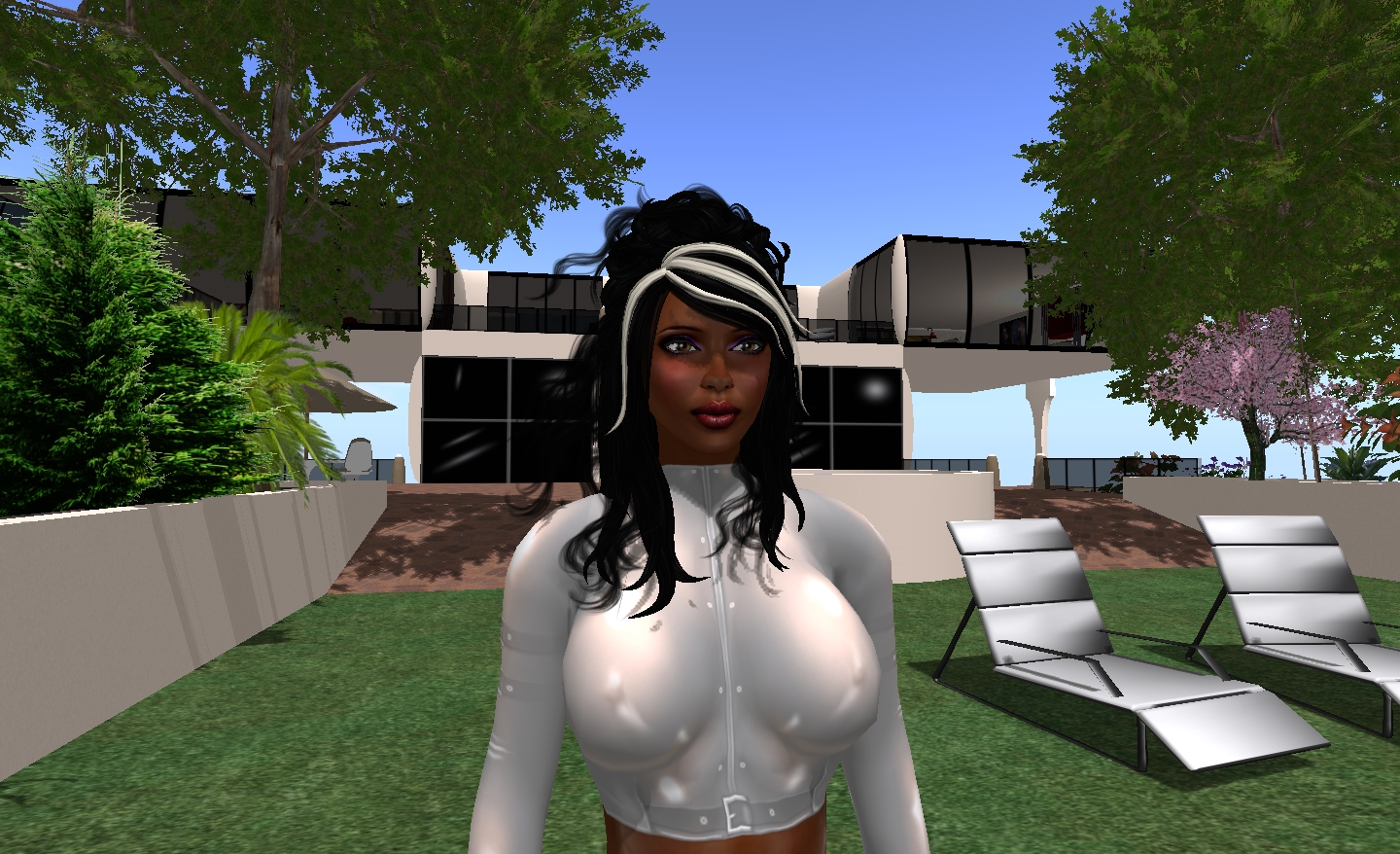
Anyway, a couple of shots to demonstrate why I’m coming to love shadows – nothing new or radical for those who are already familiar with them.

Me – without shadows

This is probably the way most of us see one another in SL, so no big surprises. However, turn shadowing on, and not only does the house and the trees cast nice shadows, but…

Me…with shadows active

…I get much better facial definition, and shadows cast across my feature from my hair – shadows with move in time to any hair movement.

One thing I have found is that shadows, like Windlight, demonstrate the need for subtle face lighting: illumination points really need to be considered carefully, and face lights are best “turned down low”, rather than being left full-on. I’d especially avoid lights that are very face-on: a couple of friends have these, and under Windlight it’s like having a car headlight shining during the dusk / night / dawn. With shadows and lighting combined, it’s like having a set of mobile spotlight illuminating anything within a 10-15 metre range, to say nothing of washing-out facial detail.

Now if only I could take courage and upgrade my power supply and then get a higher specification graphics card….

Firestorm: take one

This is a look at the PRE-RELEASE of the Viewer 2-based Phoenix Firestorm Viewer. As such, certain things should be borne in mind both if you are reading this piece and / or using the software:

  • This is not intended as a comprehensive review OR comparison with Viewer 2.x OR an in-depth investigation of bugs, etc. Rather it is an initial look at Firestorm. More details examinations will come as the Viewer stabilises and more features / functions are implemented
  • If you are trying out the pre-release for yourself, please make sure you have joined the Support Group for it, and have watched the introductory video
  • Please don’t expect this review to be a comprehensive list of bugs (see above) or for the software to work *perfectly*.

Download and Installation

I use a PC, and so downloaded the Windows version of the pre-release, which installed smoothly into its own dedicated folders, well away from Phoenix .818 (my primary Viewer). This installer quoted around 116Mb of disk space being required for the Viewer – but as with Phoenix, it ended up grabbing 217Mb of space, far more than the 92Mb required by Viewer 2 or the 198Mb used by Kirstenlee’s S21. Nevertheless, the installation was fast and smooth, and finished with an option to start Firestorm directly.

It *is* pre-release!

As a precaution, I’d cleared cache beforehand, and so hit YES to fire-up Firestorm from the prompt. May not have been necessary, but did so all the same.

On starting, got a new splash screen which again – wisely – hammers home the point that this is a pre-release, and as such will not contain absolutely every function one might expect of a Viewer, nor will it always work as anticipated…

Give the status of the software, writing a blow-by-blow review at this point in time is relatively pointless; anyway, Jessica’s intro video pretty much lays out what the user needs to know in accessing Firestorm. Clearly, given it is based on Viewer 2.x, Firestorm is going to have elements that people aren’t going to like – context menus rather than pie menus; the revised camera and movement controls, etc. Some of these the Phoenix team have tried to address, others they haven’t – and nor should they be expected to. This *is* a new Viewer, based on new software – as such, things are going to change and – frankly – people should show some willing and be prepared to change as well, rather than harping on about X not being Y, and how much they like Y in Viewer 1.2x….

The Good

  • Clean UI
  • Much tidier Sidebar
  • No Sidebar mini-tabs on down the right of the screen (unless you want them)
  • Persistent Sidebar tab behaviour – unlock and move a specific tab (say, Inventory) – it will remember where it was last displayed on your screen and re-open there (rather than back in the Sidebar), just like Viewer 1.2x menus
  • Buttons to Sidebar now contained in the Toolbar, and can be independently turned off / on
  • Chat bar in Toolbar can be resized
  • Ability to remove chat “headings” so that chat resembles 1.2x (date stamp and name, no little icon as per Viewer 2.x)
  • Improved Viewer 2.x Navigation Bar and new options in the LAND heading at the top of the Viewer Window
  • Improved skin options (with more to come)
  • Google translation tool retained (moved to the CHAT tab of Preferences and appears as an icon in IM tabs)
  • RLV/a support
  • Double-click teleports, etc.
  • Nearby chat window now includes a chat entry box AND has vertical IM tabs by default

The (Currently) Missing (that I use)

  • No client-side AO
  • No Radar tool
  • No real privacy options
  • No ability to click on the LAND information at the top of the Viewer window and bring up ABOUT LAND
  • No MU poses or auto-complete
  • No build enhancements in terms of highlighting prims, changing the default appearance of new prims, etc.
  • No client tag colours
  • Display Names are not displayed if chat headers are turned off in Preferences
  • Flexibility of use with MY OUTFITS

The Buggy

  • Had initial issues with the CONTACTS list in the Chat window:
    • Not all friends appeared on first logging
    • Options in FRIENDS list (see when you’re online, locate you on the Map, etc.), did not carry over from settings made in 1.2x. Some Friends lost the ability to locate me on the Map, others that did not have that privilege under 1.2x did in Firestorm, etc. I was also unable to change the options at all
    • Both issues were cleared by a couple of relogs
  • Scrolling up in Group chat caused incoming IMs to appear to “overwrite” text I was scrolling through – this was persistent through several log-ins and tests
  • Some people have reported crashing when editing their shape or outfit – although I haven’t encountered this
  • Not all the skins work – Jessica warns that there might be issues with some of the Starlight skins, and I found that some skins wouldn’t display LAND information at the top of the Viewer windows (e.g. MetaHarper Modern)
  • Disabling the teleport screen doesn’t actually work at present

Continue reading “Firestorm: take one”

Storming the fire….

firestorm-logoJessica Lyon over at Phoenix has announced that a pre-Alpha version of the Phoenix Firestorm Viewer will be released on Monday 31st January. Over on the Phoenix website she states:

Speaking of Firestorm!As most of you already know, we have been very busy working on the Firestorm Viewer. Most of you seem to also know that we plan to put out a “Preview” build of firestorm at the end of this month.. and most of you seem to be very eager to try it out. A lot of work has gone into Firestorm already but is mostly interface improvements and changes. It is critical that you understand the Firestorm Preview is just that… a preview, it is not yet ready for full-time use. But this will give you an idea of what’s in store in the future. If you would like to try out the preview of Firestorm at the end of the month, please join our in world group named Phoenix-Firestorm Preview Group. The build will be announced in that group and you can find help there as well.

Do understand! The Firestorm Preview build should be considered Pre Alpha! Not beta, not Release Candidat.. it is pre alpha and as such it has a lot of bugs that still need to be worked out.

To aid those eager to get their hand on it, Jessica and the team – in a move Linden Lab really, really, really should have thought of for themselves prior to the issuance of Viewer 2.0 a year ago – have released a video introduction to the new Viewer.

The highlights are:

  • Phoenix has adopted a broad Viewer 2.x front end that is robustly “clean” in its overall look.
  • They have followed Kirstenlee Cinquetti’s lead and completely re-sized the Sidebar so that it no longer takes up the entire right-side of the screen, but fits into its own window
  • The Sidebar is now accessed from a set of tool bar buttons – again like Kirstenlee’s Viewer2 hybrid, but with the buttons actually embedded in the tool bar, rather than on a floating palette – and those buttons that are not required can be “turn off” (hidden)
  • In a further improvement, the behaviour of the Sidebar is more persistent: if a specific Sidebar tab (say, HOME, is undocked, moved and closed, Firestorm will remember the last used position and size of the tab, and will reopen it again at that size and position rather than pushing it back into the Sidebar once more (one assumes this behaviour is persistent between log-ins)
  • Within the Inventory tab on the Sidebar, there is an additional button to quickly and easily open a further Inventory window – no need to remember keyboard combinations
  • The chat bar / tool bar combination at the bottom of the screen is re-sizeable, thus allowing those who wish to have more room for their chat entry to have more room – again, especially useful when the more useless Sidebar buttons are hidden
  • Viewer 1.x camera control / movement control window functionality is retained – both can be open at the same time, although both use the Viewer 2.x layouts
  • Firestorm retains the Viewer 1.2x combined window for chat / IMs and your Contacts list (avoiding the need to use the “Nearby Friends” Sidebar tab) and which includes the local chat entry bar that has been conspicuous by its absence in Viewer 2.x
  • Further, there is a PREFERENCES option that removes the space-wasting Viewer 2.x “headings” from the chat and IM windows, leaving you with the more user-friendly Viewer 1.2x appearance – and in keeping with Viewers like Phoenix 1.5.2 and Imprudence 1.4 et al, the tabs for chat and IMs in the chat window can be stacked vertically
  • Viewer 2.x’s Navigation Bar / search bar is retained, and by default includes a LAND button (sorely missed from early iterations of Viewer 2) and:
    • Includes a SKY button for quick Windlight tweaks
    • Can be controlled from the LAND display at the very top of the Viewer window, allowing you to turn the Navigation, Search and Favourites elements off or on
    • The bars are all semi-transparent, further lessening their impact on the main display window
  • Other items that are familiar to current Phoenix / other Viewer 1.2x-based TPVs will be familiar with include:
    • RLVa support
    • Ability to disable the login, logout and Tp splash and “progress” screens
    • Double-click teleporting
    • Running multiple Viewers
    • An option to quickly and easily change the UI skin (including a skin that retains the Viewer 2-style little Sidebar tabs on the right of the screen for those who like (!) them. A nice touch with the Skin option is the automatic inclusion of Hitomi’s Starlight skins (although there may be issues using Starlight with the pre-release of Firestorm)

There are some things that are potentially missing from Firestorm at present – Jessica states it currently retains the Viewer 2.x behaviour of having media streaming ON by default, something people don’t like – but this will be altered in a future release. The LAND display at the top of the Viewer window, while allowing you to turn things like the Navigation Bar off / on, appears to lack the ability to open the ABOUT LAND window if the Navigation Bar is turned off.

Overall, I have to say this Viewer has me excited. It appears to combine the best of Viewer 2.x and Viewer 1.x to present a crisp, clean Viewer environment that is highly customisable. Certainly, I’m looking forward to trying it out from Monday.

For those who wish to try the pre-release, it is recommended that you join an in-world Group that has been set-up specifically for the Firestorm release – as Jessica states, the Phoenix support network is still itself ramping-up on the new Viewer and so may not be able to provide the necessary support.

Viewer 1.23: coming to the end of the line

In May of last year, I reported on the initial steps that would see the eventual loss of Viewer 1.23.x as we know it.

That the depreciation had started – and would take a goodly while to complete, admittedly – caused one Third Party Viewer creator to get a little out of his tree, threatening to AR me to Linden Lab for “spreading lies”, and also to submit a “defamation” report against me with WordPress!

Anyway…it now appears that the first major step to ending Viewer 1.23 from effectively working on the Main Grid will be taken some time in Quarter 2 of 2011 (although this has yet to be precisely confirmed by Linden Lab).

The news came to light in a Phoenix Viewer office hour on the 11th January (the transcript from which I missed at the time). To whit:

Linden Labs has announced that they will be blocking search, server-side, for the Viewer 1.x viewer, effectively making all Viewer 1.x useless for search, and effectively forcing users to move over to the Viewer 2x viewer (allowing Linden Labs to move forward with features that are not compatible with the 1.x viewers). That gives the Phoenix team 3 or 4 months to get Firestorm ready for delivery…
[Addendum: To be clear… We were notified of the intention to turn off viewer 1.x search capability during a meeting between LL and approved Third Party Viewers. This information was provided to us as a means to help us prepare for what the future holds for existing 1.x viewers. Linden Lab has not officially announced this yet, and you can be sure that they WILL announce it well ahead of time and give everyone ample notice. We are told that the Lab will stop support for their 1.23 viewer before search in 1.x viewers is turned off….]

This announcement has been reported on at SLU, where it has been met with a mixed response. Elsewhere, the news has also meet with opposition – and one has to say that the concerns and critiques are somewhat justified.

However, is this really a bad thing? While it is true that Search in Viewer 2 is far from perfect, and still needs considerable work (not least shown by the fact that each new release of Viewer 2 seems to operate slightly differently with regards to search, and people have been commenting on this and getting frustrated about it in the official forums for a while) – the fact remains that Linden Lab cannot maintain two code bases indefinitely, and Viewer 2 already embeds a lot of functionality that Viewer 1.23 cannot support without more work than Linden Lab can afford to give, even were they so minded.

Ergo, things have to change, and as such, the end of Viewer 1.23 and its derivatives was and is only a matter of time. And let’s be fair: Viewer 2, while it still has warts, has come a considerable way in the last 12 months. While one could argue that in doing so, it could have benefited if, for part of that time it had remained in a more rigorous closed Beta testing environment in which perhaps more user feedback which was then acted upon, the Viewer would be now be enjoying a far greater degree of popularity among users than is currently the case; the point is now moot. Viewer 2.5 and the 2.5 Beta are a long way removed from the original, and time and effort has been invested by a lot of people both within and without Linden Lab – and they deserve thanks.

Again, the demise of 1.23 later this year shouldn’t be a surprise to anyone. The likes of the Phoenix and Imprudence teams have been beavering away with their own Viewer 2 based products, Firestorm and Kokua since around November of last year because of this very fact.

Of course, one could argue that “breaking” search in 1.23 is a lot different to “depreciating” the Viewer – but is it? The end result is the same.

While “breaking” – or more correctly – blocking search for 1.23 is perhaps a little unsubtle in some respects (rightly or wrongly, the perception (note the emphasis!) is that search is “working” in 1.23, and “not working in Viewer 2.x), it shouldn’t be seen as a negative. As some on the SLU thread point out, it clears the way for LL to focus down more thoroughly on Viewer 2 and its good and bad points.

Yes, Search in Viewer 2 still need work – but again, as many have pointed out to those raising a hoo-haw over this move: Search in Viewer 2 does work; just not in all cases. LL is fighting hard against people gaming the system – and in the areas where people complaining about it “not working”, it tends to be the most gaming goes on (such as with land and the like). In other areas, things are a lot better, and merchants and users alike are encountering fewer problems.

However, given that Search on Viewer 2 is still being worked upon, and may people do rely on Search in many ways, one hopes that the “turn off” date for Viewer 1.23’s access to search is not something that will be viewed as “stopping the train” if it is delayed. If we reach the date and it is widely acknowledged by the users who have to make use of it that Search in Viewer 2 still needs important work – LL will delay the switch-off.

Unless, of course, Firestorm and Kokua (and whoever else is going down this route) have rolled out and wooed all those still “anti” Viewer 2 on the grounds of its awkward UI – which is likely to be the case. Providing they do, I have a sneaking suspicion that many won’t even notice any Search issues. They’ll have a Viewer with a UI they like (aka one without a sidebar and with a better approach to chat windows  / chicklets / toasties – whatever cute name you give them) – and so on, and won’t be worried about Search.

Viewer 2.5 web profiles and angst

With the news of Esbee’s forthcoming departure since spreading, Viewer 2.5, recently promised by Frank (FJ Linden) Ambrose is rolled out a “Beta” to trumpeting by Q Linden.

Chief among the list of features in this iteration is the new web-based profile feature. I’ve already reported on this, and I like the fact that, in 1.23.x viewers at least, we get the best of both worlds – a web page Profile and the familiar in-world Profile window. Changes to one are automatically reflected in the other – neat.

However, in Viewer 2.5, it seems things are to be somewhat different: the web page Profile actually replaces the in-world Profile in the sidebar (clicking on Profile now apparently pops-up the built-in browser to display the web Profile). While this overcomes the somewhat ugly and limited Profile display found in the Viewer 2 sidebar, it’s not entirely ideal.

However, this isn’t the biggest issue with the new Profile option. People have already commented on the fact that it includes options to link to Facebook and Twitter – and people commenting on the release are also raising objections about the fact that others can click on the included buttons and add Profiles for SL avatars to their Facebook pages.

Me? I’m failing to see the problem. I’m sure there are those in SL who use Facebook, Twitter and LinkedIn who will find such options a delight and welcome addition. For those who don’t, I tend to say, “so what?” Why get all het up about it? I personally don’t use Facebook, so I won’t be linking anything from anyone to anywhere. I don’t even care if Joe Schmoe or Patty Pattacake out in Facebook land link my SL Profile to their Facebook pages because it doesn’t affect me in the slightest. There is nothing within my SL Profile that allows anyone to beat a path to my RL front door; so if Joe or Patty want to claim Inara as their friend – good for them. I’ve never been someone’s imaginary friend before – the experience might be fun.

And that’s assuming there are people out in Facebook land who are going to go clicky-happy when they happen to stumble upon SL avatar profiles – or worse, say nasty things about us! In sort, where this particular problem is concerned, people really should get over themselves. Now, had the new feature forced us all into Facebook land, then I’d understand (and be a part of) the outcry; as it stands, “mountain” and “molehill” are words that spring to mind.

What I do find telling about this release is that it has been pushed out the door by LL despite the fact this much-heralded feature has an irritating bug sitting in it – which is this: it doesn’t exactly work.

Those using Internet Explorer stand to be OK. But people using Chrome or Firefox or Safari, etc., are all reporting issues – specifically “SSL Handshake Failure”. This is due to the fact that the software requires a security certificate in order to function, and the only way to get that certificate until the Viewer is patched (2.5 Beta 2) is to run Internet Explorer and access a profile…

It’s not a major bug – but many people don’t use Internet Explorer. It’s not liked. Period. Linden Lab know this – just look at the kurfuffles surrounding the release of the “new” forum software, which originally only ran “properly” on Internet Explorer (and which today still doesn’t display all posts in a thread in browsers like Chrome…) users of other browsers weren’t exactly shy in giving vent to their frustrations – and rightly so. Given this problem was discovered before 2.5 Beta 1 was released, one has to ask why was the software still pushed out the door? Why the all-fired rush?

Would waiting just a day or two (or even a week) to get the patch sorted really have hurt that much?

I don’t use Viewer 2 – I’m a Phoenix / KLee Viewer user – so something like this doesn’t really affect me per se – and yet it does; simply because it is indicative that  LL, rather than being focused on stability, usability and the like are still focused primarily on dates on the calendar and ticking boxes – something Philip R himself said back at SLCC they’d “gotten wrong” and would be “fixed”.

Well, the fix appears to be lacking.

Viewer 2: Finally starting to show promise

Viewer 2.2 is now out and available – and it is finally starting to look like something many people can live with.

The ability to customise the interface has long been a bugbear in all iterations of the Viewer; and while we still cannot reasonably expect to be able to fiddle with things to the Nth degree, the ability to re-order things like the on-screen buttons is a step forward. We don’t all work the same way, we don’t want to do the same things – we’re not all right-handed or left-handed, much less all left-, or right-brain dominant – so this is going to help many reorganise things into a way that they feel is more logical and easier to use when it comes to their needs. Kudos, at last.

Similarly, the ability to float options away from the sidebar is a good step forward – although it seems from comments that the sidebar still remains the focal-point of the “new” Viewer, and not the in-world view; so my personal pet peeve with the Viewer remains.

It’s also nice to see the promised two-way “dialogue” between TPV developers and LL start to yield fruit, with tools we’ve seen commonplace in several TPVS – texture alignment, Google-powered translation, etc., – finally entering into Viewer 2; may snowstorm result in much more of this – and in both directions.

It’s also nice to see some major idiocy in the Viewer finally disappear, seemingly despite LL’s repeated refusal to initially listen and then simply drag their heels after admitting the problem(s). That parcel icons are now on by default is welcome news so is the ability to turn off scripted lighting and particle generators. Given the amount of resistance shown by LL to do the former, I wonder who took Esbee or someone outside and gave them a firm talking-to?

The reaction to the new Viewer has, overall, been positive in the comments following Esbee’s post, and there have even been some very good suggestions put forward for future improvements. I would hazard a guess that, unless said suggestions find their way into a TPV from a third-party – such as Kirstenlee’sS20, which still outstrips Viewer 2 and offers a (largely) genuine pleasure of a Viewer experience – and thus potentially into Snowstorm, I seriously doubt that they’ll be taken anywhere by Esbee et al.

Are these change enough to get me to jump ship from 1.23.5? Well, to be honest, no, not quite yet. I am curious to see if Marine updates her initial cut of the RLV-enabled version of Viewer 2 she put out on the 10th Oct, and which appears to be based on the Viewer 2.2 code as it stood then; whether changes were made to the base code between the 10th and yesterday’s release is beyond me. If she does, I’ll give things another look; but I’m still very attached to Phoenix – not just because of RLV, but because it still offers capabilities that are extraordinarily handy when keeping an eye on sims and tenants. These far outweigh the bells and whistles offered by Viewer 2, such as media-on-a-prim (which itself seems to have fizzled out like a wet firework rather than illuminating Second Life like a night-time space shuttle launch). As to the really useful features of Viewer 2: Alpha Masks, Tattoo Layers – they are already in the majority of TPVs, and so are hardly an encouragement to make the jump elsewhere.

So where is my incentive to move? Multi-attach / multi-wear? Very nice, but not actually essential, given how long I’ve lived without them – and certainly not worth a trade-off with that bloody sidebar barging out onto my screen without me cluttering-up world-view real estate with minimised windows torn off from it. And then we have the biggie: does search actually work in Viewer 2 now? I’ve honestly lost track of that situation.

Which really means my personal analysis of the latest release is really, “Congratulations, LL on getting a new usable Viewer out there for people. Pity you opted to push the code through the door eight months premature; you’ve still left yourselves a big mountain to climb in the eyes of the more cynical as a result of that mistake. But – well done, all the same, for keeping to your promise vis Snowstorm”.