SL project updates week 15/1: server, viewer, HTTP Inventory reminder

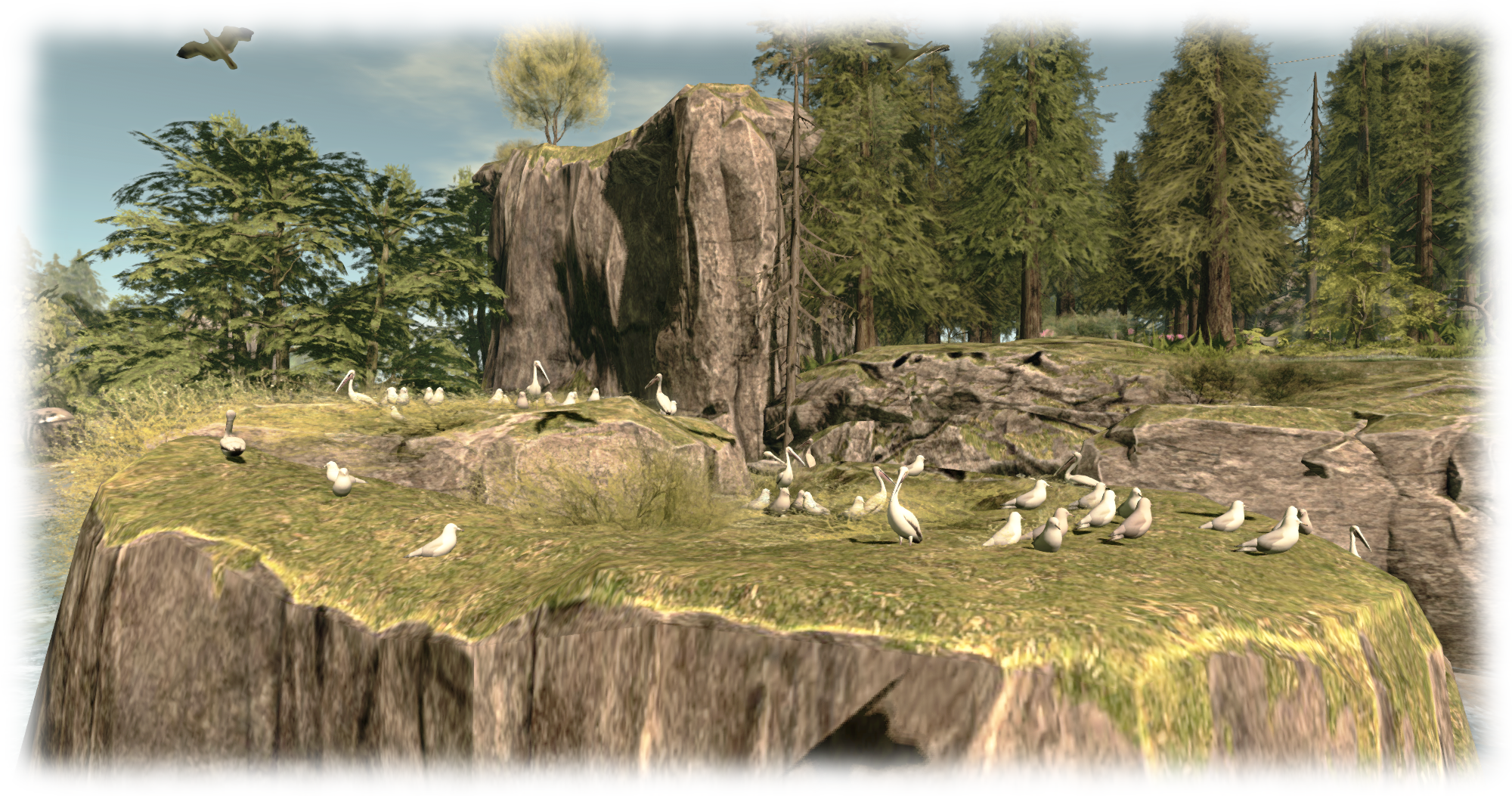
... and don't miss out on the merfolk's beach, complete with pier and fun fair!
Don#t forget you can plunge into learning about SL’s extensive merfolk and undersea community this week, thanks to the folk at Fanci’s Deep and the Safe Waters Foundation. There’s undersea tours, dances, dolphin rides, shopping opportunities, freebies and a whole lot more. You can even visit the mer beach and fun fair (above)! To find out more, read the blog post on the event, which runs through until April 11th

Server Deployments Week 15

As always, please refer to the server deployment thread in the forums for the latest information and updates.

  • On Tuesday, April 7th the Main (SLS) channel will receive the server maintenance update previously deployed to the three RC channels. This is primarily focused on trying to prevent  inventory loss issues, and sees UDP inventory messaging deprecated (see HTTP Inventory, below, for more important information)
  • On Wednesday, April 8th all three RC channels should receive a new server maintenance package comprising:
    • A fix for a server crash when rezzing an object
    • A minor change for CDN configuration
    • Adjusted internal server configuration.

SL Viewer Updates

A new release candidate viewer was released towards the end of last week. The HeatWave viewer, version 3.7.27.300424. This is essentially the maintenance RC viewer with an additional URI parser fix to prevent a viewer crash bug, but has retained a project name to differentiate the two RCs from one another.

 HTTP Inventory

With the Tuesday deployment (noted above), the main grid now only supports HTTP Inventory fetching. This means you must have the HTTP Inventory option enabled in the viewer (it can be found under the Develop(er) menu).

Should you disable it for any reason, you will encounter two issues:

  • Your avatar will not render, but will remain a cloud
  • Should you refresh your inventory for any reason (clear cache), your viewer will never complete the process of inventory fetching.

Unfortunately, and coincidentally, the Main channel deployment on Tuesday, April 7th came at a time when asset server / inventory issues were being experienced across the grid, and inventory database maintenance was carried out as a result.

Note that from Tuesday, April 6th, you must ensure HTTP Inventory is enabled in the Develop menu (sometimes called the Developer menu in TPVs) in order to help avoid inventory and / or avatar rendering problems

These issues and the maintenance may have masked any problems some people may have been having purely as a result of HTTP Inventory being disabled in their viewer.

Therefore, if you are encountering problems with your avatar remaining a cloud, or your inventory failing to load, please try the following steps to see if they resolve your situation:

  1. Make sure you have the Develop(er) menu enabled in your menu bar at the top of the viewer. Press CTRL-ALT-Q if you cannot see it.
  2. Click on Develop(er) to list the menu options.
  3. Make sure there is a tick in front of the HTTP Inventory option.
  4. If HTTP Inventory does not have a tick in front of it, then it is disabled. Click on it to enable it (and display the tick).
  5. Closed the Develop menu and re-log.
  6. Hopefully, following your re-log, your avatar will render / your inventory load properly.

UDP Inventory Messaging Deprecated

The reason for this is that the Lab has now deprecated the “old” method of inventory messaging (referred to as UDP messaging). However, if you disable the HTTP Inventory option in your viewer, the viewer will still attempt to use the “old” method, and thus you’ll have problems.

There are plans in hand for the Lab to remove the HTTP Inventory option from the viewer, and some TPVs may opt to remove it ahead of any update from the Lab. Until that time, it is essential you keep the option enabled to assist with the smooth functioning of your inventory.

Experience Keys / Tools

Not a lot to report on this project. Simon Linden has been working on the Key Value (KVP) database store used by Experiences. This work appears to be related to the Lab working to ensure the when deployed Experience Keys / Tools can be properly scaled to meet the anticipated demand for them. Commenting in general terms on the work, Oz Linden said during the Simulator User Group meeting on Tuesday, April 7th, “if we are as successful as we’d like to be with Experiences being adopted, it would run into problems. So we’re trying to solve them before we get to that point.”
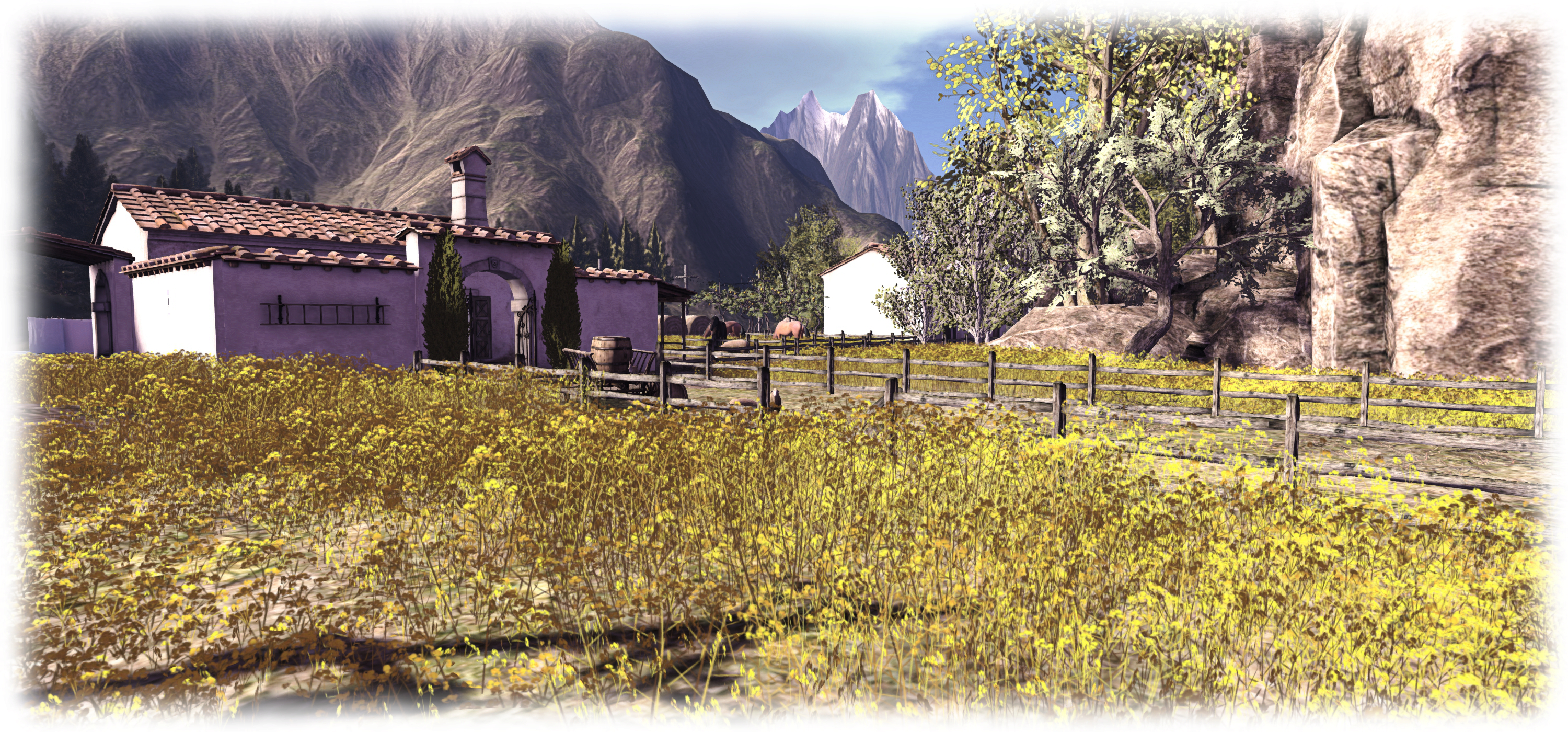
SL project updates week 14/2: server, viewer, CDN

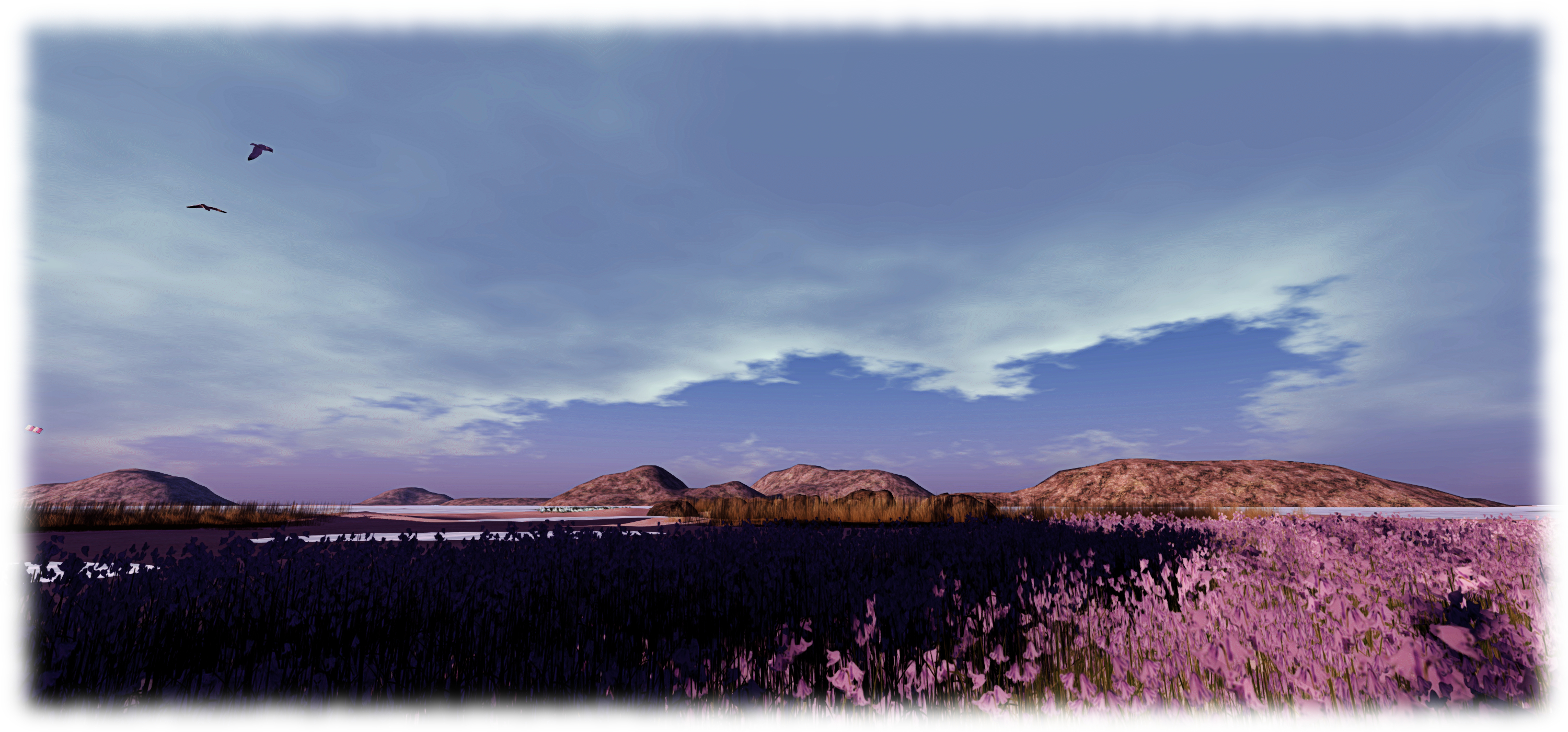
The Trace Too; Inara Pey, March 2015, on Flickr The Trace Too (Flickr) – blog post

Server Deployments Week 14 – Recap

As always, please refer to the server deployment thread in the forums for the latest information and updates.

  • There was no deployment to the Main SLS channel on Tuesday, March 31st, due to the inventory issues arising from the week #13 RC deployment – see my update here for details.
  • On Wednesday, April 1st, all three RCs received the same update to the current server maintenance package to fix the issues with Trash failing to purge in non-AIS v3 viewers (see BUG-8877. and my coverage of the recent issues here). Those suffering from inventory fetch failures on RC regions are advised to re-enable HTTP Inventory in their viewers, if disabled (found under the Develop menu).

SL Viewer

Wednesday, April 1st saw the release of the Project BigBird viewer (yes, seriously!), version 3.7.27.300377, which contains the various fixes for attachment issues which the Vir Linden has been working on. Specific fixes offered are listed as (note the MAINT designations are for the Lab’s internal JIRA, and thus non-viewable):

  • MAINT-4351 HUDs and attachments intermittently and randomly detach after teleports, sometimes reattaching on their own shortly after, sometimes staying detached completely, or showing as “worn on Invalid Attachment Point” while still detached
  • MAINT-4653 [Attachment-RC] When using “Add” or “Attach to” to attach multiple attachments at the same time, some attachments fall off and some get attached to the wrong attachment point
  • MAINT-4917 Attaching multiple objects generates multiple bake requests
  • MAINT-4918 Removing multiple attachments generates redundant detach requests
  • MAINT-4919 Attempting to wear an outfit with more than 40 attachments will fail

UDP Paths: HTTP Inventory, Textures and More

As noted at the top of this report, the week #13 RC deployments have been causing some inventory-related issues, one of which –  the Trash purging problem – has been fixed with this week’s RC RC deployment.

The second issue  – failures in inventory fetching following clearing cache on RCs regions – has been caused by a combination of the Lab deprecating the UDP message path for inventory updates and users having the HTTP Inventory option in the viewer (found under the Develop menu – CTRL-ALT-Q) disabled (unchecked).

Given this path has been deprecated, it is essential you keep HTTP Inventory enabled (the Lab will be removing the option from the Develop menu in the future to prevent it being unwittingly disabled).

Speaking at the Server Beta Meeting on Thursday, April 2nd, Oz Linden indicated that the Lab would be taking steps in the future to deprecate UDP messaging is “high on the list” for being deprecated in the future, given that textures have now moved to the CDN.

The CDN and Switching Further Services

While discussing the issue of UDP messaging, Oz again re-iterated the desire to pivot things like fetching animations and sounds away from UDP and onto HTTP, with the aim of provisioning them through the CDN, further lifting the load the simulators currently carry. However, he caveated this with two important points:

  • While this is something he’d like to see done, and is in the plans for SL’s future, the work hasn’t actually be scheduled yet, must less started; therefore it is not something that will be happening in the short-term (or perhaps even the medium term)
  • The Lab is working on a further round of CDN improvements – again, no time scale is available for their implementation – but there won’t be any additions to the data delivered via the CDN until after such improvements have been deployed.

One aspect here is that, in terms of the simulator load and in terms of the vast majority of users, the switch-over to avatar, mesh and texture data to CDN-based services has been a success for the Lab. However, as we’ve also seen, it has resulted in issues for some users, up to and including what is a degraded service due to the actions of at least one ISP.  While the latter is not something the Lab or their CDN provider can directly tackle, it does point to the fact that while off-loading the heavy lifting from the Lab’s servers can make for improvements, it can affect users in other ways.

Hence why the Lab is being cautious in approach, and is continuing to work with its CDN providers to try to improve the service as far as can be done, in the hope of reducing the number of ways in which users might find SL a poorer experience as a result of the CDN implementation. However, exactly what can be achieved and issues mitigated, remains to be seen.

In the meantime, as as per part 1 of this week’s update, if you do feel mesh and texture rendering isn’t what it once was, try following Monty Linden’s interim ideas  for easing things.

SL project updates week 14/1: server and viewer updates, misc items

Piony Hideout, Lions Hill; Inara Pey, March 2015, on Flickr Piony Hideout, Lions Hill (Flickr) – blog post

Server Deployments

As always, please refer to the server deployment thread in the forums for the latest information and updates.

There was no deployment to the Main SLS channel on Tuesday, March 31st, due to the inventory issues arising from the week #13 RC deployment – see my update here for details.

On Wednesday, April 1st, all three RCs will receive the same update to the current server maintenance package. This update is specifically aimed at correcting the trash purging issue reported with BUG-8877. However, the fix does not address the issue of inventory fetching hanging if HTTP Inventory has been disabled within the viewer.

This is because the Lab regards UDP inventory fetching as a deprecated protocol path, as indicated by the release notes, and non-HTTP based inventory fetching is now being phased out. As such, it is anticipated the option to disable HTTP Inventory within the viewer is likely to be hidden / removed at some point in the future.

SL Viewer Updates

The Tools update RC viewer updates to version 3.7.27.300242 on Monday, March 30th, bringing it into line with the current release viewer (3.7.26 with Avatar Hover Height).

The Maintenance RC viewer updated to version 3.7.27.300323 on Tuesday, March 31st. also bringing it into line with the current release viewer,  and includes fixes for many of the bugs and issues encountered with the initial release of the RC.

Other Items

Diagonal Region Rendering Issues

A fair while ago now (late 2012 / early 2013 in fact), I reported on issues that had been noted with regions seeming to be “missing” when seen from other regions.The problem was originally reported in SVC-8130, which is still marked as “unresolved”, and it had been hoped that fix for SVC-8019 would address the problem as well as dealing with other issues. However, the problem has continued intermittently ever since, with numerous issues marked as duplicates of SVC-8130 being reported, with the issue most recently being seen when looking at regions diagonally opposite Brocade on the Mainland.

The return of the missing regions issue (if it ever really went away): looking north-east from Brocade towards where Mullein isn't on the Mainland. Not, as well, the region kitty-corner beyond Mullein is also absent the view, although both appear on the map
The return of the missing regions issue (if it ever really went away): looking north-east from Brocade towards where Mullein isn’t on the Mainland. Not, as well, the region kitty-corner beyond Mullein is also absent the view, although both appear on the map

The problems are regarded as handshaking / communications issues between region, and are generally resolved through a region restart; although understandably, some holding regions on Mainland are reluctant to request a restart as this can affect multiple other region as well.

Multiple Calling Cards

Most of us are familiar with calling cards in the viewer. They can be obtained by friending someone, or by someone giving you their card (or you giving them your card, and are useful for things like  opening people’s profiles from inventory (particularly handy in cases where you haven’t friended someone, and so don’t have to use search to locate them), or initiating an IM conference call.

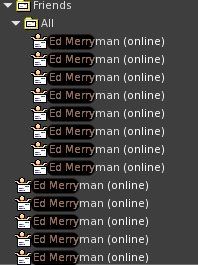
One of the many calling cards issues - spawning multiple copies of the same card (images via Jessica Lyon)
One of the many calling cards issues – spawning multiple copies of the same card (images via Jessica Lyon)

However, within v3-style viewer they can also be annoying, as they have a tendency to multiple for no readily apparent reason. People can often have a set of calling cards under the Calling Cards folder, which can be partially replicated in the Friends sub-folder, and then fully replicated in the All sub-folder beneath that, for example. Or individual cards can get spawned multiple times across one or more folders for no readily apparent reason.

The problem here is that having a high load of calling cards can generate problems logging-in to SL, where they run out of curl multihandles, causing log-in to hang or for them to disconnect on logging-in. This can usually be solved through … wait for it … disabling HTTP Inventory and then logging-in and deleting them, but this may not be an option in the future (see the notes at the start of this report). Given that calling cards get re-spawned following a re-log after deletion, and can start multiplying again, Oz noted in the SUG meeting that they are now an area “worthy of some study”.

Rendering / Rezzing Failures and the CDN

In week #13 I reported on rendering / rezzing issues being experienced by some people in the Florida / Alabama region of the USA. Since that time, the Lab’s investigations through the CDN provider have suggested the the ISP in question (Mediacom) has degraded the service, possibly due to the volume of traffic coming from the CDN. This was a concern voiced early-on during the CDN implementation, but this appears to be the first time such a move has been confirmed. In the forum thread on the matter, which has seen more input on the situation, Monty Linden has offered some interim ideas that may help users experiencing problems, while also emphasising the Lab is still working with the CDN providers to further refine the service.

SL project updates week 13/1: server, RTLP and misc news

Server Deployments Week 13

As always, please refer to the deployment thread in the forums for the latest updates / news.

  • On Tuesday, March 24th, the Main (SLS) channel received the server maintenance package deployed to the three RCs in week 12, comprising updates which allow the Lab to make various configuration changes without having to necessarily run a rolling restart when they have done so. It contains not actual functional changes to the simulator software
  • On Wednesday, March 25th, the three RC channels should all receive the same new server maintenance package, which is focused on inventory loss issues, and provides the Lab with better error detection and logging, improving their ability to look at some of the failure places and the removal of unused code.

SL Viewer

On Tuesday, March 24th the Avatar Hover Height (AHH) viewer, version 3.7.26.299635 became the de facto release viewer. Avatar Hover Height is a new feature that allows you to adjust the vertical position of your avatar within some preset limits. This is a purely graphical tweak that does not affect your position for physics purposes. For it to work properly, both you and observers watching you need to be running a supported viewer.

You can find out more information view the wiki page and / or via my overview of AHH.

Now in the release viewer: Avatar Hover Height provides a means of adjusting your avatar's graphical height above the ground / floor / objects, as seen by yourself and others
Now in the release viewer: Avatar Hover Height provides a means of adjusting your avatar’s graphical height above the ground / floor / objects, as seen by yourself and others, on-the-fly

A very slight peculiarity with AHH, which seems to work very well, that if you have camera angle moved to the “default” view looking out from behind your avatar by hitting ESC to reset your camera angle, and use the AHH function, it can also change your camera angle. However this doesn’t happen if you’re using any other camera position at the time you alter your height using AHH. This appears to be because there is some interact between the avatar’s height and the default camera position which might be expected behaviour, and may be looked at again in the future. In the meantime, it doesn’t impinge on the overall functionality of AHH.

Restore to Last Position

Note that the RC update is does not include any deprecation of the server-side message used by the restore to last position code (RLTP) used by TPVs.

Commenting on the status of any removal of the server-side support for RTLP (see here for background on this) during the Simulator User Group meeting on Tuesday, March 24th, Simon Linden said, “We haven’t done anything about RTLP  and it’s still officially unsupported.   There’s a long list of issues that would really make that feature work.   It would be really nice, but it’s not just fix-one-bug.”

Oz Linden then added, “We won’t disable it completely without fair warning at the TPV meeting. What I’ve done so far is just ask questions – it doesn’t count as fair warning :-).”

 Other Items

Mesh Uploader

There is currently a mesh uploader project viewer (version 3.7.25.298441), which includes various improvements to the uploader, and which will most likely be progressing through to RC status and to a release status over time. However, there are still further requests for the uploader to be improved in terms of the information it displays, two of which are:

  • Better capabilities for zooming the model preview window after using the scale option, so that if the preview image is enlarged the user can zoom out further than is currently possible
  • The ability to provide an actual LI calculation while using the custom physics model upload, rather than just a convex hull measurement (see VWR-28177 “Enable Prim physics-shape-type physics weight display in upload floater”).

Both of these were raised at the Simulator User Group meeting on Tuesday March 24th; which doesn’t mean they’ll necessarily be acted upon, but while the Lab is tinkering with the uploader, it does bring both matters back to the Lab’s attention.

SL project updates week 12/1: server, RTLP, viewer translation tool

Tugby! Rugby with tugboats - blog post
Tugby! Rugby with tugboats – blog post

Server Deployments Week 12

As always, please refer to the server deployment thread for the latest updates and information on the week’s roll-outs.

  • On Tuesday, March 17th, the Main (SLS) channel received the server maintenance package previously deployed to the three RC channels.  This comprises “internal improvements for premium users”
  • On Wednesday, March 18th, all three RC channels should receive the same new server maintenance package, comprising various internal fixes for the simulator code.

Commenting on the RD deployment at the Simulator User Group meeting on Tuesday, March 16th, Simon Linden said, “the code going to RC tomorrow doesn’t have anything you will notice, but helps us when we want to make some configuration changes.” Oz Linden followed-up his comment by adding, “that is to say, it allows us to make changes we used to have to roll code to make.”

Other Items

Restore to Last Position (RTLP)

As noted in my last SL projects update report, the Lab is considering deprecating the last of the simulator messaging support for the “restore to last position” (RTLP) functionality, which can still be found in some TPVs and can, albeit with some undesirable results, depending upon how it is used, to restore an item directly from inventory  and return it to its last recorded in-world position, relative to the region in which the user is standing.

Because the Lab are considering the future of the simulator-side support for the capability, and also as I’ve reported, the Firestorm team is seeking use cases from users on how RTLP is useful, in the hope of presenting the Lab with a reasoned argument on why RTLP, or some similar capability should be retained / provided.

Oz Linden - keeping an eye on feedback through the Firestorm blog on "restore to last position"
Oz Linden – keeping an eye on feedback through the Firestorm blog on “restore to last position”

Commenting on the effort, Oz Linden said, “I’ve been following that. some are supportable, other not so much. Very good food for thought, though, and at least as far as I’ve gotten … people are heeding the request to be civil and non-hyperbolic. I really appreciated that.”

Also commenting on RTLP, Simon said, “What I’ve always wondered with that … the viewer really has a lot of info to do this better. It seems like it could record a list of things as they are removed from a region, then later put them back and give you better feedback on what works and what doesn’t.”

A number of possible approaches to handling cases currently managed by RTLP were also raised during the discussion, but these were just ideas, although they were listened to positively by Oz and Simon. However, this does necessarily mean the Lab will not deprecate the simulator support required for RTLP at some point in the future as a part of dealing with inventory loss issues, or that they’ll necessarily replace it with other functionality. But they are listening and reading.

So again, if you do have a good, concise use case for RTLP which hasn’t so far been reported on the Firestorm blog post’s comments (not here!), do make sure you hop over there and write it up.

Viewer Translation Tool Issue

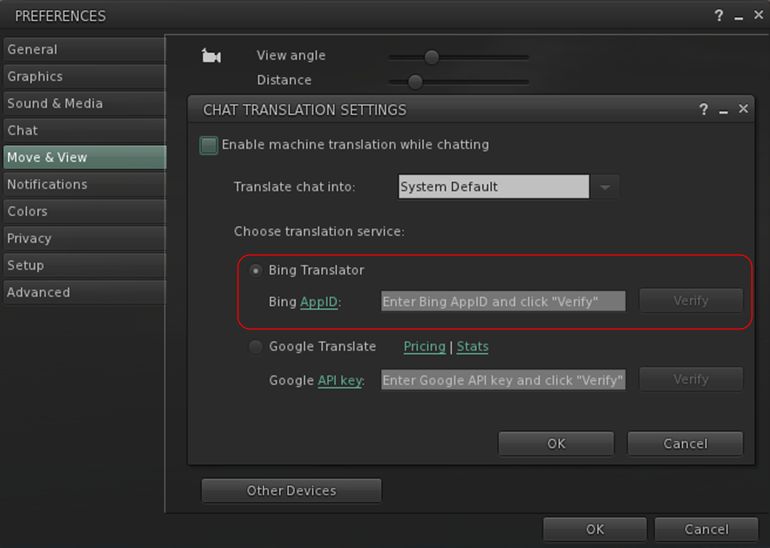
Nalates Urriah reports that the translation option within the SL viewer (and used by TPVs) is effectively broken for those wishing to use it for the first time (see: BUG-8794 “The Bing API used by the viewer is depreciated [sic]”).

This isn’t an issue within the viewer per se; rather it is a result of the older Bing translation tool WPI / widget having been deprecated by Microsoft, and the means to access it removed from the web page to which users are directed on clicking the Bing API link within Preferences > Chat  > Translation in the viewer.

However, this isn’t a matter of the Lab simply correcting the link used within the viewer; deprecating the “old” translation service means that any keys obtained by following links to the “new” service will not verify through the API currently used by the viewer, thus preventing the Bing translation service being used.

Microsoft have deprecated the existing Bing translation API / widget with the result that new translation keys will not work within the translation function in the viewer (official and those TPVs using the Lab's translate options)
Microsoft have deprecated the existing Bing translation API / widget with the result that new translation keys will not work within the translation function in the viewer (official and those TPVs using the Lab’s translate options)

However, as noted in both the notes from Microsoft, and in comments accompanying BUG-8794, existing verification key previously obtained using the “old” Bing API are still supported, and will still work; thus, this issue only impacts those trying to obtain a new key. As this matter has just been reported, there is no word from the Lab on how it might be handled.

SL project news week 11/1: server, viewer, group chat

Armenelos, Calas Galadhon; Inara Pey, March 2015, on Flickr Armenelos, Calas Galadhon (Flickr) – blog post

Server Deployments Week 11

As always, please refer to the sever deployment thread for the latest updates and information.

  • There was no Main (SLS) channel deployment on Tuesday, March 10th
  • On Wednesday, March 11th, all three RC channels should receive the same new server maintenance package comprising “internal improvements for premium users”.

When asked during the Simulator User Group meeting on Tuesday, March 10th whether the “internal improvements for premium users” was related to the change to the in-world receipt of off-line IMs, as mentioned at the last SBUG meeting, Simon Linden could only say, “I’m not supposed to announce anything, so I can’t go into details … but one thing we’re looking at this year is ways to make premium accounts better. This may or may not do something like that eventually.”

SL Viewer Updates

A new Maintenance RC viewer, version 3.7.26.299610,was released on March 6th. This includes multiple fixes and improvements as listed on the release notes and download page.

The Experience Keys viewer updated to version 3.8.0.299338 on Monday, March 9th, maintaining parity with the current release viewer.

Experience Tools

Although the Experience Tools viewer has been updated (see above), there is still no news on when Experiences might be fully deployed. In order to help build interest in Experiences a suggestion has been put forward to enable Experiences to be rated in terms of the number of people actively joining them (see BUG-6911), which could be optionally shown (at the Experience creator’s discretion in things like search listings, allowing people to judge Experiences by their popularity.

The Lab has considered allowing users to rate Experience themselves in a future update – but as point out in the JIRA comments, such a system could be open to gaming, much like the old avatar popularity ratings. BUG-6911 has been imported by the Lab, but it is currently unclear if the idea will be carried forward.

Group Chat

As also noted in my last updates, recent changes to the group chat service have seen up to a 20% failure rate in delivered messages. Simon Linden spent a fair amount of time during week #10 stabilising things once more, and notes that the situation taught the Lab more about how things might fail. He currently has a set of updates which may further improve things, and these are liable to be tested at the next Server Beta User Group meeting.

Other Items

Names Vanishing from Ban Lists

There have been reports of avatars added to a region / estate ban list or have been previously muted suddenly dropped from the list without an action on the part of the list owner. This might be connected to the old issue of bans made using radar on some older versions of v1-style viewers (notably Phoenix) failing to “stick”, or it may be something else, such as a failure to correctly update a ban / mute list.

Commenting on the subject at the Simulator User Group meeting, Simon said, “we’ve heard reports of that and have looked into it … if you ever can narrow down an instance of that happening, please note it in a JIRA … Our logs will record info about those changing but we have to know where and when to look

“I’m making wild guesses, but I think it would be either the viewer or the simulator making an update to the ban list, and somehow having bad data.   Perhaps an incomplete list gets into the picture, and using that as a basis for the update it drops people.   Our logs will show events like “MrNoisy was added” and “MrGoodBehaviour was removed” but finding the event is the missing part of the puzzle.

“If you have multiple regions in the estate, there’s another issue of having the changes sent out to all the regions.   We’ve seen failures there and I know it’s been worked on a few times (and suspected in some of these reports).”

So, if you do encounter a situation involving an apparent ban list failure, and can log the exact circumstances / details, please consider raising a bug report.