Singularity Viewer gets mesh rendering

An experimental release of the popular V1-based Singularity Viewer was made today – version 1.6.0 (0). According to the blog post accompanying the release, it has been four months in development, and most of the changes are under-the-hood, with the team acknowledging they still have a lot of work to do in some areas. However – the exciting news for Singularity user (and for those who prefer using V1-style Viewers as a whole) is that the release includes mesh rendering.

Currently the release is only available for Windows users – and requires systems running SSE2. Work is underway on a release for Linux, which is listed as “It’ll be here soon!”. However, Mac users may have a longer wait in store, as the download page states: “There are serious bugs affecting OS X in current codebase and also present in Linden V3 codebase. So far there is no known solution“.

So, how does this Windows release look and handle?

Installation and First Run

Given this is an experimental release, it is recommended that previous versions of Singularity are removed prior to installing 1.6.0. (0), or that you install it in an entirely separate folder hierarchy. I opted for the second option, and following the download and scan of the regularly sized .EXE file (22Mb), installed the new release into a folder I called “Singularity-Mesh”.

Starting the Viewer brought with it a surprise: up popped the “new” V3 login screen from LL with the Destination Guide, etc. This is the first time I’ve seen this login screen appear in a V1-based Viewer and as such, the Singularity team deserve double kudos; both for being the first, and for actively using the screen. It’s a massively useful feature for both old and new SL users  – particularly when you want to get to a noted event fast (as I’ve done myself several times even if it has meant using V3 in preference to Firestorm).

Singularity uses the “new” LL login screen

Once logged-in, you’re presented with the familiar (or in my case nowadays – not so familiar!) V1 UI in Singularity’s stylish charcoal grey / black. Don’t expect any obvious updates or changes here in terms of menu options and Preferences options; again, as the release notes state, most of the changes with this release are under-the-hood.

However, one change that is obvious (for those that use it) is with the Grid Manager (accessed via the login screen or via PREFERNCES -> GRIDS). In most V1 Viewers including older versions of Singularity, opening the Grid Manager would display the full information relating to the grid you are / will be logged-in to (below left).

Grid Manager changes: old (left) and new (right) – but no GET GRID INFO button

With Singularity 1.6.0. (0), a cleaner, summary page is displayed (above right). To access detailed information for a specific grid, one needs to lick on the ADVANCED tab, near the top of the floater.

This is regarded as an experimental Grid Manager, which includes megaregion support for OpenSim. However, it is missing a critical element: there is no GET GRID INFO button in either the ADD or the AdVANCED tabs. Thus, there is currently no way to fetch information relating to a grid (login page URI, etc.) on the basis of the grid name and URL. Instead, all additional information has to be manually typed-in (assuming you have it to hand).

This is something of a major oversight for those of us who do jump between grids – particularly given the button was present on earlier Singularity releases. Hopefully it will be back in an update.

Mesh Rendering

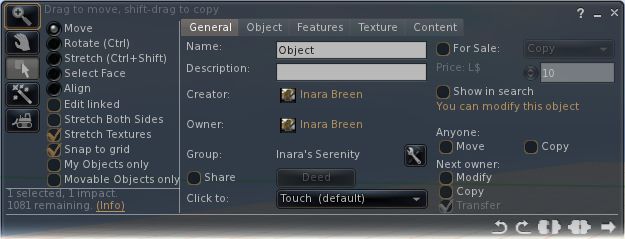
However, it is mesh that will be tweaking most people’s interest, and in this area, the Viewer is flawless in its ability to render mesh objects. A nice touch is that “Prim Equivalence” and “PE” have been abandoned in the Edit menu floater when viewing mesh objects, and replaced with a simple “Cost”. This should cause less confusion for users who still get caught between “Prims” and “Prim Equivalency” and also allow the Viewer code to easily be tweaked to read “Impact” once LL’s “Land Impact” approach becomes widely adopted.

There is no mesh upload tool at present, but apparently work on an uploader for V1 Viewers is underway on several fronts.

Other Noteworthy Bits

As those familiar with Singularity know, it includes much of the functionality found within Phoenix and other V1 TPVs. Radar, client-side AO, media filters, quick preferences, command line support (“/dd” for draw distance, etc), some shield options, and so on, so I’m not going to delve into these. However, a few things are worthy of note in terms of the “haves” and “have nots”:

  • RLVais updated to the latest release. When using the Viewer, remember:
    • RLVa is turned on by default in Singularity, so there’s not need to go hunting for a Preferences or menu option to enable it, and no need to then log out / log back in
    • To disable RLVa, enable the ADVANCED menu, then click on RESTRAINEDLOVE API. A message will be displayed informing you RLVa will be disabled following a restart. Use the same procedure to re-enable
  • There is no support for MOAP, multiple clothing layers and region Windlight settings, but these are being worked on
  •  Other updates include:
    • Renderer updated to move from mixed-pipeline to shader-only pipeline on capable hardware, analogous to V3
    • Editor support for more LSL/OSSL functions
    • Additional Windlight presets
    • A texture fetch and bake bug fix
    • Improvements to the notecard editor
    • V3-style media browser

Performance

Overall, performance good, although obviously slightly down on the non-mesh version. On my usual test machine (Q6600 quad-core Intel at 2.4Ghz, Windows 7 32-bit with all service packs, 3Gb RAM, nVidia GE9800 GT with 1Gb RAM), Singularity 1.6.0 (0) clocked an average of 23-25fps on a sim with 4 others, compared with 36-38 fps on 1.5.10 (2) – graphics set to ULTRA on both as usual, and Draw distance set to 256m.

Enabling shadows did, unsurprisingly, cause a huge fall-off in FPS – down to an average of 4-5fps. I also had issues with some mesh objects which had Shininess enabled rendering as plain white objects with shadows active; something I’ve not encountered with other Viewers.

Overall, the new release performed very well, and easily matched anything other mesh-enabled V1 Viewers could achieve.

Singularity 1.6.0 (0) and Other Grids

As mentioned above, the experimental Grid Manager floater has an issue in that it lacks a GET GRID INFO button. However, once you’ve set-up accessing another grid, Singularity 1.6.0 (0) seems to work as smoothly as Imprudence. I skipped around InWorldz quite happily with in and dipped a toe into a couple of OpenSim grids without mishap. Frame rates in InWorldz matched those for Second Life, although the Viewer suffered the same issue I’ve had with others in relation to InWorldz – crashing on attempting to log out (this happens for me with Imprudence on InWorldz as well).

Opinion

A long-awaited and tidy update. Feature changes may appear small – but getting mesh rendering active is no trivial matter, and there are apparently in excess of 68,000 new lines of code within this release to enable it and take care of the other under-the-hood fixes and updates!

The release should go down well with Singularity users, the “experimental” tags not withstanding. Given Singularity also includes much that makes Phoenix popular it could prove to be a viable alternative for Phoenix users who want to get to see mesh now, but who don’t yet wish to make the jump to Firestorm or a V3 TPV.

Related Links

Kirstens Viewer: looking to Crowdfunder

Coming on top of yesterday’s tweet, there is good news for those who wish to see Kirsten’s Viewer continue.

Kirstenlee Cinquetti has announced that, following the outpouring of support for the Viewer, the team are going to try and obtain funding by going the Crowdfunder route.

In announcing the approach, Kirstenlee blogs:

Many of you have asked and wondered what the future would hold for the Viewer, well here is the answer..

After lots and lots of thought and quite a bit of behind the scenes activity we are going to go Crowdfunder!

The upshot of the whole deal is this, a target has been set to fund the entire project and it’s continued development for a period of one whole year. What happens remains to be seen, I can however reveal a few details of what does happen if we hit the target, and more critically what can occur if we exceed the funding target. If we seal the deal, almost instantly the binaries will become available for download the project will become active again and an updated and early build of S22 will become live.

If the funding target is achieved, it means that the binaries will be released once more, and work will immediately continue, with a list of juicy enhancements coming down the line over time:

  • Programmable camera positions
  • Enhanced photo making features
  • “Radical changes” to the user interface
  • Enhancements in the area of post processing and 3D vision

If the required funding level is exceeded, then the team will look into other aspects of Viewer development, such has obtaining a KDU licence, funding other developers, etc.

For those helping to fund the project, a special area of the Viewer’s website will be set up, providing preview access to builds and features, and where funders can vote on proposed new features and enhancements, etc. Rewards for funders will be based on their level of funding.

The project’s Crowdfunder page is now open. Using Crowdfunder is pretty much a win/win situation for all involved: if the target is reached, the project will go ahead; if the funding target isn’t reached, then money promised to the project will be refunded. So there’s no reason not to get involved!

Kirsten’s Viewer: announcement expected

At the start of September came news that Kirsten’s Viewer was effectively frozen as a result of Kirstenlee Cinquetti having to withdraw from the project in order to be better placed to care for partner Dawny Daviau.

While this news came a cause for regret, coupled with warm support for both Kirstenlee and Dawny, Hamlet Au put forward an intriguing idea to the community as to how the Viewer might survive. This resulted in a massive outpouring of further support for the Viewer, as evidenced in the KV blog, which prompted Jabba Aabye to post sincere thanks to all who had come forward, hinting that something may well be forthcoming, as he referred to the Viewer thus:

But there might be some light on the horizon. Tho it is not official yet, there is some hope growing it will work out and benefit all of us.

Not long after that post was made, I heard a rumour  – and I emphasise the word rumour – that there had been a further code commit for Kirsten’s Viewer. A check on the Kirsten’s Viewer SorceForge page revealed that, on the day Jabba made the announcement, a subversion of the Viewer code  – No. 1060 – was in fact committed. A total of 13 files were submitted to the SVN repository – most of which appear related to the forthcoming Direct Delivery mechanism / Inventory changes.

Obviously, the above is not indicative that there is about to be a further release of the Viewer; the commit could simply be related to placing work-in-progress into the repository pending the project being unfrozen at an unspecified point in the future.

However, earlier today, the following was sent out today via the Viewer’s Twitter account:

Given the upbeat tone of the Tweet (note the smiley), it would seem that some very welcome news may be in the offing where Kirsten’s Viewer is concerned, and the commit of the 22nd September may yet find its way into another release of the Viewer. Here’s to keeping fingers crossed that the forthcoming announcement carries some very good news.

Firestorm – an update on updates

firestorm-logoOn the 4th October, the Phoenix Hour was on-air and had a sort-of celebration for it’s first birthday, having first aired in 2010, and moved home in the interim. A belated happy birthday from me to Phalen, Jess and all the team who work on the show.

Support Groups

Jessica kicked-off the meat of the show with a warning about “unofficial” in-world Support Groups for Phoenix/Firestorm.There are a number of such Groups operating in-world, some of which have proven to be problematic for Phoenix and Firestorm users who have joined them in the mistaken belief that they are a part of the Phoenix / Firestorm team. In order to help people avoid similar issues in the future, Jessica reiterated that “official” support teams will always have either herself (Jessica Lyon) or Ed Merryman as a Founder and / or in the Ownership. As such, when looking to gain “official” support, users should only join these Groups.

Phalen Fairchild (l) and Jessica Lyon filming The Phoenix Hour

Firestorm Update

V1 Functionality

Firestorm has surpassed Linden Lab’s Viewer 2(/3) usage hours, which demonstrates the Viewer has a very strong uptake. However, adoption among existing Phoenix users remains an issue of concern. To overcome this, the team will be carrying out further work on the Phoenix mode log-in option for Firestorm:

  • The toolbar at the bottom of the screen will receive further work, possibly to include text rather than icons in the buttons to help make it look more like Phoenix
  • Phoenix / V1 chat bar behaviour is to be included in the mode:
    • V1 Auto-hiding of the chat bar will be included (Preferences option), so that when ENTER is hit, the chat bar will slide off to the left of the screen (rather than behind the toolbar buttons, as with V1 behaviour); pressing ENTER again will display the chat bat once more
    • Similarly, pressing ESC will hide the chat bar and allow the WASD keys to be used for avatar movement, a-la V1 behaviour. Pressing Enter will display the chat bar once more for text entry
    • A major source of complaint from V1 users coming into Firestorm has been the use of chiclets in the V2 code. The team are looking into an option for users to replace the chiclets with V1 style dialogue boxes if they wish. Firestorm does currently display script menus in the top right and also V1-style notices appearing in the lower right-hand corner – although they do not currently stay open – and the team are looking to enhance this

A further issue with adoption from V1 has been identified with the menu bar – which is clearly very different in V3 Viewers from V1.To assist people in transitioning to the new menu system, the team have started looking at ways in which the V1 style menus can temporarily displayed in Firestorm for a period of around 30 seconds at a time.

The idea behind this is not to replace the V3 menu system, but to help people orient themselves with the new menus – the capability can be used to quickly find & use options under the V1 menu system (such as uploading an image) – once an option has been used, the menu bar will revert to V3 style. In this way, people can find much-used options without frustration, while learning the new menu system at their own pace. While details are yet to be finalised, the capability will most likely be enabled through a button on Firestorm’s menu bar.

As Jessica stated in the show, the Team are trying to provide means by which V1 users find it easier to orient themselves to using Firestorm without impacting the team’s ability to keep pace with V3 developments coming out of Linden Lab. To achieve this the team must balance changes within the Viewer’s functionality with the ability to merge such changes with the code base coming out of the Lab.

Jessica also indicated that not all of the above changes will be implemented in the next Firestorm release, although the chat bar changes will be there (and gave the impression things like hiding the chat bar may be common to all three of the Viewer’s log-in modes).

General Updates

Away from V1 adoption issues, Jessica reported that:

  • Spell check is finished and will be in the next Firestorm release, there are just a couple of bugs to iron out
  • Mouselook has been updated (notably for combat users) to include:
    • The ability to see beacons in Mouselook
    • Mouselook zoom – press and hold the right mouse button and use the mouse scroll wheel to zoom in / out
    • The ability to display local chat and IM history
  • The current “chat echo” behaviour that sees anything typed into the chat bar being repeated in the Local Chat window (if open) and vice-versa, has been fixed, allowing different comments to be typed into each of the chat entry bars
  • Nicky Dasmijn has been working on the mesh uploader, and it looks very much as if this will be in the next release of Firestorm – there was some doubt as to whether it would be finished in time for the next release when Jessica last mentioned it in The Phoenix Hour
Mesh uploads coming to Firestorm (image from Viewer 3 for representative purposes)
  • Similarly, the inventory “jump” issue has been fixed by Kitty Barnett and will also be in the next Firestorm release
  • Notecard find & replace will be included, together with a number of fixes to the text editor, including, it would appear, the cursor placement issue
  • Radar is to made available as a floater in its own right, rather than as a part of the Nearby People Sidebar tab / floater – work has just started on this, so it may not be in the next release
  • Anti-spam controls are to be included in Firestorm – but it is unclear if these will be in the next release or not
  • There are a number of AO bug fixes, although at the time of the show (4th October), the issue of the AO turning itself off when you log-in was still unresolved

Code Contributions

Jessica raised the issue that Phoenix / Firestorm is in some ways viewed as the “giant” in Viewer development and as being somehow untouchable – which is far from the case. While the team does have an extensive support network for users, the development side is actually quite small (thirteen developers in total, only some of whom are able to commit large amounts of time to the project).

Therefore, rather than being large and untouchable, the team actually welcomes contributions from other developers that can be incorporated into the Viewer. Such contributions don’t have to by major new features or bug fixes, as Jessica stated:

“You may think that you’re not worthy, or you’re not good enough – but you are. Trust me. Even the littlest, smallest contributions you can provide are sometimes really big impact things Even just a typo that you find in the interface … and you can fix that easily and submit it to us … The thing is, I can put Aaron on a typo, and he’s going to spend 15-20 minutes on that typo; but that 15 minutes of Aaron’s time can be spent on really complicated things, and I’d rather keep him on the more [high] impact stuff, the complicated things that only he can do, than to put him onto something small. But if you can supply us [with] a patch, we can right-click, commit, give you credit for it and suddenly it’s fixed and it hasn’t taken us any time at all.”

Jessica then went on to outline the contributions that have come from a number of people – and other Viewers – that have helped to improve Firestorm, culminating in a further statement that Firestorm would not be where it is today without the efforts of a lot of contributors outside of the core team, “So if you have something in your Viewer that  improves your experience, I bet you it’s going to improve someone else’s. Send us a patch”.

Patches can be submitted via the Phoenix JIRA – you will require an account. There is also a mailing list available for developers and compilers to join. Note that this is not for asking questions on using the Viewer or for making suggestions for future features, etc – all of these should be handled through the usual support channels. The mailing list is purely for those actively engaged in Firestorm development, or who to assist in developing the Viewer (so it could be used to confirm whether or not someone is already working on fixing a particular bug or not, for example). Full credit for all patches / code used are given.

New Classes for Firestorm

There are new classes for Firestorm covering subjects such as troubleshooting, creating and using Contact Sets. Notification on these classes are provided through the  Phoenix / Firestorm Support Groups.

When Will the Release be Made?

There are a number of things still to be sorted as core issues prior to the next release of Firestorm.

  • As previously indicated, there are a number of issues inherited from Linden Lab within the code, and for which the team are still awaiting fixes from the Lab
  • Jessica would personally like to see the issues of settings reverting and the Viewer locking up as “not responding” periodically for some to be fixed prior to the next release

As such, there is still not given date for the next release – too much depends upon Linden Lab in many respects.

A further issue for the team are the recently announced changes to the Viewer UI that are to be forthcoming from Linden Lab.  At the time the show was recorded, little was known as to when these changes would start to be implemented by Linden Lab (or, in fact, what they would be), and Jessica was of the opinion that the team would likely release Firestorm prior to merging it with any UI updates coming out of LL.

However, given that some of these are now apparently due by the end of October (merging the Basic & Advanced modes, click-to-walk functionality, etc.), as indicated by Rodvik Linden speaking over on the SLU Forums, plans for Firestorm may have again been changed. As such, there is liable to be a further update on the release status for Firestorm at the next Phoenix Hour to take this particular matter into account, once more is known on LL’s plans.

Jessica was also unable to commit to supplying a date for the release of Phoenix with Mesh support. This has dependencies other than mesh (such as a complete update of the RLV system), which the team would like to see completed priority to making a further Phoenix release.

Finally, both Firestorm and Phoenix are also waiting on LL fixing the mesh-related OpenGL  issues and graphics issues that are currently being investigated by Runitai Linden.

The next Phoenix Hour is schedules for 14:00 SLT on Tuesday 18th October.

Mesh clothes: a way forward?

Mesh is here, as we know, and not entirely without problems. I, and many others, have commented on the fact that is it not easy to adjust mesh clothing to sizes that ideally fit individual avatars. Maxwell Graf was well aware of this problem, and put forward a solution via JIRA SH-2374 back in July, proposing the use of a parametric deformer.

Downgraded

As I reported on the 27th of last month, the JIRA was downgraded in status to Someday / Maybe – which came as a blow to a lot of people.

To be sure, Max’s solution was by no means easy in terms of coding – as he has always been the first to admit – the algorithms required to make the system work as presented would require considerable changes within the Viewer itself; and this clearly involves a cost element. As the current take-up of Mesh within SL is relatively low right now, that cost element, it would seem, is something the LL find hard to justify at this point in time, given what else they can potentially achieve elsewhere for effectively the same cost.

Nor, if I’m to be totally honest, did LL ever commit to making mesh suitable for all market opportunities – something I commented upon way back. Nevertheless, the fashion market in Sl is big, and LL cannot be unaware of this fact (they did host Fashion Expert Days last month) – so one might have thought they’d be aware of pressure to provide a means of clothing resizing for the advent of mesh – or at least to be prepared to be honest on the limitations.

In this regard, it has to be said that Linden Lab didn’t help themselves in the matter at all. Even after the initial roll-out,Linden staff were talking – albeit cautiously – about the limitations of mesh as a clothing medium and about Maxwell Graf’s idea  – and the appearance was that things were being earnestly looked at. Then the JIRA was downgraded without any commentary whatsoever from the Lab, leading to upset and consternation – a situation that was the same right up until yesterday, when Charlar finally commented on the JIRA thus:

“Hi everybody,

First, because we’ve wrapped the Mesh release 2 project, we’re moving items into other backlogs. We don’t have any subsequent dedicated mesh project planned so all remaining items, including this one, will end up on our general viewer or the server backlogs.

“This does not mean anything as extreme as some residents have assumed. The fact that the backlog is called “someday/maybe” means that it’s something we want to do, but can’t commit to a timeframe yet.

“We did some investigation into the problem that Maxwell’s solution attempts to solve. We’re doing some more research and prototyping, trying to find a solution that might be faster/easier to implement. We have Top People on it…

“…I can’t promise anything – we might come back and say ‘no’, we might say ‘yes, but later’ and we might say ‘here’s what we doing’. We might say something i haven’t thought of yet.”

It’s not the most positive of statements, but at least it demonstrates that this issue is possibly not a dead horse. Why then, couldn’t the message be communicated earlier? Even a simple, “This is the situation, we’re thinking it through and will get back to you one way or another”, would have been preferable to what appeared to be an attempt to simply ignore the JIRA before quietly moving it to an inert status.

(On a wider front, I’m looking at Charlar’s comment as meaning the “non-trivial” Mesh update he mentioned at SLCC 2011 is now going to be delayed  / scrapped given he states: “We don’t have any subsequent dedicated mesh project planned“.)

Alternative

However, it now seems that matters are moving on through other means. When Hamlet Au reported on the downgrade on the 30th September, Karl Stiefvater, formerly known as Qarl Linden, dropped a comment into the feedback that at first appeared a little tongue-in-cheek:

“Anyone wanna fund an ex-linden to do it?”

Maxwell Graf, unsurprisingly, given his involvement in the issue, has taken Karl up on this offer. As reported in PrimPerfect today, Max has set up a project to enable Karl to develop an alternative solution for the issue of resizing mesh clothing in SL. Max explains it thus:

“I have established a fund on the website http://www.indiegogo.com [a leading international funding platform] for this project. You can go there and read about the project and use the secure transaction methods to contribute to hiring Karl to do this project. Our goal is US$5400.00, $5000 of which will go to Karl, and $400 of which will be used to pay for the project and website fees. No amount of donated funds will be for my personal profit or use.

“The direct link to the project fund site is here: http://www.indiegogo.com/Mesh-Clothing-Parametric-Deformer-Project

“There is no fixed amount for donations – contribute what you can. That’s the beauty of a project like this. Small amounts add up!”

The project has 61 days in which to raise the $5400 in order for it to happen. This is a not inconceivable amount, although the question will inevitably be asked “What will it give us?” Max doesn’t shirk on the answer:

“To be clear, this will not solve every problem with mesh clothing. It will not create a layered hierarchy system of deformers as mentioned in the JIRA. Once the work is done, mesh clothing will not suddenly work perfectly for you, or work in the official LL viewers (unless they put the code in).”

What the project will potentially give is:

  • A working version of a single mesh deformer in the Snowstorm open source client
  • The ability for mesh clothing items to adjust automatically to fit an avatar’s size and shape without the need to use alpha layers to hide body parts
  • Less complexity of sizing considerations for clothing designers (no alpha maps, rigged adjustment, multiple sizes, etc.).

The finished code, presented as a part of the Snowstorm project, will be available to any third-party Viewer developer / team wishing to adopt it – and will obviously be available for Linden Lab, should they fail to define  / agree upon their own alternative to the original deformer suggested by Max.

Karl, as Qarl, is no stranger to mesh in SL – he developed much of the original code prior to departing Linden Lab, and he was responsible for the sculpted prim. As such, he is ideally suited to developing the code in question.

Not Ideal

This is not an ideal solution – again as Max clearly states. It doesn’t solve problems relating to modifying mesh clothing, etc. It does, however, overcome the immediate issue of fitting mesh clothing by default and it does – and pointed out above – reduce the overall complexity of mesh product creation for clothing makers.And at this point in time, many are of the opinion that something is far more preferable to the “nothing” Linden Lab may yet opt for.

Even so, there are questions that will be asked about the project as it stands – perhaps the biggest being, “What if Linden Lab do in fact come back with a solution of their own in Charlar’s promised two week(ish) time frame?” Will this project press ahead? Will it be cancelled? What of the money raised to date if that happens?

Clearly part of the answer to all of these questions will depend on precisely how effective any alternative presented by Linden Lab is, and the timeframe they assign for its implementation. As such, it is possible that some who might otherwise fund this project may await further feedback from Linden Lab, through Charlar or otherwise – and given the overall funding timeframe for the project, this shouldn’t impact it that badly.

However, given LL’s reticence to address this issue – or even (until yesterday) give direct feedback on concerns – one cannot fault Max or those following his lead for taking this route. Indeed, one could say kudos is due here for taking this particular bull by the horns.

Note: at the time of writing, $705 had been raised for the project. This represents some 13% of the total raised in just 9 hours.

Updates

  • 6th October, 13:30 BST: the project total stands at $2,150 – almost 40% of the required $5,400, raised within 24 hours
  • 7th October, 23:00 BST: the project total stands at $2,728 – just over 50% of the required total, raised in 48 hours
  • 8th October, 23:00 BST: the project total has passed through the $3K barrier
  • 19th October, 19:30 BST: the project stands at $3,787, just over 70% of the required total
  • 20th October, 23:55 BST: the project has broekn through the $4,000 barrier in just 15 days with a total of $4,223, just over 78% of the required total

Exodus Viewer: dedicated combat Viewer with mesh

Update January 2nd, 2012: A new Beta of Exodus has been released, and I have an overview available. As such, comments on this page are closed. Please feel free to read, but comments are best related to the latest release, and posted on that page.

A new Second Life Viewer has been launched with an emphasis on in-world combat gaming and which includes mesh rendering capabilities.

Exodus has been developed by Clix Diesel, Genz Kitten and Ash Qin – all of whom are combat veterans in Second Life, and involved in ARK, a cyberpunk-oriented combat environment. As such, a lot of emphasis has been placed on the Viewer’s performance – something that is vital to the gaming world in Second Life.

The Viewer is currently classified as a Public Beta, so if you give it a try, remember that it may not be entirely stable, and your experience may differ from mine.

Installation and First Looks

Exodus is based on Viewer 3, and is available for Windows (32-bit and 64-bit versions), Mac and Linux. The installer will be familiar to anyone who has installed a Viewer, and offers not surprises. System folders are created and a shortcut added to the desktop a-la most Viewers.

Starting the Viewer displays 3.x-style login screen, complete with BASIC and ADVANCED modes (defaulted to ADVANCED). The Viewer doesn’t include the new Viewer 3.x log-in display for the Main grid, with its Destination Guide options etc; instead, the splash screen is a black background upon which is displayed the Viewer’s stylish logo and recent update notes.

On logging-in, the Viewer presents a Viewer 3.x look and feel with a few subtle differences.

Exodus UI

The Sidebar includes two tabs dedicated to Exodus, one of which replaces the HOME tab, and has a stylised E as the tab logo. This provides access to the latest news from the Exodus team and displays the current Version number (in my case, 11.09.28.2), and a link to the Exodus blog. The second tab, bearing a familiar gears icon, provides access to the Exodus Preferences, of which more anon.

The toolbar button at the bottom of the UI has, by default: the Voice button, a client-side AO ported from Firestorm, a gears button providing access to a number of Quick Preferences somewhat similar to the Quick Preference found in Firestorm; and the familiar Gestures, Move, View, Snapshot and Search buttons. Unlike other V3 TPVs, Exodus has the Navigation Bar turned off by default, together with the Favourites Bar, and opts to use the Mini-location bar. The Advanced menu is displayed by default, as is the option to run multiple copies of the Viewer; and there are some dedicated menu options (see below).

Preferences

The main Preferences floater (Me -> Preferences) offers few differences to the standard V3 Viewer – although it does include Kitty Barnett’s Spell Checker, first seen (for V3.x) in Catzip.

There is a further interesting – and experimental – addition to the Graphics tab. Where, alongside the HARDWARE and ADVANCED buttons, there is a SPECIAL button. This will display the High Dynamic Range (HDR) settings (currently called the Advanced Graphics Settings in the actual floater). HDR should be of benefit to machinima makers and photographers, as it allows for enhanced colour correction, etc. As Geenz explains in the blog post on the subject:

“HDR stands for ‘High Dynamic Range’. HDR doesn’t necessarily increase rendering quality on its own (after all, HDR is only adds a higher dynamic color range for us to do nifty things with later on), but it does allow us to add different effects into the render pipeline like, color correction, gamma correction, and scene brightness that’s completely independent from the rest of the environment.”

HDR Options

A further enhancement to the Viewer that is not so obvious (given it is automatically activated), is the FXAA, or “Fast approXimate Anti-Aliasing” function. This provides an alternative to the “standard” anti-aliasing process used with deferred rendering, and it is intended to make the process a lot faster and should present smoother results. FXAA is apparently a feature that Linden Lab are developing for the official Viewer, but the Exodus team have implemented it through their own efforts.

You can read about both FXAA and HDR in Geenz’s blog entry.

Combat players may also like the fact that Exodus has the Mouselook zoom functionality included, making target sniping, etc., a lot easier. The function works identically to v1.x viewers that include it: enter Mouselook, press and hold the right mouse button and use the mouse scroll wheel to zoom in / out (with the wheel depressed).

Sidebar Preferences

exodus-2The Sidebar preferences can be accessed by clicking on the tab with the gears icon, or by clicking on the >> tab. This comprises a number of drop-down lists (see right) which provide access to a range of settings, some of which will be familiar to users of the likes of Phoenix and Firestorm, others of which are quite unique.

By default, the tab tends to open with the Chat Command Settings displayed by default (although on my version, the tab would sometimes switch between this and opening with all the drop-down lists closed).

The Chat Commands provides a breakdown of the chat command shortcut (“/dd” for setting draw distance, for example), defaults, together with an explanation of each shortcut – which can be set to any personal preferences.

After this, things get rather interesting. The next tab is Interface Settings. This reproduces a number of options commonly found in combat HUD systems. Given the intended use of the Viewer, this is a very good idea, and like the built-in AO, helps move functions from a reliance on server-side code execution directly to the Viewer.

Settings are available to customise your crosshairs, rangefinder and threat indicators. I confess, I’m no combat specialist (I’ve only ever visited one combat sim to my knowledge – and that was on Avination), but these look to be the kind of options combat players will find useful.

Coupled with this are the Minimap Settings, which provide a range of customisable options for tailoring the mini-map to suit your specific combat requirements (such as making it easier to identify friends and foes).

The remaining drop-downs provide access to specific Viewer functions, bringing them together under logical groupings: rendering teleport and sound settings (reproducing those options found in Preferences -> Sound & Media, and additional chat and display options that otherwise tend to be spread around a number of different tabs in Preferences.

Continue reading “Exodus Viewer: dedicated combat Viewer with mesh”